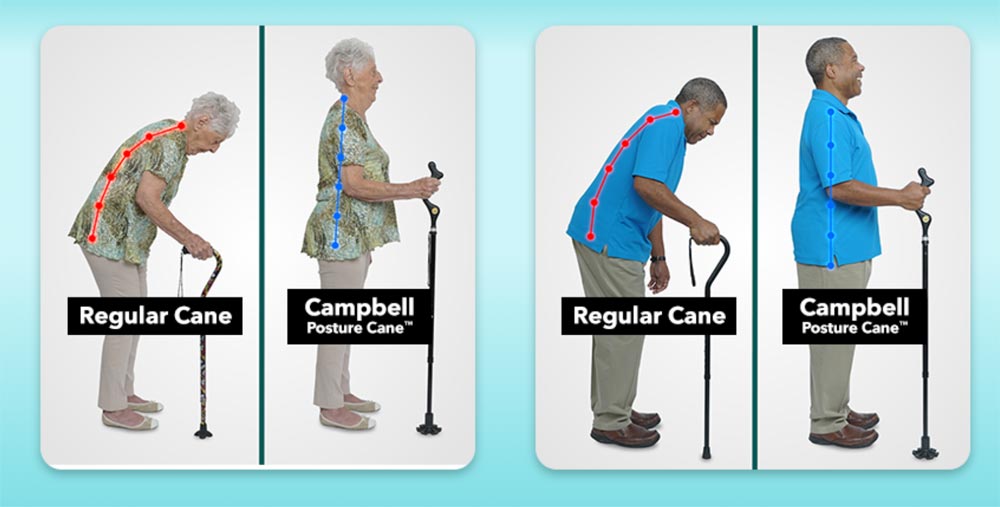
Walk more upright with the Campbell Posture Cane

NEWS – A couple of years ago, I underwent two total knee replacements in a four month period.  During each recovery, I first used a walker for a couple of weeks, then I switched to a cane for longer-term use.  The cane provided me with some extra stability as I walked, especially when going up stairs or stepping on/off curbs, but  it was uncomfortable to use.  Although my cane was adjustable for my height, it never seemed to be the right length for me.  When the physical therapist adjusted it for me, it seemed too short, and I felt like I was bending too far over while using it.  Walking for a while meant my neck was tired because I had to hold my head at a funny angle to see where I was going.  And I felt like my center of gravity was somewhere out in front of me because of the way I was hunched over.

If I had a Campbell Posture Cane back then, I think I would have felt more comfortable and confident using a cane.  The Campbell cane allows you to stand more upright, so you can see where you’re going.  My arm and shoulder wouldn’t have gotten so tired because I wouldn’t have been hunched over and leaning too much weight on wrist and shoulder joints that were never meant to be used that way.  You use the Campbell cane while standing upright in a more natural position, and you support your weight more naturally, too.
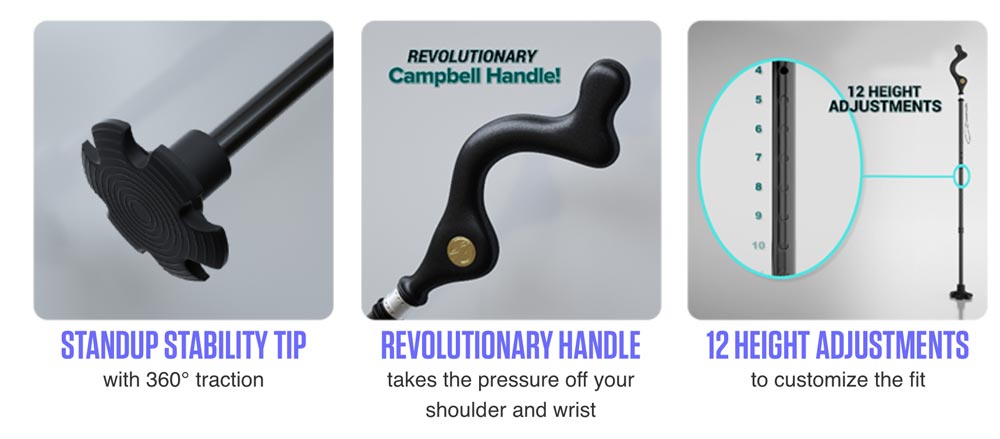
The Campbell Posture Cane is height adjustable to customize the fit for you.  The handle means you hold the cane more like a ski pole, which provides support and stability without putting pressure on your wrist and shoulder.  And the stability tip has texture for slip-resistant traction, and it’s big enough to improve your stability and even stand on its own so you don’t have to find a place to lay the cane when you sit down.  The cane helps you navigate sidewalks, stairs, and uneven terrain as easily as you can navigate your home’s floors.

The Campbell Posture Cane is $39.99 at their website.

Filed in categories: News

Tagged:

Walk more upright with the Campbell Posture Cane originally appeared on The Gadgeteer on September 23, 2018 at 10:00 am.

Note: If you are subscribed to this feed through FeedBurner, please switch to our native feed URL http://the-gadgeteer.com/feed/ in order to ensure continuous delivery.
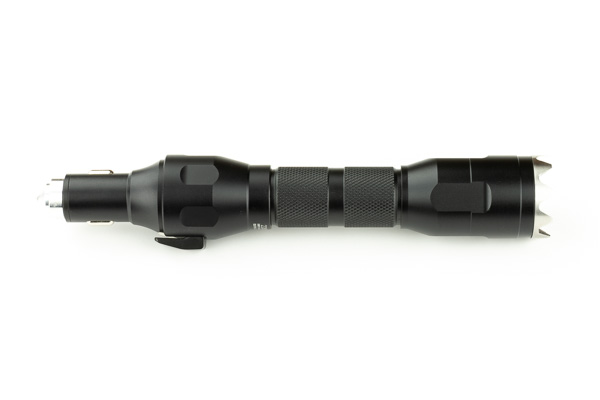
Tactical Emergency Flashlight Kit Escape Tool review

REVIEW – In my world, the answer to the question “Do I need another flashlight?” is always the same: YES! The MeetIdea Tactical Emergency Flashlight Kit Escape Tool is definitely a welcome addition to my collection. I have flashlights everywhere – in the Jeep, in the truck, in my photography bag, and all over the house.
What is it?

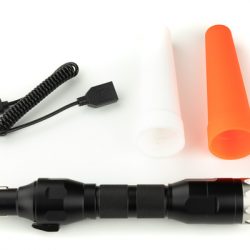
The MeetIdea Tactical Emergency Flashlight Kit Escape Tool is a multi-function 5-in-1 car escape tool includes a car charger, power bank, seatbelt cutter, window breaker, and emergency light.

What’s in the box?

  • Tactical Emergency Flashlight Kit Escape Tool
  • Light Cones
  • USB Cable


Design and features

The Tactical Emergency Flashlight Kit Escape Tool came to me with a bit of reservation on my part. I’ve seen many aluminum flashlights that look great, but once you get them in your hand you realize that they’re just cheap junk. This flashlight was an exception to that.

The box looked really nice and as often is the case, indicated that there was some pride in its packaging as well as its construction. Normally I don’t open a product box until I’m ready to photograph it, to keep fingerprints and dust to a minimum, but this one looked so nice I just had to handle it.

From the moment I picked it up, I was not disappointed.

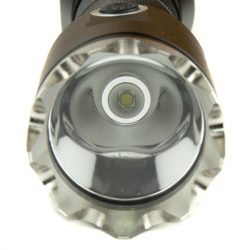
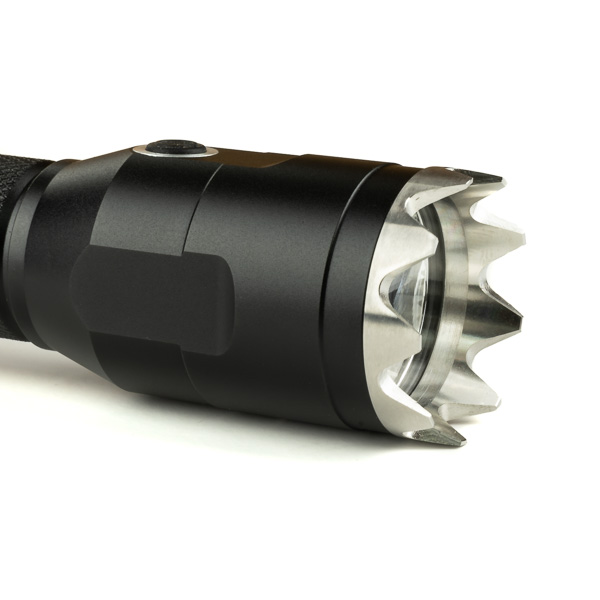
Being attracted to shiny objects, the first thing I noticed about this item was the serrated attack head. It’s milled from stainless steel, and has well-defined edges, but not too sharp as to damage your pocket while you’re carrying it. The first thing I thought was “I would NOT want to take a hit to the face with this thing!” The attack head also unscrews, making it easy to remove and clean the front lens of the light.

The power switch is accented with a complementary metal ring, making it easier to visually locate, and is positioned in exactly the right spot and has a very nice feel to the click when changing modes. The 300 lumen LED light has four modes: High, Low, Blink, and SOS. To start the SOS mode, simply hold the power button for 3 seconds.


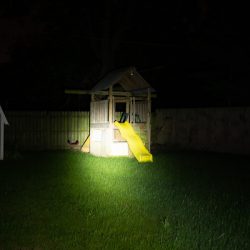
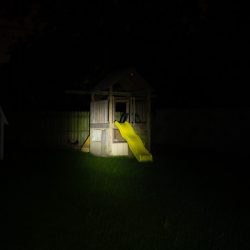
I found the light to be plenty bright enough, in fact for anything close to you the low power mode is plenty. The photos below were shot at the same exposure, with the swingset being about 50 feet from me.


Advertised as “At least 2 hours battery life under bright mode, 200 mins for strobe mode.”, I ran it for over 2.5 hours on bright mode.

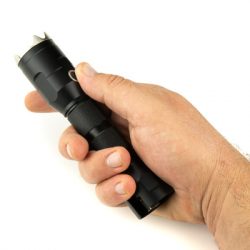
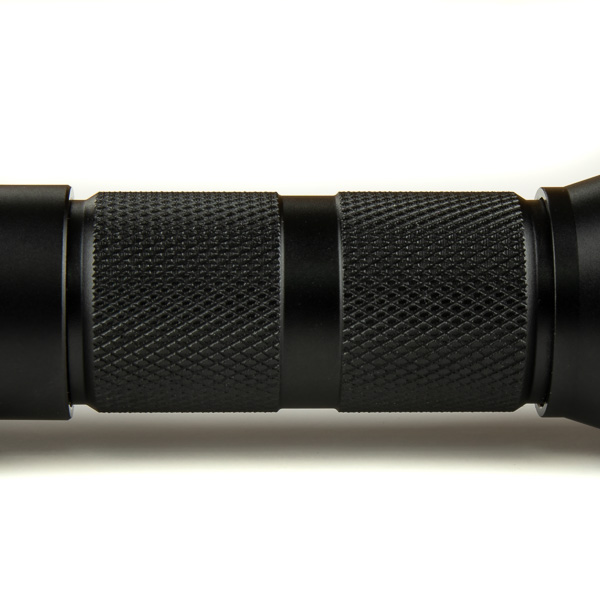
The knurled hand grip provides a skidproof gripping surface without being overly aggressive. The narrower hand grip area fits nicely in the hand for use in either direction. The body portion has o-rings to seal it, but I’m not sure just how waterproof the entire light would be considering the USB ports at the back.

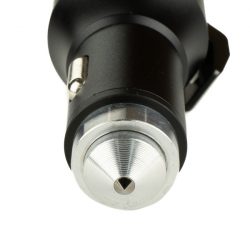
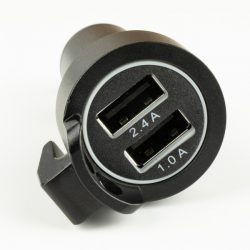
At the base of the light is the multi-function portion featuring a 12-volt car charger with 2.4a and 1.0 amp USB charging ports, a seat belt cutter, and a tungsten steel window breaking tip. The charger features a blue ring LED light that helps with locating the ports in the dark, and it’s not overly bright like some chargers. The light can be charged with this portion or via the included USB cord.


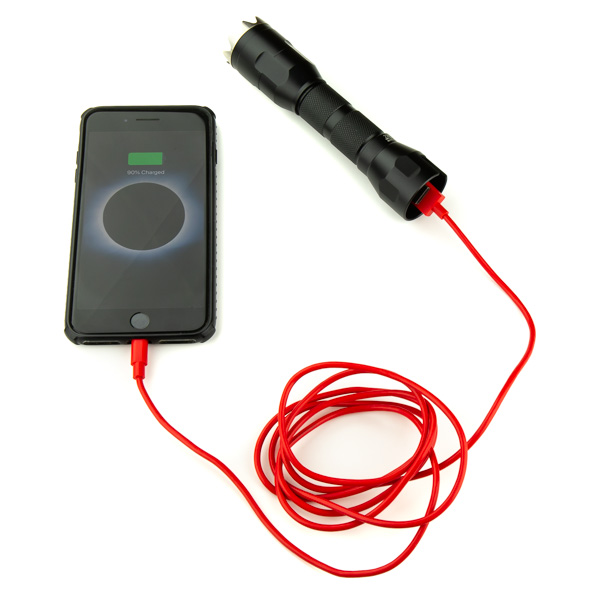
Perhaps one of my favorite features is the ability to use the flashlight as a battery bank to charge USB devices, such as a phone. The 2200mAh Li battery will provide a full charge for most phones.

I do wish there was a cap to cover the end of the light when the car charger isn’t installed, but I’m sure I can find a rubber cap at the local hardware store.

What I like

  • Defensive end
  • Multiple charging options
  • Rechargeable Battery
  • 2200 mAh Battery pack capability
  • Overall build quality

What needs to be improved

  • No charging indicator light
  • No battery level indicator lights
  • Cutter end has no positive connection to keep from falling off

Final thoughts

Currently priced at $29.99 makes this tool a great bargain. I’m going to be buying several of them to give as gifts and for my other vehicle.

Price: $29.99
Where to buy: MeetIDEA and Amazon
Source: The sample of this product was provided by MeetIDEA.

Filed in categories: Reviews

Tagged: ,

Tactical Emergency Flashlight Kit Escape Tool review originally appeared on The Gadgeteer on September 23, 2018 at 9:00 am.

Note: If you are subscribed to this feed through FeedBurner, please switch to our native feed URL http://the-gadgeteer.com/feed/ in order to ensure continuous delivery.

Add a shelf to your wall’s power outlets

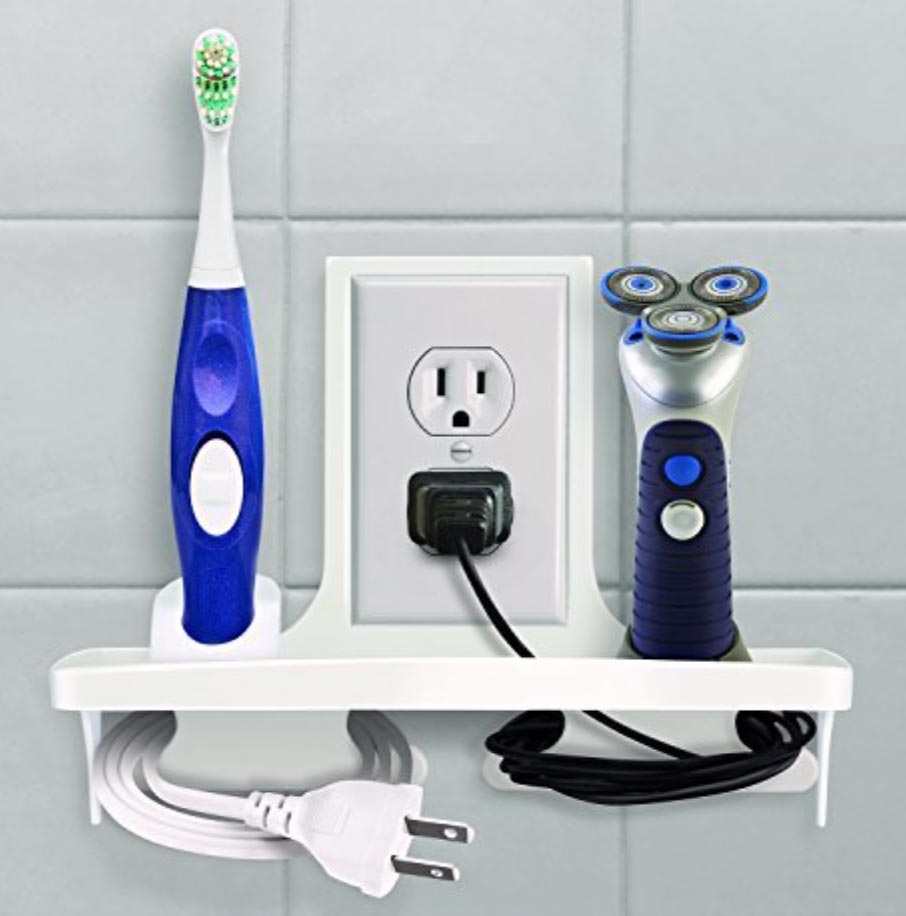
NEWS – The power outlets in both of our bathrooms are by the door, and they are too far away from the sink counter for me to use the outlets with my electric toothbrush.  I’ve been looking for a wall shelf, but I really don’t want to start screwing shelves into my ceramic tile walls.  One of these IdeaWorks Wall Outlet Organizers could be the perfect solution for bathrooms like mine.

The shelf works with standard outlet covers 2.75‘’ X 4.5 ‘’.  No extra hardware is needed; you just use the screws already provided for the outlet cover.  The shelf itself is 9″ wide, and it can hold up to 5 pounds.  There are two cord wraps under the shelf to keep excess cord length neatly out of the way.

It’s perfect in the bathroom for an electric toothbrush, razor, or a little Bluetooth speaker.  You can also use the outlet shelves in the kitchen or bedroom for a little charging station for phones.  I just wish they made one that would work with a double outlet cover, like the ones in my bathrooms.  The IdeaWorks Wall Outlet Organizer is $12.37 at Amazon.

Filed in categories: News

Tagged: ,

Add a shelf to your wall’s power outlets originally appeared on The Gadgeteer on September 23, 2018 at 8:07 am.

Note: If you are subscribed to this feed through FeedBurner, please switch to our native feed URL http://the-gadgeteer.com/feed/ in order to ensure continuous delivery.

Peak Designs backpack, GRID wallet, Black & Decker blender, and more – Weekly roundup

NEWS – It’s time to check out a comprehensive list of everything we posted this week from articles to reviews and news on all of your favorite gadget topics.

Articles

The Samsung Galaxy S10: what we think we know

My fab five cases for the new iPhone Xs Max

Reviews

Brydge 12.9 Series II Bluetooth iPad Pro keyboard review

MK Controls Lightning Bug review

Bestek 3-Outlet Vertical Cube Mountable Power Strip

Baron Fig Wander Dream Journal review

Vankyo LEISURE 3 2200 LUX LED Portable Projector review

JESE Air Purifier review

Sleepgram adjustable pillow review

PadMate PaMu Scroll BT 5.0 wireless earbuds review

Black & Decker Infuser 3-In-1 Digital PowerCrush Blending System review

Cowin E7 Pro Bluetooth active noise cancelling headphones review

Hydaway Collapsible Water Bottle version H.20 review

GRID wallet review

Nanoleaf remote review

Logitech MX Vertical advanced ergonomic wireless mouse review

Kingston DataTraveler Bolt Duo review

Black & Decker PowerCrush Digital Blender with Quiet Technology review

Renogy Outdoor Tactical Flashlight review

Peak Design 45 Liter Travel Backpack Review

News

Protect your personal items in a portable travel safe

The Trident Odyssey Valet is a luxury charging pedestal for Apple Watch

KUWOW backpack, Pitaka MagDock, Camper Hooded Jacket, and more – Notable crowdfunding campaigns

Nomad’s new Base Station wireless charger is a beauty

Levenger has just the tools to organize your desk

A bracelet 20,000 years in the making

Stop carrying your flashlight at night. Wear it instead!

The MightyPurse is an inexpensive phone-charging wallet

Vizio debuts three new Dolby Atmos soundbars starting at $499

The DraftTable is big and sturdy enough for an iPad Pro 12.9

Thwart the laundry room sock monster!

This extension cord makes charging your device easier while on the go

Don’t settle for flat waffles!

Filed in categories: News

Tagged:

Peak Designs backpack, GRID wallet, Black & Decker blender, and more – Weekly roundup originally appeared on The Gadgeteer on September 22, 2018 at 5:28 pm.

Note: If you are subscribed to this feed through FeedBurner, please switch to our native feed URL http://the-gadgeteer.com/feed/ in order to ensure continuous delivery.

Brydge 12.9 Series II Bluetooth iPad Pro keyboard review

REVIEW – When I got a 12.9 in. IPad pro, I had already purchased a case for it. I’m that paranoid of dropping and ruining any iDevice I buy. The case I bought was the Speck Stylefolio Pencil Case—a great case that does not include a keyboard. I’ve never been thrilled with the choice of keyboard cases (including Apple’s), so I resorted to using a discarded Apple Bluetooth keyboard to do my typing. What I really wanted was something that was as easy to type with as my wife’s MacBook Pro laptop. I now have that keyboard—the Brydge 12.9 Series II Bluetooth keyboard.

What is it?

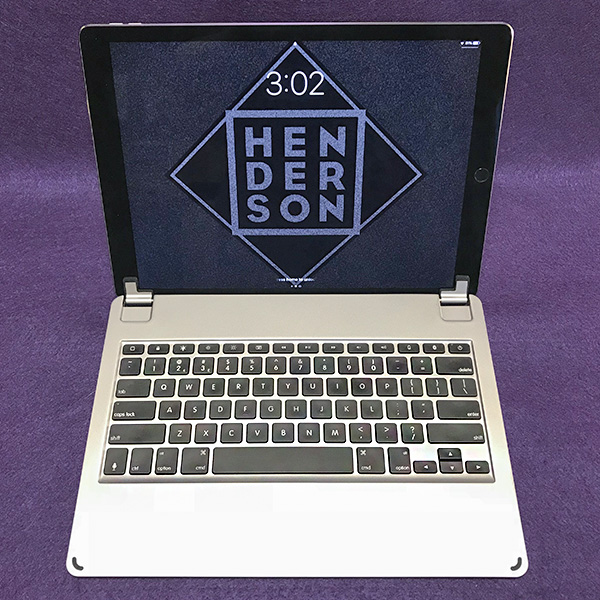
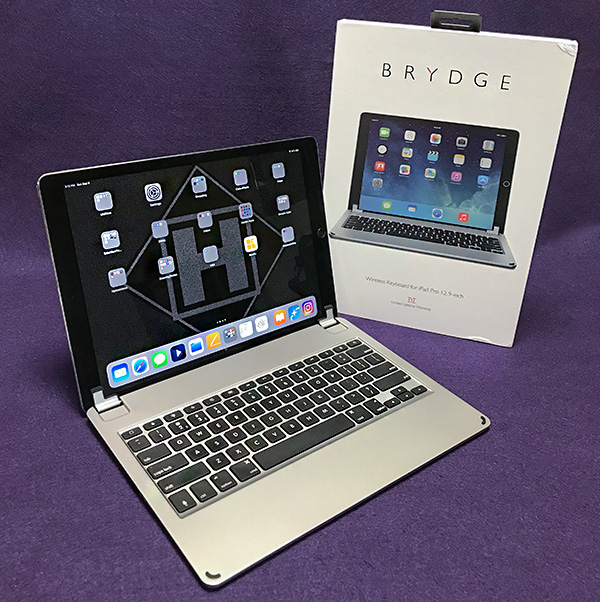
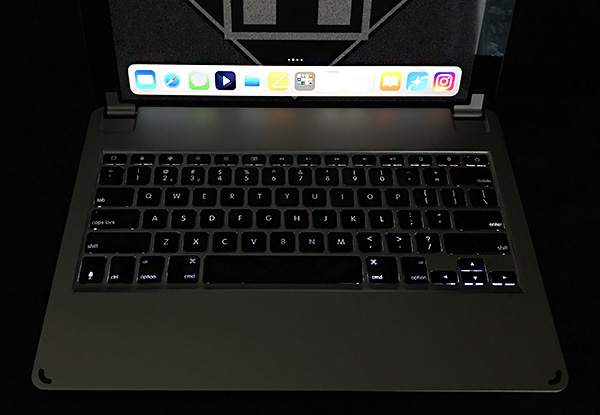
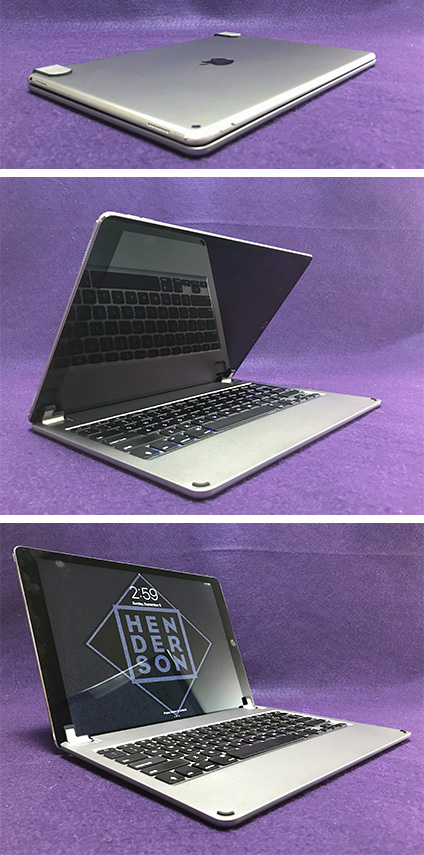
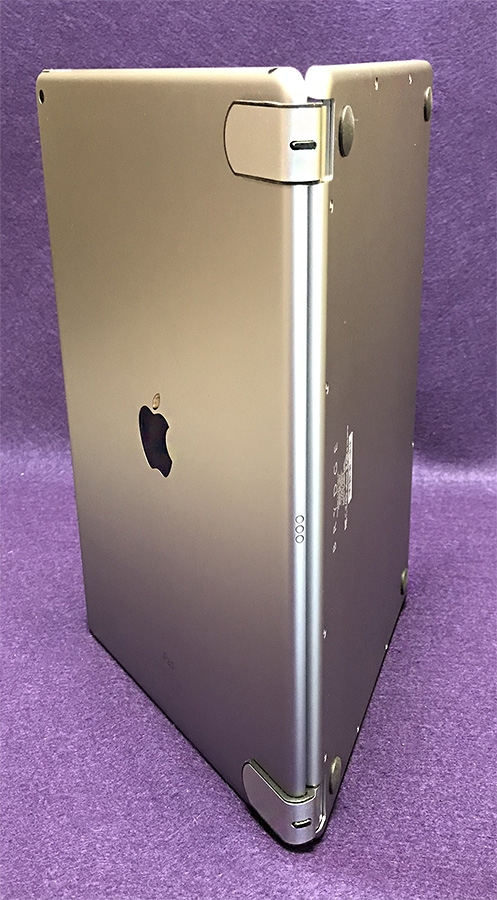
The Brydge 12.9 Series II Bluetooth keyboard is just that—a full-size keyboard for the larger iPad Pro. But it’s a bit more than that. The Brydge keyboard is so perfectly matched to my iPad Pro, that when closed, it looks just like a Mac laptop. You can feel the engineering quality as you open/close the lid or type on the keyboard. This is what Brydge calls the Series II Bluetooth keyboard.

Specs

  • Compatibility: iPad Pro 12.9 in.
  • Dimensions: 12 in. x 8.75 in. x 0.25 in.
  • Material: Aluminum
  • Weight: 1.55 lb.
  • Backlit Keys: Yes (3 levels)
  • Battery Life: 12 months (rechargeable)”
  • Connectivity: Bluetooth 4.1
  • Warranty: Limited Lifetime Warranty
  • Colors: Silver / Space Gray / Gold
  • What’s In The Box: Keyboard / USB Charging Cable / Quick Start Guide

Series II improvements over Series I

  • Faster connectivity
  • Longer battery life
  • Lower profile “butterfly” keys
  • Improved backlighting

Design and features

If you’re familiar with how the keyboard on an Apple MacBook laptop looks and feels, you will feel right at home with the Brydge 12.9 Series II Bluetooth keyboard. When paired with the 12.9 in. iPad Pro, the combination keyboard/iPad will fool anyone except an astute person that you’re typing on a Mac laptop. The giveaway is when you start touching the screen to perform certain functions. No Mac has a touchscreen option.

Since the Brydge Bluetooth keyboard has Bluetooth 4.1, there is no noticeable lag time—typing is instantaneous. Plus, the Brydge keyboard comes with many features that make typing much faster than using the on-screen keyboard. For instance, Command-C will copy any selected text and Command-V will paste—just like a Mac. The top row of keys features keys that control screen brightness, speaker volume, play/pause, on/off and battery life. There’s also a home button that will take you back to the home page regardless of what app you’re in. Speaking of battery life, the Brydge keyboard will last 12 months between charges. Impressive.

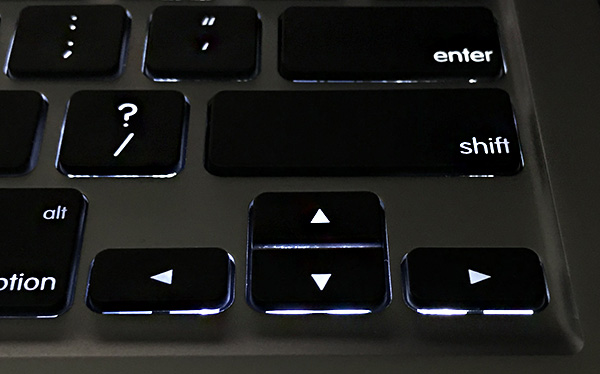
One of my favorite features are the backlit keys that can be set in three brightness levels at the touch of a key. Apple’s own overpriced keyboard case doesn’t even have backlighting. I also appreciate the directional text arrow keys. I don’t have to touch the screen to place the cursor. The arrow keys move it much more efficiently—just like a Mac. (Notice a trend here?)

One thing the Brydge 12.9 Series II Bluetooth keyboard does not have is a way to connect to the iPad’s built-in Apple Smart Connector. This connector bypasses Bluetooth completely and allows an attached keyboard to have more custom functions than is possible with Bluetooth alone. Maybe Brydge can incorporate the Smart Connector in a future version of their keyboard. Time will tell.

When the Brydge 12.9 Series II Bluetooth keyboard is open for typing, there’s a large area below the keys for resting the palms while typing. Ordinarily, this is where a trackpad would go, but Apple’s iOS does not support trackpad gestures. 

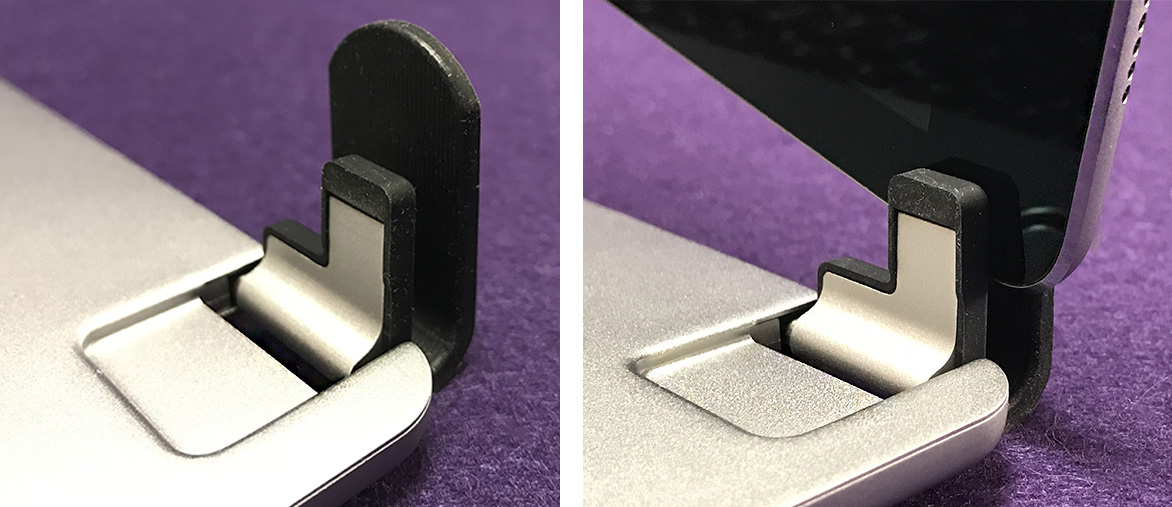
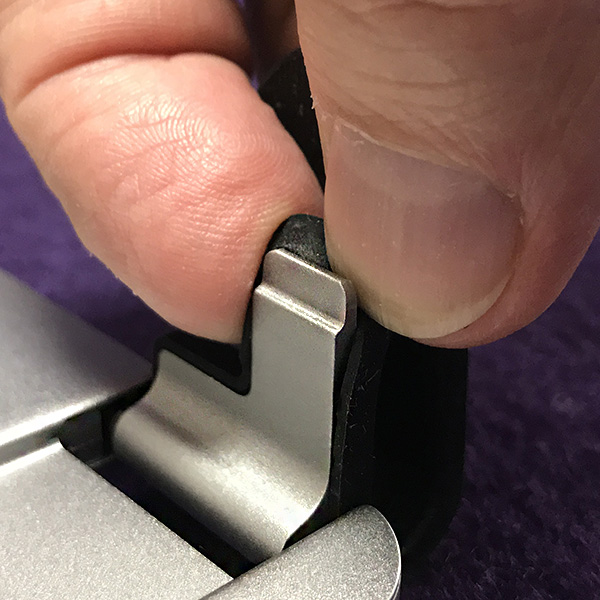
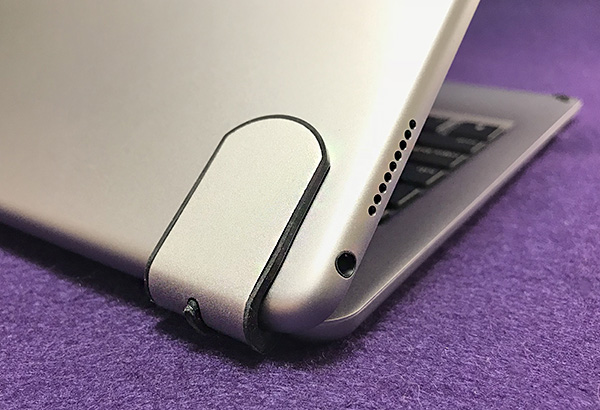
One thing to note is that the Brydge is a “clip-on” keyboard only. It is not a case and does not add any protection to the iPad, except maybe the screen surface when it’s closed. But it was never Brydge’s intention to design a case that also happens to have a built-in keyboard. Let others do that. Brydge set out to make an aluminum keyboard that perfectly matches the iPad and that’s exactly what they accomplished.

What I like

  • The Brydge 12.9 Series II Bluetooth keyboard ranks up there with Apple’s own laptop keyboards. 
  • 3-level backlighting for typing in less than favorable conditions 
  • Superb 12-month battery life
  • Quality construction

What needs to be improved

  • Offers no protection
  • Doesn’t connect to iPad’s Smart Connector

Final Thoughts

The last 3 reviews I’ve written have been typed mostly using the Brydge 12.9 Series II Bluetooth keyboard. I tend to switch between my iMac and iPad when writing reviews and the Brydge makes it much easier to jump from one to the other using Apple Pages with iCloud. It’s becoming my new—and improved—way of working. The Brydge has made my portable life more efficient, productive and fun. I may not be a quick typist, but my typing speed has noticeably improved since using the Brydge keyboard. It’s a keeper.

Price: $149.99
Where to buy: Amazon
Source: The samples for this product were provided by Brydge.

Filed in categories: Reviews

Tagged:

Brydge 12.9 Series II Bluetooth iPad Pro keyboard review originally appeared on The Gadgeteer on September 22, 2018 at 11:00 am.

Note: If you are subscribed to this feed through FeedBurner, please switch to our native feed URL http://the-gadgeteer.com/feed/ in order to ensure continuous delivery.