NEWS – Where do you keep your keys and wallet while you’re on the beach? Under your towel or stuffed up under your chair isn’t safe, because they could be quickly grabbed by someone walking by if you’re distracted. It’s better to put your stuff in a FlexSafe portable travel safe. Attach the FlexSafe to a rib of your umbrella or a bar of your chair, and your items will be safe from opportunistic thieves.
This portable lockbox measures 10” x 6” x 3” and weighs 10oz. Construction includes five layers of protection, including an RFID-blocking layer to prevent someone reading your cards or passport as they pass by and an ultra slash-resistant layer to prevent someone from cutting the bag open to steal the contents. And it’s water-resistant to protect your gear from pool splashes.
The front locks with a re-programmable lock. Open the lock, and you’ll see that the contents are further protected with a zipper. Place your wallet, keys, jewelry, camera, and other small items inside, zip it up, then wrap the front flap around a stationary bar of your lounge chair, wheel chair, umbrella, or other fixed object. You can even use it as a hotel room safe by locking it around the closet bar. Once the front lock is closed, your bag can’t be easily snatched up by a passerby.
The FlexSafe is available in black, aqua blue, navy blue, lavender, or digi camo. The black bag is $59.95, while colors are $69.95. The FlexSafe can be purchased at the AquaVault website.
Note: If you are subscribed to this feed through FeedBurner, please switch to our native feed URL http://the-gadgeteer.com/feed/ in order to ensure continuous delivery.
REVIEW – As a photographer, I like to shoot all types of photos. Recently, I have been shooting waterdrop photography, with a device that functions in many modes including being triggered by sound and light to be able to photograph other events. Another type of event I would like to shoot is lightning strikes, and while the device that I have incorporates that ability, I was very intrigued when I came across a device that is designed specifically for lightning strike photography. MK Controls immediately and willingly granted our request to review and test their Lightning Bug. Here is the summary of the review.
What is it?
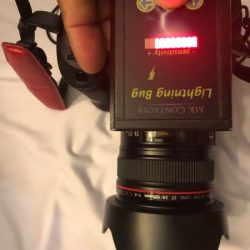
The Lightning Bug is a device that is designed to connect to your compatible camera and trigger it to take photos when lighting strikes. As per the manufacturer: “The Lightning Bug is based upon the science of lightning. There are two components of lightning; the bright white flash everyone wants to capture and the unseen infrared light that always precedes it. The Lightning Bug uses a high-speed photodiode sensor optimized to the infrared burst that occurs just before a lightning strike. This infrared light comes from the vaporization of air and particles in the air. The Lightning Bug acts as a lookout for your camera, watching for a change in infrared light. When a significant change of infra-red light over a very short period of time is detected, it directs the camera shutter to trip and capture the lightning in action”. It will also work for fireworks.
What’s in the box
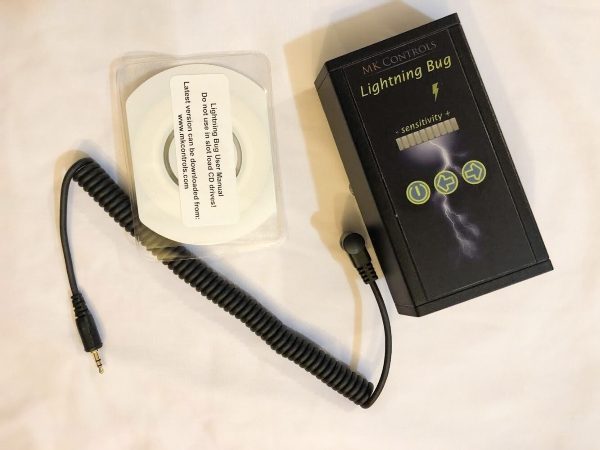
1 x Lightning Bug
1 x CD instruction manual
1 x Compatible camera cable
Design and features
Manufacturer Specifications:
Power-On Self-Test
Sensitivity set-point indicator (LED Bargraph)
MOSFET isolation between the camera and the Lightning Bug circuitry
26 levels of sensitivity
Easily adjust frames per second (from 1 to 10)
Water Resistant Soft-touch panel buttons
Front Overhang (from the center of camera shoe): 3.51″
Rear Overhang (from the center of camera shoe): 0.74″
Overall Height (not including the shoe mount): 1.13″
Overall Height (including the shoe mount): 2.10″
Overall Length: 4.25″
Overall Width: 2.60″
Weight (not including Battery): 2.96 oz
Weight (including Battery): 4.48 oz
Battery: Standard 9V Cell
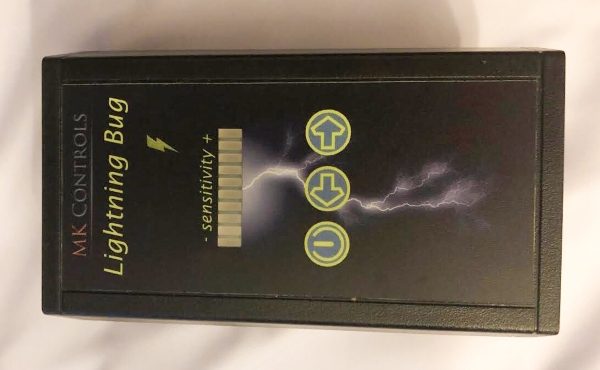
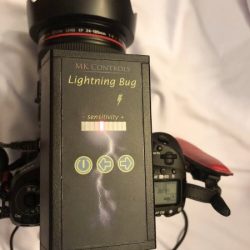
On the top surface of the Lightning Bug, there is the company name and device name, the sensitivity meter, and the 3 surface-mounted control buttons.
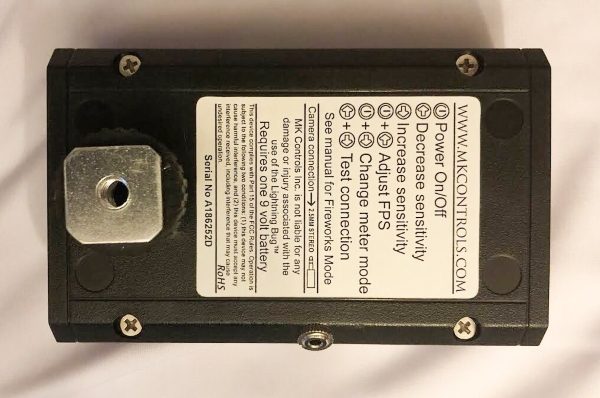
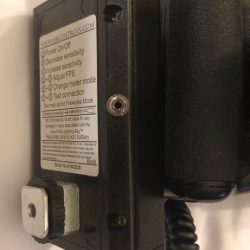
At the bottom of the Lightning Bug, there is a camera shoe mount that also has a 1/4-20″ threaded mount so that it can be mounted off camera on a light stand or tripod, etc, and a sticker with a summary of the controls and other industry required information.
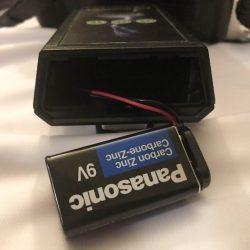
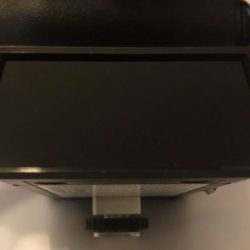
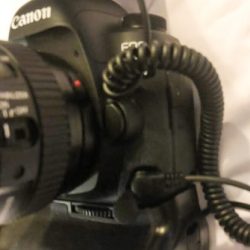
One one of the short sides at the back of the Lightning Bug is a cover and a battery compartment for the required 9-Volt battery. On the opposite side at the front is the IR cover, and on one of the long sides is the 1/8″ jack for the camera cable.
Connectivity and function
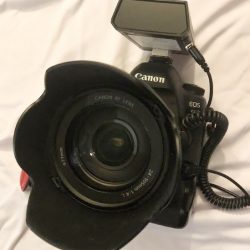
The Lightning Bug attaches to the camera shoe mount or any mount with a 1/4″-20 stud, and the cable is attached to the 1/8″ jack on the device and the appropriate jack on the camera. (See the MK Controls website for the compatible camera list).
When you power on the camera and the device, the sensitivity indicator lights up. You can use the left or right buttons to increase or decrease the sensitivity.
Operation and Performance
The Lightning Bug has 2 operational modes which are Standard Mode and Fireworks Mode. When you power on the device starts up in Standard Mode which is used for Lightning photography) or in Fireworks Mode depending on which buttons are held down during startup. Fireworks Mode allows for delayed shutter release.
To start the unit in Standard Mode, you have to press and hold down the power button for approximately 2 seconds. To start the unit in Fireworks Mode you have to press and hold down the power button and the Increase Sensitivity button at the same time for approximately 2 seconds, and then release both buttons.
When you first turn on the device, it displays the current firmware version by lighting up the LEDs, and the display stays that way until the power button is released. The settings that you choose are saved in the device’s memory for the next time you power on. An additional nice feature is that the device will automatically turn your meter off after approximately 15 minutes of inactivity.
There are a total of 26 levels of available sensitivity. The factory default setting is level 12. The yellow LED that looks like a lightning bolt, lights up whenever the unit has detected an event and has triggered the shutter.
With fireworks photography, the yellow activity light flashes to let you know that you are in the Fireworks Mode. In this mode, you must be relatively close to the fireworks to be successful. To exit, you have to turn the device off, then back on again.
There are numerous settings to customize. The complete manual is available on the MK Controls Website.
This section will be updated once I get an opportunity to photograph fireworks and/or storms.
What I like
That it is lightweight
The size
The functionality
What can be improved
Although I like how lightweight it is, I would prefer it to have a rechargeable battery that can be charged internally or externally
(Nothing else so far until I get to take pics)
Final thoughts
As a photographer that likes many types of photography, I like the Lightning Bug device. Apart from the fact that it is compact and lightweight, it provides a dedicated function that should produce amazing results. There are fantastic examples of photos taken with the use of this device on the MK Controls website. You can take a look at them here. While I have not yet been able to shoot with it, I will give a thumbs up to its simple construction and its intended functionality. Winter is on its way in NYC, so I will be on the lookout for photography opportunities. To be continued…
Price: $179.00 (Includes the required cable for your compatible camera) Where to buy: MK Controls website Source: The sample for this review was provided by MK Controls.
Note: If you are subscribed to this feed through FeedBurner, please switch to our native feed URL http://the-gadgeteer.com/feed/ in order to ensure continuous delivery.
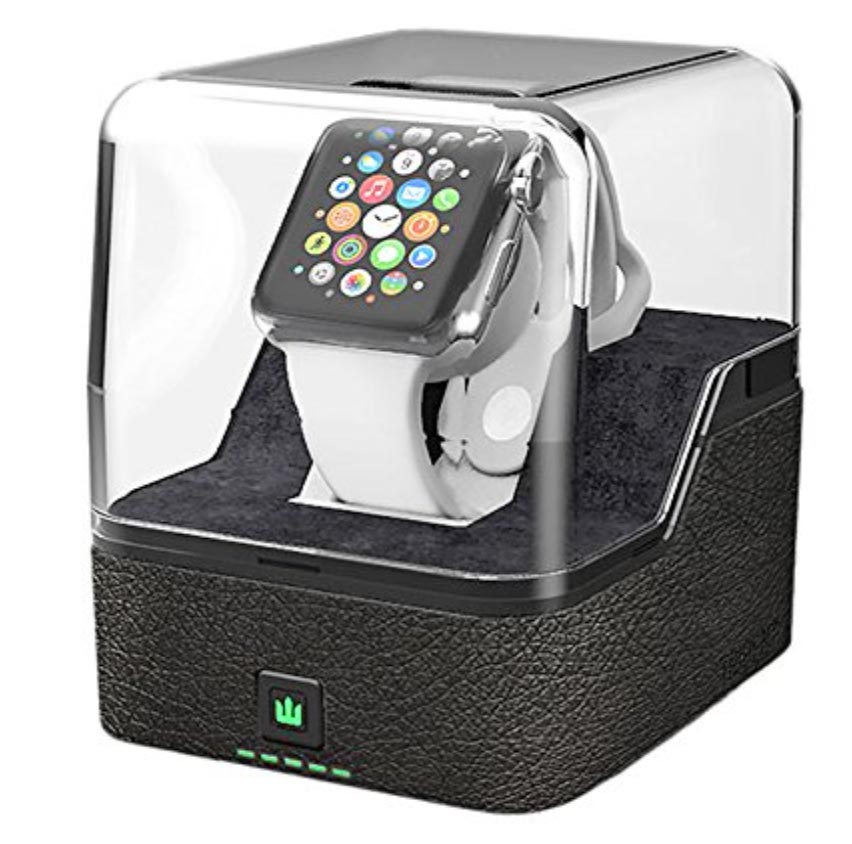
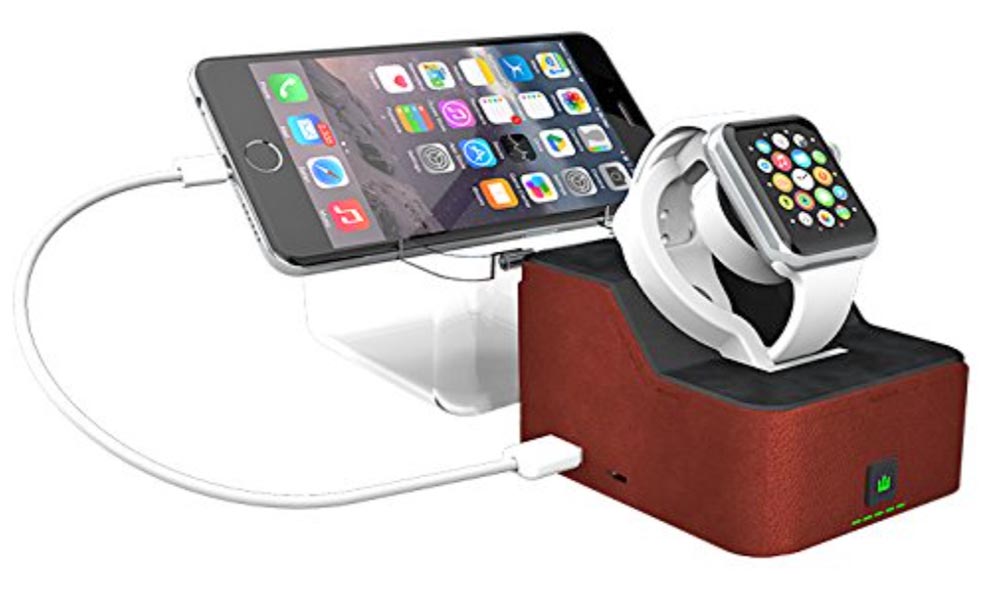
NEWS – Although the Trident Odyssey Valet looks like a protective display case for the Apple Watch, it’s more than that. The clear plastic top does keep dust off your Watch, but the base is a charging stand. And it’s powered by an internal battery to keep your Watch charged even when you’re away from a power source.
The charging cable for the Watch hides away in the base to keep everything looking neat. The internal 2600mAh lithium battery can charge your Watch multiple times, or you can charge both a Watch and an iPhone simultaneously. The LEDs on the front of the pedestal displays charging status for the battery. The clear top holds your iPhone while it charges
Note: If you are subscribed to this feed through FeedBurner, please switch to our native feed URL http://the-gadgeteer.com/feed/ in order to ensure continuous delivery.
REVIEW – Let’s have a real talk for a minute. Your house or office is full of electronics, and you know that the old clunky power strip you bought 10 years ago is getting a little… dated. It’s time for an upgrade! Today we’re reviewing a charger from Bestek that combines modern features with excellent usability. It looks good, too. Let’s plug in!
What is it?
It’s a cube-shaped power strip that includes 3 standard outlets, 3 USB ports, and a USB-C port. It’s also mountable on your wall.
Hardware specs
Input Voltage : 100-240V
AC Rated power: 1875W(125V 15A)
USB Output: 20W 4A(Total), 5V/2.4A Max(each port)
Size(Base included)/Weight: 3.4*3.4*3.2 in / 1.05 lb
Cord length: 5 Feet (14AWG)
Includes protection from overloading, overheating, short circuits, and power surges
What’s in the box?
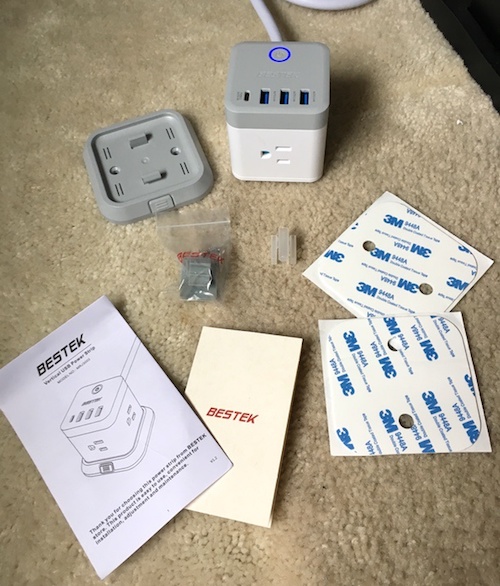
The package comes with a power strip, detachable base, double-sided adhesive trips and screws for wall mounting, a self-adhesive cable clamp, and the instruction book.
Design and features
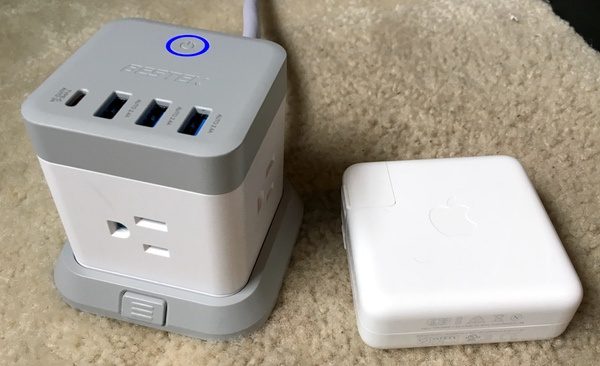
The Bestek 3-Outlet Vertical Cube is a cube-shaped design that packs some nice usability extras for managing all of your power sources. It’s compact exterior dimensions measure in at 3.4″ by 3.4″ by 3.2″. It also looks nice, which is a bonus if you’re mounting it on your desktop. Here’s a pic with my MacBook Pro power brick for a size reference:
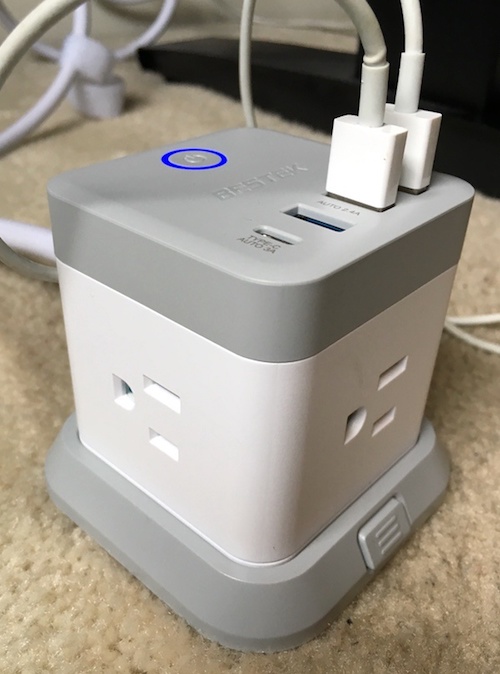
If you’ve ever had to play Tetris with all of your odd-shaped power bricks, you’ll appreciate the form factor here. Three of the vertical faces each have one three-pronged plug, oriented sideways to accommodate those oddball bigger bricks (I’m looking at you, Apple!). Have a look:
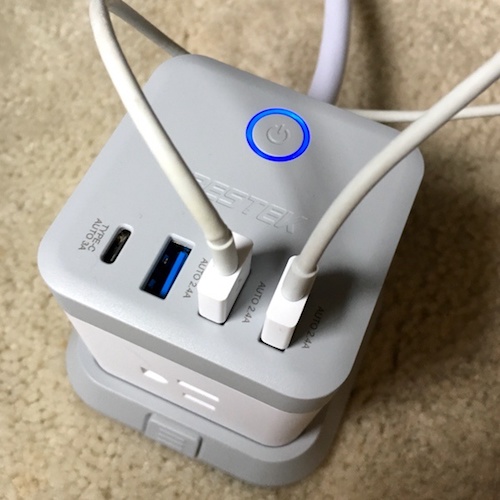
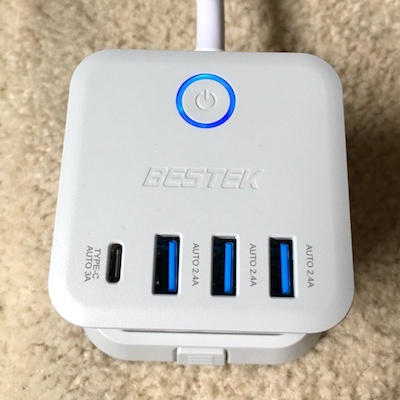
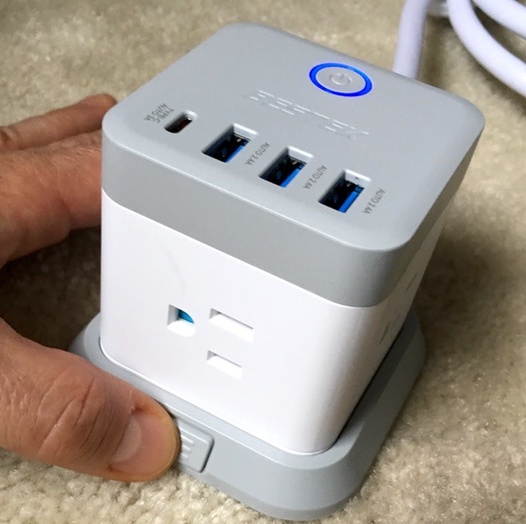
On the top face of the block, you’ll find three USB ports, a USB-C port, and the power button for the unit. The button glows blue to let you know when it’s on. Placing these ports and the control on the top face is lovely, as none of the functionality fights for space with your traditional 3-prong blocks:
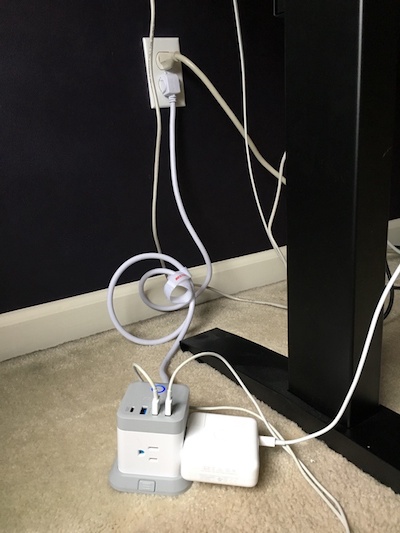
Here’s what the unit looks like in its natural habitat. Check out that 5′ long cable that allows you to position the block pretty much anywhere you want it, including on the desk if desired. I love that.
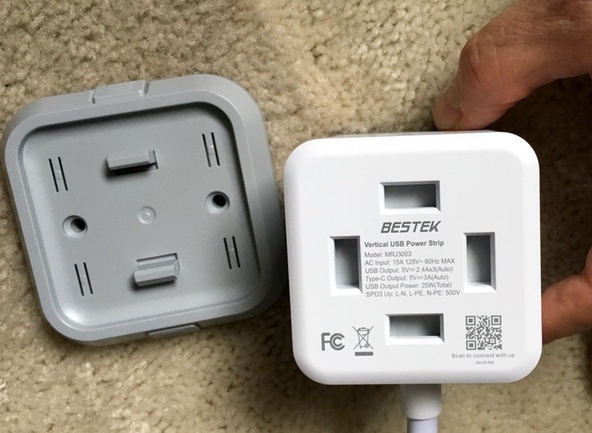
The block is also removable from the stand. Squeeze those little tabs and it pops off. Why is this useful? Well, you can mount the stand to any surface with the two screws included or the double-sided adhesive mounting strip if you want it connected to your desk or hung on your wall. You can then remove the block if you need to use it in another location in the house or office.
The block can be positioned in 90-degree increments, so you can drop the cable below your plugs if it’s vertically mounted.
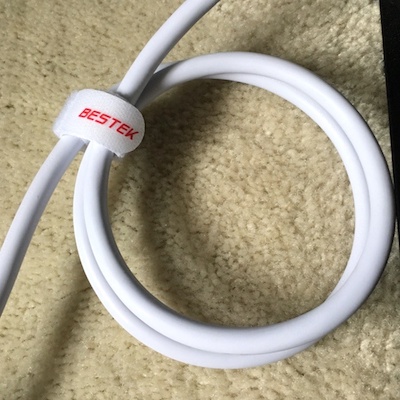
Bestek has clearly thought about their customers in the little usability enhancements at work here. The chord includes its own velcro cable wrangler, and the package includes a second mountable clamp that uses self-adhesive backing to manage running chords (not shown):
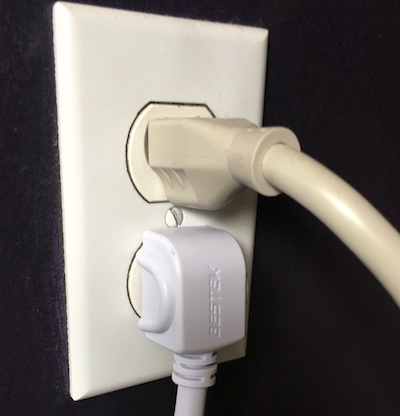
The power plug itself is also nice. It’s designed to drop below your outlet, making room for other plugs. It’s also got some nice ergonomic grips on either side to facilitate removal. Little stuff like this make users (and product reviewers) happy.
You’ll have a total of 7 power ports when installed: three traditional three-prong outlets, three USB ports, and one USB-C port. I just got a new MacBook Pro, and I love the inclusion of the USB-C port here. It allows me to free up one of the three-prong outlets for other stuff. Again, this makes me happy.
As far as protection goes, you have a bunch of safety features to protect your precious electronics. There’s protection from over-heating, short circuits, power surges, and overloading. It’s also FCC certified for reliability and quality.
What I like
Designed to accommodate a wide variety of power blocks
3 USB and one USB-C port that won’t fight for space with your 3-prong plugs
Good looking, compact design
5′ long cord makes for easy positioning on your desk if desired
Wall-mountable
Nice usability features
What needs to be improved
None to be found
Final thoughts
The Bestek 3-Outlet Vertical Cube Mountable Power Strip is a great upgrade for your charging needs. It looks great, handles USB and USB-C duties in addition to traditional three-prong plugs, and you can mount it just about anywhere you need it. The little usability and safety details are all on point. What’s not to like?
Price: $27.99 Where to buy: Get it at the Bestek Web Site. Source: The sample of this product was provided by Bestek.
Note: If you are subscribed to this feed through FeedBurner, please switch to our native feed URL http://the-gadgeteer.com/feed/ in order to ensure continuous delivery.
NEWS – This week we are bringing you info about six different crowdfunding campaigns that are currently running on Kickstarter and Indiegogo. This week’s campaigns are for people who like to want a good night’s sleep, gear bags, travel gear, and more.
KUWOW 2.0 – The Versatile Anti-theft Backpack
What is it?
The KUWOW is a backpack that is made of Kevlar and has been designed to be theft and cut proof.
Why is it cool?
I like the KUWOW backpack because it’s a well thought out travel bag that has a ton of features. It’s constructed of waterproof and cutproof material and offers pockets and attachment points for all of your gear, from laptops and tablets, to even your clothes and toiletries. It also has built-in reflectors, a password lock, Bluetooth tracker, and even a USB port.
They sent me a pre-production sample of this backpack and I was very impressed with the construction and all the built-in features. This bag isn’t huge but it can hold a lot of gear and the small touches like a metal grab handle and a pass-through for rolling luggage are great.
Where can I find more info?
The KUWOW campaign ends on 10/21/18 and they have already reached their funding goal of $5,000. You can pre-order a KUWOW starting at $99. After the KUWOW campaign ends, rewards are estimated to start shipping in December 2018. Visit their Indiegogo page for all the details.
Pitaka MagDock
What is it?
The Pitaka MagDock is a multi-device wireless charging station with an onboard battery for on-the-go wired charging. When used with a magnetic mount case, the MagDock can position your phone at a 45-degree angle so it can be used for FaceTime, watching movies or web surfing.
Why is it cool?
Generally speaking, you can find wireless chargers that can handle 2 devices. Finding one that can handle 3 devices simultaneously is something of a unicorn. This could come in very handy for couples and families traveling together.
Where can I find more info?
The Pitaka MagDock Kickstarter campaign ends on October 16. Within 24 hours of launch, they had already hit their all or nothing goal of $15,476. The campaign states that the MagDock will ship in November and will be in your hands for Christmas. You can get the base version of the MagDock on an early bird perk for $49 or the Pro version for $64. Visit their Kickstarter page for all the details.
The Camper Hooded Jacket available in men and women’s sizes that is a lightweight and packable puffy jacket for the city or the woods.
Why is it cool?
I like the Camper Hooded Jacket because it’s it stuffs into its own bag for great portability. You can put it in your travel bag and forget about it until you need it. It features a synthetic multi-layer insulation that has expanded cells for increased warmth in a jacket that doesn’t weigh much at all. It also has a lot of little extras like a headphone port, cinch waist and cuffs, and 6 pockets for your phone or other items.
They sent me a pre-production sample of the jacket and it’s going to be my new go-to travel jacket to pack when I travel from a warm spot to a cold spot and don’t want to actually wear a jacket until I get there. I can just put the jacket pouch in another bag and break it out when I need the extra warmth.
Where can I find more info?
The Camper Hooded Jacket campaign ends on 11/6/18 and they have already passed their funding goal of $50,000. You can pre-order a DreamOn starting at $95. After the Camper Hooded Jacket campaign ends, rewards are estimated to start shipping in February 2019. Visit their Kickstarter page for all the details.
EVERMORE Origin // a functional rugged EDC Sling/Beltbag
What is it?
The EVERMORE is a small travel pack that you can wear around your waist or across your back like a sling bag.
Why is it cool?
I like the EVERMORE because it’s small but has the ability to carry almost everything you need (except a laptop or tablet) when you’re on the go. It also has attachment points all over the pack so that you can clip things to it like your keys, a water bottle, etc.
Where can I find more info?
The EVERMORE campaign ends on 10/7/18 and they have already reached their funding goal of $8,000. You can pre-order an EVERMORE starting at $60. After the EVERMORE campaign ends, rewards are estimated to start shipping in October 2018. Visit their Kickstarter page for all the details.
DreamOn: Your 1-Step Solution For Better Sleep
What is it?
The DreamOn is a wrist wearable sleep aid and sleep tracker.
Why is it cool?
I like the DreamOn because it’s a drug-free way to fall asleep faster by providing a low-frequency pulse that gives your brain something to focus on so that you can relax and drift off to sleep quickly.
Where can I find more info?
The DreamOn campaign ends on 10/20/18 and they are still working towards their funding goal of $40,000. You can pre-order a DreamOn starting at $109. After the DreamOn campaign ends, rewards are estimated to start shipping in January 2019. Visit their Indiegogo page for all the details.
Note: If you are subscribed to this feed through FeedBurner, please switch to our native feed URL http://the-gadgeteer.com/feed/ in order to ensure continuous delivery.


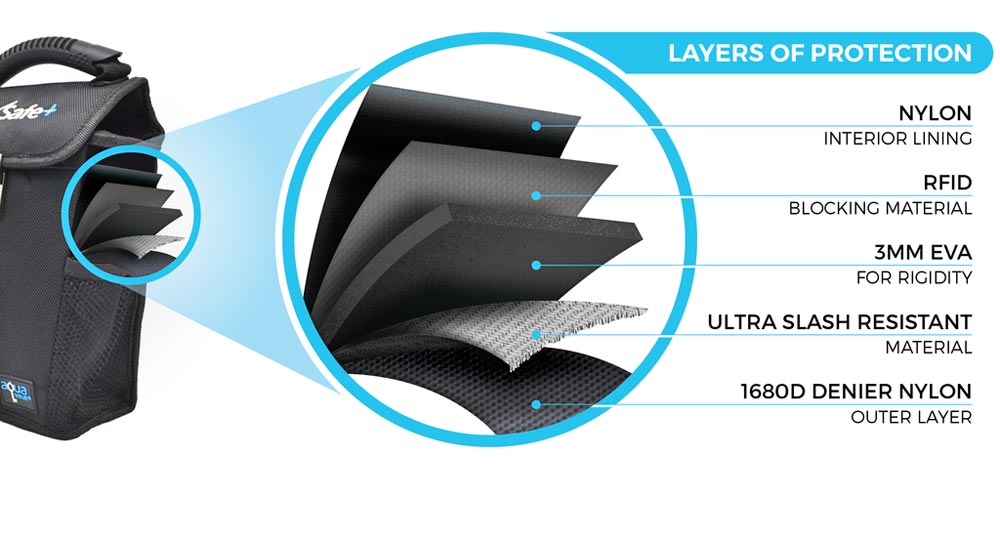 This portable lockbox measures 10” x 6” x 3” and weighs 10oz. Construction includes five layers of protection, including an RFID-blocking layer to prevent someone reading your cards or passport as they pass by and an ultra slash-resistant layer to prevent someone from cutting the bag open to steal the contents. And it’s water-resistant to protect your gear from pool splashes.
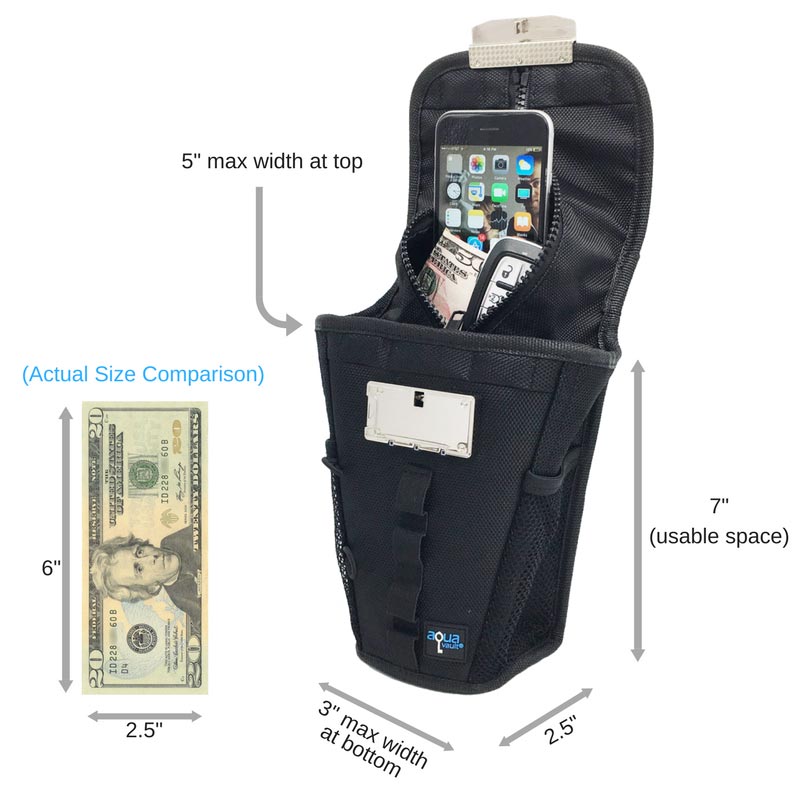 The front locks with a re-programmable lock. Open the lock, and you’ll see that the contents are further protected with a zipper. Place your wallet, keys, jewelry, camera, and other small items inside, zip it up, then wrap the front flap around a stationary bar of your lounge chair, wheel chair, umbrella, or other fixed object. You can even use it as a hotel room safe by locking it around the closet bar. Once the front lock is closed, your bag can’t be easily snatched up by a passerby.
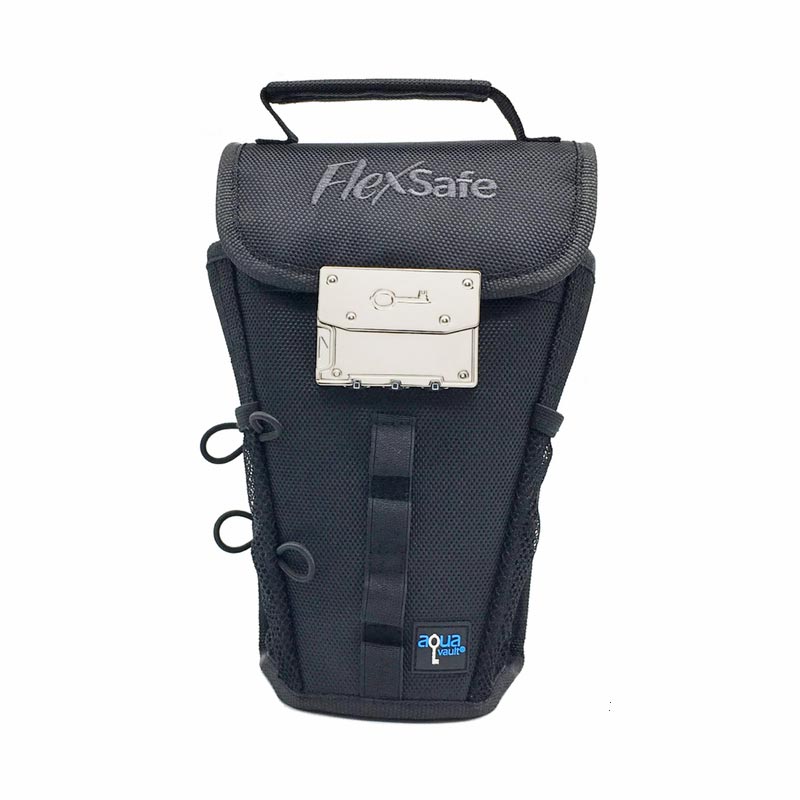 The FlexSafe is available in black, aqua blue, navy blue, lavender, or digi camo. The black bag is $59.95, while colors are $69.95. The FlexSafe can be purchased at the AquaVault website.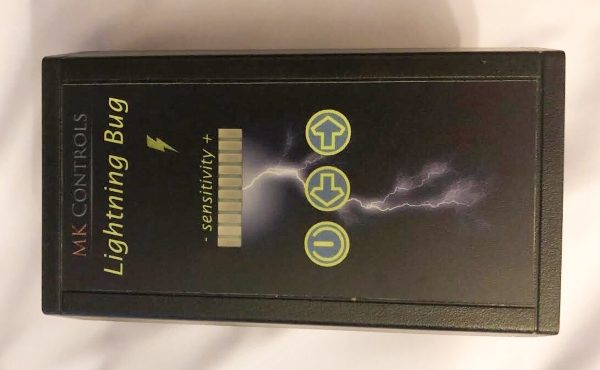
 circuitry