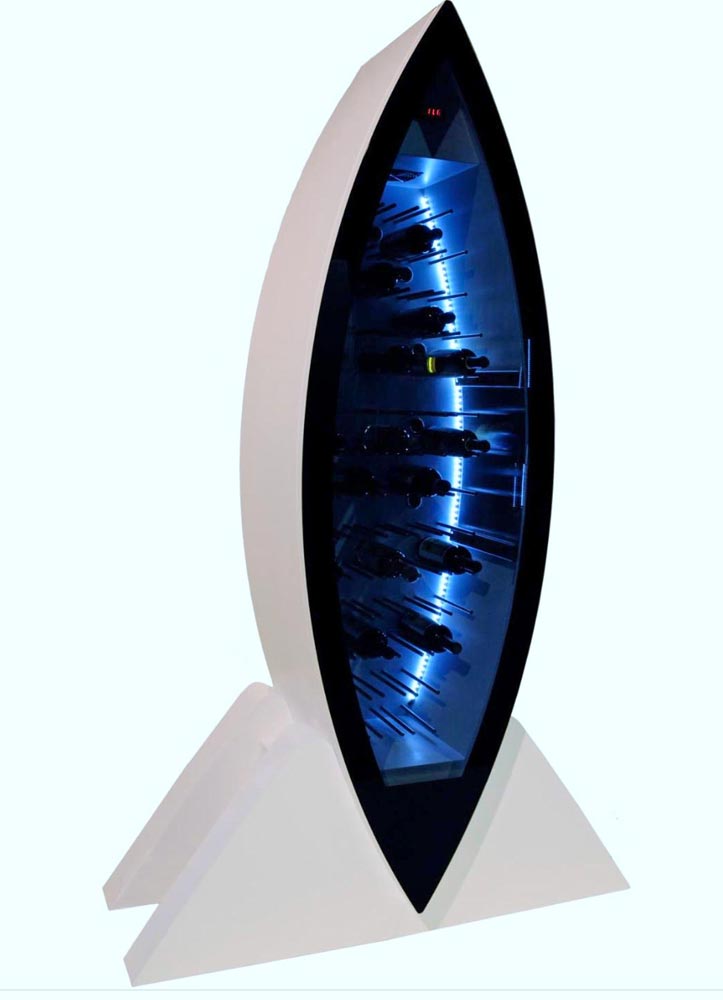
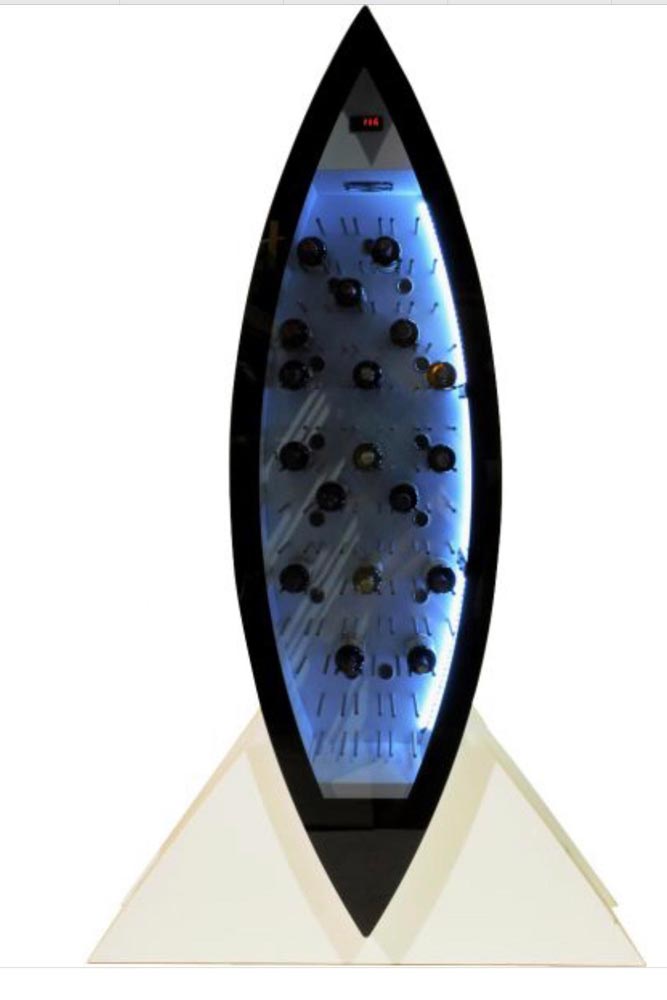
NEWS – If your home lacks room for a wine cellar but you want something a little nicer than the common wine fridge, look at the Sand & Birch Opale wine cellar. This piece is as much of a modern-art sculpture as it is a wine fridge. Sand & Birch tells us the Opale evokes “a precious black stone wedged and gem-setted in a white, smooth base that enhances the equilibrium and purity of its design, creating a contrast that emphasize the elegant break between the elliptical shape of its vertical body and the roundness of its foothold.”
In more practical terms, the body of the Opale is made of metal and hard polyurethane with an insulating smoked glass door. Its self-regulating controls maintains perfect conditions for red, white, and sparkling wines. The automatic door opens with a remote control or by touch. It stands about 83 inches high and 22 inches deep, with a base that’s about 53″ wide. Opale holds about 60 bottles of wine. The interior is lighted with LEDs.
If you want this beautiful wine cellar, you need to be prepared for a price that’s more expected for a sculpture. The Sand & Birch Opale wine cellar is $35,000.00 at Saatchi Art.
Note: If you are subscribed to this feed through FeedBurner, please switch to our native feed URL http://the-gadgeteer.com/feed/ in order to ensure continuous delivery.
REVIEW – I haven’t vacuumed the floors in my home for almost 3 years. Before you think I live in squalor, I said that I haven’t vacuumed. That doesn’t mean that my floors haven’t been cleaned. They have, just not by me. I have a robot that does that for me. Since my review of the Neato Botvac 80 back in 2015, I’ve been completely spoiled by the fact that I don’t have to push a vacuum cleaner around my 2 story home. A few years after reviewing the Botvac 80, I was sent the Neato Botvac Connected WiFi and have been using both units. One on the first floor and one on the 2nd floor of my home. And now I have been given the opportunity to review Neato’s latest robot vac, the D7. Let’s see if it sucks but in a good way.
What is it?
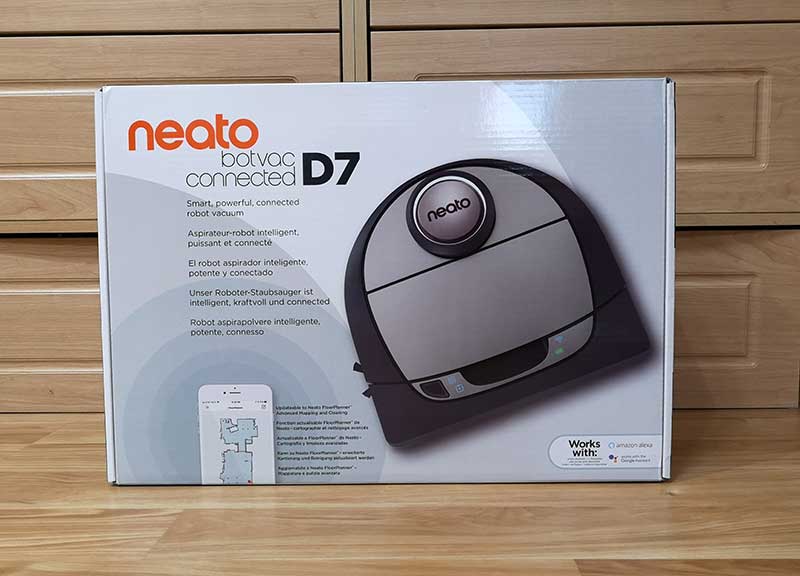
The Neato Botvac Connected D7 is a robot vacuum that maps out your home and cleans the floors while you do something more fun and productive.
What’s in the box?
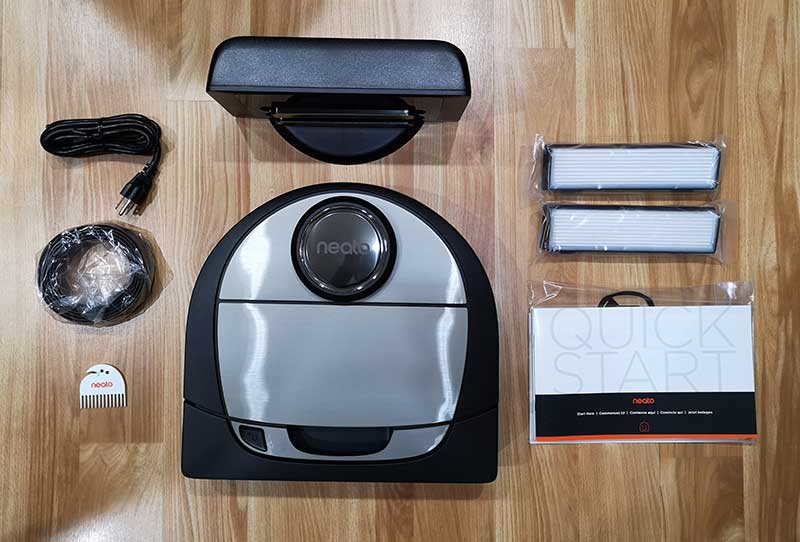
Neato Botvac D7 Connected robot vacuum
Charge Base
Power Cord
Spiral Combo Brush
Ultra Performance Filter
Brush and Filter Cleaning Tool
Boundary Markers (2M)
Manual
Hardware specs
Connectivity – Wifi 2.4Ghz + 5Ghz
Dimension – 13.21 inch x 12.56 inch x 3.92 inch
Weight – 7.5lbs
Dustbin Capacity – 0.7 liters
Cleaning Path – 12 inch
Battery – Lithium Ion
Run Time – Up to 120 minutes
Charge Time – Up to 150 minutes
Design and features
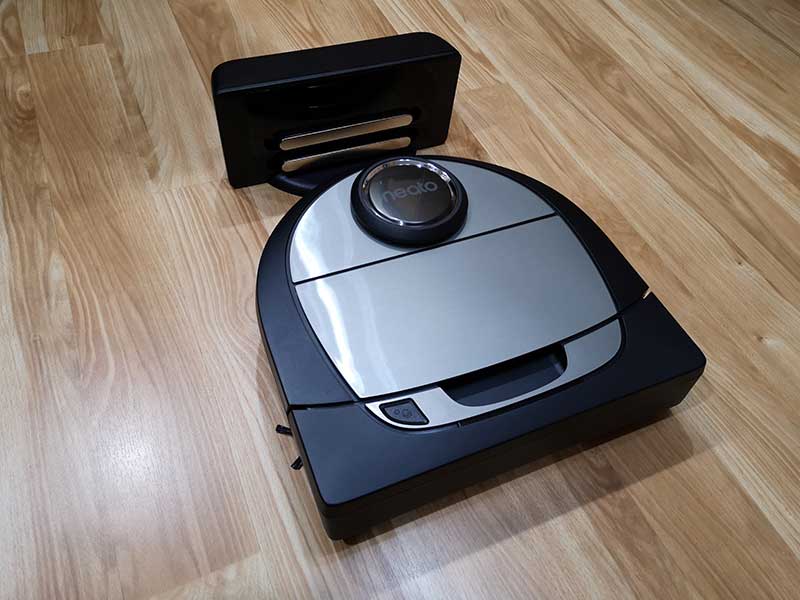
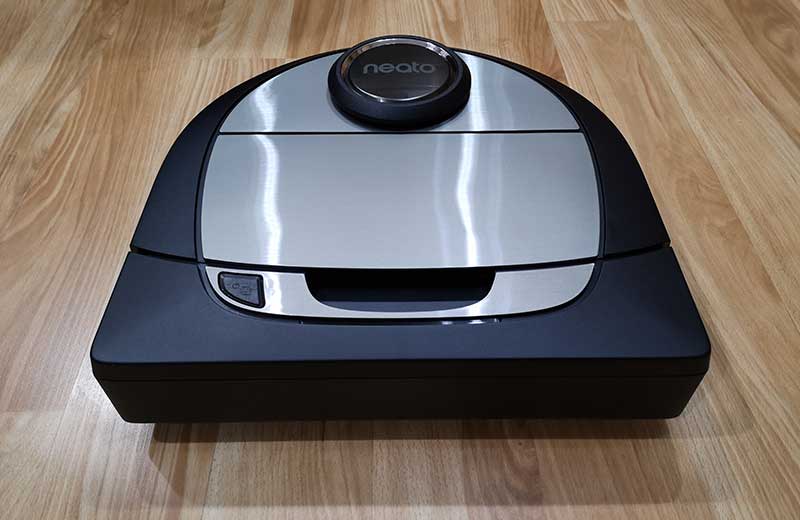
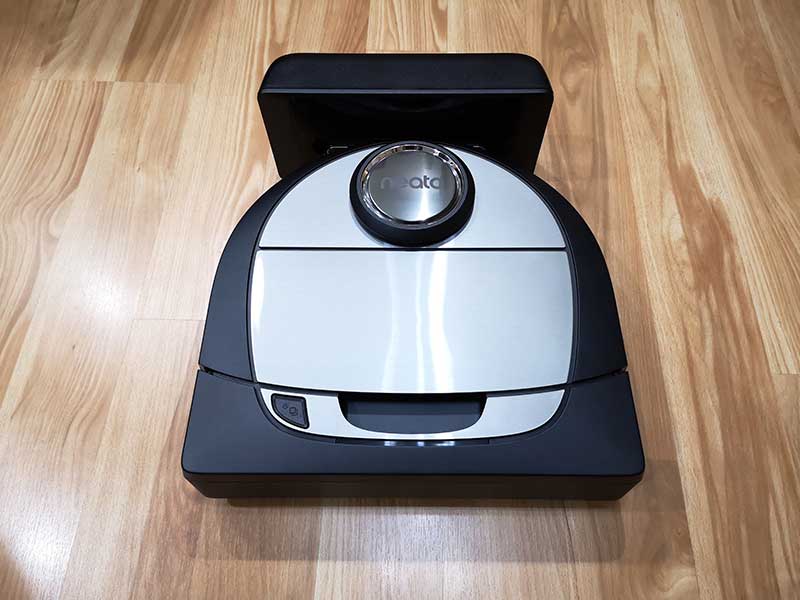
Like the other two Neato Botvacs that I have reviewed, the D7 has the same D shape body that helps it clean close to walls and corners, unlike other brands of circular robot vacuums that can’t get into tight corners.
The D7 has a dark gray/black body with brushed silver accents. The front bumper has a handle cutout so you can carry the vacuum with one hand.
The other Neato Botvacs had a small display and touch buttons for navigating the menus that were used for setting the time and configuring the cleaning schedule. The newer D7 doesn’t have a display because the settings are all done using the Neato app.
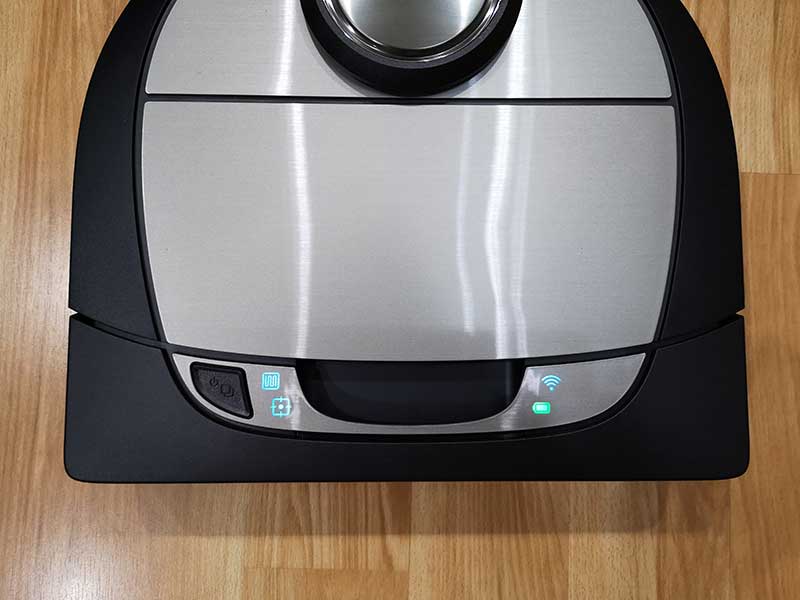
There is one button and four status LEDs on the top of the D7. The start button turns the vacuum on and can be used to manually initiate a whole house cleaning session when pressed once or a 7ft x 7ft spot cleaning session when pressed twice. Pressing the button while the vacuum is in a cleaning session will pause cleaning and pressing and holding the start button will cancel the cleaning session.
The two icons next to the start button show the whole house clean status and the spot clean status. On the other side of the handle cutout are two more LED status icons for the WiFi connection and the battery charge status. The battery status icon glows green when the battery is full, yellow when low, and red when empty.
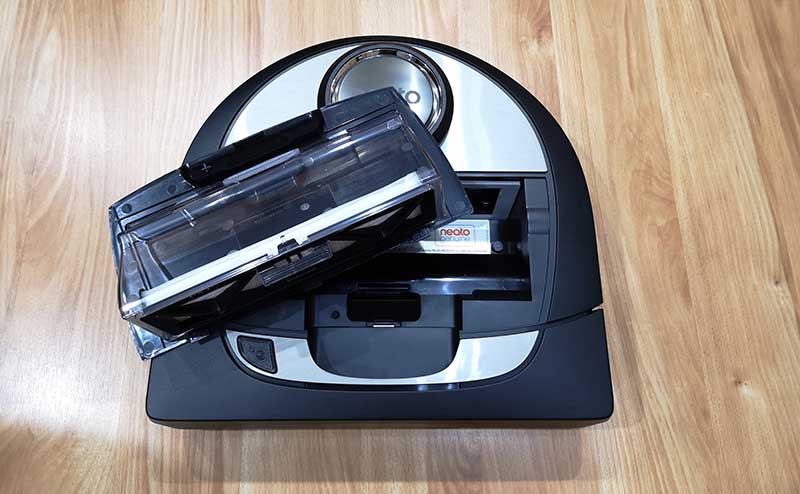
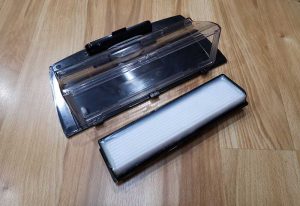
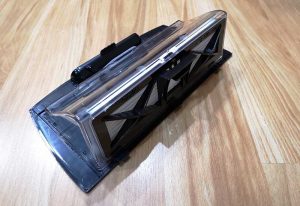
The lid on the top of the vacuum lifts off to reveal the dirt bin and filter holder which is built into the lid.
The D7 ships with one filter already installed and two extras in the box. The filter is easy to remove from the dirt bin by just pinching the clip between two fingers and lifting it off the bin. The bin’s contents can then be dumped in a trash can.
The Neato Botvac has a built-in laser which helps the vacuum navigate around the room to build a map and not run into things. The disc-shaped protrusion on top of the vacuum covers the laser and helps protect it from dirt and dust.
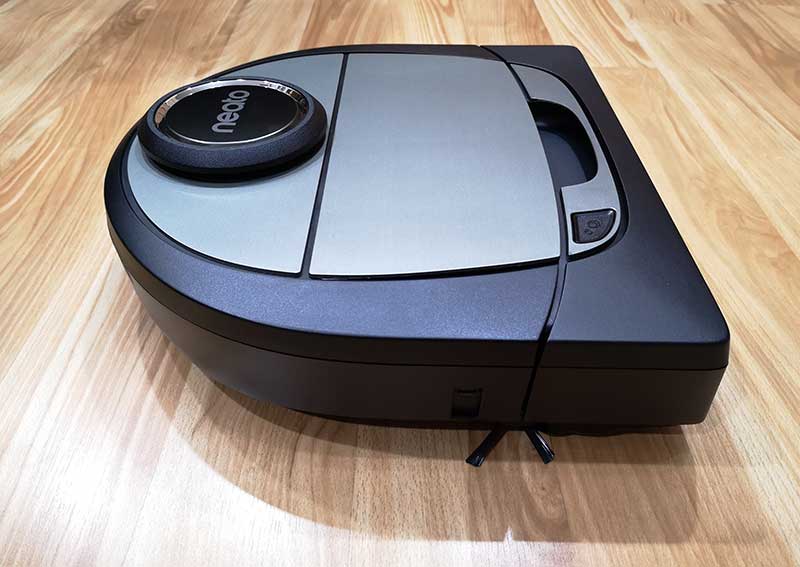
Here’s a side view of the Botvac D7. It shows the large wheels in the back and the side brush along with the front bumper.
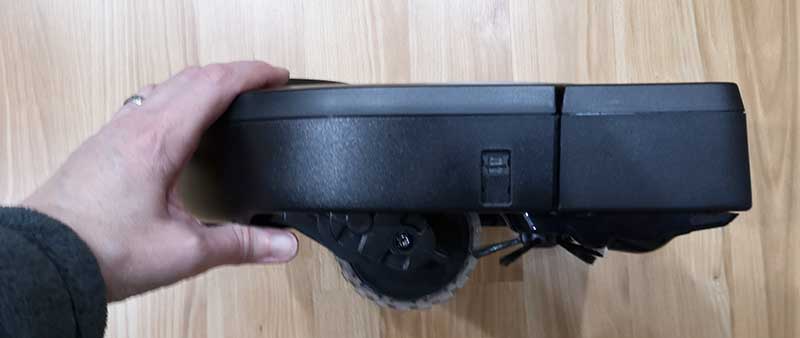
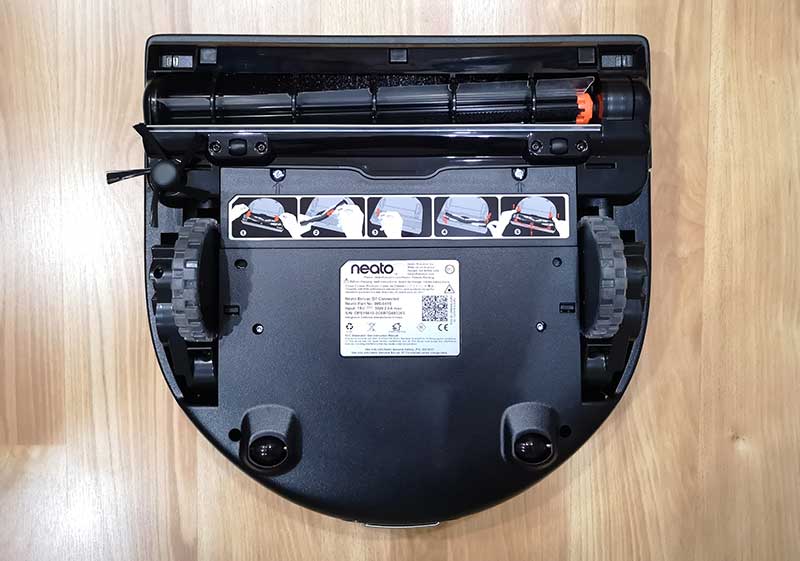
A view of the bottom of the vacuum lets you see the main wheels and smaller back wheels. You can also see the brush and in the upper corners of the front bumper, you can see two rectangular windows that cover the drop sensors so the vacuum doesn’t take a tumble down stairs.
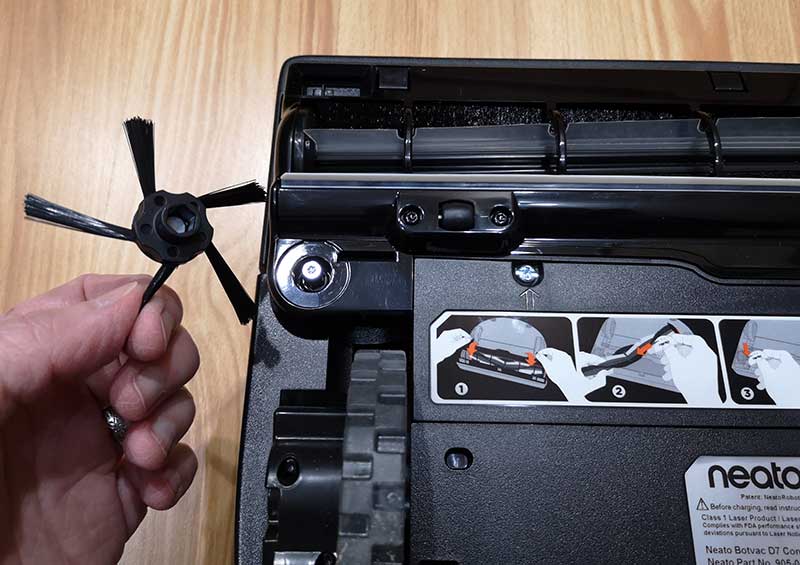
The side brush is held in place with a magnet. This small brush is used to clean dirt and dust from edges as the vacuum travels around the room.
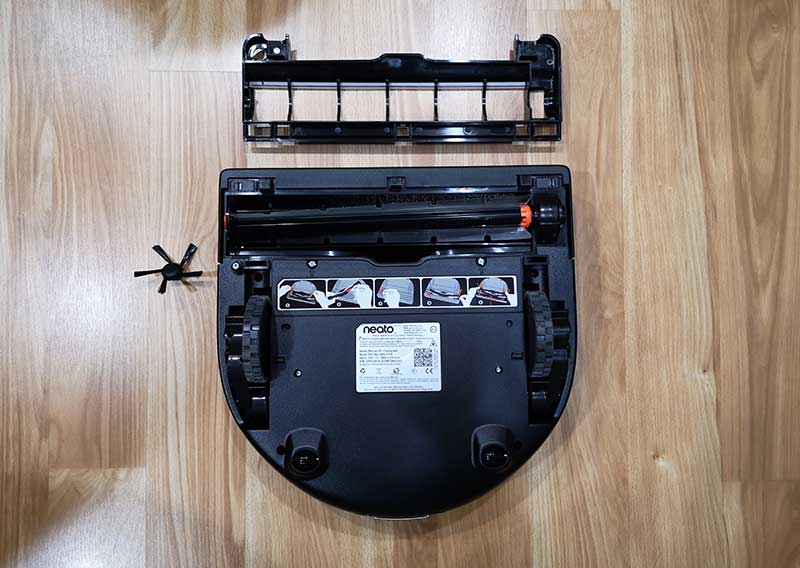
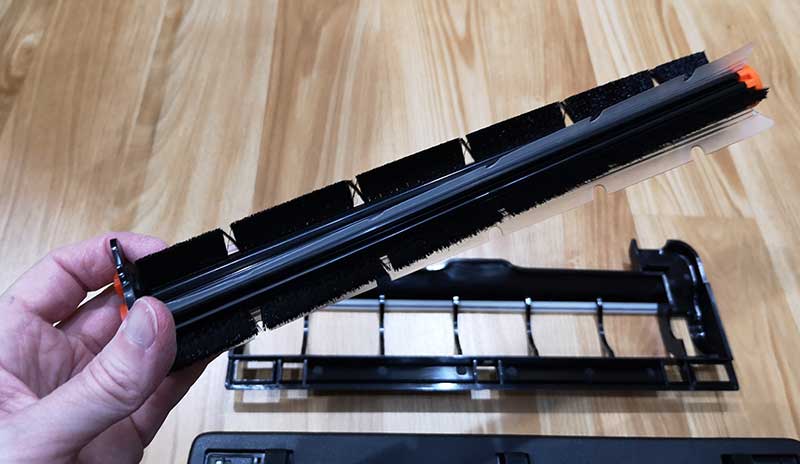
The plastic brush guard lifts off to provide access to the brush.
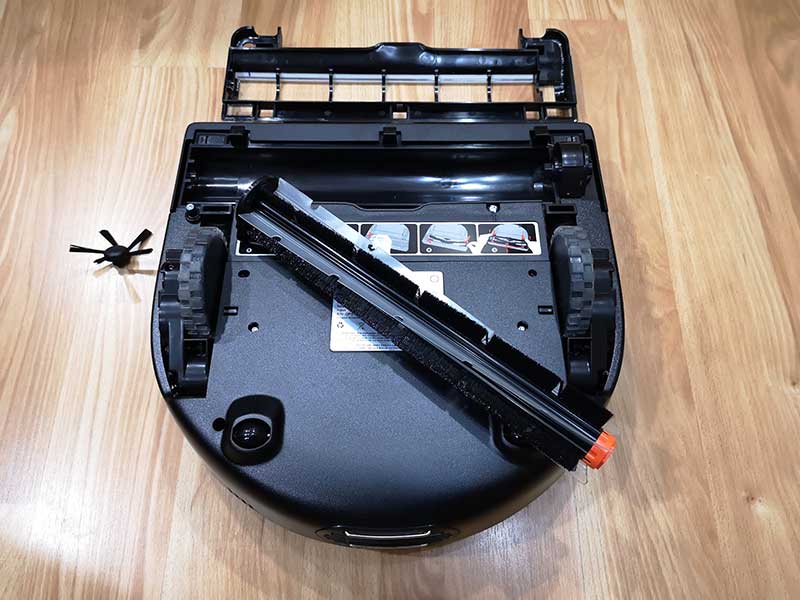
The brush lifts out so that you can easily clean it when needed.
The D7’s brush has bristles for cleaning carpet and flat flexible plastic flaps that clean up dirt from surfaces like wood, vinyl, and tile.
Like the other Botvacs that I’ve reviewed, the D7 ships with a charging dock. This dock has a cord that plugs into a wall outlet and is where your Botvac “lives” when it’s not cleaning your floors. The vacuum automatically goes back to the dock after each cleaning session to recharge and get ready to clean the next time you need it.
The Neato App
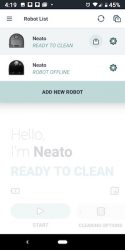
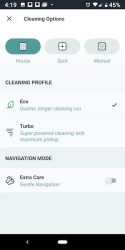
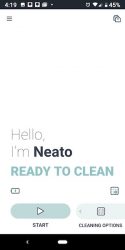
Although you can use the Neato Botvac D7 without using the mobile app, you’ll want to use the app in order to take advantage of the extra features that it provides, like scheduling cleanings and setting up no-go lines.
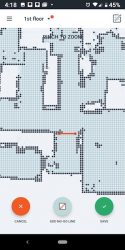
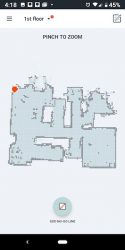
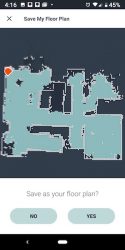
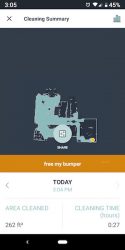
When the D7 cleans a floor, it will create a map which you can then add no-go lines to keep the vacuum from going into certain areas or rooms. I used the no-go lines to prevent the vac from going into our bathroom when it cleans because we have a fuzzy rug in there that we sometimes forget to roll up on cleaning days. If we forget and the vac cleans that room, it will usually suck up the corner of the rug and get stuck there until someone comes home and rescues it.
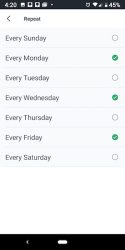
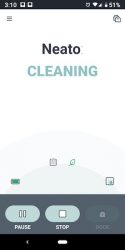
The app will let you scheduled days and cleaning times and will show you when the vac is cleaning and the status of the session.
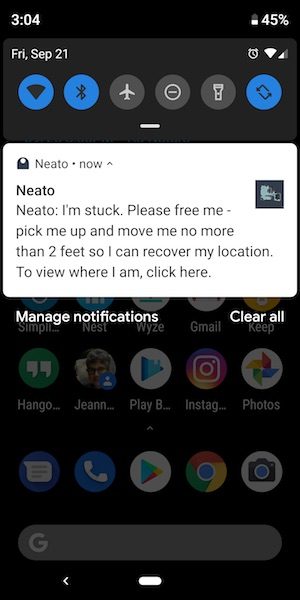
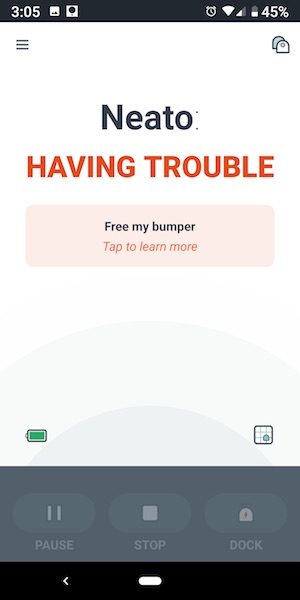
The app will also send notifications to your device if there are problems.
I wasn’t sure that I was going to like the fact that Neato removed the display on the vacs, but in all honesty, using the app is a lot easier than stooping over the vac trying to see the small display and navigate using the touch buttons.
See it in action
NOTE: The video has been sped up, but you can see the time in the right corner.
As far as how the Neato Botvac D7 performs compared to my other two Botvacs, I would say that it seems to be similar to the Neato Botvac Connected WiFi model as far as how well it does navigating around obstacles.
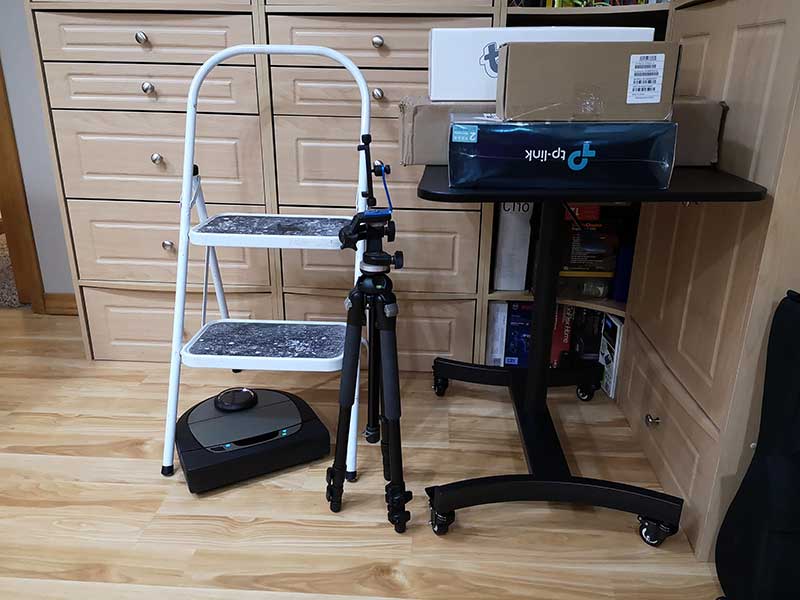
I even set up a complicated “web” of objects in my office and the D7 was able to sweep around the stool and table legs and was able to keep from getting stuck under the low bar on the rolling desk. I was impressed.
As far as how well it does at vacuuming, it does an awesome job of picking up all the dirt and dust on our carpeted floors and hard surface floors. We have a cat who has a litter box, and the D7 is able to pick up the little litter granules that end up getting scattered on the bathroom floor where we keep his litter box. It also picks up his long cat hair. It just does an all-around excellent job of keeping our floors clean without us having to do any of the work.
What I like
Easy to set up using the app or manually
Very good suction
Long run time per charge
Only consumable is the filter, but they can be cleaned and reused over and over again
What needs to be improved
Expensive
Final thoughts
I’ve been impressed with Neato Botvacs from the first day I started using them back in 2015. I know that statement sort of sounds like something a shill might say, but I can’t say enough good things about this particular brand of robot vacuum. I’ve tried several other robot vacs that are nowhere near as good as far as cleaning up dirt and navigating obstacles.
Price: $799.99 Where to buy: Amazon Source: The sample for this review was provided by Neato.
Note: If you are subscribed to this feed through FeedBurner, please switch to our native feed URL http://the-gadgeteer.com/feed/ in order to ensure continuous delivery.
Hyddin has developed a Hidden Flap Belt in which the flap is stored on the inside of the belt or behind the belt. It may not be high tech, but it is a cool idea. Having the flap hidden ensures a slimmer profile and a tidier, more professional look. The belt is currently a Kickstarter campaign that will end on October 10. This is an all-or-nothing campaign, but no worries, they have already met their fundraising goal.
They have two types of belts available: the web belt (made from high-quality polyester) and the leather belt.
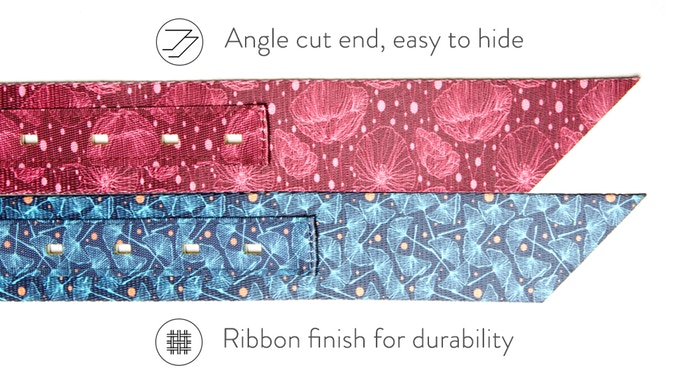
All of the belts have angle cut ends to “make them easier to tuck behind the belt.” The web belts have added reinforcement with “ribbon finished holes” and come in solid colors or come with patterns.
The leather belts come in black or brown leather.
All belts are 1.5″ in width and come in different lengths to accommodate your size (30″ – 38″ long or custom made according to your needs). A single web belt is $35 and a single leather belt is $59. After pledging, you will have to wait for the campaign to end at which time you will be sent a survey where you will select the style(s) and size(s) of your belt(s). If this interests you, head over to the Hidden Flap Belt Kickstarter page to select your type of pledge.
Gosh, it’s simple ideas like this that make me say, “Now, why didn’t I think of that?”
Note: If you are subscribed to this feed through FeedBurner, please switch to our native feed URL http://the-gadgeteer.com/feed/ in order to ensure continuous delivery.
REVIEW – I’ve had office headsets before, but that was over 20 years ago. Today we’ve got desk phones, smartphones, desktop computers… the list goes on. The Jabra Engage 75 is a professional wireless headset system designed to work with all of these devices in a unified package.
What is it?
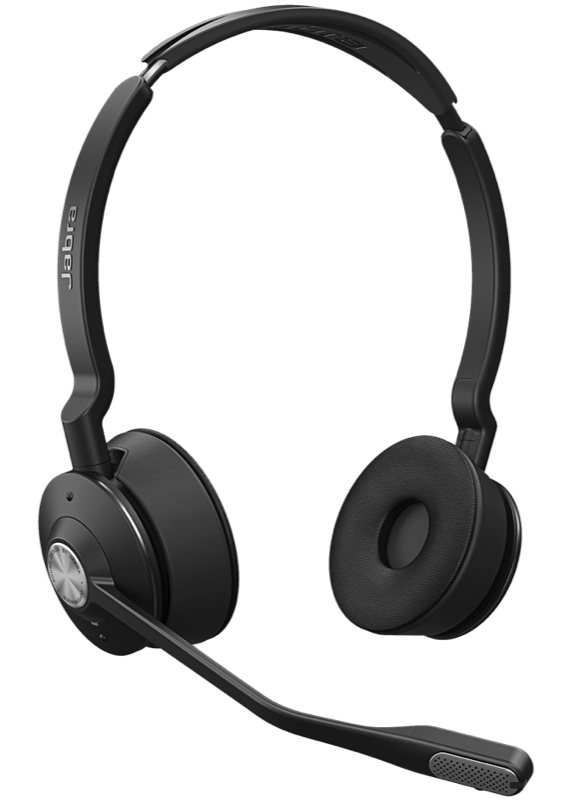
The Jabra Engage 75 is a wireless headset that provides simultaneous connections to up to five devices. It can connect to desk phone, softphone, analog phone, and two Bluetooth devices.
Hardware specs
Battery Timer: 13 hours
Wireless Range: 150 meters / 490 feet
Connect up to: 5 devices
What’s in the box?
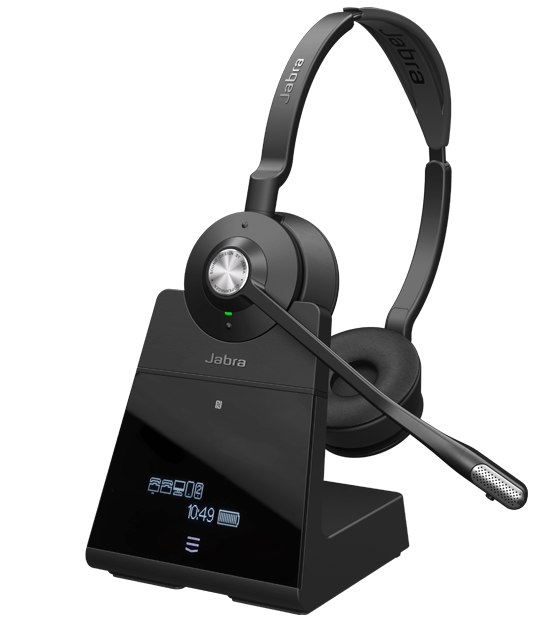
The kit comes with the headset, base, phone cord, USB cable, power supply and quick start guide.
Design and features
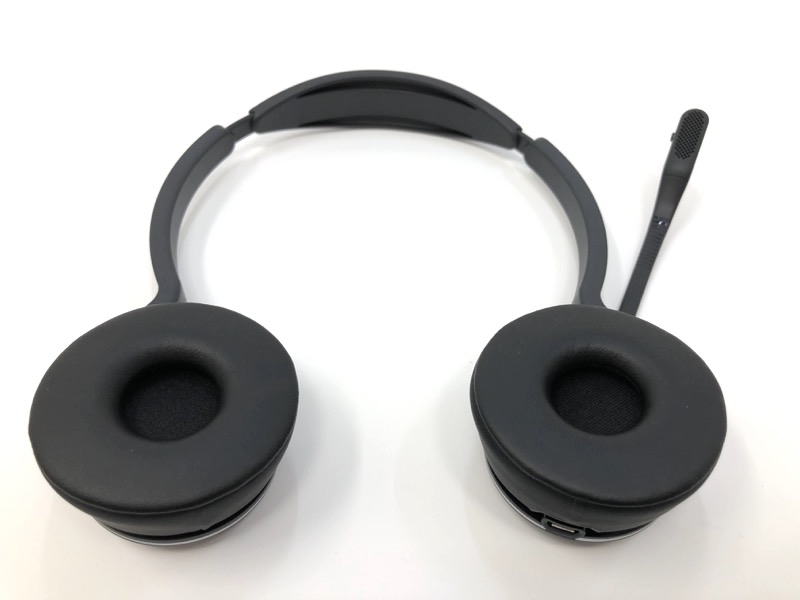
This particular model has two ear cups. It will produce stereo audio if you’re connected to such a source such as playing music back from your phone.
The cups do fold back as part of the swiveling design.
On the bottom of one of the cups is the dock connector.
The silver disk in the center is the pick up/hang up button. Two tiny bumps control volume.
The tip of the microphone hides a tiny “busy” LED to let others know you’re in on a call. There’s a hidden mute button as well. This mutes your outgoing audio.
Setup
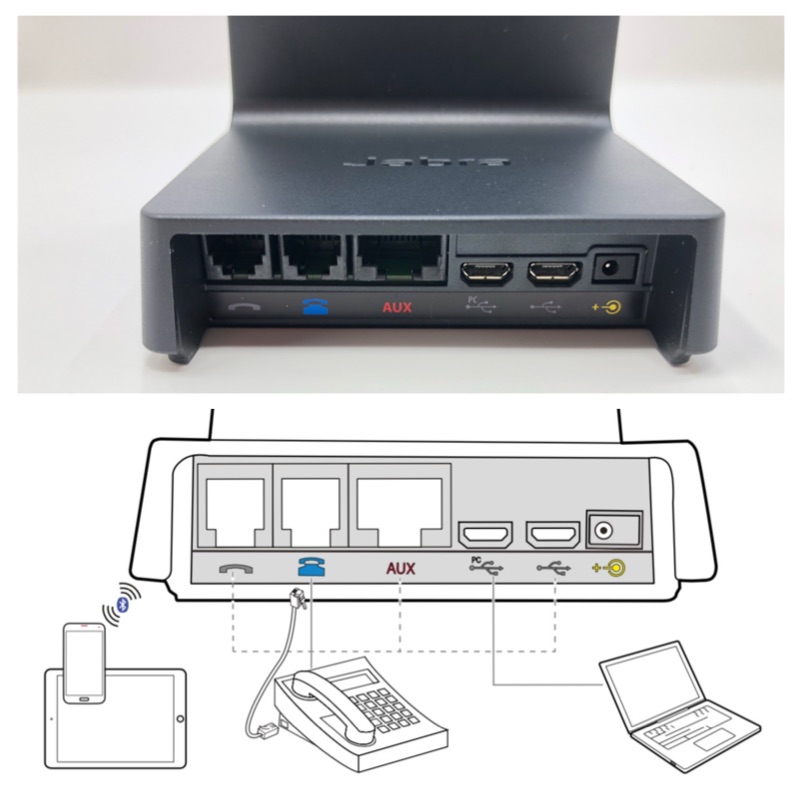
The back of the base is pretty well labeled. I was able to connect my desktop phone, my Mac Mini, and my iPhone (bluetooth).
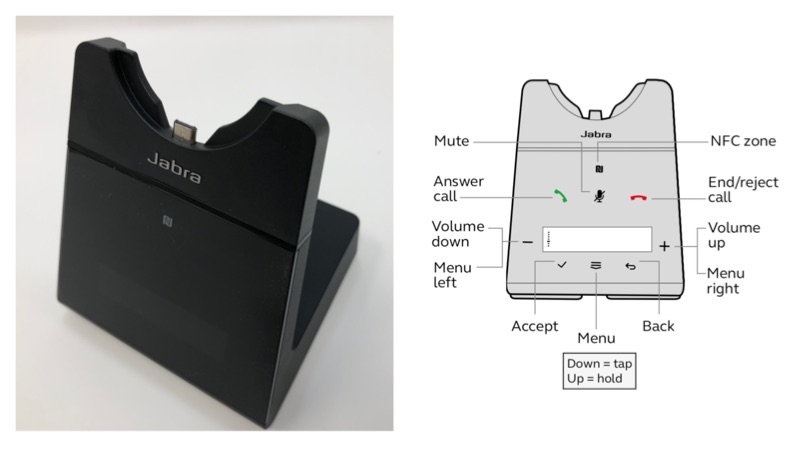
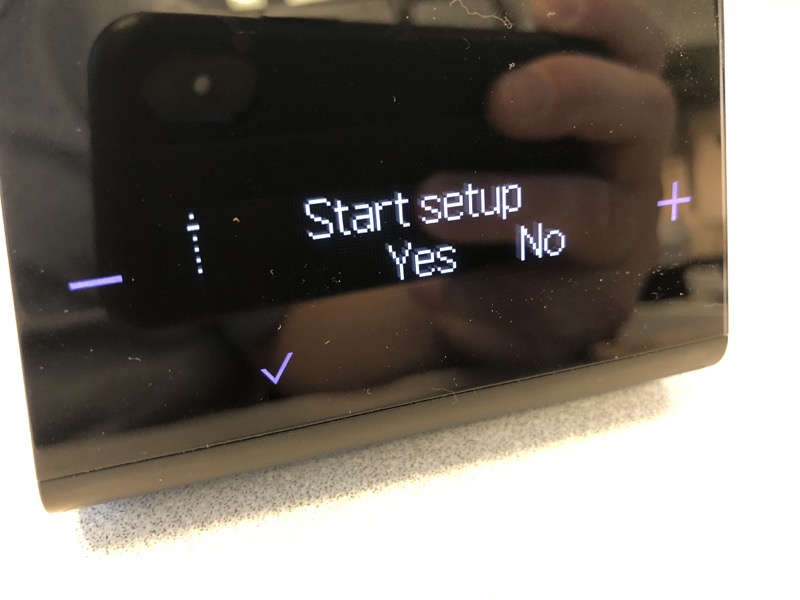
This particular model has a touch-sensitive screen with a display which made setup a snap.
A setup wizard walks you through the setup. You can always re-do the setup if you want.
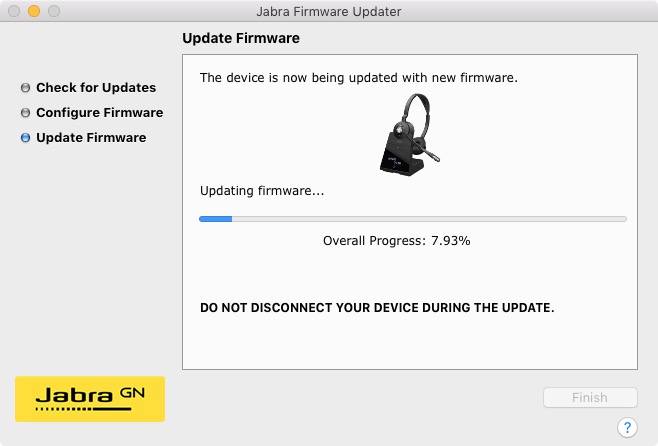
Install the Jabra Firmware Updater (Mac version shown here) to check for firmware updates. In this screenshot, the firmware is being updated.
Performance
I made a few test recordings to see what the headset sounded like in my office (not a recording booth) compared to the Apple AirPods (wireless ear buds) and the basic wired headphones you get with every iPhone.
To me, the wired earbud that comes with the phone sounds the clearest, but this is a wired device. The Apple AirPods are wireless but sound less clear. The Jabra sounds perfectly serviceable and is wireless, in addition to being quite comfortable.
What I like
I was able to connect my desktop computer (USB), iPhone (Bluetooth) and desk phone. Super comfortable to wear!
What needs to be improved
Expensive, but this is really for a professional office environment where cordless security is paramount. Don’t forget, you still need to lift the handset off the desk phone unless you have a dedicated handset jack, or an electronic lifter.
Final thoughts
The Jabra Engage 75 has really solved my headset clutter. I now have just one device to take calls as well as listening to my desktop or iPhone audio.
Price: $420 Where to buy: Jabra and Amazon. Source: The sample of this product was provided by Jabra.
Note: If you are subscribed to this feed through FeedBurner, please switch to our native feed URL http://the-gadgeteer.com/feed/ in order to ensure continuous delivery.
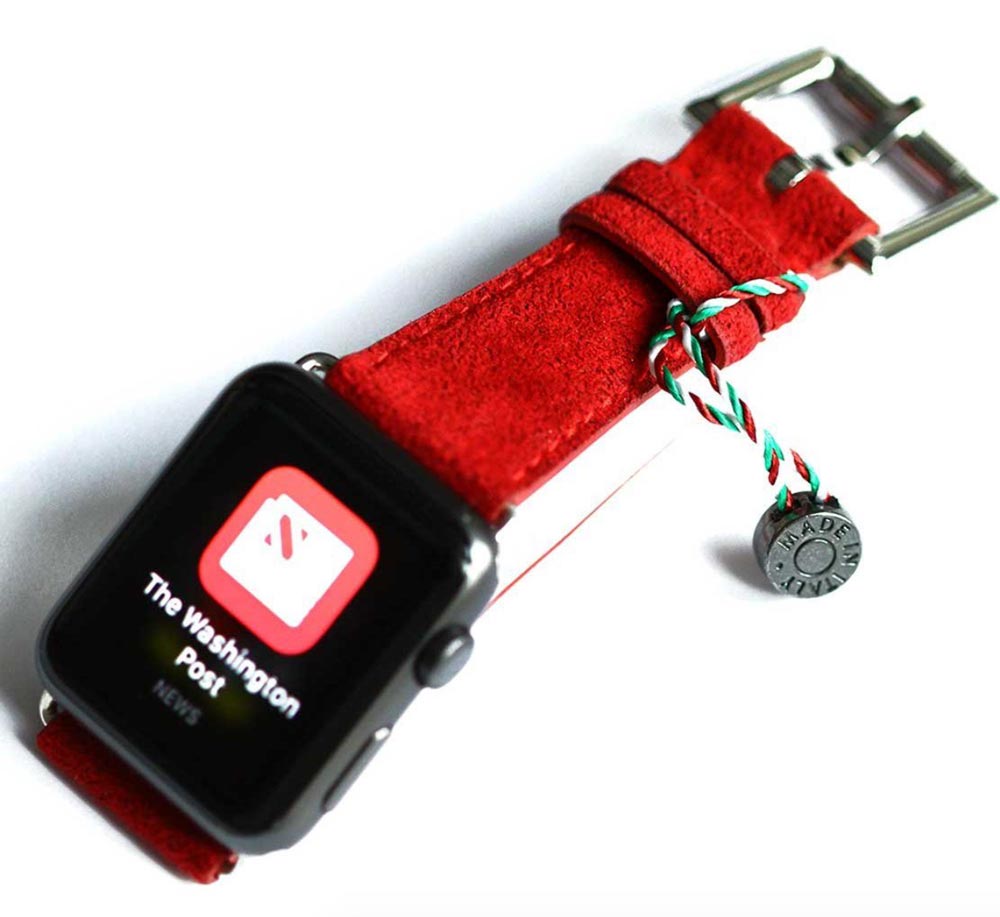
NEWS – Since Apple has discontinued their Edition versions of the Apple Watch, there’s only the Hermes bands and faces to add a couture look to the Watch. But what if you could have a band made of the same material used to line Louis Vuitton bags or for covering the steering wheels in some Porsches, BMW M cars, and Lamborghinis? Yep, turns out that the suede-like Alcantara fabric (or Ultrasuede, as it was called when the synthetic microfiber fabric was invented back in the 1970s) can be used for Watch bands, too.
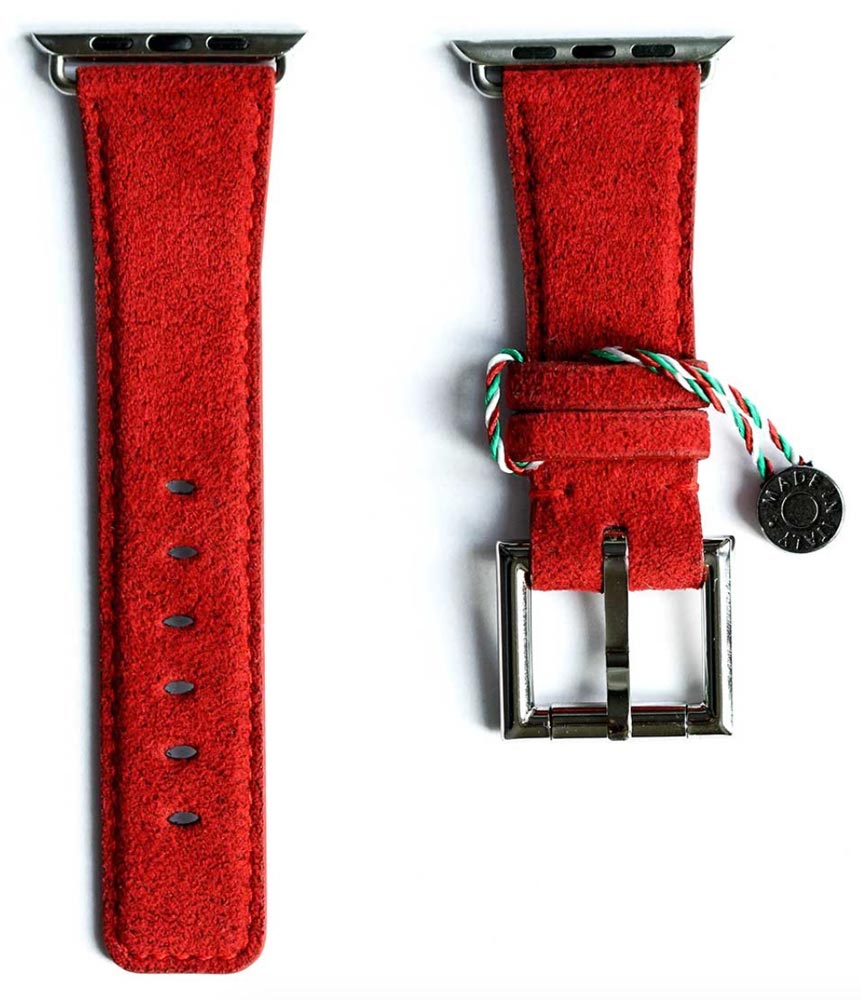
The Alcantara Watch Band is handcrafted in Italy of original Italian Alcantara. It has a metal buckle,color-matched stitching, and an Italian Rubberized Leather backing. It’s a unisex design, sized to fit the 42mm Watch. As offered by Fancy, the band featured here is available in red Alcantara, with your choice of white, yellow, red, or black metal hardware inserts to attach it to the Apple Watch. However, the 42mm band is also available in brown, indigo blue, and sapphire blue for $169. A blue version for the 38mm Apple Watch is available for $159. All bands come with a storage case and two tools. They ship from Italy and are available at the Fancy website.
Note: If you are subscribed to this feed through FeedBurner, please switch to our native feed URL http://the-gadgeteer.com/feed/ in order to ensure continuous delivery.






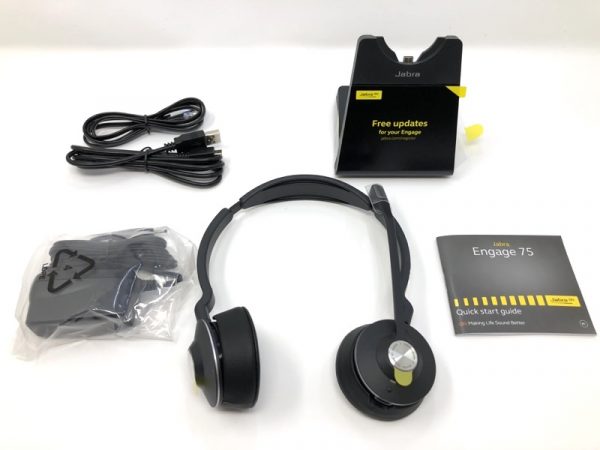 The kit comes with the headset, base, phone cord, USB cable, power supply and quick start guide.