Take your home’s lighting back to the future

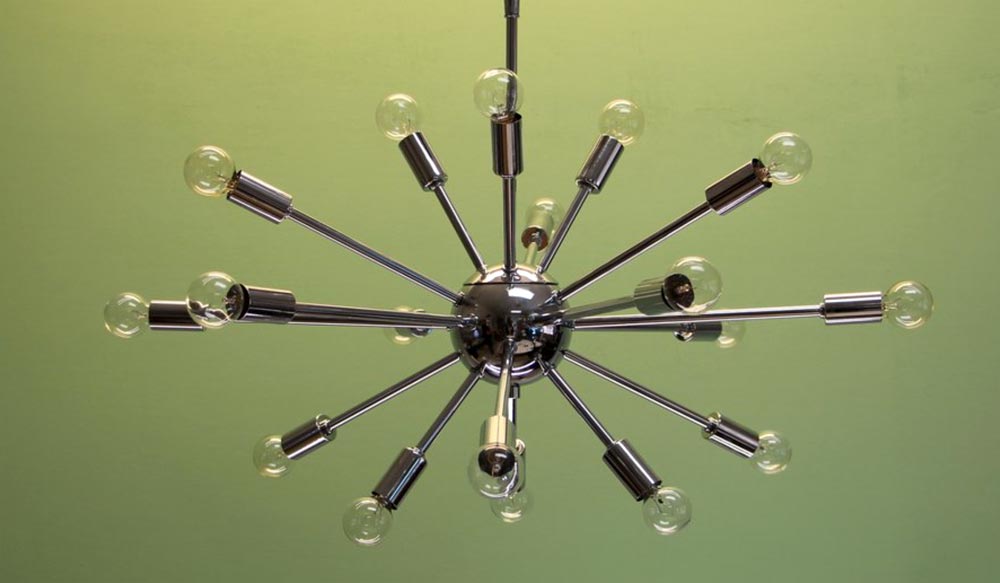
NEWS – I have a fascination with Mid-Century architecture and design.  When we moved into our condo in the only Mid-Century high-rise in our area, we started looking for things to enhance our new home that were appropriate to its age.  One of the things we wanted was a Sputnik chandelier, but it took us a while to find a source for one.  We didn’t want an old one because we couldn’t re-wire it.  Many of the new ones were smaller than we needed, used the wrong type of bulbs, or just wasn’t right.  When we found Practical Props, we found just what we needed.

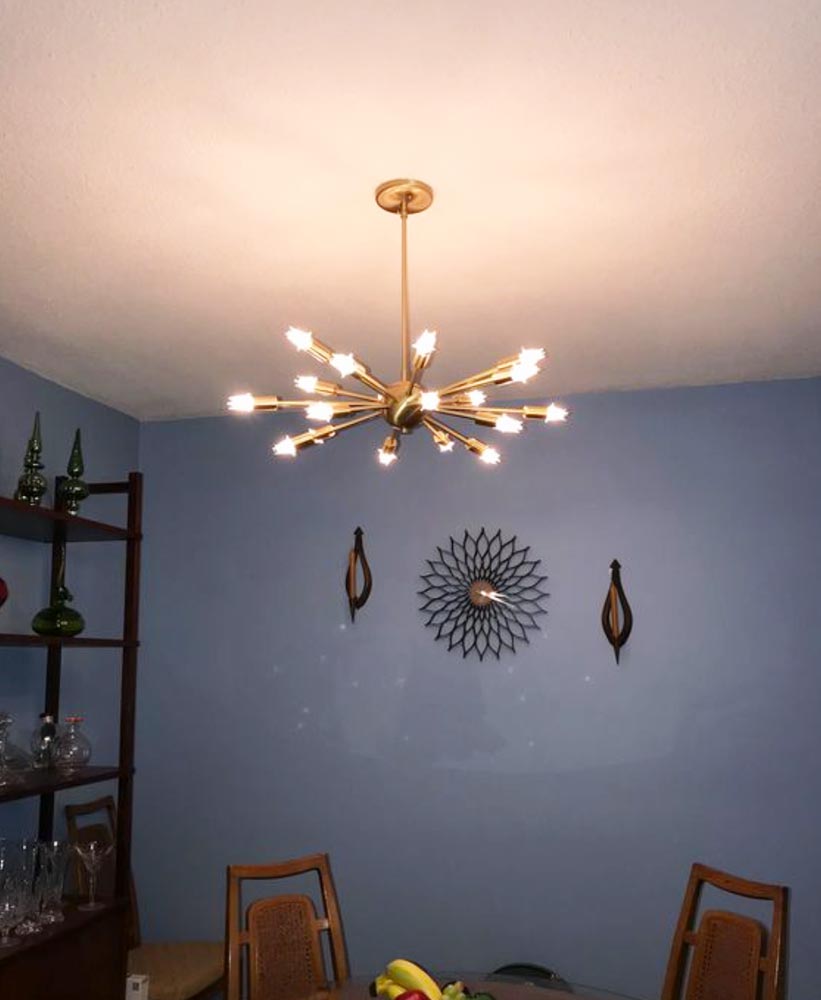
Practical Props has been around since 1991.  They started out renting vintage lighting fixtures to movie studios.  At some point, they began reproducing Mid-Century lighting fixtures, including Sputniks of various sizes, numbers of arms, and shapes.  We bought a 24″, 18-arm “flat” Sputnik chandelier for over our dining table, seen above.  We’ve also bought three of the little 5-arm flush-mounts for our bathroom ceilings and a hallway, a 24″ 12-arm sconce for our kitchen, and a 20″ 10-arm flush-mount for the hall.

All of our lights are done in satin brass, but other finishes include chrome, raw brass, polished brass, rubbed bronze, and satin nickel.  They come complete with bulbs in your choice of wattage and shape.  (They don’t offer the traditional “spiky” bulbs, though you can find them elsewhere if you look.)  You can get sconces that can also be used as flush-mount ceiling fixtures or pendant fixtures.  Sizes range from only 9″ wide for the sconces up to 57″ wide 36-arm giants.  Prices range from $79.00 to $1200.00.

If you want to give your home a retro-modern space age look, check out Practical Props.  You’ll find just what you need.

Filed in categories: News

Tagged: ,

Take your home’s lighting back to the future originally appeared on The Gadgeteer on September 30, 2018 at 10:00 am.

Note: If you are subscribed to this feed through FeedBurner, please switch to our native feed URL http://the-gadgeteer.com/feed/ in order to ensure continuous delivery.

Nebula Mars II DLP projector review

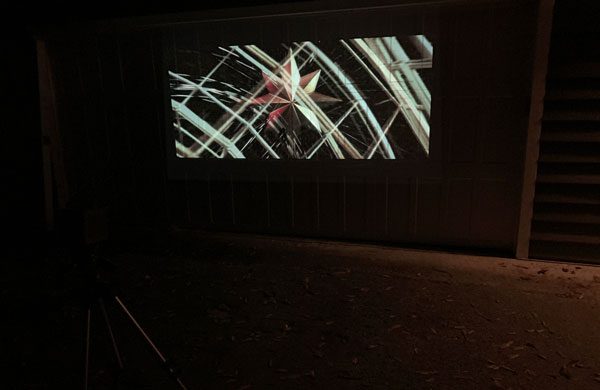
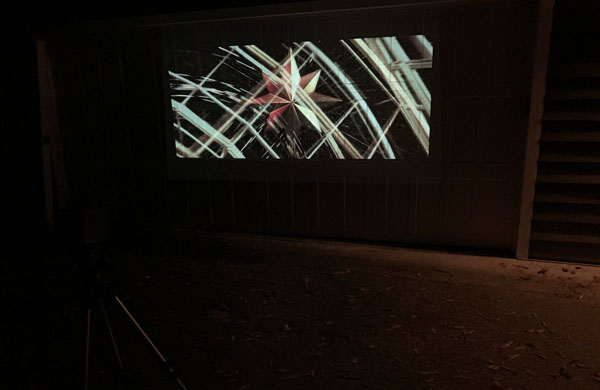
REVIEW – For years, friends and family have asked me to figure out how to do outside movie night in conjunction with our annual fire pit evening of BBQ, libations, and too much fun. Every year we invite a bunch of our friends and neighbors over for this Fall-time debauchery. The party is set near our barn where everyone sits around the fire eating, drinking, and socializing but several have requested a movie playing in the background on the side of the barn as a bit of added entertainment. Well, the Nebula Mars II is theoretically the ideal device for delivering high quality video without the need for cords or infrastructure of any kind (other than perhaps a screen or white background)…let’s see how it does.

Last year Mike reviewed the first generation Nebula Mars projector and I have to admit it I was a tiny bit jealous, knowing how well the “theater-grade portable cinema” would meet my needs. So, this year when the Mars II was introduced I quickly volunteered to give it a try.
What is it?

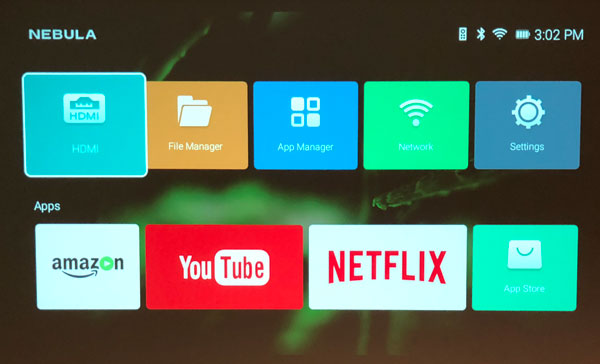
Like its predecessor, the Nebula Mars II is an Ultra-Portable Theater-Grade DLP projector, capable of producing high quality HD images and videos on virtually any flat surface. It projects images/videos up to 150″ diagonally with a 16:9 aspect ratio. It has dual 10 watt speakers and a rechargeable battery that delivers up to 4 hours of battery life. The Mars II runs on Android 7.1 and has built-in apps like YouTube, Amazon Prime Video, and Netflix that can be streamed using the projector’s built-in WiFi. It can also project content via HDMI connected device, USB drive, and screen mirroring from your smart device.

Design and features

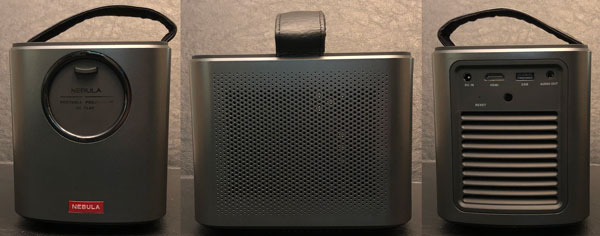
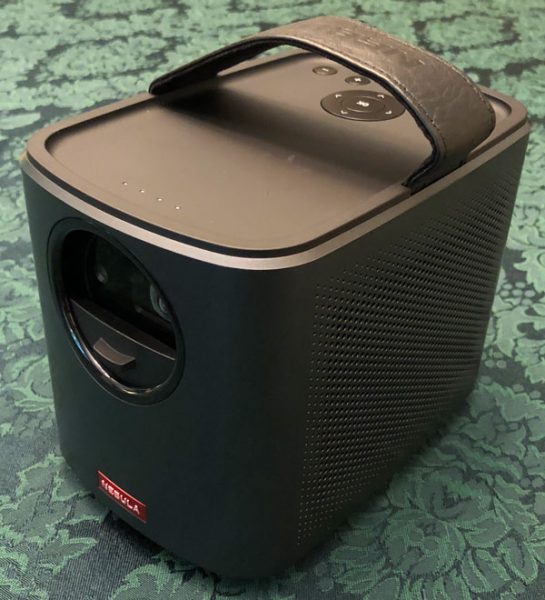
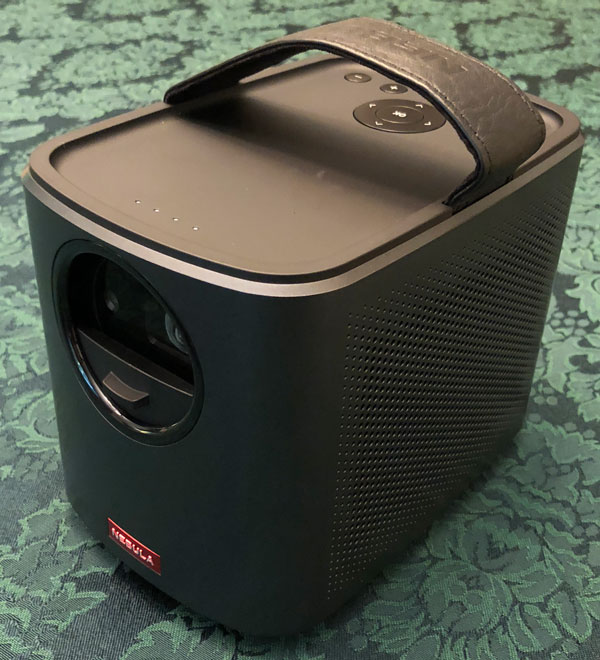
The Nebula Mars II casing is made from black plastic and is approximately the size of a box of tissues or small lunch pail with rounded corners. On top of the Mars II are the control buttons and a leather handle for easy transport. The device is engineered to be portable, measuring 7.01 x 4.8 x 5.43 inches and weighing four (4) pounds.
In the box:

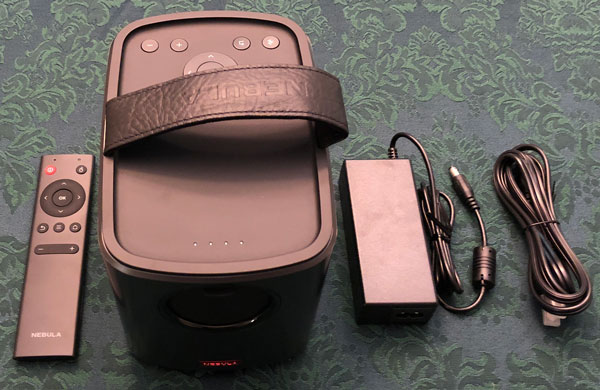
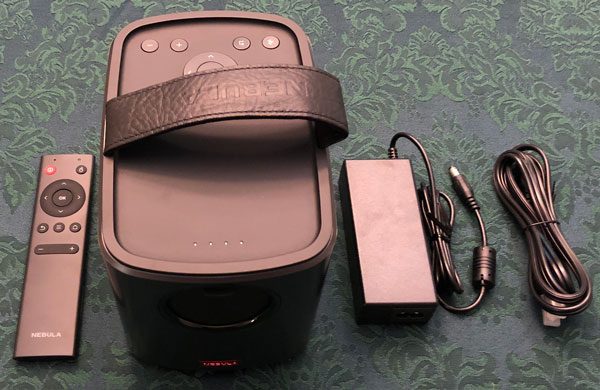
  • Nebula Mars II
  • Power cables
  • Remote control

Specifications:

Display technology

  • Display Technology – 0.3″ DLP
  • Native Resolution – 1280 x 720 (HD)
  • Brightness – 300 ANSI lm
  • Lamp Life – 30,000 hours
  • Aspect Ratio – 16:9
  • Throw Ratio – 100 in at 10.1 ft; 80 in at 8 ft; 60 in at 5.7 ft; 40 in at 3.8 ft
  • Offset – 100%
  • Focus Adjustment – Automatic
  • Projection Mode – Front/Rear/Front Ceiling/ Rear Ceiling
  • Keystone Correction – Auto (vertical ±40°)

Interface

  • HDMI – HDMI 1.4
  • USB – USB 2.0
  • DC-IN – 19V, 3A DC-In
  • Control – Physical Buttons
  • IR Remote – D-pad mode/mouse mode
  • Dedicated App – Nebula Connect for Android & iOS

Hardware

  • CPU – Quad Core A7 Smartphone Chipset
  • GPU – Adreno 304
  • RAM – 1GB DDR3
  • ROM – 8GB eMMC
  • Battery – 12500mAh / 3.85v
  • Speaker – Dual 10W Speakers
  • Wi-Fi – 802.11a/b/g/n
  • Dual Frequency – 2.4/5GHz
  • Bluetooth – BT4.0 Dual Mode/A2DP
  • Fan – <32dB

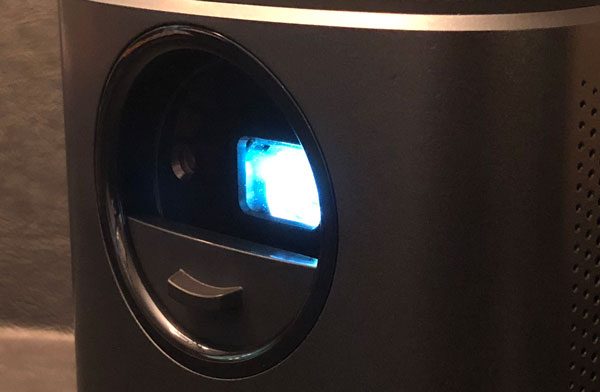
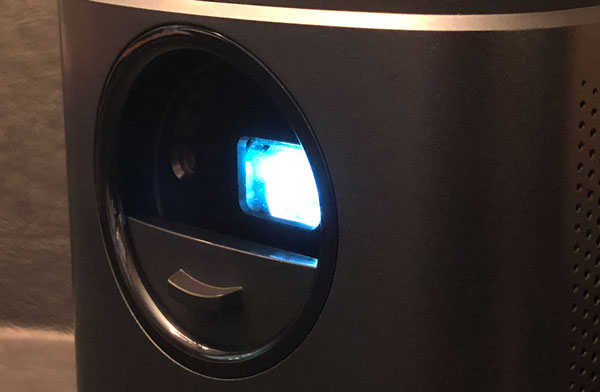
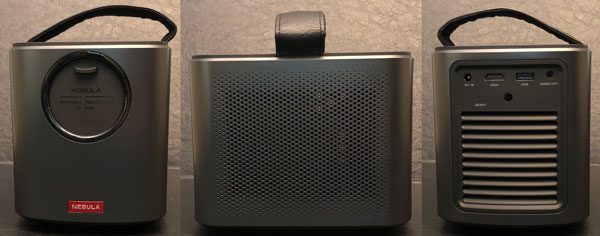
A nice design feature of the Mars II is its built-in sliding lens cover. In addition to protecting the lens, the vertically sliding door also acts as an on/off switch. The device automatically turns on when the door is down and turns off when up/closed. The original Mars projector had to be manually focused, where the Mars II has single-second autofocus and angle adjustment that were spot on every time I used it. Other differences include, Nebula increasing the Mars II’s battery life by an hour but decreasing its overall brightness as compared to the original.
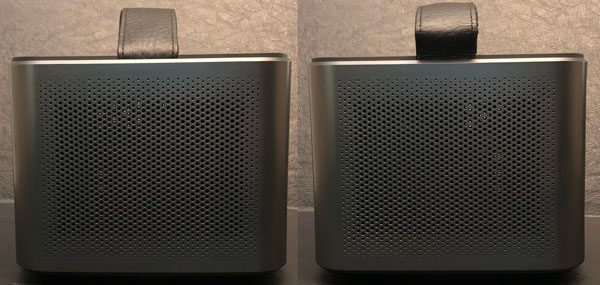
Another difference between the Mars and the Mars II, is that the original used JBL 10 watt stereo speakers while the second generation uses an unnamed/unlabeled set of speakers.
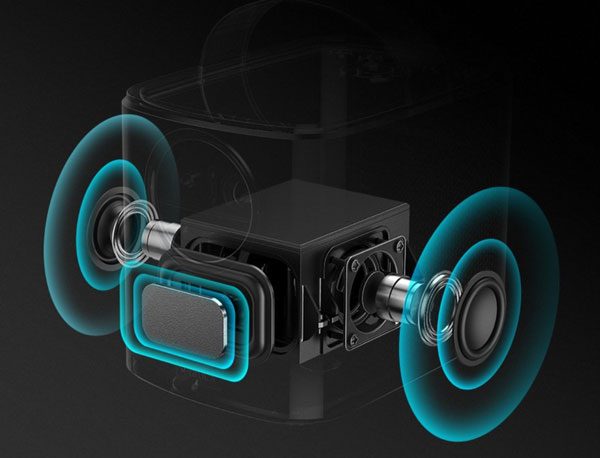
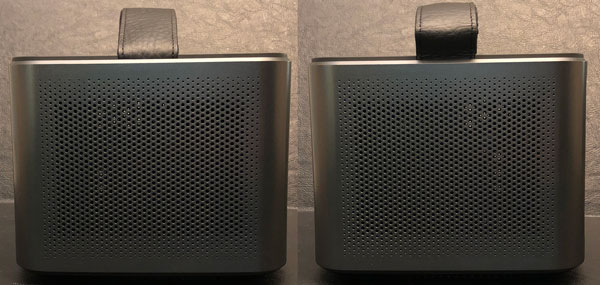
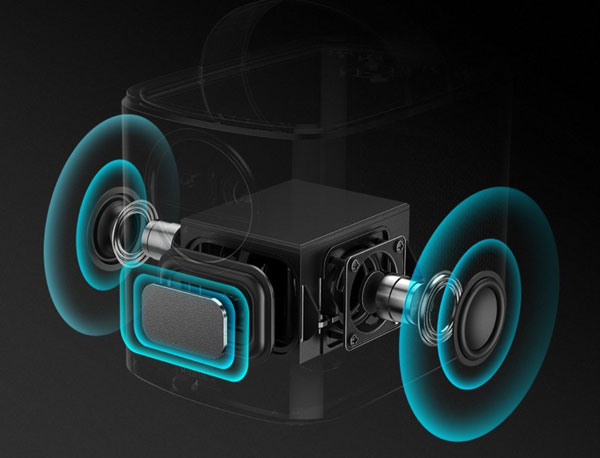
That said, the Mars II 10 watt speakers fire sideways just like the original Mars. The speakers have two bass reflectors, all together producing a full, rich experience that sounds great.
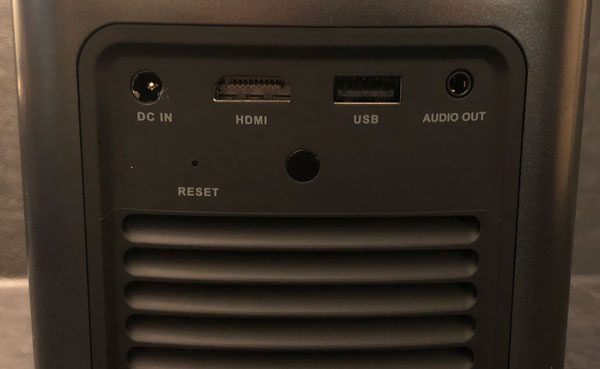
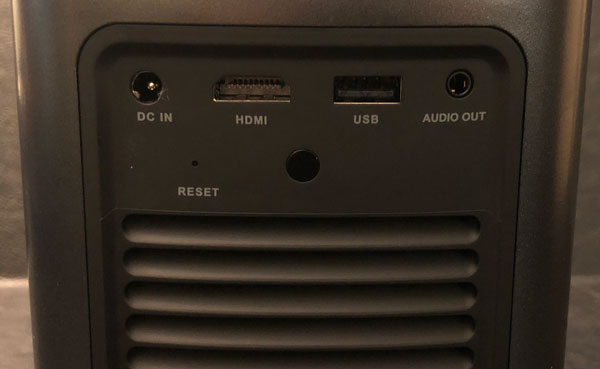
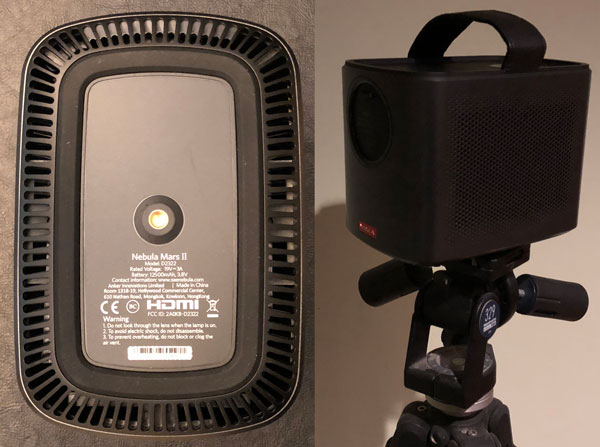
The upper third of the back has the DC power, HDMI, and USB ports, audio out jack, infrared receiver, and reset button. The rest of the back has vents for ventilation and cooling. In addition to the built-in apps, you can attach a BluRay player, Roku, Fire Stick, AppleTV, gaming console, etc via the HDMI port and stream whatever you wish. You can also play H.264, H.265, DivX, MPEG-4 and VP8 via the USB port/thumbdrive. Screen mirroring worked very nicely as well though the iOS apps were pretty locked down in just what was able to be wirelessly streamed from my iPhone.
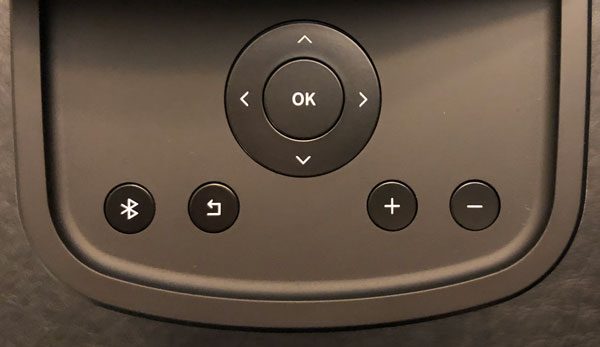
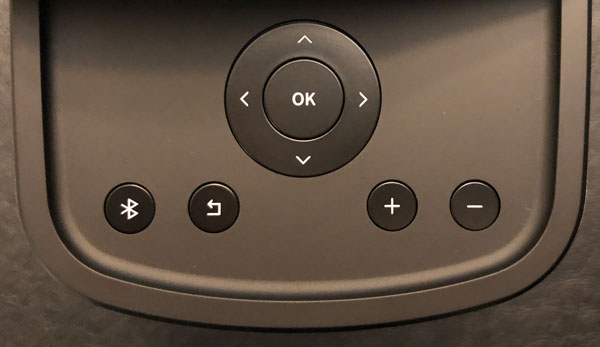
As I mentioned, the top rear of the Mars II has control buttons that provide the same functionality as the wireless remote.
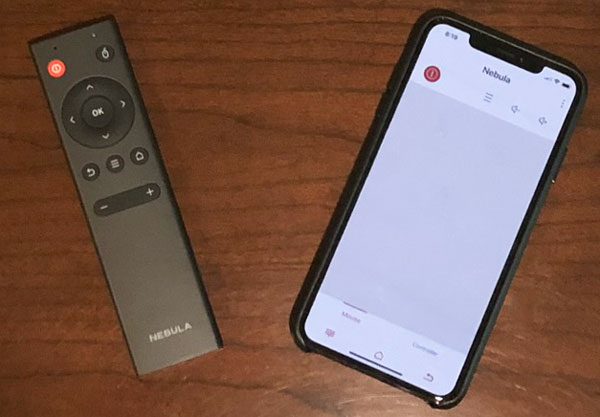
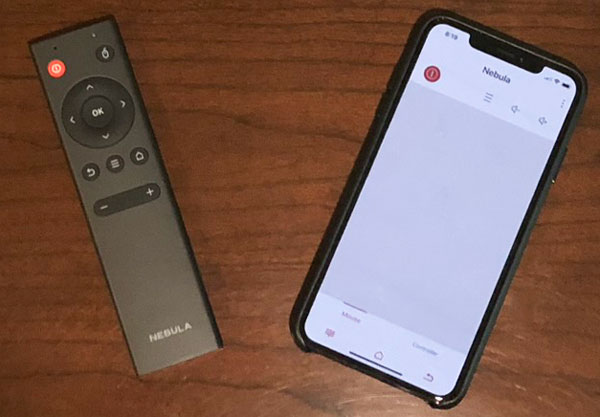
The wireless remote works as you would expect but I prefer the smartphone app for controlling the Mars II. The interface is intuitive and easy to use, very similar to a touchpad.

On the top near the front, the Nebula Mars II has four small battery power LED indicator lights.
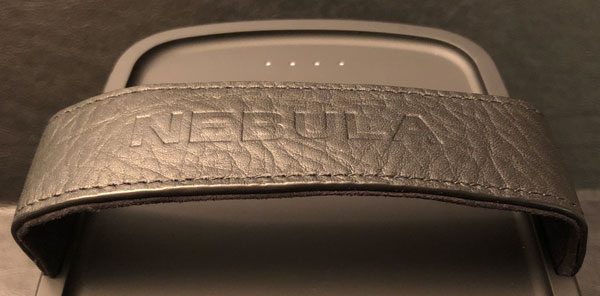
The integrated leather handle makes for easy and secure transport.
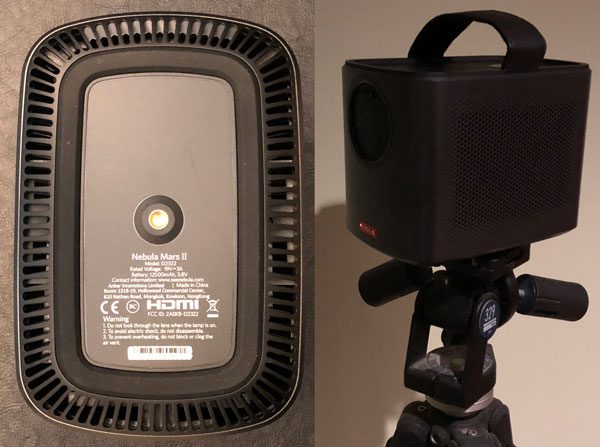
In addition to the cooling/air vents, the bottom of the projector has a universal 1/4″ threaded tripod mount. I found attaching the Mar II to my tripod was the most stable and secure way to use the device but really nearly any flat surface should suffice.
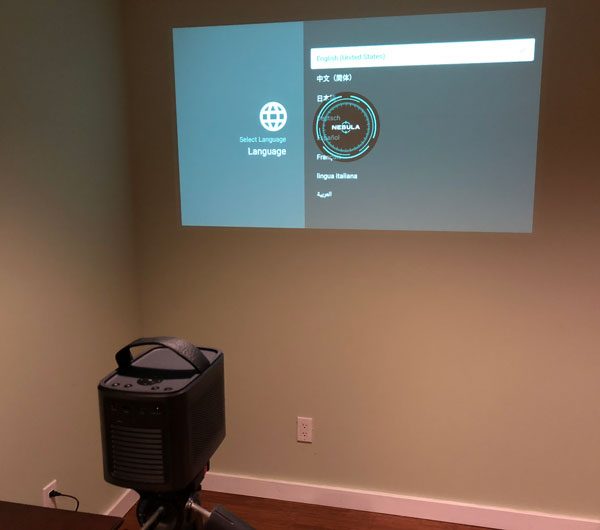
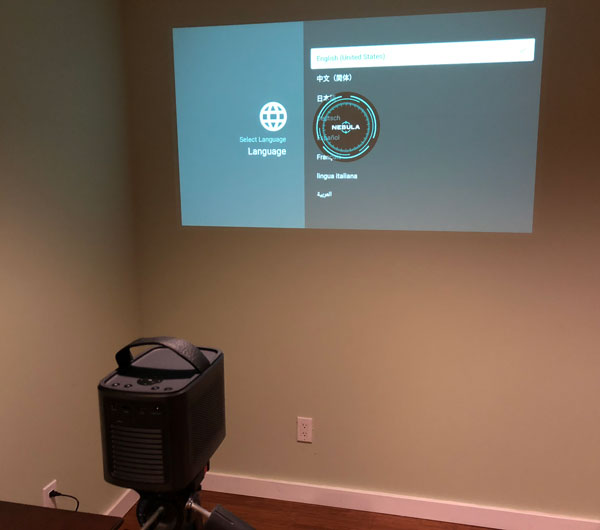
Setting up the Mars II is quick and easy. The whole process took less than 5 minutes to get up and running, with the longest part being clicking in our WiFi password using the virtual keyboard to gain connectivity.
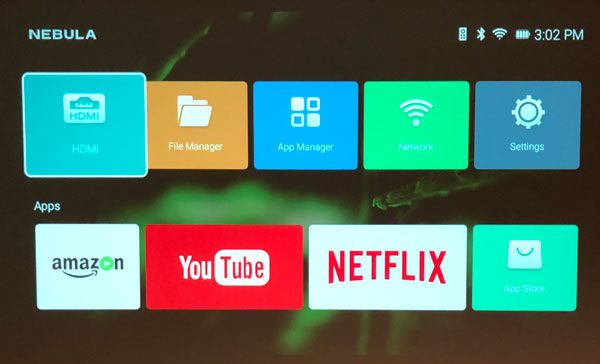
As I stated above, the Mars II is an Android device running a modified version of OS 7.1 Nougat. Netflix, Amazon Prime Video, and Plex are the streaming apps Nebula preloads on the device. Shame ESPN+, HBO Go, Showtime, etc aren’t available as well like a majority of smart-televisions have these days. I grant you, these streaming services can be added by connecting various streaming devices via HDMI port but it would be nice out of the box, baked into the OS.

What I like

  • Well-thoughtout, compact, portable design
  • Up to 150 inch screen projection
  • 4 hrs of battery life
  • Can attach other devices for greater streaming options
  • Can stream a multitude of video formats

What needs to be improved

  • Needs a greater selection of streaming apps
  • Not as bright as its predecessor

Final thoughts

I really like the Nebula Mars II, it does an excellent job bring a “cinema quality” experience whenever, wherever you want it. The hardware is very well designed, portable, and can throw a bright, HD picture up nearly anywhere. The autofocus works as advertised, it quickly adjusts the video on a variety of surfaces and angles. The brightness, picture quality, sound, and battery life are all better than solid. Plenty nice enough for creating a media room from nothing but a sheet and a few lawn chairs. Its built-in apps (Netflix, Amazon Video, YouTube) are a good start but it is a shame you can’t download HBO Go, Showtime, ESPN+, etc. Though many streaming services and video content can be added via the HDMI, USB port, and screen mirroring from your smart device.

Price: $499.99
Where to buy: Amazon
Source: The sample of this product was provided by Nebula.

Filed in categories: Reviews

Tagged:

Nebula Mars II DLP projector review originally appeared on The Gadgeteer on September 30, 2018 at 9:00 am.

Note: If you are subscribed to this feed through FeedBurner, please switch to our native feed URL http://the-gadgeteer.com/feed/ in order to ensure continuous delivery.

Boldly cruise where no one has cruised before!

NEWS – Well, maybe they’ve cruised two times before, since this is Star Trek: The Cruise III…  Forget those landlocked cons that stay in one city.  With this Star Trek cruise, you’ll be on a cruise ship, the Norwegian Jade, for six days.  You’ll leave from Miami, with stops at Great Stirrup Cay,  Grand Cayman, and Jamaica.  You’ll be cruising with:

  • Wil Wheaton
  • Jason Isaacs
  • Jonathan Frakes
  • Brent Spiner
  • Michael Dorn
  • Gates McFadden
  • Denise Crosby
  • John De Lancie
  • Mary Chieffo
  • Kenneth Mitchell
  • Wilson Cruz
  • Rene Auberjonois
  • Nana Visitor
  • Casey Biggs
  • Chase Masterson
  • Ethan Phillips
  • Robert Picardo
  • Connor Trinneer
  • Michael Westmore
  • Dr. Erin Macdonald
  • Dr. Phil Plait
  • Robb Pearlman
  • J.K. Woodward
  • Lolita Fatjo
  • Jordan Hoffman

Musical guests include:  Thomas Dolby, Band 47, Jordan Bennett, and celebrity DJ James Biko.  The voyage promises you:  “unprecedented engagement with your favorite stars as well as being able to enjoy special Star Trek-themed shows, events, programs and parties. You are more than a passenger. You will become part of the Crew and part of the magic and majesty that is Star Trek! Almost every event includes an interactive element which makes this Un-Conventional Voyage a truly unique, personal and immersive Star Trek experience.”

Pricing starts at $2125.00 for first time passengers, and payment plans are available.  The voyage is January 4-10, 2019.  Learn more about Star Trek: The Cruise III and book your voyage now!

Filed in categories: News

Tagged:

Boldly cruise where no one has cruised before! originally appeared on The Gadgeteer on September 30, 2018 at 8:00 am.

Note: If you are subscribed to this feed through FeedBurner, please switch to our native feed URL http://the-gadgeteer.com/feed/ in order to ensure continuous delivery.
BenQ 4K monitor, Neato Botvac, Bellroy backpack, and more – Weekly roundup

Happy weekend gadgeteer friends. Take a seat and check out this specially generated listing of everything that we posted this week on The Gadgeteer. Enjoy!

Reviews

MOS Pack Grande backpack review

Chamberlain Ultimate Security Bundle smart garage opener review

Archeer Vinyl Turntable Record Player Review

Aiwa Arc-1 Bluetooth headphones review

Xerox Duplex Portable Scanner review

Cascade Wallet review

Vantrue N1 Pro Mini Dash Cam review

Neato Botvac D7 robot vacuum review

Jabra Engage 75 stereo headset review

BenQ PD3200U 4K Monitor review

Bellroy Classic Plus Backpack review

HyperX Pulsefire FPS Pro gaming mouse review

Tactical Emergency Flashlight Kit Escape Tool review

News

Remove the chemicals that cause headaches and congestion from wine

Start a fire with your own personal flame thrower

Docfender fireproof bag protects your valuables

The Odor STEELer rids your hands of food odors without the suds

Add a nightlight and an air freshener to your toilet

A helping hand for putting on bracelets

Eliminate carrying multiple cables with the Anker PowerLine II 3-in-1 cable

Music with catitude!

The Neck Hammock provides ultimate relaxation and pain relief

The cure for the common wine fridge

It’s a “party in your pants”, or rather around your pants, with the Hidden Flap Belt

Add a touch of elegance to your Apple Watch with an Alcantara band

Add a pen holder to any book, notebook, or journal

Always know which glass is yours with these Swarovski crystal charms

Walk more upright with the Campbell Posture Cane

Add a shelf to your wall’s power outlets

Filed in categories: News

Tagged:

BenQ 4K monitor, Neato Botvac, Bellroy backpack, and more – Weekly roundup originally appeared on The Gadgeteer on September 29, 2018 at 4:01 pm.

Note: If you are subscribed to this feed through FeedBurner, please switch to our native feed URL http://the-gadgeteer.com/feed/ in order to ensure continuous delivery.
Remove the chemicals that cause headaches and congestion from wine

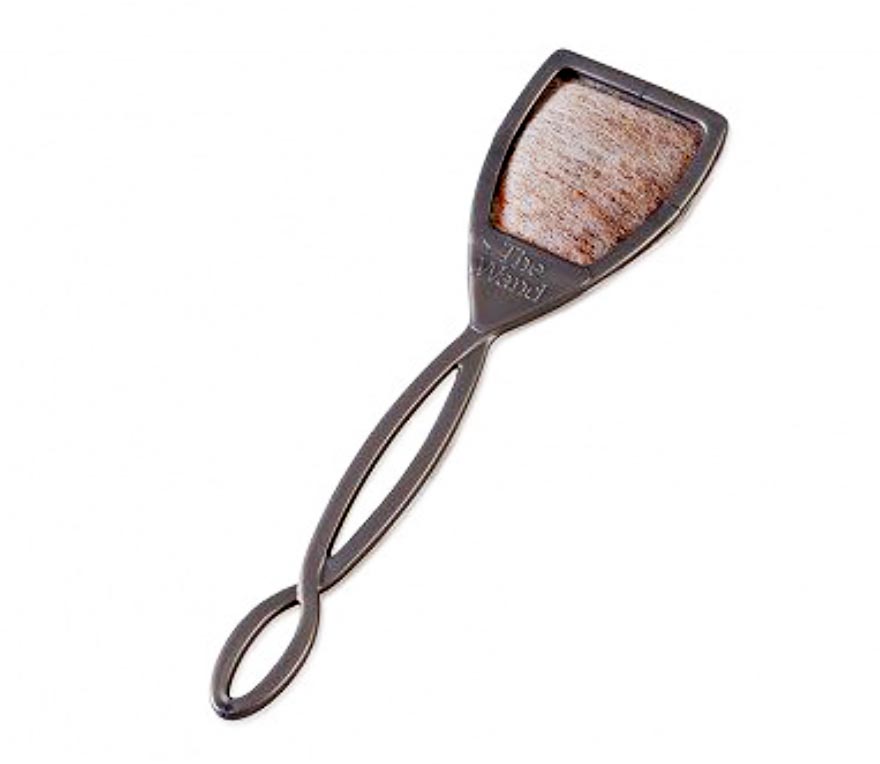
NEWS – Do you suffer from headaches, sinus congestion, and red cheeks when you drink wine?  If so, you may be sensitive to the histamines and sulfites that are found in wine.  The PureWine wand filter could remove these chemicals without adversely affecting the flavor, taste, or aroma of the wine, so you can enjoy a glass without suffering the nasty side effects.  And the PureWine filter is the only one on the market that can remove both sulfites and histamines.

The PureWine filter is made of polypropylene and cellulose fabric, with nanopore beads for filtering.  The wands are food-safe and BPA-free.  To filter, place the PureWine wand into a 6-8 ounce glass of wine and swirl.  Leave it in the glass for 3-8 minutes, then dispose of the single-use wand.  Each wand is individually wrapped, so you can keep a couple in your bag for use in restaurants or at parties.

A package of 10 single-use filters is available for $19.95; a 30-pack is $54.95.  You may purchase the PureWine wand filters at The Grommet.

Filed in categories: News

Tagged:

Remove the chemicals that cause headaches and congestion from wine originally appeared on The Gadgeteer on September 29, 2018 at 9:00 am.

Note: If you are subscribed to this feed through FeedBurner, please switch to our native feed URL http://the-gadgeteer.com/feed/ in order to ensure continuous delivery.