ROCCAT Sova gaming lapboard review

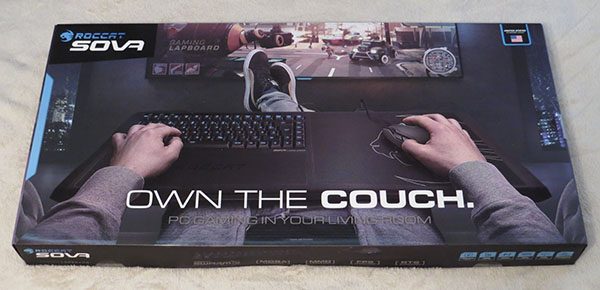
One difficult thing about gaming is that it nearly always requires a dedicated desk with a monitor, keyboard, and mouse. It’s quite difficult to sit on a couch and play without moving your entire system and taking over the coffee table, which is annoying and time consuming. ROCCAT has been my go-to keyboard for a while now, and with their new Sova gaming lapboard, I was excited to try out playing games lazily from my bed.

What is it?

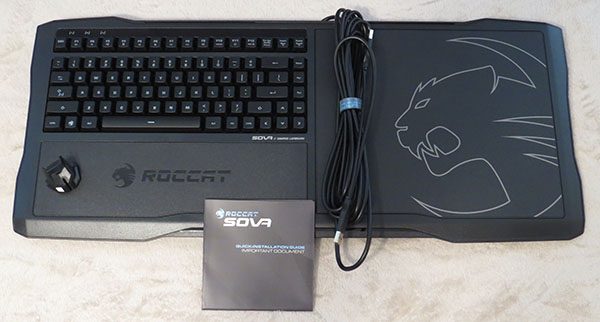
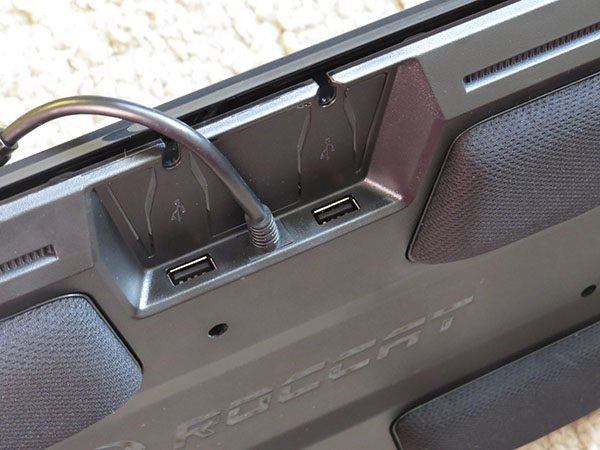
The ROCCAT Sova is a lap keyboard (lapboard) with a mouse pad built in. It has two USB ports to allow you to plug in your headset and mouse as well, with an extra long USB cord to plug it in to your computer.

Hardware specs

  • 275mm × 240mm replaceable mouse pad
  • Replaceable wrist rest and lap cushions
  • Easy-Shift[+]™ with 28-key EasyZone
  • 2 × USB 2.0 ports
  • ROCCAT® Talk™
  • Multimedia functions
  • 4m break-away cable
  • 512kB memory + 32-bit Arm IC
  • 1000Hz polling rate
  • Advanced anti-ghosting with N-key rollover
  • Membrane keys

What’s in the box?

In the box, you’ll find the Sova lapboard, mouse bungee clip, and instruction manual.

Design and features

So, I glanced through the instruction manual, ordered a longer HDMI cable, and plugged the Sova into the computer and TV. It worked flawlessly. Next, I plugged a mouse into the Sova and once again, it worked flawlessly. The only thing that I had a problem testing was a headset since I do not own a USB headset. The sound went to the TV just fine without me having to change any settings on the computer. I tried to get their Swarm app up and going, but whether it was user error or a bug in the software, I could not get it going. Google is telling me it is a software issue, so I hope an update comes out soon to fix this.
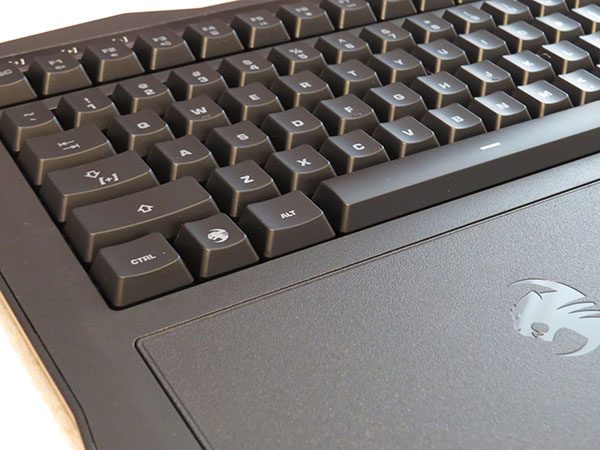

There are two versions of the ROCCAT Sova keyboard; membrane keys and mechanical keys. I was sent the membrane version, which is nice and quiet compared to my mechanical keyboard. The membrane keys were smooth, quiet, and I had no problem with pressing down multiple keys during my gaming. It felt like a mix between a regular keyboard and a laptop keyboard, so it took me a bit to get used to where the arrow keys were on the right side. It didn’t bother me that much, however. The one thing that did was the lack of a number pad since I do use that for at least one game.
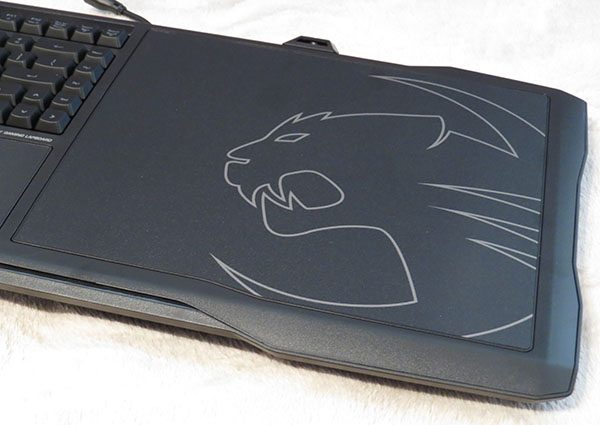
The mouse pad is a hard mat that worked well. I usually play with a cloth mat, but I did not notice much of a difference at all. The size was plenty big enough for my style of gameplay, and should be fine for most people.
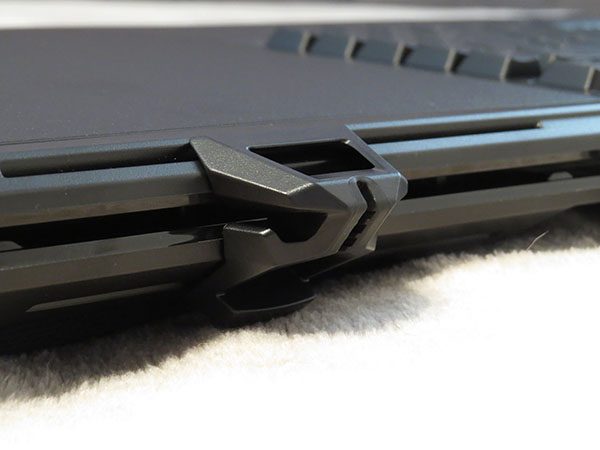
There is a mouse bungee clip for your mouse cable that can be attached to the Sova. It’s necessary, since you do not need much cord. There is also a channel in the back to feed your cord into to try to hide it away. I didn’t bother terribly much with the channel, but I definitely took advantage of the clip after the first time I tried it. It kept my mouse from sliding off, which it wanted to do if I let go of the mouse with the Sova on my lap.
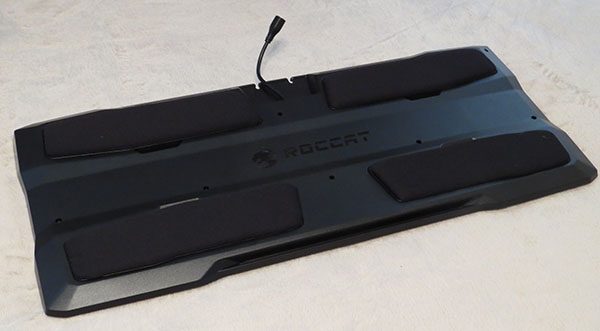
On the bottom of the lapboard, there is padding for comfort, which also hides the release for removing the mouse pad and palm rest. ROCCAT plans to have these be interchangeable in the future. This also allows for the pads on the bottom to be replaced if need be. The pads themselves made the lapboard rest comfortably on my lap, and it did well at staying in one place.
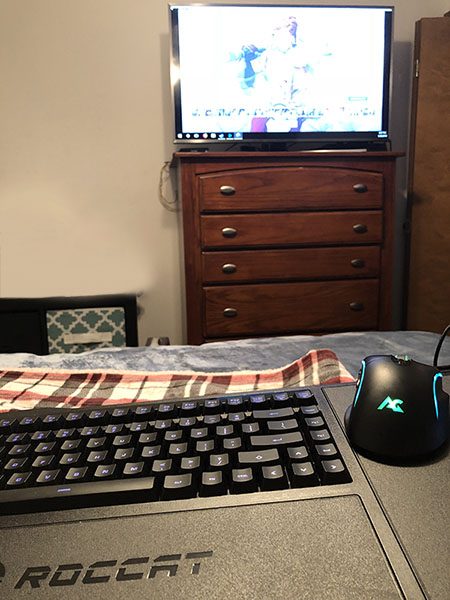
So how well did it work overall? I enjoyed sitting on my bed and relaxing while playing Overwatch on the TV. The overall size of the mouse pad was just right. I would not have wanted that to be any smaller. While the size of the lapboard in general is quite large, it was comfortable to use. The plug and play aspect was great. I just needed to plug in the USB to my computer and it was ready to go.
What I like

  • Very quiet keyboard
  • Comfortable to sit on my lap
  • Nice for lazy gaming

What I dislike/could be improved

  • No number pad
  • Needs a streaming box or TV in the room with the PC

Final thoughts

While I think the idea of a lapboard is great, my current setup makes it pretty difficult to really utilize it well. Without a streaming box, you have to make sure your PC is in the same room as the TV. What I will use it for, however, is not to play on my TV, but use my monitors when playing casual games from my bed, which is close to the PC. So while it won’t get a lot of use, it will find its way out now and then when I am extra lazy. If you are looking at getting the ROCCAT Sova, check your home layout and figure out if it would work out. It would be a fun and nifty addition to your gaming if you have the setup for it.

Price: $149.99
Where to buy: You can purchase the ROCCAT Sova on ROCCAT’s website.
Source: The sample of this product was provided ROCCAT.

The post ROCCAT Sova gaming lapboard review appeared first on The Gadgeteer.

Filed in categories: Reviews

Tagged: ,

ROCCAT Sova gaming lapboard review originally appeared on The Gadgeteer on April 9, 2018 at 11:00 am.

Note: If you are subscribed to this feed through FeedBurner, please switch to our native feed URL http://the-gadgeteer.com/feed/ in order to ensure continuous delivery.
Enfold your new iPad in Moshi’s VersaCover origami case

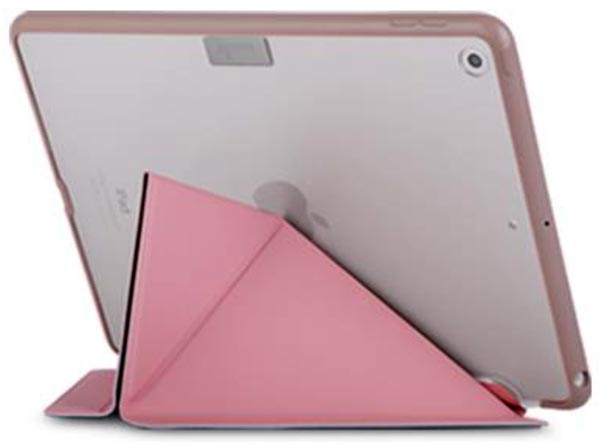
If you’re getting the newly-announced iPad, you’ll need a new cover.  Why settle for a cover that only wakes/sleeps the iPad when you could have a beautiful, protective cover that also serves as a three-function stand?  The VersaCover for iPad (6th gen) from Moshi does everything you need in a cover.

The VersaCover has a “shock-absorbing frame bonded to a shatter-proof hardshell case” to protect the iPad from shocks and drops and to prevent scratches to the iPad’s back.  The front cover is made of microfiber and protects the screen when it’s not in use; magnets operate the iPad’s wake/sleep function.  Best of all, the front cover functions as a stand for typing, reading, or browsing.  Inspired by origami, the folks at Moshi designed the front cover to fold like an origami figure to form a supportive stand for the iPad.

The VersaCover for the 6th gen iPad is available in Metro Black or Sakura Pink for $49.95 at Moshi.  (Don’t despair if you aren’t getting the newest iPad, because Moshi has VersaCovers to fit many iPads, iPad Pros, and even a Samsung Galaxy Tab 3 7.0.)

The post Enfold your new iPad in Moshi’s VersaCover origami case appeared first on The Gadgeteer.

Filed in categories: News

Tagged: ,

Enfold your new iPad in Moshi’s VersaCover origami case originally appeared on The Gadgeteer on April 9, 2018 at 10:00 am.

Note: If you are subscribed to this feed through FeedBurner, please switch to our native feed URL http://the-gadgeteer.com/feed/ in order to ensure continuous delivery.

Make pizza outdoors in just 60 seconds

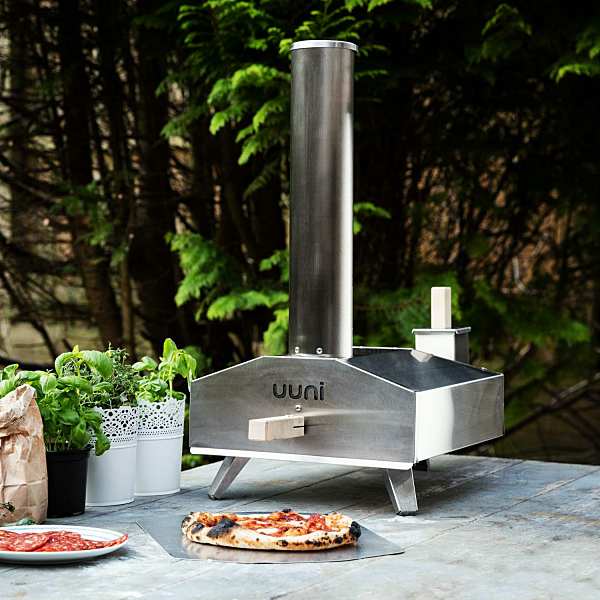
You wouldn’t know it from the cold weather throughout most of the country, but it’s almost outdoor cooking season. It’s one of my favorite things to do during the summer. The Uuni 3 takes outdoor cooking to another level. The outdoor wood-fired pizza oven makes 13″ restaurant-caliber pizzas in just 60 seconds. And if you’re not in the mood for pizza (says no one ever), it’s also great for making meat, fish, vegetables, and flatbread.

Behold the power of wood pellets

The wood pellet powered oven heats up to 900+ degrees in less than 10 minutes. That’s fast!

It’s made of brushed stainless steel and comes with a cordierite stone baking board, pizza peel (that’s the thingy you use to take the pizza out of the oven) and wood pellet burner.

Uuni 3 is even portable enough for you to take on your next outdoor getaway. Pizza, outdoors, in 60 seconds, sign me up. The price for owning your own small outdoor pizza kitchen is $299. Get yours on Amazon.

The post Make pizza outdoors in just 60 seconds appeared first on The Gadgeteer.

Filed in categories: News

Tagged:

Make pizza outdoors in just 60 seconds originally appeared on The Gadgeteer on April 9, 2018 at 9:00 am.

Note: If you are subscribed to this feed through FeedBurner, please switch to our native feed URL http://the-gadgeteer.com/feed/ in order to ensure continuous delivery.
Posted by / April 9, 2018 / Tagged with / Posted in News

With the HP Sprocket Photo Printer you can share your pictures any place and any time


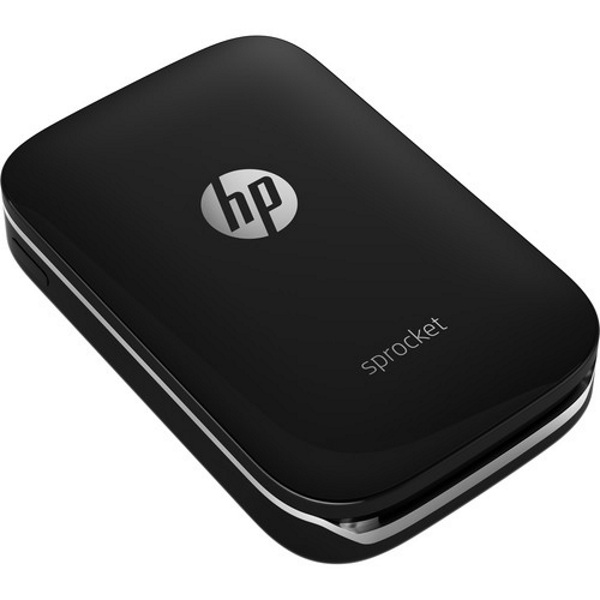
The HP Sprocket Photo Printer is a small and very compact printer that is designed to work with an IOS or Android app to print physical 2” x 3” photos from your Smartphone anywhere and at any time. It utilizes ZINK Zero Ink Technology and a special media that does not smudge, or tear, and is water resistant. The media also has an adhesive backing so that the photos can be mounted anywhere.

The printer’s resolution is 313 x 400 dpi, and it can produce a print in approximately 40 seconds. The printer holds 10 sheets of paper at a time. With the dedicated app, you can print, edit photos, add filters and even grab images from social media. The built-in rechargeable battery means that this is a portable printer that is always ready to go.

If you would like to purchase one, you can head over to Amazon or B&H Photo Video and pick one up for $129.

The post With the HP Sprocket Photo Printer you can share your pictures any place and any time appeared first on The Gadgeteer.

Filed in categories: News

Tagged:

With the HP Sprocket Photo Printer you can share your pictures any place and any time originally appeared on The Gadgeteer on April 9, 2018 at 8:00 am.

Note: If you are subscribed to this feed through FeedBurner, please switch to our native feed URL http://the-gadgeteer.com/feed/ in order to ensure continuous delivery.
Maximus Camera Floodlight review

Home security seems to be one of the hot topics at this years CES, with the expansion of the connected home it seems like new home security products are popping up every day. While interior security seems to be getting the most attention improvements and innovations in outdoor security have brought about new products and competitors. One such “new” innovation is the outdoor floodlight. I know the floodlight is not new, but the addition of a camera and speaker system is. These systems have the ability to record incidents as well as allow you to view them in real time. 

Note: Images can be clicked to view a larger size.

What is it?

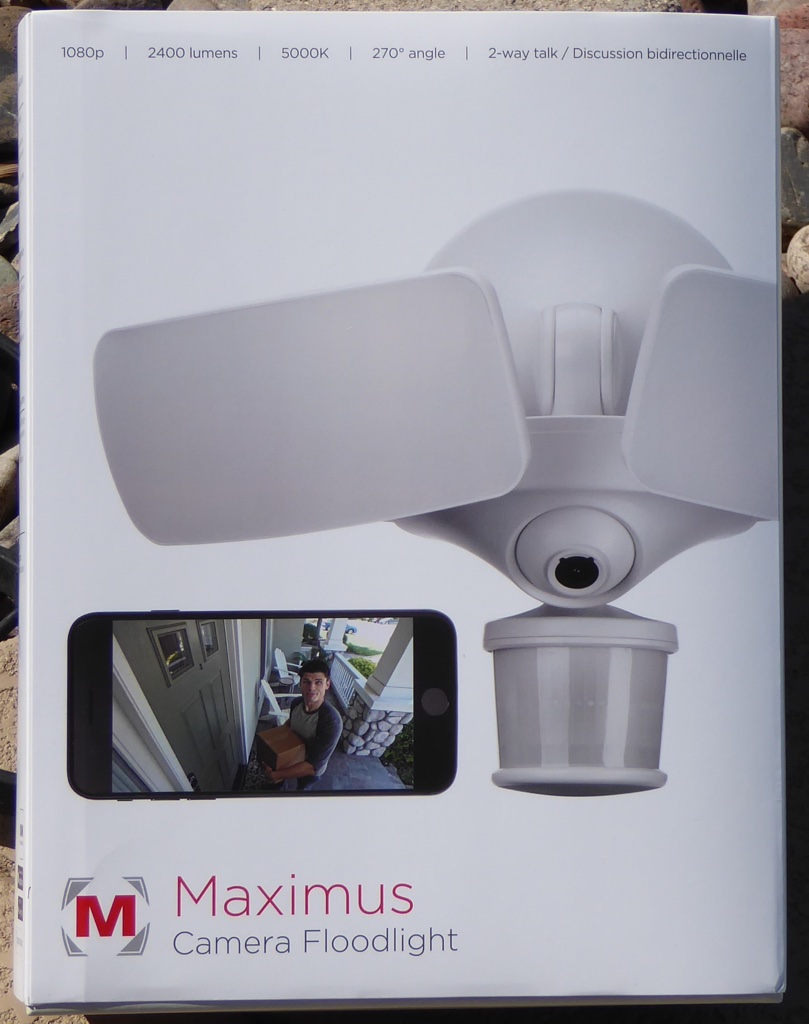
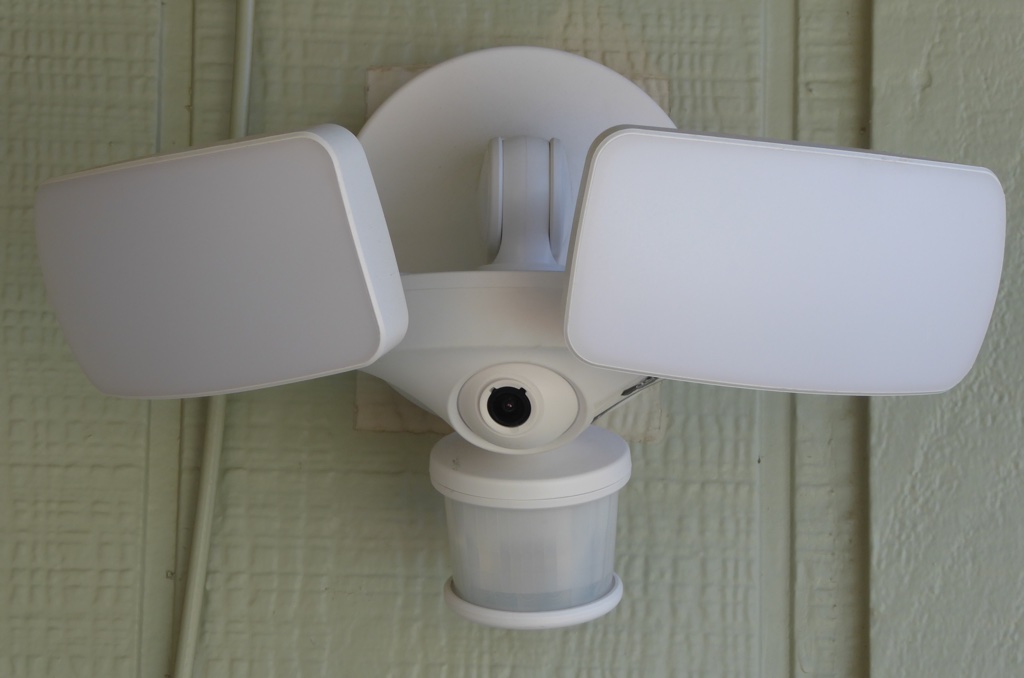
The Maximus Camera Floodlight is just what the name implies, a Floodlight with a camera built into it. But there is more to it than that, it is a security tool. Besides, the floodlight and camera the light has a built in microphone and speaker. Along with the Kuna software package the Maximus Camera Floodlight is a smart security device.

Hardware specs

Per the Maximus web page:

Camera & Sound

  • Resolution: HD full-color 1080p
  • Field of view: 155º diagonal
  • Viewing angle: Adjustable camera (up to 40º left-right, up-down)
  • Two-way talk: Communication through your smart device
  • Siren: 100 dB

WiFi & Detection

  • Wi-Fi frequency: 2.4/5 GHz
  • WiFi network 802.11b/g WEP, WPA and WPA2 supported (WPA2 recommended)
  • WiFi speed: best performance with 2 Mbps upload/download where installed
  • Sensor: passive infrared + motion detection algorithm 
  • Detection range: optimized to detect objects within 70’ (7’ mounting height)
  • Mobile device: iOS devices running iOS7 and above, Android devices supporting Bluetooth LE:4.4 (Kit Kat) an above
  • Internet: internet connection required for both mobile device and location where camera floodlight is installed

Hardware

  • Material: plastic
  • Power type: hardwired continuous power (no batteries)
  • Weatherproof: tested in -4ºF (-20ºC) and 122ºF (50ºC). Humidity < 95%
  • Light settings: dimmable; motion activated + dusk-to-dawn + turn on/off from your phone
  • Lightbulb: 2400 lumens brightness; 5000K color temperature 
  • Dimension/weight: 10.78 (W) x 8.02 (H)
  • Input voltage: rated 100-240V, 50/60 Hz max 90-277V, 50/60Hz

What’s in the box?

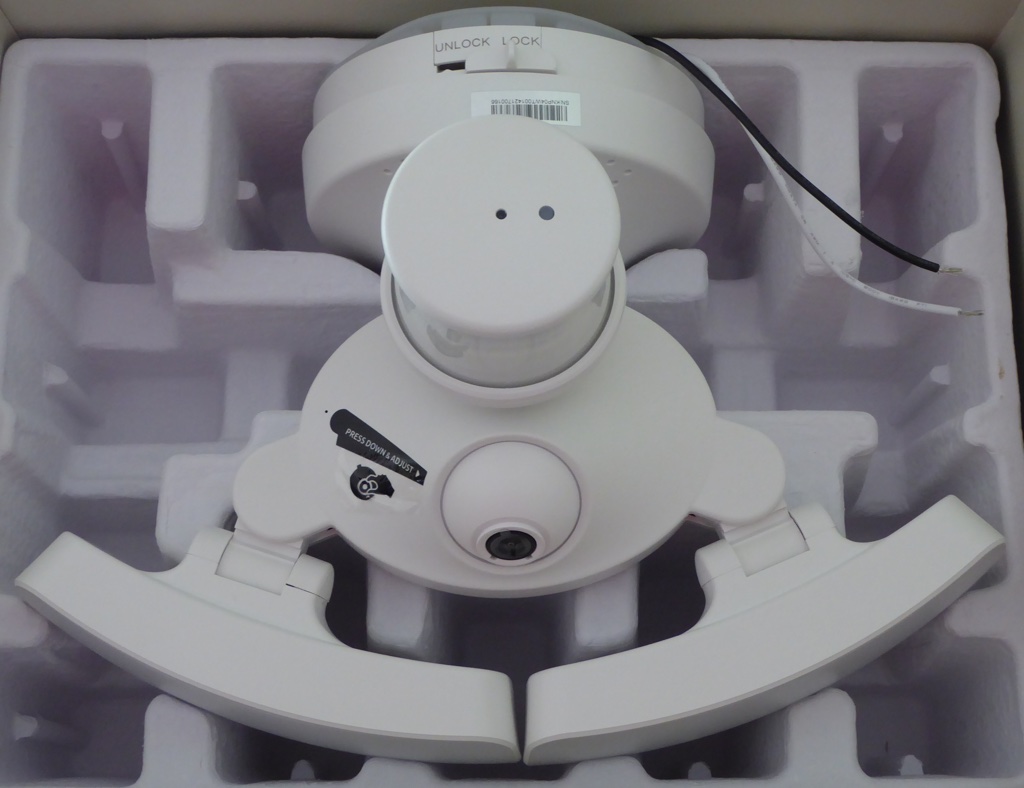
In the box you get the Maximus Camera Floodlight, instruction booklet, a welcome card and mounting hardware. 

There are four main components to this floodlight system (not including the WiFi element), the lights, the sensor, the camera and the two way speaker. 

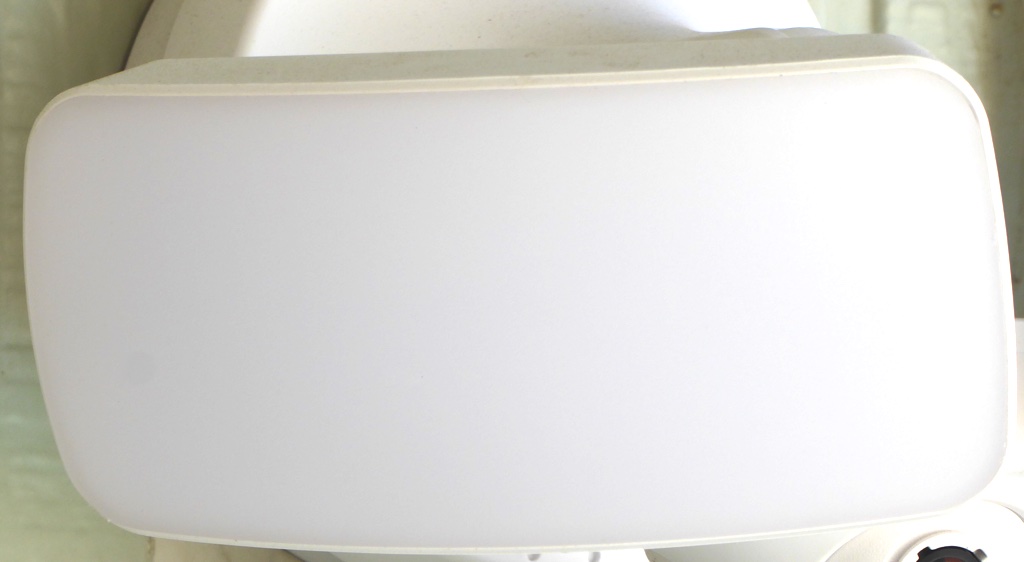
The lights for the floodlight are bright. They are so bright in fact that I dimmed them a little so I would not make the neighbors mad. Being adjustable allows me to set a wide area of illumination so I can see more with the camera. 

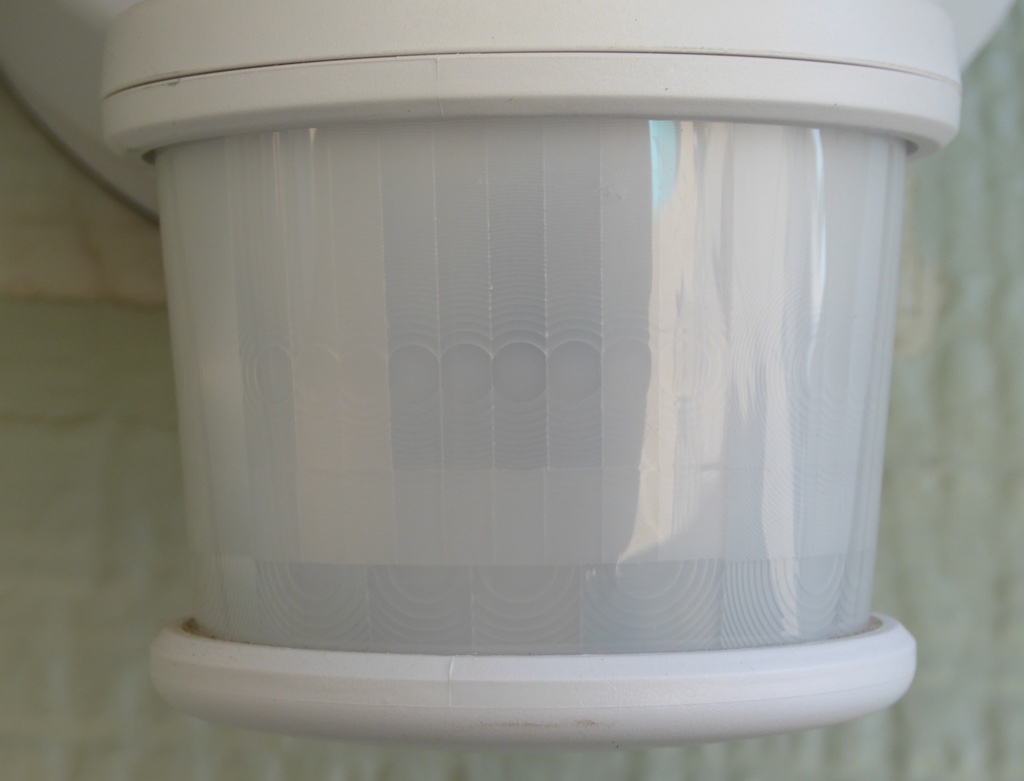
The sensor looks like most sensors on outdoor floodlights with the exception of the LED on the bottom of it. This LED is what lets you know when you are connected to WiFi. 

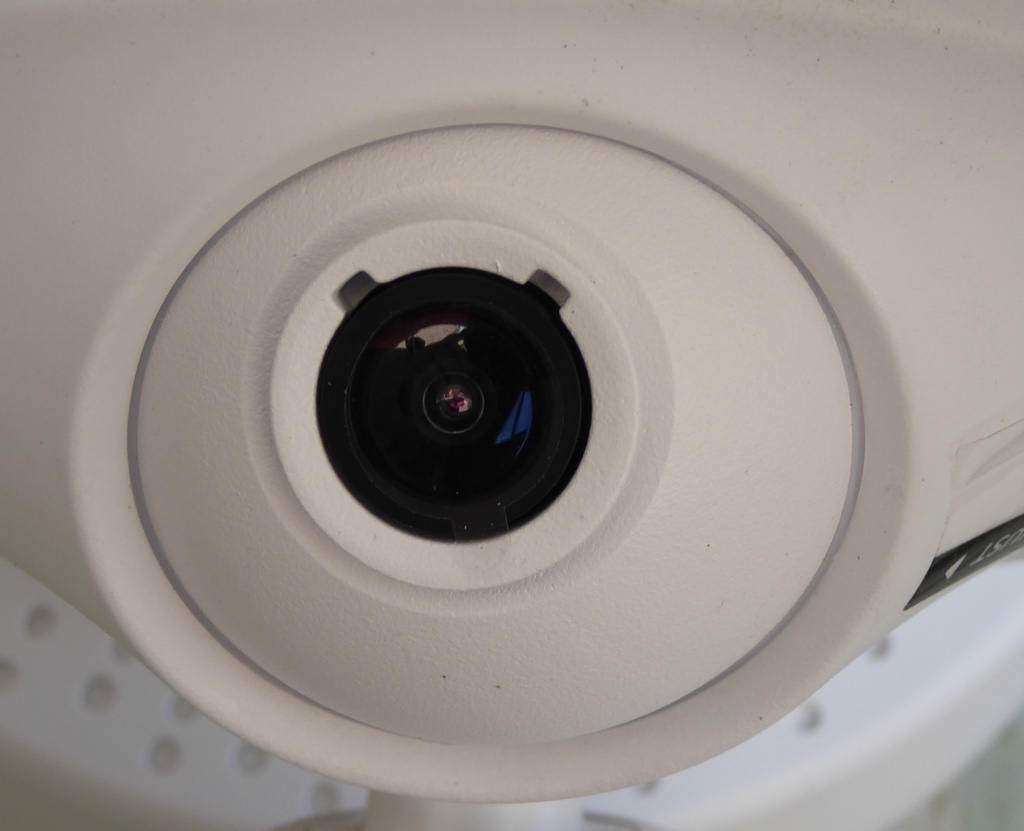
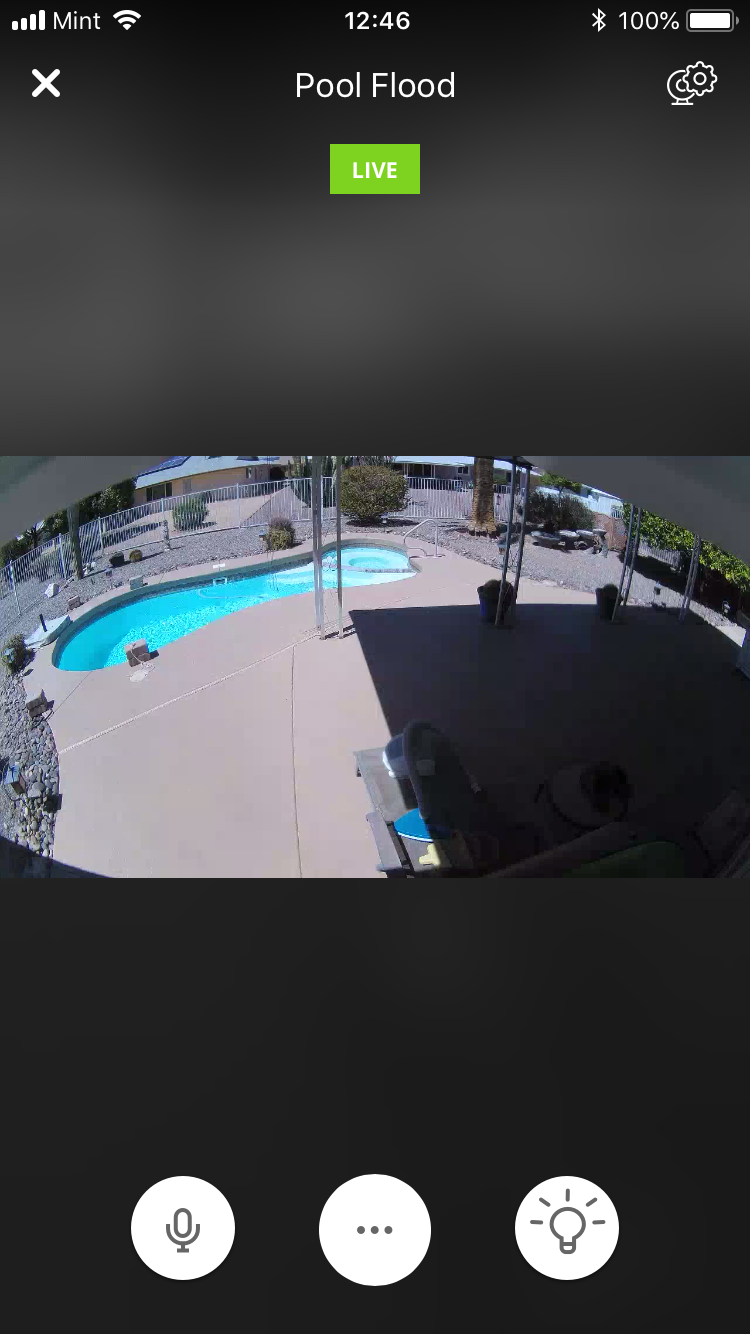
The camera on the Maximus Camera Floodlight is adjustable, it looks kind of like a ball joint with a hole in it. Daylight and nighttime (when the lights are on) pictures are good quality.

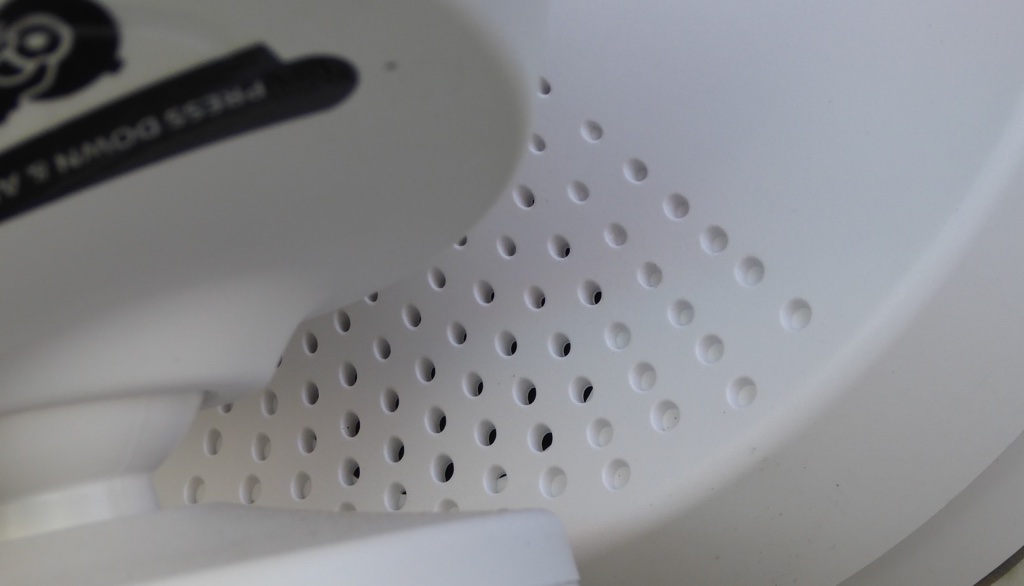
The speaker unit is mounted on the base of the floodlight unit, you can see the holes. Besides, being able you yell sayings like “hey you kids get off my lawn” the system comes with preprogrammed sayings that you can activate using the Kuna software on your smart device (I like the dog barking).

Instllation

The Maximus camera Floodlight comes with mounting hardware, and installation is rather simple if you already have wiring and a junction box at the location where you are mounting the camera.  The system is designed to use the junction box as a mounting point. In order for you to be able to take advantage of all of the features of the Maximus Camera Floodlight you will have to be connected to the internet. 

Software

Although not technically in the package there is a software component to this system its called Kuna. The Kuna app is used to set up and control the features of our Maximus Camera Floodlight.  Kuna also has a built in AI that can learn and can distinguish between a car and a person.

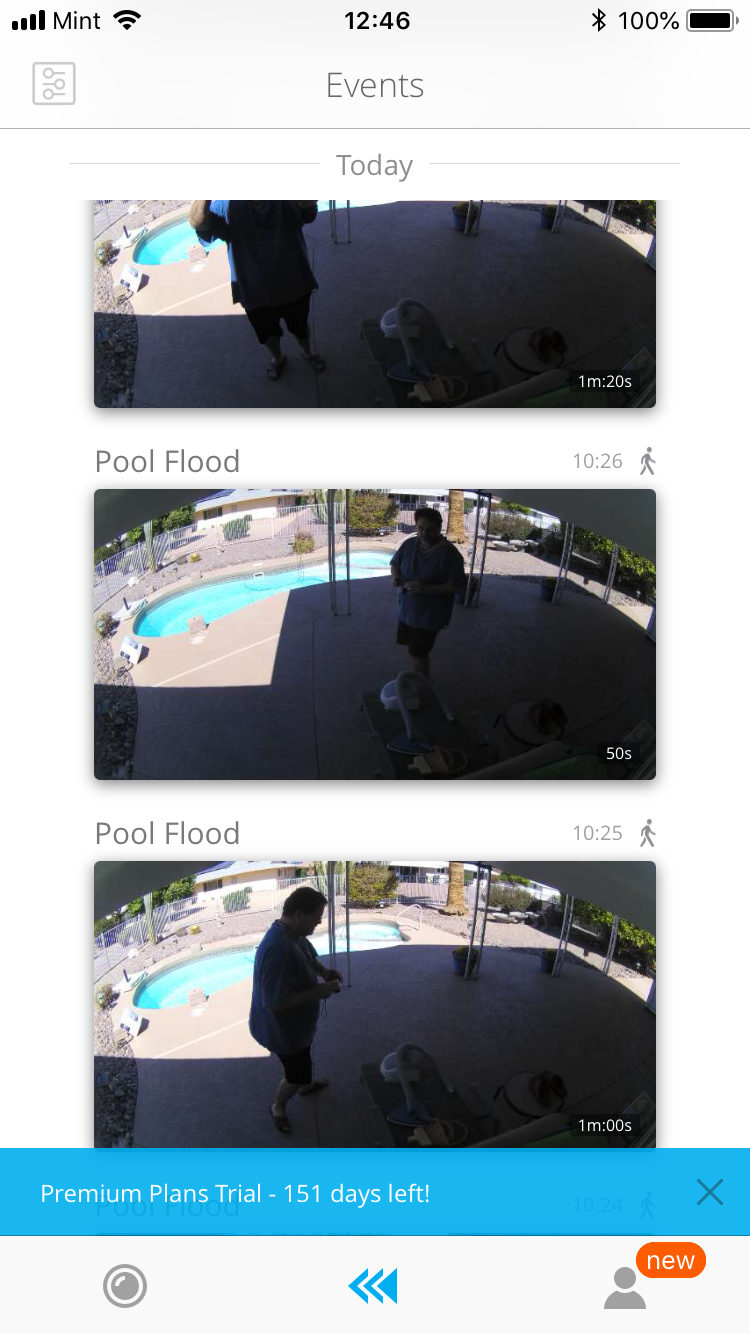
One nice feature of the Kuna software is the thumbnail view of recent events. This displays the recordings of events that have happened in the recent past (I believe within the last two hours). That being said, I must say I found the Kuna app hard to navigate at times. Getting to the settings page is not really evident and can be frustrating when trying to adjust the floodlight system. Another issue I observed is that the app does not work well on my iPad Pro. Even though the user interface was not to my liking setting up and connecting to my Maximus Camera Floodlight was easy and straightforward. The app automatically found my device and walked me through the setup.

Design and features

As you may have surmised by now the Maximus Camera Floodlight is designed to compete against other similar products on the market today, mainly Ring. With similar features floodlight, camera, two way speaker both systems work on the same principle. The folks at Maximus (the makers of the system I am reviewing) sent me a design and feature comparison so I could see the difference between them and who they perceive as their main competition. Both Ring and Maximus have a free service and paid service for their apps so I will highlight things what I think are important focusing mainly on the hardware features.

Mounting options: Both products can be mounted on a vertical wall, but the Maximus Camera Floodlight can be mounted on your eves as well. The Maximus Camera Floodlight also has a “Quick Connect” mounting base that made installation easier.

Lighting: Both systems have two lights, the Ring has LED spotlights and the Maximus has LED panels. In the comparison photos I would say the Maximus illuminates a wider area.

Camera: Both cameras seem to be close enough in similarities to call that a wash, but the Maximus camera does allow for some independent adjustment where the Ring’s is fixed.

Software/apps: Both companies offer a paid service and a free service and they have some of the same features, but what stands out to me on the Kuna app for Maximus is the free cloud storage of your recordings. The recordings will stay in the cloud for two hours so you can view and download them. Ring does not offer this in their free service.

What I like

  • Designed for easy installation.
  • Bright and adjustable lighting.
  • Easy setup.
  • Free service basic functionality works well.

What needs to be improved

  • Kuna software

Final thoughts

What’s my bottom line on the Maximus Camera Floodlight? I like it a lot. This system is almost plug and play (minus the hardwiring you do) out of the box. Once you wire it up and connect to the internet you are good to go. The Maximus Camera Floodlight works well with the basic free service, but the pay service has an AI that will learn and help make your system smarter. During my writing of this review this system gained the ability to integrate with Google Assistant which is a nice plus. With a cost of $249 on the Kuna website, the Maximus Camera Floodlight is on par with other similar systems of this type and quality.

Price: $249.00
Where to buy: Kuna
Source: The sample for this review was provided by Maximus

The post Maximus Camera Floodlight review appeared first on The Gadgeteer.

Filed in categories: Reviews

Tagged:

Maximus Camera Floodlight review originally appeared on The Gadgeteer on April 8, 2018 at 10:00 am.

Note: If you are subscribed to this feed through FeedBurner, please switch to our native feed URL http://the-gadgeteer.com/feed/ in order to ensure continuous delivery.