Wearable LED flashlight from SwivelClip keeps your hands free

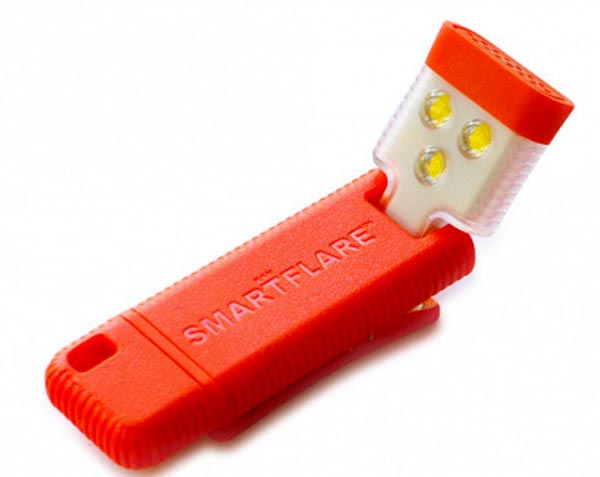
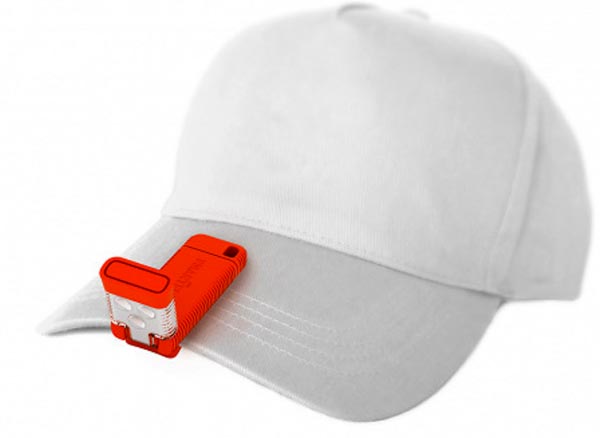
You probably have a variety of flashlights already, but you may find you need to add this little wearable flashlight from SwivelClip to your collection.  This flashlight is small enough (4″ x 1.5″ x 0.5″) to fit in the palm of your hand; at 1.3 ounces, you can keep it in your pocket without even noticing it’s there.  The Rechargeable LED Light Clip has a strong, built-in magnet for attaching to any metal surface and a clip for hands-free attachment to hats, clothing, or bags.

The rechargeable lithium ion battery charges with the included cable.  Each charge gives you 7-9 hours of light in flashing, targeted, or lantern mode.  The lighted head can be angled to direct the light where you need it.  The polycarbonate and silicone body makes the flashlight weather-resistant.

The SwivelClip Rechargeable LED Light Clip is $19.95 at The Grommet.

The post Wearable LED flashlight from SwivelClip keeps your hands free appeared first on The Gadgeteer.

Filed in categories: News

Tagged:

Wearable LED flashlight from SwivelClip keeps your hands free originally appeared on The Gadgeteer on June 29, 2018 at 10:00 am.

Note: If you are subscribed to this feed through FeedBurner, please switch to our native feed URL http://the-gadgeteer.com/feed/ in order to ensure continuous delivery.

AirTame HDMI display enabler review

Given that we’re all probably carrying around more video and photo data than graced the entire planet 20 years ago, I’m sure we’ve all been somewhere and wanted to show a group of more than 2 people a great shot. Perhaps you’ve wanted to actually present to a group, and you only had a phone with a pdf and a TV, and no cable to connect them. The folks at AirTame have seen your plight and have concocted a solution, in the form of an HDMI dongle that needs no setup other than with your phone or another device. It fits in the space of your earbuds, but it has a lot more hidden superpowers than this….

Note: Photos may be tapped or clicked for a larger image.

What is it?

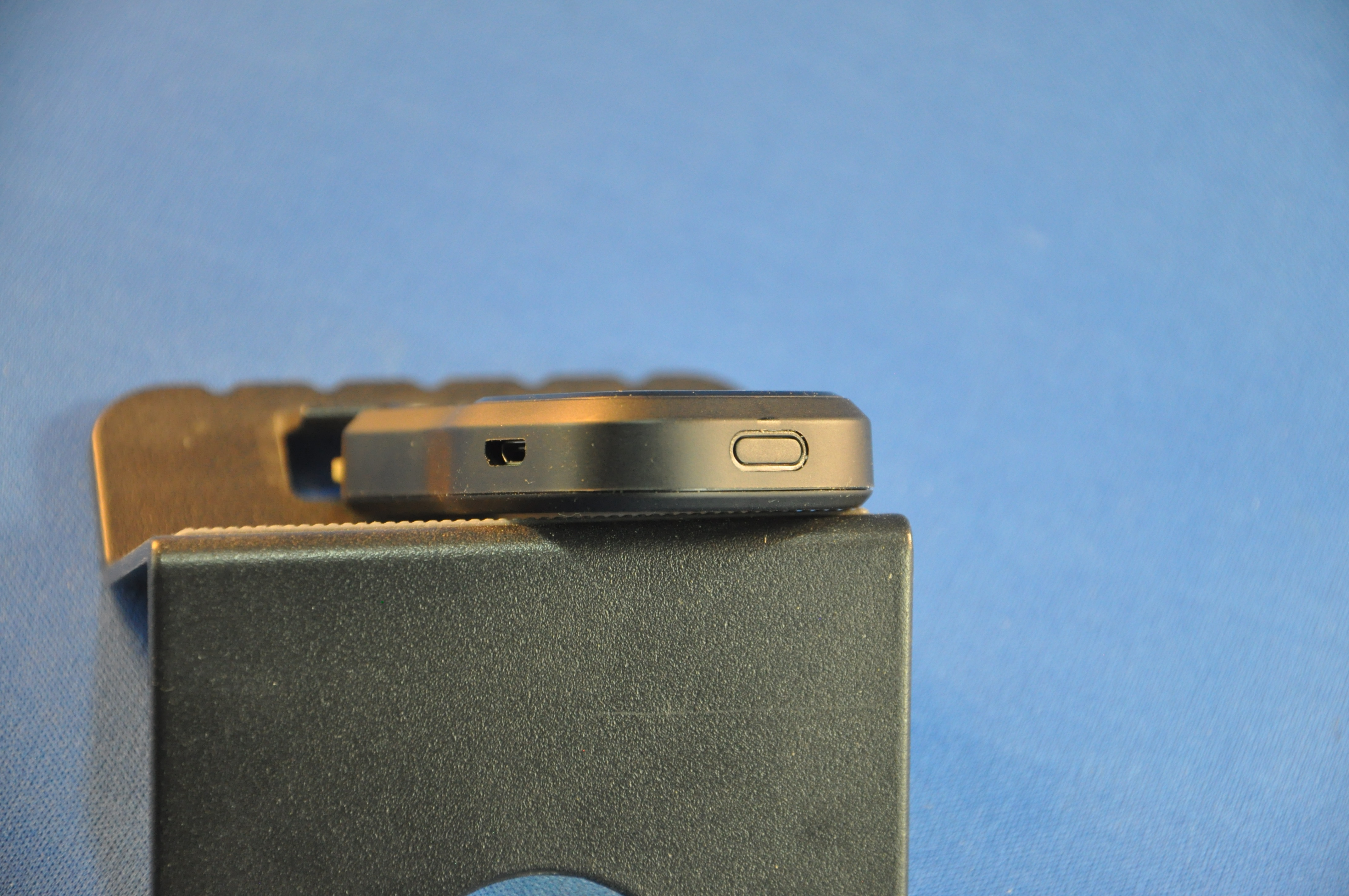
The AirTame is a black dongle 3”x1.5”x.5” with an HDMI plug on one end. It looks like an HDMI thumb drive. On one of the sides, there is a microUSB port for power, and opposite the plug, there is a small button to power it on. When it’s connected and powered on, your device’s images show up on your HDMI display. Once it’s on your wireless or Ethernet network, however, it is also available to be seen by full computers (Mac, Windows, Linux) or ChromeOS. These devices can share full screen live screens.

What’s in the box?

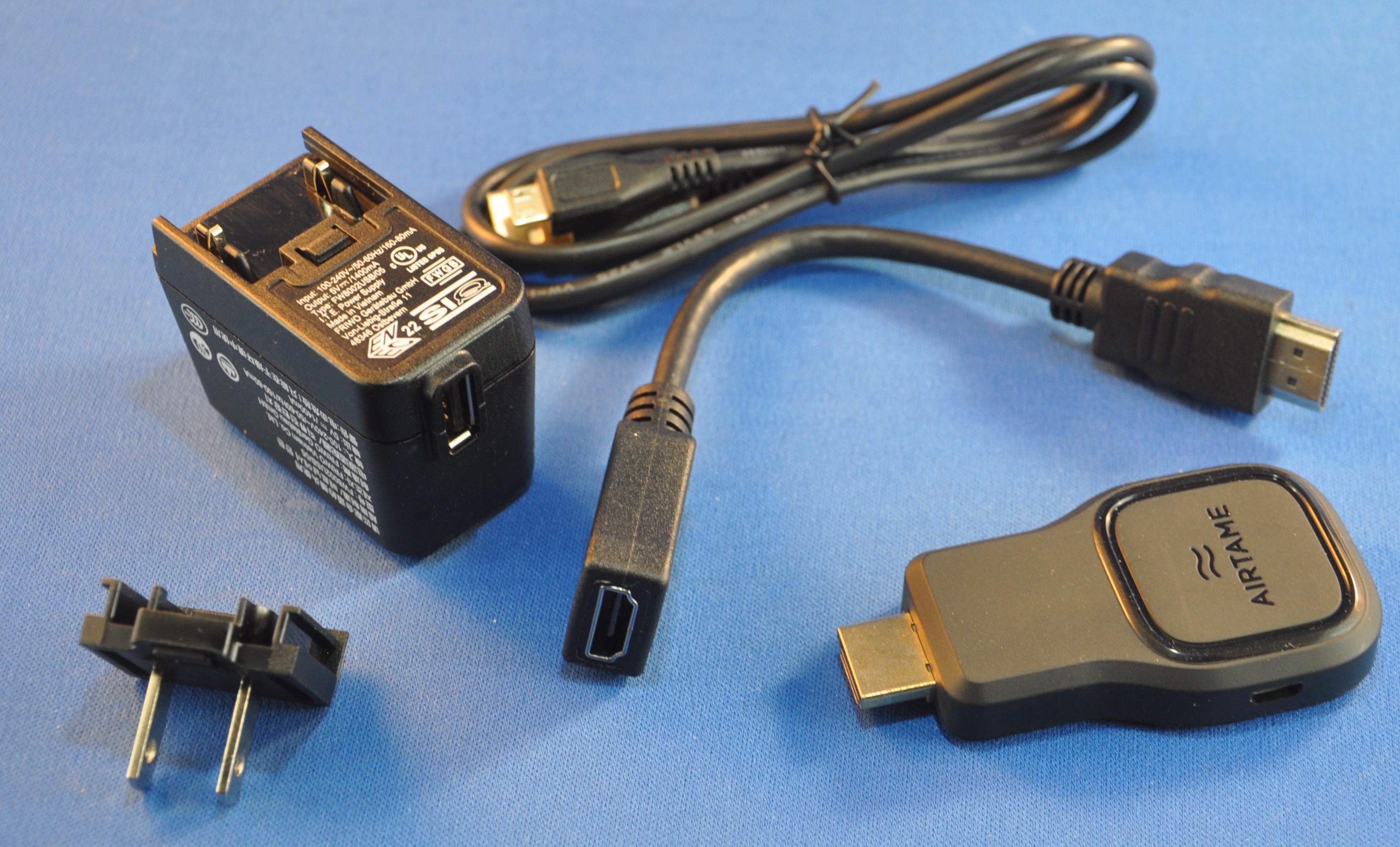
AirTame device
USB-A< ->microUSB power cable (1m)
USB power brick with plugs for US, UK, and EU (US only is shown above.)
7.5” HDMI extension cable

Design and features

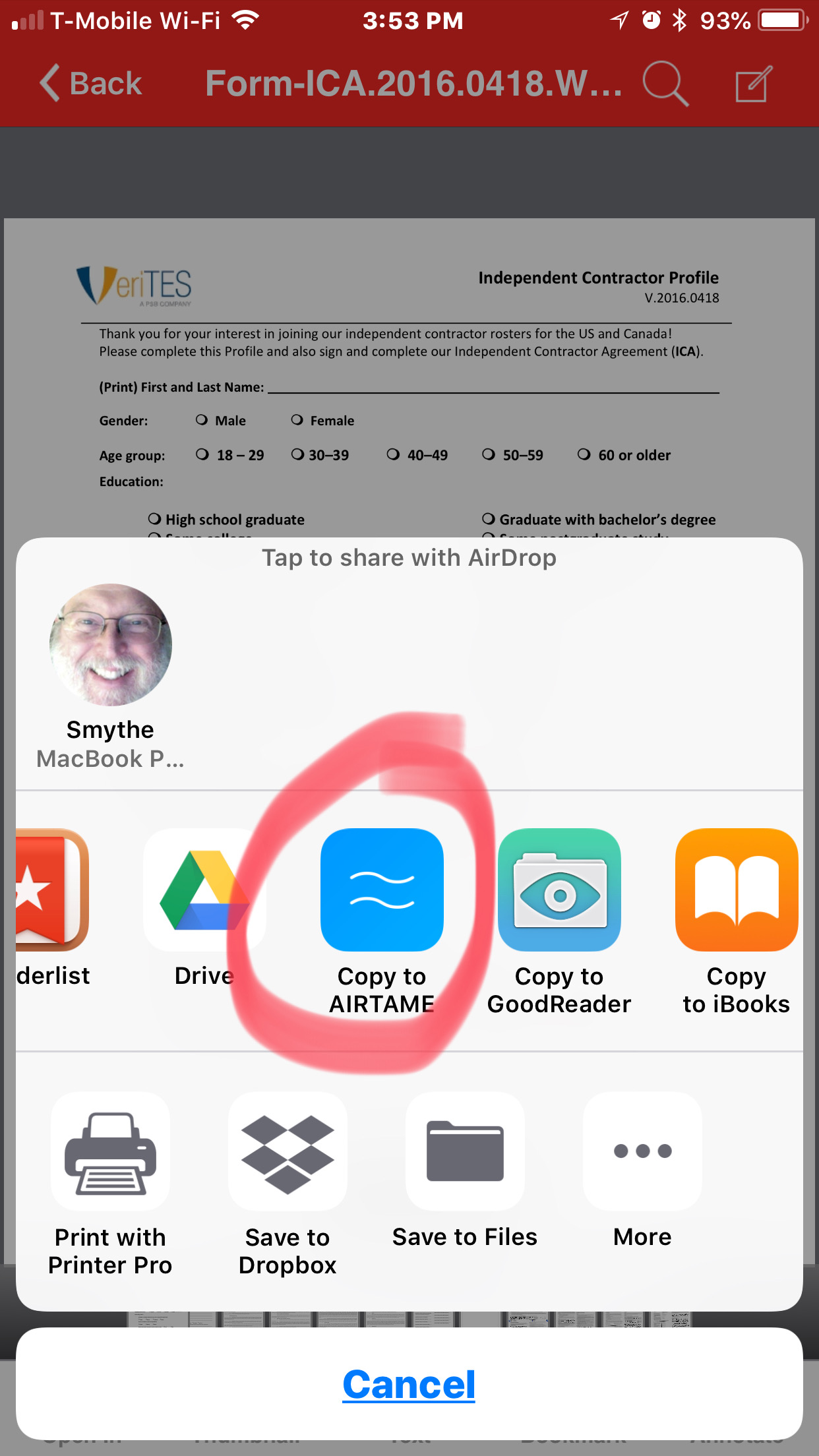
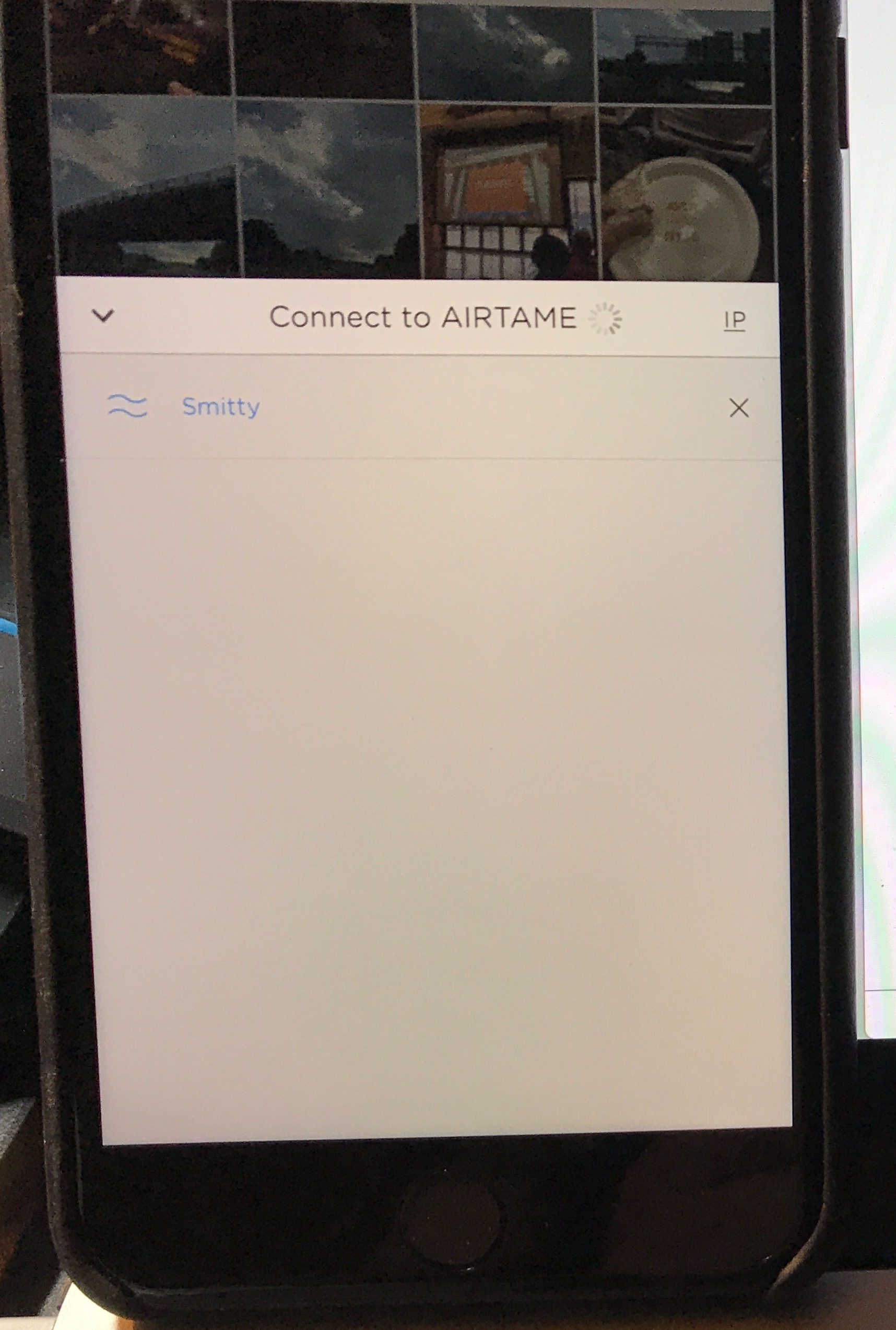
The AirTame is easy to set up, easy to carry along, and easy to use. I’ll cover the setup below. Once it’s set up, there’s little to do. As long as you are connected to the same network, you can send PDF and JPG files to any HDMI source from your iOS or Android device, using their app. If the files are on your device, you give the AirTame app permission to read them, and you’re off to the races. If you want to store them in a DropBox account, the design is there to allow you to access that account. (During testing, I ran into a snag with changes that are happening with the DropBox app, but I feel sure this will be worked through in due course. The solution is to open the PDF in your device’s PDF reader, and “Open In” AirTame. This will copy the document to the Files section of the AirTame app, where it can be accessed and displayed.)
For computers and ChromeBooks, the dongle is much more powerful. You can do full-screen sharing. You can use the app to find any AirTame on your network, and send your video to it. This is fantastic for tech support, training, or viewing remote computers (servers, network monitors, etc.).

Setup

Setup is simple. Connect to an HDMI port on your display of choice and connect the AirTame to power using a microUSB cable. These things can be problematic, however, due to the placement of the display, or other cables that are already in place. There is an extension cord in case the HDMI of your display won’t allow the wide and long AirTame to attach directly. In many conference rooms and boardrooms, you may need to invest in a gender changer, since the only option available may be an HDMI plug, rather than a port. Other than private displays, I can’t remember the last time I had access to the port itself.
AirTame’s idea, however, is to have organizations put one of these devices on every HDMI screen in an organization. The pricing model changes rapidly from 1-3 to 4-9 and more than 10. Being able to remotely log in to any display in your company or campus and show your screen can make for quick resolution of issues where groups need to be shown something. (Audio can be turned on or off.)

Performance

I found the performance to be acceptable. Since video files are not supported with iOS/Android devices, the display rate isn’t going to be a problem. Bringing up a multi-page PDF document allows a PowerPoint / Keynote-like screen on your device where you see the current and next thumbnails, rather than the full screen being the current image. If you export your slide deck to PDF, you’ll only lose the animations and sound/video links, but those have lost favor of late. (Clicking the green button in the multi-page PDF document below leads to a screen-by-screen slide deck presentation.)


For computers, there is a bit of a lag over Wifi. (The company offers ethernet adapters that will allow direct connection to a router, which will speed up screen motion and video display. I was not sent this to test.) It’s not really that bad unless you’re trying to show video or any other high-frame-rate media.

What I Like

  • Very easy setup and installation
  • Fast, clear display
  • Supports virtually all platforms

What needs to be improved

  • Device gets hot after 30 minutes or so
  • Limited file formats supported on iOS/Android
  • Would benefit from a battery that lasted 15-20 minutes for traveling users

Final thoughts

Presenting to a large screen seems to be the modern curse, and I see no end to it in our current businesses. Presenting from something other than a full computer, however, is quite nice, and this device covers the basics of getting an image before a group with little to no roadblocks. If you need sound, animations, active video display (for training or visualization of content), this device paired with any modern computer will most likely fill the bill. If you can be happy with images and PDFs from your handheld, this is a worthy consideration.

Price: $299.00 (quantity discounts available)
Where to buy: Manufacturer website and Amazon
Source: The sample of this product was provided by AirTame.

The post AirTame HDMI display enabler review appeared first on The Gadgeteer.

Filed in categories: Reviews

Tagged: , , ,

AirTame HDMI display enabler review originally appeared on The Gadgeteer on June 29, 2018 at 9:00 am.

Note: If you are subscribed to this feed through FeedBurner, please switch to our native feed URL http://the-gadgeteer.com/feed/ in order to ensure continuous delivery.

Dwayne Johnson gets into the gadget game with the Project Rock Edition wirelesss training headphones

Dwayne Johnson, “The Rock” is best-known for both his infectious personality and insane workout regimen. The latter was the impetus behind a new pair of wireless headphones from Under Armour and JBL, The Project Rock Edition Sport Wireless headphones.

Project Rock is not a brand, it’s a movement. It’s a core belief, that I 100% don’t care what color you are, how old you are, where you come from or what you do for a living. The only thing I care about is you and me, building the belief that regardless of whatever the odds, we can overcome and achieve—but it all starts with the work we’re willing to put in with our two hands.—Dwayne Johnson

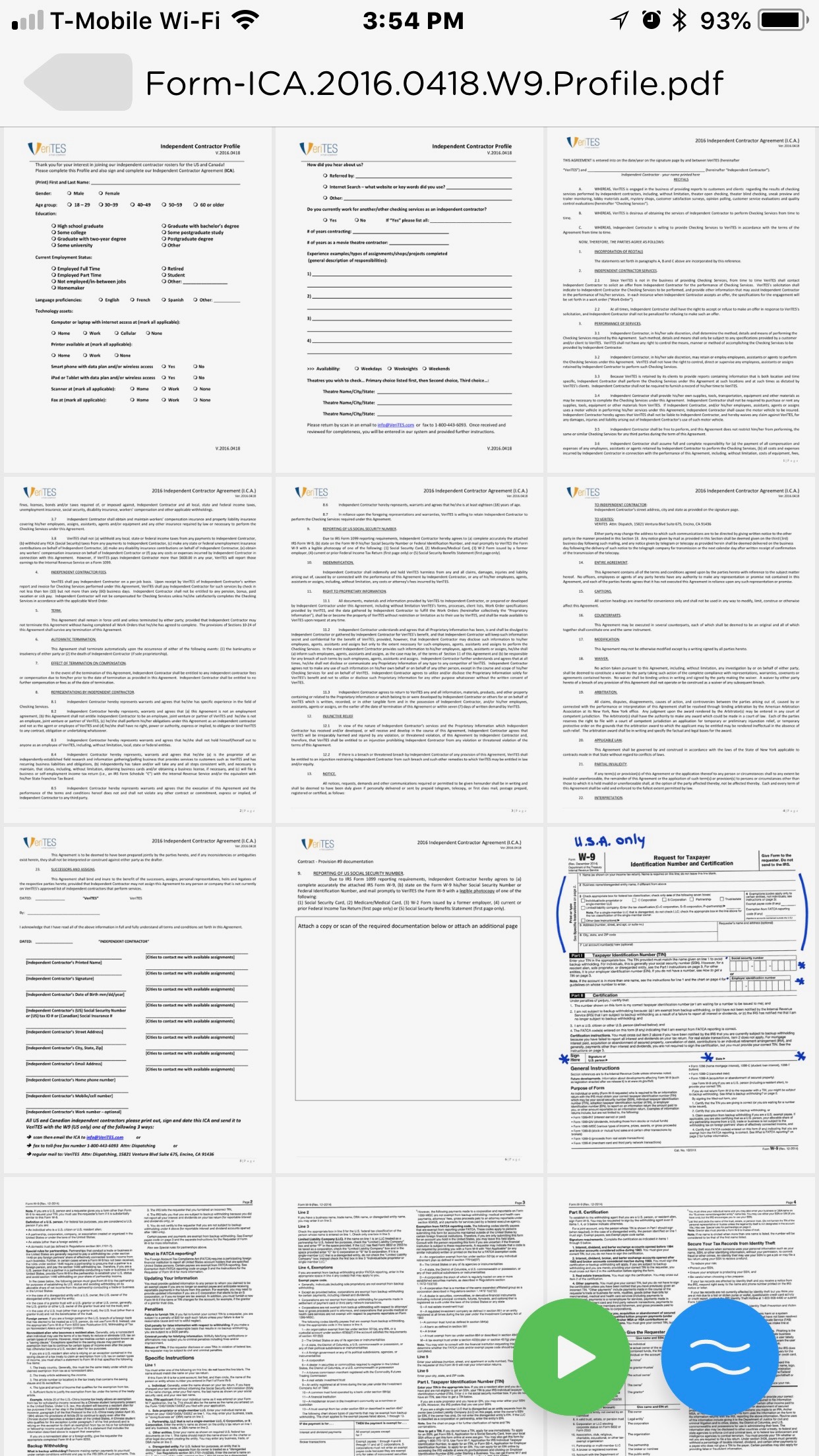
One look at these headphones tells you that they mean business. Their rugged looking design features The Rock’s signature Brahma Bull logo on the side of the ear cups.

Rugged aesthetics aside these headphones sport some really nice features.

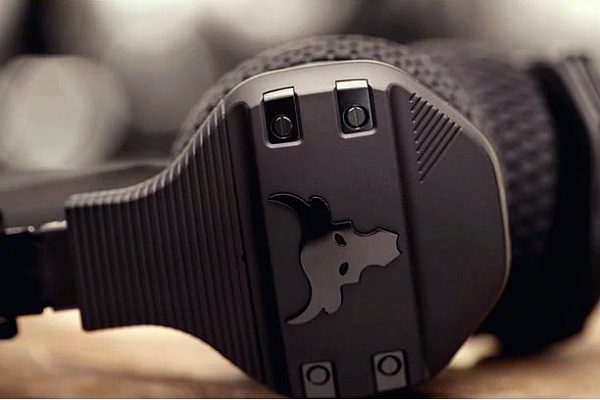
Made of a light, durable, fast-drying fabric the UA SuperVent ear cushions provide breathability. And are both removable and hand washable. The headband and ear cushions use Under Armour grip material. Under Armour says this will keep the cans in place no matter how intense and sweaty your workouts get.

JBL technology powers the headphones. Including a fast 5-minute speed charging that provides one hour of wireless use. And a Talk-Thru function lowers the music and turns on speech-optimized microphones to let you talk to people between sets.

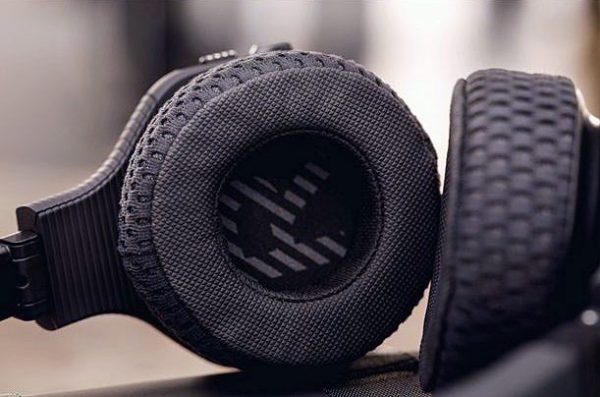
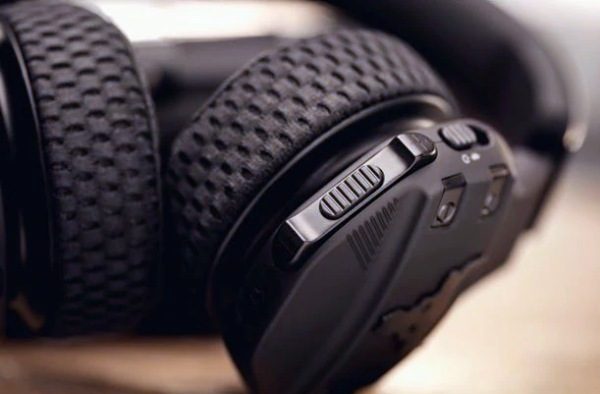
Other features include Bluetooth 4.1 support, oversized controls, metal hinged folding ear cups, and a breathable hard carrying case.

The Project Rock headphones sell for $249. To smell what the Rock is cooking, head over to UnderArmour.com.

The post Dwayne Johnson gets into the gadget game with the Project Rock Edition wirelesss training headphones appeared first on The Gadgeteer.

Filed in categories: News

Tagged:

Dwayne Johnson gets into the gadget game with the Project Rock Edition wirelesss training headphones originally appeared on The Gadgeteer on June 29, 2018 at 8:00 am.

Note: If you are subscribed to this feed through FeedBurner, please switch to our native feed URL http://the-gadgeteer.com/feed/ in order to ensure continuous delivery.

Cut back on plastic waste with these reusable stainless-steel straws

I’ve been seeing more and more information about plastic-straws pollution and its impact on the Earth and animals.  Every day it seems that another location or restaurant or hotel group is announcing a ban on the use of plastic straws.  If you like to use straws, it’s time you found a more eco-friendly option.  Hotop Designs offers a budget-friendly set of reusable stainless-steel straws that will set you and your family up.


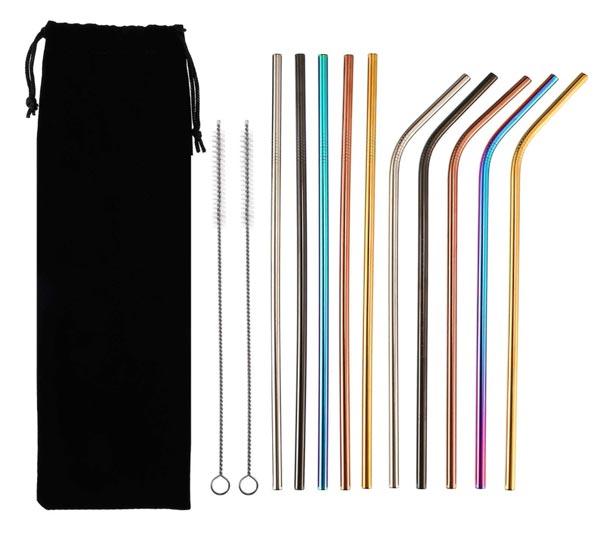
This set of straws is much more economical than the three straws I just bought for my family.  My three straws plus one cleaning brush was $10.  For only a bit more, I could have had this set of 10 straws plus two cleaning tools from Hotop Designs.

The set includes 5 multi-colored 10.5″ straight straws plus 5 multi-colored 10″ bent straws.  Two cleaning brushes plus a carry bag completes the set.  These straws are long enough to use in 20-oz or 30-oz Yeti mugs.  They are rust-resistant and non-toxic.

This set of Hotop Designs stainless-steel straws is $11.69 at Amazon.

The post Cut back on plastic waste with these reusable stainless-steel straws appeared first on The Gadgeteer.

Filed in categories: News

Tagged:

Cut back on plastic waste with these reusable stainless-steel straws originally appeared on The Gadgeteer on June 28, 2018 at 4:11 pm.

Note: If you are subscribed to this feed through FeedBurner, please switch to our native feed URL http://the-gadgeteer.com/feed/ in order to ensure continuous delivery.

Hubsan H501A X4 Air Pro Advanced Drone review

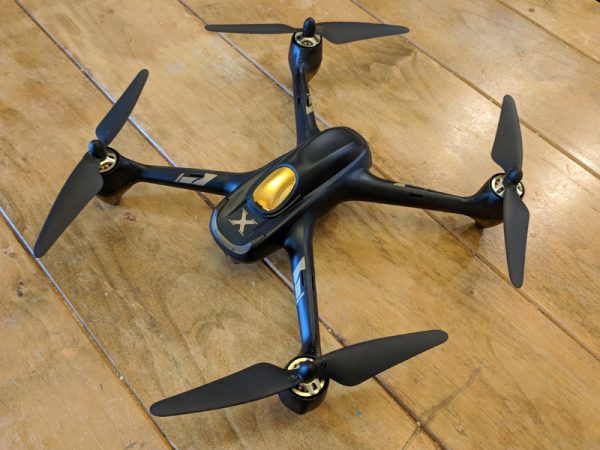
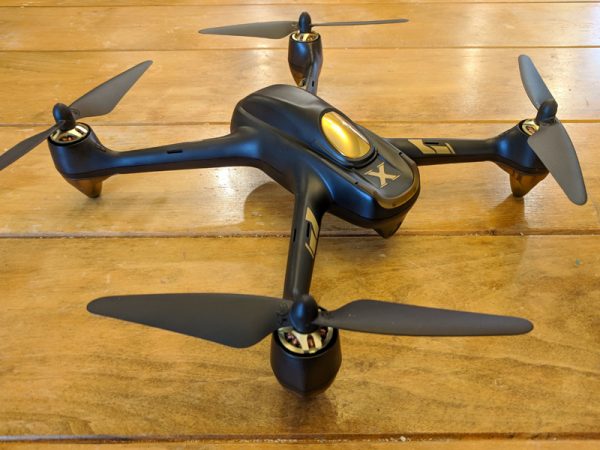
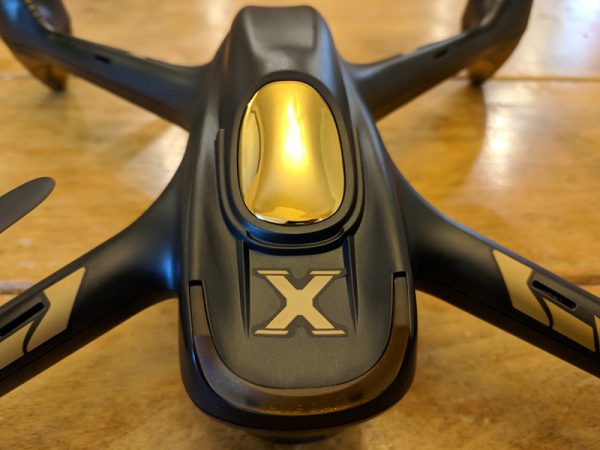
Drone technology has exploded in the last few years as cameras have gotten smaller, batteries have gotten bigger and cool new features have been developed. The Hubsan H501A X4 Air Pro Advanced Drone has a lot of the latest tech packaged in a sleek, powerful little frame. It’s fun to fly, if you have the patience to get through the ridiculously frustrating setup and can handle the anxiety of knowing that your drone can (and will) stop responding to your commands at random times. The amount of features you get packed into this drone for around $200 make it a great buy on paper, but in reality the low-end tech never really delivers on its promises.
What is it?

The Hubsan H501A X4 Air Pro Advanced Drone is marketed as a GPS waypoint-enabled, FPV (first person view) quadcopter. The manufacturer, Hubsan, is known for making affordable, fun, and reliable, albeit somewhat disposable, drones. With products like the H501A X4, Hubsan is now venturing into the high-end drone space to compete with heavyweights like DJI and Yuneec.
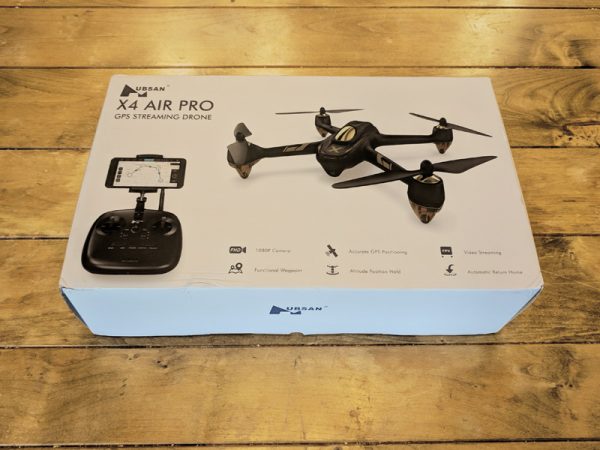
The H501A X4 Air Pro arrives packaged in a nice box featuring photos of the drone and included controller as well as a quick list of the drone’s advanced features.
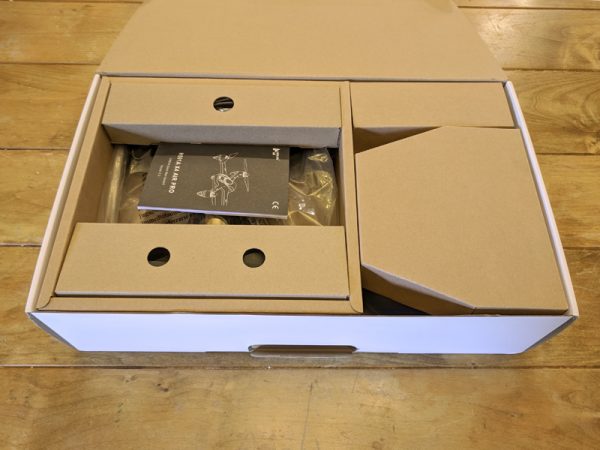
Everything comes pre-assembled, aside from the rotors, and fits perfectly back into the box after use. The box has a handle as well, so it functions great as a basic carrying case.

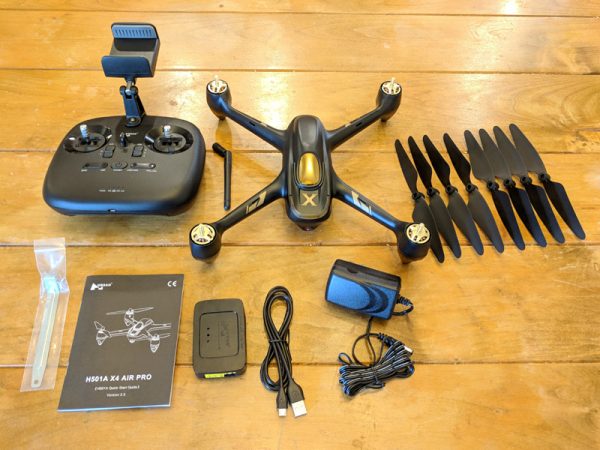
What’s in the box?

  • 1 x H501A Aircraft Body
  • 1x HT011A Remote Control
  • 1 x 7.4V 2700mAh LiPo Battery
  • 4 x Propeller A
  • 4 x Propeller B
  • 1 x USB Charging Cable
  • 1 x AC Adapter
  • 1 x Balance Charger
  • 1 x Prop Wrench
  • 1 x Instruction manual

Hardware specs

  • Size: 8.6″ x 8.6″
  • Flying Weight: 450g
  • Battery: 7.4V 2700mAh Li-Po
  • Charging Time: 210 minutes
  • Flight Time: 20 minutes
  • Max Flight Distance: 400 meters
  • Motors: 4 x Brushless KV1650 PM1806
  • Camera Resolution: 1920 x 1080
  • Main Rotor Diameter: 7.3″
  • Frequency: 2.4G
  • Supported SD Card Types: Micro SD max 16-32 GB. Class 10 or UHS-1 rating required
Design and Features

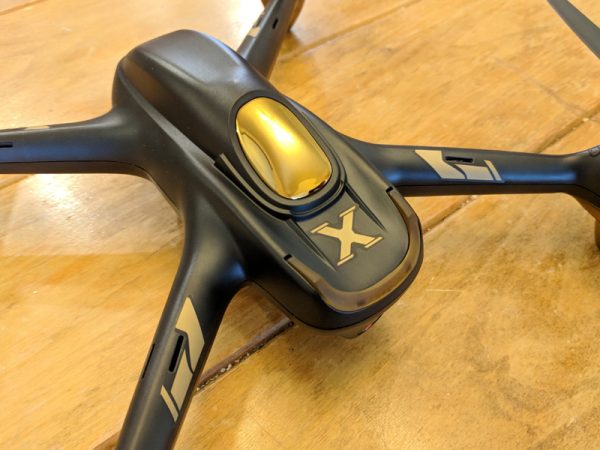
The Hubsan H501A X4 Air Pro Advanced Drone is a sleekly designed FPV drone with a bunch of GPS based features like Follow Me, Automatic Take-Off, Orbiting, Return-to-Home and Waypoints. In my testing, I couldn’t get a majority of those features to function properly, but even without them, the drone itself is expertly designed for standard recreational flying.

Setup

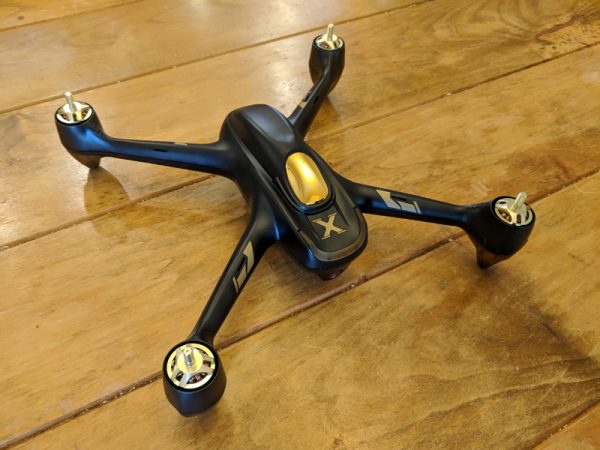
Since the H501A X4 arrives preassembled, all that remains for full functionality is to attach the propeller blades to the motors before flight.
Luckily, the H501A X4 comes with a prop wrench for safely attaching and removing the propellers. There are four propellers and the drone comes with four replacement propellers as well.
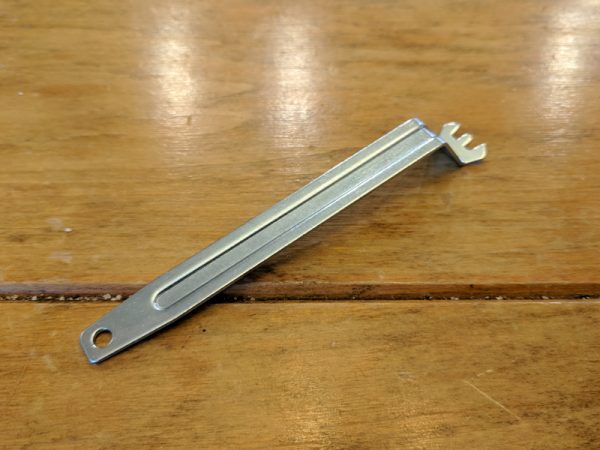
The prop wrench fits perfectly into grooves on each motor and holds the motor in place so that the propeller can be rotated on.
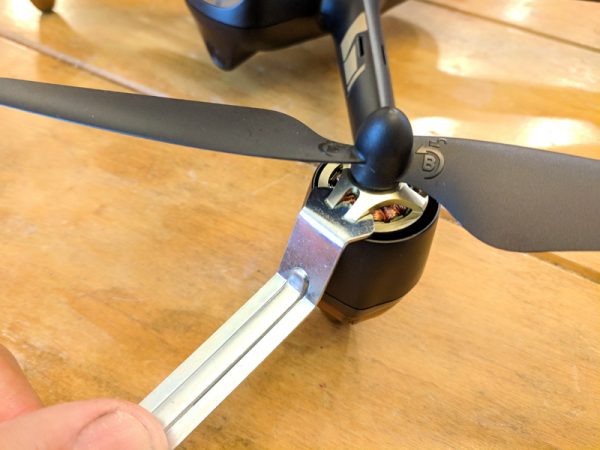
Each motor and propeller is labeled A and B. It’s vitally important that only the A propellers are attached to the A motors and likewise for B. The propellers screw on in opposite directions for A as opposed to B. It’s also important that the propellers are not tightened too much, otherwise they can be damaged.
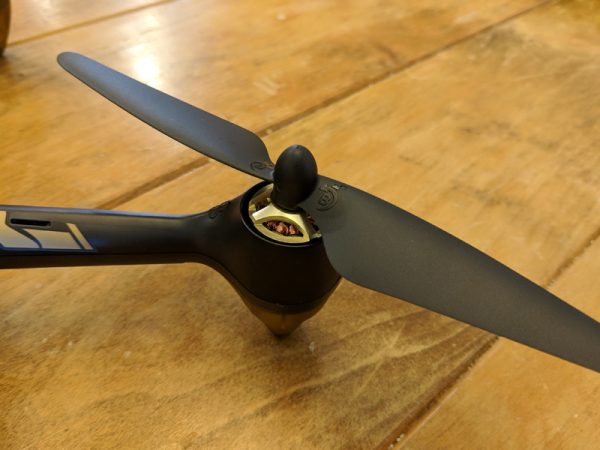
Once the propellers are attached properly it’s time to set up your controller.
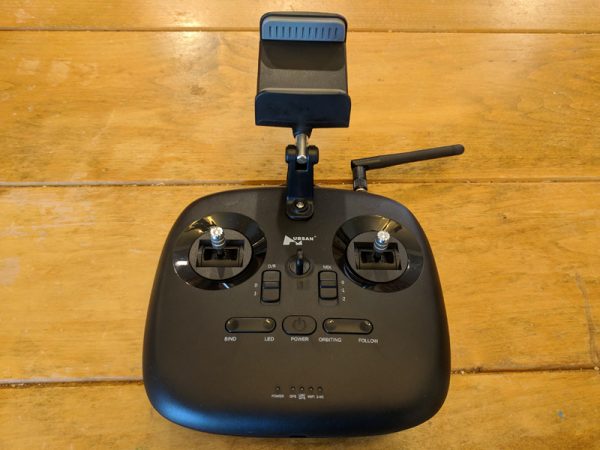
This version of the H501A X4 comes with the Hubsan HT011A controller. The HT011A can control your drone via WiFi or 2.4G. You can run the drone with the controller alone, but for full functionality, you’ll need a smart device running Hubsan’s X-Hubsan app, which is available for Apple or Android devices.

The directions in the manual are pretty useless for the controller setup, but if you’re lucky, you can stumble through the process of linking the controller to the drone via the X-Hubsan app. Basically, this involves powering up the drone and controller, allowing the app to connect to the drone via WiFi and then connecting to the controller’s WiFi signal which should bind the two together. In my testing it took about four attempts to get this to work properly.
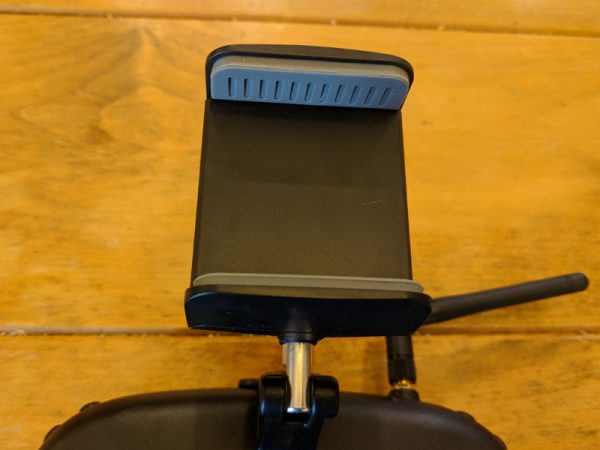
The HT011A holds your smart device in place with a spring-loaded clamp mounted to the top of the controller. While the documentation says that you can use a tablet, the clamp opens just barely enough to snugly hold a smartphone. Also, the design of the clamp is such that if your smart device has volume keys on its side, they will be continually activated by the clamp’s pressure.
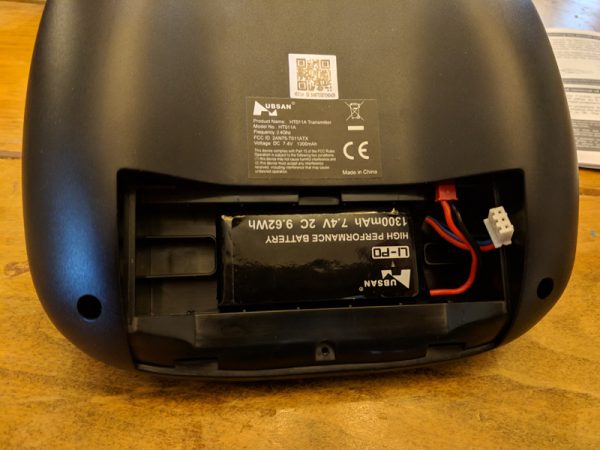
The controller is powered by a 1300mAh Li-Po battery similar to the one that powers the drone. There’s a micro-USB port on the bottom of the controller, and you’d think this is how you charge the battery, but no, this port has no functionality. What’s so frustrating is that you’d have to scour the poorly written, small font directions to find that information. And, the drone only comes with one Li-Po charger, so you can’t charge your drone and controller concurrently.
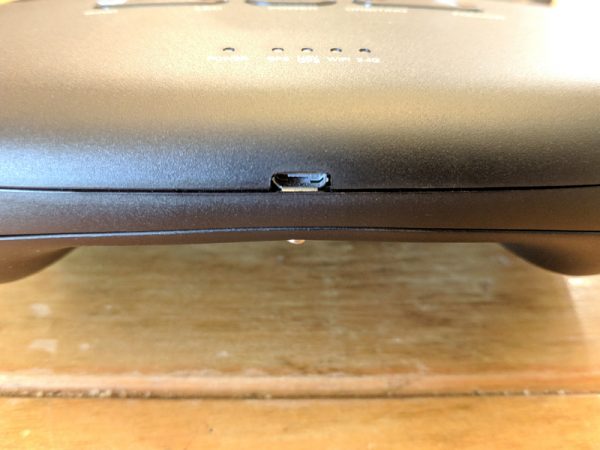
Since it takes over three hours to fully charge the drone, having to then charge the controller is a real bummer. Also, unless you buy extra drone batteries, three hours is a long time to wait between the short 15-20 minute flights the battery powers.
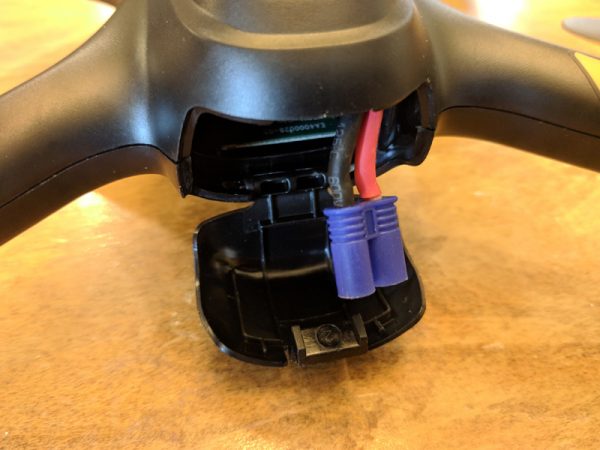
The drone’s battery sits inside a rear compartment accessed by a latch. The LiPo battery connector hangs out just enough to snugly fit the battery inside.
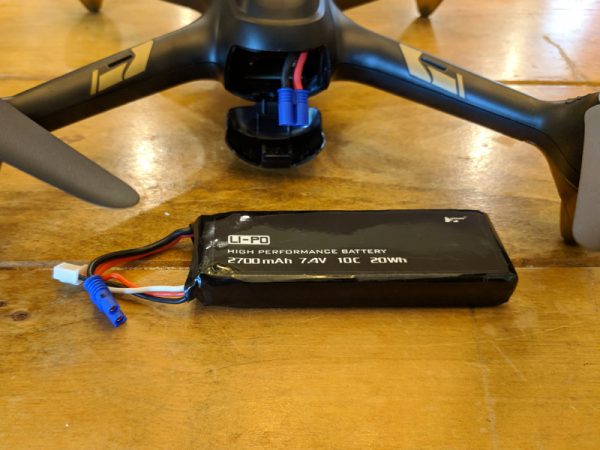
While most newer drones arrive with some type of USB charging solution, the Hubsan uses a standard LiPo brick and charger.
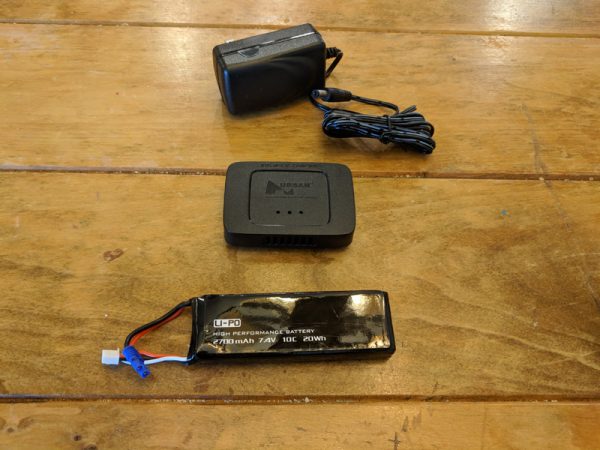
There are two wires on the LiPo battery, one for connecting to the drone and a smaller white plug that connects to the charger.
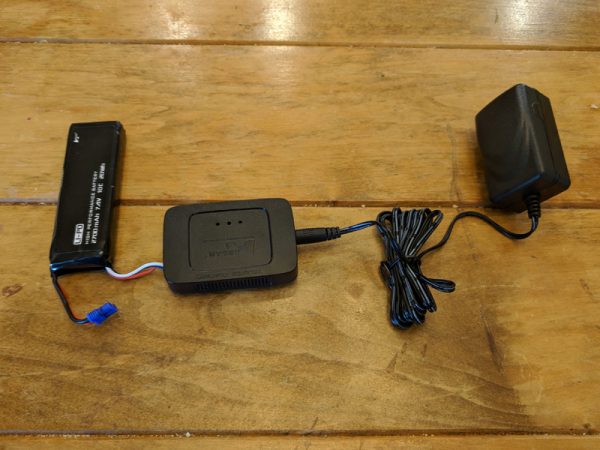
The setup makes for an ungainly solution, but it does works.
Performance

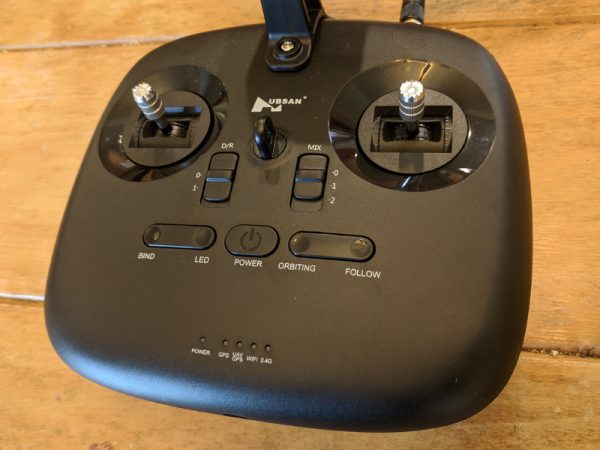
The HT011A controller does feel great in your hands and the controls are very crisp and responsive. Buttons on the controller mimic some of the control options from the app. You can toggle the drone’s lights, change the control scheme, or activate the some of the GPS functions like Orbit and Follow (even though in my testing I never got any of these functions to work properly).  A string of LEDs on the bottom of the controller let you know if the GPS, WiFi, or 2.4G options are active.
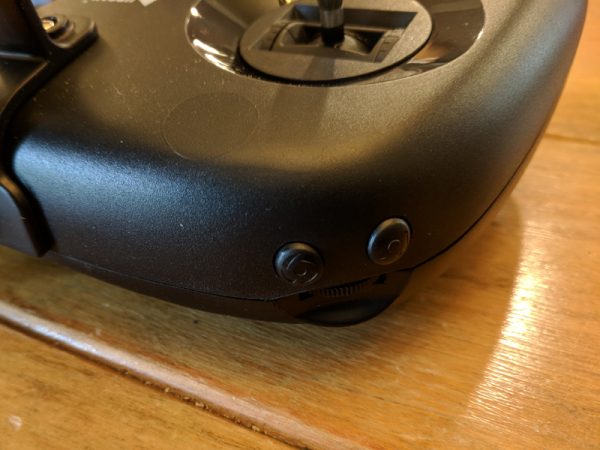
There are additional buttons on the shoulders of the controller to activate the drone’s camera. you can switch between photo and video as well as start and stop recordings.
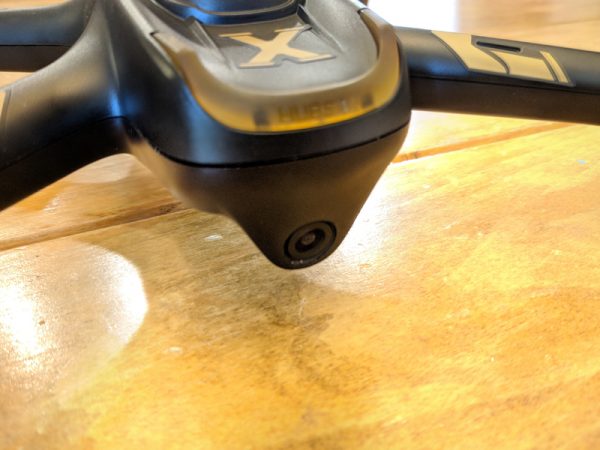
The H501A X4 has a great 1080p front-facing camera. The photos and videos it records are bright with vibrant color and clarity.

The auto white balance on the camera blows out in some areas of sunlight, but overall the camera produces some stunning pictures.

There’s a slight cyan cast over the raw images and a clear distortion from the fisheye lens, but for a tiny drone camera, this is expected.

Once you take flight with your drone, the main screen of the app conveys all the info you need to safely fly. You can see your signal levels, the drone’s distance, speed and altitude.
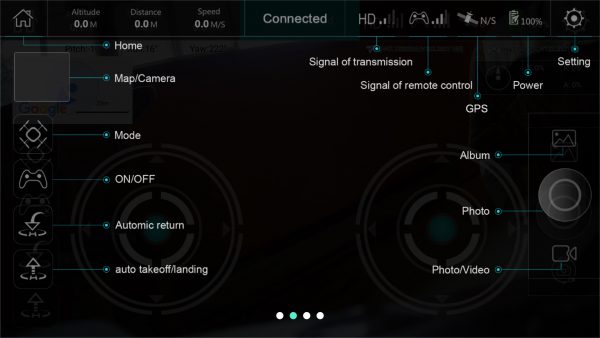
Flying the drone is a lot of fun. The H501A X4 is quick and powerful enough to shoot up to altitude pretty quickly. The problem is that, occasionally, especially at altitude, the drone just stops responding. There’s no indication on the app that control has been lost, which is why it’s always important, when flying ANY drone, to always have a visual line-of-sight to your drone.
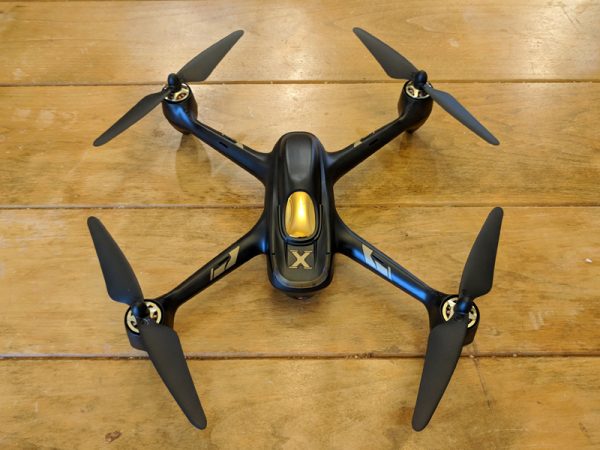
Luckily, I didn’t experience any fly-offs with the H501A X4, but other reviewers have reported them. When I lost control, the drone simply stayed exactly where it was. It was still pretty scary and frustrating, especially when the drone was at a higher altitude. This happened a number of times and each time, after about a minute or two of switching the app and controller off and on, I was able to regain control of the drone and land it safely.

In all my attempts to test the GPS functions, the drone and app failed to respond. A few times when I tried the Return-to-Home function the drone stuttered in place, like it was trying to initiate the function, but it never succeeded.

The other functions like Waypoints and Orbit just never gave an indication that they were activated, whether they were initiated from the app of the controller.
What I like

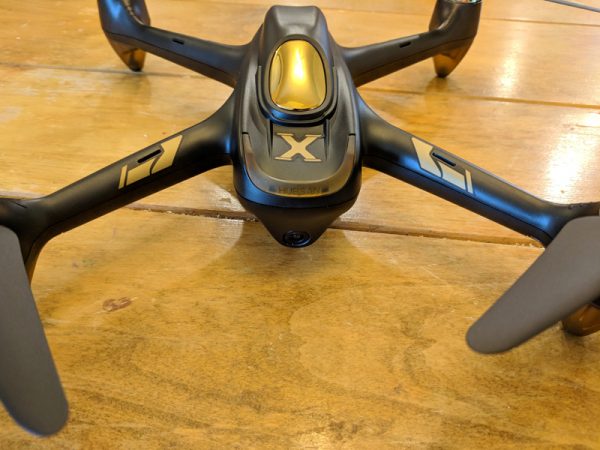
  • Fun to fly
  • Sturdy construction
  • Great camera quality

What needs to be improved

  • Difficult set up
  • Frequent loss of control
  • Poor instructions
  • Single charger for remote and drone

Final thoughts

The Hubsan H501A X4 Air Pro Advanced Drone is fun to fly and it has a great camera, good for recording all types of exciting photos and videos during your flights. Unfortunately, the setup is pretty frustrating and there’s a good chance the drone will lose its connection frequently during your flights. The H501A is reasonably priced though, so if you can put up with the drawbacks, it might be worth checking out.

Price: $219.99
Where to buy: Hubsan and Amazon
Source: The sample of this product was provided by Hubsan.

The post Hubsan H501A X4 Air Pro Advanced Drone review appeared first on The Gadgeteer.

Filed in categories: Reviews

Tagged:

Hubsan H501A X4 Air Pro Advanced Drone review originally appeared on The Gadgeteer on June 28, 2018 at 11:00 am.

Note: If you are subscribed to this feed through FeedBurner, please switch to our native feed URL http://the-gadgeteer.com/feed/ in order to ensure continuous delivery.