Winter is coming. Arm yourself!

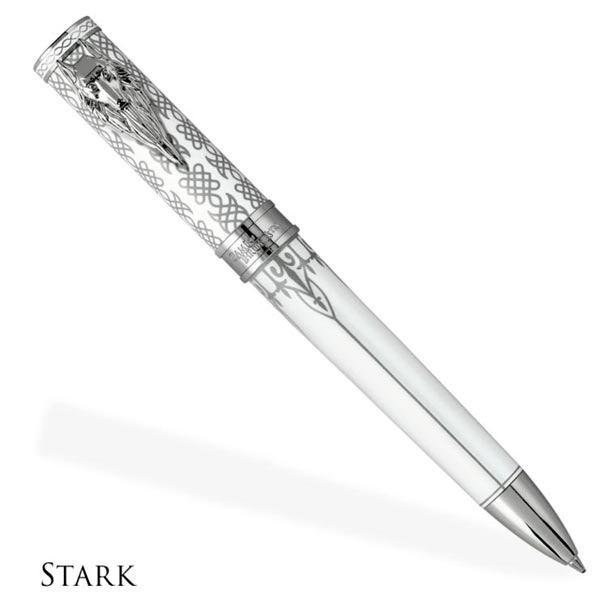
They do say that the pen is mightier than the sword, so these beautiful Montegrappa pens inspired by HBO’s Game of Thrones should prepare you to face the White Walkers.  The pens are available in ballpoint, rollerball, or fountain pen.  They are the second edition of Montegrappa pens inspired by the show, and these represent the primary noble houses of Westeros, plus a fifth pen for Westeros itself.

The pens have resin bodies and are accented with precious metals.  The pocket clip takes the form of the animal associated with the family; for example, the Stark pen has a direwolf clip.  The ballpoints deploy with a twist, while the fountain and rollerball pens have a twist cap.

I found these pens at Levenger.  They offer the ballpoints for $295 each or a set of four for $944.  The rollerballs are $325 each or a set of four for $1040.  The fountain pens are $350 each or a set of four for $1120.  Pens can also be purchased directly from Montegrappa.

The post Winter is coming. Arm yourself! appeared first on The Gadgeteer.

Filed in categories: News

Tagged:

Winter is coming. Arm yourself! originally appeared on The Gadgeteer on June 30, 2018 at 9:30 am.

Note: If you are subscribed to this feed through FeedBurner, please switch to our native feed URL http://the-gadgeteer.com/feed/ in order to ensure continuous delivery.

The Kokoon takes rest and relaxation to a whole new level.


As far back as I can remember I have struggled with insomnia and restless sleep. As time has gone by and my life has become more filled with work, and family responsibilities, rest and relaxation and effective sleep have become an elusive goal. It seems that my insomnia has become par for the course. Because of these challenges, I am always interested in any product that attempts to help in a safe way.

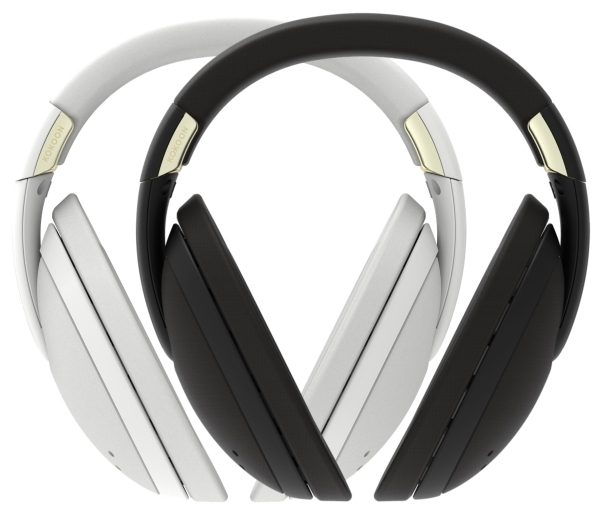
I just came across a device called Kokoon that claims to be the world’s first sleep sensing headphones and the Ultimate Sleep Sanctuary. According to the manufacturer, “Kokoon uses movement and EEG data to understand and analyze your individual sleep pattern”. (“Electroencephalography (EEG) is an electrophysiological monitoring method to record electrical activity of the brain”)

It uses active noise cancellation for complete quietness, along with an audio seal that works to stop external noise from penetrating the enclosure and reaching your ears. In addition, it effectively introduces white noise as you sleep, to ensure a better quality of rest.

If you would like to try out the Kokoon, you can head over to the Kokoon website and pre-order one for $299.99.

The post The Kokoon takes rest and relaxation to a whole new level. appeared first on The Gadgeteer.

Filed in categories: News

Tagged:

The Kokoon takes rest and relaxation to a whole new level. originally appeared on The Gadgeteer on June 30, 2018 at 8:29 am.

Note: If you are subscribed to this feed through FeedBurner, please switch to our native feed URL http://the-gadgeteer.com/feed/ in order to ensure continuous delivery.

Julie’s gadget diary – My MacBook has to go to the hospital

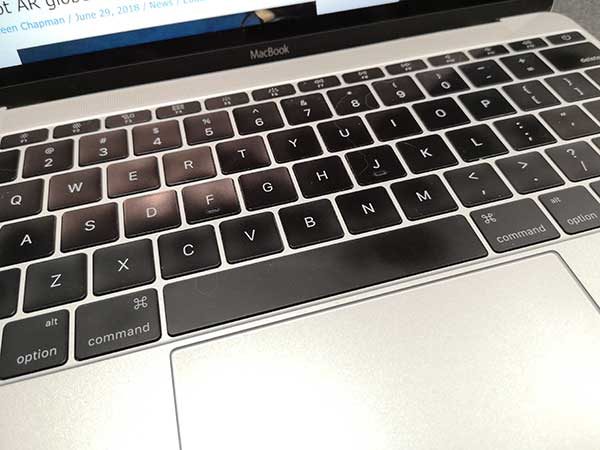
ARTICLE – Sadly, my 12-inch MacBook is sick and needs surgery. It’s suffering from a debilitating SKD (Stuck Key Disease). Yes, it’s one of the 1000’s, maybe millions of Apple MacBooks with the newer generation keyboards that are obviously flawed due to their thinner mechanisms that are susceptible to breakage.

I’ve been dealing with a sticky spacebar for many months, but recently my delete key started exhibiting the same behavior. It’s annoying when you’re a fast touch typist like myself and have to stop in mid-sentence to back up (when the delete key works) to add a space between words.

Our own Dave Rees had his own 12-inch MacBook keyboard replaced a couple months ago. His was under AppleCare though. I bought my MacBook as a refurb and didn’t buy the AC. A repair without AC was priced around $600 and I didn’t want to shell out that kind of money to fix a 2016 MacBook who’s battery capacity is starting to show signs of aging.

I decided that I could live with my come and go sticky spacebar issues until I decided that it was time to upgrade to a new laptop. But then the delete key problems started and I feared I would need to upgrade sooner rather than later. But then, Apple caved in to the pressure of a class action lawsuit last week and owned up to the problem and began offering free keyboard repairs and refunds to people who had paid to have theirs fixed. Lucky me!

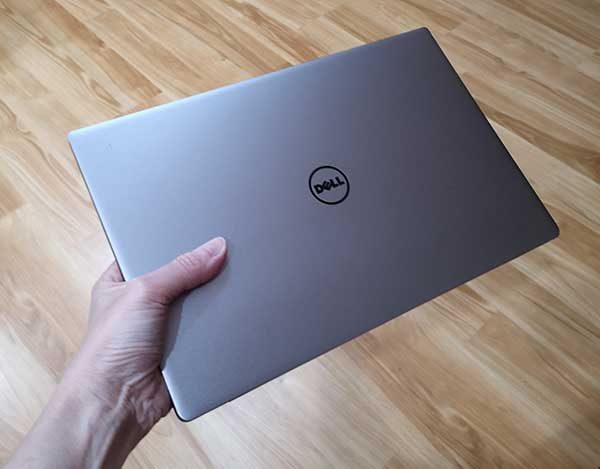
Since the closest Apple store is about 70 miles away, I’m taking my MacBook to an authorized repair store in Bloomington, IN tomorrow and will leave it there for the week and return the following Saturday to pick it up. That means I’ll be without a laptop for Gadgeteer writing for the next 7 days. How will I survive? I plan to use my HUAWEI MediaPad M5 Android tablet for casual tasks like checking my email, approving site comments, and reading my news feeds. But for real work, I’ve busted out my 3-year-old Dell XPS 13.

I rarely use this laptop, so I took it with me to work today to install all the updates (there was at least a dozen!) so it would be ready to go tomorrow once I turned my MacBook over to the doctors at the MacExperience store.

I used it a little bit today and was surprised by how nice the keyboard felt compared to what I’ve been living with lately. Even the trackpad which gave me troubles back when I was first reviewing this laptop felt fine to me.

Of course, this is a Windows 10 laptop and even though I use a Windows 8 laptop all day long at my day job, I have been firmly planted in the macOS camp when it comes to my Gadgeteer/home use computing. So I think this will be a fun trial by fire experiment for the next 7 days and it might even make me seriously consider switching back to a Windows laptop when it comes time for me to buy my next computer.

I’ll be sure to let you all know how things are going in a few days. And please send get well thoughts to my MacBook 🙂

The post Julie’s gadget diary – My MacBook has to go to the hospital appeared first on The Gadgeteer.

Filed in categories: Articles

Tagged: ,

Julie’s gadget diary – My MacBook has to go to the hospital originally appeared on The Gadgeteer on June 29, 2018 at 5:25 pm.

Note: If you are subscribed to this feed through FeedBurner, please switch to our native feed URL http://the-gadgeteer.com/feed/ in order to ensure continuous delivery.

Reach out and touch something with the Shifu Orboot AR globe

Here’s a fabulous way to use augmented reality (AR) – on a globe! The Shifu Orboot is an educational 10″ globe for kids ages 4-10 that uses the Orboot app (iOS, Android, Kindle) to provide an AR interactive experience. The app provides information on cultures, monuments, inventions, animals, maps and weather for various countries. This globe does NOT have borders or names on it; these are available through the app. The Orboot is compatible with iPad 3 & above, iPad mini 2 & above, iPhone 6 & above; Kindle 8 and above; Android 3GB RAM and above. The Shifu Orboot is available from Amazon for $49.99. This sounds like an awesome gift idea for kids’ birthdays or Christmas!

Watch it in action:

The post Reach out and touch something with the Shifu Orboot AR globe appeared first on The Gadgeteer.

Filed in categories: News

Tagged:

Reach out and touch something with the Shifu Orboot AR globe originally appeared on The Gadgeteer on June 29, 2018 at 12:00 pm.

Note: If you are subscribed to this feed through FeedBurner, please switch to our native feed URL http://the-gadgeteer.com/feed/ in order to ensure continuous delivery.

Optoma BE Free5 wireless earbuds review

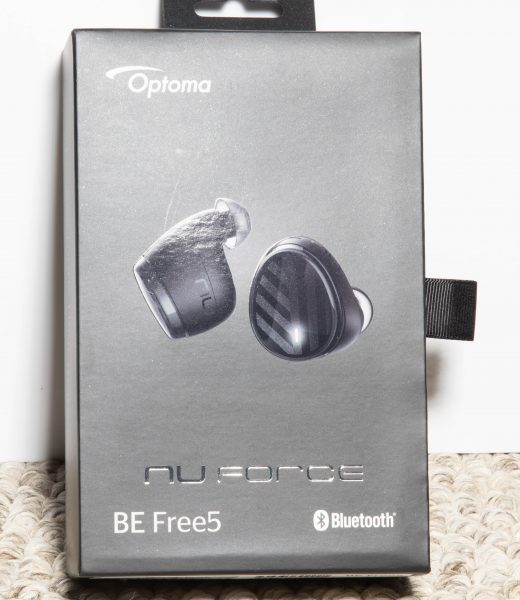
As I continue on my quest to find the “perfect” wireless earbuds for “me”, I jump at every opportunity to review whatever earbuds come my way. The Optoma BE Free5 earbuds seem interesting, so with much anticipation, here we go:

What is it?

The Optoma BE Free5 wireless earbuds are a pair of Bluetooth wireless earbuds that can be used for both listening to music and receiving and making phone calls.

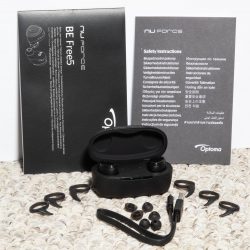
What’s in the box
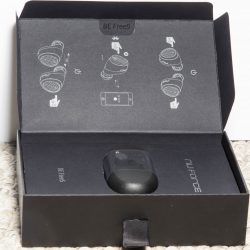


1 x BE Free5 Wireless Earbuds
1 x Charging Case
3 x Pairs Ear Wings in three sizes
3 x Pairs Ear Tips in three sizes
1 x Micro USB Cable
1 x Instruction Booklet

Design and features

The Optoma BE Free5 wireless earbuds are designed with grapheme audio drivers with AAC Bluetooth codec support for both Apple and Android Oreo. They feature mic noise canceling, a charging case that can charge the earbuds 4 times on one charge for close to 16 hours of listening time, an IPX5 rating for water resistance, and on and off and touch controls for phone and music functions, and for Siri and Google Assistant. They also include 3 sizes of Ear Wings and Ear Tips for the perfect fit and comfort, and they remain in your ears while exercising and moving around during normal daily activities.
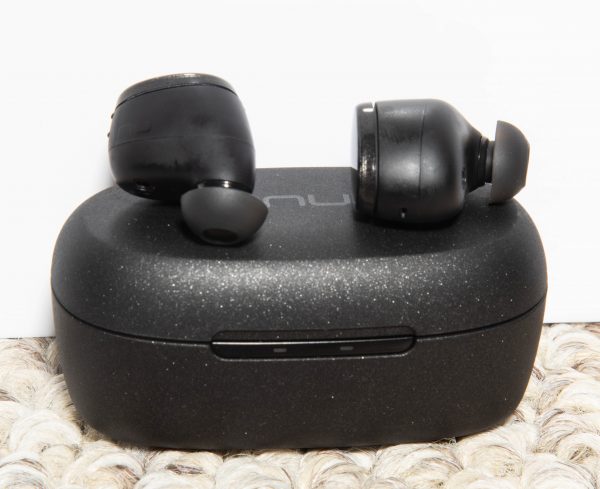
All of the control functions are handled via the surface of the earbuds.
When you first use the earbuds, you press the right earbud surface and hold it down until it flashes red and blue, and this puts it into pairing mode.

Once paired, the next time you use the earbuds, you power on the earbuds by pressing the right earbud for 2 seconds. It then engages the Bluetooth connection, and it is confirmed by voice command. Pressing either earbud for 2 seconds turns them on individually as well, and pressing either one for 4 seconds turns them both off. They can also be turned off by placing them in the charging case. When placed in the charging case, the LEDs on each earbud light up orange when charging. On the outside on the front of the case, there are 2 LEDs. The one on the left Lights up orange when the case is less than 25% charged and white when it is greater than 25% charged. The LED on the right lights up orange when the case is charging and white when it is fully charged.
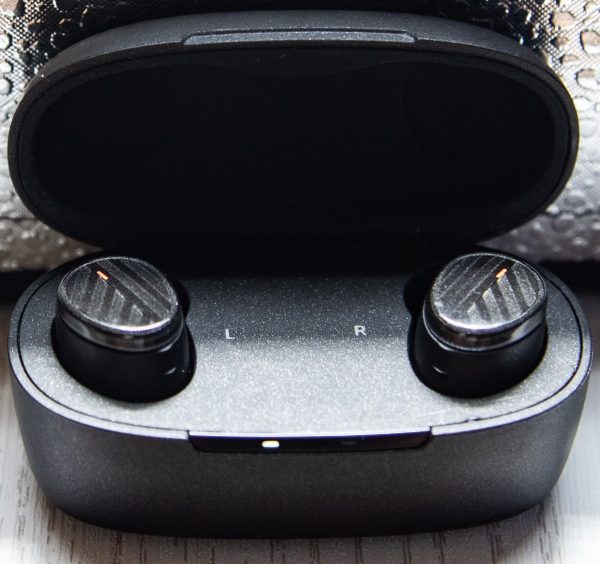
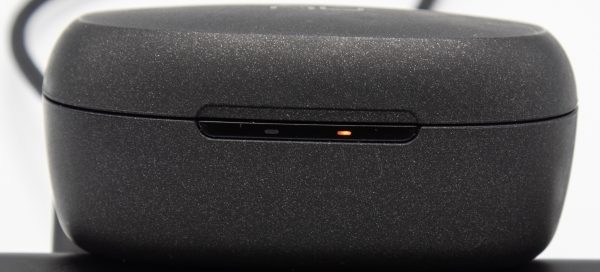
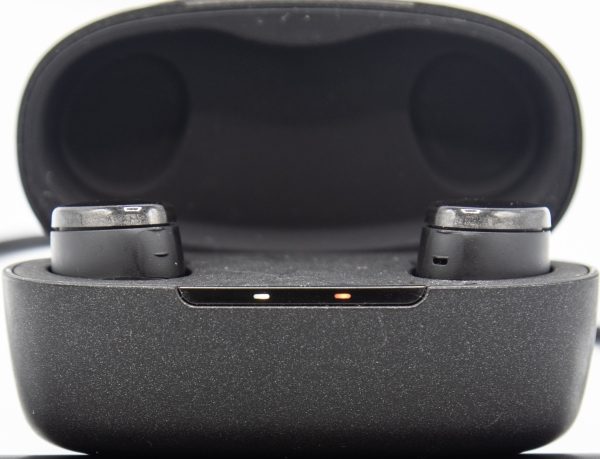

When in playing mode, touching and holding the left earbud for 2 seconds lowers the volume, and touching and holding the right earbud for 2 seconds raises the volume. Pressing either the left or right earbud once controls play and pause. Pressing the left earbud twice, forwards to the next track and pressing the right earbud once answers and hangs up calls. Pressing the right earbud twice activates the mic for Siri and Google Assistant, and once the mic is active, pressing the right earbud once will mute the mic. If that all sounds confusing, it is, and it takes some time to remember the controls and to get used to them.
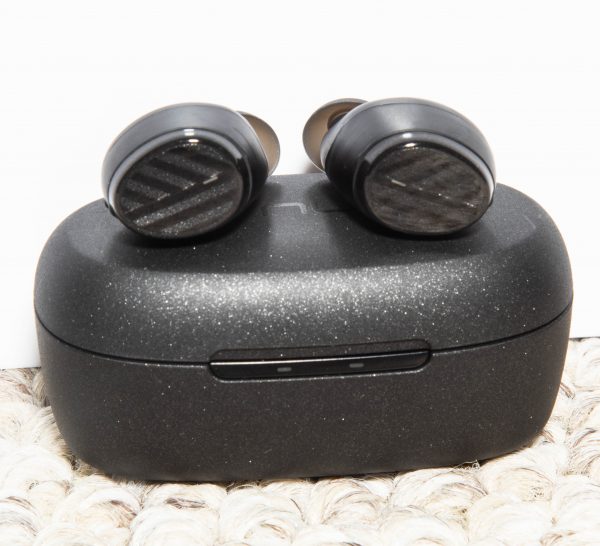

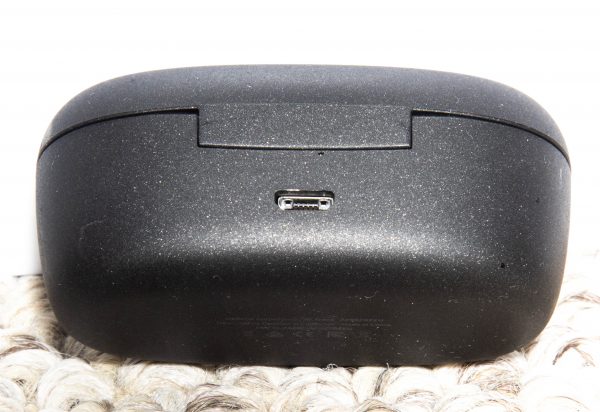
At the back of the charging case, there is a micro USB port for charging the internal battery of the case.
Performance

These earbuds perform quite well in most categories. The sound is very good and clear, and the Lows, Mids and Highs all sound present and bright. However, I did encounter a few issues that knock the performance rating down a bit:

1: While on phone calls, I could hear the person on the other side of the call quite clearly, by everyone I tested with said that I sounded as if I had my hand over my mouth and that they could tell that I was using a device.

2: While not very frequent, the earbuds either both lost the Bluetooth connection, or sometimes one side would drop out and then come back while the music continued to play in the other ear.

3: Several times, when I placed the earbuds in the case and assumed as per how most wireless earbuds work, that they disconnected from the phone, they did not. I would miss calls and then after checking to see why I did not hear the phone, I would discover that the Bluetooth was still connected and I would have to go into the phone settings and disconnect. The other way to avoid this is to power off the earbuds before placing them in the charging case.

4: Since there are no individual buttons for functions, touching anywhere on the surface of the earbuds, activates some function. This is a bit annoying for me when placing them in my ears or adjusting them, since touching them on the surface is the only comfortable way of handling them.
What I like

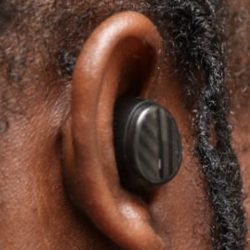
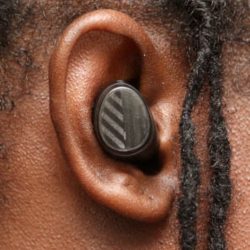
I like how nicely these earbuds fit in my ears, and that that stay put even during rigorous activities. I also really like the style, the sound, and the range of the volume. I like that they would last quite a long time on each charge, and I like the convenience of access to Siri which worked quite well on my iPhone.

What can be improved

  • The Bluetooth connectivity
  • The phone call clarity for both parties on the call.

Final thoughts

The Optoma BE Free5 wireless earbuds are quite promising, and with a few adjustments could be one of the better earbuds that I have tested. I know that each person is different and that the things that I find as both positive and negative may not be the same for others. I do like how they sound, and I love that they are completely wireless and fit my ears nicely, with the included options for comfort. I will continue to use them and likely submit an update in the weeks or months to come. Regardless, for $99 they are a decent deal, and in my opinion, buyers should give them a try.

Price: $99
Where to buy: Amazon
Source: The sample for this review was provided by Optoma.

The post Optoma BE Free5 wireless earbuds review appeared first on The Gadgeteer.

Filed in categories: Reviews

Tagged:

Optoma BE Free5 wireless earbuds review originally appeared on The Gadgeteer on June 29, 2018 at 11:00 am.

Note: If you are subscribed to this feed through FeedBurner, please switch to our native feed URL http://the-gadgeteer.com/feed/ in order to ensure continuous delivery.