The Claw is on sale!

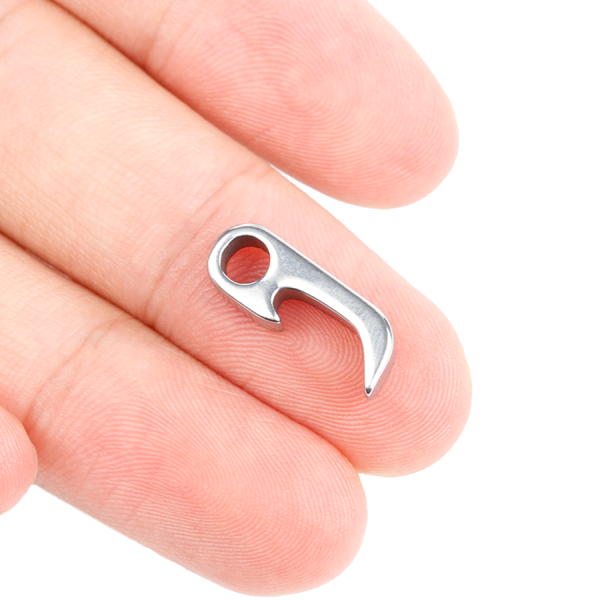
NEWS – Not too long ago, I wrote about one of the tiniest EDC tools you can buy: the Claw. This tool measures only 20 x 7 x 3 mm (0.7 x 0.27 x 0.12 inches). It looks like a small bottle opener and performs such functions as… wait for it… opening bottles (whoa!!). It also acts as a screwdriver, a pry tool to open paint cans and remove staples, etc., and a box cutter. At the time I wrote about it, it was a Kickstarter campaign and you could get one for as low as $15. If you missed the campaign, you can now get a grade 5 titanium version for a little over $19 (normally $29) or the Damascus steel version for a little less than $26 (normally $39) thanks to Kinja Deals. Just go to the Malboro & Kane website and be sure to enter the code: KinjaDeals. I’m not sure how long this deal will last so act quickly if you want one for your EDC!

Filed in categories: News

Tagged: , ,

The Claw is on sale! originally appeared on The Gadgeteer on July 30, 2018 at 10:00 am.

Note: If you are subscribed to this feed through FeedBurner, please switch to our native feed URL http://the-gadgeteer.com/feed/ in order to ensure continuous delivery.

Plex Pass review

REVIEW – With all the internet streaming available online, it’s nice to be able to have a place to aggregate all of your favorite media that you might still own. This can include home videos taken by your parents or grandparents, old DVDs, or those CDs you’ve been wanting to rip for ages. Plex Media Server is the perfect way to keep all of your old media in one central location and allow it to be seen on any digital device. The Plex Pass gives you even more options, so let’s take a look to see what it has to offer!

What is it?

The Plex Pass is video streaming, DVR, and podcast software.

Hardware specs

This is a tricky question since the answer will be what you’re streaming and what you’ll be doing with your Plex server.  From Plex’s support article it states that at minimum, if you’re not doing any transcoding, you will need an: Intel “Atom” 1.2GHz or higher. For reference, I’ve set up a small Ubuntu 16.04 server with an ASRock AM1B-ITX with AMD Athlon 5350 AM1 CPU and 8GB of RAM and am able to run all of my videos just fine.

Design and features

The free version of Plex offers a ton of features as-is. If you need basic video streaming for within your home, you can get started on that already. This includes casting from a smartphone, tablet, or computer to any Chromecast. You can organize your media into various libraries such as movies, photos, music or create your own. I created a custom “Home Videos” library for all of our old VHS home videos from when I was a kid. You can also create playlists much like any other media service.
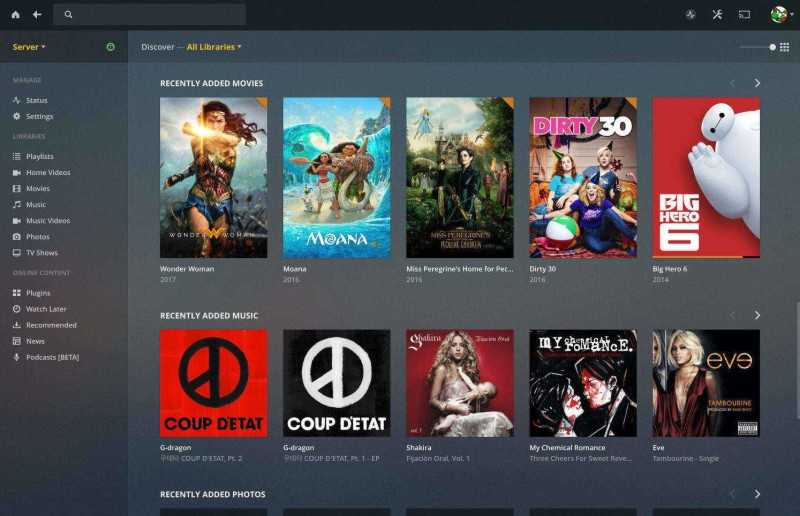
You can view almost any video format in Plex, which gives you lots of flexibility. It also included 4K support if you happen to own a 4K tv or create your own 4K content.

As for the premium version of Plex – called Plex pass – you can take advantage of tons of nice features:

There are premium photos, which lets you get auto-tagging and places to sort photos and albums, similar to Google Photos. You can do automatic backup of photos to your media library. This is awesome for me since I do that with and Google Photos, but it’s really nice to have another option and upload it straight to a personal media server. I already do this with my own install of Nextcloud, but can eliminate the need for another bit of software since I can do it with Plex Pass!
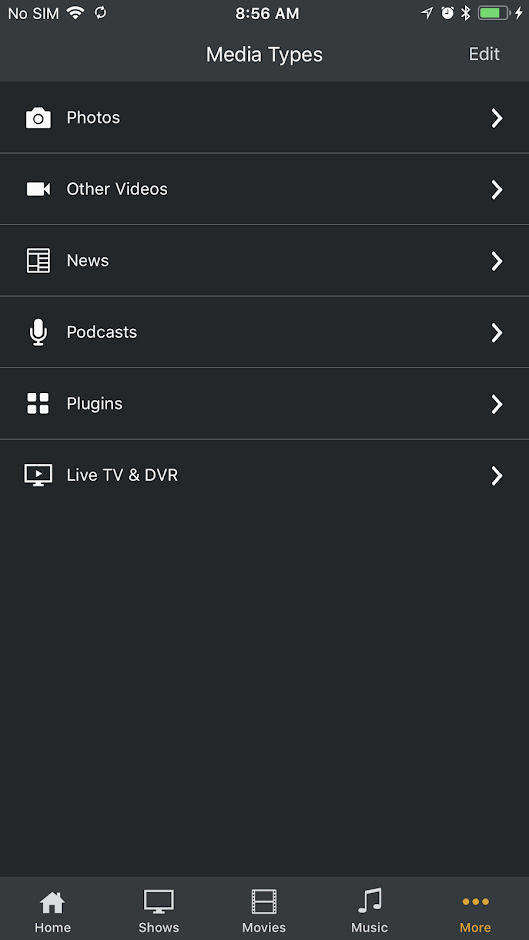
You can use cloud sync, which lets you save a copy of your media to the Plex mobile app, so you can view or listen offline.
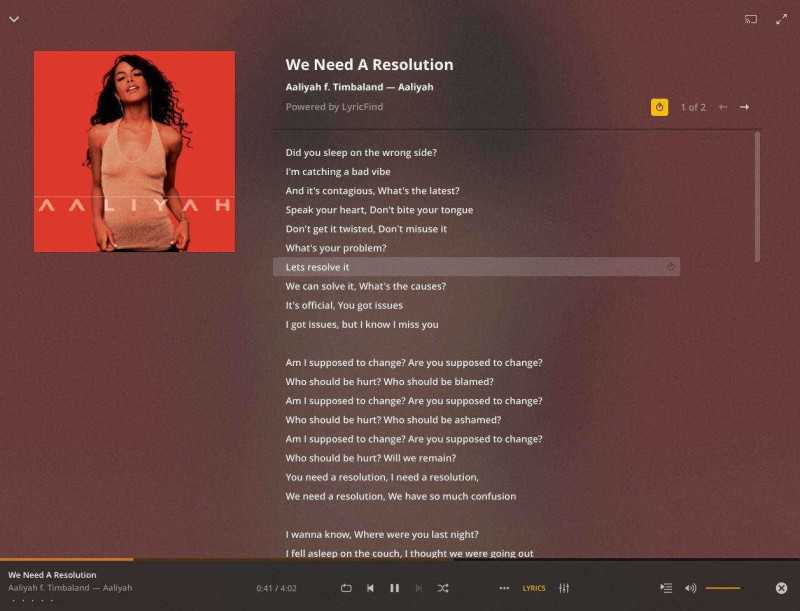
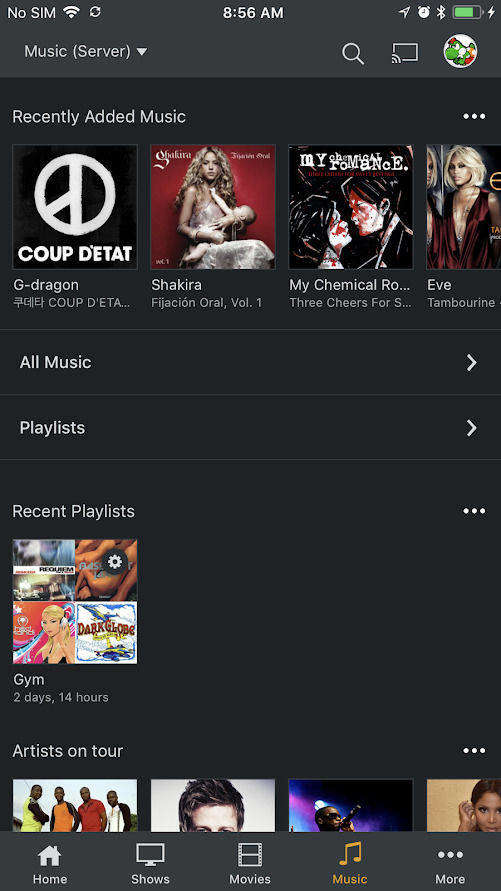
A nifty feature I like is premium music, where you can create playlists, mix songs by mood and display song lyrics. It reminds me of what Spotify premium does, but you can do it with your own music library instead.
With Plex Pass perks, you can get access to promos and discounts on partner products such as digital tuners and other hardware to use with Plex Pass.

For the parents out there, (or for those of you who have snoopy roommates) you can enable parental controls for your Plex media library, as well as create multiple users to keep everyone separate. I use this feature and love it.

You can also watch live broadcast TV directly on your device or mobile app with Plex Pass. You will need an antenna and compatible tuner. If I get a chance to get my hands on a digital tuner, I will update this review. You can also record free HD broadcast channels right to your library and watch them on any device, anywhere.

Setup

To set up a Plex media server, all you need is a relatively modern computer (at least an Intel Atom processor equivalent and higher), with 2GB or RAM or more. You can view more options here, as well as via the Plex Forums. You can install Plex on Windows, Mac and Linux. There are multiple NAS manufacturers that support Plex as well.

Performance

As mentioned before, I run Plex on a very inexpensive AsRock/AMD motherboard combo running Ubuntu 16.04 and I’ve had no problems running Plex locally or remotely from anywhere. All my video plays well with no buffering.

What I like

I really enjoy everything about Plex. I’ve used the free version of Plex for years with a basic server, just to hold my home movies and music, but with Plex Pass it makes the deal even sweeter by enabling auto upload of my photos, lyrics and mixing for my music, and allowing everything that I use streaming services for already and enabling it for me at home. I love that I can keep everything private as well. If you’re a digital tuner user, I can imagine it being even more awesome.

What needs to be improved

The one thing I did try about Plex Pass but wasn’t af an of was the news and podcast features. News for me was not the best quality, although it did pull from various sources online. I’d rather jump into Youtube or read the web to get news video. As for the Podcasts Beta feature, it was nice to be able to sync the podcasts to my phone, but I already have a bunch of podcast apps to do this. Sync did work well however.

Final thoughts

I really enjoy using Plex Pass for the extra bells and whistles it has to offer. If you are a person who still likes to keep your own personal copy of music, movies, photos, and all various media to your own server, I’d definitely recommend getting the Plex Pass for extra nifty features.

Price: The costs for Plex Pass are monthly ($4.99/month) and yearly ($39.99/year) options, but the lifetime price ($119.99) is well worth it for constant updates and new features.
Where to buy: The Plex Pass is available to purchase via their website.
Source: The Plex Pass for this review was provided by Plex. For more information, visit Plex.

Filed in categories: Reviews

Tagged: ,

Plex Pass review originally appeared on The Gadgeteer on July 30, 2018 at 9:00 am.

Note: If you are subscribed to this feed through FeedBurner, please switch to our native feed URL http://the-gadgeteer.com/feed/ in order to ensure continuous delivery.

E. P. DesignLab offers the Lucky Bird LED lamp

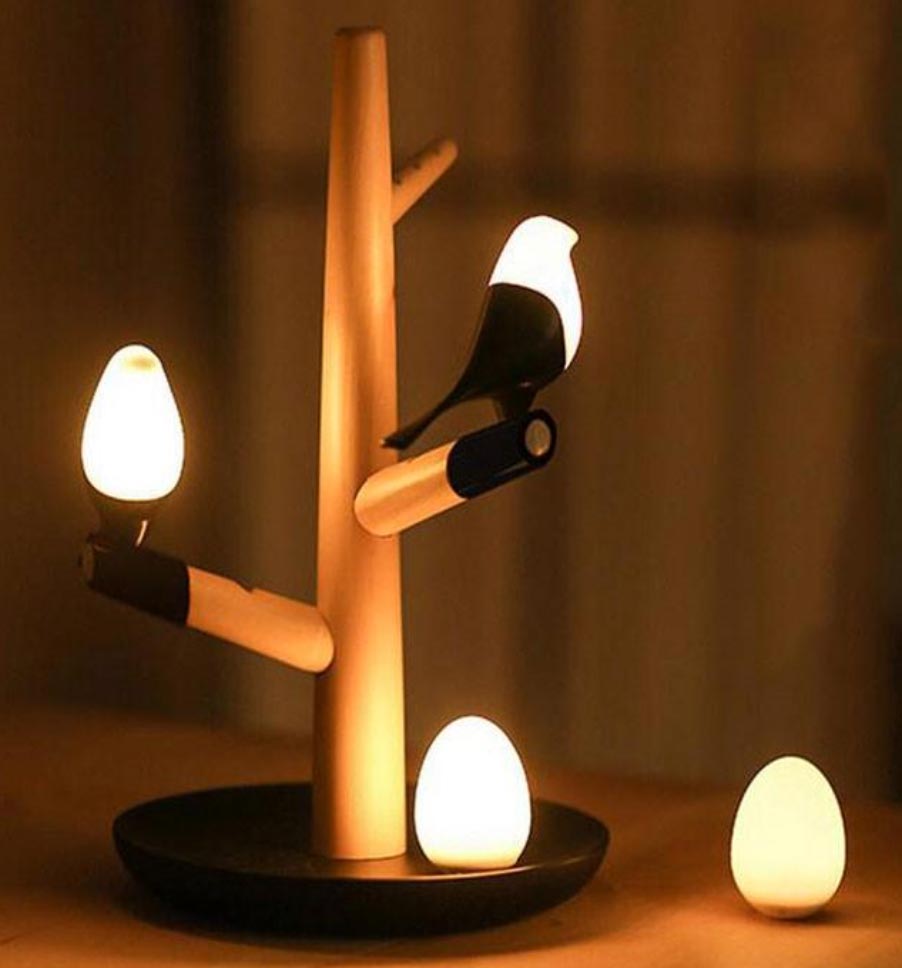
NEWS – The folks who brought us the E.P. Eco-Friendly LED light bulbs, which are little pieces of art, have brought us more artwork to illuminate our homes.  The Lucky Bird LED Wooden Table Lamp has a pair of bird-shaped LED fixtures and two LED eggs to add accent lighting to a bedside table or end table.

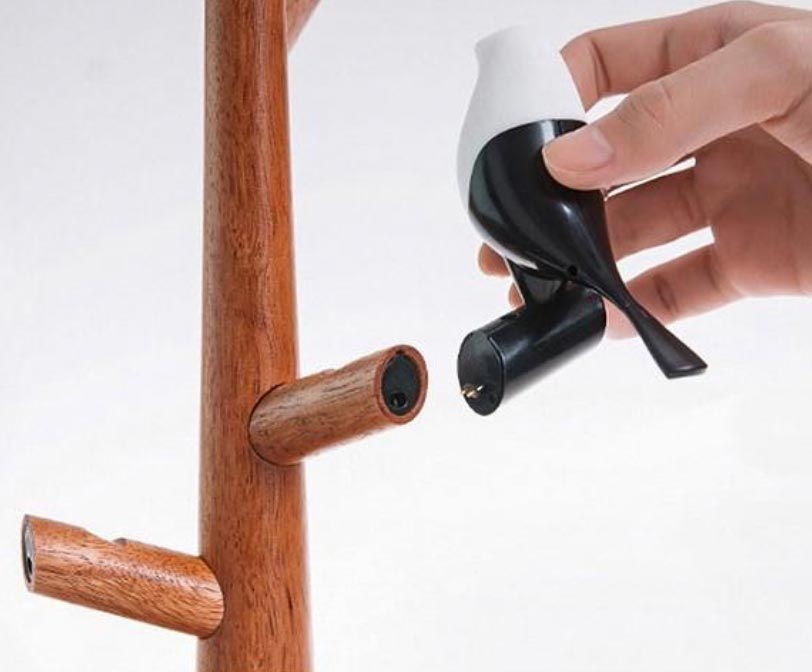
The table lamp has two sensors:  a light detector to keep the lights off during the day, and a motion sensor to turn the lights off when movement is detected within 3-4 meters of the base (lights go off after 20 seconds of no movement).  The Lucky Bird fixture is made of wood, Bakelite, and ABS plastics.  The bird-shaped bulbs have a pin that plugs them into the ends of the tree “branches”.

The Lucky Bird LED Wooden Table Lamp is $98.95 at the E.P. DesignLab website.

Filed in categories: News

Tagged:

E. P. DesignLab offers the Lucky Bird LED lamp originally appeared on The Gadgeteer on July 30, 2018 at 8:00 am.

Note: If you are subscribed to this feed through FeedBurner, please switch to our native feed URL http://the-gadgeteer.com/feed/ in order to ensure continuous delivery.
Tekto Gear Amber Automatic Knife review

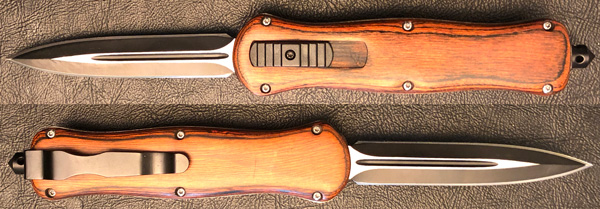
REVIEW – I have reviewed my fair share of great EDC knives here at the Gadgeteer but for the most part they have all been fancy pocketknives. For this review, Tekto Gear has sent me one of their automatic knives with a blade that snaps in and out the front of the handle with a flick of the thumb. While Tekto Gear offers many automatic knives, the Amber is one of two variants recently released made from hardwood and steel creating an excellent old world look and feel.

What is it?

The Tekto Gear Amber is an Out the Front (OTF) automatic knife, where the internal mechanism ejects the blade out the top of the handle and locks it into place and retracts it with the opposite motion. The Amber is made from a reddish hardwood and high-quality steel giving it a classic look and feel compared to other lightweight, high-tech knives (aka carbon fiber or titanium).

Before I write a knife review, I consult several of my friends who are knife aficionados who educate me on the nuances of what I am looking at more often than not. In this case, this is the feedback I received on the Amber…

A switchblade swings out from a folded position and needs to be manually reset. A stiletto is spring loaded straight out and can be retracted automatically. Much faster and efficient… The heels 👠 on the shoes were named after the knife.

…cause I totally thought/assumed that an Out the Front (OTF) automatic knife was a switchblade but apparently not.

Design and features

Craftsmanship and build quality:

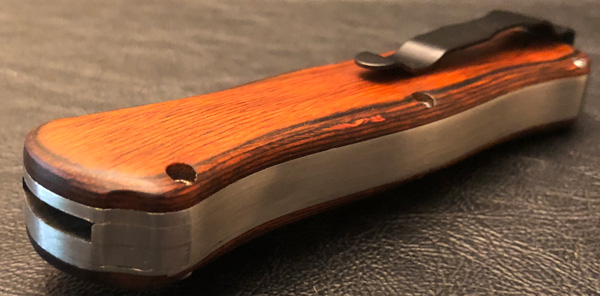
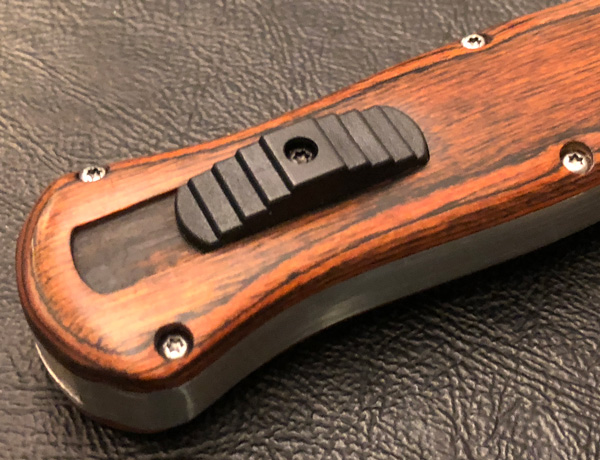
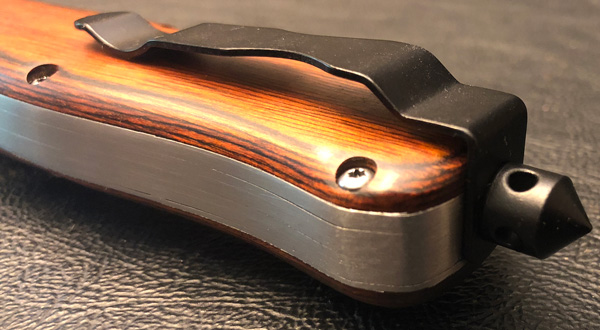
As I stated above, the Amber automatic knife is made from two pieces of reddish hardwood that sandwich five plates of stainless steel. The seven layers of the handle are stacked and held together by six hex bolts. The build quality is very good though not as precisely machined as most other knives I have reviewed. But that is just fine with me…the Amber has an old world, Game of Thrones’ vibe to it.

The two-tone blade is 3.8 inches long and very sharp. Tekto Gear uses chrome in their steel blades that adds greater rust resistance, strength, and durability. In this case, they powder coat the blade, then machine it giving a great metal and black color scheme. When deployed, the blade has a slight wiggle in all directions. I believe that is due to how the spring mechanism is engineered. The movement isn’t bad but noticeable when you jiggle the knife.

Specifications:

  • Colors: Black, Red
  • Total Length: 8.9″ (228mm)
  • Blade Length: 3.8″ (97mm)
  • Blade Thickness: 0.06″ (1.6mm)
  • Weight: 0.58lbs  (263g)
  • Material: Chrome Steel

Feel & function:

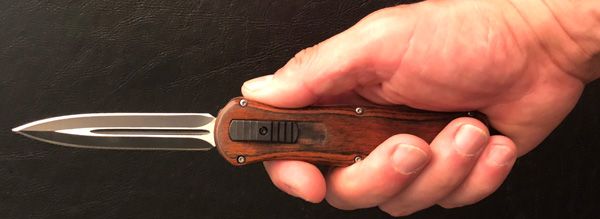
The Amber knife has an excellent weight and quality feel to it. The contoured handle holds very well in the hand with the wood exterior giving it a smooth, natural feel. At over half a pound, the Amber has a nice heft to it when held but is definitely heavier than your typical EDC knife.

I say this with a bit of hesitation, I recognize the Amber automatic knife is dangerous and could be lethal in the wrong hands. That said, as my first automatic knife, it is surprisingly fun to use. When I was a teenager I received a Safeway bag filled with M-80’s and for a month I blew stuff up…no one was hurt and I still have all my fingers. But it was some serious (destructive) fun nonetheless. Even with more than 3 decades under my belt since then, this automatic knife is just as much fun to flip in and out. Silly as that sounds.

The switch is firm and takes a decent amount of force to fire/retract the blade, making accidental deployment less likely. Since I received the Amber OTF automatic knife, I have flipped it in and out countless times. The spring mechanism seems very solid and does not give any indication of failure. Though the system does need to be maintained, Tekto has a page dedicated to walking you through how to clean and lubricate mechanism.

The Amber automatic knife has an integrated window breaker and a rigid, well-made belt clip on the butt end of the handle.

What I like

  • Excellent build and material quality
  • Made from hardwood and stainless steel
  • Chrome steel blade
  • Great weight and old world feel to it
  • Smooth action and easy to use
  • Integrated window breaker and belt clip

What needs to be improved

  • The blade does not lock perfectly into place, has a slight wiggle in all directions

Legal or not legal:

Tekto Gear does a good/solid job trying to keep buyers on the straight and narrow road. One of their forums is dedicated to helping you determine if it is legal to own an automatic OTF knife based on where you live. This page goes state by state on the legal details of ownership.

Final thoughts

The Tekto Gear Amber automatic knife is very well made with an excellent old world feel. Its OTF and hardwood/steel design would certainly add a bit of uniqueness to your EDC gear. The stainless, chrome steel blade is extremely sharp and nicely machined. It cut through paper, wood, meat, etc. with relative ease. If this sort of knife is legal where you live, it is definitely worth considering.

Price: $165.99
Where to buy: You can buy the Amber automatic knife direct from the Tekto Gear.
Source: The sample of this product was provided by Tekto Gear.

Filed in categories: Reviews

Tagged:

Tekto Gear Amber Automatic Knife review originally appeared on The Gadgeteer on July 29, 2018 at 11:00 am.

Note: If you are subscribed to this feed through FeedBurner, please switch to our native feed URL http://the-gadgeteer.com/feed/ in order to ensure continuous delivery.
RawWood sunglasses protect your eyes and the planet

NEWS – In summer, and you need a pair of sunglasses to protect your eyes from harmful sun rays.  There are lots of choices in stores – stylish but expensive, cheap and utilitarian – but what you need is reasonably-priced stylish, right?  RawWood Shades creates stylish and protective sunglasses using sustainable wood instead of plastic for the frames.

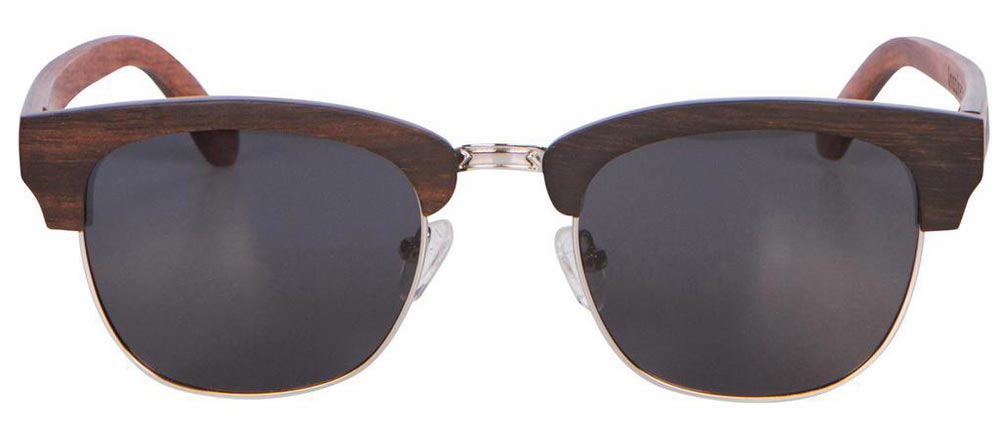
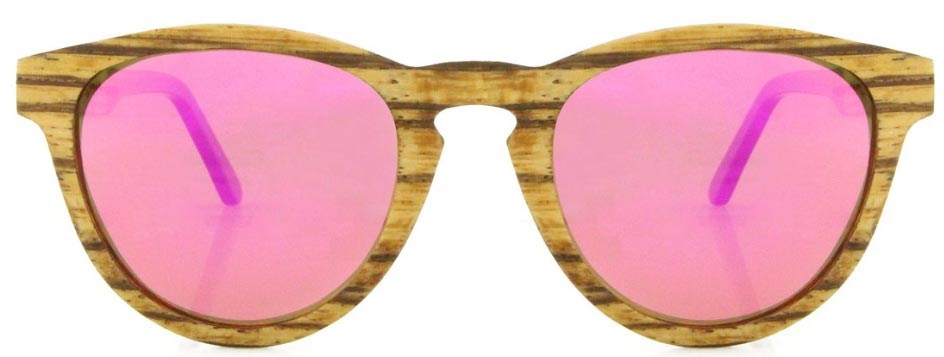
RawWood sunglasses are available with bamboo frames; with stacked wood frames incorporating zebrawood, maple, pear, and other woods; or frames that combine wood and metal.  Shapes include Wayfarer, Clubmaster, aviator, round, and double-bridged styles.  All sunglasses use Polarized TAC lenses for 100% UV protection.

Glasses are sized for males or females, and different styles offer different colored lenses.  Each pair of sunglasses comes with a bamboo case.  RawWood plants a tree for each pair of sunglasses sold.  With prices varying from $35 to $90, you’ll look good, do some good, and feel good about your frugal purchase.

Check out the sunglasses styles and colors available from RawWood Shades.

Filed in categories: News

Tagged:

RawWood sunglasses protect your eyes and the planet originally appeared on The Gadgeteer on July 29, 2018 at 10:00 am.

Note: If you are subscribed to this feed through FeedBurner, please switch to our native feed URL http://the-gadgeteer.com/feed/ in order to ensure continuous delivery.