A beautiful multifunctional fire hydrant for the future

NEWS – When you think of a fire hydrant, a certain image pops into mind, doesn’t it? It hasn’t changed in, like, eons. But is it time for a change? Dimitri Nassisi thinks so. According to an article in Dezeen, as an industrial designer, Mr. Nassisi redesigned the fire hydrant to provide drinking water for people and their pets in addition to functioning as a water source to fight fires. He realized as he observed his surroundings in Switzerland, that there were just not enough drinking fountains for people to hydrate, so why not use the existing fire hydrant infrastructure to solve this problem? While he was redesigning it, he wanted it to be aesthetically pleasing to people, yet practical for use by firefighters. His design adjusts the water pressure depending on what it is being used for. It is currently a prototype but perhaps such a clever, practical, functional, beautiful fire hydrant will become a commonplace item in the future!

Filed in categories: News

Tagged:

A beautiful multifunctional fire hydrant for the future originally appeared on The Gadgeteer on July 31, 2018 at 10:00 am.

Note: If you are subscribed to this feed through FeedBurner, please switch to our native feed URL http://the-gadgeteer.com/feed/ in order to ensure continuous delivery.

Posted by / July 31, 2018 / Tagged with / Posted in News

YI Cloud Home Camera review

REVIEW – When the YI Cloud Home Camera review offer came along I thought it would be nice to review and contrast it with other cameras that I have reviewed. Sometimes you win, sometimes you lose – keep reading to find out which this was.

What is it?

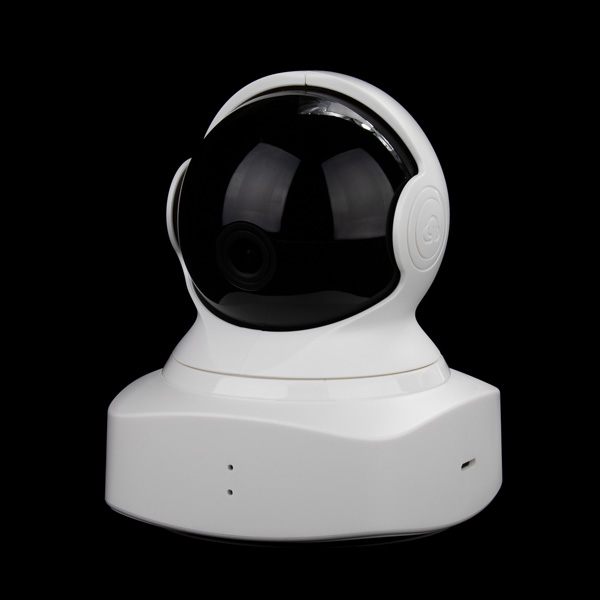
The YI Cloud Home Camera is an indoor surveillance camera that has quite a few useful features including motion tracking and cloud storage.

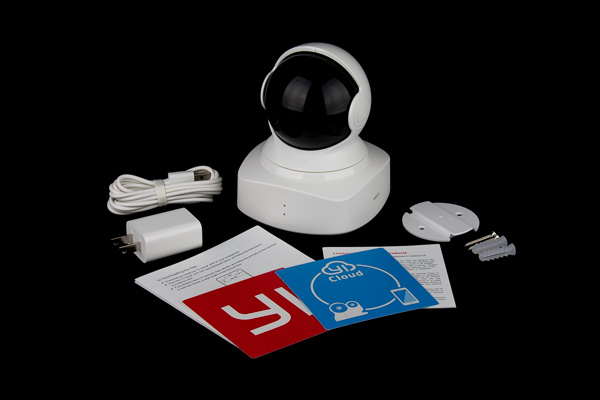
What’s in the box?

  • YI Cloud Home Camera
  • Power cord and wall plug
  • Quick connect sheet
  • Window stickers
  • Wall mount bracket

Design and features

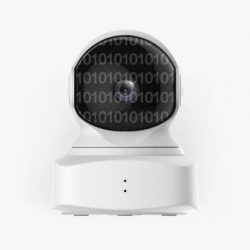
The YI Cloud Home Camera features a 1080p full HD camera with “Complete 360° Coverage”, enhanced night vision, smartphone control, baby crying detection, motion detection and real-time activity alerts as well as two-way intercom audio capability.

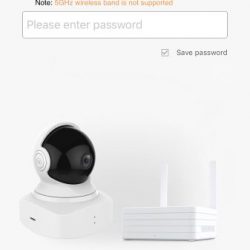
The YI camera was fairly simple to set up. The process begins with signing up for a YI account and verifying your e-mail with a link they e-mail to you:


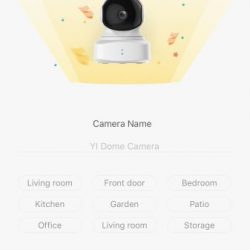
After a pointless 4 page intro, you simply tap the “+” to add a camera and follow the simple on-screen directions to connect to the camera and your home wi-fi.


The camera has a much-too-small QR code on it that you must scan with the phone camera to pair it to the camera, it took it a little while to finally focus well enough on the camera to get it to connect. The camera has audible voice prompts as well, which I thought was a nice touch.

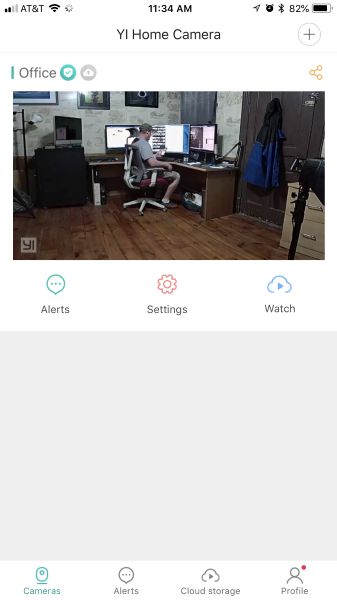
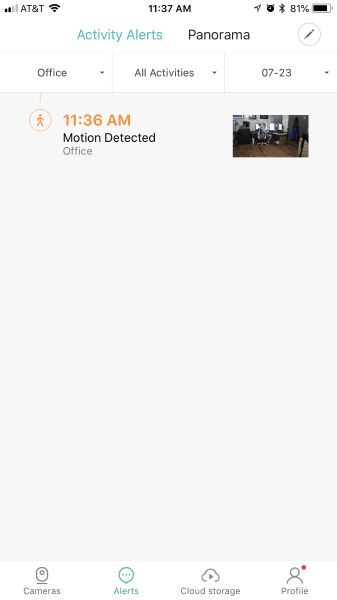
Once connected you’re presented with the default screen for the app, which is a list of the cameras you have connected, which also features an image from the last session as well as options for viewing Sharing, Alerts, Settings, and Watching cloud-stored video. Tapping the image starts the viewing of live video from the camera.

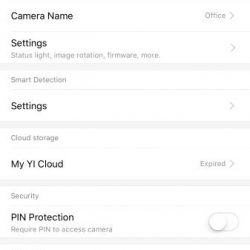
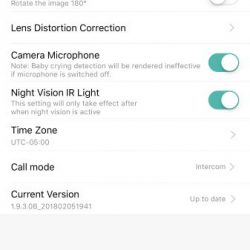
The settings section for the camera is fairly extensive, providing quite a bit of control and options.


I liked how that during viewing of the camera, you can choose between SD and HD video or choose the Auto option to have the app decide, presumably on your available bandwidth. Other controls include the microphone, record video, take photo, take a panoramic photo, and view full screen. There are also three icons at the bottom of the screen that allows for manual camera positioning, motion tracking, and alert viewing.

Full screen viewing

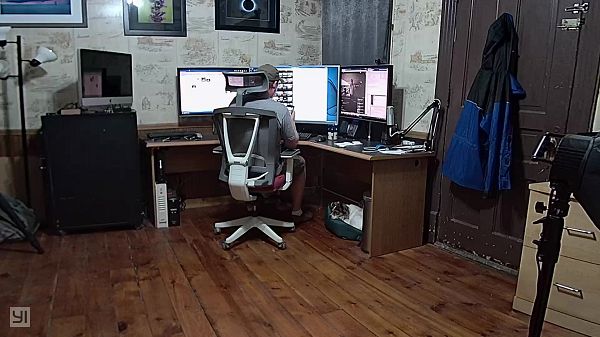
The manual camera positioning is a nice feature, however, it is slow to respond, which makes the positioning of the camera less than easy. The motion tracking feature works very well and is able to track a person as they walk through the room and was even sensitive enough to pick up my motion while just sitting at my desk.

The panoramic photo feature is very poor. When you take a pano image, the camera rotates and takes a picture, repeating this throughout a full rotation and then stitches the images together to produce a 360° image. However, the image stitching is very poor, often leaving gaps in the image coverage up to 3 feet wide.

Another thing that the app needs to improve on is the turning on and off of the motion detection/alert feature. You have to go into the Camera Settings, then once in the Camera Settings you have to tap on the Smart Detection settings, then toggle the Motion Detection setting. This would be really annoying if you had multiple cameras. There is also no indication from the main screen of the app that the camera is set for Motion Detection, so you have to go through the above steps just to see if its on.

Perhaps one of the biggest drawbacks of the YI Cloud Home Camera is the cloud storage subscription price. The options range from $8.66 a month for 7-day storage to $19.99 a month for 30-day storage. You can choose to either upload motion detected videos only (up to 5 devices) or 24/7 around-the-clock upload for only 1 device. I thought these prices were a bit high. The camera also supports a micro-SD card, but that wouldn’t do you any good if the thieves also steal your camera.

The app also notifies you of new logins to your account, which is a nice security feature.

What I like

  • Audible “Waiting to Connect” voice prompt when turned on
  • Activation link email
  • High quality still photos
  • Manual camera control
  • Login notifications

What needs to be improved

  • Very poor pano stitching
  • Alert frequency ranges from low, medium, and high with no indication of what that time period is
  • Notifications are inconsistent. I did not always get a notification while using the app, even if I was not viewing the camera at the time. There’s just an in-app Alerts icon that gets a red dot over it
  • Works only with the app, no website or IP camera capability
  • Motion Detection setting is too buried in the app

Final thoughts

Although the YI Cloud Home Camera features look inviting and seem to have everything you’ll want, the actual use and storage options may be a bit of a turn-off. However, if you’re looking for a budget camera for casual monitoring, this camera might be one to consider, it really depends on what you intend to use it for.

Price: $44.99
Where to buy: Amazon
Source: The sample of this product was provided by YI Technology

Filed in categories: Reviews

Tagged:

YI Cloud Home Camera review originally appeared on The Gadgeteer on July 31, 2018 at 9:00 am.

Note: If you are subscribed to this feed through FeedBurner, please switch to our native feed URL http://the-gadgeteer.com/feed/ in order to ensure continuous delivery.

Crochet Yoda, you will.

NEWS – I know crocheting isn’t normally something you’d expect to read about here, but it’s not the craft we’ll be interested in.  With this Star Wars Crochet kit, you’ll be able to make Star Wars characters.  The kit includes materials needed to craft a Yoda figure and a stormtrooper.

A full-color book included in the kit has instructions for creating both Yoda and the stormtrooper with the supplied materials, plus it includes instructions for making Luke Skywalker, Darth Vader, Princess Leia, Jabba the Hutt, and other characters.  There’s a lot of gift giving possibilities here.  You could give the kit to a crafty Star Wars fan, or you could make the figures yourself to give to a Star Wars fan / collector.

The Star Wars Crochet kit is $23.87 at Barnes & Noble.

Filed in categories: News

Tagged: ,

Crochet Yoda, you will. originally appeared on The Gadgeteer on July 31, 2018 at 8:00 am.

Note: If you are subscribed to this feed through FeedBurner, please switch to our native feed URL http://the-gadgeteer.com/feed/ in order to ensure continuous delivery.

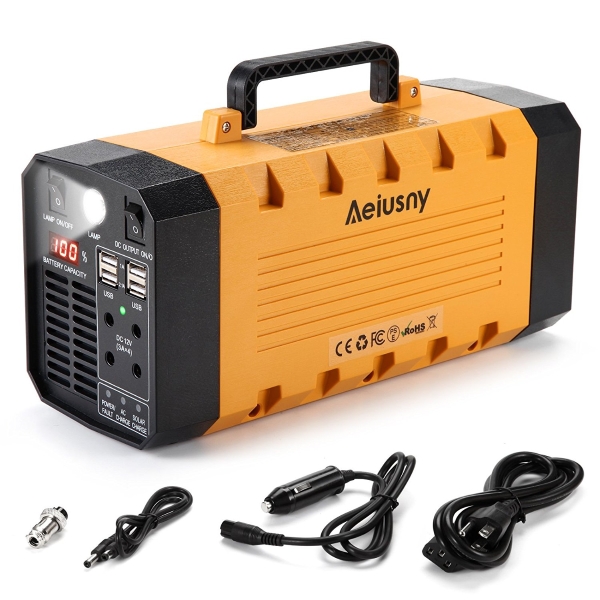
The Aeiusny Portable Power Station might be your best companion during a storm


NEWS – I have spent quite a lot of time searching the internet for such devices that would possibly meet my needs for a portable power solution. My main uses for such a device would be to power photography/videography related equipment and accessories while at locations where power is unavailable, and also for use at home during a power outage which is usually an issue during storms and hurricanes. Also, a CPAP machine is used in my household, so being able to power it during the night, during a power outage would be great.

The Aeiusny Portable Power Station is a powerful 500W (peak 1000w), 288Wh portable battery that can power small appliances and equipment including a CPAP machine. The company claims that it can power a PC and display for 3 hours, a 12 volt LED for 96 hours, a 13” laptop for 8 hours, a 50 Watt fan for 6 hours, a 32” LCD TV for 4 hours, etc. It has 3 AC outlets, $ DC ports, and 4 USB ports. It can be charged via the AC adapter or solar panels. It measures 12.7” x 5.9” x 8.6” and weighs approximately 7lbs.

The Aeiusny Portable Power Station is available for purchase on Eco Sweet Home for $269.99.

Filed in categories: News

Tagged:

The Aeiusny Portable Power Station might be your best companion during a storm originally appeared on The Gadgeteer on July 30, 2018 at 12:00 pm.

Note: If you are subscribed to this feed through FeedBurner, please switch to our native feed URL http://the-gadgeteer.com/feed/ in order to ensure continuous delivery.

PadMate PaMu wireless earphones review

REVIEW – Listening to music on your smartphone is probably the most frequent use case, with the possible exception of social networks. One reason for this is that you can listen to music while doing other things. With the removal of the ancient yet still viable headphone jack, a few manufacturers have managed to anger a huge swath of their customer base. Stepping into this vacuum, several existing and new companies have started offering totally wireless earbuds that connect to these devices and each other via Bluetooth. One such company, PadMate, sent us a pair of their earbuds, called PaMu, to test.

Note: Photos may be tapped or clicked for a larger image.
What is it?

The PaMu are a pair of earbuds with a charger designed to seal off outside sound and to resist sweat and vigorous motion in use. While I did have to open the Bluetooth setting to initially pair, from then on, they always found the phone and paired without fail, unless I had paired them with another device. More on this under Performance.
Hardware specs

(from product website)

  • Type: In-ear Headphones with Mic
  • Colors: Black / White
  • Connection: Bluetooth Version 4.2
  • Frequency Response: 20Hz – 20KHz
  • Sensitivity: 97±2dB(SPL)
  • Transmission Range: 10 Meters Without Obstacles
  • Charging Time: 2 Hours
  • Headphone Dimensions: 22.5 x 10.5 x 26mm

What’s in the box?

  • Earbuds
  • Charger
  • One-foot long USB2< ->microUSB cable to charge charger
  • Earbud tips in 3 sizes and ear hooks for a custom fit
  • Instruction pages

Design and features

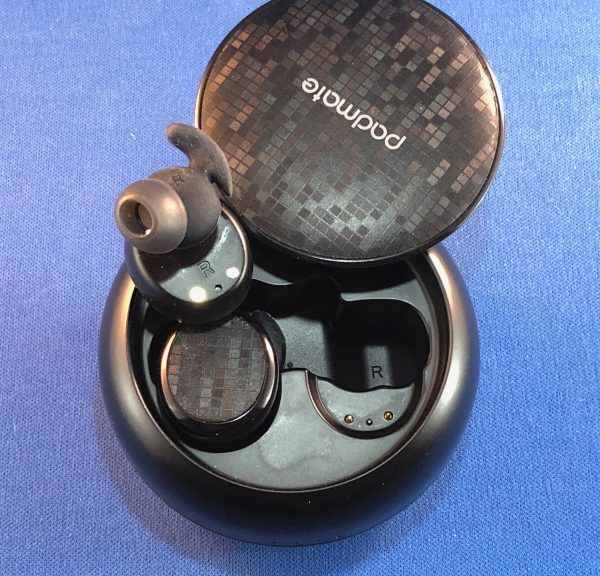
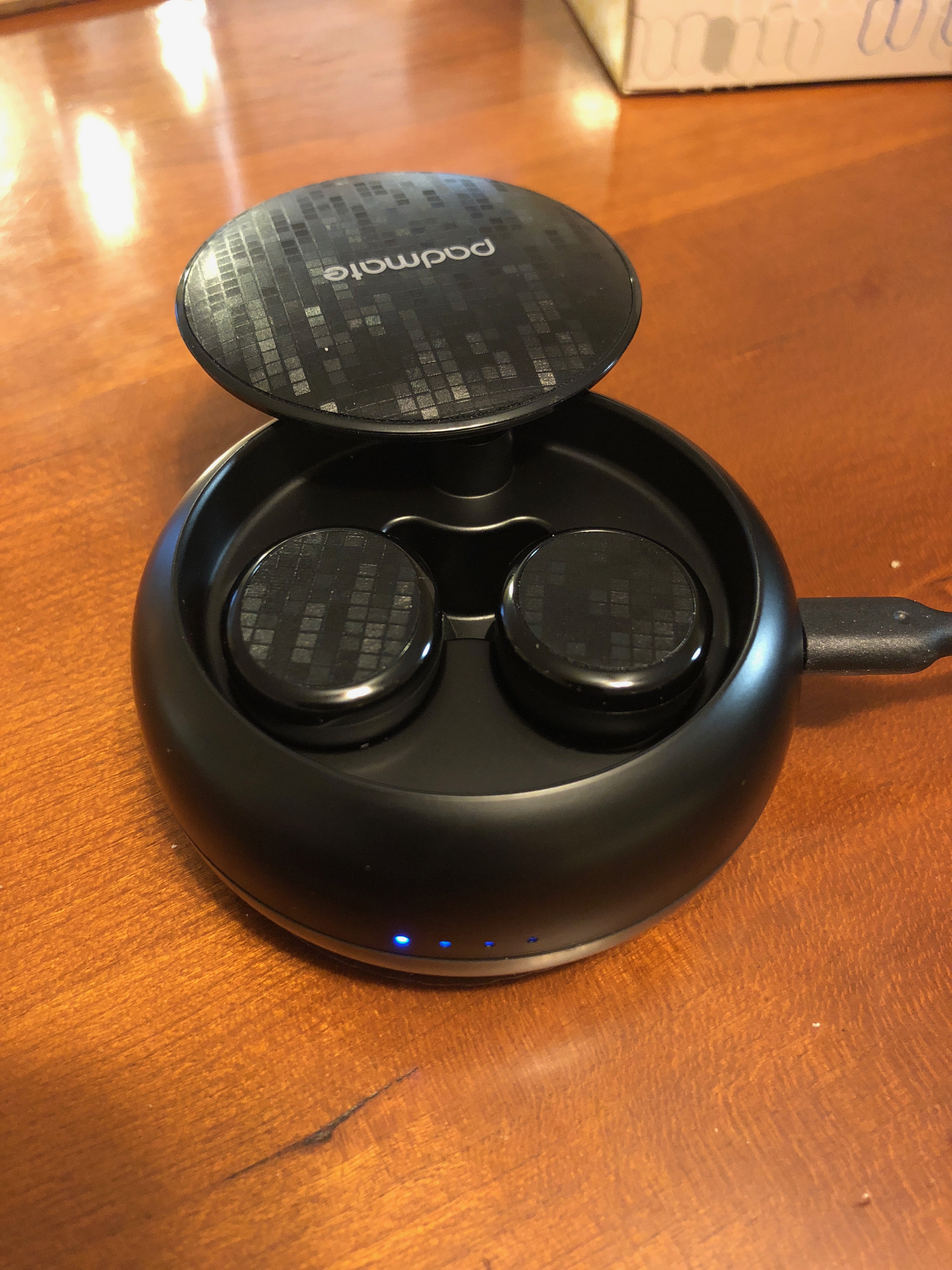
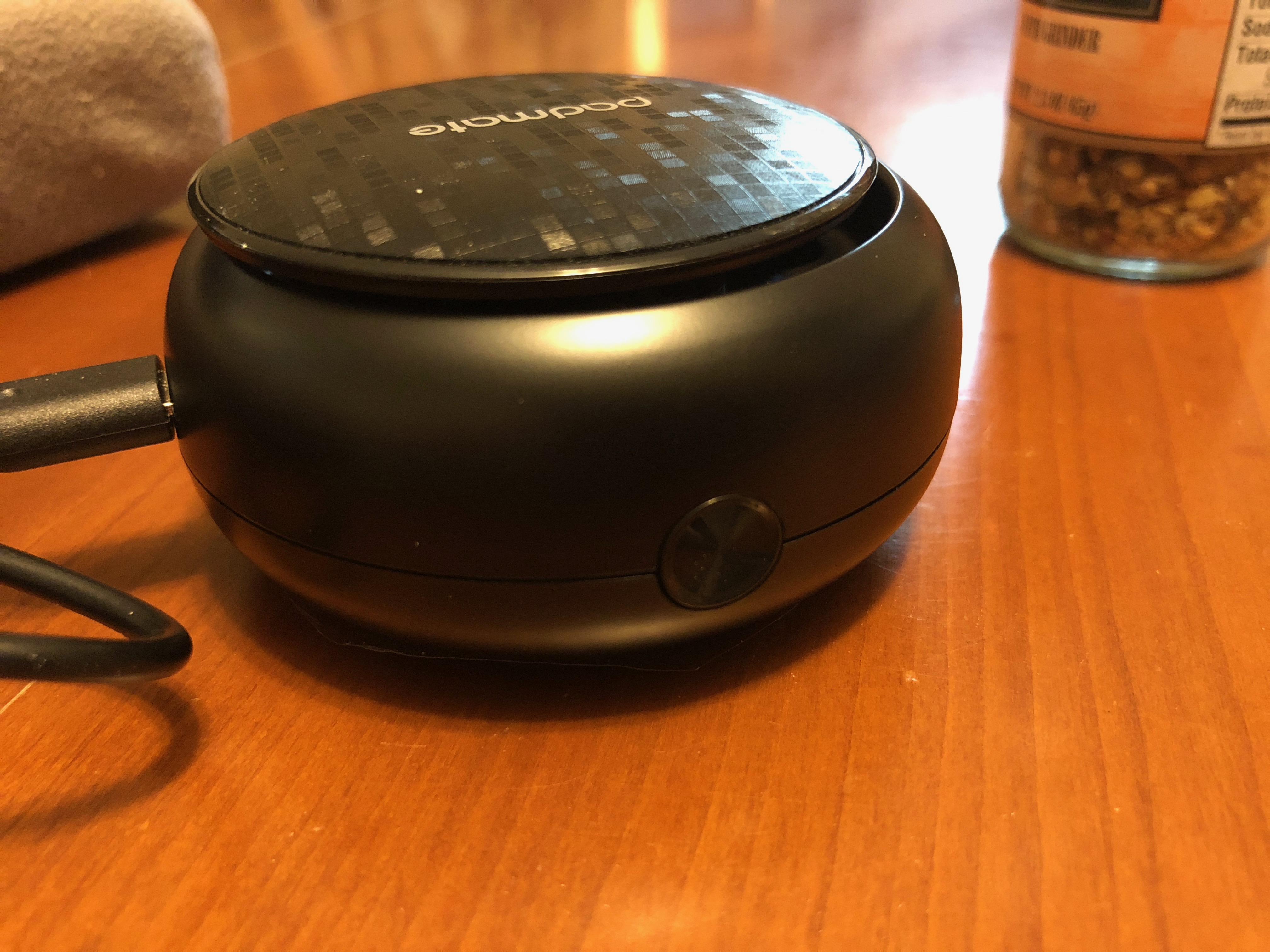
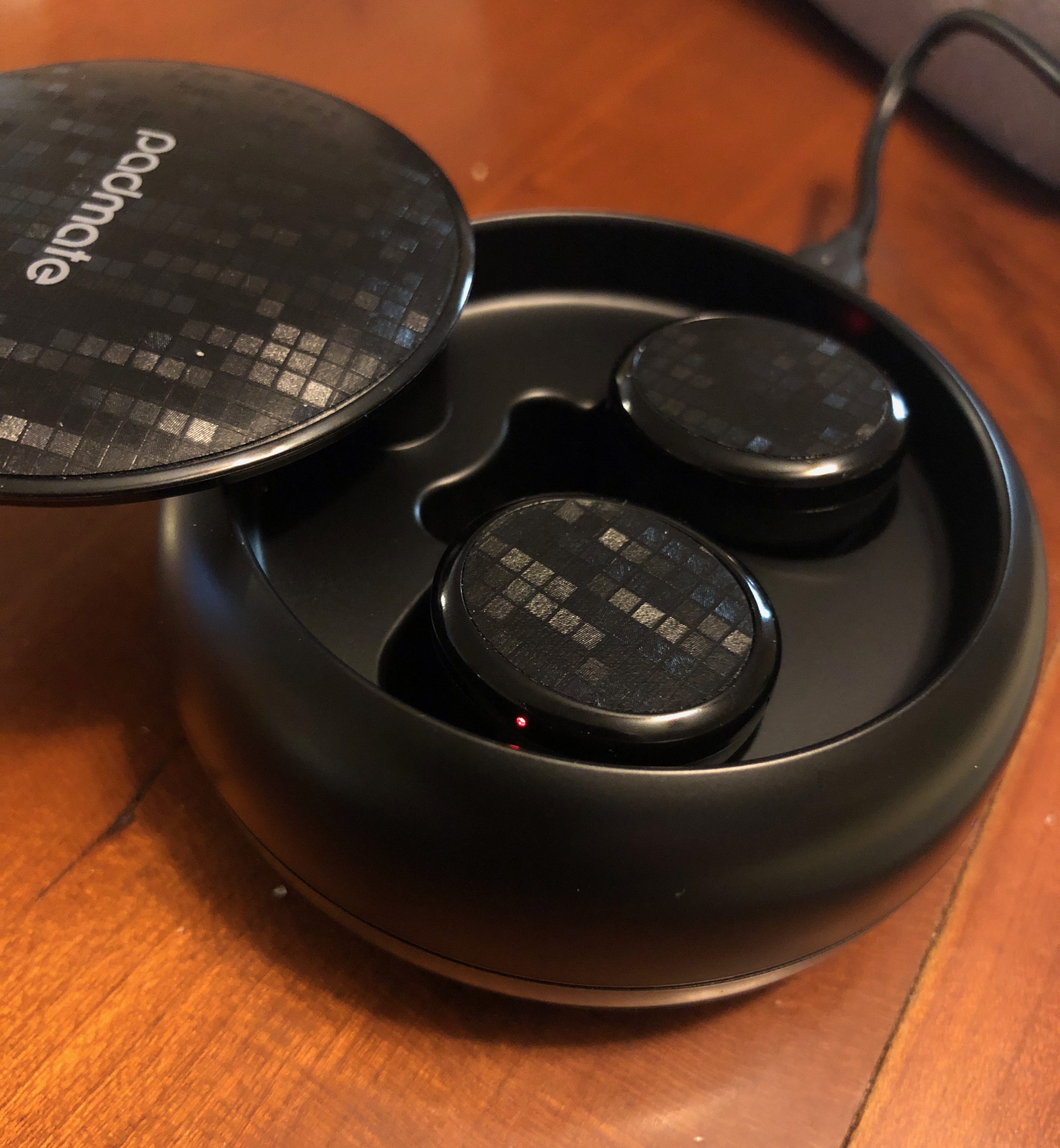
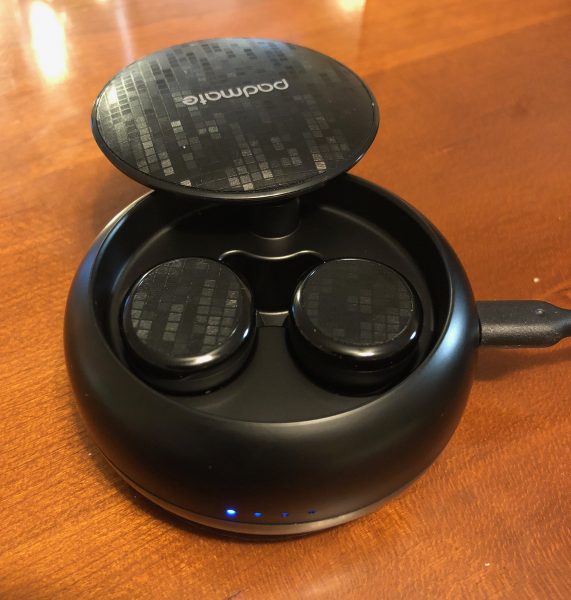
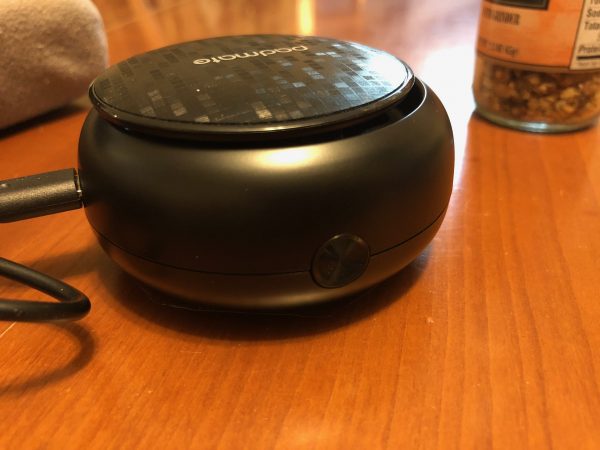
The earbuds are housed in a 2.75” diameter biscuit-shaped docking case with a pop-up cover. Around the outside are three interfaces: a button to release the top, a microUSB port for charging, and a series of four LEDs that indicate the amount of charge remaining in the onboard battery when you remove/replace an earbud or plug the charger in. These are located at 12, 3, and 6 o ‘clock positions, respectively. The case is just over 1.25” thick.

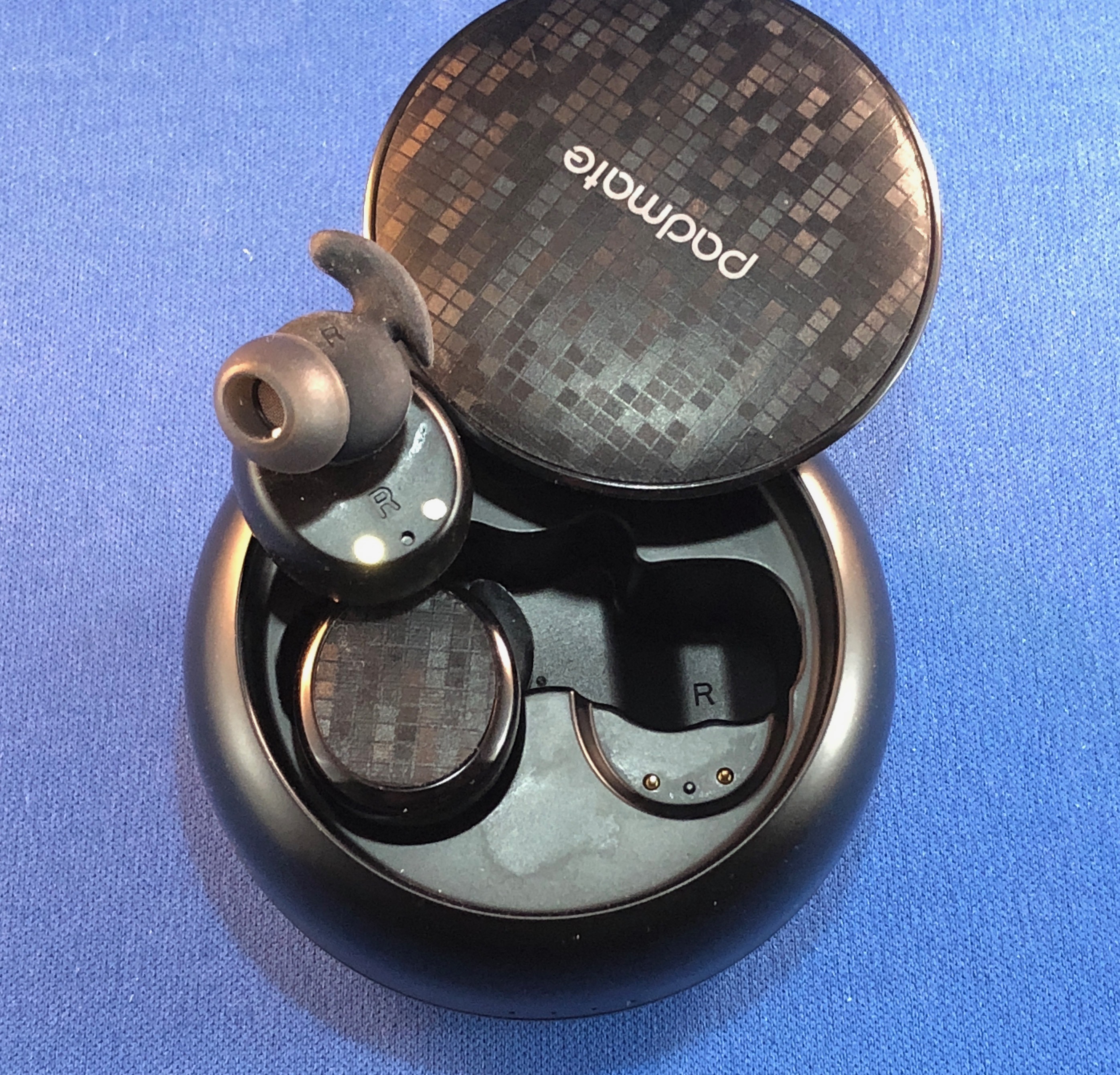
The top surface of the PaMu case has a patterned piece of vinyl material with the “padmate” name printed on it. When you push the lid release button, this entire top pops up and can be swiveled out of the way, revealing the earbuds below.
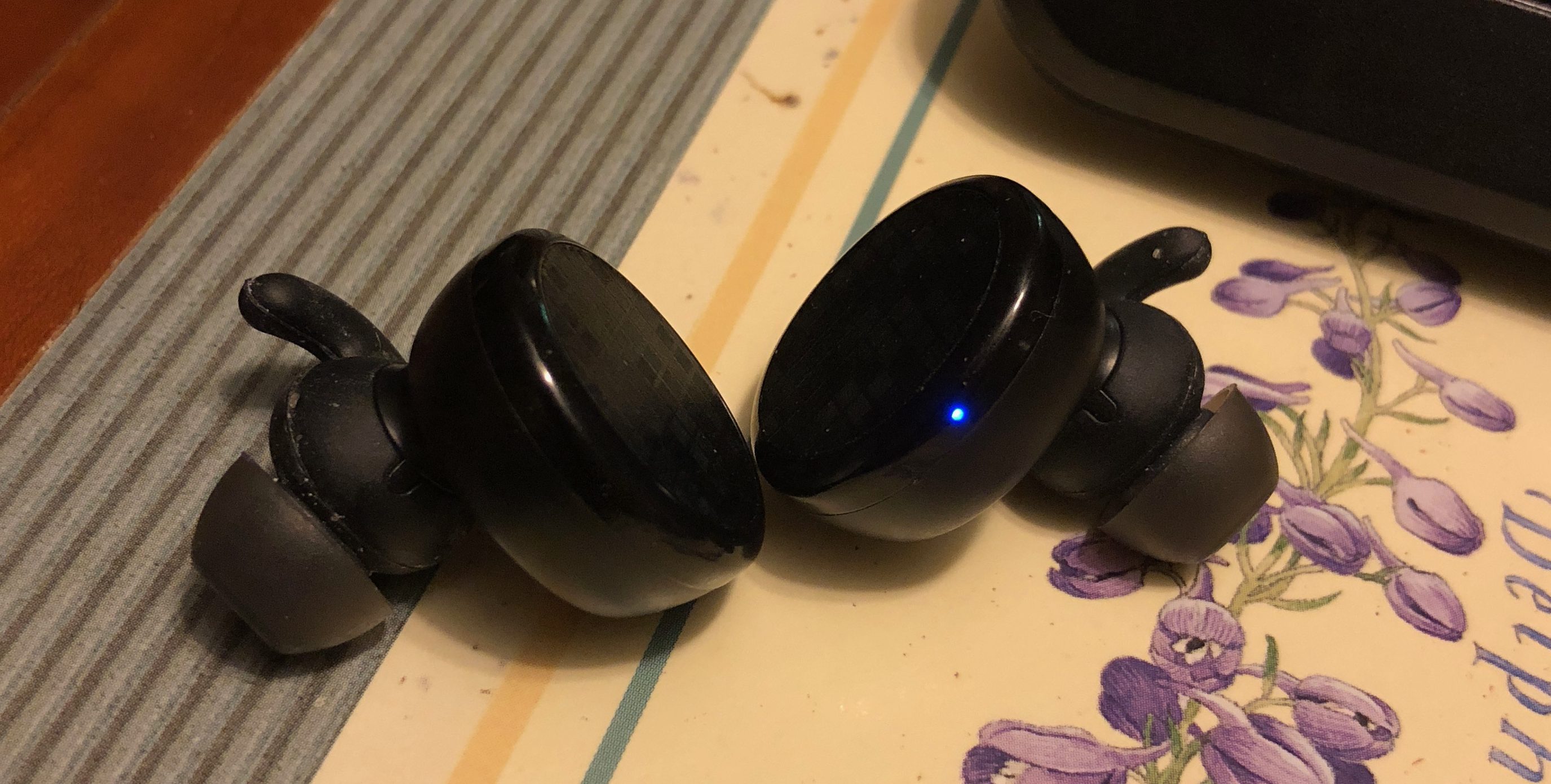
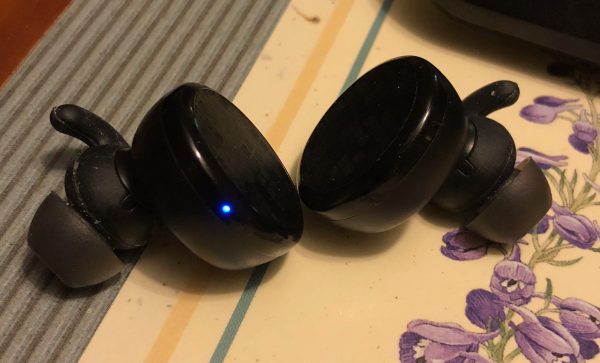
The earbuds are subtly marked on the back side with an L and R for the proper ear. The docking areas also have a letter for correct placement as well. You can’t place them in the wrong dock. There are two retractable pins in the form-fitted docking area for each bud. The outer surface of each earbud is covered in the same patterned vinyl as the cover of the charger, but there is no overprint. There are no markings or visible buttons of any type showing on either earbud, and only the tiniest pinhole LED glowing a solid red until they are fully charged. (Irritatingly, this LED slowly pulses blue while the earbuds are in use.)
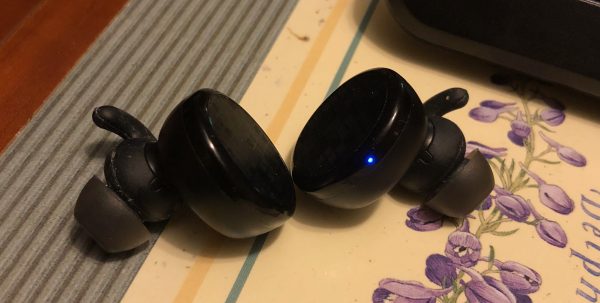

They are held in the charger magnetically, which is a nice touch. There is no doubt which orientation is correct, or whether you have made good contact. You don’t even have to insert them – they are pulled in when you get close. A tiny red LED appears on the outside of each bud to indicate you have placed it in the dock, and the power LEDs on the case light up for just a second or two to let you know they are charging. (see photo below) Very subtle.
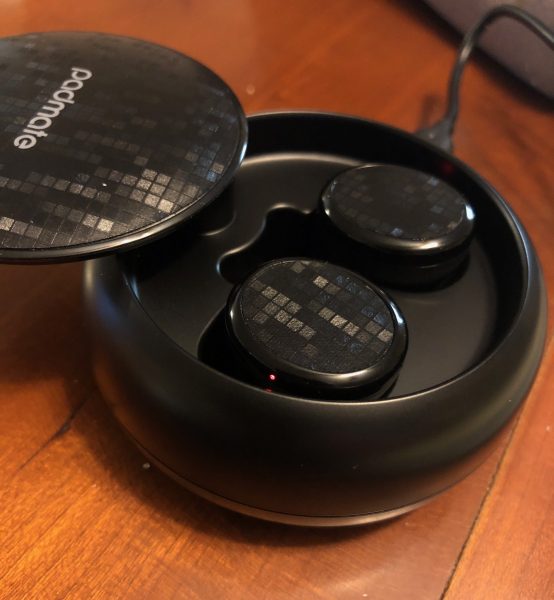

When you remove the earbuds from the base, they start talking to you immediately. They announce which channel they are, and, once they are both inserted, when they are paired with each other. They also announce that they are
“connected” to your device. The voice is very pleasant and clear. This is my third pair of wireless earbuds, and, I must say, the most seamless and impressive set to date. Even the Apple Airpods, which I bought after losing the charger for my first pair, is only on par, not ahead of the PaMus.

Under the vinyl cover of the left earbud, there is a button that will play/pause your device’s sound, or answer/end a call. It doesn’t show at all, and you can’t feel it, but when you tap it, it does what it should. It’s not programmable but does let you stop play in order to speak to someone.

The single thing that bothers me with the PaMus is this: the case feels cheap. The pop-up top feels like it will break off if I sneeze at it. The plastic of the rest of the case just feels thin and cheap. This doesn’t carry over to the earbuds themselves, thankfully. They feel solid and well-made and fit into my ears with a good, sound-insulating seal. The seal is better and far more comfortable than my Apple AirPods, which for sound and comfort are the third-best of the three sets I have used.

Setup

Setup is straightforward. Pairing, disconnecting, and pairing with a second device all work as expected. If you put the PaMus in the case to charge, it releases the device. When you next wake them, it will reconnect to the same device, if it’s in range. If that’s not the device you wanted, you’ll have to disconnect it from that one. Such is the pain of BlueTooth – a true first-world problem!

Performance

The sound is full and, due to the excellent seal, very clear. The bass is good, but they are still earbuds, not large speakers, so it doesn’t jar your body, but it doesn’t get muddy, either. I found the difference between these and the built-in speakers for my iPhone and iPads lacking after having the PaMus in, mostly because of the base. Usually, you go from earbuds to the speaker, and it’s a slight bit tinny, or you notice a little background noise. These are like opening up a window and letting in the traffic noise and kids playing outside. Without the sound isolation, the PadMate buds offer, you can’t really hear your music as deeply.

What I Like

  • Easy to set up and pair.
  • Long play time.
  • Impossible to get the wrong bud it the wrong ear **

What needs to be improved

  • Charging case feels very, very cheap. I’m afraid I will break the lid every time I open it.
  • Earbuds have a tiny blue slow-pulse LED that I couldn’t find a way to turn off.

Final thoughts

I was very interested in trying this product. As mentioned, I bought a set of wireless earbuds (Erato Muse 5) a while back (before Apple had released their AirPods), and liked them a lot. About six months back, I lost the charging dock, so have been unable to use them. I got a set of AirPods for a slight discount from Target or BestBuy or similar, and have been using them, but they don’t seal off outside sound like the Eratos I had been using. The PaMus have the auto-on and easy pairing of the AirPods with the sealed sound isolation of the Muse 5s. With their magnetic auto charge placement, they don’t have the irritating loose fit in the charger that would find one of the Muses not charged after an hour or two. For the price, the PaMus beat out both the AirPods and the Erato Muse5 hands down. I just hope the case doesn’t break.

Price: $109.00 on sale currently for $79.00
Where to buy: PadMate and Amazon.
Source: The sample of this product was provided by PadMate.

**Unless you don’t know that the “Left Channel” should be in your left ear and “Right Channel” should be in your right ear!

Filed in categories: Reviews

Tagged:

PadMate PaMu wireless earphones review originally appeared on The Gadgeteer on July 30, 2018 at 11:00 am.

Note: If you are subscribed to this feed through FeedBurner, please switch to our native feed URL http://the-gadgeteer.com/feed/ in order to ensure continuous delivery.