Minger Govee Wireless Thermometer/Hygrometer Review

REVIEW – Are you one of those folks who think it’s too cold at work? I’m the opposite! I always think it’s too dang hot. Our office building HVAC system seems a little funny to me sometimes, so I thought something like the Govee wireless thermometer/hygrometer that logs data might come in useful.

What is it?

The Govee is a battery-powered device that displays temperature and relative humidity on an LCD screen. The party trick is the ability to record up to 32,000 data points view the records over your smartphone via bluetooth.
Hardware specs

  • Temperature Accuracy: -20°C to 60°C (-68°F – 140°F)
  • Humidity Range: 0 – 99%
  • Humidity Accuracy: ±3%
  • Dimensions: 40mm x 40mm x 16.5mm / 1.57″ x 1.57″ x 0.65″
  • Weight: 40g / 1.4oz
  • Battery: AAA (included)
  • Battery Life: Typ. over 1 year (more in normal conditions, less in extreme cold)
  • Sampling Interval: Every 2s
  • On-board Data Storage: 20 days
  • In-App Data Storage: 2 years
  • Compatibility: iPhone, Android

What’s in the box?

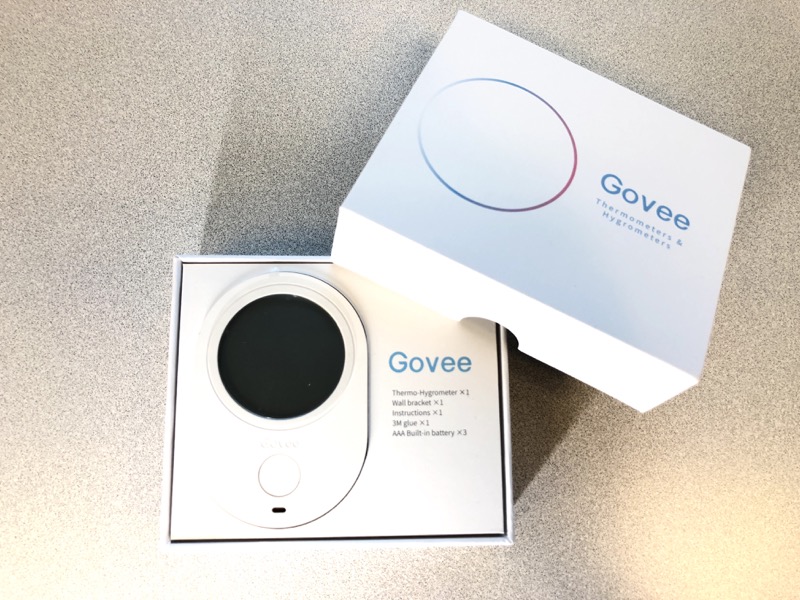
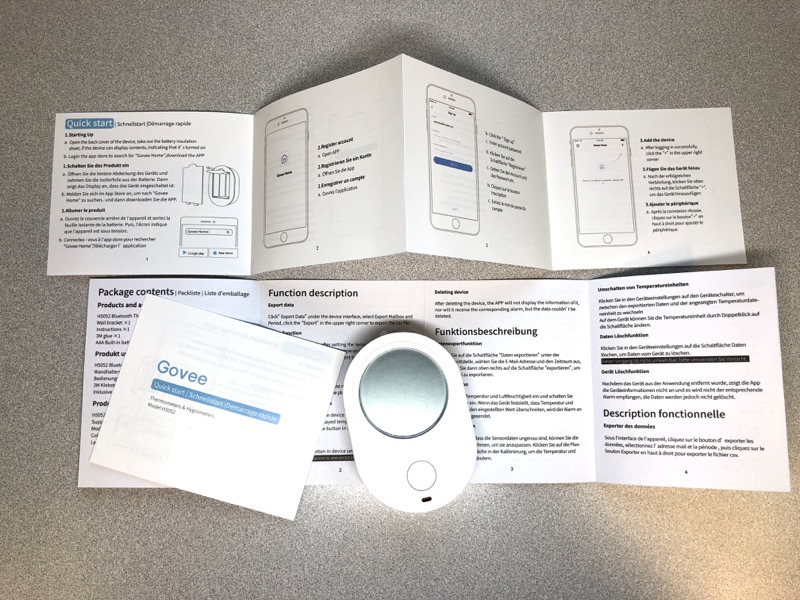
You get the Govee device, a mount with peel-off adhesive, and documentation. AAA batteries included!
Design and features

There’s not a whole lot with the device itself. There’s only one button on the front to switch between Celsius and Fahrenheit.
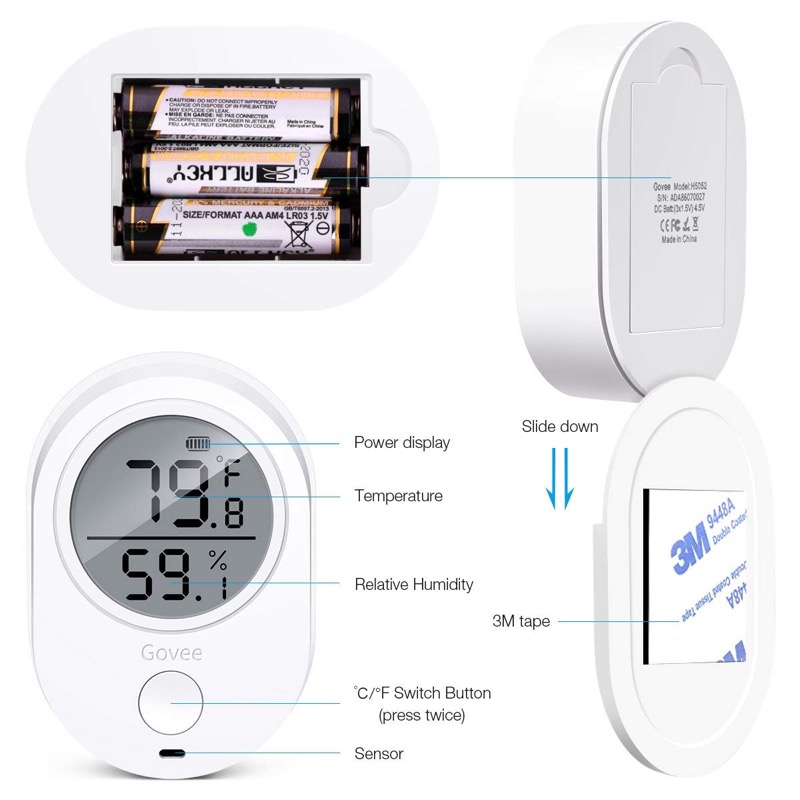
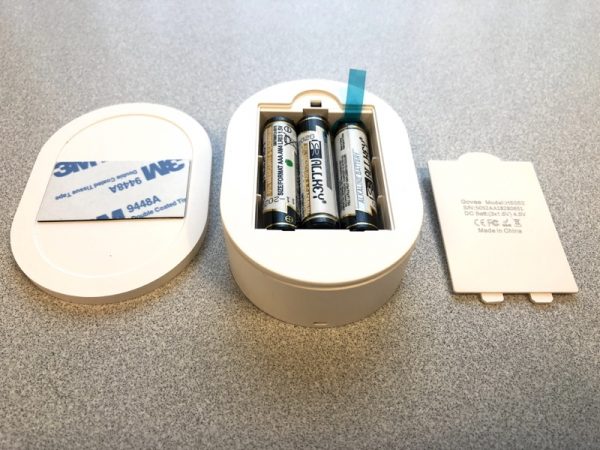
Don’t forget to pull the little plastic tab from the included batteries!
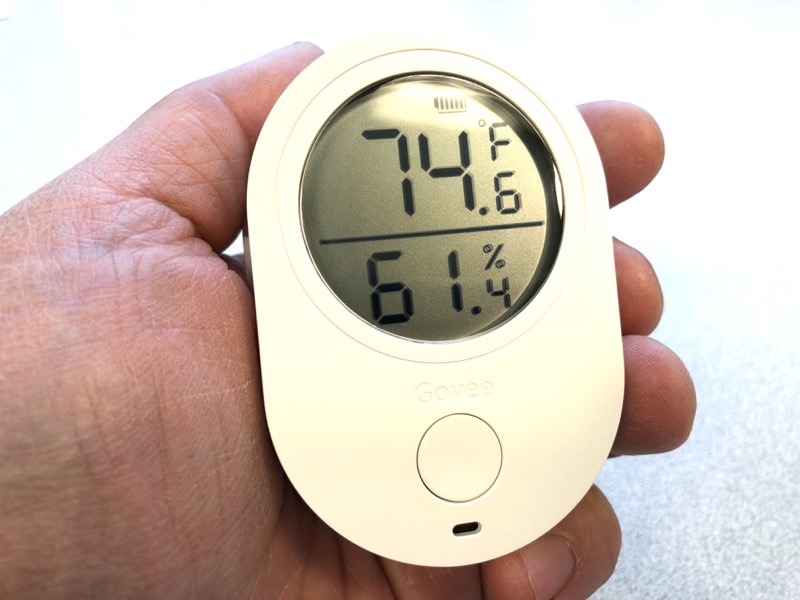
The device itself fits in the palm of your hand, with an easy to understand LCD display with a battery icon on top.
Setup

I downloaded the iOS app “Govee Home”, shown below. It’s free.
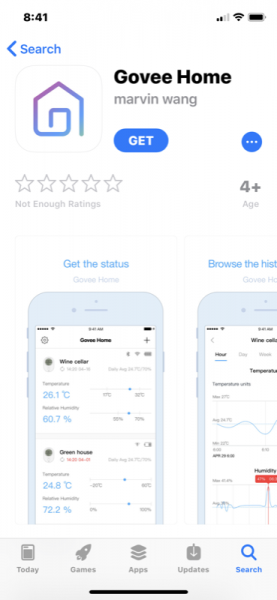
For some reason, you have to sign up with an email and password. I don’t know why and I’m not too crazy about this.

Performance

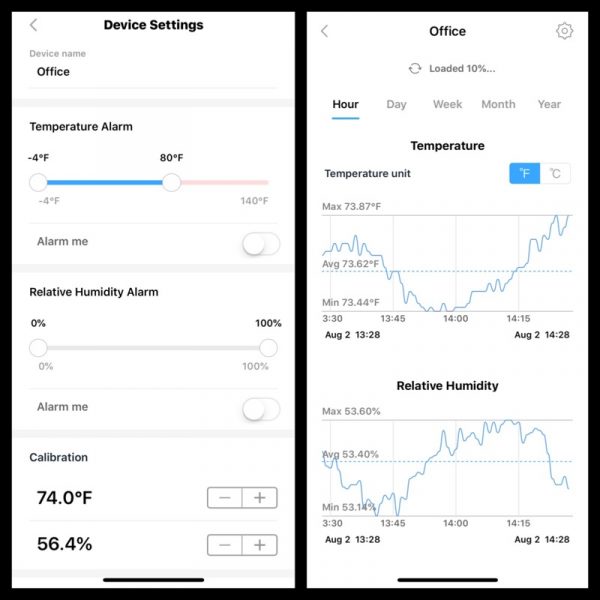
Once your smartphone is paired with your Govee, you can make changes to your settings. Note the temperature alarm slide on the left. I set the upper range to 80F to see what would happen. More on that later.

On the right is a snapshot of the data over a brief period. You can slide the records left and right in time.

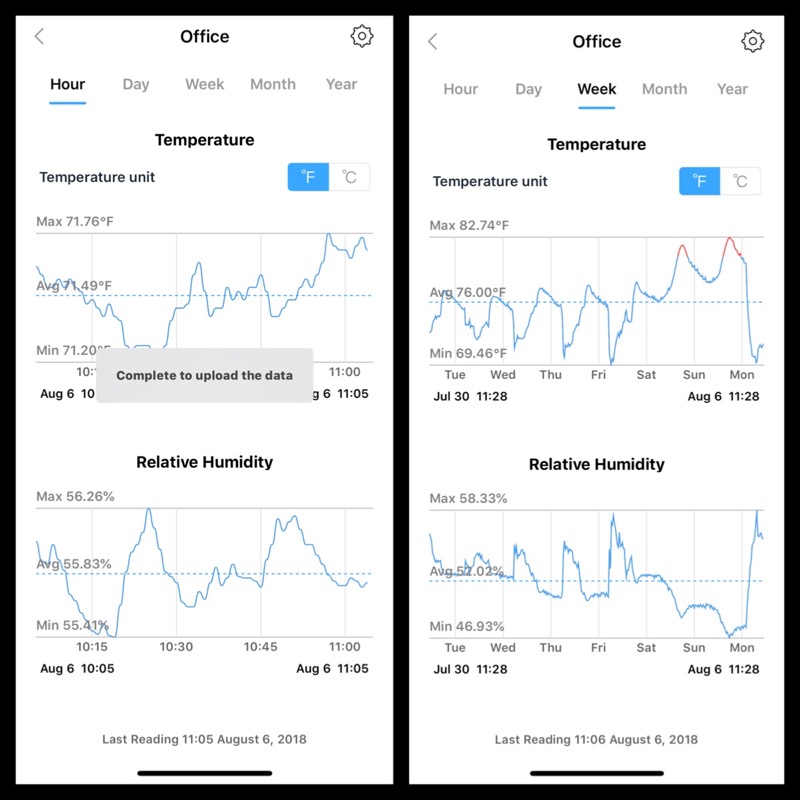
Once the data is uploaded to your phone, you get the grammatically questionable “Complete to upload the data”. (Attention programmers: “Data upload complete” is shorter and better.)

I let the Govee sit in my office for a week to get a sense of what was going on with the temperatures. See the red peaks on late Saturday and Sunday? Those are times when the recorded temperature exceeded the limits I set at 80F. It appears that over the weekend, the air conditioning (what little there is) is shut off to save energy.
What I like

Simple to set up. Data is easy to interpret on a smartphone.

What needs to be improved

Maybe not for you if you’re paranoid about setting up an email and password for an app. The grammar choices bug me a little.

Final thoughts

Easy, straightforward, and batteries included. I like it!

Price: $42.99
Where to buy: Amazon
Source: The sample for this review was provided by Minger.

Filed in categories: Reviews

Tagged:

Minger Govee Wireless Thermometer/Hygrometer Review originally appeared on The Gadgeteer on August 13, 2018 at 9:00 am.

Note: If you are subscribed to this feed through FeedBurner, please switch to our native feed URL http://the-gadgeteer.com/feed/ in order to ensure continuous delivery.
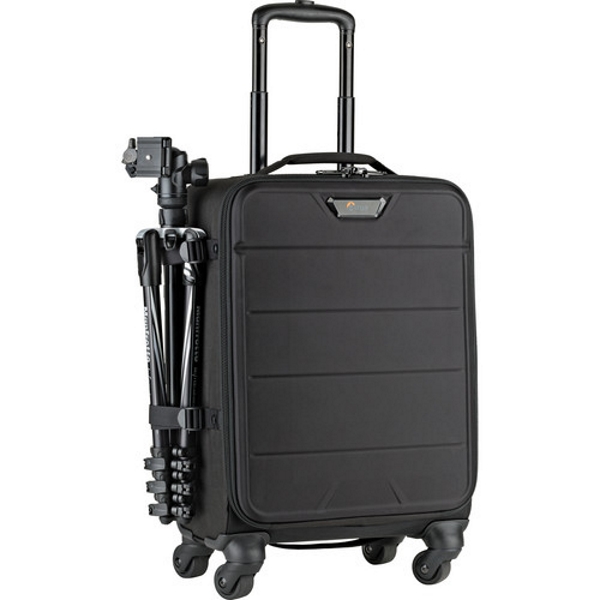
The Lowepro PhotoStream SP 200 Roller Camera Bag will ride with you on every shoot


NEWS – For the many years that I have been a photographer, I have always struggled with finding the right equipment bag for event photography such as weddings. For quite a while I felt like this was my personal issue, but the more I chatted with fellow photographers, the more I realized that we all seem to be dealing with this type of struggle, and we all have accumulated numerous bags along the way of this relentless and never-ending search.

This summer, I have been using my Lowepro 400AW backpack exclusively, and primarily because I have been shooting outdoors a lot and it functions well when walking around. Also, I have taken a break from or maybe just surrendered to the futility of the search, at least for a bit.

However, just the other day I became excited again when I came across the LowePro PhotoStream SP 200 Roller Bag. After looking at some YouTube videos and seeing the capacity, strength, and all-around versatility, I am thinking that this may just be the version of the LowePro bag I am seeking. It can hold 2 DSLR camera bodies, several lenses depending on the size, a laptop, and it seems to have enough space for all of the necessary accessories. It also works as a carry-on and seems like it can take a beating and still keep your equipment safe.

If you would like to learn more about the LowePro PhotoStream SP 200 Roller Bag, or if you would like to purchase one, you can head over to B&H Photo Video or Amazon and pick one up for $299.95.

Filed in categories: News

Tagged: ,

The Lowepro PhotoStream SP 200 Roller Camera Bag will ride with you on every shoot originally appeared on The Gadgeteer on August 13, 2018 at 8:00 am.

Note: If you are subscribed to this feed through FeedBurner, please switch to our native feed URL http://the-gadgeteer.com/feed/ in order to ensure continuous delivery.
Julie’s gadget diary – The Samsung Note9 is one step closer to my dream device

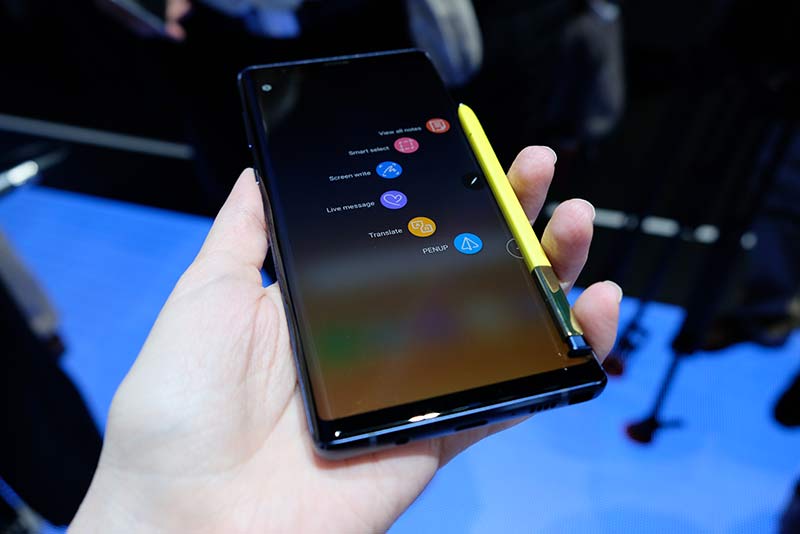
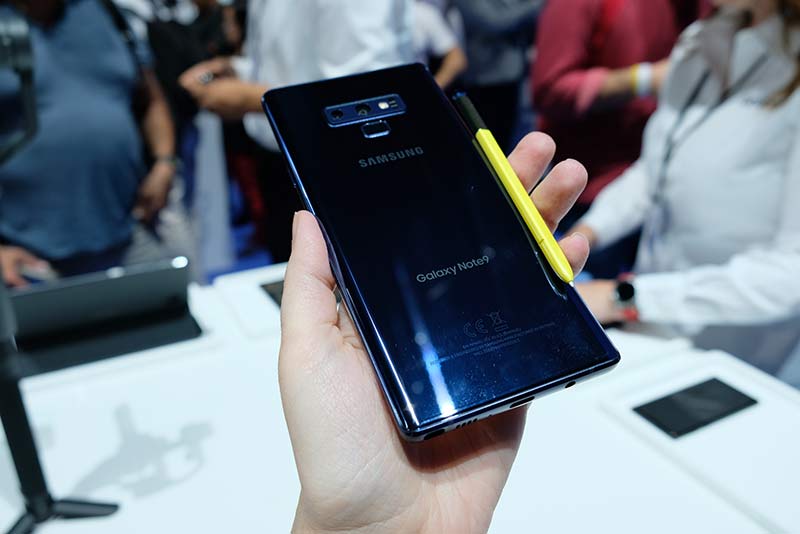
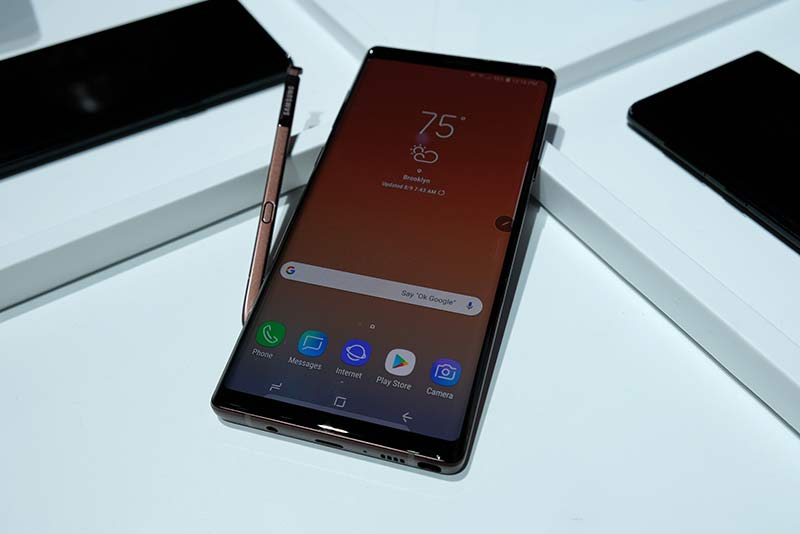
ARTICLE – Three days ago Samsung officially rolled out their newest device, the Galaxy Note9 at their Unpacked event in New York City. The Note line of devices has always been the most powerful, feature-rich smartphones of Samsung’s mobile line up and this year’s new Note does not deviate from that tradition.

The Note9 boasts Samsung’s largest capacity battery for a flagship device. At 4,000mAh, the Note9 will have enough juice to power through your day with time to spare.

The 6.4-inch AMOLED display means you won’t be squinting while reading your favorite content and you’ll have lots of room to store files and images because the Note9 is ready for up to 1TB of additional storage when you add a 1TB microSD card. I don’t even have 1TB of space on my laptop! Which brings me closer to my decade’s long dream of having one-device-to-rule-them-all. It’s actually a dream that I’ve had from way back in the Palm Pilot days when I daydreamed about having a handheld device that could plug into a slot in my desk at my day job to do work with a monitor, keyboard, and mouse. And then it could plug in at home into a smaller setup for work (and play) there.

The Samsung Galaxy Note9 is the closest device yet to make that dream a reality. Even the new low power Bluetooth S Pen makes this new device more attractive to me than an iPad Pro with an Apple Pencil just because it’s so much more portable and pocket-friendly.

I keep hoping that the day is coming very soon when I can ditch my MacBook and go all in with either an iPhone or an Android phone and make it my only phone/camera/computer and that time is so close for me right now because of Samsung’s DeX feature. I reviewed their Dex Station last year and found it to be pretty cool, but this year the stand-alone DeX station is not even necessary because all you have to do is use a Type-C HDMI adapter with the phone to plug it into a monitor and you’re all set to use a desktop-like interface from your phone. It remains to be seen if some of the issues that I noticed with last year’s DeX have been fixed with the Note9’s version of DeX, but I’m excited to get my hands on the new Samsung Galaxy Note9 to find out.

The Note9 will come in two new colors: Ocean Blue and Lavender Purple, and will retail for $999.99 for the 128GB option and $1,249.99 for the 512GB option. You can pre-order now and the phone will be available online starting August 24th through Samsung, Amazon, Best Buy, and other retailers.

What do you think? Can you see yourself only using a phone as your main computer? Or maybe you already do this? Let me know as I’m interested in hearing about your workflow.

Pictures courtesy of Helena Stone of Geekspin.

Filed in categories: Articles

Tagged: ,

Julie’s gadget diary – The Samsung Note9 is one step closer to my dream device originally appeared on The Gadgeteer on August 12, 2018 at 4:26 pm.

Note: If you are subscribed to this feed through FeedBurner, please switch to our native feed URL http://the-gadgeteer.com/feed/ in order to ensure continuous delivery.
Airstream Classic travel trailers are your smart home on wheels

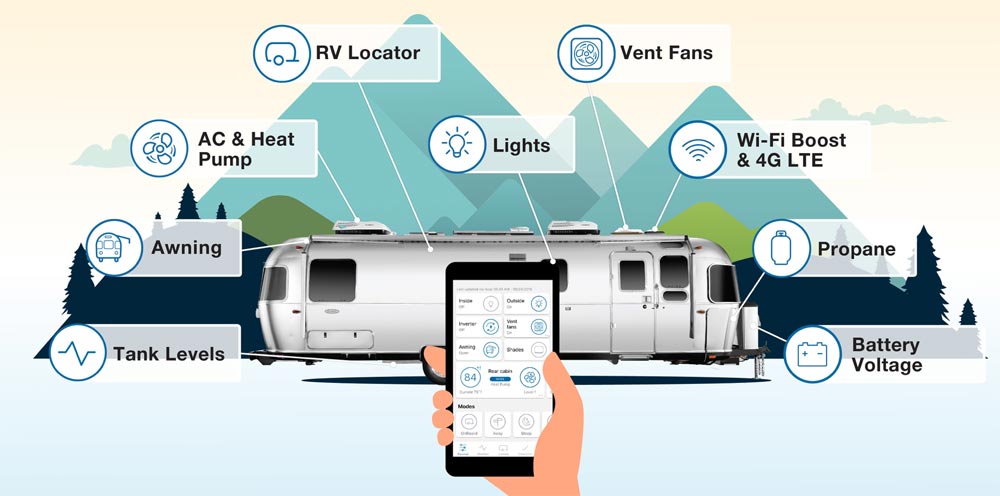
NEWS – Earlier this month, Airstream announced that all of their new Classic travel trailers can be outfitted with Airstream Smart Control Technology.  With a smartphone app, you’ll be able to monitor and control many of the functions of your Classic trailer.  Smart Control adds the following features:

Stay connected – to your Classic, to Airstream, and to friends and family

  • Dedicated 4G LTE data, so you can connect from just about anywhere
  • Direct-dial access to Airstream Customer Service, owner’s manuals, and FAQs
  • Boosted Wi-Fi signal for greater connectivity

Stay comfortable – with all the comforts and conveniences of home

  • Set the indoor temperature and control the vent fans
  • Turn interior and exterior lights on or off
  • Extend or retract your awning

Stay in control – with remote monitoring and control of several key RV features

  • Monitor propane, fresh water, and holding tank levels
  • Check battery voltage
  • Locate your RV

The app will even help you prepare for your trip with sets of checklists to make sure you have everything you need.

When traveling with the Airstream Classic equipped with Airstream Smart Control Technology, you’ll have all the comforts and controls of home – in a gorgeous, shiny, retro package!  The Airstream Classic starts at $149,900.  Learn more about Airstream Classic trailers and Airstream Smart Control Technology at the Airstream website.

Filed in categories: News

Tagged: ,

Airstream Classic travel trailers are your smart home on wheels originally appeared on The Gadgeteer on August 12, 2018 at 12:30 pm.

Note: If you are subscribed to this feed through FeedBurner, please switch to our native feed URL http://the-gadgeteer.com/feed/ in order to ensure continuous delivery.
ELEGIANT 300Mbps Wireless Signal Booster WiFi Repeater review


REVIEW – When I  use my own mobile hotspot at work, I often lose connection to it as I roam about my floor which is quite large. Knowing that an extender/repeater could possibly provide a solution for better coverage and signal strength, I accepted the offer to test this device that boasted an easy installation and solution.

What is it?

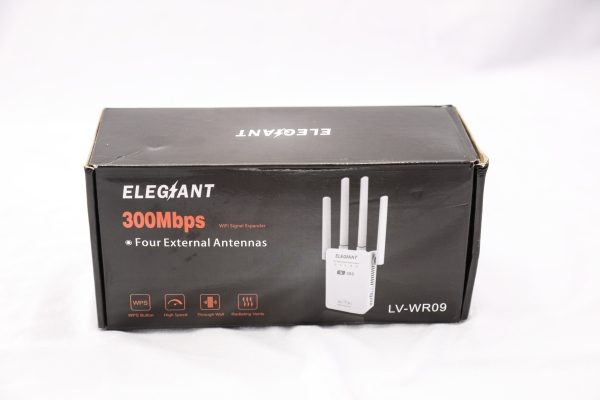
The ELEGIANT 300Mbps Wireless Signal Booster WiFi Repeater is a device that can work as a signal relay or access point to provide extended wireless access to your router.

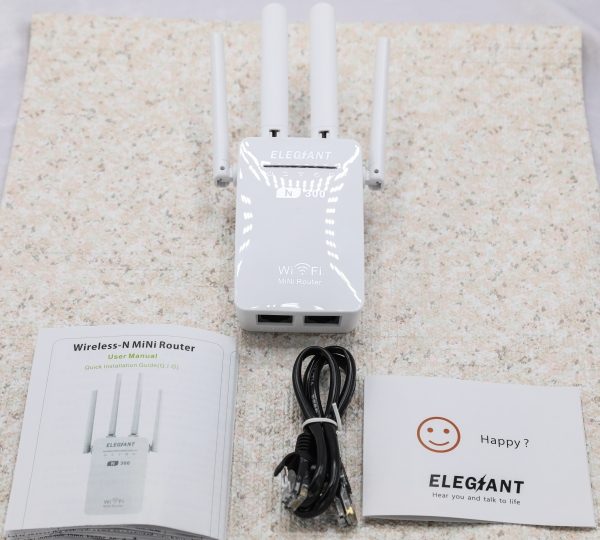
What’s in the box

1 x ELEGIANT 300Mbps Wireless Signal Booster WiFi Repeater

1 x Ethernet Cable

1 x Instruction Leaflet

1 x Contact Card

Design and features

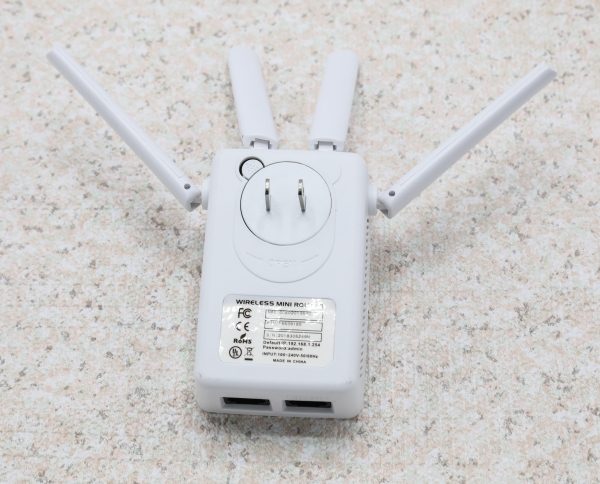
The ELEGIANT 300Mbps Wireless Signal Booster WiFi Repeater is a small white box measuring 4″ x 1″ x 2.25″, with 4 antennas attached and a built-in AC plug.  The antennas are on hinges that allow you to move them around for the best signal strength. On the front of the device, there are 5 LEDs that represent the following from left to right:
1. Power
2. WPS
3. WLAN
4. WAN
5. LAN

It operates in 3 modes: Repeater Mode, AP Mode, and Router Mode. In the router mode, you can create a wireless network and share Internet access with to multiple Wi-Fi devices. In the repeater mode, you can extend the wireless coverage range, and in AP mode you can connect to a wired network and share your internet connection. It provides 360-degree coverage.


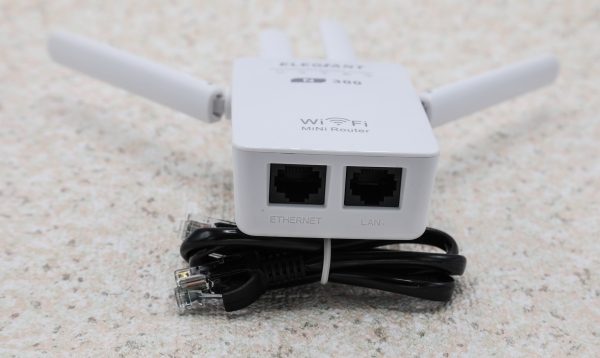
On one of the short side of the device, there are 2 Ethernet ports for the WAN and LAN connections.


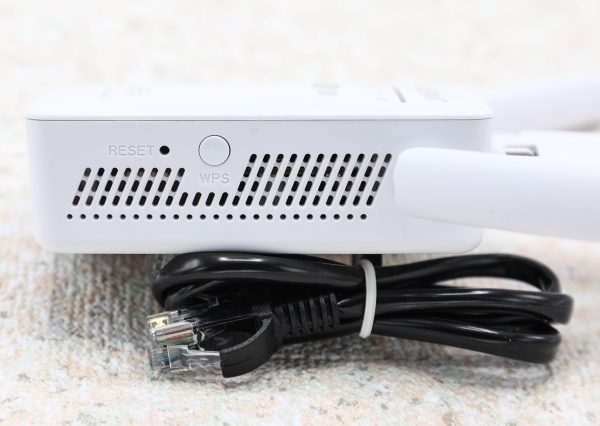
On one of the long sides, there is a Reset button, a WPS button, and air vents.

Performance

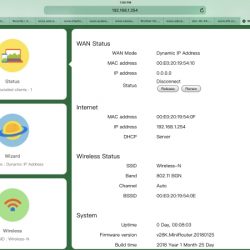
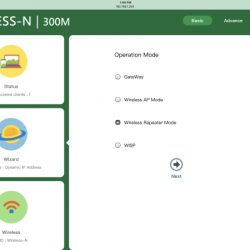
The instruction booklet gave precise directions, and setup was easy once I connected to the Elegiant. I used my iPad Pro 12.9 to set up the device, and I did have to try a few times including starting over and refreshing the browser to get all of the settings to load completely. This started with the login screen. Since this could be caused by uncontrollable things like environmental interference, I will not blame the device. However, the distance between the Elegiant and my mobile hotspot was only about 2 feet. The actual configuration process was very easy and straightforward. For this review, I set mine up in the relay mode to extend the signal coverage. Here are some of the setup screens:


I work in a high security IT environment, and signal interference is very present. For several reasons, I was only able to place the repeater about 3 feet away from my mobile hotspot. Nevertheless, I was completely impressed by the performance of this device. It literally doubled my wifi range and that is despite the fact that when I move around my floor, there are multiple security doors in between me and the repeater. Based on this experience, I suspect that the other 2 modes will provide the same level of performance.

What I like

  • The small and compact size
  • The user-friendly browser GUI
  • The consistent wireless range it provides

What can be improved

  • The browser settings and how slowly and inconsistently they load.

Final thoughts

The ELEGIANT 300Mbps Wireless Signal Booster WiFi Repeater is a very useful device that performs a very useful and needed function and does it very well. The small footprint means that it can be present but hidden, and the range is superb for its specifications. I do know that there is an AC1200Mbps version that is available, and likely provides even more range and an even stronger signal. Based on the performance of this 300Mbps model, I am very pleased and now very eager to get the chance to test the 1200Mbps model.  For the price, this is a win.

Price: $19.99
Where to buy: Elegiant website or Amazon.
Source: The sample for this review was provided by Elegiant.

Filed in categories: Reviews

Tagged: ,

ELEGIANT 300Mbps Wireless Signal Booster WiFi Repeater review originally appeared on The Gadgeteer on August 12, 2018 at 11:30 am.

Note: If you are subscribed to this feed through FeedBurner, please switch to our native feed URL http://the-gadgeteer.com/feed/ in order to ensure continuous delivery.