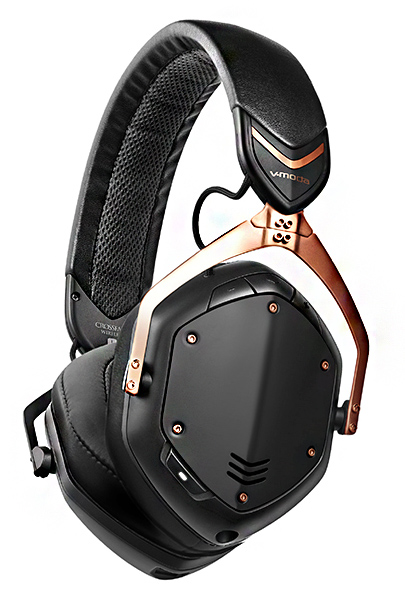
V-MODA permanently cuts prices on award-winning products

NEWS – One of the frustrating parts of reviewing and recommending audio gear is that the price usually reflects the quality. With rare exceptions, that means the cost is more than many are willing to pay. However, as time passes, prices drop simply because great tech trickles down into more affordable gear or the same item becomes less expensive. Such is the case with V-Moda. I’ve reviewed—and liked—their Crossfade 2 Wireless headphone and Remix Bluetooth speaker. Now, V-Moda has permanently reduced prices on some of their more popular products.

While the Crossfade 2 headphones are still not cheap, they are cheapER—by $50-$70, selling for $279.99, so they are even more of an audio bargain than last holiday season. If you’ve been holding out, now may be the time to consider these terrific headphones. They are that good. As I said in my review, “V-Moda clearly has a winner with the Crossfade 2 Wireless headphones. They’re not cheap, but if you want a pair of headphones that fit that middle spot where they sound good with all kinds of music, are built like a tank and are wireless, then the Crossfade 2 Wireless headphones will start to look like a bargain.”
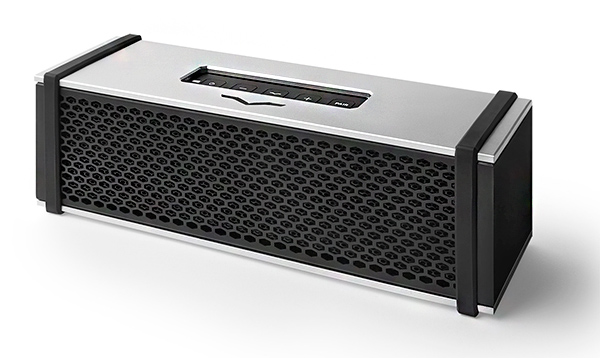
The Remix Bluetooth speaker gets an even bigger price reduction—down from $299.99 to $199.99. I said in my review at the time, “How does the V-Moda speaker sound? For its size, the Remix sounds great. If you like plenty of bass, this is the speaker to get.” ‘Nuff said.
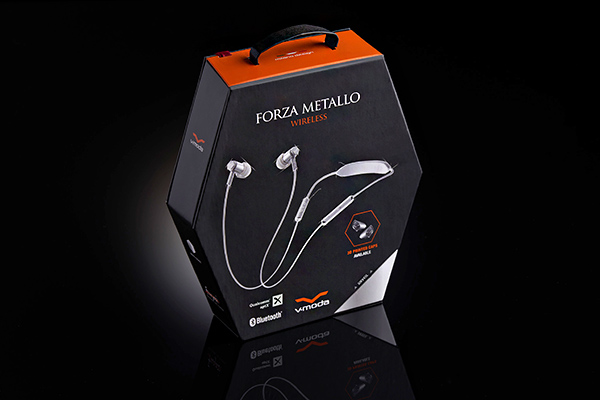
The Forza line of earphones have also been reduced from $20-$40, depending on the model. Gadgeteer reviewer Howard Sneider said of the Forza Metallo wireless earphones, “The Forza Metallo Wireless earphones are a great sounding set of wireless earphones that rival the sound produced by many wired earphones. They are comfortable to wear and quick to charge.”

V-MODA has sweetened the deal even more by offering complimentary 3D printed fiber or 2D laser-engraved custom shields worth up to $70 to their line of on-ear and over-ear headphones.

These price reductions are in effect now at either Amazon or V-Moda. Visit v-moda.com for information.

Filed in categories: News

Tagged:

V-MODA permanently cuts prices on award-winning products originally appeared on The Gadgeteer on August 16, 2018 at 10:00 am.

Note: If you are subscribed to this feed through FeedBurner, please switch to our native feed URL http://the-gadgeteer.com/feed/ in order to ensure continuous delivery.

BenQ ScreenBar Plus LED Lamp Review

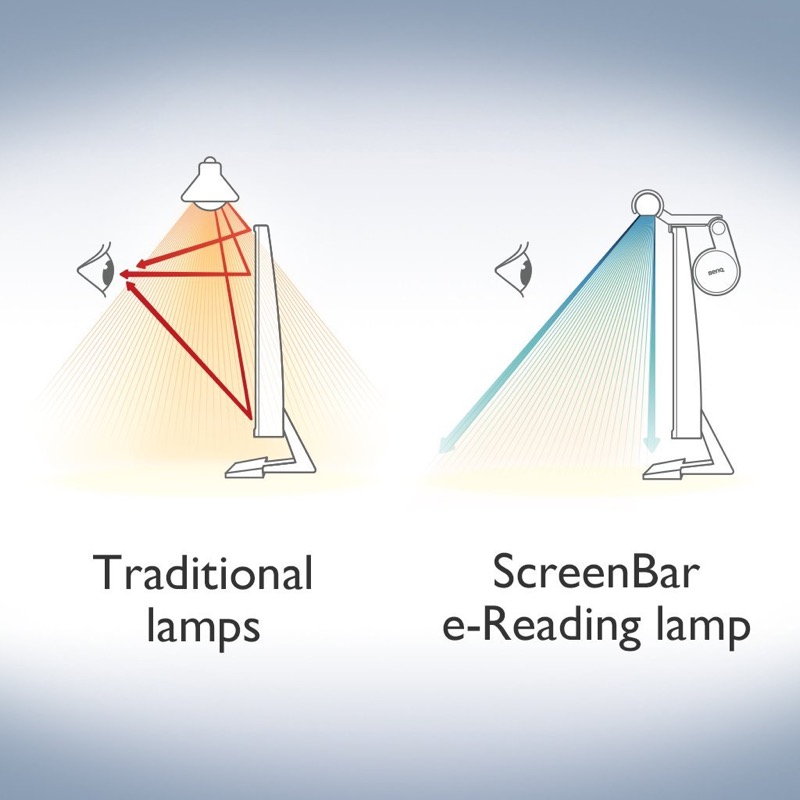
REVIEW – At home, I do most of my “work” at my computer desk paying bills, sorting papers, and staying up late. Lighting up my workspace has always been a little tricky since the computer screens themselves give of light and can get in the way. The BenQ ScreenBar Plus is a lamp that sits atop your monitor in a way that gives off even illumination without getting in your way.

What is it?

The ScreenBar Plus is an LED lamp that doesn’t add glare to your monitors, yet provides an even pool of light in your work area. It’s dimmable and color temperature adjustable.

Hardware specs

  • USB powered
  • Color temperature adjustable between 2700K and 6500K
  • Auto-dimming
  • Fits on any monitor thickness from 0.4″ to 1.2″

What’s in the box?

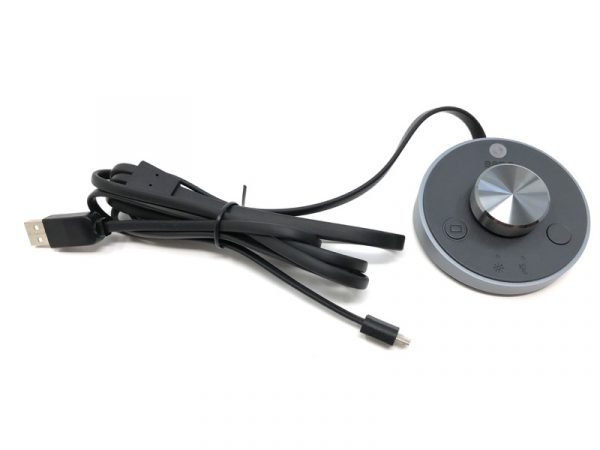
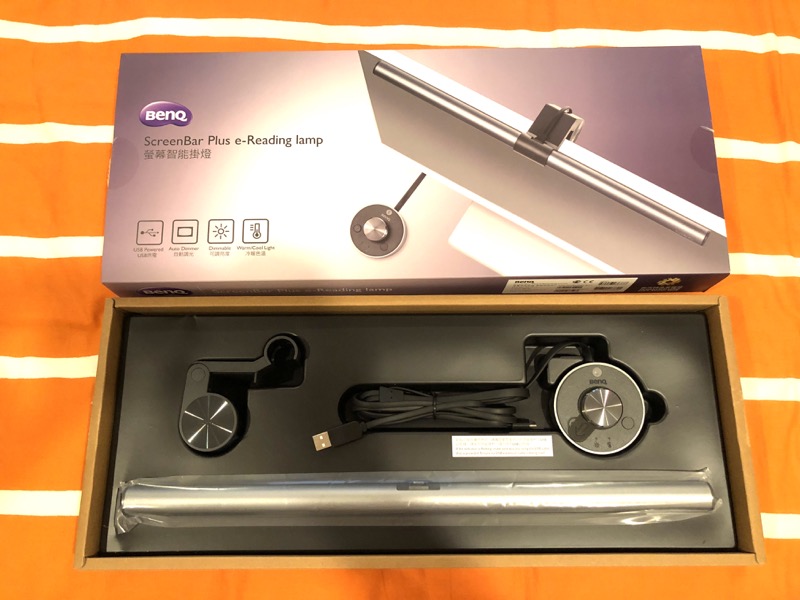
You’ll find the LED tube, the monitor clip, and a round controller with USB cables.

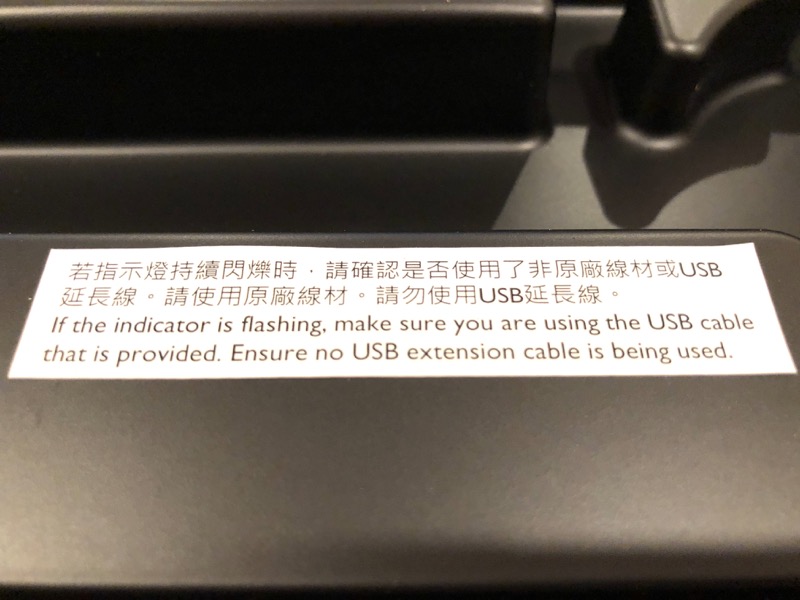
There’s a warning sticker in the box too. I guess they really don’t want you to use a USB extension.

Design and features

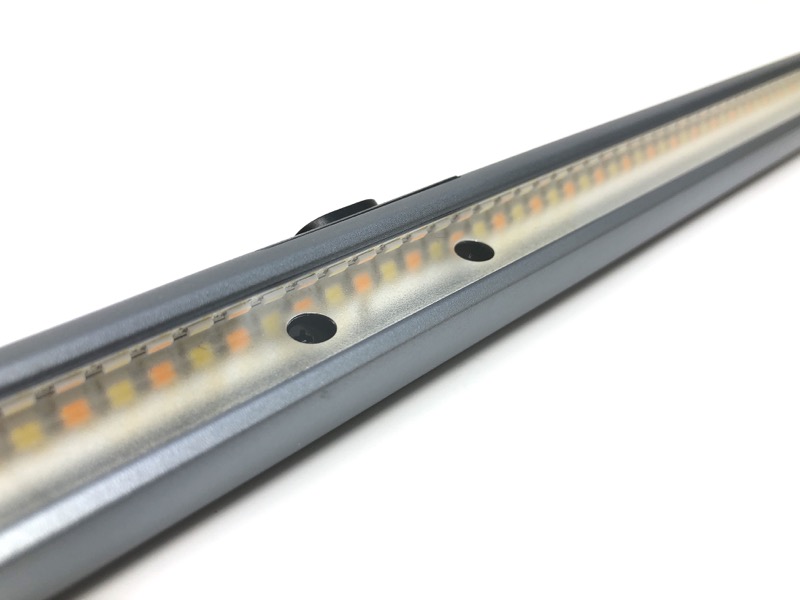
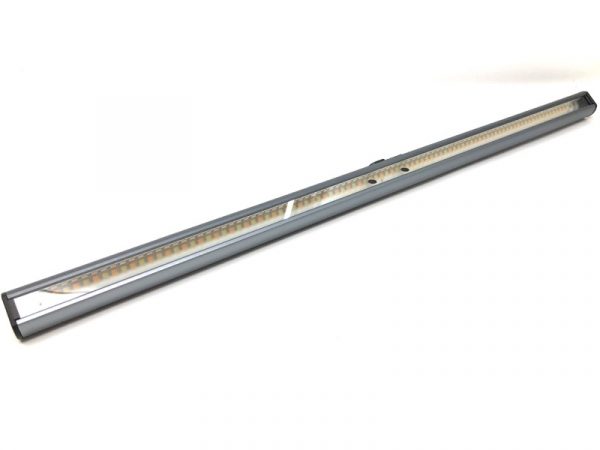
The LED tube itself has tiny, individual LED lights all along the length of the assembly.

Note that there are actually two “colors” of LED lights. The lamp is able to adjust between the two.

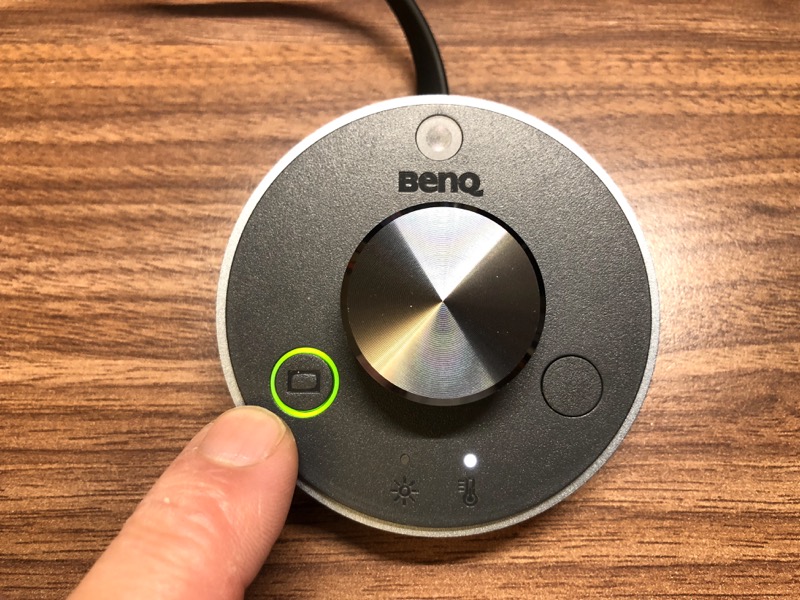
The controller has a cord permanently attached to it. There’s a standard USB-A for power, and a micro USB for the lamp itself.

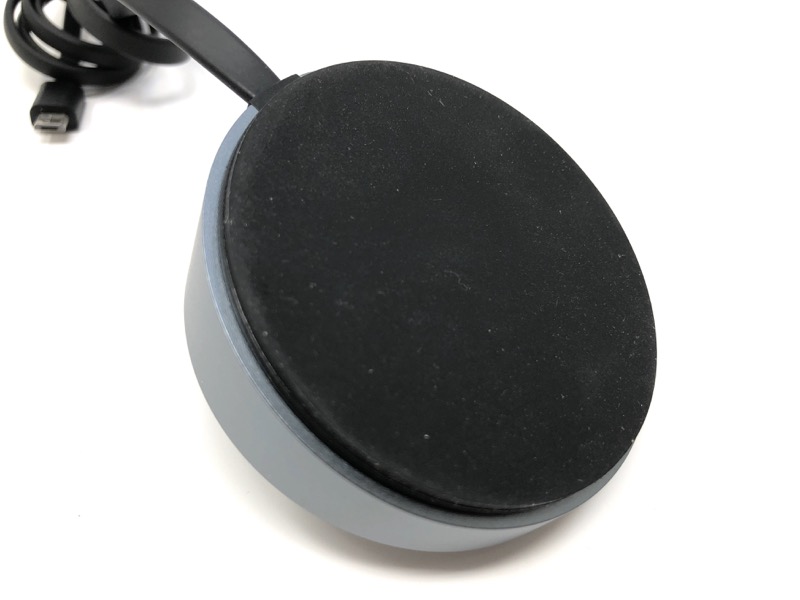
The bottom of the controller has a large, non-skid pad. It feels rubbery.

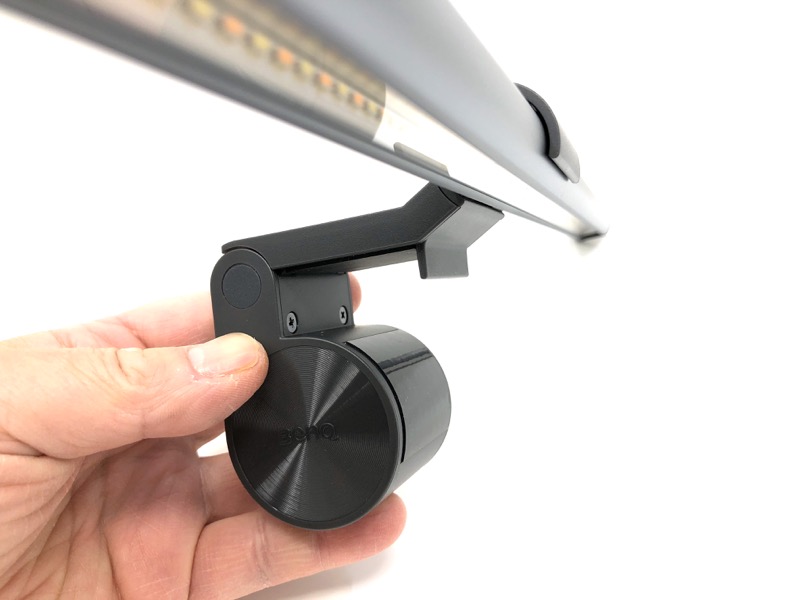
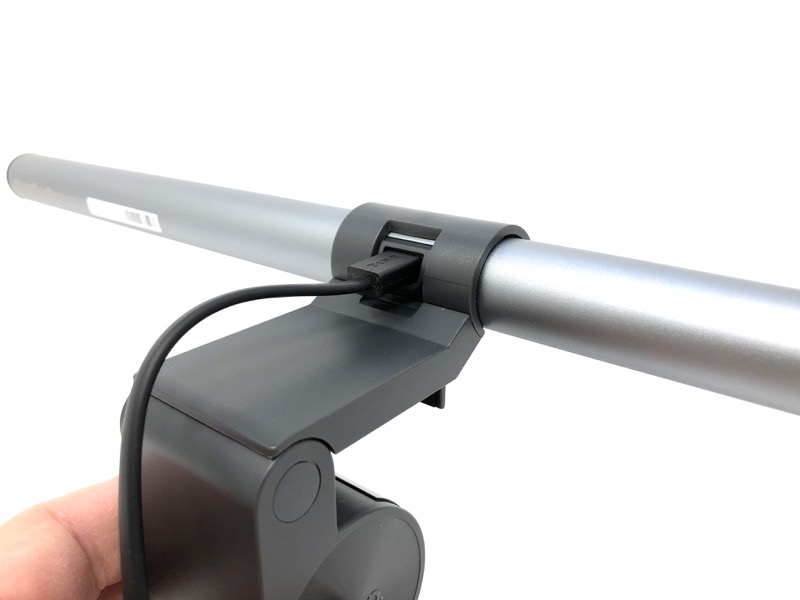
Here’s the monitor clip. The cylinder actually has a bit of weight to it to serve as a counterbalance to the LED bar.

There’s a cutout on the back for the micro USB cable. The cutout is larger than the port itself, which allows the entire LED tube to rotate up to 20 degrees.

Setup

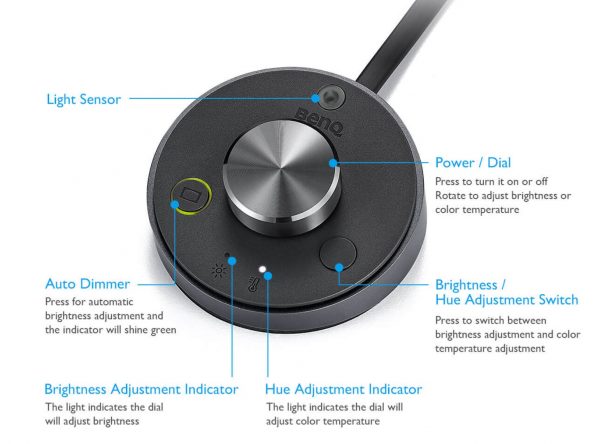
All controls are on the round “puck”. The dial is like an encoder that rotates infinitely in either direction and has detents like a mouse wheel. Depending on what mode you’re in (Brightness or Hue adjust), twisting the dial will raise brightness or change the color temperature.

Pressing the center knob turns the lamp on or off. You can also plug the lamp into a USB port on your computer so it turns on or off with the computer. Either way, the lamp remembers the previous setting.

The Auto Dimmer button illuminates with a green ring. When pressed, the light sensor (top position) determines a suitable brightness level, and the color temperature goes right in the middle. I like to choose my own brightness and color temperature, so I don’t use this. Twisting the knob returns control back to manual.

Performance

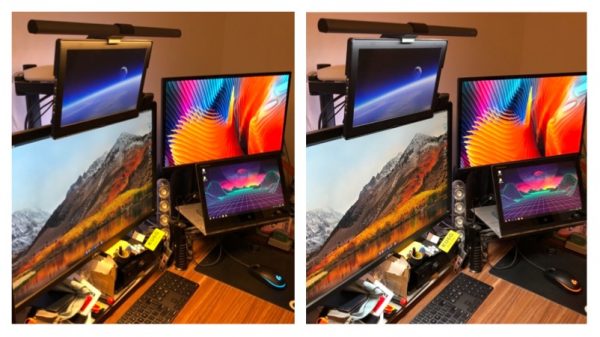
I attached the light to the top of my mess of monitors. Here are some shots of the warmest (L) vs. coolest (R) color temperature settings.

I placed some random objects on my desk and tried again. Warmest (top) and coolest (bottom).

What I like

Fits out of the way on top of your monitor, yet minimal glare on your screens. Adjustable brightness and color temperature is easy with the remote knob.

What needs to be improved

I haven’t seen much use for the auto dimmer.

Final thoughts

I’ve been trying to figure out what kind of lamp works best for my desk. I can stop looking. The BenQ ScreenBar Plus is a bright idea!

Price: $129.00
Where to buy: Amazon
Source: The sample of this product was provided by BenQ.

Filed in categories: Reviews

Tagged:

BenQ ScreenBar Plus LED Lamp Review originally appeared on The Gadgeteer on August 16, 2018 at 9:00 am.

Note: If you are subscribed to this feed through FeedBurner, please switch to our native feed URL http://the-gadgeteer.com/feed/ in order to ensure continuous delivery.
Charge your iPhone and Apple Watch in half the space with Twelve South

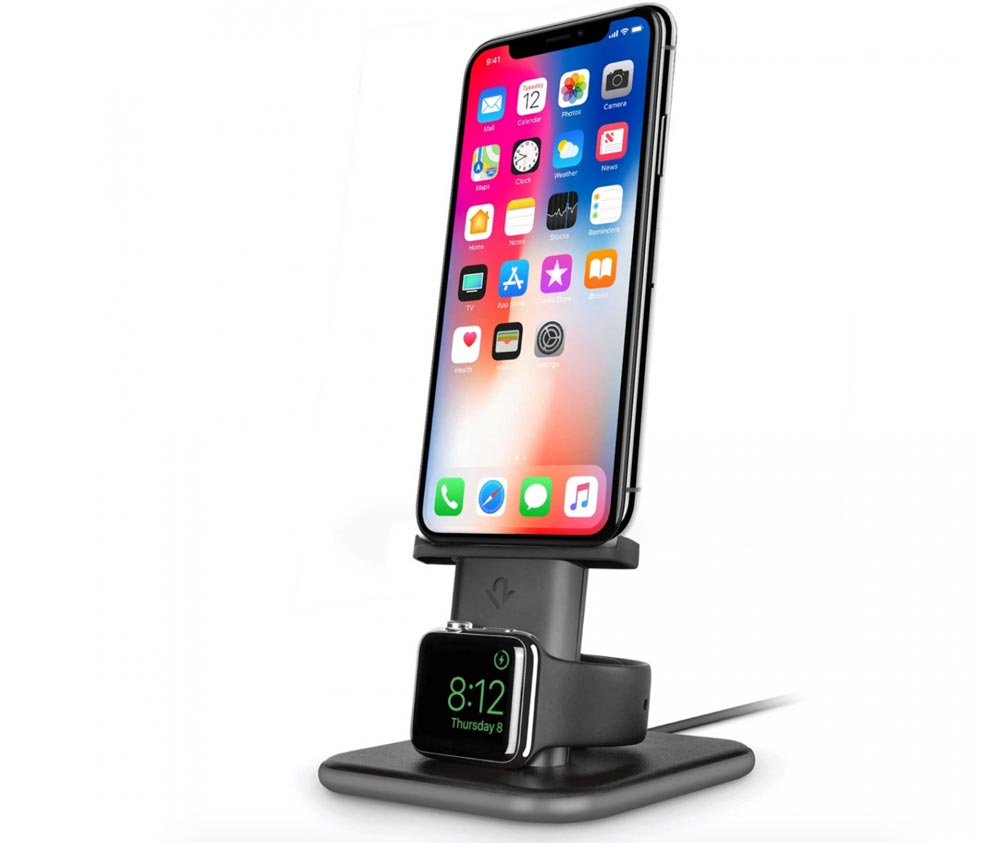
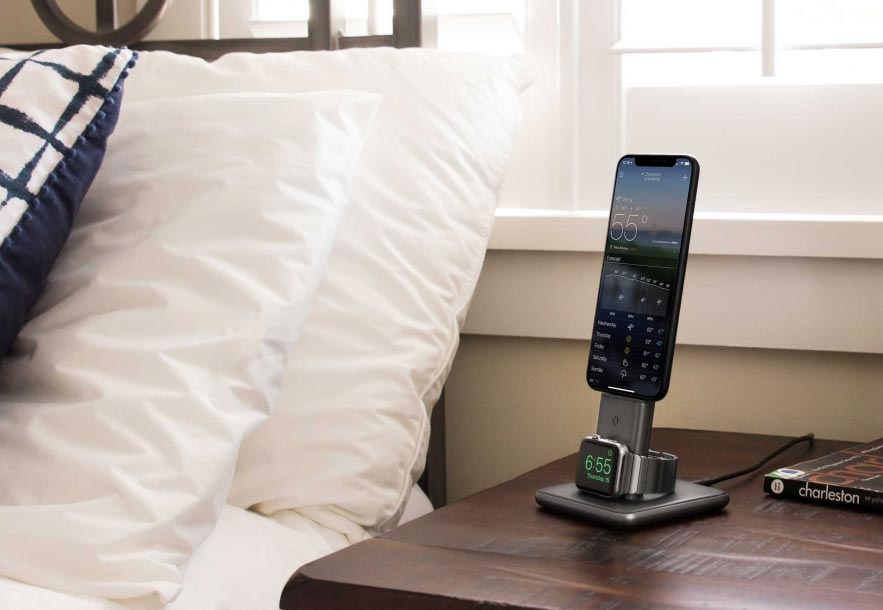
NEWS – Nightstands are usually small, so you need to maximize the usefulness of anything you keep on them.  The Twelve South HiRise Duet packs a lot of utility in a small footprint to earn its place there.  It charges your iPhone, charges your Apple Watch, and puts the Watch in Nightstand mode to serve as your alarm clock – all in a 3.5″ x 3.75″ footprint.

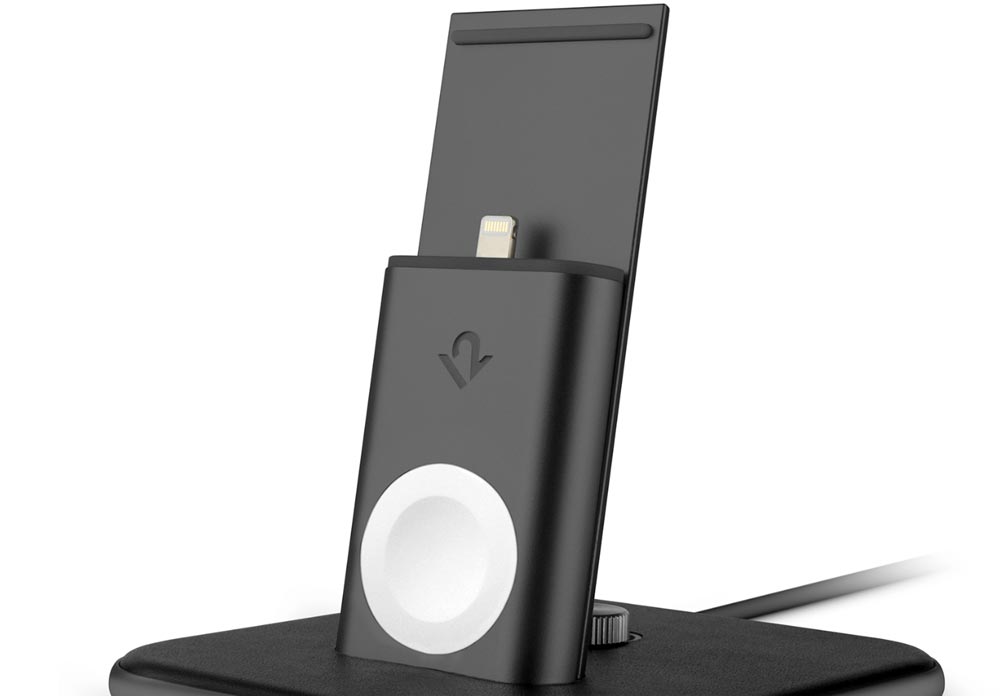
The HiRise Duet is made of metal with a Napa leather accent.  The Lightning charging cable and Apple Watch charging puck are integrated into the stand, so you won’t need to provide your own cables.  Up to 15W of power is provided to the chargers from a single AC power cable.  Twelve South says: “With 15-watts of Lightning Power, HiRise Duet charges your iPhone 40% faster than standard USB, and almost *twice* as fast as wireless.

The height of the Lightning connector can be adjusted to accommodate most thin iPhone cases.  The Duet works with all iPhones all the way back to the iPhone 5; it can even charge Apple remotes and the Pencil, too.  The watch charger works with all generations and sizes of the Apple Watch.  Since it weighs about a pound, you won’t have to worry the stand will tip over when you try to interact with your iPhone as it charges or fumble to snooze the alarm.

Normally priced at $119.99, the HiRise Duet is currently only $99.99 at Twelve South.

Filed in categories: News

Tagged: , ,

Charge your iPhone and Apple Watch in half the space with Twelve South originally appeared on The Gadgeteer on August 16, 2018 at 8:00 am.

Note: If you are subscribed to this feed through FeedBurner, please switch to our native feed URL http://the-gadgeteer.com/feed/ in order to ensure continuous delivery.
Get your tiki on with the TikiTunes portable Bluetooth speaker

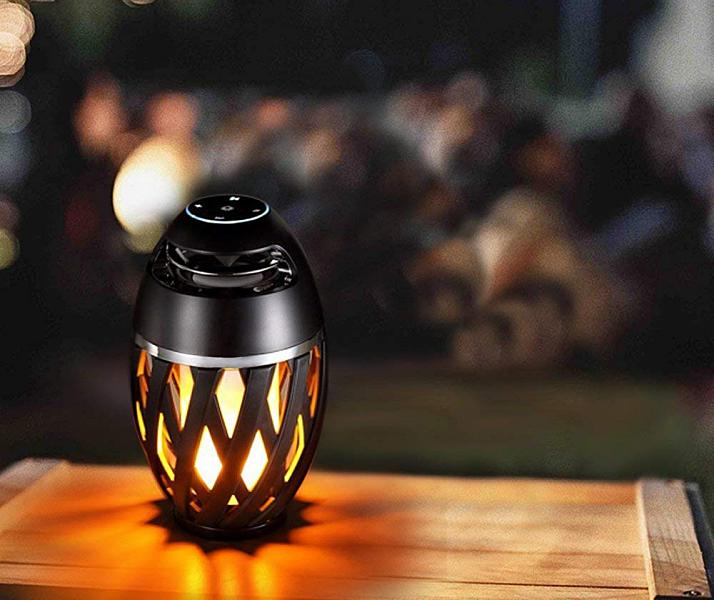
NEWS – Everyone knows that a tiki torch is a bamboo torch common in Tiki culture which is also a popular party decoration. But what the heck is a TikiTunes? TikiTunes is actually a portable 5-Watt indoor/outdoor Bluetooth speaker that looks like a tiki torch.

The speakers LED flame emits a flickering, atmospheric light just like the torches it’s named after. Perfect for setting the mood at your next outdoor party or just a cozy night in.

TikiTunes is powered by a rechargeable battery that provides 6 hours of continuous playtime from any compatible Bluetooth device. And the speaker has dual sync capabilities that allow you to connect two TikiTunes (try saying that five times fast) from a maximum distance of 30 feet for a true stereo sound.

Its small size allows you to place TikiTunes just about anywhere.

The speaker also has an IP65 rating meaning it’s both dust proof and water resistant. Making it perfect for both outdoor and indoor use.

The TikiTunes sells for $29.99 and is available on Amazon.

Filed in categories: News

Tagged:

Get your tiki on with the TikiTunes portable Bluetooth speaker originally appeared on The Gadgeteer on August 15, 2018 at 1:52 pm.

Note: If you are subscribed to this feed through FeedBurner, please switch to our native feed URL http://the-gadgeteer.com/feed/ in order to ensure continuous delivery.
Julie’s favorite gear, Click and Grow garden, Netwon Mail, and more – Review updates

REVIEW – It’s time to check back on a handful of our past reviews and articles that have been updated with new info. This is our way of letting you how well the products that we review stand the test of time weeks, months, and even years after we first brought you our reviews. The updates can be found at the bottom of each review linked below.

Julie’s favorite gear

Click & Grow Smart Garden 9 review by Julie Strietelmeier

iLife A8 robotic vacuum cleaner review by Julie Strietelmeier

Jarvis Farley will give you inspiration to turn your home into a smart one by Julie Strietelmeier

Newton Mail review by Julie Strietelmeier

Master & Dynamic MW60 wireless and MW50 wireless headphones review by Bill Henderson

Filed in categories: Reviews

Tagged:

Julie’s favorite gear, Click and Grow garden, Netwon Mail, and more – Review updates originally appeared on The Gadgeteer on August 15, 2018 at 11:33 am.

Note: If you are subscribed to this feed through FeedBurner, please switch to our native feed URL http://the-gadgeteer.com/feed/ in order to ensure continuous delivery.