The CRE8 Sounds Earbuds may offer the best sound for every occasion

NEWS – Lately, my gadget world has been focused on several different devices including earbuds. I may just be a bit obsessed with finding the perfect earbuds for me. Every week from Monday to Friday, I take the railroad for about an hour each way back and forth between home and work. Most days, this journey is when I get my quiet time, and when I relax on the way to work and prepare my mind and mood for the day ahead and unwind on the way home. Music is my tool, and as an audiophile, the perfect sounding noise-canceling earbuds are my ultimate goal.

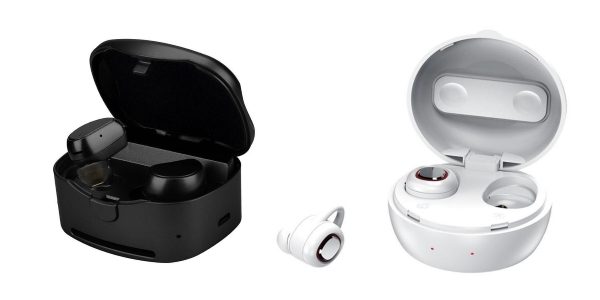
Each time I get to audition new earbuds that prove to be better than the previous ones, I become less compromising and want more. Cre8 Sounds offers two models of earbuds, the CR8-1, and the CR8-2 Sport Wireless Earbuds. The manufacturer claims that both models have been designed to deliver superior sound, with clear audio and deep bass. The design includes a built-in ear hook, and they are small and light to provide comfort and an extra secure fit even when performing the most rigorous of tasks and body movements. The CR8-1 model is offered in multiple colors to match your personal choice. The CR8-2 is a limited edition model and only offered in white.

If you are interested in learning more about the CR8 Sport Wireless Earbuds or if you would like to purchase them, you can head over to the Cre8 Sounds website. The CR8-1 model sells for $65 and the CR8-2 for $75.

Filed in categories: News

Tagged:

The CRE8 Sounds Earbuds may offer the best sound for every occasion originally appeared on The Gadgeteer on August 18, 2018 at 8:00 am.

Note: If you are subscribed to this feed through FeedBurner, please switch to our native feed URL http://the-gadgeteer.com/feed/ in order to ensure continuous delivery.

Add a speaker and an alarm clock to your Amazon Echo Dot with iHome

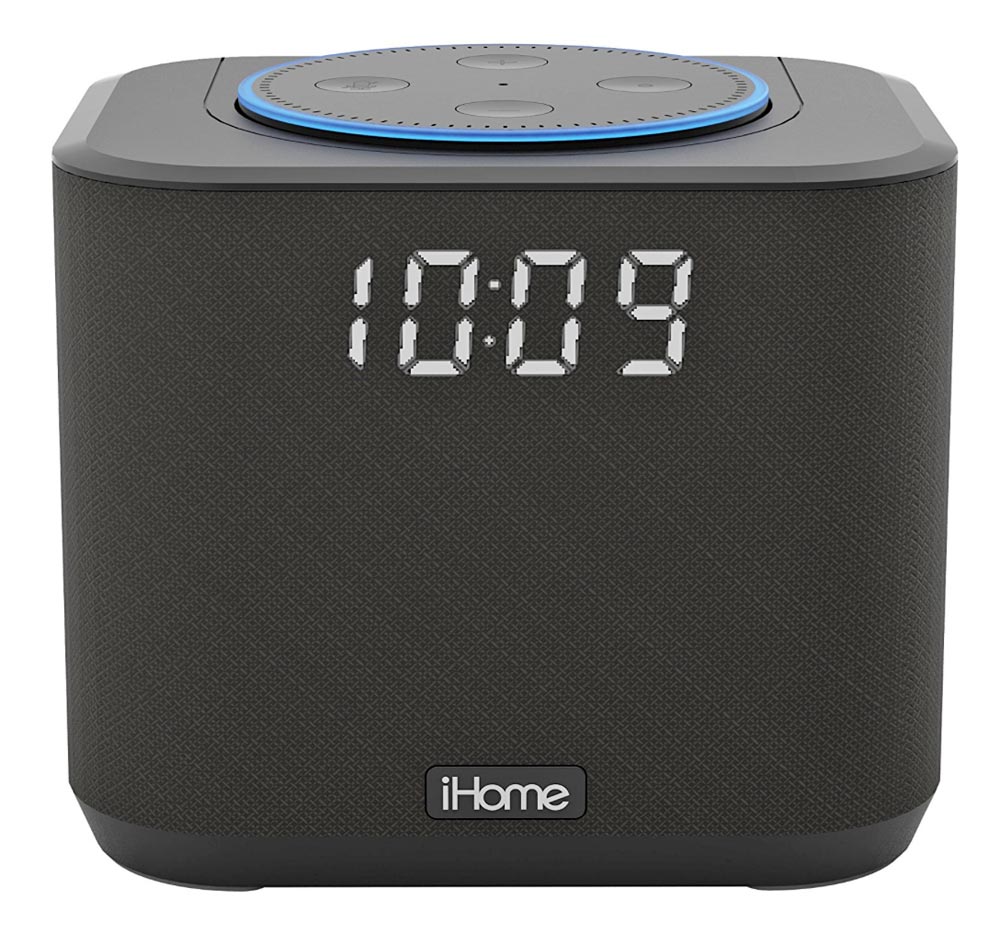
NEWS – The Echo Dot is a cost-effective way to add Amazon’s Alexa to your smart home, but you’ll find it doesn’t have the best built-in speaker for listening to music.  And sure, you can use Alexa to set a wake-up alarm, and you can ask her the time, but a middle-of-the-night time check might wake up your sleeping partner.  With the iHome iAV2B Docking Bedside and Home Office Amazon Echo Dot Speaker System, you’ll add an alarm clock with digital time display and better speakers to the 2nd gen Amazon Echo Dot you already own.

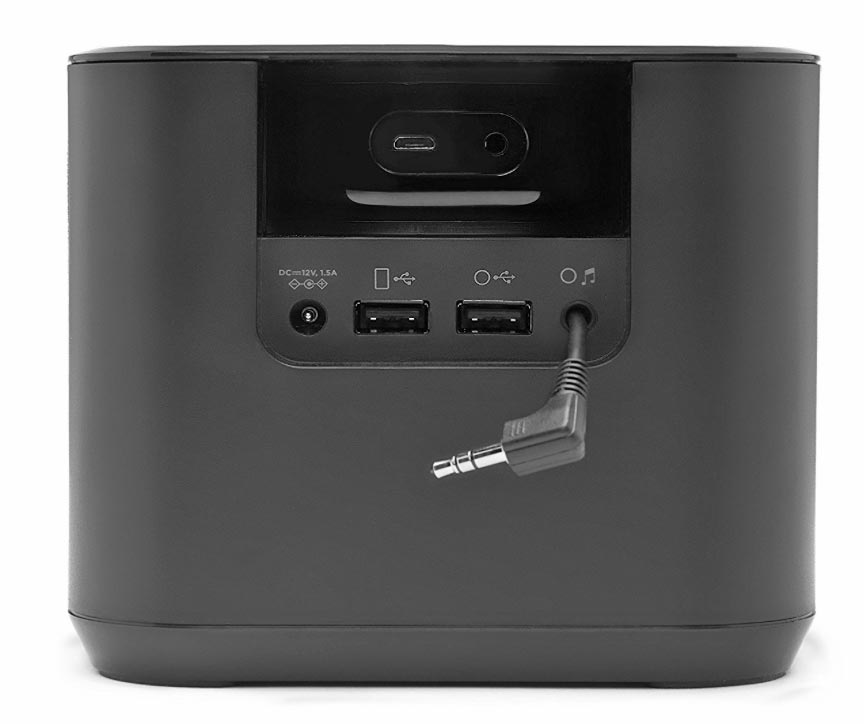
You just insert the Echo Dot into the chamber on the top of the iAV2B dock, and the dock will power the Dot.  At 5.3″ x 4.6″ x 5.2″, the dock won’t take up a lot of room on your night table.  The front of the dock has a black fabric grill and white LEDs for the time display.  The built-in speaker has Reson8 speaker chamber technology and a passive subwoofer for richer sound than the Echo Dot provides on its own.  The dock connects to the Dot with a USB cable for power and an aux-in cable for sound.  There’s another 1A USB port that can be used to charge your phone.  The iAV2B is powered by an included 100V-240V AC power adapter.  A CR2450 backup battery for the clock is included.

iHome iAV2B Docking Bedside and Home Office Amazon Echo Dot Speaker System is $49.59 at Amazon.

Filed in categories: News

Tagged: ,

Add a speaker and an alarm clock to your Amazon Echo Dot with iHome originally appeared on The Gadgeteer on August 17, 2018 at 2:21 pm.

Note: If you are subscribed to this feed through FeedBurner, please switch to our native feed URL http://the-gadgeteer.com/feed/ in order to ensure continuous delivery.
myCharge UNPLUGGED 10K Fast Wireless Powerbank review

REVIEW – Powerbanks, external batteries, portable chargers, no matter what you call them, they are useful accessories to have in your gear bag for those times when you have no access to a wall outlet and your smartphone or other gadget has run out of juice. Powerbanks aren’t the most glamorous gadget and pretty much only do one thing and that’s charge a device. But today I’m going to show the myCharge UNPLUGGED 10K fast wireless powerbank that has an extra feature that increases the convenience of an already convenient product.

What is it?

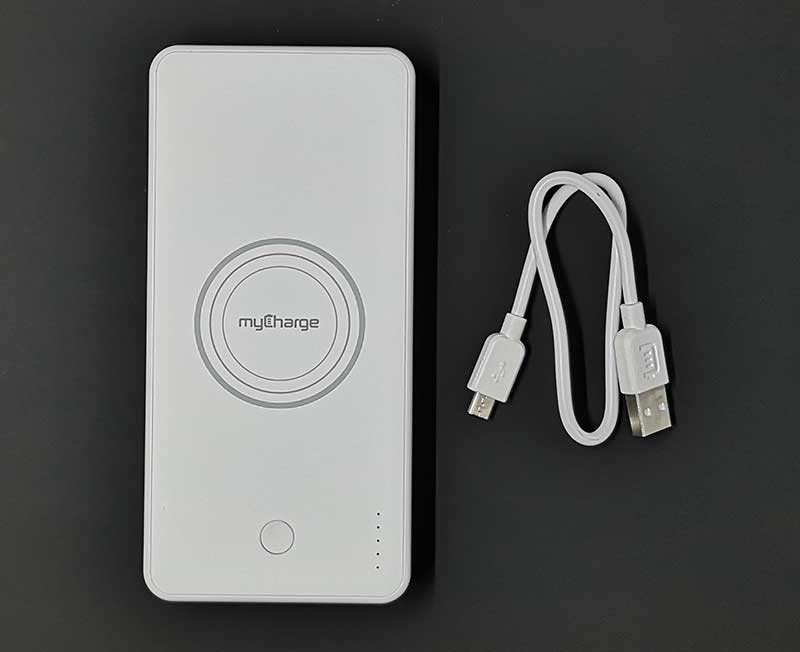
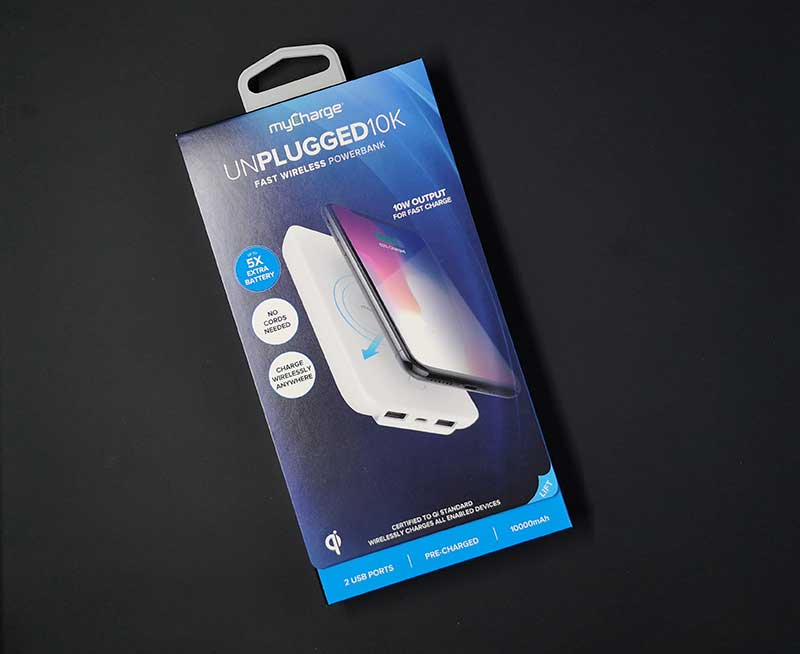
The myCharge UNPLUGGED 10K fast wireless powerbank is a 10,000mAh 10W backup battery that has 2 built-in USB ports and built-in Qi wireless charging so you can charge three devices at once.

What’s in the box?

myCharge UNPLUGGED 10K powerbank
micro USB cable

Specs

Battery: 10,000mAh Lithium Ion
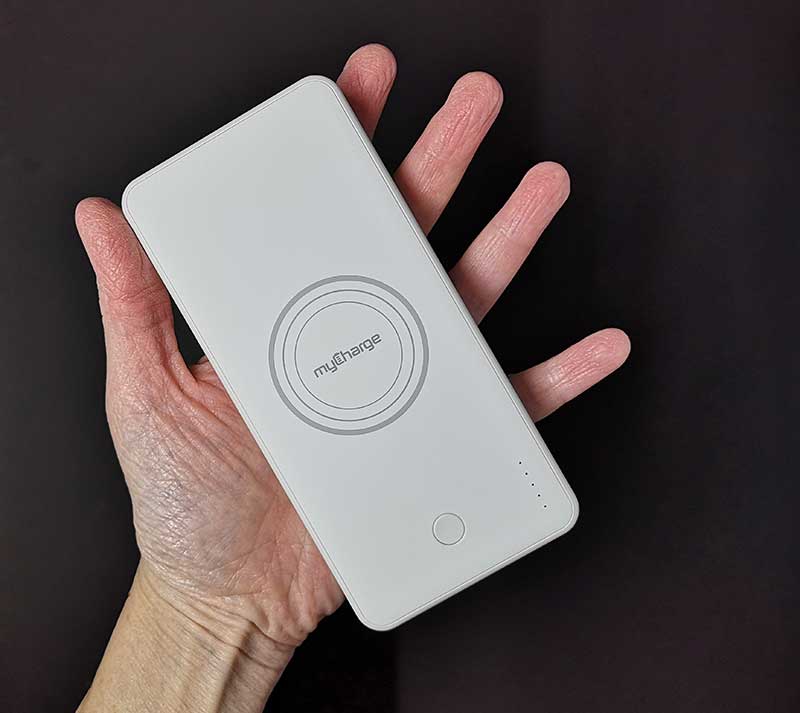
Product Dimensions: 2.8 in x 0.8 in x 5.8 in
Product Weight: 0.4 lbs.
Wireless Output: 10 Watts
USB port delivers 2.4A output

Design and features

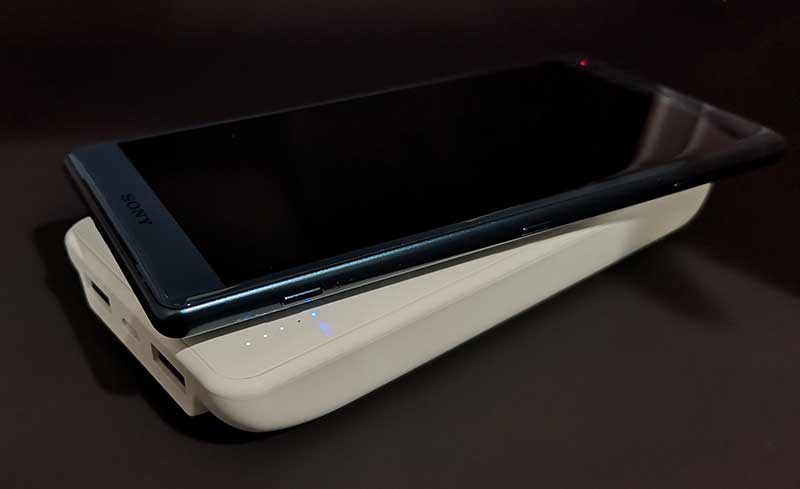
The UNPLUGGED 10K is a powerbank with a soft-touch white shell and a power button that turns on the wireless charger and is used to see the battery capacity by lighting up the row of status LEDs on the top.

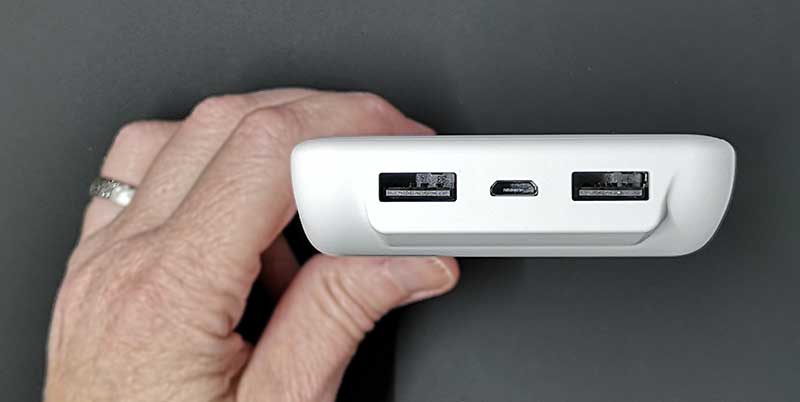
On one end are 2 USB-A 2.4A ports and a micro USB port that is used to recharge the powerbank itself. Note that this powerbank has pass-through charging which means that you can charge the myCharge at the same time the myCharge is charging up to 3 devices.

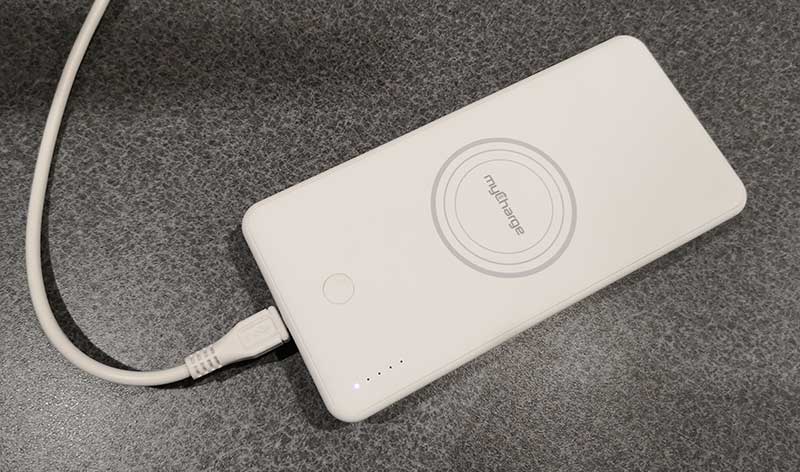
The UNPLUGGED 10K powerbank comes pre-charged and ready to use. But when it needs to be topped off, you just plug in a micro USB cable and let it juice up until the 4 white LEDs light up.

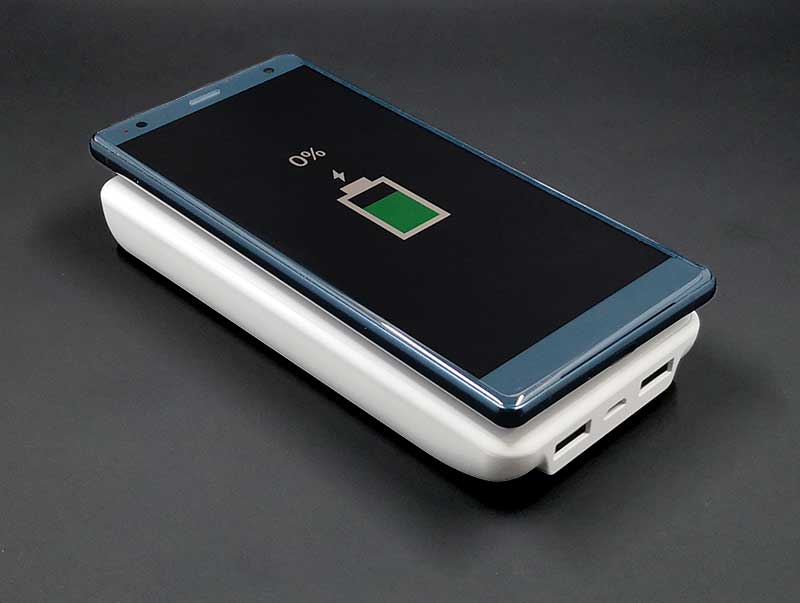
My first test of the myCharge was to see how quick it could re-charge a Sony Xperia XZ2 from flat to full. Here are the results.

Started with battery at 0%
30 mins battery 11% charged
60 mins battery 24% charged
1 hr 30 mins battery 38% charged
2 hrs battery 50% charged
2 hrs 30 mins battery 62% charged
3 hrs battery 71% charged
3 hrs 30 mins battery 81% charged
4hrs battery 92% charged
Test end

In another test, I connected my Pixel 2 XL and my drained Rowkin micro Touch Bluetooth earbuds to the myCharge the next day after my Sony test.

Pixel 2 XL battery at 29%, Rowkin earbuds 0% (or what appears to be 0%)
30 min Pixel 2 XL battery 47% charged, one Rowin earbud fully charged, the other still charging
1 hr 10 mins Pixel 2 XL battery 75% charged, Rowkin earbuds fully charged
2 hrs Pixel 2 XL battery 86% charged
2 hrs 30 mins Pixel 2 XL battery % charged
Test end

At the end of my 2 tests, the battery level of the myCharge UNPLUGGED 10K was down to just one lit LED.

What I like

  • Can charge 2 USB devices and 1 wireless device at the same time
  • Meets Apple and Samsung fast charge standard
  • Pass through charging – Can charge the myCharge AND charge 3 devices at the same time

What needs to be improved

  • Wireless charging is slow

Final thoughts

If you’re in the market for a powerbank and you have a Qi enabled device like a newer iPhone, Sony Xperia or Samsung Galaxy, the myCharge UNPLUGGED 10K is a nice option because it offers the ability to charge those devices wirelessly and also charge 2 other devices at the same time. Even if wireless charging is slower than plugging in a cable, the fact that this one powerbank can charge more than one device simultaneously gives it an extra check mark for usefulness.

Price: $69.99
Where to buy: myCharge and Amazon
Source: The sample for this review was provided by myCharge.

Filed in categories: Reviews

Tagged: ,

myCharge UNPLUGGED 10K Fast Wireless Powerbank review originally appeared on The Gadgeteer on August 17, 2018 at 12:00 pm.

Note: If you are subscribed to this feed through FeedBurner, please switch to our native feed URL http://the-gadgeteer.com/feed/ in order to ensure continuous delivery.
5 Windows PC problems that you can fix yourself

ARTICLE – Although some PC problems require a technician to repair them, there are many issues that you can fix at home all by yourself.

Regardless of whether you’re dealing with an older computer or a cutting-edge gaming PC, many solutions to common problems are similar. Consider the following five.

1. Computer Is Slow

Is your computer taking too long to boot up? Or perhaps you find yourself waiting too long for a program to open? When resolving a slow computer problem, it’s important to identify precisely what is slow.

If a specific website is slow to load, your computer may not be the culprit. Some sites are slow to load due to their own server issues or page configuration. If a specific site is slow though most others work fine, it’s likely the website’s issue.

However, if your computer takes too long to boot up, the issue lies in your system. The first thing to check is if you have enough space on your hard drive. On the bottom left corner, in the Windows search box, search for ‘This PC’ and click on it. Here, you will see how much space you have left. If the disk space bar is almost full and red instead of blue, you should clear space. More space will help your PC run faster.

Free up space by removing unnecessary files or programs you don’t use. You can also use a cloud-based platform like Google Drive to store data digitally instead of on your hard drive. An external hard drive can also help you store files, giving your internal hard drive (where your operating system resides) more room to breathe.

Another potential culprit of slow boot time is that too many programs are running when you start up your computer.

You can change this function by searching for ‘msconfig’ and opening System Configuration and then ‘Startup.’ From here, ensure that only programs you need are starting upon boot. Programs that load slowly may have issues because of other programs hogging resources in the background.

2. Pop-Ups Are on My Desktop

If pop-ups and advertisements are appearing on your PC even when you’re not surfing the web, it’s likely that you installed adware, probably by accident.

Although getting rid of spyware isn’t easy, you can do so by using the trusted Malwarebytes Anti-Malware Free. Malwarebytes will likely eliminate the spyware after a scan and restart.

If that step fails, you can either Google a removal process for the specific adware or reinstall Windows completely, both solutions are entirely possible at home.

3. A Program Looks or Acts Strange

Whether a particular program is going haywire or you accidentally changed its settings, sometimes a program can look weird, ranging from issues like a blurry text or a dead pixel that appears as a spot to the program randomly closing.

The first step to take is right-clicking on the program in which you’re encountering issues and clicking on ‘Properties.’ From here, click on ‘Compatibility’ and then ‘Run compatibility troubleshooter.’

The troubleshooter should promptly fix any issues. You can also use the ‘Compatibility’ settings to change the screen resolution and color settings for the program, which can help resolve visual issues.

4. The PC Is Overheating

Computers will generate some heat, though it should never be to the point of getting extremely hot to the touch. If you feel that your computer is overheating, usually accompanied by a fan sounding like it’s working on overload, there are several solutions you can try.

Dust accumulation is one of the most common culprits of overheating. While your PC is off and unplugged, use a compressed air duster can to get dust out. Also, ensure that your PC has adequate ventilation and that there are no blocked vents.

It’s also possible that your fans are dysfunctional or a temperature rise is resulting in a chemical reaction to the battery. These cases require technical support, though in most cases of overheating, you can remedy the issue by using an air compressor can and ensuring proper ventilation for your PC.

5. Random Shutdowns and Restarts

It’s very frustrating to have your work interrupted by a computer that shuts down or restarts without prompting. In many cases, the restarts are a consequence of automatic Windows updates.

Search for ‘Windows Update settings‘ to change settings so that updates are less frequent or, at the very least, give you some time in advance to prepare. It’s a bad idea to turn off updates entirely, though you can set the updates to be less insistent.

These five issues are common among PC users, though fortunately, they can often be resolved with some time and focus at home rather than you spending money for a technician and waiting several days.

Image by Laurent Peignault

Filed in categories: Articles

Tagged:

5 Windows PC problems that you can fix yourself originally appeared on The Gadgeteer on August 17, 2018 at 11:00 am.

Note: If you are subscribed to this feed through FeedBurner, please switch to our native feed URL http://the-gadgeteer.com/feed/ in order to ensure continuous delivery.
Show a loved one that they hung the moon with this necklace

NEWS – For one glorious moment, I thought this necklace was going to change to show the current moon phase – but then, such a necklace wouldn’t be as affordable as this beauty.  The Moon Phase Necklace from Moonglow is made of pewter and has a customized crystal to show a moon phase.  The pendant is accented with a black Swarovski crystal and comes complete with an 18″ pewter chain.

The pendants show the moon at various phases, from new moon, to full moon, and phases in between.  You can even select a pendant to commemorate the recent Blood Moon…

or last years total solar eclipse.

Select the Moon’s phase on a date that was important to you, like your wedding date, a loved one’s birthday, or any other important date.  The necklace would make a perfect gift for a loved one or for yourself.  The Moon Phase Necklace from Moonglow is $38.00 at The Grommet.

Filed in categories: News

Tagged: ,

Show a loved one that they hung the moon with this necklace originally appeared on The Gadgeteer on August 17, 2018 at 10:00 am.

Note: If you are subscribed to this feed through FeedBurner, please switch to our native feed URL http://the-gadgeteer.com/feed/ in order to ensure continuous delivery.