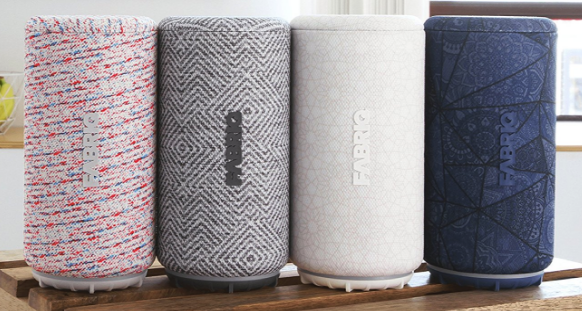
Give me a speaker, a Bluetooth or wifi connection, throw in a dollop of Amazon Alexa’s brains and witty personality and top that off with a pinch of Spotify or Amazon Music and it looks like a recipe for sheer gadget bliss. The great thing about this recipe is that all the ingredients are accessible through the Fabriq Chorus Smart Speaker. Let’s have a look-see.
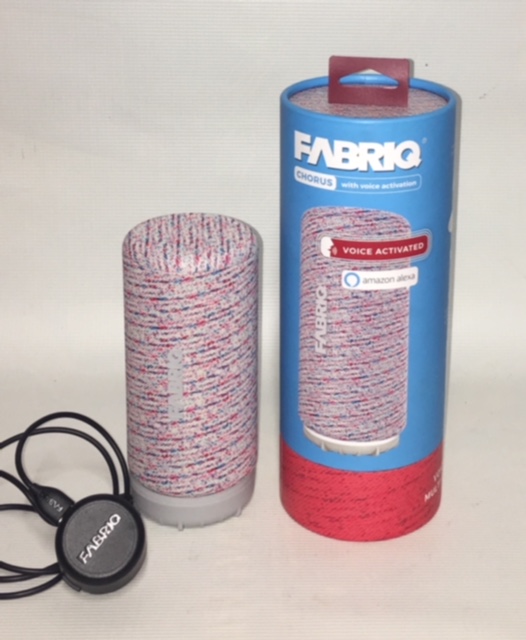
In the Box (See pic below)
1 Chorus speaker
1 Charging dock
1 Cable for charging with USB to wall adapter
Set up
The set up was pretty simple for both wifi and Bluetooth. After you plug in the unit (it does come precharged, but why not charge it more?) and download the app from either the Apple Store or Google Play, you’ll go through the setup process which is guided by the Fabriq app.
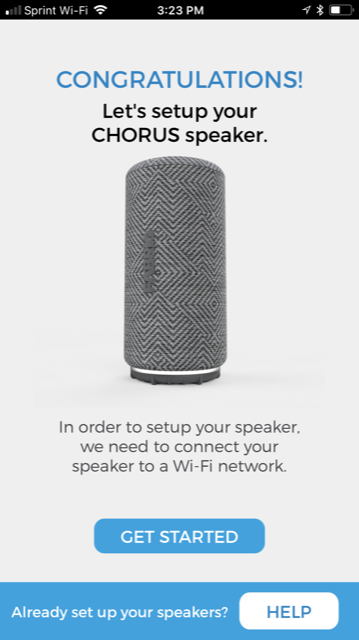
One thing to keep in mind is that you need to make sure you are connecting to the same network that your phone is connected to. I know that seems painfully obvious, but you could run into problems if you have two networks in your home like I do.
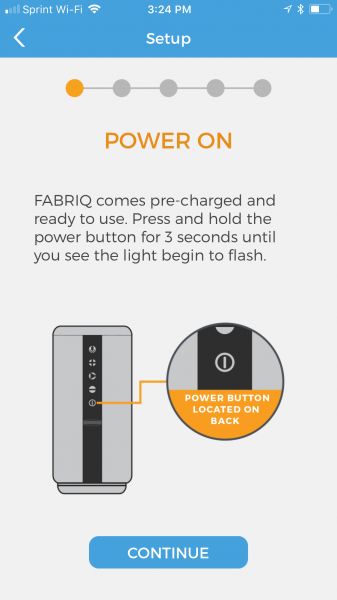
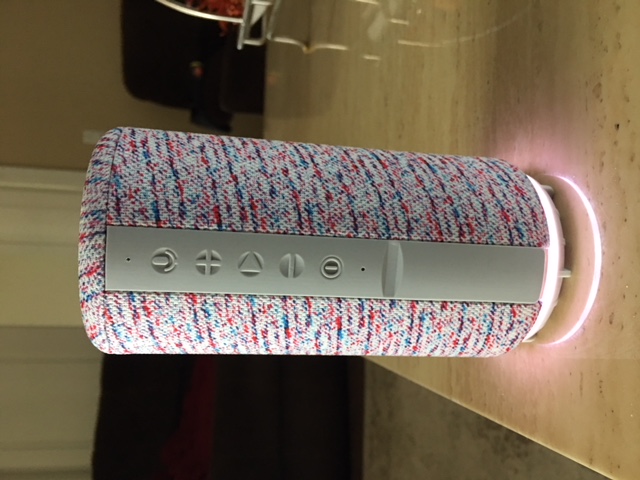
After the device is powered on, the ring around the bottom lights up like the pic below and blinks white and plays a little tune. This white light lets you know it’s either connected to wifi, or it’s ready to be connected (the device is pictured here off the charging dock). After the initial setup, whenever it is turned on, it will still blink, but after a couple of seconds, it says, “connected” so you know you are ready to rock.
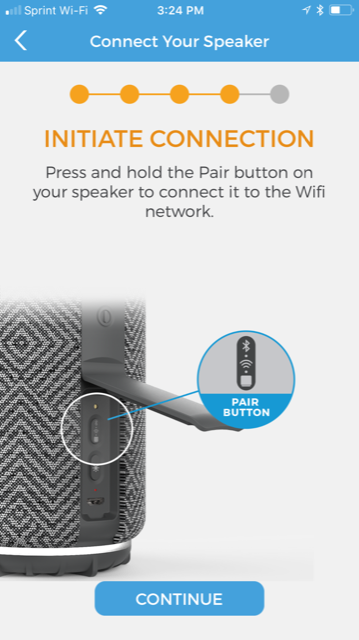
The next step is locating the “pair” button that is hidden under the secret plastic door on the back of the device (see photo below). This is the button you will use to connect to Bluetooth or a wifi connection. If your phone is connected to a wifi network, the speaker will try and connect to it, so if you want to use Bluetooth, you need to turn off the wifi connection on your phone and press the pair button again. Note: If you use the speaker with a Bluetooth connection and you arrive home again and wish to use it on the wifi network, you must repair the device using the app. Don’t worry, it’s a very quick process, but it’s good to know. I didn’t realize this and I just kept pressing the pair button over and over and it wouldn’t pair. It tells you to see the app for help though (here’s your sign!), and when you do, the app walks you through connection again.
After pairing, you can begin to explore the wonderfulness of the speaker. I haven’t personally tried, but the directions say that you can pair up to 10 Fabriq speakers and use them together, or control them individually….that would be some pretty cool surround sound.

A great thing about this speaker, in my opinion, is once you set it up to use on wifi, you don’t have to keep referring to the app to control it. The lighted ring around the bottom can tell you what you need to know and there are volume control buttons on the back. I already discussed the white light, the blue light (above pic) is when you’ve enabled the Bluetooth setting…go figure! There is a red light also and that is what tells you the battery is about to die. This happens typically after about 5-6 hours after being off the charger, depending on what the speaker is being used for. I feel like my face is in my phone enough and being able to use this speaker easily, by just speaking to it and observing what color the rings are has been great!
What can it do?
If you already have an Amazon Alexa app on your phone, you simply need to connect Fabriq to the account. If you don’t have it, you need to get it in order to use the Amazon Alexa functions. Once you do that, you can say the wake word, “Alexa” and then any command that you would tell your Amazon Echo. The one problem that I have found with this device is that she doesn’t “hear” as well as my Echo, and I find myself having to raise my voice, or my other devices in other rooms will pick up my command first. In order to combat this, I changed the wake word on my Echo to “Amazon” and my Echo Dot is now called “Echo”. The Fabriq speaker gets to have the name “Alexa” because I went into the Alexa app and the option to change the wake word was not available…but it’s okay with me because I think she looks more like an Alexa anyway. So now, just like with my children, I end up saying all of their names before I get to the one I want. It’s pretty comical actually…Alexa, Echo…. Amazon!
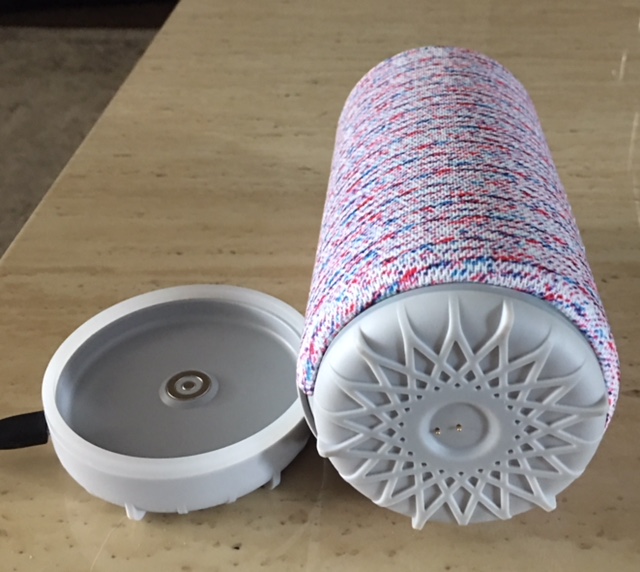
The above pic allows you see how the unit sets on the charger and what the connectors look like on the bottom. It doesn’t have to click, lock, or be set down in any certain way in order to charge or to be removed from the dock.
The sound quality of this little speaker is actually comparable to the Amazon Echo, and much better sounding than the Dot. I was hoping to add this speaker to my group I named “Everywhere” so that I could have my Amazon Music play from all three devices simultaneously instead of just the two, however, that option is not available. So, if you want to connect this speaker to others to play together for a multi-room effect, you’ll just have to get more Fabriq speakers!
Final Thoughts
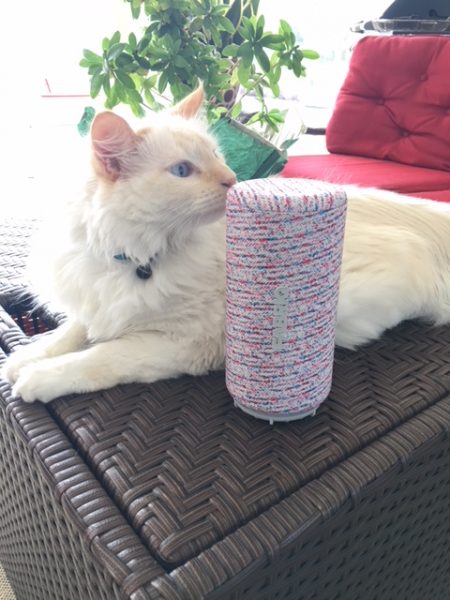
I’ve been pretty impressed by this speaker and it’s sound quality, it’s portability and frankly, I think its got a pretty cool look. I have enjoyed being able to take it to the tennis court for some motivational hype music while my daughter and I hit the ball around and to the beach for some relaxing music as we sunbathe. I found the setup to be simple, and once I renamed my other Alexa devices, there was harmony in the house once again, and everyone was able to “listen” without interrupting each other. I don’t think that this Fabriq Smart Speaker hears as well as the Amazon Echo speakers, but that is a pretty high bar because Echo speakers hear it all! Lastly, it looks as if Elsa the cat has accepted the Fabriq speaker into our home….and that is not something you see every day!
Source: The sample for this review was provided by Fabriq. Please visit www.thefabriq.com for more information and go to Amazon to order.
Product Information
| Price: | $99.99 |
| Manufacturer: | Fabriq |
| Retailer: | Amazon |
| Requirements: |
|
| Pros: |
|
| Cons: |
|
Filed in categories: Reviews
Tagged: Alexa, Bluetooth speaker
FABRIQ Chorus Portable Smart Speaker with Amazon Alexa review originally appeared on The Gadgeteer on November 14, 2017 at 11:00 am.
Note: If you are subscribed to this feed through FeedBurner, please switch to our native feed URL http://the-gadgeteer.com/feed/ in order to ensure continuous delivery.
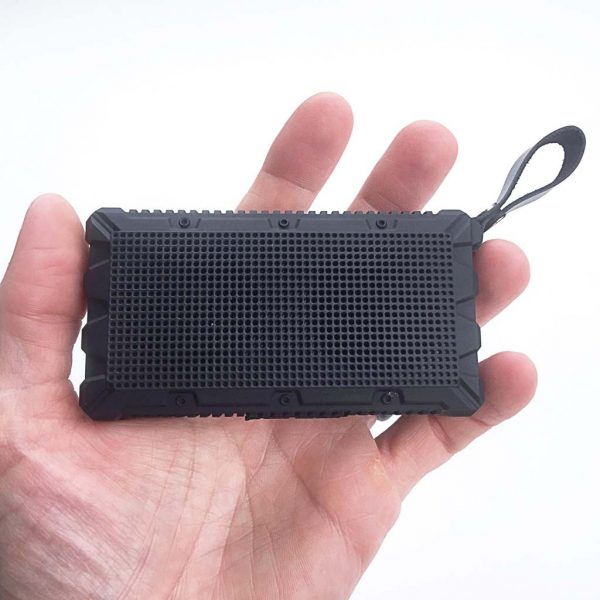

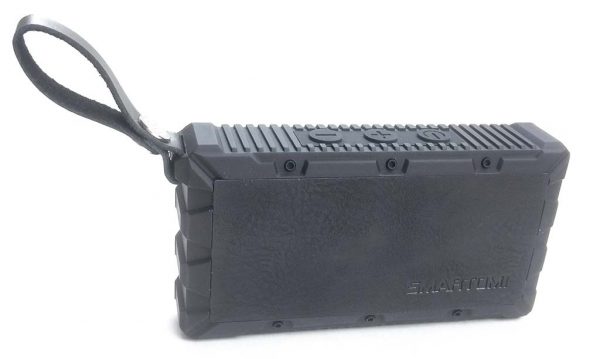
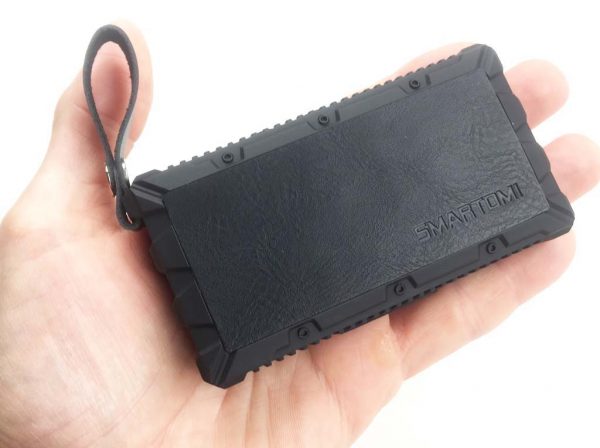 First impressions: This little dude looks cool and is way small. It has almost a tactical (“tacti-cool”?) look and feel to it. I liked its appearance right out of the box.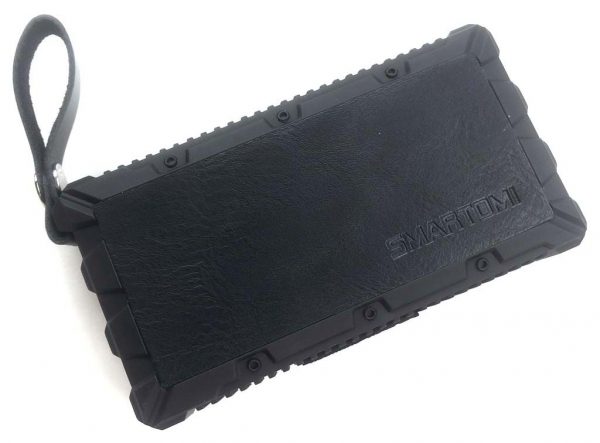
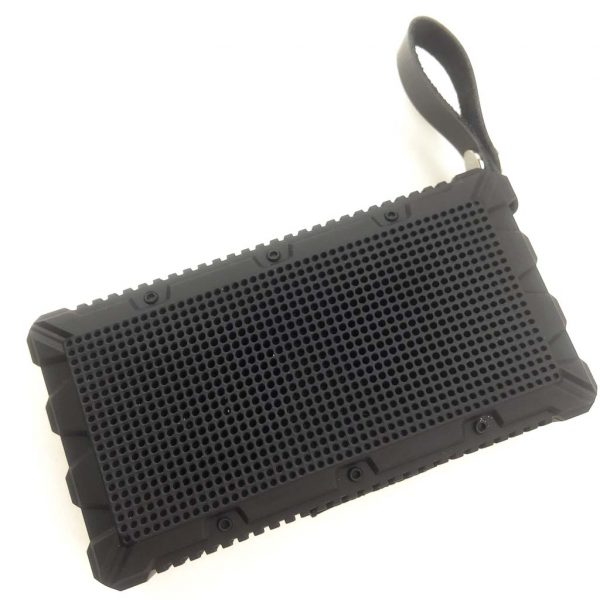
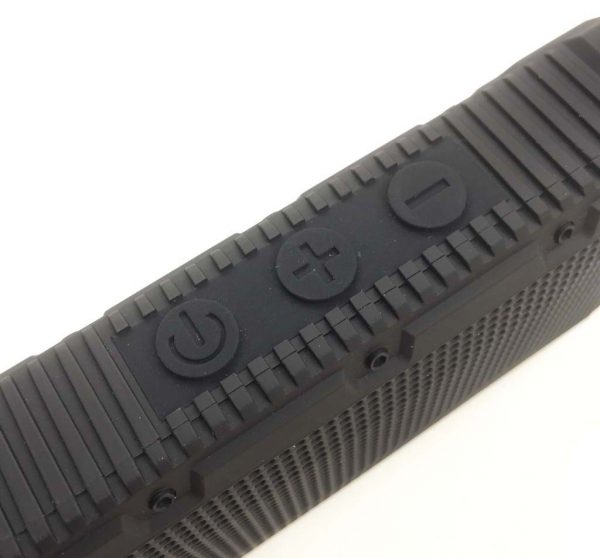 There are three buttons on the top of the ANT: from left to right they are the power/play/pause, volume up/next track and volume down/previous track buttons. All of these buttons are covered by a single silicone strip which protects them from bumps as well as contributing to the speaker’s IPX7 water-resistance rating. The body of the ANT is also made from ABS plastic, which contributes to its shock-resistance, which Smartomi reports as having been tested to a 3-meter drop height.
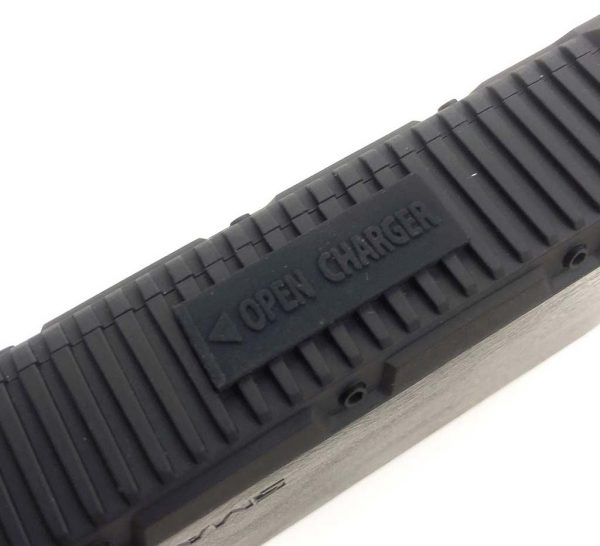 On the bottom of the ANT, on the side opposed the control buttons, is another silicone strip with the words “OPEN CHARGER” and an arrow on it.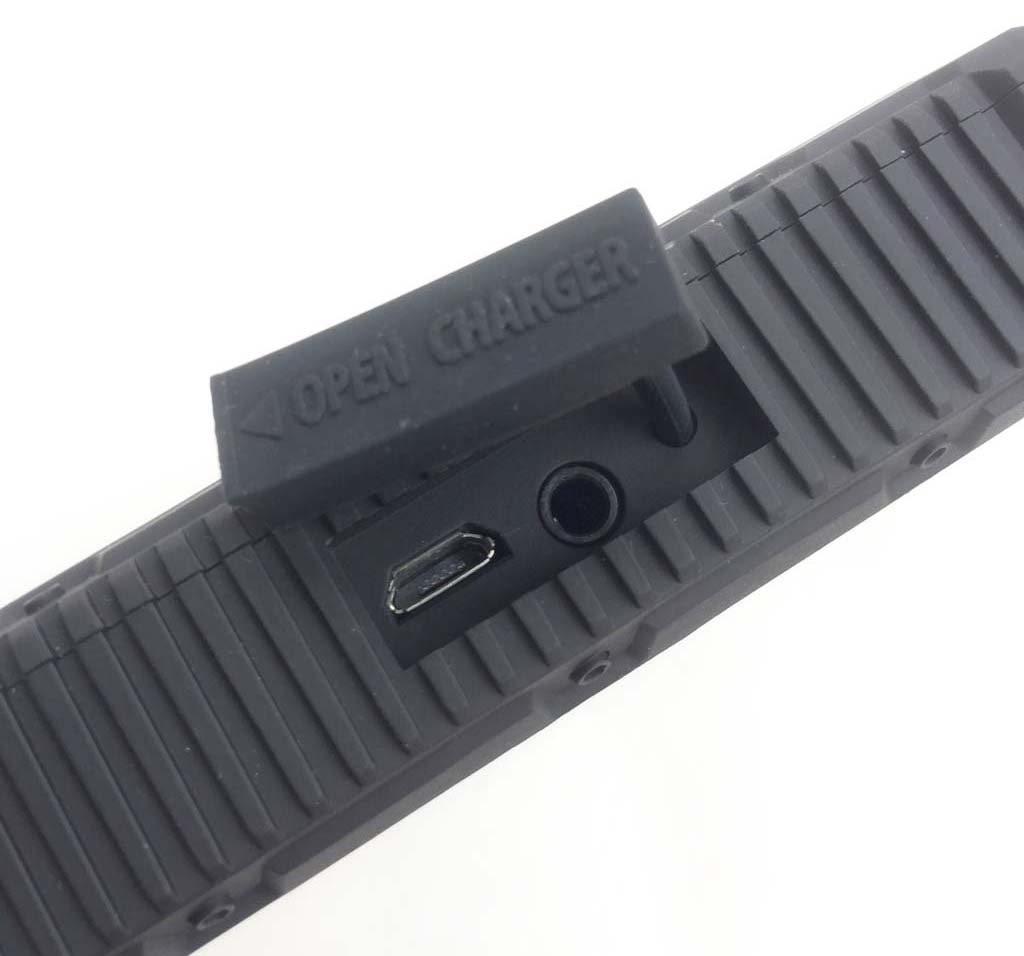
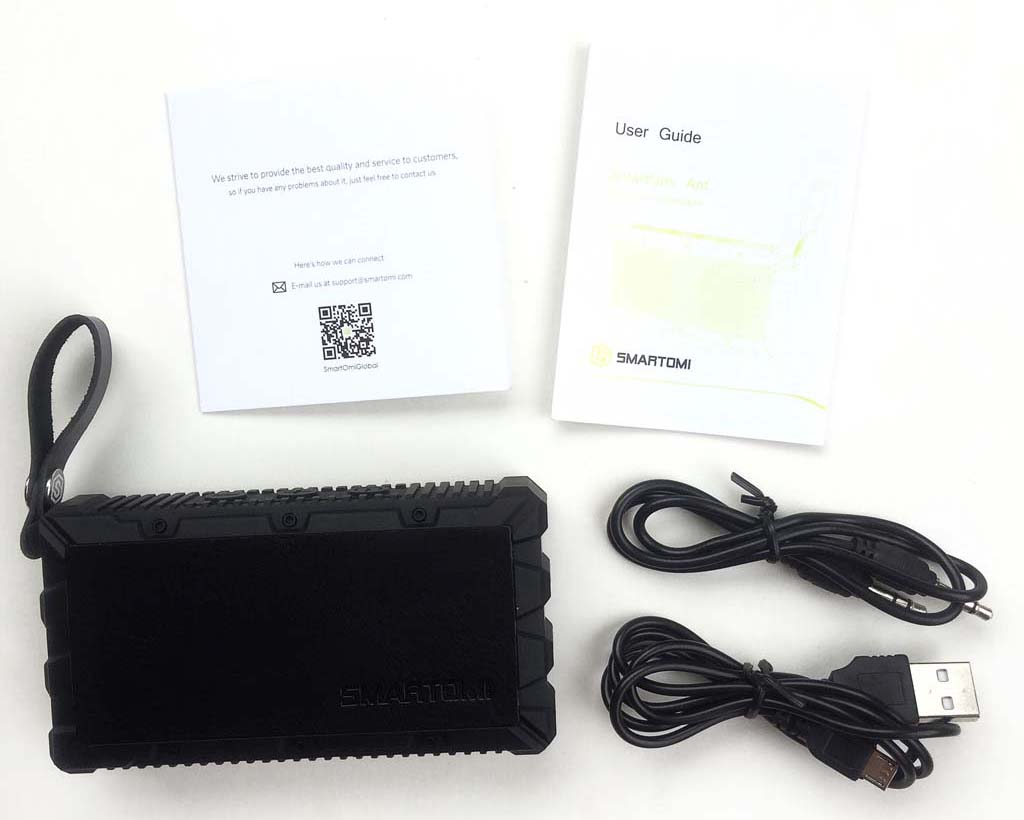
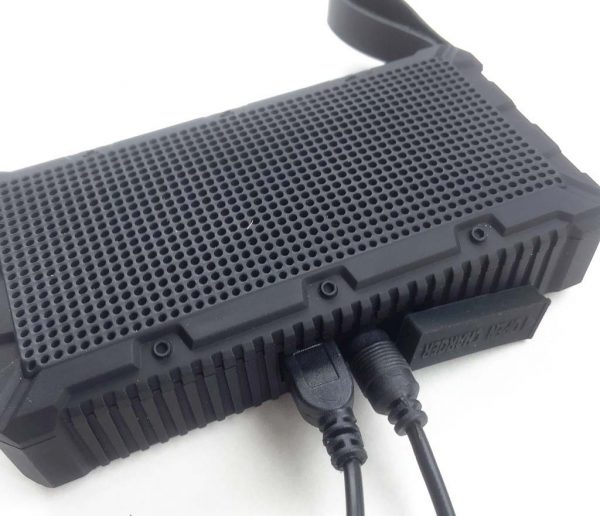 In the above photo, I’ve plugged in both of the cables included with the ANT, the micro USB charging cable (left) and the 3.5mm audio in auxiliary cable (right).
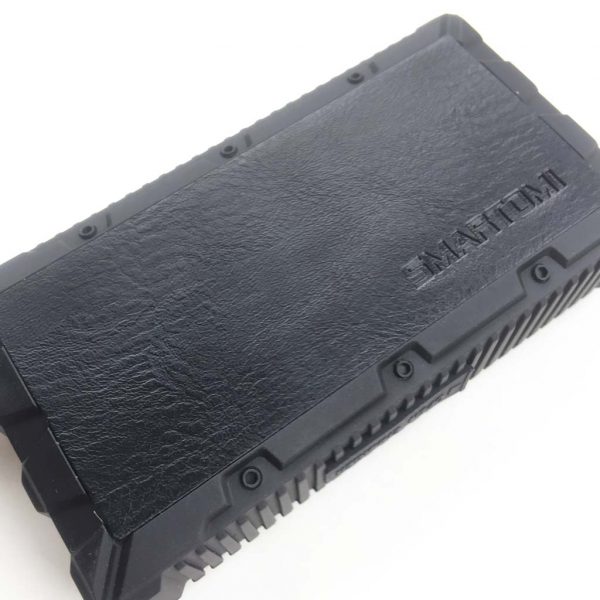 As mentioned above, one side of the ANT features a faux leather texture that is actually molded into the body, along with the SMARTOMI logo.
 Another useful feature of the ANT is a leather strap that can be used to attach the speaker to a bag or even hung up in the shower other places with a carabiner, or to help give you a better grip it when holding it. Note that although it appears that is secured with a snap, it is actually a rivet that cannot be removed.
 For a speaker of its compact size and shape, it puts out some decent sound. Good enough for my teenage daughter to have commandeered the ANT within a day of it arriving at my house and using it constantly. My daughter reported that she had the ANT paired with her iPhone in just a few seconds, and she was rocking and rolling (literally, since I’ve managed to get my children into some classic rock—parenting win!).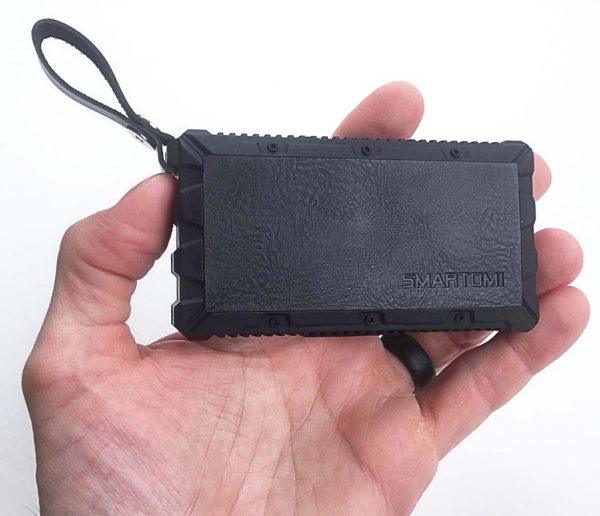
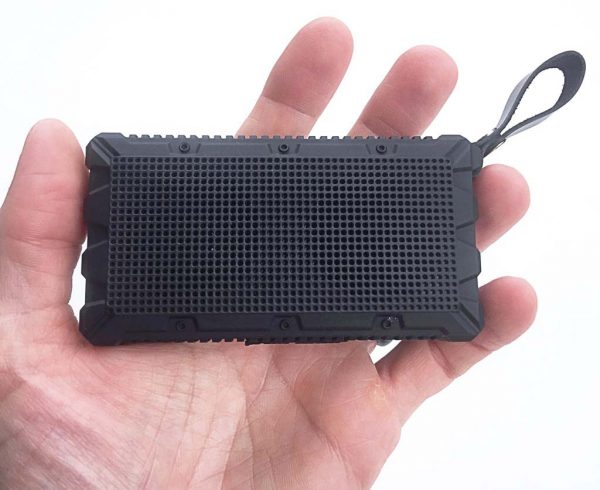 The ANT also has a tiny microphone hole on the side which enables it be used for hands-free phone calls.