It’s time to relax with your computer, tablet, or phone while you browse through a list of everything that we wrote about this week on The Gadgeteer. We have news, we have reviews, and we have articles about your favorite gadgets. Enjoy!
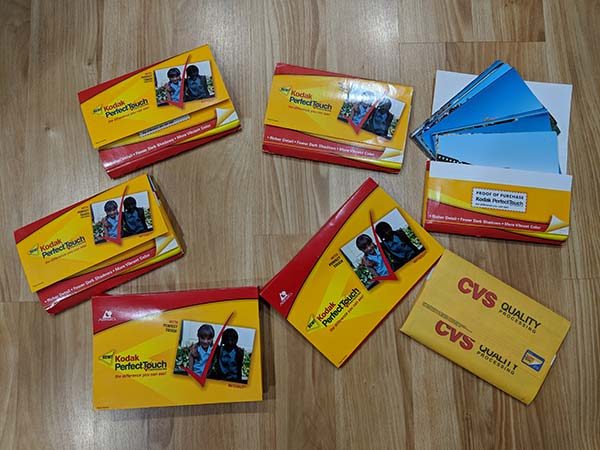
When we wanted to save a moment in time before the days of smartphones, we captured a picture with an actual camera. Inside the camera was a roll of film which had to be dropped off at a drug store or camera store to be developed. A few days later you’d stop at the store and pick up the processed pictures. If you’re old enough, you probably have a few boxes of photos from days gone by collecting dust on a shelf. How can you “backup” those images or share them on social media without manually scanning each individual photo? ScanMyPhotos is a service that will take care of the work of scanning your photos. Let’s take a look.
What is it?
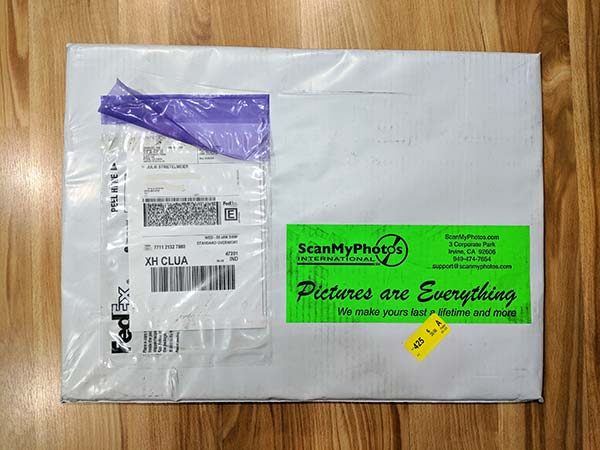
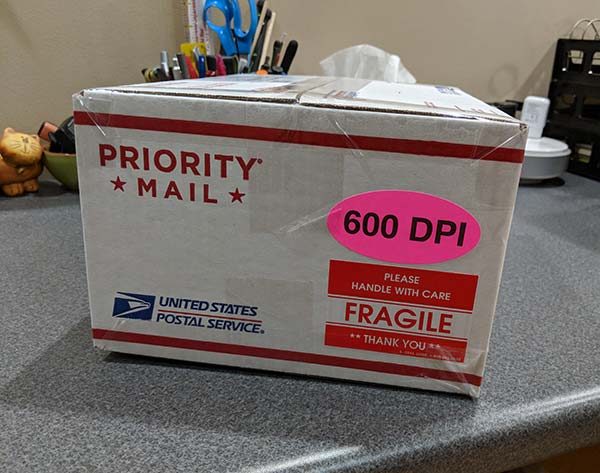
ScanMyPhotos is a service that will send you a postage paid box which you fill with your physical photos and send back to them. They will then scan and send them back to you along with a DVD of the scanned pictures.
What’s in the box?
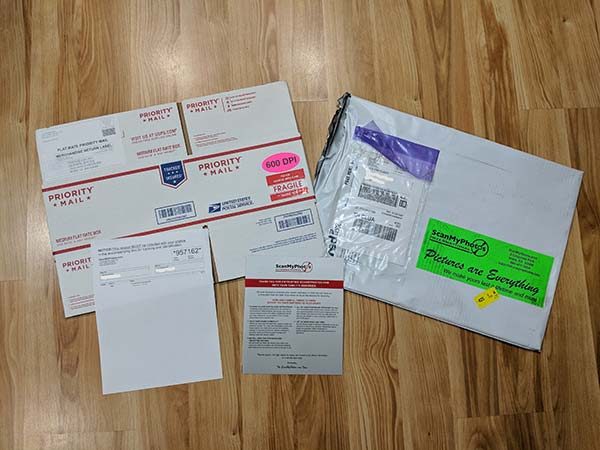
USPS Priority mail box with pre-paid label
Photo prep and packing instructions
Getting your photos ready to ship
The way the ScanMyPhotos photo scanning service works is that you have 6 months to send them your photos. When you’re ready, you can cram as many of your photos as possible in the box (around 1800 photos) and they will scan and save them .jpg format for one price. The price will depend on the DPI (150 – 600 DPI) you choose and if you want a USB flash drive, the ability to download the files, and other optional add-ons.
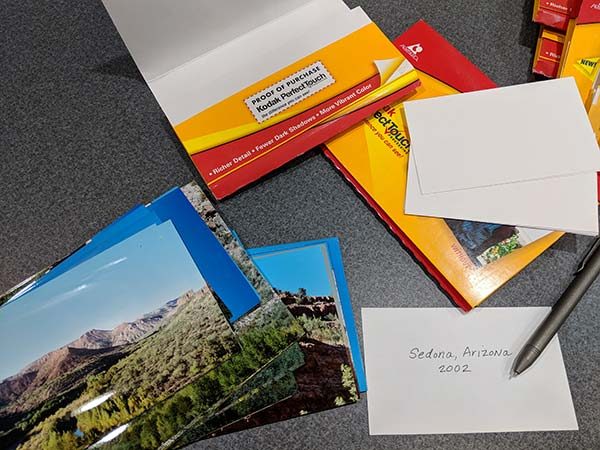
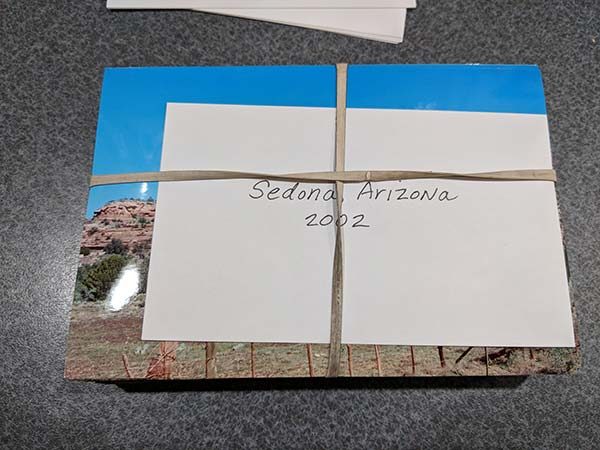
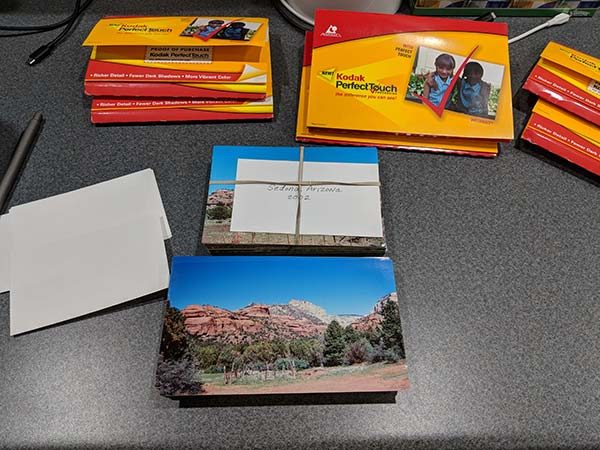
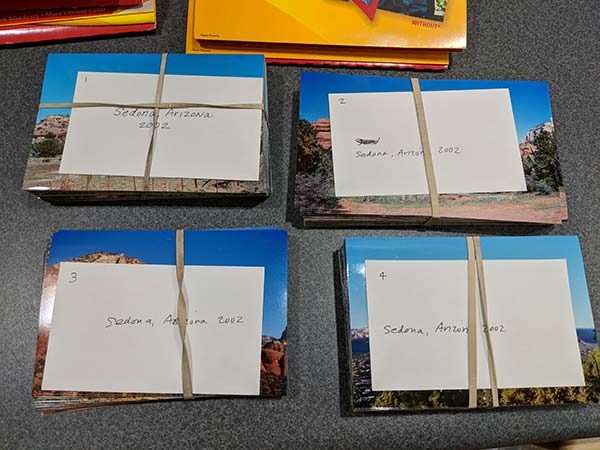
To prepare your photos for shipping and scanning, they should be removed from albums, sleeves, etc. If you want the photos arranged by year, event, trip, or whatever criteria you would like them to be grouped instead of in random order, you will have to pay extra for the scan in order add-on which is an extra $68 per box. You then write the group name on a piece of paper that is about the same size as the photos and rubber band the stacks.
Each bundle should have 100 – 150 pictures.
ScanMyPhotos will scan rectangular photos that are as small as 3 x 3 inches and as large as 8 x 10 inches. The photos can be no thicker than an old-style Polaroid pictures.
The bundles can also be numbered if you have several bundles of images for one event and would like to have them scanned in a specific order.
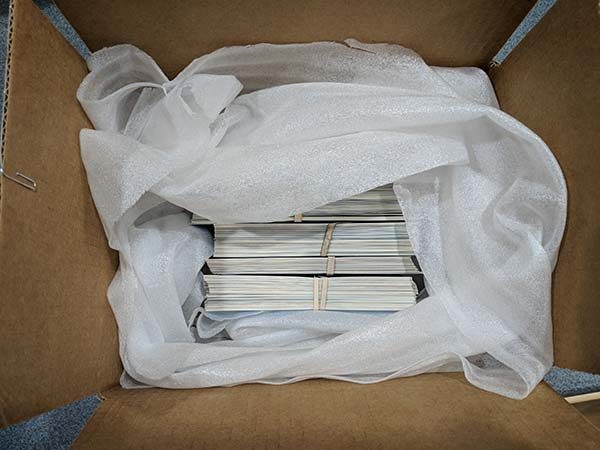
After you’ve grouped all your pictures into labeled bundles, you can put them in the included box with your own packing material around them for cushion.
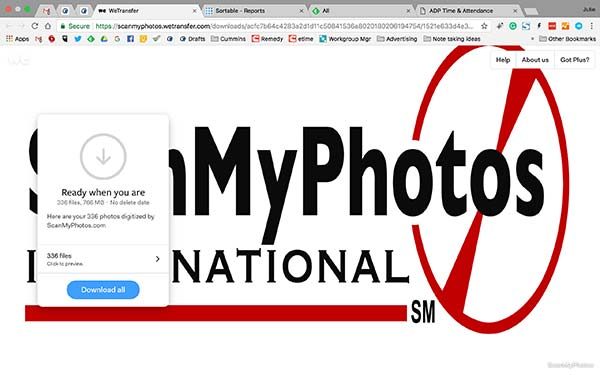
All that is left to do is to seal the box and take it to the post office. The box should arrive within 3 days and once it is received, ScanMyPhotos will send an email when the scanning process has started. I shipped my box on 1/31/18 and received a confirmation email that it was being scanned on 2/6/18 which was 6 days later (there was a weekend in there). The very next day on 2/7/18, I received a link to download the scanned photos on ScanMyPhotos download site and a tracking number for the return shipment of my original photos.
The results
I like the image download add-on feature because it’s convenient to be able to get access to your photos as soon as they’ve been scanned. That way you don’t have to wait for the DVD or USB flash drive to arrive in the mail.
Here are a few examples of the scanned images. Click to see the full size image.
The quality of the scanned photos will only be as good as the original photos. If the photos have are a little faded, so will the scanned images unless you want to pay extra ($84 per box) for the Photo Soap add-on option which will enhance the images to help restore color and contrast.
What I like
They send you everything you need including a postage paid box
Fast turn around time
Ability to download the images for fast access
What needs to be improved
Need to include tape to seal the box
You shouldn’t have to pay extra for some of the add-ons
Final thoughts
I’m kind of lazy, so I like the idea of shoving a bunch of my old pictures in a box and being rewarded a few days later with digital copies that I can share with friends, to social media, etc. I felt that the pricing was pretty high and asked a photography buddy of mine and he said that he didn’t think it was high as long as the scans were good ones. I’m not a digital scanning expert but from what I can tell, the scans look fine to me. But I do think it’s silly to charge the customer $20 for the ability to download the images when you know that they are already in their system. $68 to scan in order of the bundles with the title cards seems steep to me as well. But when it’s all said and done, if you have the cash and don’t want to spend the time scanning each photo yourself, you ScanMyPhotos is a fast and easy way to bring your physical photo collection into the digital world.
Price: Starts at $145 for 150DPI. As reviewed the price would be $299 for 600DPI + $68 for the scan in order add-on + $19.95 download add-on = $386.95. Where to buy: ScanMyPhotos Source: The sample for this review was provided by ScanMyPhotos.
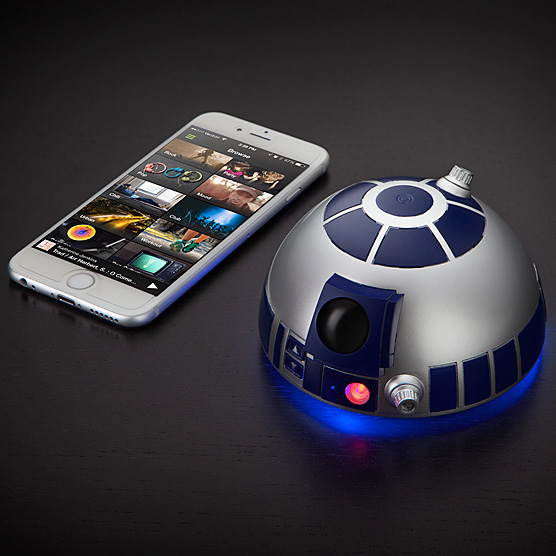
R2-D2 is arguably the most recognizable and beloved droid in the world (well, probably the galaxy). And the kindred spirits at ThinkGeek know this. They’ve created the Star Wars R2-D2 Bluetooth Speakerphone so you can use good ol’ R2 to blast your tunes as well as answer your phone. Not only that, but he also plays movie sound clips when switched on, when pairing is completed, and when turned off! How awesome is that? Pretty darn awesome, in my not-so-humble-Star Wars-superfan opinion. Shaped like R2-D2’s iconic dome, this speaker includes a 700mAh rechargeable Li-ion battery that charges via micro USB cable—and it even includes a cool blue glow underneath. And I have to say, he’s downright adorable. In a swashbuckling, save-the-day, astromech droid kinda way. And I want one. Hyperspace jump over to Thinkgeek to check out R2-D2 or to order.
Crystal decanters are beautiful, but the lead can leech out into liquids stored in them, and so they are no longer recommended as safe for long-term storage. Storing your whiskey in an oak barrel, just like the distillers do, won’t do anything but add desirable flavors. Whiskey barrels are usually far too big to add to your home bar, but these miniature Personalized Whiskey Barrels will fit just right. They are available in 2- or 5-liter sizes, and they can be customized with your name, your “distillery” name, and other information.
Oak barrels are used for aging spirits because they “impart flavor to spirits through three main compounds: lignin, which adds vanillin for vanilla and marzipan-like flavors; lactones, which give rise to buttery, coconut notes; and tannins, which add astringent, spicy flavors.” I’m not sure how much actual aging you’ll get from these little barrels before you decide to go ahead and drink your whiskey, but they’ll certainly add a whimsical accent to your bar.
The 2-liter barrel is $85.00; the 5-liter barrel is $110.00. You can even add a rum and whiskey-making kit to your order if you truly want to try creating and aging your own spirits. The Personalized Whiskey Barrels are available at UncommonGoods.
I’ve never thought I needed a dash camera. I have a 20-minute commute each way, which is mostly limited access or multi-lane highways, and folks generally drive OK. But the team at Uten needed a reviewer, so I volunteered to test their Model UCA001.
Note: Photos may be tapped or clicked for a larger image.
You can’t have surfed the internet very long and not have come across one of those dash-cam videos from Eastern Europe. You know the ones: cars and trucks of mostly Soviet designs that fall apart, swerve in front, flip over and catch fire while the driver tries to dodge. They are the reason I never thought I needed a dash camera. My commute is somewhat staid by comparison. But then I started to notice folks weaving into lanes, pulling in and stopping, slamming on brakes in front of me, and generally not driving well. There are a lot of distracted drivers out there these days. If I were to hit one of these crazies, how could I prove their actions in court? Or how could I explain to unbelieving friends?
What is it?
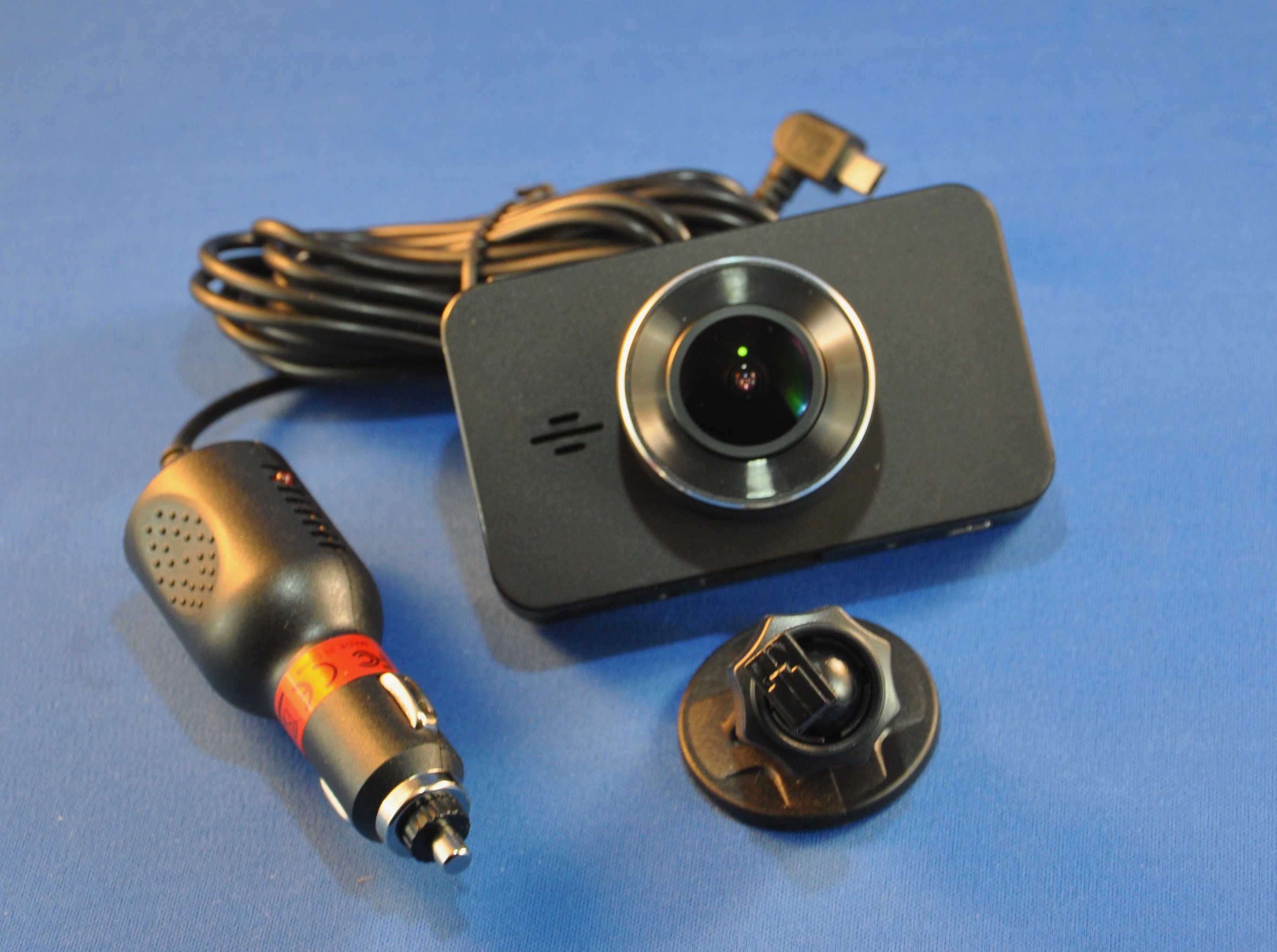
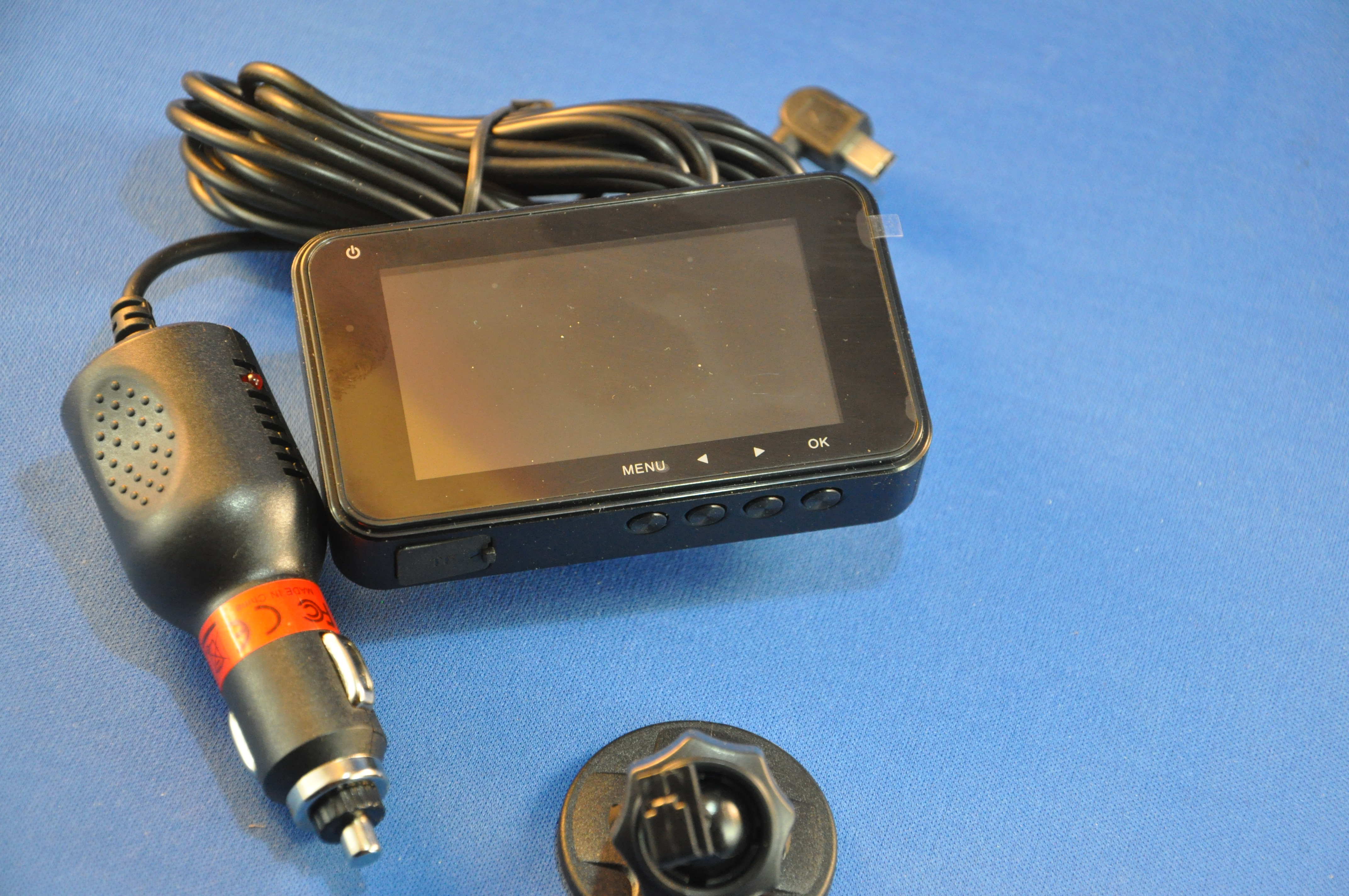
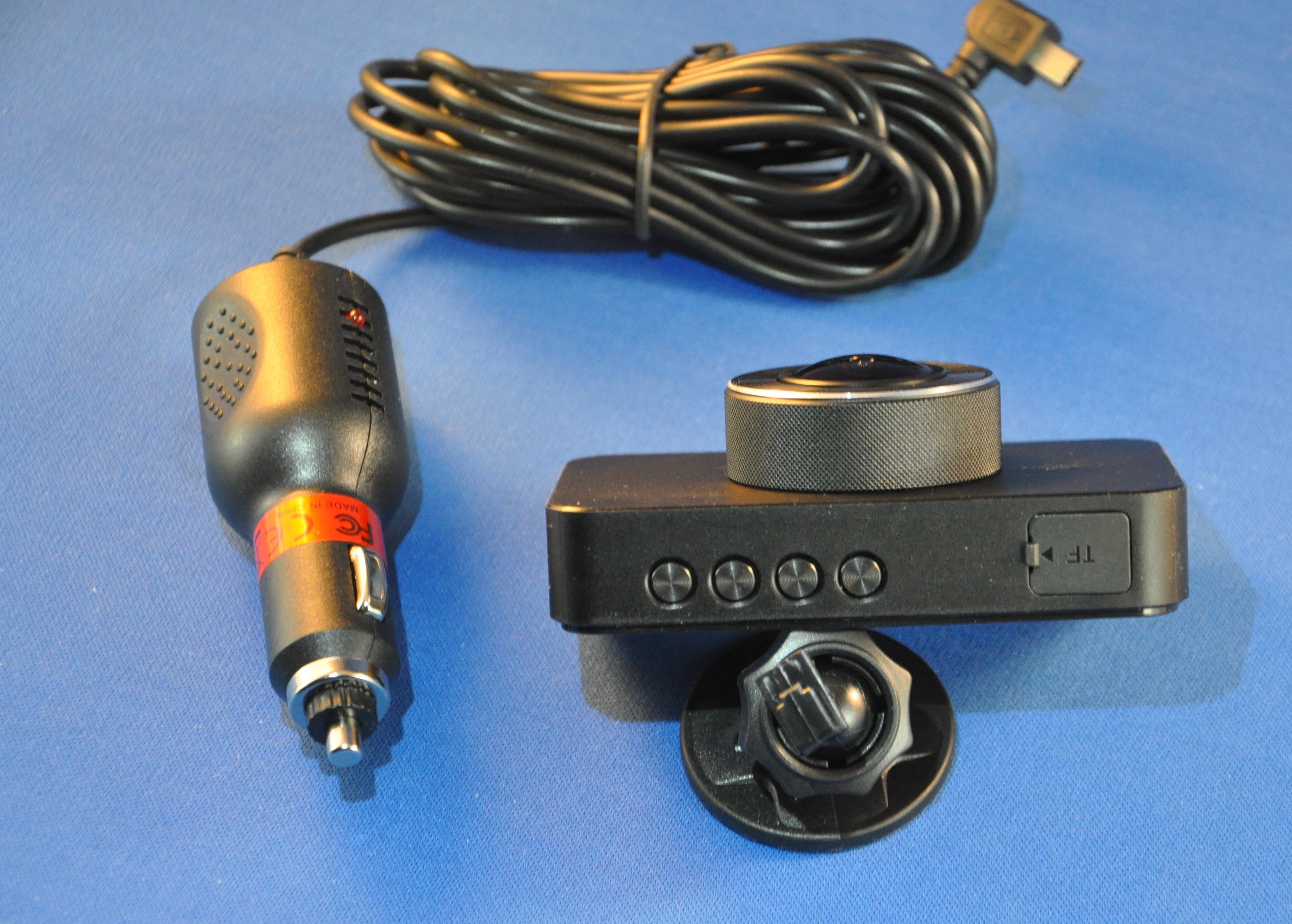
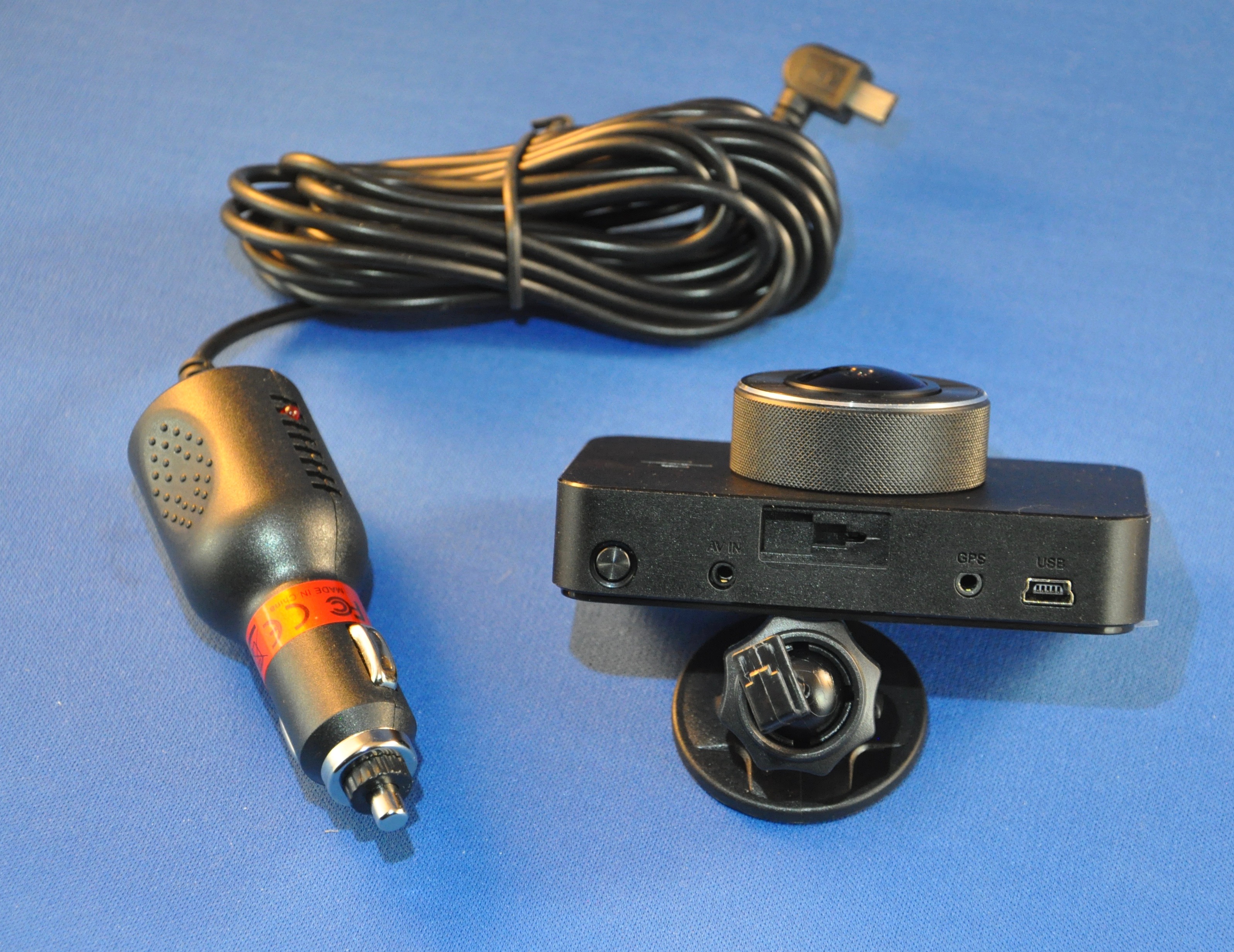
The camera is a 3.75” x 2.25” x .75” smooth black box with a lens and small speaker on one face, and a full-face screen on the opposite side. Across the top is an on/off switch, AUX input, a mounting hole for the included holder, a GPS input, and a mini USB power input. Across the bottom is a TFT slot (covered by a rubber gasket) and four menu controls: menu, left, right, OK. There’s nothing on the right side (with the lens facing you) and there are only a reset button and a mic hole on the left side.
Hardware specs
1296P+30FPS HD RESOLUTION: Providing great sharp video quality and super great vision.The camera can be mounted on your car’s dashboard or windshield to record what happens in front of the vehicle. Whatever treasured memories you want to keep, our in-car camera will deliver a high-definition record of events that you can watch time and time again.
SUPPORT 128G LARGE SD CAPACITY: Super large capacity, storing all your videos and pics of your beautiful life right in this camera, enable you to capture videos of more enjoyable activities such as scenic road trip holidays and exciting track-day races!
MSTAR TECH SOLUTION: Great clear night vision, clearly captures the license plates cars as well as road signs during the day and night, making our roads a safer and better place for everybody.
170°WIDE ANGLE+ F1.8 APERTURE LENS: Though most are F2.0 aperture in the market, our F1.8 is better than F2.0. The actual aperture much less, the vision is much brighter with better effect.
1-YEAR MONEY-BACK GUARANTEE: We commits ourselves to creating high quality and great design products. Also being confident in our premium upgrade dash cam and offering a full 1-year guarantee. We will do the best for you!
What’s in the box?
The unit comes packaged in a well-designed black cardboard box with a black heavy paper sleeve. Inside, a lighter-weight black cardboard box contains the 12-volt plug with a 9+foot captured cable, which ends in a molded right-angle mini USB plug. The camera itself is wrapped in a Tyvek-type envelope, with clear stickers over the rear screen and front lens. It is held steady by a black foam insert, centered over a black cardboard riser, under which is the mounting stand. Top marks for recyclable packaging. I think the foam around the camera is the only not-clearly-recyclable piece. You get everything except a storage card. Camera, charger/cord, instruction sheet, and mounting stand: that’s it.
Design and features
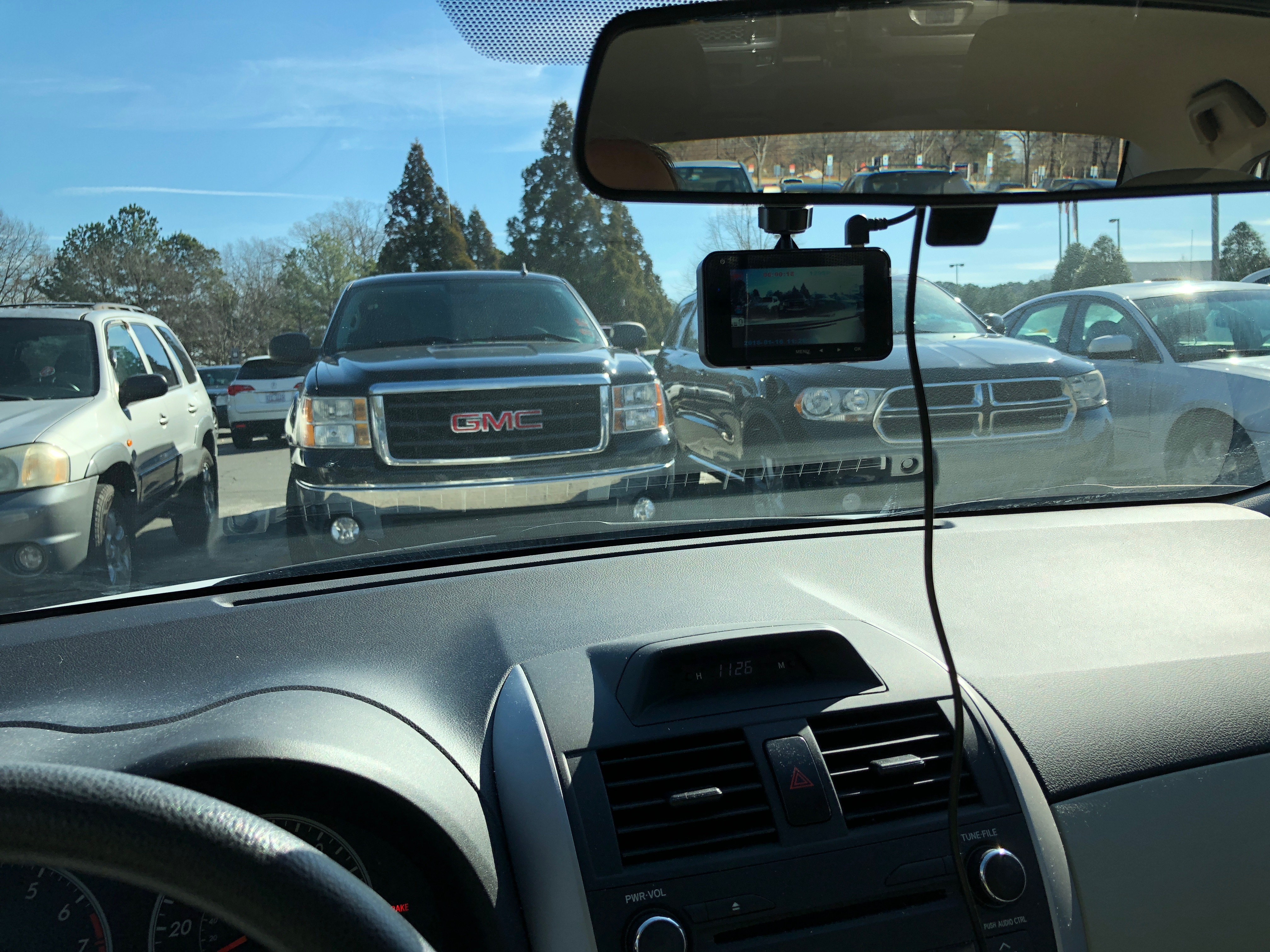
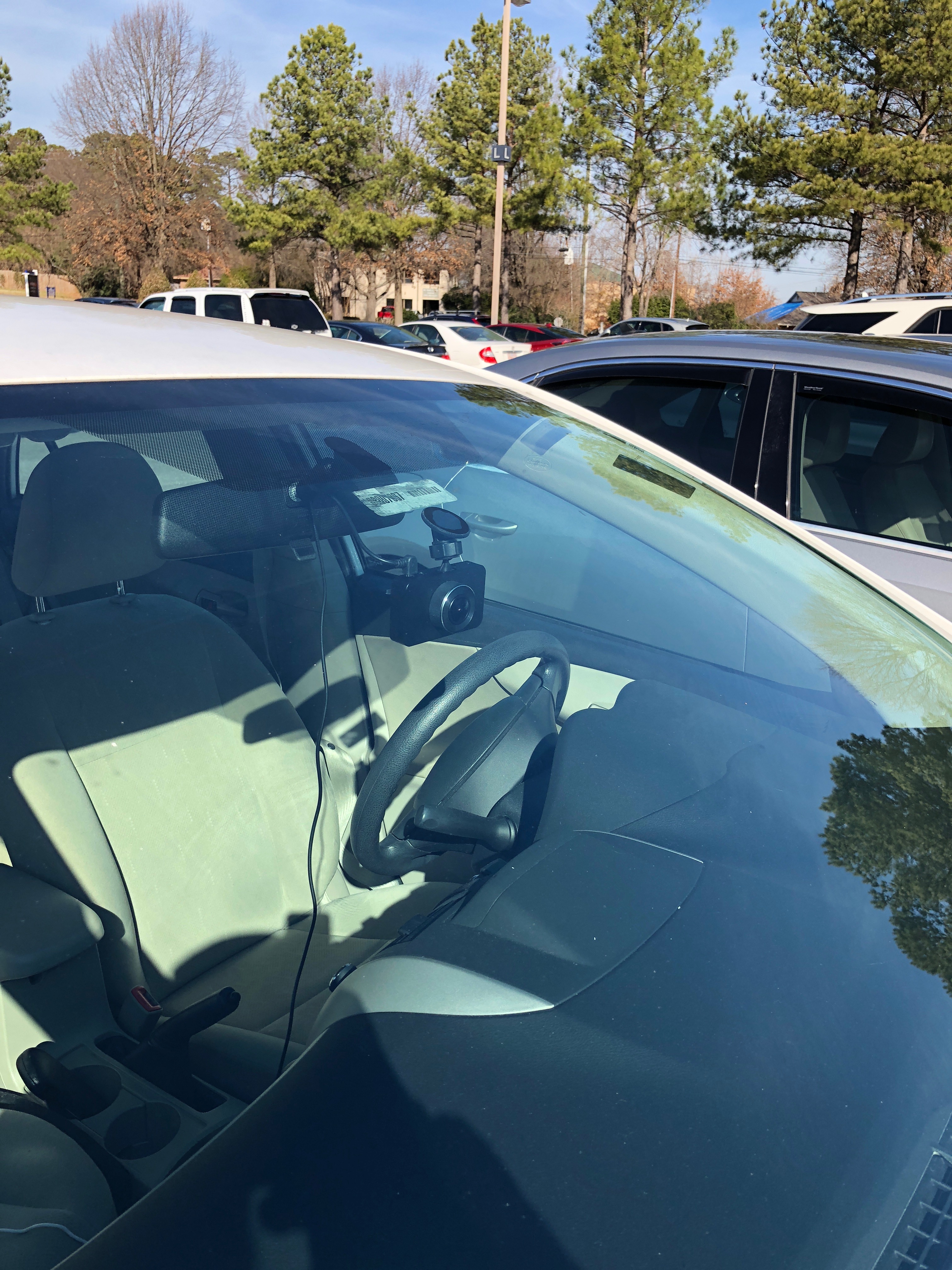
The camera is dead simple. You don’t even have to turn it on – just apply power and it is ready. By default, incoming video is cut into 3-minute segments and is set to fill the memory card, then the camera starts erasing the oldest unlocked clips. You literally just point it out the front window and you’re done. I used it for a week or so lashed to the rearview mirror with extra charging cable. (9 feet gives you a good bit of play!)
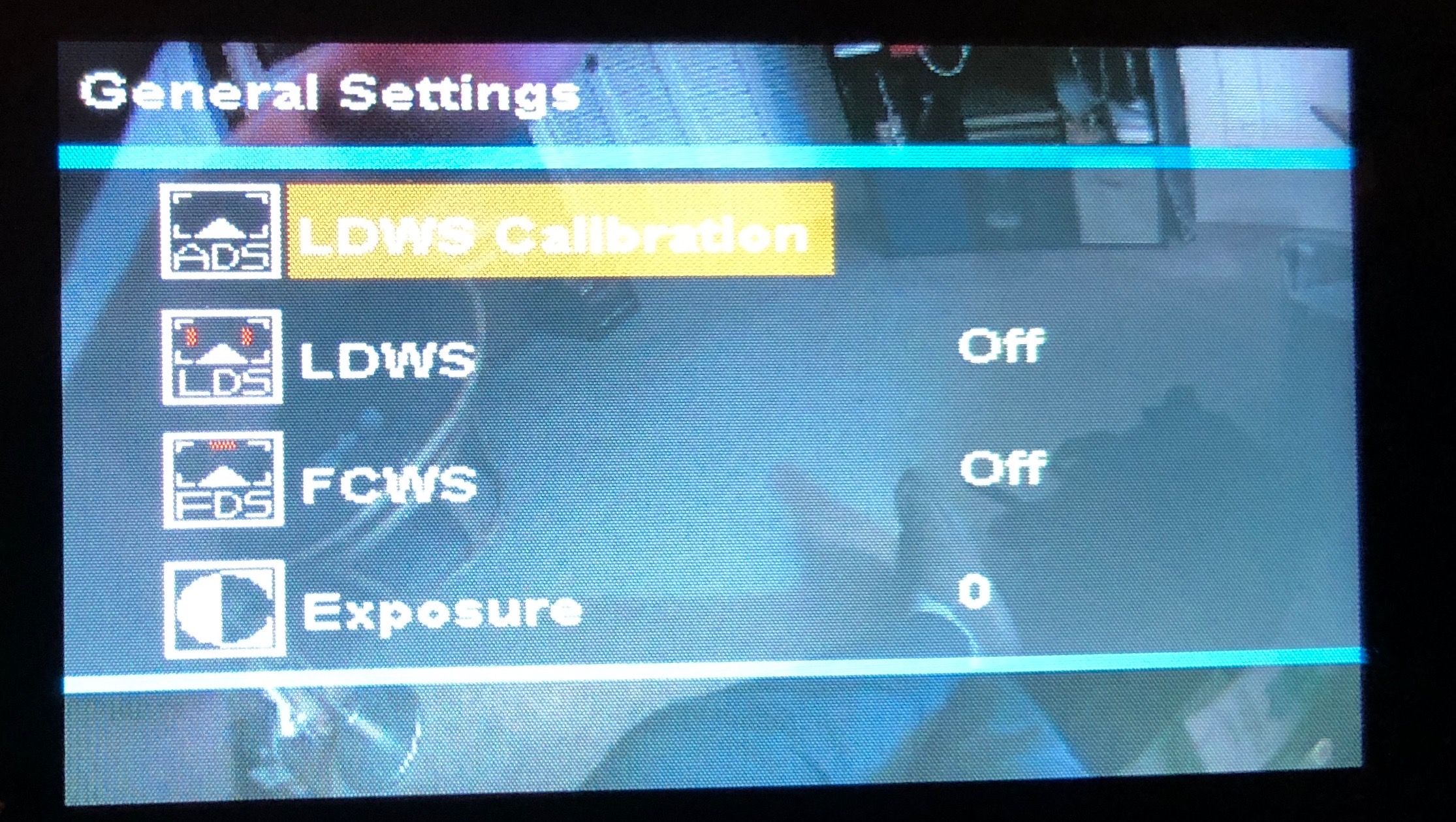
Settings available are lane departure warning, GPS connectivity, and distance warning. You can also alter the length of video clips, aperture, and time/date setup. The menu screens are pretty bare-bones but offer the settings needed.
Performance
The camera is rock solid. It turns on with the power, records until the power is cut, and locks video clips where significant vibration occurred. (I have seen this several times driving a bit quickly through road construction sites.) There is a sensitivity setting for this.
Here’s a sample video using the default settings during the day:
Here’s a sample video using the default settings at night:
What I Like
Simple on/off activation.
Flexible – can be used as front or rear camera.
Automatically cuts video into segments.
Automatically locks segments around velocity events.
What needs to be improved
The Permanent mounting – This would be better as flexible so that you could mount in rentals while traveling, or reposition if you don’t like where you first mount it.
No battery means routing power cord – never pretty.
The captive power cable is also irritating. I have at least one other item charging all the time and only one power outlet.
Final thoughts
Dash cameras are a natural outgrowth of two modern trends – highly litigious societies, and technical progress. Ten years ago, a similar system would have cost many hundreds of dollars, and a lot of custom programming and installation. However, ten years ago, the road-rage and “I’ll sue you” factors were much lower. With the cheap ability to document things, you may forestall any legal action early on, enough to cover the investment in this little gem. For now, I’m keeping it installed and running, at least when I don’t need to charge anything in the car. Were I to change to a more driving-oriented occupation, I might look into getting a multi-outlet adapter, or finding a camera that doesn’t have a captive cable. Since it’s a standard mini USB connector, however, that may be the route I take anyway.
If you have a larger car/van/SUV that may benefit should you be rear-ended, using this mounted and aimed out the rear glass may help you in the event of an accident. Seeing the driver checking their email just before they hit you and their airbag deploys may be great party footage as well, after your car gets out of the shop.
Price: $49.99 Where to buy: Amazon Source: The sample of this product was provided by Uten.