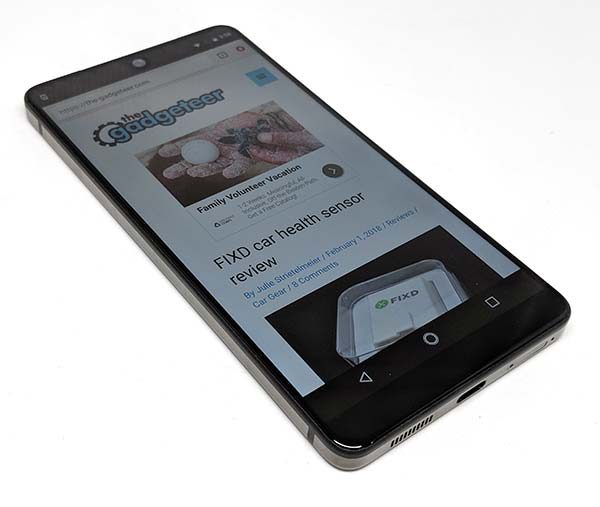
Unlike the iPhone, there are quite a few brands to choose from when it comes to Android smartphones. Samsung is the obvious leader of the pack, with phones from Google, LG, Moto, HTC, Huawei, OnePlus and Sony coming next and a variety of budget brands at the very end of the line. In the past few years, it has been tough for new brands to get a foothold at the top of the Android smartphone ladder. Huawei and OnePlus have been trying hard, but they aren’t nearly as popular as Samsung and Google. Now we have another challenger. The Essential PH-1 smartphone. Rob and I are going to tag team on this review. Let’s get started.
What is it?
The Essential Phone is a premium Android smartphone that has been designed by Android co-founder Andy Rubin, and manufactured and developed by Essential Products. It sells as an unlocked phone that can be used on all major US carriers including Verizon, AT&T, Sprint and T-Mobile.
Hardware specs
Processor: Qualcomm® Snapdragon 835 Kryo 280 Octa-core (2.45GHz Quad + 1.9GHz Quad), 64 bit, 10nm processor
GPU: Adreno 540, 710MHz, 64bit
Operating System: Android 7
Memory: 128GB UFS 2.1 + 4GB RAM
Display: 5.71” 2560 x 1312 QHD CGS / LTPS
Network: Carrier unlocked, UMTS/HSPA+: 1, 2, 4, 5 6, 8
GSM: 850, 900, 1800, 1900 MHz
CDMA EV-DO Rev. A: 0, 1, 10
FDD-LTE: 1, 2, 3, 4, 5, 7, 8, 11, 12, 13, 17, 20, 21, 25, 26, 28, 29, 30, 66
TDD-LTE: 38, 39, 40, 41, 42, 43
TD-SCDMA: 34, 39
Camera (rear): 13MP Dual RGB + Mono camera with image fusion technology f/1.85 lens
Camera (front): 8MP f/2.20
Connectivity:
Bluetooth: 4.2
WiFi: 802.11a/b/g/n/ac with MIMO
NFC: yes
Positioning: GPS and GLONASS
Battery: 3040mAh Fast charging via USB Type-C
Dimensions: 141.5mm X 71.1mm X 7.8mm
Weight: < 185 grams
Water and Dust Resistant IP54
What’s in the box?
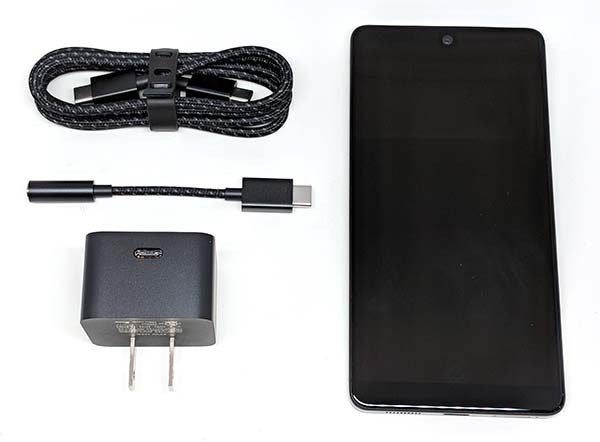
Essential Phone
USB Type-C charging cable
USB Type-C to 3.5mm headphone jacket adapter cable
USB Type-C AC charging adapter
SIM tool
Design and features
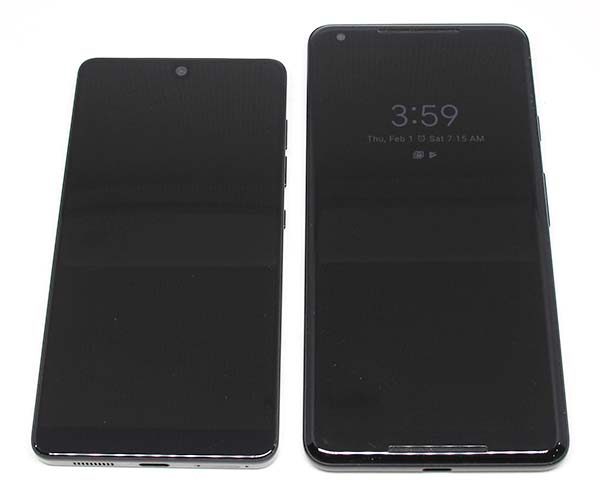
Julie: Right out of the box, I was struck by the size of the Essential compared to my current phone – the Pixel 2 XL (above on the right).
Rob: The size was one of the reasons I chose the Essential after comparing it in the store. I had been using a Nexus 6P, and the display on the Essential is nearly the same size despite the device being noticeably more compact.
Julie: Yes, this phone fits much better in my back jeans pocket than the Pixel 2 XL and it’s just the right size for one-handed use.
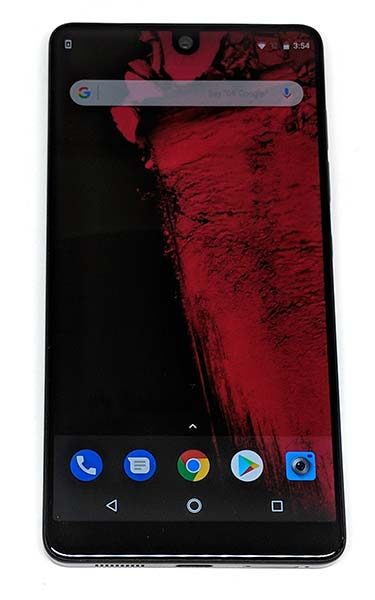
Julie: At first glance, the Essential looks like most smartphones on the market right now. It’s rectangular with rounded corners, volume buttons on the side, and has a camera at the top center. But when you really look at it, you find out that this phone is made of high-quality materials that have not yet used by other high-end phone makers. It has a Titanium body with a ceramic back, and it has an edge to edge display with just a tiny widow’s peak in the center which looks significantly nicer than the iPhone X infamous notch.
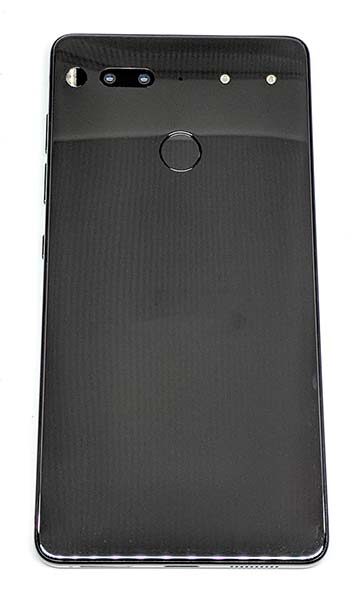
Julie: At the time of this writing, the Essential is only available in black and white versions. I chose black. The back of the phone, which is made of ceramic is very shiny. It is also a magnet for fingerprints, smudges, and smears, not to mention that it’s slippery as heck which I know Rob will agree.
Rob: Indeed it is. I normally don’t use cases on my phones and am careful enough that I’ve never broken one. That streak ended after a week and a half with the PH-1. Trust me, you need a case. Without one it will slide off of any surface that isn’t perfectly level, and possibly out of your fingers as well. It’s undeniably sexy and feels like holding a slab of glass, but perhaps a matte finish would have been a bit safer.
Julie: The back of the Essential is where the fingerprint scanner is located (more about that later), along with the back camera, flash, and the unique accessory contacts. There’s currently only one accessory that uses these contacts. It’s the 360-degree camera. A special charging dock is listed on the Essential home page as a future accessory. It’s really too bad that the phone doesn’t support wireless charging since it has a ceramic back. I would think that would have been a great opportunity to include that feature instead of making a special dock. But I guess Essential needs to prove that their accessory connector can be useful for something other than the 360-degree camera.
Rob: The accessory connector is a neat idea, but time will tell if its potential is realized. It’s essentially a USB port (using very short range wireless for data transfer and the metal pins for power) so it can potentially be used for just about anything. So far the only other accessory announced (besides the camera and the dock Julie mentioned above) is a headphone adapter, which would free up the USB-C port for charging while using wired headphones. (By the way, I have the 360-degree camera, but didn’t receive it in time to properly review it alongside the phone. Look for a more in-depth examination of it here soon.)
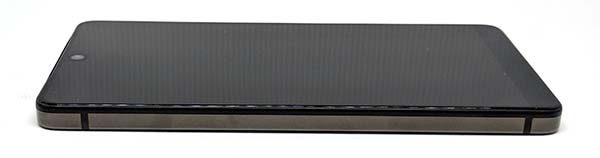
Julie: The left side of the Essential is smooth with no buttons or ports. The only thing that breaks up the Titanium sides are what I believe are the antenna “bars”. I really don’t know what else to call them.
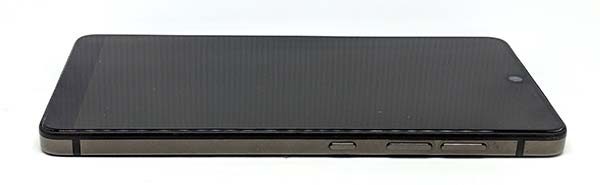
Julie: Flip the phone around to the other side and we have a power button and individual volume buttons. I don’t know about you, but I find the layout of the buttons to be backward compared to other phones I’ve used in the past few years. The power button is BELOW the volume buttons. I am constantly pressing the up or down volume button when I really meant to press the power. But I am happy to say that the buttons have excellent tactile feedback with an audible click sound.
Rob: This caused me a bit of confusion at first, but I’ve become used to it. I’m not sure this is a big problem but it is something to keep in mind especially if you use more than one device.
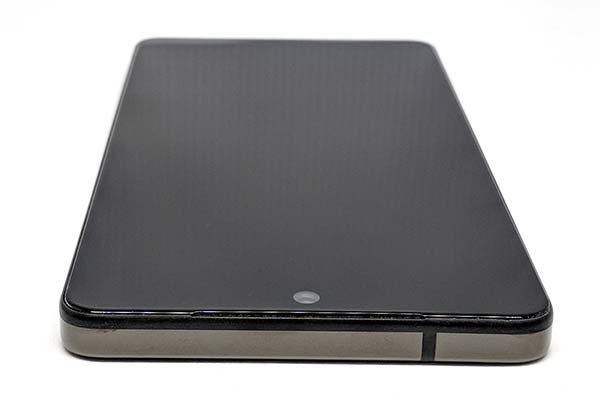
Julie: The top edge of the phone has another antenna “bar”.
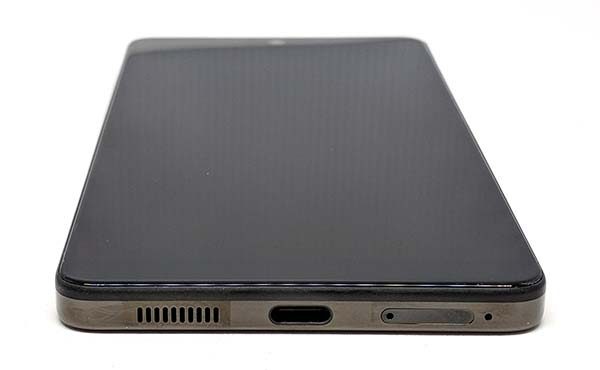
Julie: The bottom has a downward firing speaker, USB Type-C charging port, SIM tray, and Microphone. Did I read somewhere or did you tell me that people have been accidentally poking the microphone hole when they are trying to open the SIM card tray?
Rob: I hadn’t heard about that, but I can easily imagine someone doing it due to the position of the mic, especially if they’re in a hurry. Since we’re talking about ports, I’d also like to point out that like some other flagships of late, the USB-C port is the only place you’re going to be able to plug in wired headphones, as there is no analog jack on the PH-1. (There is, at least, an adapter in the box.)
Julie: The Essential Phone PH-1 is a very solid phone that feels like a high-quality flagship phone. It’s well made with great materials and it survives my patented Gadgeteer squeeze test without a whimper. This phone feels great in hand and pocket.
Display
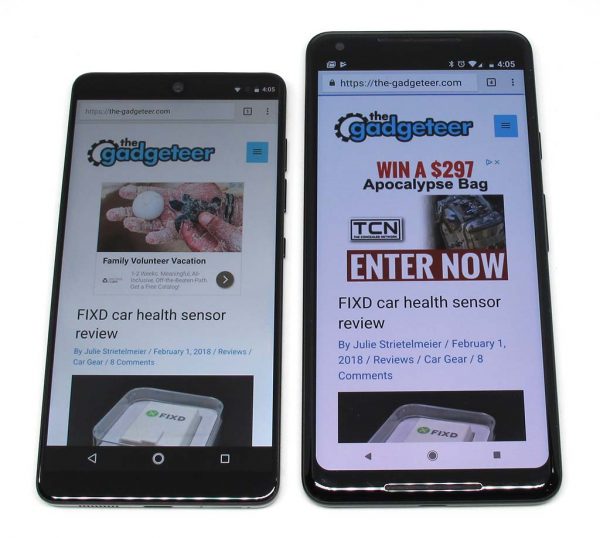
Julie: One of the main selling points for the Essential Phone is its edge to edge display. Even though the Essential is physically smaller than my Pixel 2 XL, it can display slightly more info on its screen.
Rob: Unlike most flagship devices today, the PH-1’s display is not AMOLED, but LCD. It’s an excellent LCD so I don’t consider this a problem at all, just something to take note of. Like some other manufacturers, Essential opted for a somewhat taller and narrower display that was common in previous generations, though not quite as dramatic a difference as, for example, the Samsung Galaxy S8.
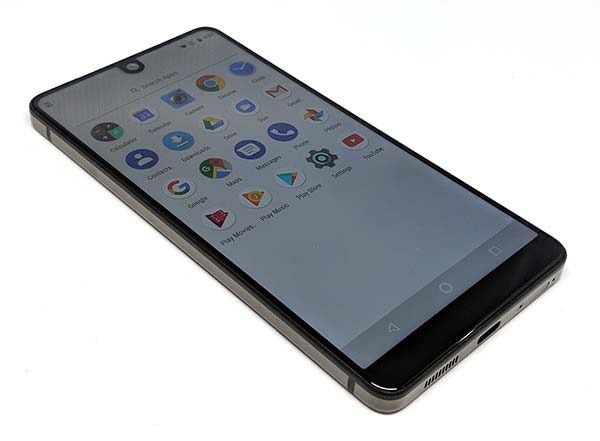
Julie: These pictures do not do the Essential Phone’s screen justice. It’s very nice. But like my Pixel 2 XL, viewing the Essential’s screen at an angle puts a slight bluish cast to the screen.
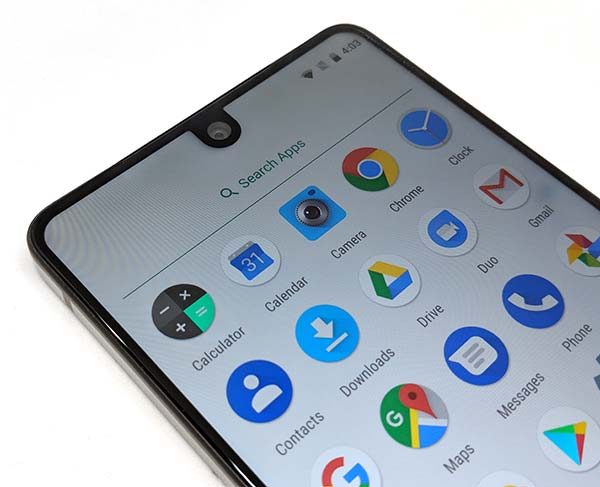
Julie: The screen has a small uvula (google it) on the top edge of the screen that isn’t nearly as noticeable as the iPhone X notch.
Rob: The size of the cutout makes all the difference in how much you notice it, I think. Compared to iOS, Android loves its notification icons, and the Essential’s camera notch leaves plenty of room on both sides of the bar. Most apps handle this well, but occasionally you’ll run into one that draws a bit of its user interface under the camera. Reportedly, Google is adding support for notches in a future version of Android, since this design is probably going to stick around for a while.
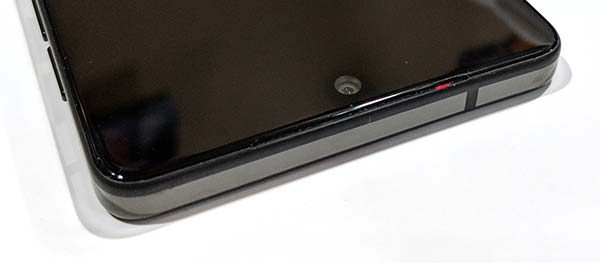
Rob: The speaker and a notification LED (the red LED in the image above) are behind a nearly invisible grille in the top bezel, which is ever so slightly bigger than the sides.
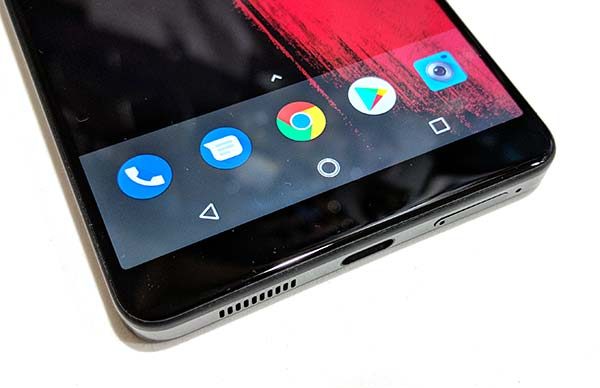
Julie: The bezel at the bottom of the display is pretty wide compared to the top and side bezels. This is a slight disappointment since Apple is able to create a fully bezel-less screen minus the hideous notch of course.
Fingerprint sensor
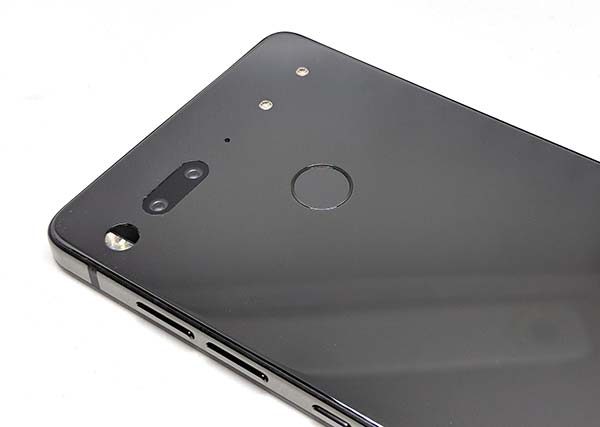
Julie: Fingerprint scanners usually don’t work for me. That’s a sentence that I’ve typed on almost every smartphone I’ve ever reviewed. The only anomaly to this statement is that the Pixel 2 XL’s fingerprint scanner has been working perfectly for me. Since that’s the phone that I’ve been using for the last four months, I’ve become spoiled by it and expected that the Essential would work that well too. It doesn’t. It doesn’t work at all. Ok, let me back up. It will work a few times the first day after I add my fingerprint but it quickly it stops working for more than 1 out of every 10 tries. I shouldn’t be annoyed because I’ve dealt with this issue for years. But I am annoyed. A lot.
Rob: I haven’t had this problem with the Essential, but I have found fingerprint sensors to be kind of picky in the past, so I’m not surprised.
Julie: As my friend, Bill Ray tells me, I have alien DNA, so I guess that explains my issues with fingerprint scanners.
Audio quality
Julie: In-call audio is clear and crisp and listening to YouTube videos using the phone’s built-in speaker is plenty loud enough for most situations. The only downside to the phone’s audio is that it just has the one downward firing speaker that can get muffled if you’re trying to listen to something while holding the phone in landscape orientation between two hands. Note: you can actually feel the speaker vibrating if you have the volume jacked to the max and you touch the speaker grill.
Rob: I agree, call audio is fine. Although I miss the dual front speakers of the phones I previously had, the one in the Essential is loud and clear and fine for watching videos and the like.
When it comes to the other important aspect of audio quality, music in headphones, the Essential is good but not perfect. The provided 3.5mm headphone adapter is adequate, but of course, you will probably use Bluetooth instead — or so the design seems to assume. In the Nougat (7.x) OS that the Essential ships with, it does not support the apt-X codec which is commonly used for high-quality Bluetooth audio, but it is expected to be part of the Oreo upgrade. Still, the audio quality with the Bluetooth devices I use regularly (Sony headphones and speakers, and a Kenwood car unit) is good, which may mean it has another high-quality codec (such as AAC) installed. If you insist on apt-X, however, you might want to wait until the Oreo update is available.
Camera
Julie: The Essential’s camera is one thing that kept me from considering the Essential when it first came out. I kept reading about how bad the camera was and since taking pictures is one of the main things I do with my phone, I didn’t want anything to do with this phone. Then later I heard that the camera problems were fixed by various firmware updates so my concerns lessened. When I mentioned that I’d be reviewing the Essential, someone asked that I take some pics before applying any updates and then similar pictures after the updates. So here you go. Here are four sample pictures that were taken BEFORE any Android OS updates were applied to the Essential Phone. Click for larger view.

And here are the same pictures taken AFTER all updates were applied.


I can see a very small difference in the before and after images, but that said, I don’t think that the before images are as bad as people were moaning about. I think the Essential Phone’s camera is a capable shooter for day to day snaps that you would upload to your favorite social media sites. What do you think?
Rob: Essential is still regularly releasing updates for their camera app, tweaking the HDR processing and the like. There are also patched versions of the Google camera app out there which might be even better. There are undoubtedly better phone cameras, but at this point, I think the early problems with the Essential camera aren’t going to be an issue for most people anymore.
Using the Essential for phone calls
Julie: During my week with the Essential, I’ve had no issues making and receiving calls on the T-mobile network and have felt that the volume level on both sides of the conversation has bee just fine.
Rob: Same here. I’m on the AT&T network, and it’s been fine for me too. While it does seem like the reported signal strength is a bit lower than the last couple of phones I’ve used, that doesn’t seem to change anything in the areas I use it.
Software and user interface
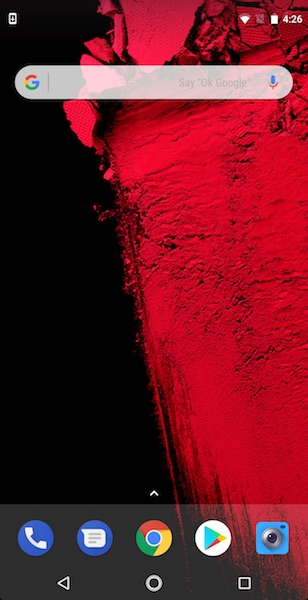
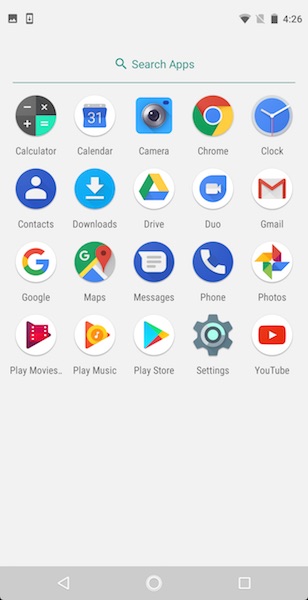
Julie: The Essential Phone’s user interface and the core set of apps are about as bare-bones stock Android as you can get without buying an actual Google phone. The apps in the 2nd image above on the right are the only apps installed on the phone.
Rob: That’s one of the reasons I was attracted to it. No extra crap, no Android skin. The only non-stock app installed by default is the camera, plus an extra settings panel where you can opt-in to anonymous data collection by Essential. It’s about as close as you can get to a Nexus these days, and a lot cheaper than the Pixel 2 XL.
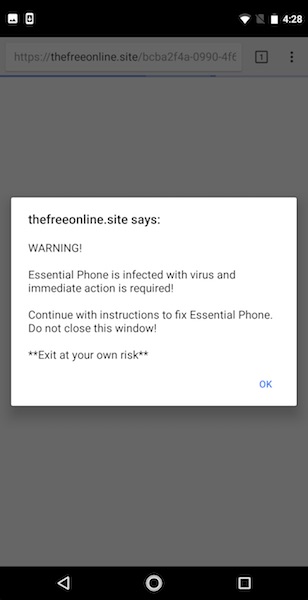
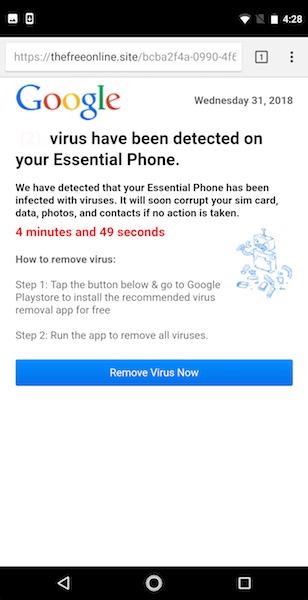
Julie: One thing that caught me off guard the first time I used Chrome is the errors you see above. I was like what the heck is this? I didn’t trust the REMOVE VIRUS NOW button considering the URL that was displayed in the address bar, so I just killed Chrome. These errors finally went away after I applied all the OS and app updates and I haven’t seen it since.
Rob: This doesn’t have anything to do with the phone. It’s an ongoing problem with malicious ads being served to mobile devices, even being snuck in through reputable ad networks (like Google itself). It’s so widespread that Google is reportedly going to address it directly in Chrome soon; maybe they already have (which might be why you haven’t seen it since). I’ve seen this plenty of times, even through major mainstream news organizations’ stories linked through the Google feed and the like. At any rate, it’s nothing to do with Essential, just the usual scam artists spreading malware like they always try to do.
Julie: I find it weird that I’ve not seen this same error on my Pixel 2 XL. I guess I should just count myself as lucky.
One other thing to mention is that while I’ve had the Essential Phone, it’s received quite a few updates including the Android February security update. I think that this is worth mentioning because my Pixel 2 XL has NOT received this update yet.
Overall performance and battery life using the Essential for day to day tasks
Rob: The battery life of the Essential is, so far, quite good. Certainly a lot better than the aging Nexus 6P it replaced. Right now, at the end of a day in which I checked social media every hour or so, watched some Youtube videos, and listened to some podcasts and music while at Starbucks, it’s at 52%.
Julie: I’ve noticed the same thing so far. I was able to get easily get a full day of use from one charge. As for performance, the Essential felt reasonably snappy launching and switching between apps. I didn’t notice any obvious lags using the phone for day to day tasks.
Positives
- Premium materials
- Edge to edge display
- More affordable than other top-tier flagship phones
- No bloatware
- Unlocked
- Quick updates to fix issues
Negatives
- Slippery
- No waterproofing
- Fingerprint scanner doesn’t work for me (Julie)
Final thoughts
Julie: I bought the Essential Phone PH-1 because I was curious to see if I might like it better than my Pixel 2 XL given that it’s smaller and more pocket-friendly than the Pixel 2 XL. After using the Essential Phone for a week, I like it just fine, but the fact that the fingerprint scanner does not work for me is causing me to box it up and ship it back to Amazon for a refund.
I think this is a really nice Android smartphone that comes in at an equally nice price. It seems that Essential is trying hard to fix any issues in a timely manner and the fact that the phone is receiving security updates faster than Google’s own phones is another plus in their favor. I don’t know if they’ll be able to hang with the big boys, but I wish them luck.
Rob: The Essential PH-1 is, while not very well known thus far, one of the more interesting Android phones we’ve seen in a while, with a design that stands out from the rest combined with flagship performance and a stock Android experience. It isn’t perfect but at its current price, it’s a great deal, especially if you are the kind of person who appreciates the core Android experience without a vendor skin. I recommend it, with the caution that in some respects it is still a work in progress, with significant updates yet to come.
Price: $499.99 MSRP
Where to buy: Essential and Amazon
Source: The phones for this review were purchased with our own funds.

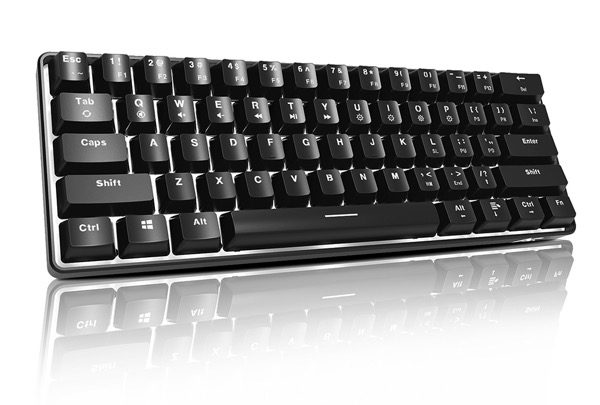 I’m a touch typist who loves a good, “clicky” keyboard. For a while I’ve been intrigued with the TKL or ten keyless models that only have 61 keys without the number pad attached. This allows for portability, since some laptops just have terrible keyboards (I’m looking at you, 2016 and newer MacBooks). I also game very lightly with Overwatch and CSGO my go to when I need to let out some steam, so when the ACGam AG6X mechanical gaming keyboard came my way, I definitely wanted to try it.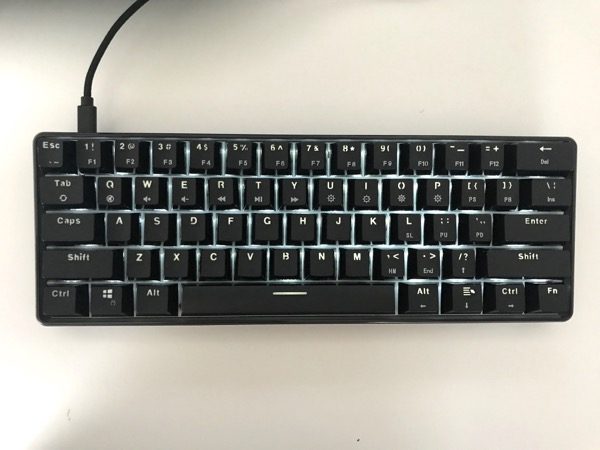
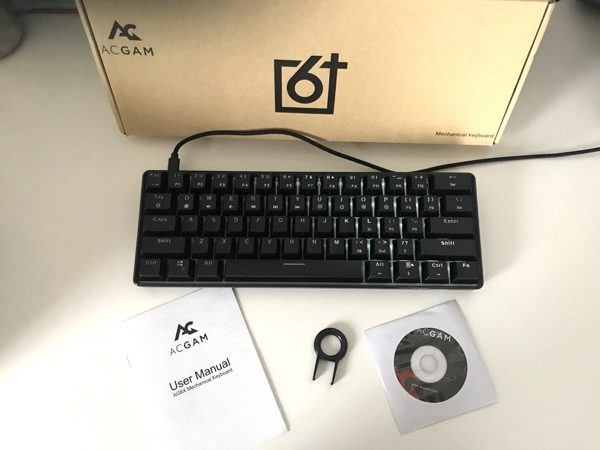 What’s in the box?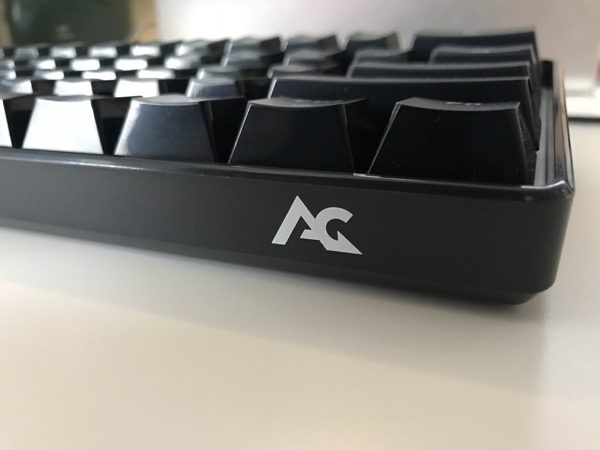
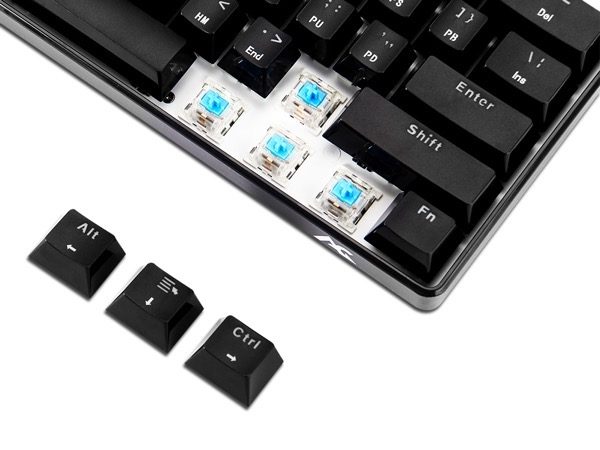

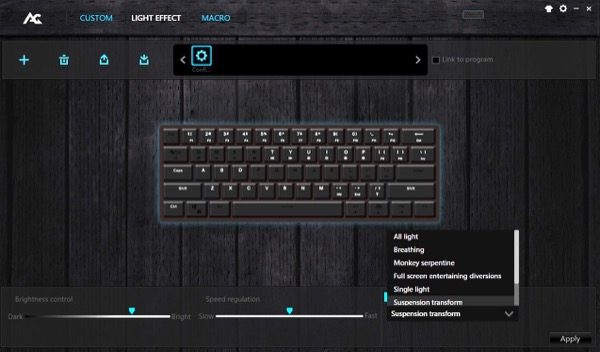
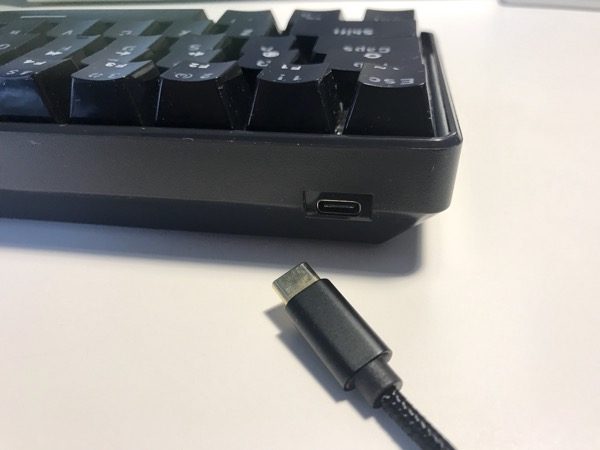 Here’s the usb-c port that connects to the keyboard and PC usb port.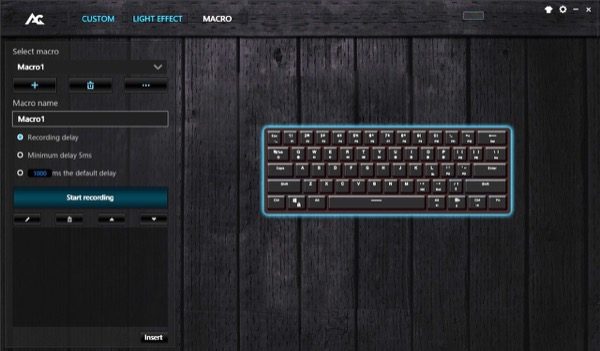
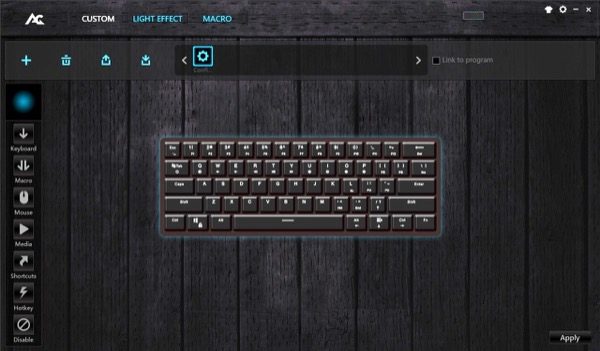
 There is also an option to record macros, for gaming, or anything you need multiple key combinations for. I didn’t use that feature but seems cool to have it available.