So you’re thinking about the benefits of a standing desk, but it just doesn’t fit into your workspace plans. Maybe you don’t have even have a traditional desk! Here’s where products like the WorkFit-Z come in. It’s a stand that converts any work surface into a adjustable sitting/standing desk. This particular model is designed for organizing yourself in compact spaces. Let’s check it out!
What is it?
The Ergotron WorkFit-Z Mini is a stand that converts your existing workspace into a height-adjustable standing desk.
Hardware specs
- Footprint = 31″ x 21″ (79 x 53 cm)
- Fits on desk surfaces 22″ (56 cm) deep or larger
- Work surface dimensions = 31” by 15.8” (78.6 x 40.2 cm)
- Keyboard tray dimensions = 24.5″ x 9.1″ (62 x 23 cm)
- Device slot dimensions = 11″ x 1.8″ x 1.1″ (28 x 4.5 x 2.8 cm)
- Range of motion = 12.5” (31.7 cm)
- Product Weight: 32 lbs (14.5 kg)
- Total height in “low position” = 5.4” (14 cm)
- Total height in “high position” = 17.9” (45.5 cm)
- Maximum load capacity = 25 lbs (11.3 kg)
What’s in the box?
- 1 work stand, fully assembled
- 2 leg covers
- A couple of zip ties for managing cables
Design and features
Construction and Setup
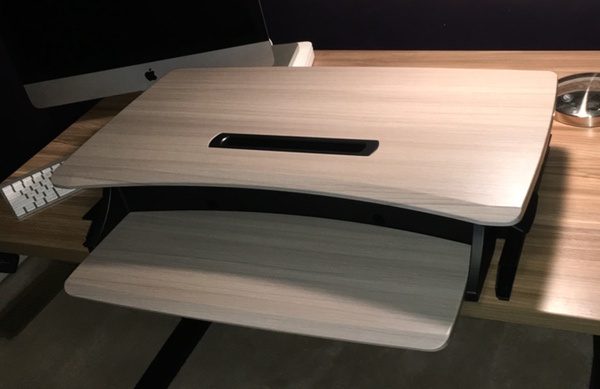
The Ergotron WorkFit-Z Mini is a surprisingly hefty beast, weighing in at a 32 pounds due to its tank-like construction. A beefy metal frame, thick composite surfaces, and what feels like commercial-grade hardware makes for a solid, stable stand for your precious electronics. Corners, edges, and finishing are all nicely executed with an elegant grey wood grain finish on the work surfaces. It’s a well-built piece of gear that will look great in either your home office, your home project area, or your corporate environs.
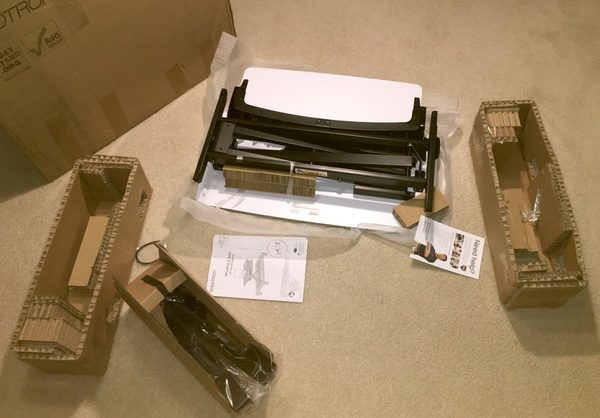
You can also leave the tools in the drawer because the Ergotron WorkFit-Z Mini comes fully assembled out of the box. The only required setup is to attach the two plastic covers to the “feet” of the stand with peel-off adhesive pads. Cut loose the packing straps, and you’re good to go. From unboxing to setting my gear, we were up and running in my office in under 10 minutes.
Layout and Functionality
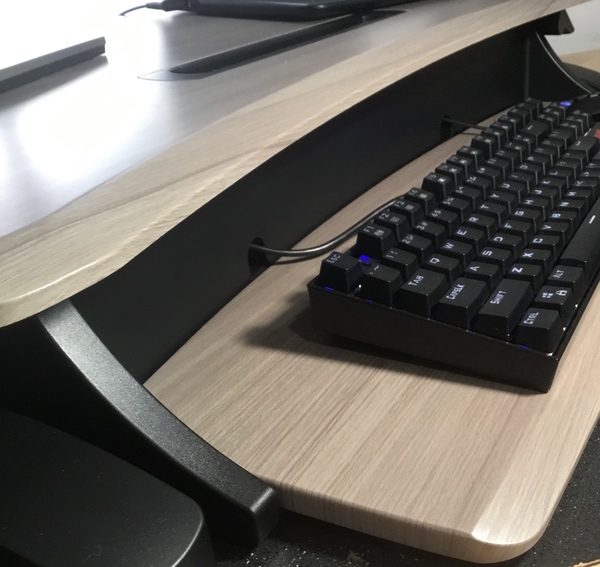
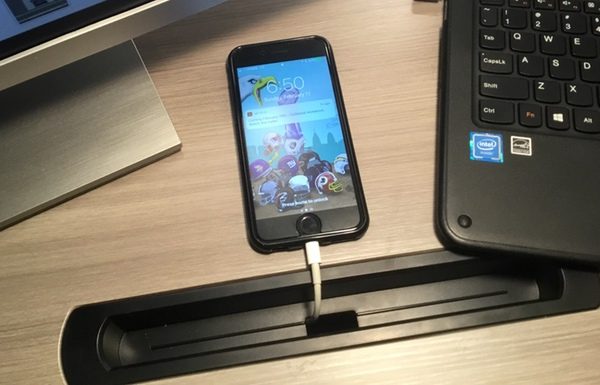
As the smallest stand in the Ergotron lineup, the two-tiered design of the WorkFit-Z measures in at a space-friendly footprint of 31” wide by 24” deep. The top tier of your monitor and laptop measures 31” by 15.8”, and includes a clever 11” by 1.8” device slot to cradle your tablet and smartphone. The lower tier is an offset 24.5” by 9.1” dedicated tray for your keyboard and mouse. It’s a compact setup, but it does a nice job of organizing all of your work essentials in a small space.
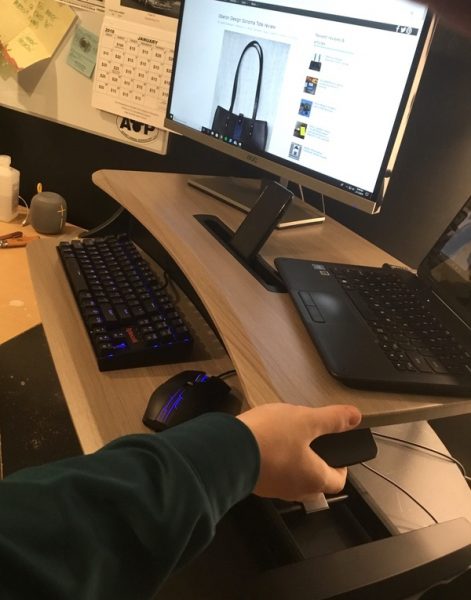
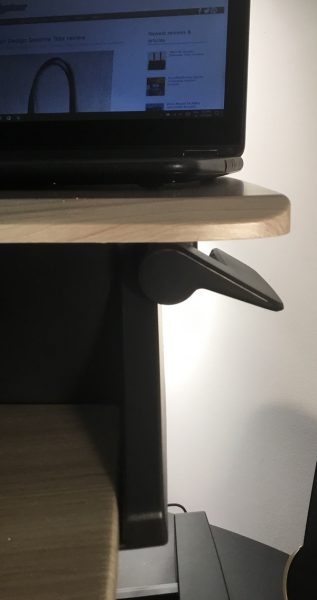
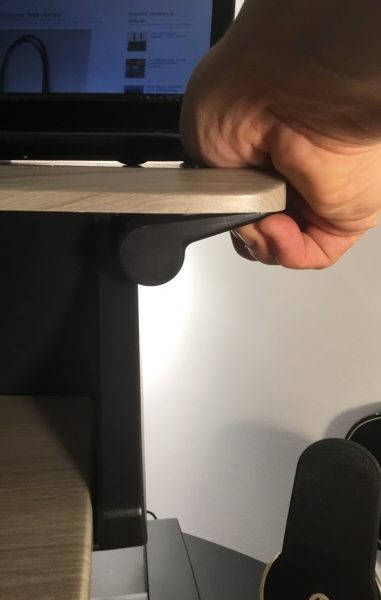
At the lowest setting, the keyboard tray is flush with your desktop and the top surface sits at an ergonomically-friendly 4.3” above the keyboard tray. Squeeze a handle on the right side of the unit to release the brake, and lift (or lower) the unit to the desired height. Movement is smooth and linear and can be set to any position up to 12.5” above the desktop surface for standing operation. It should be noted that the keyboard tray is locked in position relative to the top surface with no additional adjustments.
Finally, the Ergotron WorkFit-Z Mini employs some nice little additions to manage cables. The desktop tray includes a pair of holes in the rear panel if you’re still using a wired keyboard and mouse. The device slot also includes a bottom port through which you can thread your charging cables. This allows you to run all of your cables behind the unit, keeping them out of the way of normal operation.
Performance
The Ergotron WorkFit-Z Mini does a great job fulfilling its mission as an accessory that turns your existing workspace into a convertible sitting/standing desk. Given the small footprint, you can use it in a variety of spaces: your office desk, a countertop, a built-in computer alcove, etc. It also looks great, so you won’t mind having it on display in high-traffic areas.
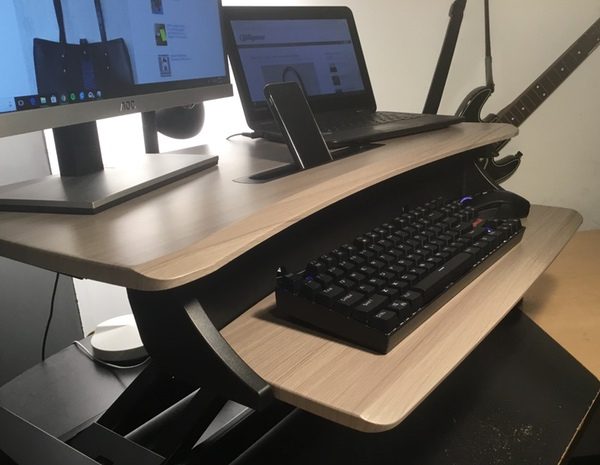
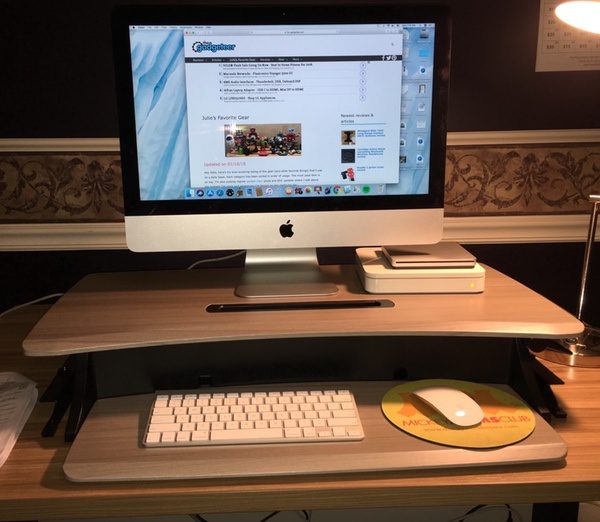
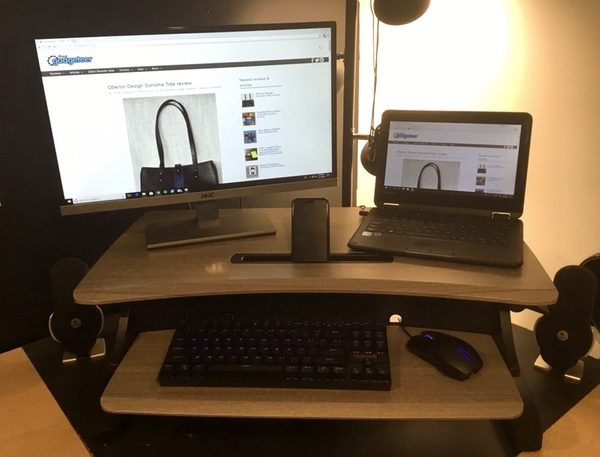
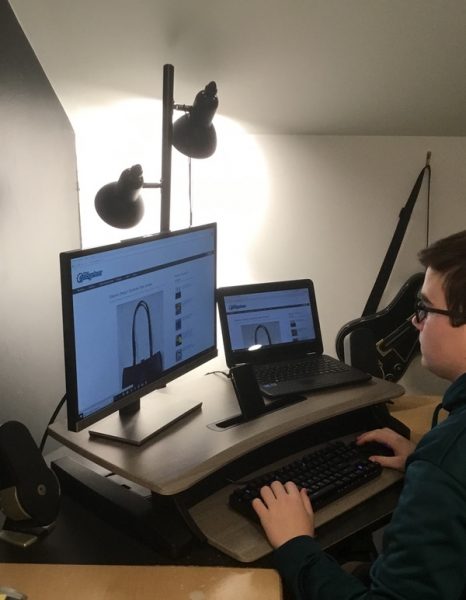
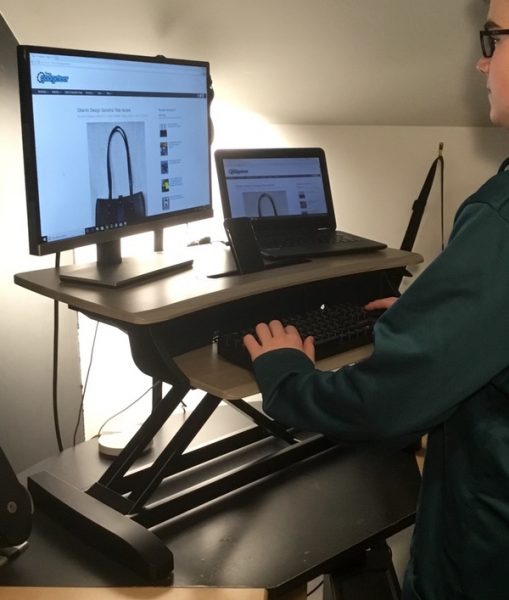
We tested the stand with two configurations, as you can see from the pictures: a 21.5″ iMac with wireless keyboard/mouse, and a Windows-based setup with a 24″ monitor, wired accessories, a Chromebook, and an iPhone. I also tested the iMac with my 13″ MacBook to test the sizing.
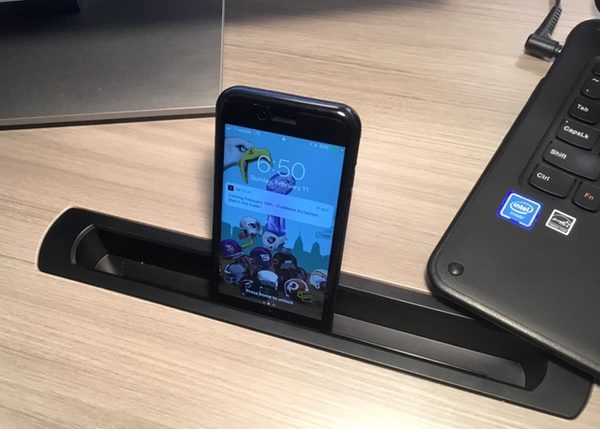
For a compact footprint, the Workfit-Z offers a surprising amount of room for all of our gear. You can fit a monitor and laptop on the work surface with room to spare for your small devices. After testing both configurations with the help of my son, we found that there is plenty of room to work without feeling cramped. Ergotron does offer larger models if you need more space to stretch out for dual-monitor setups or larger pieces of equipment, so you’ll want to do some checking before you settle on this particular stand.
The dedicated keyboard tray does have its pros and cons. It’s not designed to handle a full-size keyboard and mouse but works just fine with the compact keyboard/mouse setup you see in the pictures. It’s also not adjustable and can’t be tucked out of the way, so using the laptop without external accessories can get a bit awkward for extended use. Depending on your personal preferences this may or may not be an issue for you.
The manual lifting/lowering operation is very smooth and works well. The unit is rated at a maximum load of 25 pounds, so you won’t need your big muscles to operate the device. We did find it easier to raise & lower the stand with two hands if it was loaded up, but it’s not a big problem.
I’m extremely impressed with the overall build of the Workfit-Z. It’s a rock-solid stand that’s extremely stable at any height without a wobble to be found. It is so well planted that I have no concerns about the safety of my gear toppling over. I’m also confident that the frame, surfaces, and hardware will last for years without failing. It’s that good.
What I like
- Compact, organized profile for small workspaces
- Rock solid, stable construction
- Looks good enough for the home or professional office
- Smooth operation
- No assembly required
What needs to be improved
- Doesn’t fit a full-size keyboard and mouse; check your gear dimensions first
- Not ideal for dedicated laptop use over extended periods due to the dedicated keyboard/mouse tray; you’ll be more comfortable using an external keyboard/mouse
Final thoughts
The Ergotron WorkFit-Z Mini is a great solution for converting an existing workspace to a convertible sitting/standing desk. In scanning comparable products, it looks like the $250 price point is in alignment with similar products on the higher end of build quality. I’m OK with the price-to-value ratio here. A desk is a solid investment that gets daily use, so you want to make sure that your solution is solid and safe for your precious electronics. The WorkFit-Z scores on both counts. It’s also got a two-year warranty, which adds a level of confidence to your investment.
My only two caveats about this product are related to your intended use. Depending on your working style, the keyboard tray may get in the way of extended laptop use. It is also the smallest desktop converter in their lineup, so you should evaluate your gear needs (and take some measurements) to ensure that this model would work for you. Other than those two items, I would highly recommend this product.
Price: $249.99
Where to buy: Visit the Ergotron WorkFit-Z page for purchasing information, or check out their store on .
Source: The sample of this product was provided by Ergotron.