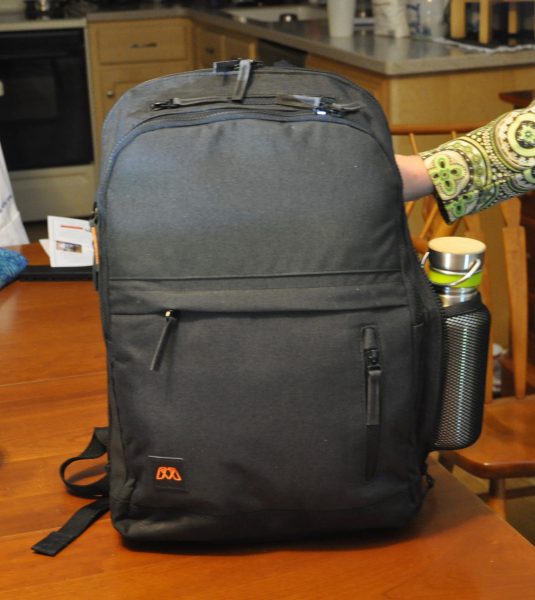
Recently, I’ve been testing more backpacks than slings and courier bags. One reason is that I prefer this style when traveling, but it’s also due to my new job. I need to be able to take a laptop home, no matter what else I may have brought into the office. We’re having work done in our office that gets pretty loud, and recently, we’ve also had some weather-related requests for us to work from home, so I’ve had to carry home the work laptop as well as my daily driver iPad. The latest entrant into the backpack field is from MOS, a company whose first hit product was a Magnetic Organization System (MOS). This product is still on the market, but they have expanded their offerings with the MOS Pack and the MOS Nest. I was sent these items – the Pack in Black and the Nest in Blue, both with Orange interiors. An added bonus was their Reach power cord, in White, which not only includes two USB ports but also integrates with the Pack for on-the-go charging.
Note: Photos may be tapped or clicked for a larger image.
What is it?
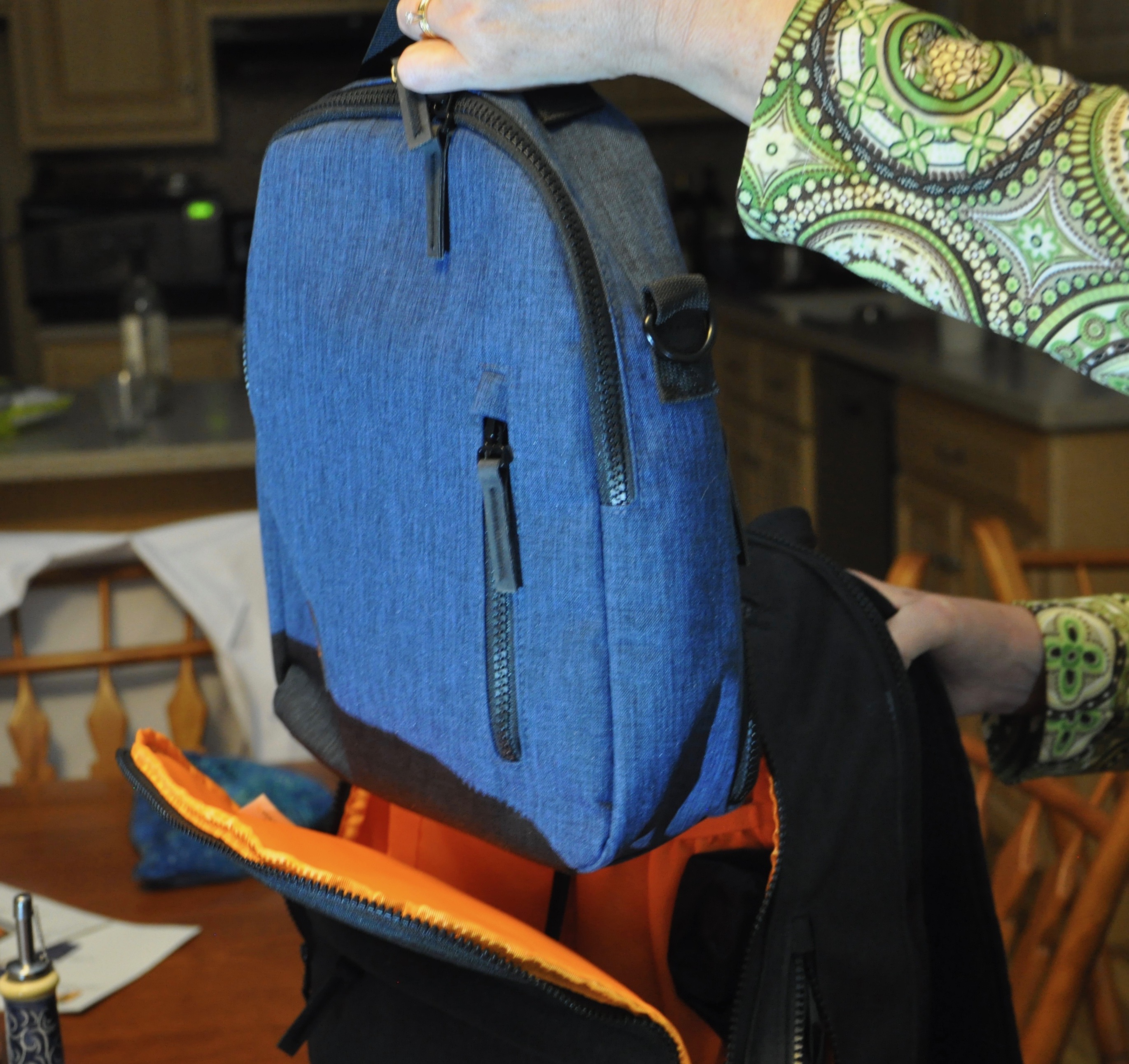
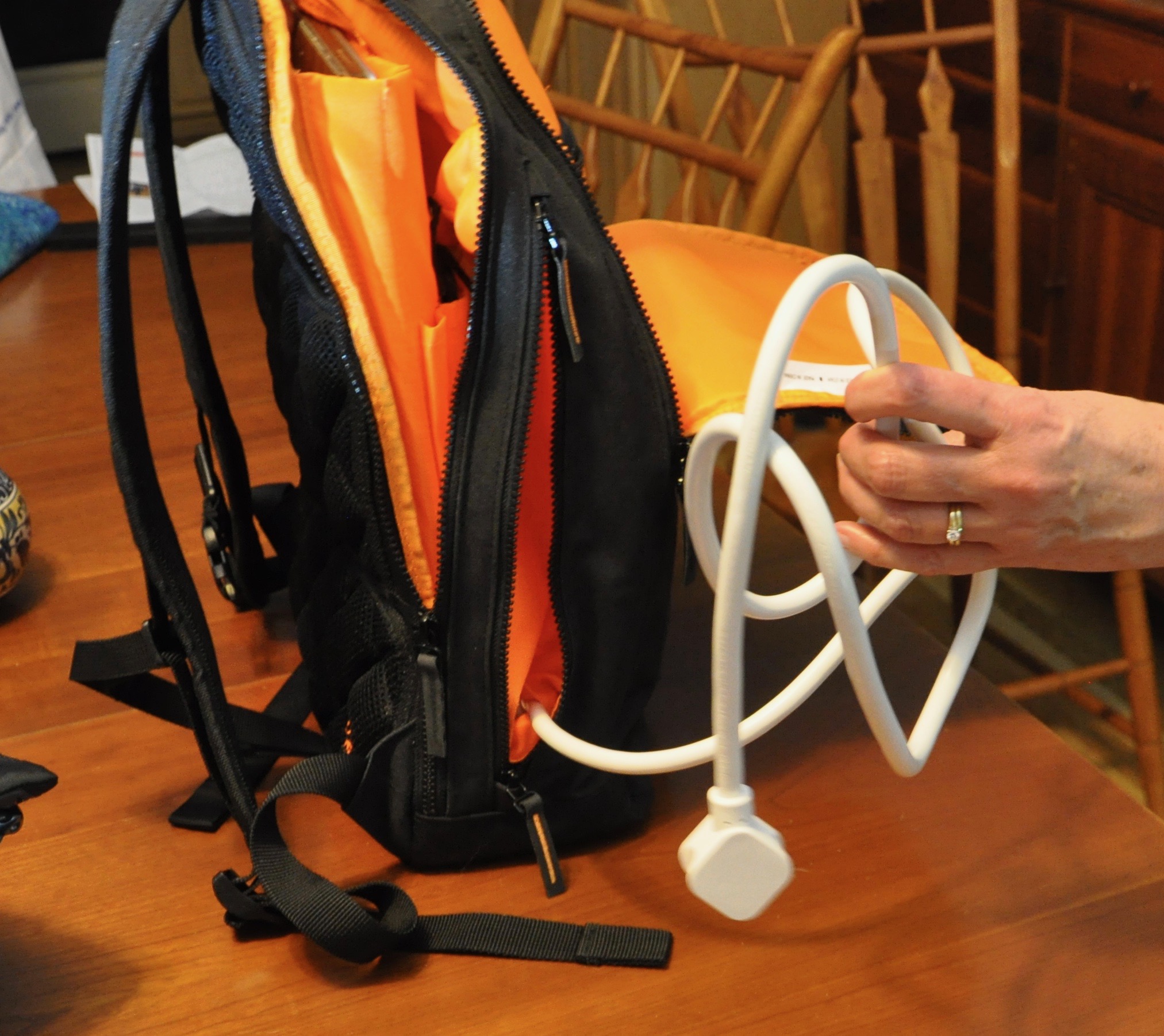
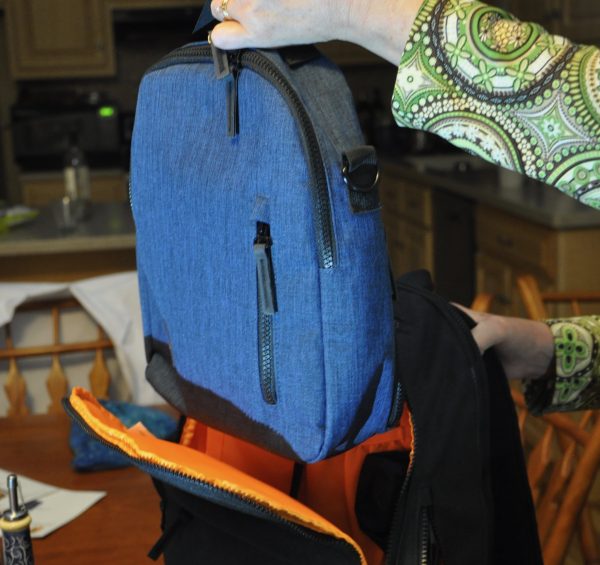
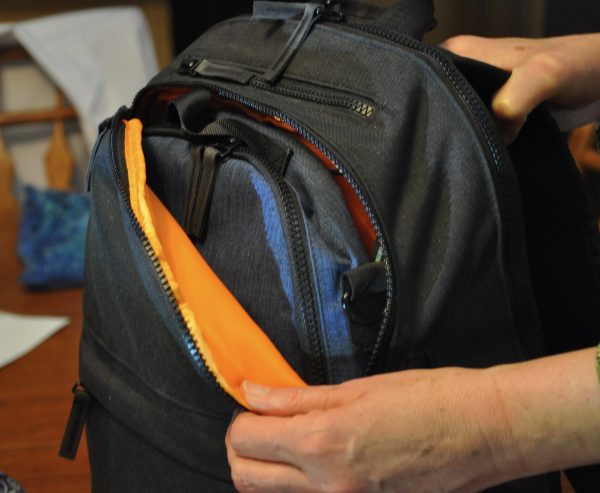
The Pack and Nest are a set of complementary bags for twenty-first-century travel. The needs of the modern traveler (power, water bottles, cable management, carry-on requirements, attachments for rolling luggage) are all taken into account. The Nest portion of the set fits into the front pocket of the Pack and can be fitted into the seatback pocket of an airline seat or a car seat. The Reach cable has its own side pocket in the Pack, with a pass-thru to bring the outlets into the bag interior.
Hardware specs
The Pack, Nest, and Reach are sold separately, but one Reach is included with the Pack. They work really well together.
Pack:
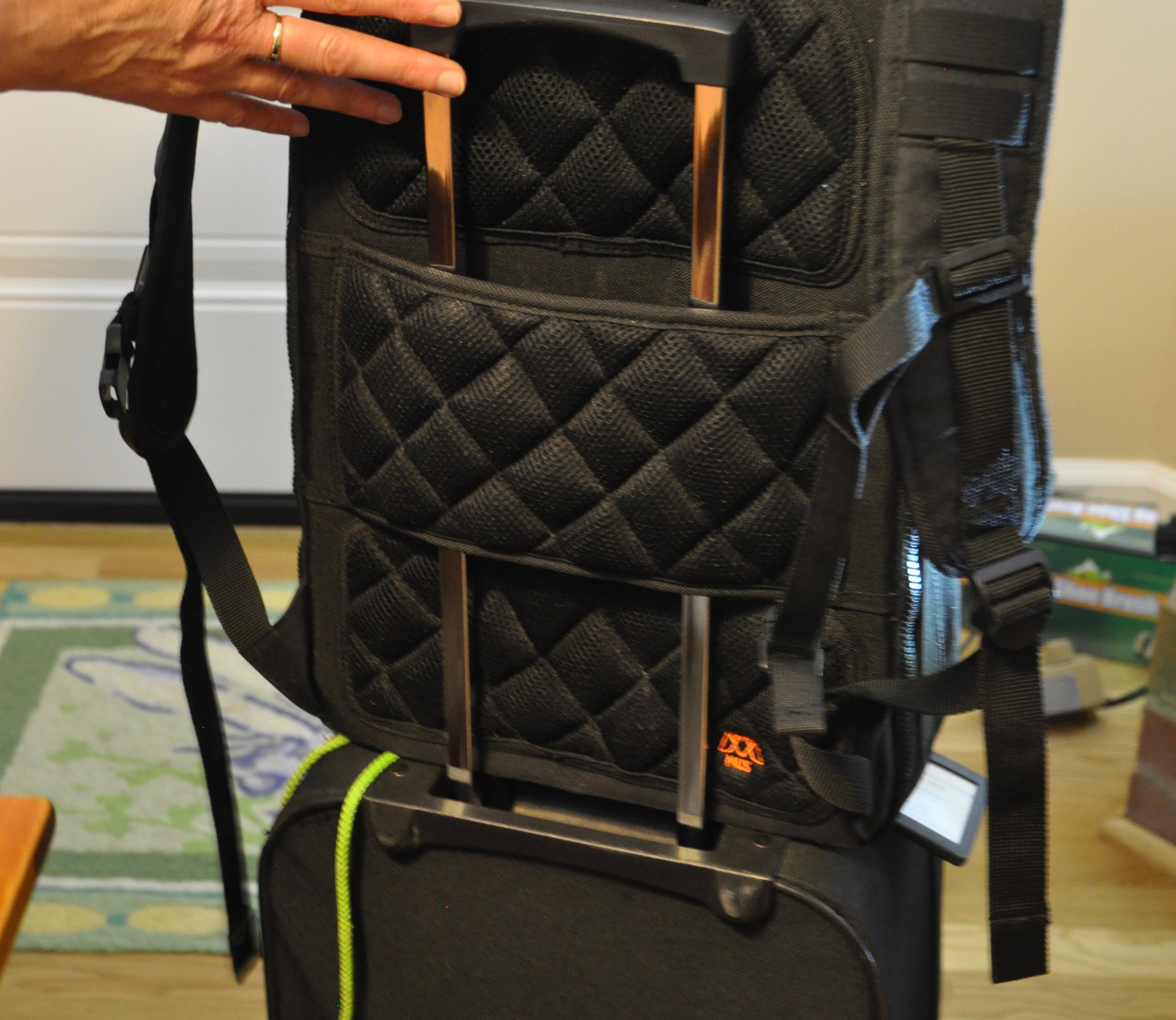
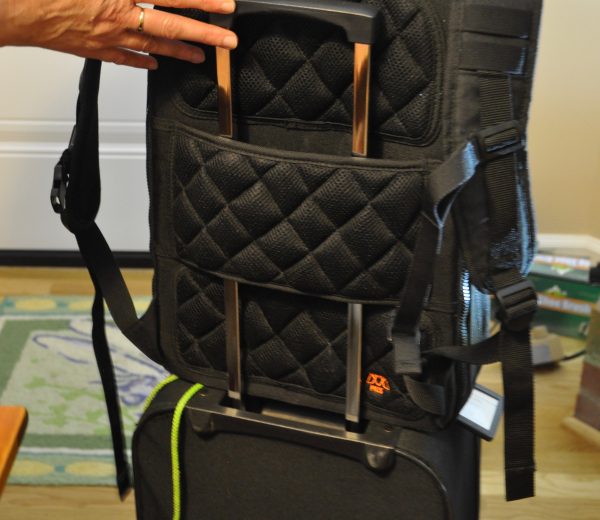
- Luggage Pass-through on the back for attaching to your rolling luggage handle
- Laptop pocket fits up to most 15.6” laptops
- Hard Shell sunglasses pouch
- Orange lining to make it super easy to see what’s inside your backpack
- Water resistant water bottle pocket with flyout mesh pocket
- Reinforced top handle
- Cooling mesh back and straps
Nest:
- Fits in front pocket of Pack
- Designed to “help alleviate some of the pain of flying.”
- Room for eReader, passport, travel documents, mints, phone, pens, keys – all the things you need but don’t want to dive under the seat or pull down the overhead bin for.
- Removable adjustable strap.
- RFID-shielded passport pocket
- Mesh fly-out water bottle holder
Reach:
- Right-angle plug for fitting behind furniture
- Two smart high-power USB ports for fast charging
- Magnetic options for holding cables
- Comes with several attachment options
- Heavy-duty molded plug with finger grips
Design and features
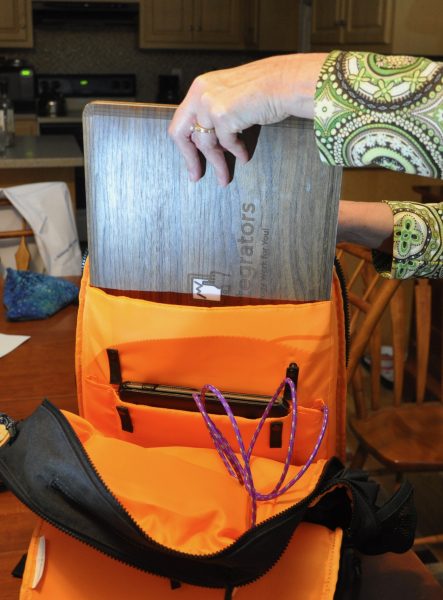
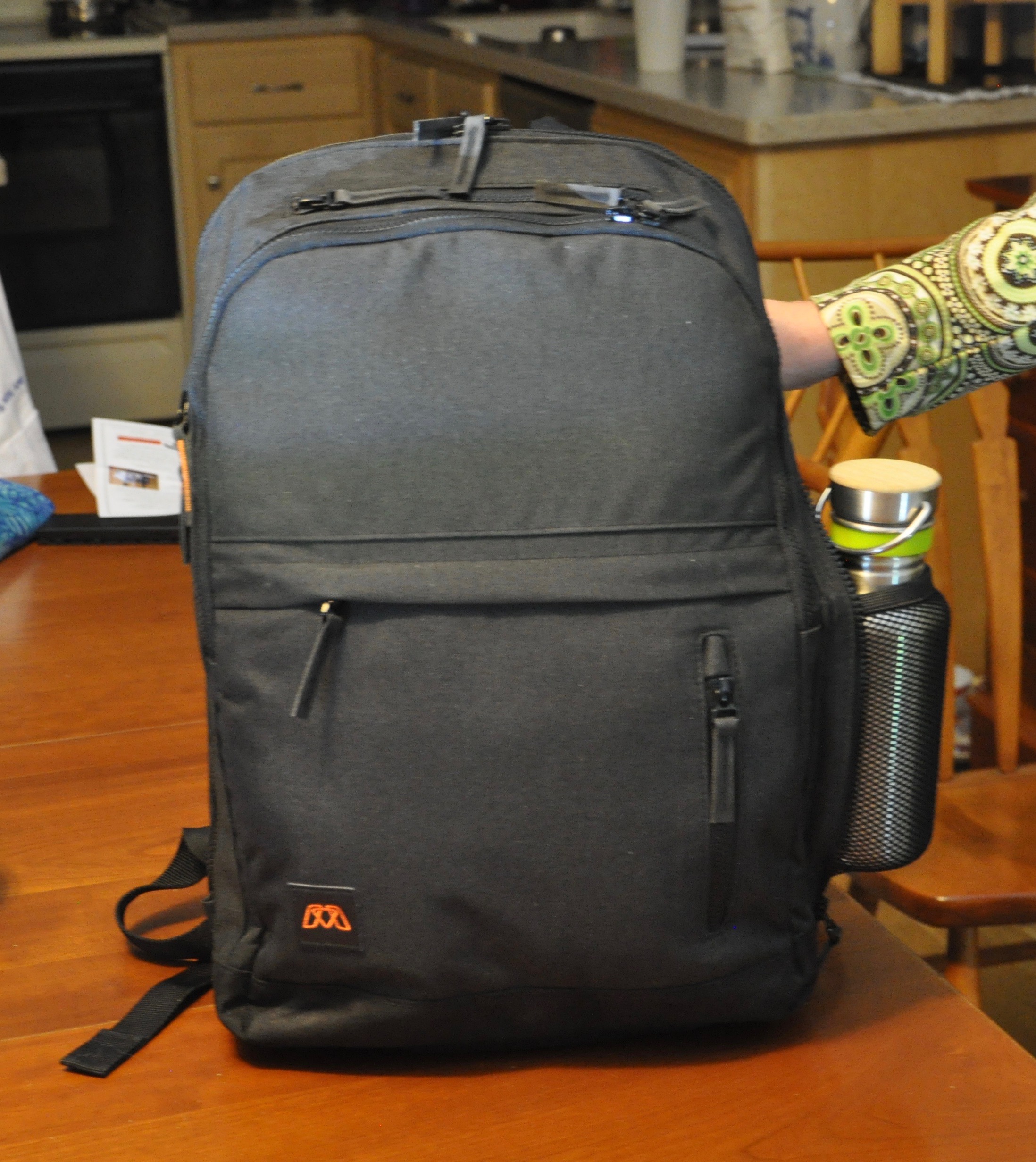
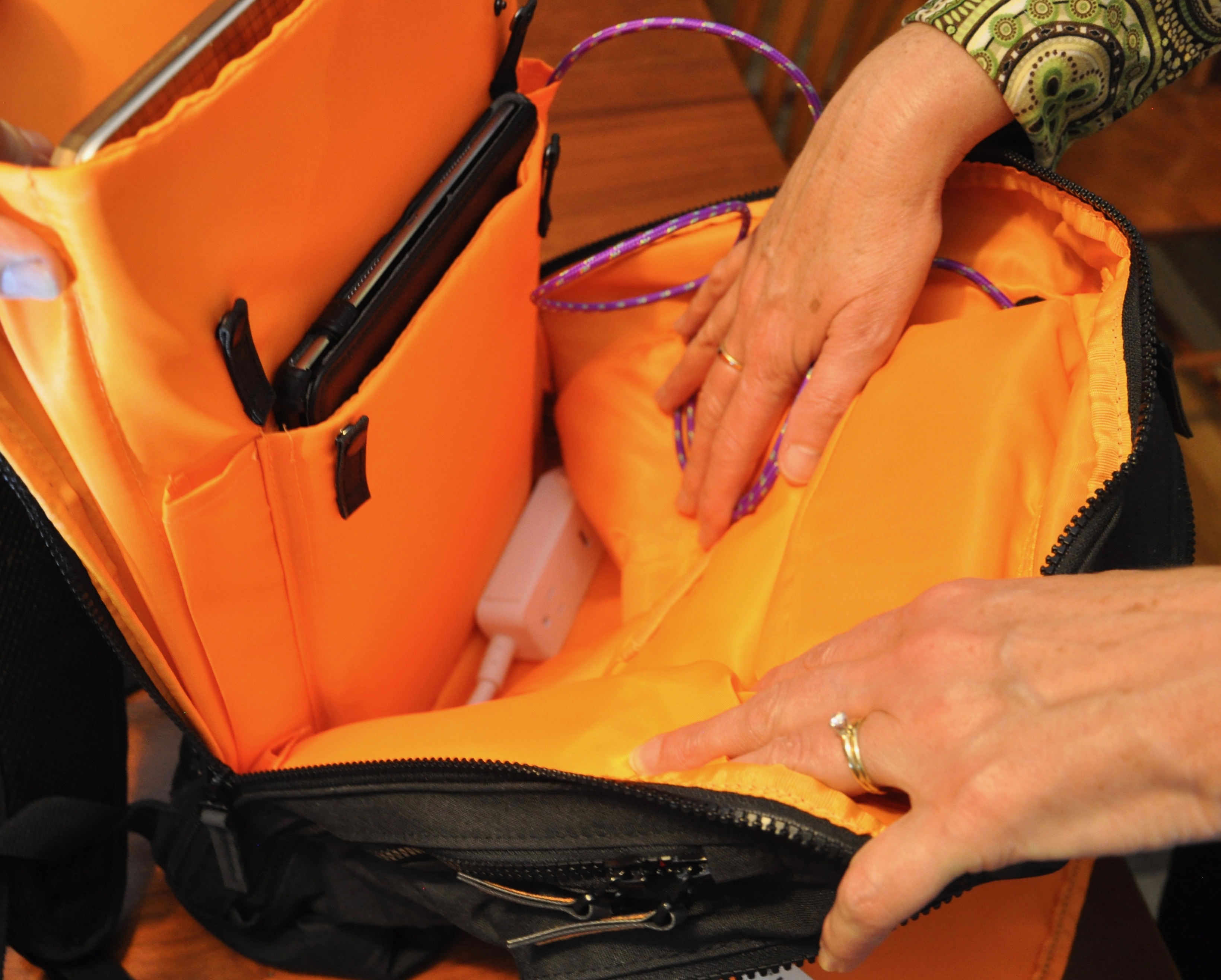
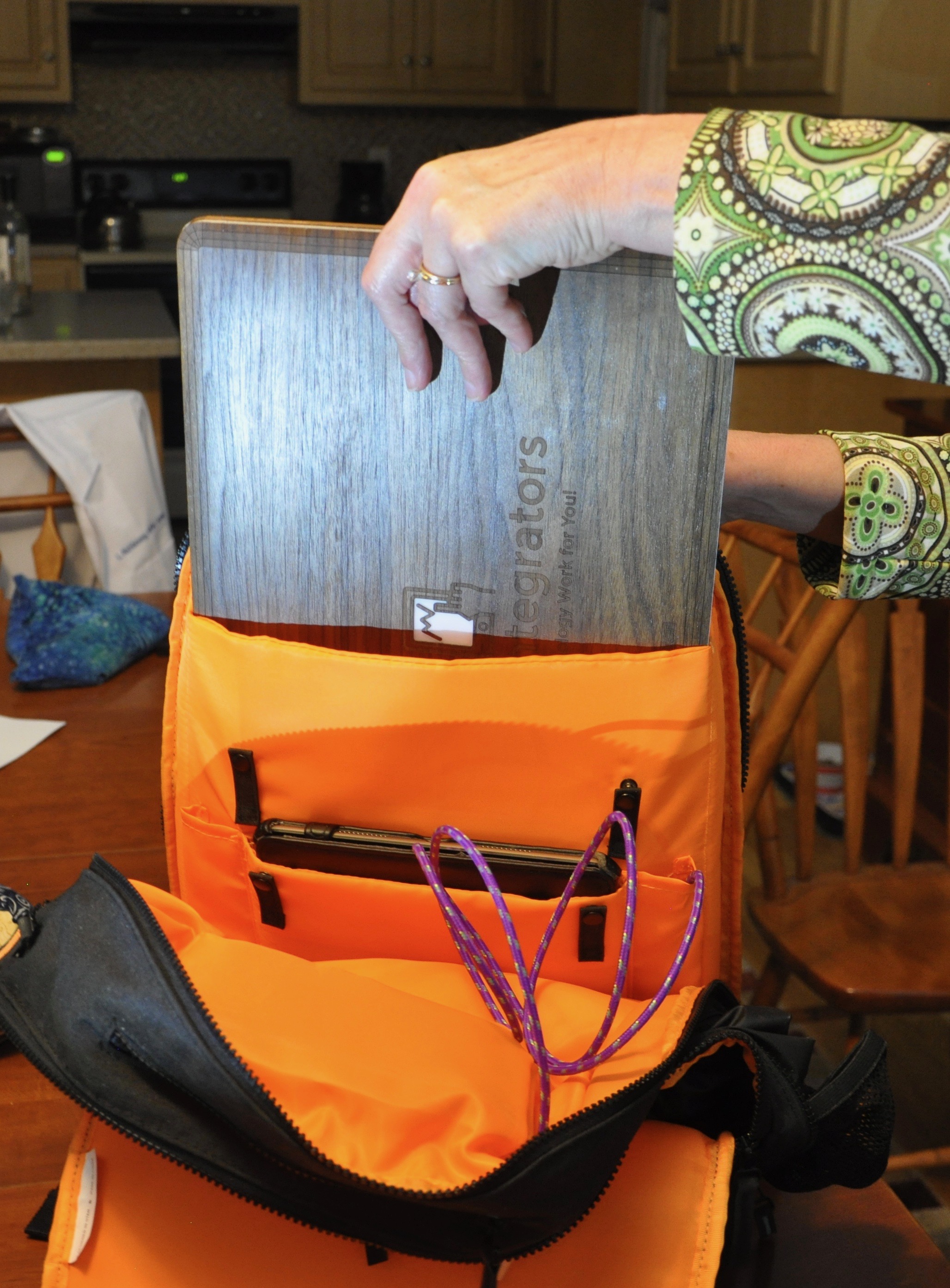
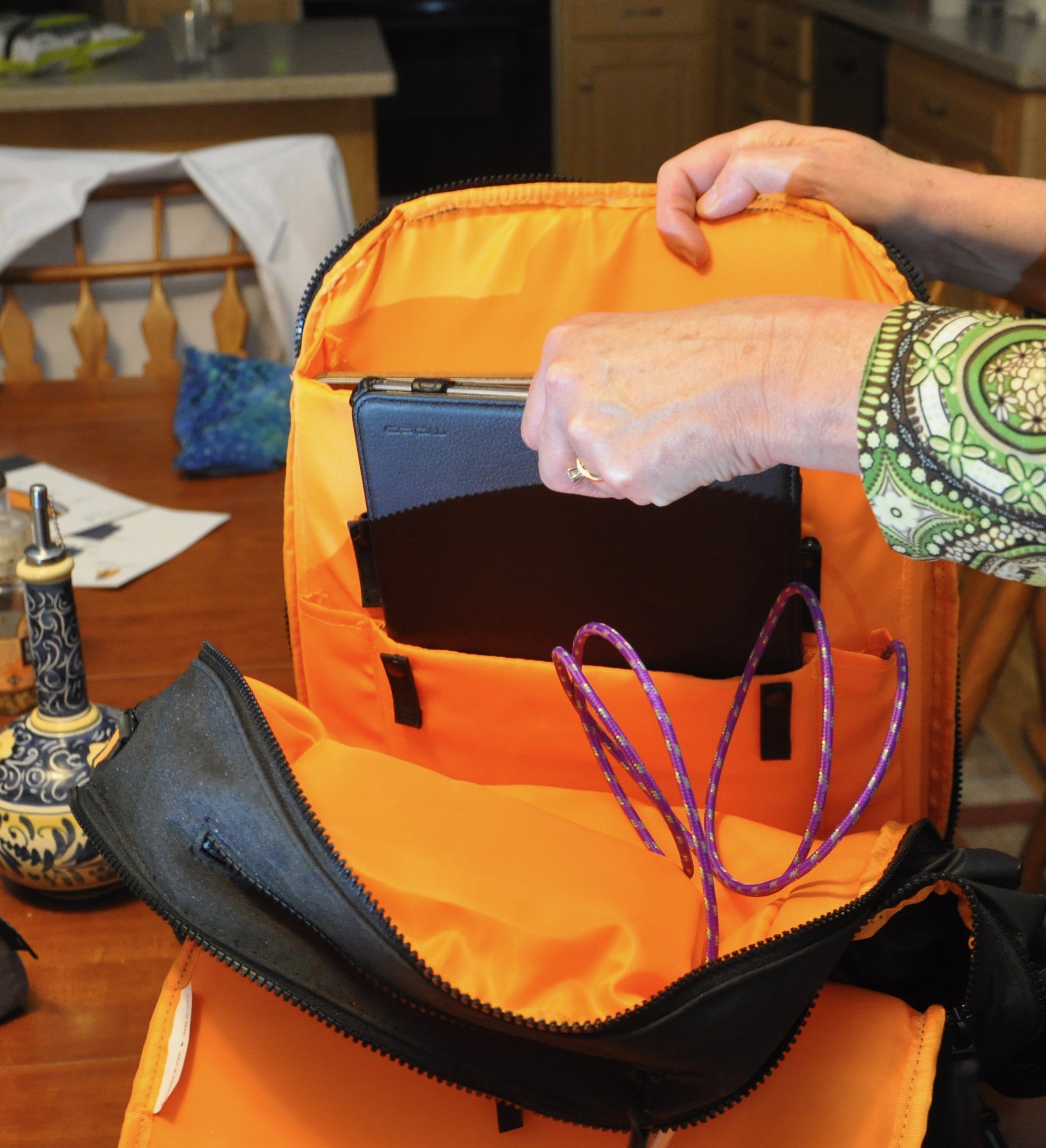
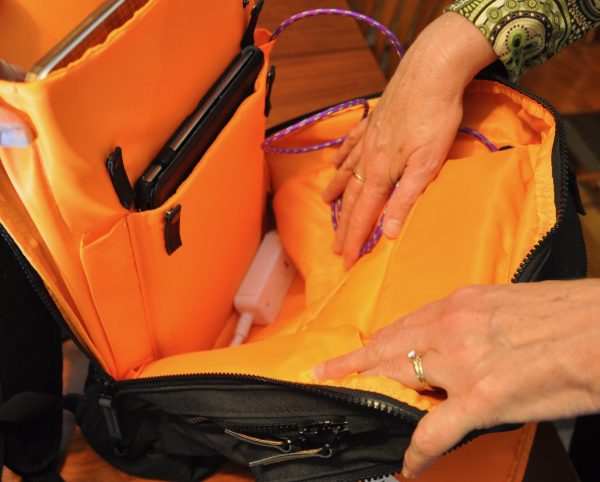
The Pack is an airline-compliant slimline backpack with sleeves that can accommodate a 15” laptop, a 10-inch tablet, battery packs, magazines, cables and the like all at the same time. The interior is a bright safety orange, to aid finding items in the depths of it’s interior in poor airline cabin lighting. There are cable straps at various points to hold cords that are connected to the various electronics.
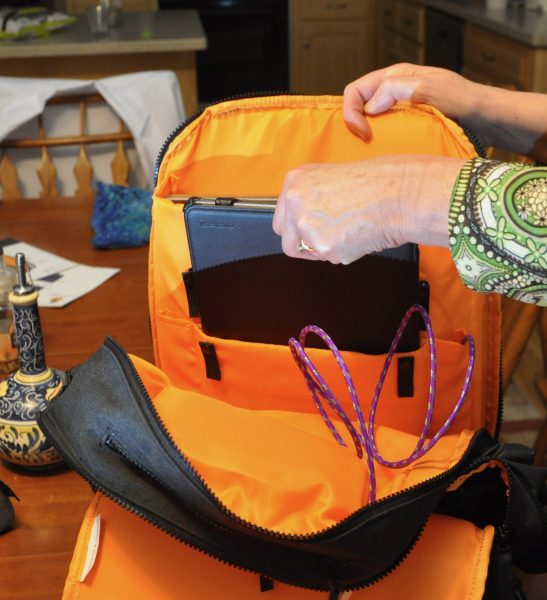
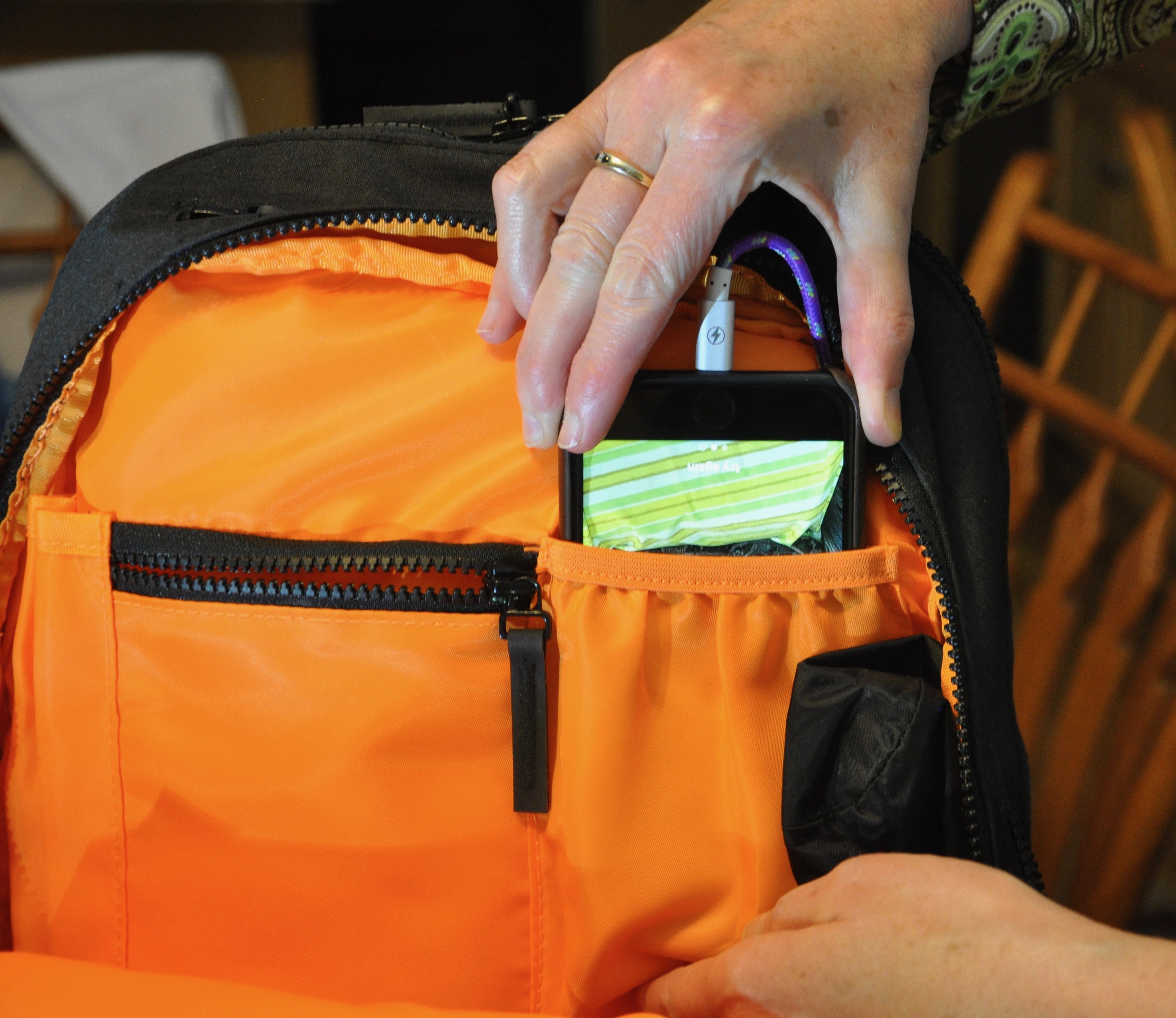
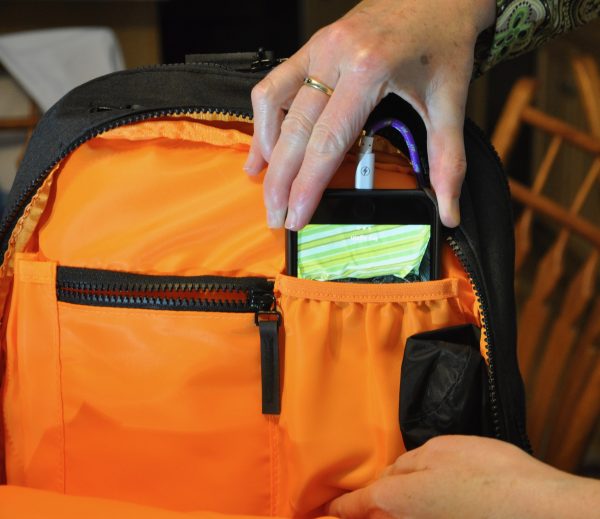
Down the sides of the tablet sleeve are two channels to feed USB cables from the bottom of the bag up to the top opening. There is also a pass-thru from the rear compartment to the front one, so that you can charge a phone or battery pack in one of the pockets up there. (See photo above and below.)
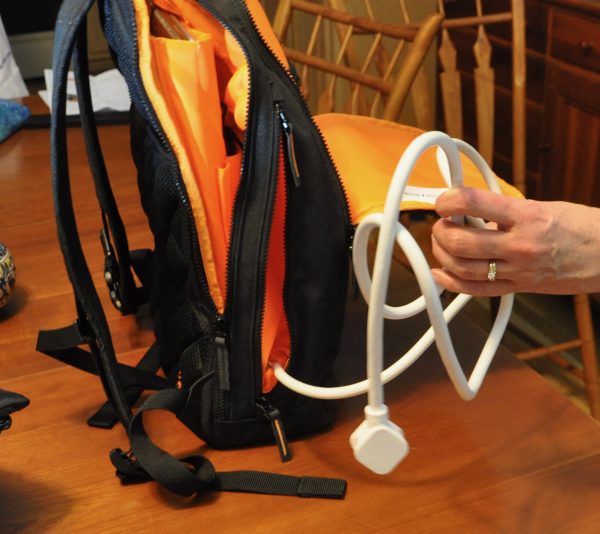
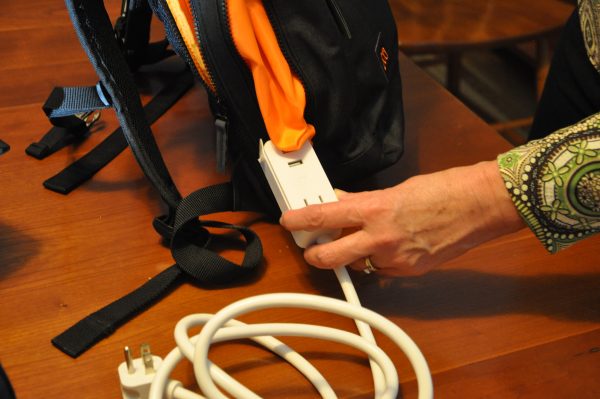
On the left-hand side of the outside bag, there is a two-pull zippered pouch that hides a pass-thru for the included Reach power cord. When the Reach is slipped through the reinforced hole, all of the rest of its 5-foot length cable can be folded into this pocket. (Photo above) Your laptop charger can be attached inside the pack, as can the two USB charging cables attached to your tablet and phone. During a layover, trade show, or other location with a power plug, you pull out the power cord and it charges all of your electronics without having to remove them from the bag. When your flight is called, it takes all of a minute to unplug and fold the cable up, zip it into the side of the bag, and run.
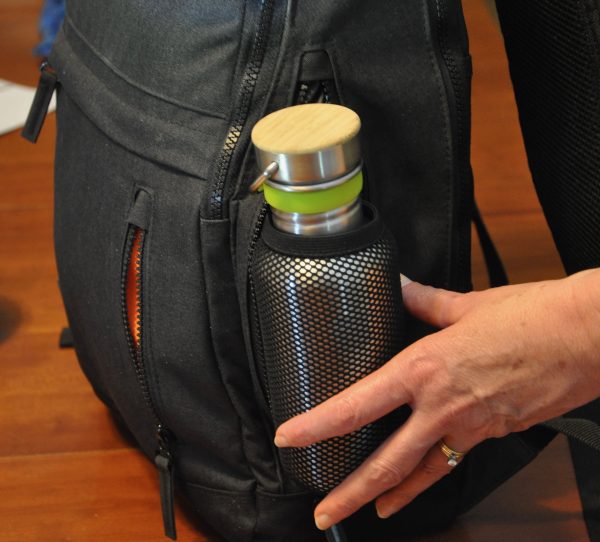
On the right (as you wear it), there is a zippered slot pocket with blue trim (blue, like water – get it?) which hides a mesh fly-out water bottle holder.
Across the space between this pocket and the power cord pocket, there is a double-layer zip pocket. One layer is reached from the top zipper that runs across the full 11.5″ width of the bag and 8″ down, but there is little depth. The other is a 4.5” wide side-loading pocket large enough for a Plus-sized iPhone. Both of these pockets are fairly slim, but phones, magazines, travel documents and the like will fit easily. There are pen loops and card slots in the larger pocket, but it is very tight and difficult to access if there is anything (such as the Nest) in the main front compartment. It’s not going to hold anything bulky like a wad of keys, your U-lock, or even a pair of gloves.
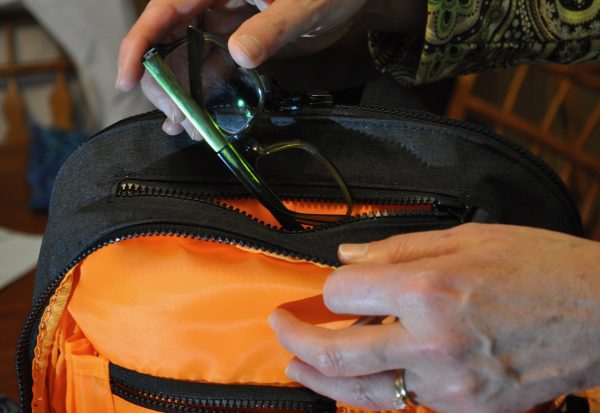
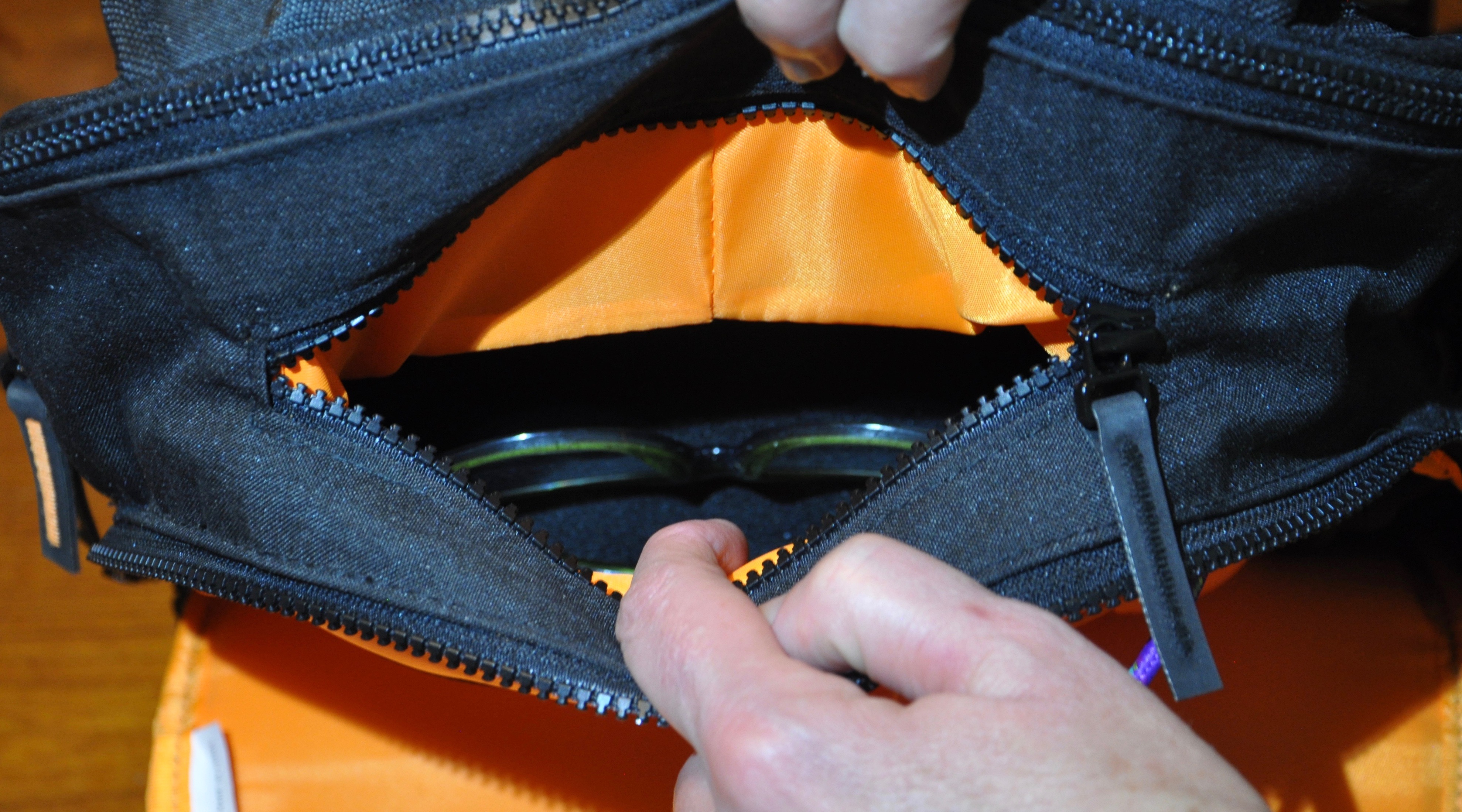
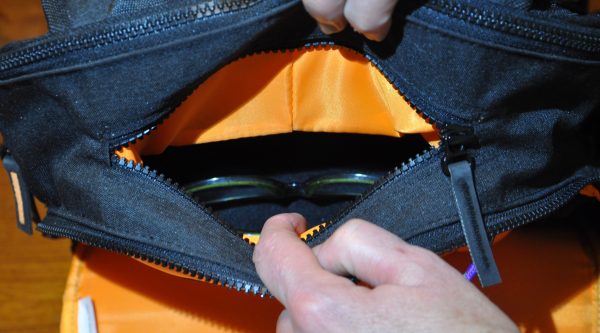
At the top, between the openings for the two main compartments, there is a 6.5” zippered opening into a hard-sided pocket designed for glasses. While it is not fleece-lined, it does have a flecked finish that will not scratch glasses. If your glasses ride in a soft-sided case or with no case, they will be well-protected in here. You could also use this for cigars, cupcakes, or anything else you didn’t want to get crushed.
At the yoke where the padded 2.75″ straps are sewn in, there is a generous haul loop of webbing, sewn under and bar-tacked for rigidity. The edges have been tucked under to make this simple piece of webbing a smooth joy to use, no matter the weight of the load.
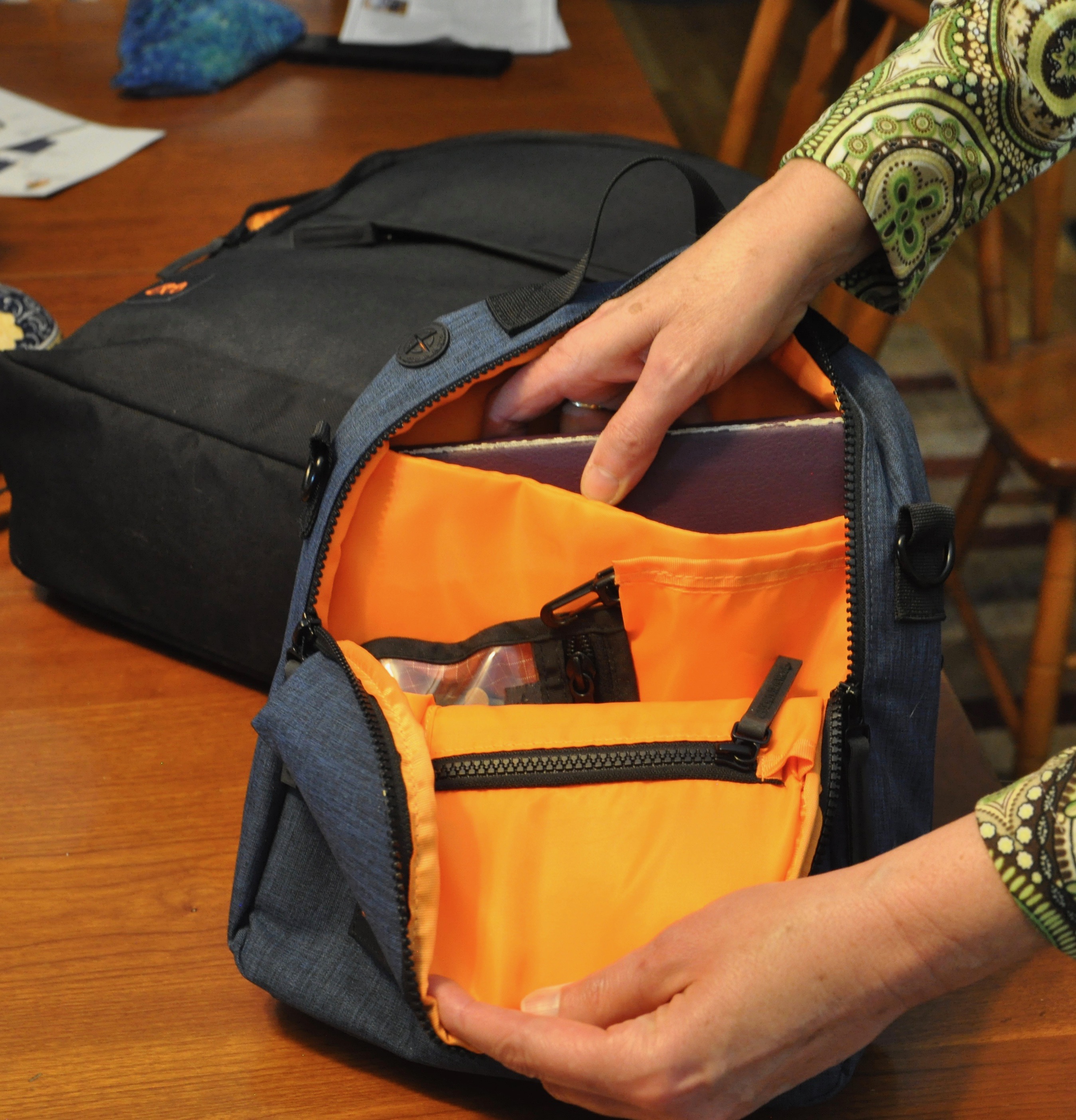
The Nest is a half-ellipse 11” x 11” and 3” thick at the base. It tapers to 2.5″ at the apex of the arched top. Inside the bright orange interior, there is a padded sleeve for a small eReader or iPad mini or your latest novel.
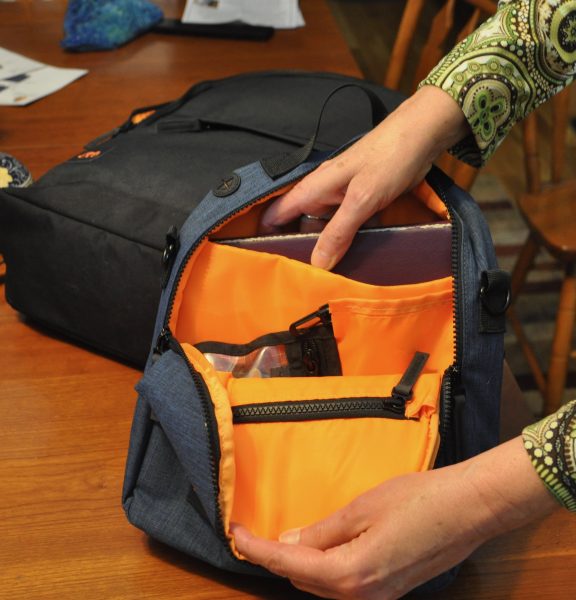
There is a web loop handle across the top that allows you to draw it out of the front pocket of the Pack or the seat back pocket of an airline chair. There are two 1” D-rings on either end of the zipper that can hold the generous 50” x 1.5″ webbing strap, in case you want to make this your around-town bag. The D-rings, clips, and adjustment buckle are heavy-duty black enameled metal. Like the rest of the ensemble, “Flat” is the name of the game with the Nest, so if you have cameras, lenses, or binoculars to tote, they better be compact versions. There is a zippered pocket for your passport and credit cards, plus an elastic-topped pocket for a phone, battery pack or similarly shaped object. There’s even a cable pass-thru for your earbuds or charging cable from the Reach while you’re carrying the whole collection together. The main pocket can hold a full-sized iPad, but that means there is no padding for it, and little else can be carried. Your 3-1-1 items or meds will fit with ease, though. A slash pocket on the back for travel documents, maps, or receipts covers the entire rear side but stops short of the bottom (just as the padded tablet pocket does). There’s also a water bottle mesh fly-out zipped into a protective interior pocket, so your water bottle won’t leak into the interior.
What I Like
- Integrated charging with included power cord.
- Channels and ties for power cords.
- Quality materials and workmanship.
What needs to be improved
- Tolerances are very tight for all compartments.
- With Nest installed, little can be placed in front compartment.
- Cannot fit standard iPad into Nest padded pocket.
Final thoughts
I really, really wanted to love this pack. It has all the cool ideas I have thought of over the years of traveling with technology: integrated, easy charging, channels for cable management, accommodation for both a full-sized laptop and a standard-sized iPad. But no accommodation seems to have been made for things like a set of noise-canceling headphones, or a rain jacket, or anything else larger than a hard-backed novel. While shooting most of the photos accompanying this article, my Lovely Bride (and current hand model) noted several times that she would never be able to use this for travel because of the tightness of the compartments. Sure, it’s a catch-22: you want a thin backpack, and you want it to be spacious. No one has built a Tardis pack yet that is bigger on the inside than it is on the outside. Mary Poppins should get right on that.
If you’re only traveling with very flat items, and need the recharging capabilities of this bag, I can’t recommend it highly enough, though. Just be aware that if you want to carry along a crushable straw hat, over-the-ear headphones, or a pair of walking shoes, you’re going to face a significant packing challenge, and probably wind up leaving something behind.
Price:
Pack $124.95 – currently on sale for $89.95
Nest $39.95 – currently on sale for $29.95
Reach $24.95
Where to buy: MOS and Amazon
Source: The sample of this product was provided by MOS.