Bristl brings light therapy to the electric toothbrush

No matter how well you brush your teeth, brushing alone doesn’t kill all the bacteria in your mouth nor does it completely prevent yellowing of your teeth, especially as you age.  Germs in your mouth can lead to bad breath, gum disease, and cavities.  Yellowing teeth can sap your self-confidence.  There are treatments for both these issues, but wouldn’t it be easier if you could address both issues just by brushing?  The makers of Bristl, a light-therapy electric toothbrush, say that you can.

Bristl is a sonic toothbrush (12,000 rpm in gentle mode, 24,000 rpm in strong mode) with a 2 minute timer to encourage you to brush long enough to be effective.  For extra effectiveness, Bristl adds patent-pending dual light therapy technology that is “clinically proven to kill bacteria, heal gums, and whiten teeth.”

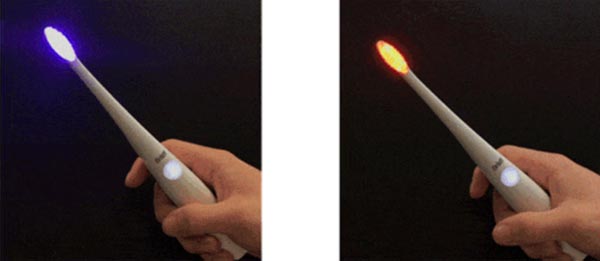
The light therapy component uses red light, blue light, and purple light (red and blue together).  The red light is said to promote collagen secretion to strengthen gums and prevent and treat gingivitis.  Blue light kills germs that cause gum disease and helps whiten teeth.  Purple light combines all these promised benefits.

The planned MSRP is $99.00, but while the Kickstarter campaign is still active, you can receive a Bristl toothbrush, charger, and 2 brush heads for a pledge of $79.00.  Other pledge packages are available.  The funding goal was met within four hours.  The funding period ends Sunday , April 29, 2018, at 1:00 AM EDT.  Delivery is expected in June 2018.  Pledge for your own Bristl toothbrush at Kickstarter.

The post Bristl brings light therapy to the electric toothbrush appeared first on The Gadgeteer.

Filed in categories: News

Tagged: ,

Bristl brings light therapy to the electric toothbrush originally appeared on The Gadgeteer on April 12, 2018 at 8:00 am.

Note: If you are subscribed to this feed through FeedBurner, please switch to our native feed URL http://the-gadgeteer.com/feed/ in order to ensure continuous delivery.
Julie’s gadget diary – Gmail will be updated soon and I’m worried

I’ve been seeing a lot of headlines this afternoon about Google updating the web-based Gmail interface for the first time in years. I can’t remember any changes to Gmail since I switched to it as my only email client back in 2009. Software updates are usually something that I enjoy and look forward to, but today’s rumors are making me worried that a “new and improved” Gmail will wreck havoc on my productivity workflow.

I’ve considered myself a Gmail power user for almost 9 years now. I even wrote about the reasons why I love Gmail in a post from 2009. I still use all the features I talk about in that article to this very day and that’s why I’m worried… Other than labels, stars, and keyboard shortcuts, the other power user features I like to use are all Gmail Labs features which mean that they aren’t truly supported because Google considers them to be experimental.

Two of these features include multiple inboxes and canned responses. I could deal with not having canned responses because I can use an alternative like AutoHotKey on Windows or TextExpander on the Mac which is a program that runs in the background and expands certain keywords into pasted blocks of text for things that I type frequently. It’s a real time saver.

I read one rumor that Google will bring the same smart reply buttons that we have in the Gmail mobile app, to the desktop web interface. I do like that rumor and will be happy to see it happen, but I would still like to be able to create my own list of custom replies because I currently use a LOT of them.

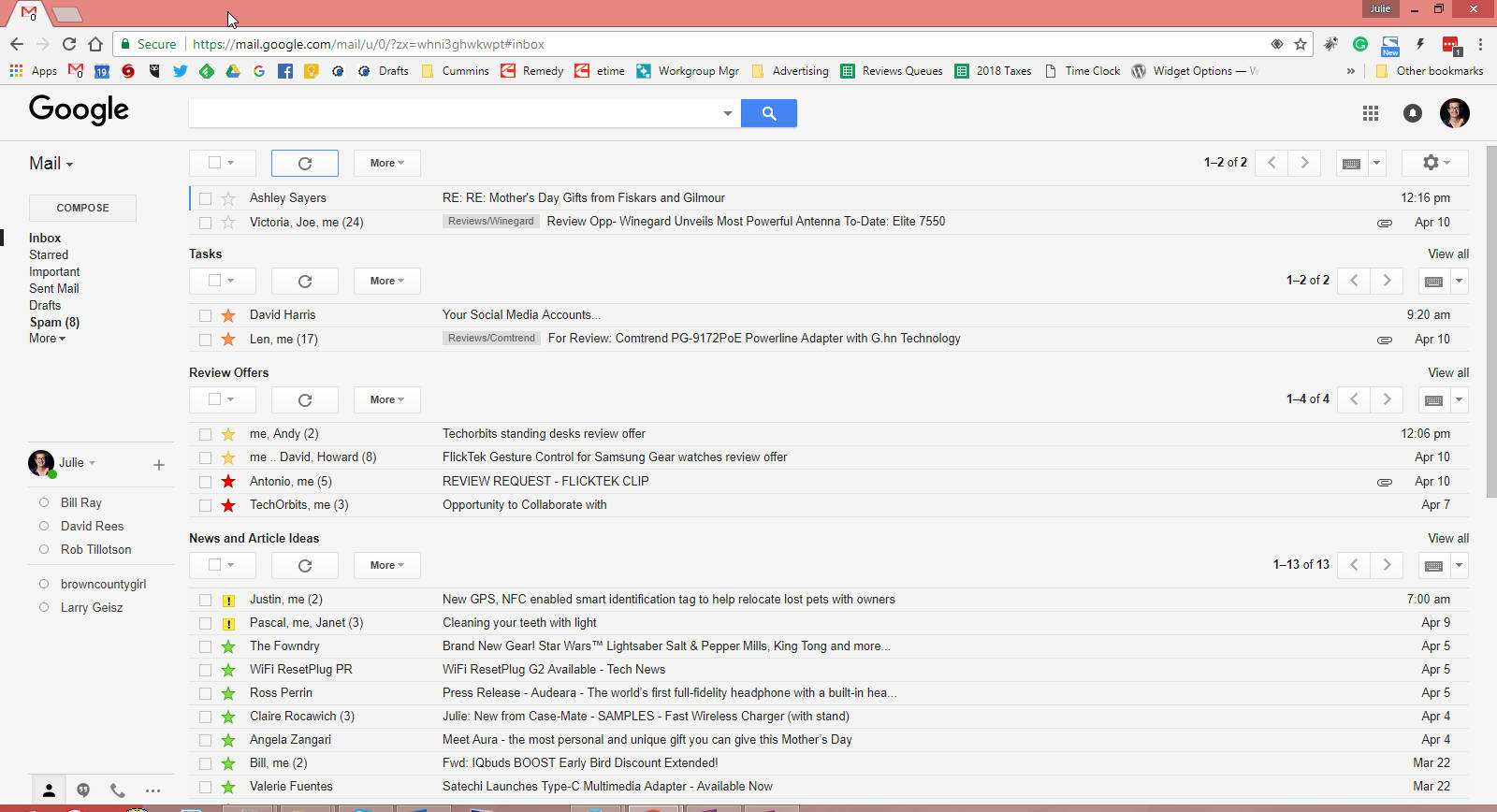
So although I wouldn’t like to lose it, I can live without the current canned responses feature. But if Google decides to ditch multiple inboxes feature, I’m not going to be a happy camper at all. Multiple inboxes allow me to easily see messages that I need to reply to or groups of messages that I use as a pseudo task management system. I like to see everything on one screen like you can see in the screenshot shown above. That way I don’t have to go searching for what needs to be worked on. If this feature is abandoned, I’ll have to create a new workflow and that’s not something I hope I won’t need to do.

Am I the only person who is more than a little anxious about what Google may decide to change or delete from Gmail? Do we need to make a sacrifice to the appease the Google gods so there will be a favorable outcome? Let me know what you’re thinking in the comments.

The post Julie’s gadget diary – Gmail will be updated soon and I’m worried appeared first on The Gadgeteer.

Filed in categories: Articles

Tagged: , ,

Julie’s gadget diary – Gmail will be updated soon and I’m worried originally appeared on The Gadgeteer on April 11, 2018 at 1:23 pm.

Note: If you are subscribed to this feed through FeedBurner, please switch to our native feed URL http://the-gadgeteer.com/feed/ in order to ensure continuous delivery.
Julie’s gadget diary – Gmail will be updated soon and I’m worried

I’ve been seeing a lot of headlines this afternoon about Google updating the web-based Gmail interface for the first time in years. I can’t remember any changes to Gmail since I switched to it as my only email client back in 2009. Software updates are usually something that I enjoy and look forward to, but today’s rumors are making me worried that a “new and improved” Gmail will wreck havoc on my productivity workflow.

I’ve considered myself a Gmail power user for almost 9 years now. I even wrote about the reasons why I love Gmail in a post from 2009. I still use all the features I talk about in that article to this very day and that’s why I’m worried… Other than labels, stars, and keyboard shortcuts, the other power user features I like to use are all Gmail Labs features which mean that they aren’t truly supported because Google considers them to be experimental.

Two of these features include multiple inboxes and canned responses. I could deal with not having canned responses because I can use an alternative like AutoHotKey on Windows or TextExpander on the Mac which is a program that runs in the background and expands certain keywords into pasted blocks of text for things that I type frequently. It’s a real time saver.

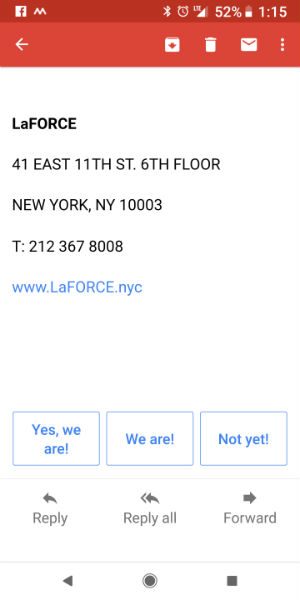
I read one rumor that Google will bring the same smart reply buttons that we have in the Gmail mobile app, to the desktop web interface. I do like that rumor and will be happy to see it happen, but I would still like to be able to create my own list of custom replies because I currently use a LOT of them.

So although I wouldn’t like to lose it, I can live without the current canned responses feature. But if Google decides to ditch multiple inboxes feature, I’m not going to be a happy camper at all. Multiple inboxes allow me to easily see messages that I need to reply to or groups of messages that I use as a pseudo task management system. I like to see everything on one screen like you can see in the screenshot shown above. That way I don’t have to go searching for what needs to be worked on. If this feature is abandoned, I’ll have to create a new workflow and that’s not something I hope I won’t need to do.

Am I the only person who is more than a little anxious about what Google may decide to change or delete from Gmail? Do we need to make a sacrifice to the appease the Google gods so there will be a favorable outcome? Let me know what you’re thinking in the comments.

The post Julie’s gadget diary – Gmail will be updated soon and I’m worried appeared first on The Gadgeteer.

Filed in categories: Articles

Tagged: , ,

Julie’s gadget diary – Gmail will be updated soon and I’m worried originally appeared on The Gadgeteer on April 11, 2018 at 1:23 pm.

Note: If you are subscribed to this feed through FeedBurner, please switch to our native feed URL http://the-gadgeteer.com/feed/ in order to ensure continuous delivery.
Jisoncase Leather Slim-Fit iPhone Case review

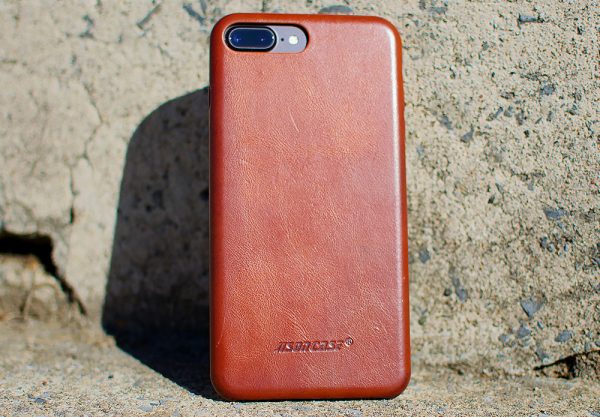
Jisoncase brown leather iPhone case

One of my favorite official Apple accessories has been their leather iPhone cases. I’ve purchased a few over the years and my only regret was how much I spent on them…. usually upwards of $50. What if you could get Apple-quality for less than half that price? Jisoncase’s Leather Slim-Fit Case is just what you’re looking for.

What is it?

Jisoncase’s Leather Slim-Fit iPhone Case is, well, everything it says in the product name. It’s a genuine leather iPhone case that’s only a little bit larger than the phone itself.

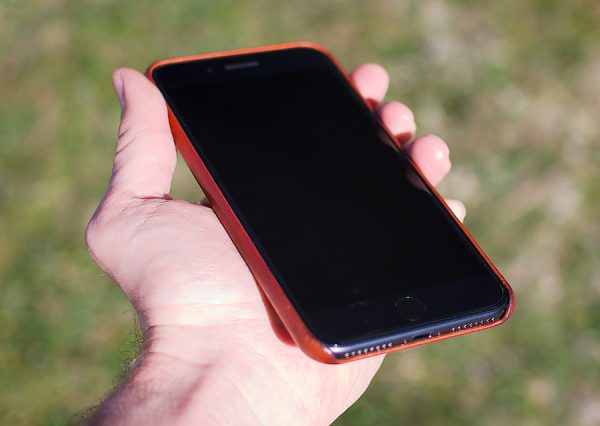
Hand holding iphone in brown leather case
The case provides some subtle texture for a good grip.

Hardware specs

  • Made of premium genuine leather without stitching, and you can see the natural variations in the hide, top notch quality.
  • Fit snug, slim & no bulky. Weight: 0.05 lb. Precise cut-out allows easy access to all ports, buttons, camera on the iPhone.
  • Covered power and volume buttons ensure safety and dustproof, just press on them.

What’s in the box?

Just the case itself and a little moisture packet.

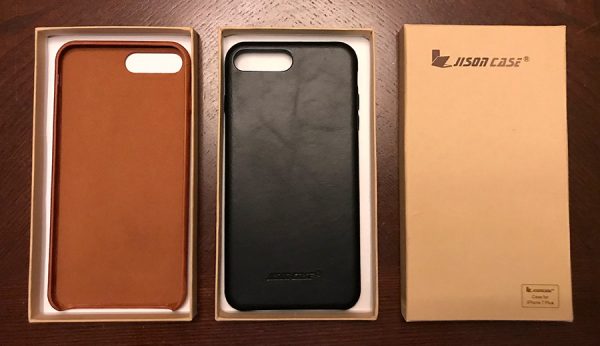
Jisoncase leather iphone case samples in brown and black
The slim case in both saddle brown and black.

Design and Features

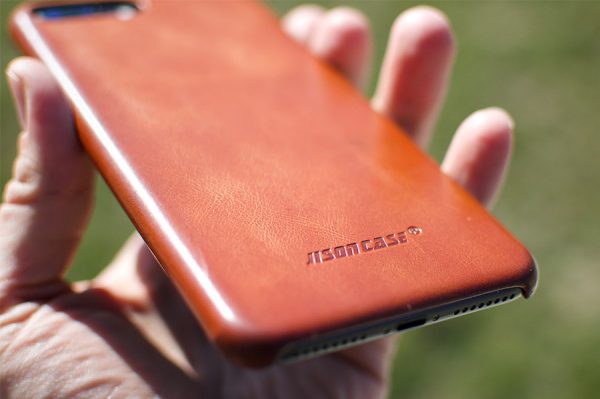
Jisoncase leather iphone case back texture
They sure do want to you remember who made the case, though.

One of the first things I noticed about Jisoncase’s case was how similar it was to an official Apple leather case I owned a couple years ago. The leather texture is soft and has a subtle grippy texture to it that makes it much easier to palm than a caseless iPhone.

And since it *is* genuine leather, the material should only look better with age as it naturally absorbs oils from your hands and endures small scratches and nicks from regular use.

The fit is snug and the case itself is very slim and lightweight. In short, this is my favorite type of case… an improvement over the look and feel of a mobile device without much extra baggage. I can’t believe this case is so inexpensive. At under $20, it’s certainly one of the best leather cases I’ve used for that price.

What I like

  • Much less expensive than Apple’s official case with similar quality
  • Very slim, adds a nice grip
  • Will only look better with time

What needs to be improved

  • Nothing

Final thoughts

I’ve always been a fan of leather phone cases, and getting a case that’s of similar quality to Apple’s official leather case at half the price is a big win in my book.

Price: $16.99
Where to buy: You can buy the Slim Fit case in several colors on Amazon.
Source: The sample of this product was provided by Jisoncase.

The post Jisoncase Leather Slim-Fit iPhone Case review appeared first on The Gadgeteer.

Filed in categories: Reviews

Tagged:

Jisoncase Leather Slim-Fit iPhone Case review originally appeared on The Gadgeteer on April 11, 2018 at 12:36 pm.

Note: If you are subscribed to this feed through FeedBurner, please switch to our native feed URL http://the-gadgeteer.com/feed/ in order to ensure continuous delivery.
No wall is out of reach with these paint applicators

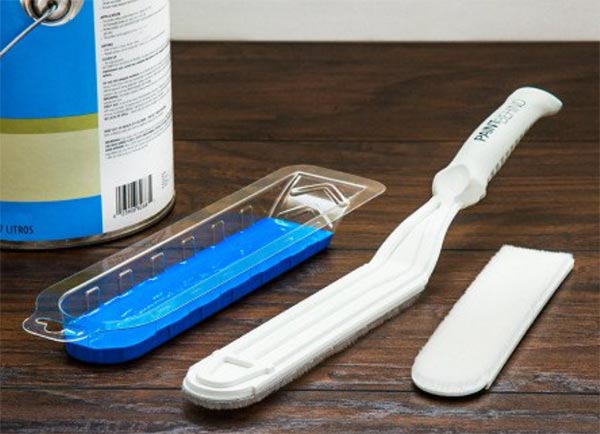
I don’t have any radiators in my house, but I do have two toilets and a 600lb refrigerator that can’t be moved when I want to paint the walls.  Right now, the wall beside my fridge has paint only on the visible portion of the wall.  I can see the old wall color if I stand at a certain angle.  I need one of these Tight Space Paint Brushes to extend the paint further behind the fridge.

The Tight Space Paint Brush system has a 16.63″ x 4.5″ handle that slim, flat paint pads slide on to extend your reach by 12″ and give you better access and coverage in tight spots.  The packaging serves as a handy paint tray for loading up the pads with paint.

The paint pads can be hand-washed for reuse, using water for latex paint or mineral spirits for oil-based paint.  The Tight Space Paint Brush from Paint Behind is available for $14.95.  A refill kit with two more paint pads and a paint tray is available for $11.95.  Both are available from The Grommet.

The post No wall is out of reach with these paint applicators appeared first on The Gadgeteer.

Filed in categories: News

Tagged:

No wall is out of reach with these paint applicators originally appeared on The Gadgeteer on April 11, 2018 at 11:00 am.

Note: If you are subscribed to this feed through FeedBurner, please switch to our native feed URL http://the-gadgeteer.com/feed/ in order to ensure continuous delivery.