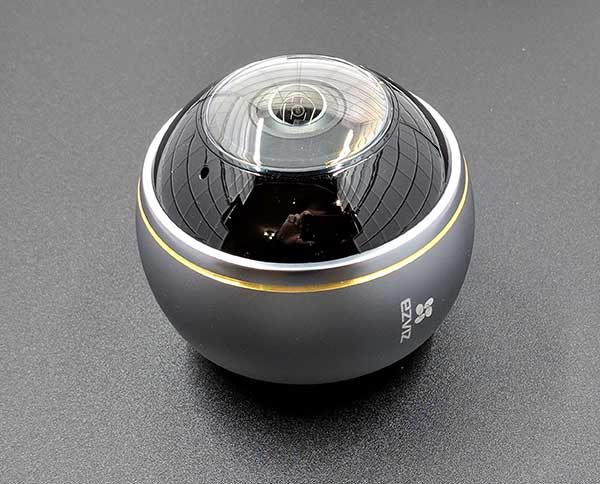
I’ve been using home security cameras for many years now. I find that they give me peace of mind when I know I can check in at any time and from anywhere to see what’s going on when I’m not physically at home. But there’s one problem with most cameras that don’t offer a motorized pan and tilt feature. The camera’s field of view usually isn’t wide enough to let you see an entire room without setting up multiple cameras. That’s where the EZVIZ ez360Pano WiFi camera shines. Let’s take a look.
What is it?
The EZVIZ ez360Pano is a panoramic WiFi camera with a 360° field of view and a maximum of 1344 x 1344 pixel resolution in fisheye mode.
The EZVIZ ez360Pano offers two-way audio, night vision, microSD local recording, cloud recording with a subscription (the camera comes with a 30-day free trial), and it supports dual-band WiFi 2.4GHz/5GHz.
What’s in the box?
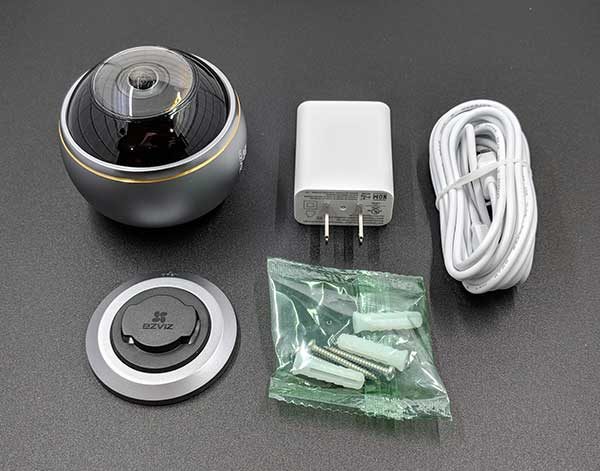
EZVIZ ez360Pano camera
Mounting plate and hardware
USB power cable
Power adapter
Design and features
The ez360Pano camera is about the size of a tennis ball, with a metal housing around the camera lens.
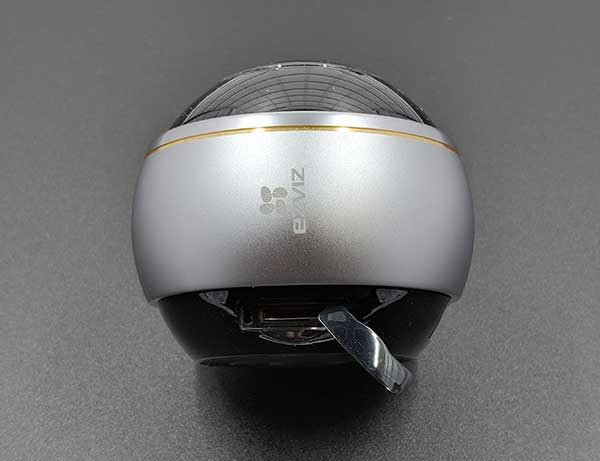
There’s a microSD card slot in the base of the camera that is protected by a snap-on cover.
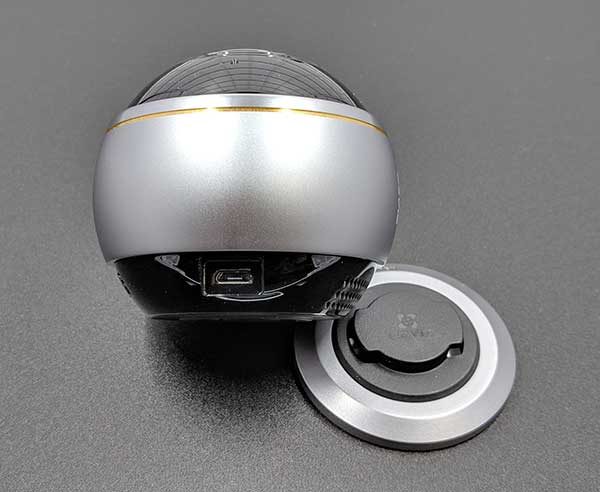
And there’s a micro USB connector on the base that is used for power.
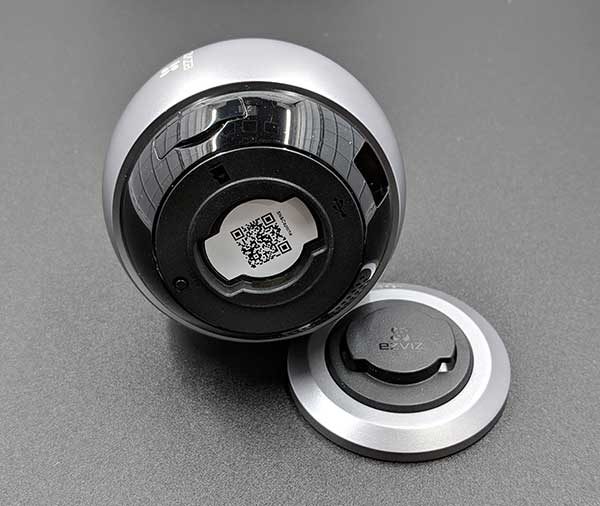
The camera needs to be mounted to a wall or the ceiling using the included base plate and hardware. Unfortunately, the ez360Pano camera isn’t designed to be placed on a shelf or a window sill.
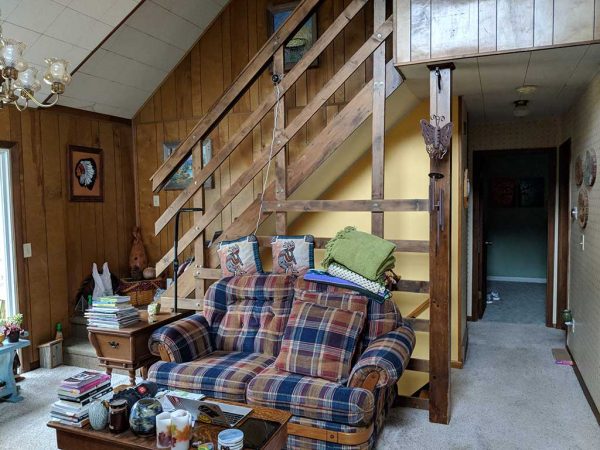
I installed the EZVIZ ez360Pano camera in a temporary location on a support beam for our upstairs banister. I would have rather installed it on the ceiling, but we have a cathedral ceiling in the main room of the house with no easy way to get to it or provide power. So I settled for the easy way out and rubberbanded the camera to the stair rail. You can just call me the MacGyver of home security cameras.
EZVIZ app
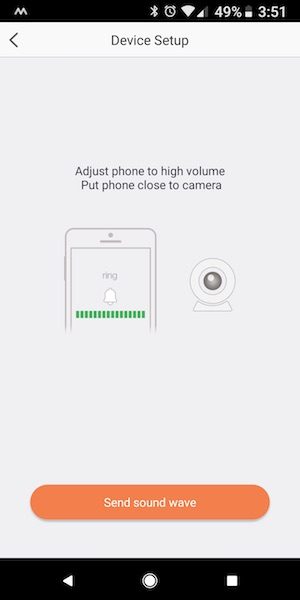
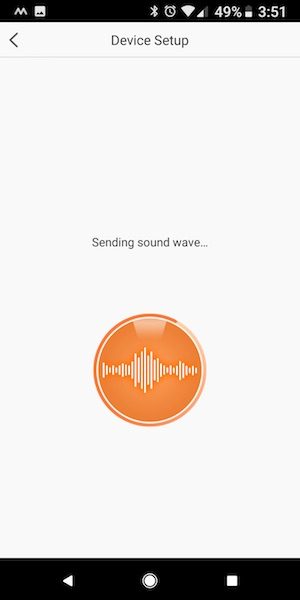
Setting up the camera is relatively quick and easy using the EZVIZ app. The app guides you through the steps of connecting the camera to your wireless network by using the QC code on the bottom of the camera and with sound. Yeah, don’t ask me about the sound part, I was really confused and surprised when the app showed that it would be using sound waves (I couldn’t hear anything) to set up the device.
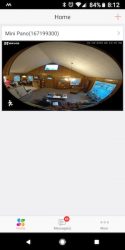
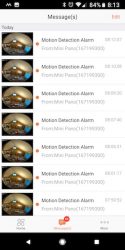
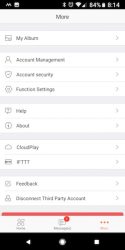
Once the camera is placed and connected to the network, it will show up on the home screen of the app. The home screen shows a snapshot of the camera’s live view at app launch time. Below the snapshot is a link to the messages page and settings page.
The messages page is a list of motion detection alert thumbnails. Tapping the thumbnail image will let you view the captured video.
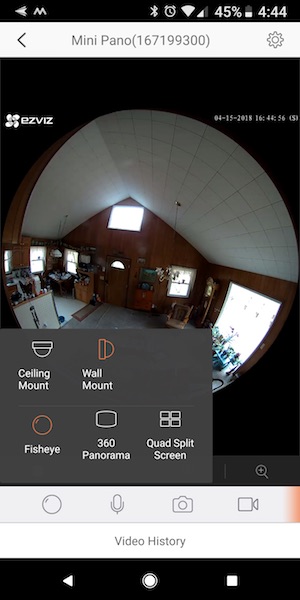
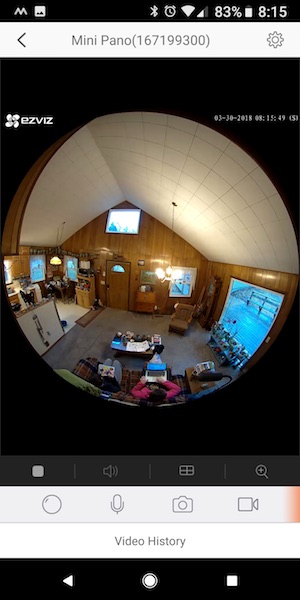
The app allows you to switch the view style from ceiling mount to wall mount and you can also choose from fisheye, 360 panorama and quad split screen views. The fisheye view is shown above on the right.
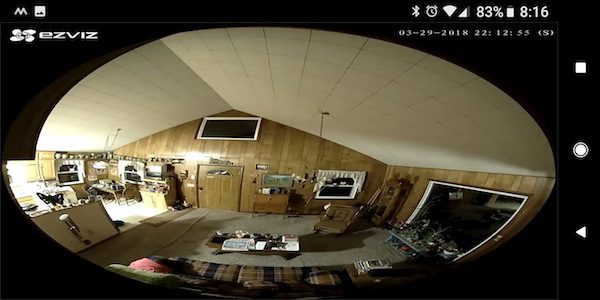
Turning the phone to landscape orientation enlarges the view. In this view, you can’t zoom in or anything. What you see is what you get.
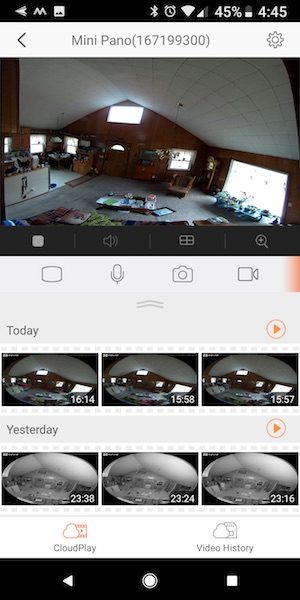
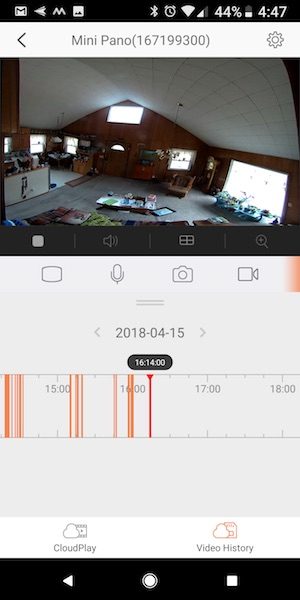
This is the 360 Panorama view which I like best. The app offers a cool feature when you’re in this view. It lets you watch all the motion captured video clips one after the other for the current day and 2 previous days. It’s kind of like a time lapse of the entire day’s events. If you have a micro SD card installed in the camera, you can also view the video history which shows a timeline and red lines for different events. You can scroll through the timeline and watch the clips that way too.
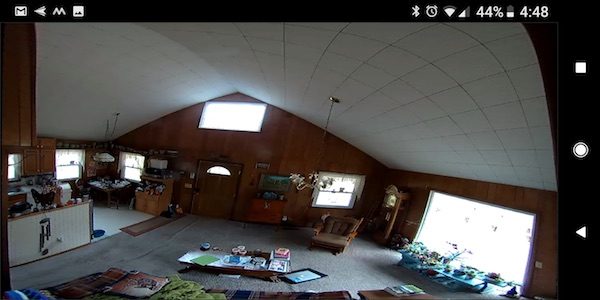
When you turn the phone to landscape orientation you can see a full-screen view in 360 panorama mode. You can’t zoom using two fingers in this view.
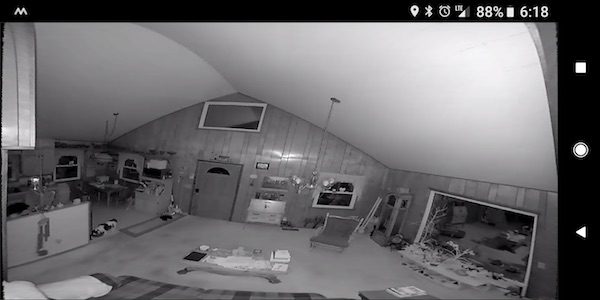
The EZVIZ ez360Pano camera has really good night vision as you can see from the image above.
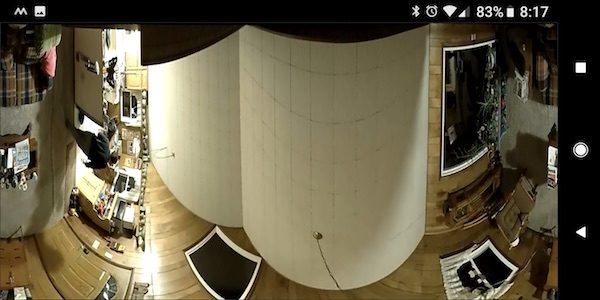
This is what the screen looks like if you choose the ceiling mount 360 panorama view mode. I’m sure this mode would look much better if the camera was actually on my ceiling…
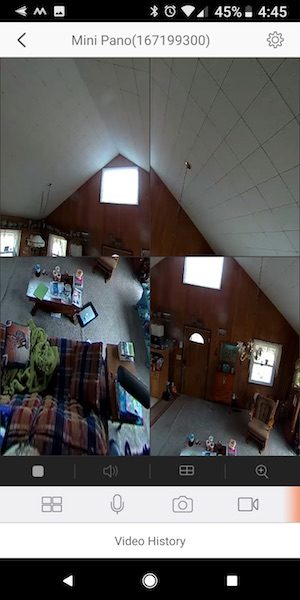
The only viewing mode which allows you to pan and zoom with your fingers is the quad split screen view and as you can see from the image above, that mode looks pretty bad. I think each section should have a larger frame around it so you can more easily differentiate between each window.
The EZVIZ ez360Pano WiFi camera comes with 30 days of free Cloud Play which saves the notification video clips to the cloud and also lets you watch a video montage of the current and previous day’s motion detected events.
The camera comes with a 30-day free trial of the Cloud Play service which saves the motion clips to the cloud. After the 30 days, you have to subscribe to one of their plans for each of your EZVIZ cameras if you want to store the video clips in the cloud for safe keeping. The prices are:
7 Day Playback per Camera
Save 7 days of video
$5.99/month
$59.99/year
30 Day Playback per Camera
Save 30 days of video
$10.99/month
$109.99/year
Of course, you can also use a micro SD card in the camera which will also store the motion clips.
What I like
- I like the 360Pano’s 360-degree wide view because it lets me see a large area without needing to pan and tilt.
- Easy camera setup
What needs to be improved
- micro SD card is only used to store motion detection clips and not 24/7 video.
- The app doesn’t offer the ability to block certain areas of the view from sending motion detection alerts.
- The push motion notification alerts sent to Android devices can’t be dismissed by swiping them from the lock screen. You have to go into the app for them to disappear from the notification bar at the top of the phone’s screen.
- The app only allows you to zoom and pan in quad view which offers four tiny windows that are hard to see on a smartphone display.
- The app doesn’t always remember camera view mode settings.
- Cloud Play subscription is per camera.
Final thoughts
The EZVIZ ez360Pano WiFi camera is a nice camera because it has such a wide angle view. It’s also easy to setup and does a good job of capturing motion and delivers a clear image even in the dark. The main things that I don’t like about this camera are the Cloud Play subscription service and the fact that the camera doesn’t record video to the micro SD card 24/7.
Right now there are so many security cameras on the market that it’s a buy’s smorgasbord. While the ez360Pano does offer the panorama feature which 99% of other cameras lack, the price per camera and the subscription fee per camera may take this one out of the running for a lot of potential buyers.
Price: $179.99 (Cloud Play subscription is an additional purchase but is not required)
Where to buy: Amazon
Source: The sample for this review was provided by EZVIZ.
The post EZVIZ ez360Pano panoramic WiFi camera review appeared first on The Gadgeteer.
Filed in categories: Reviews
Tagged: security camera
EZVIZ ez360Pano panoramic WiFi camera review originally appeared on The Gadgeteer on April 17, 2018 at 4:59 pm.
Note: If you are subscribed to this feed through FeedBurner, please switch to our native feed URL http://the-gadgeteer.com/feed/ in order to ensure continuous delivery.