Neo smartpen M1 review

Do you keep a journal in a paper notebook but wish it had some of the features of a digital journalling app such as search and archiving? There are lots of apps out there for your phone or tablet that will let you keep a journal and write with a stylus, but I have been on a quest to find a hybrid system where I can use an old-school paper notebook with a pen. I recently discovered the Neo Smartpen M1. Let’s check it out.

What is it?

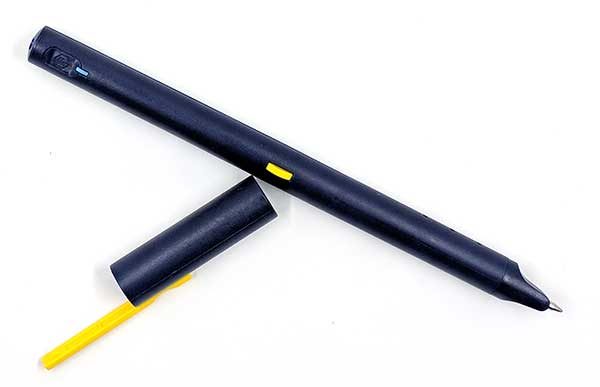
The Neo Smartpen M1 is an ink pen with a built-in camera that digitizes your writing and works with an app on your iOS or Android device to record what you’re writing as you write it in a special paper notepad.

What’s in the box?

  • Neo Pen M1 smartpen
  • 2 D1 size ink refills
  • micro USB charging cable

Design and features
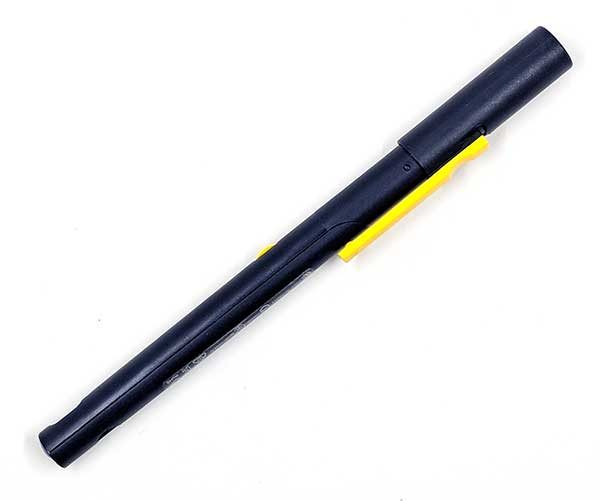
Neo is a company who has been offering smartpens for a while now. Their latest pen is the M1 and it’s a newer version of the pen that Moleskine is using with their Smart Writing Set. The M1 looks like a regular pen, with a cap and pocket clip and is available in 3 colors including the one you see above.
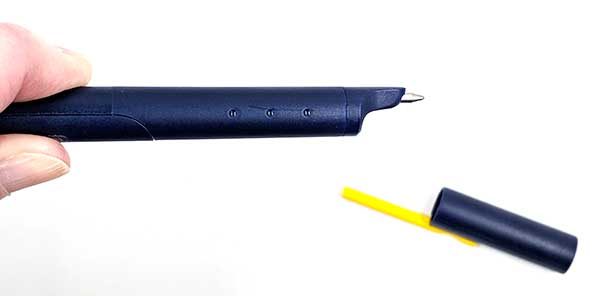
When you remove the cap, you will see a real pen that writes in ink on paper.
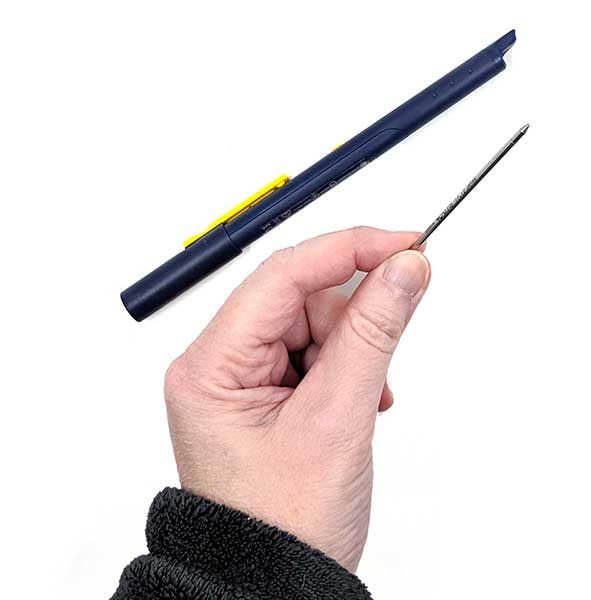
The M1 comes with 2 D1 sized refills that you can buy on Amazon and other retail sites in different colors and point widths. The refills are easy to remove and install. Basically, all you do is grab the tip and pull it out.
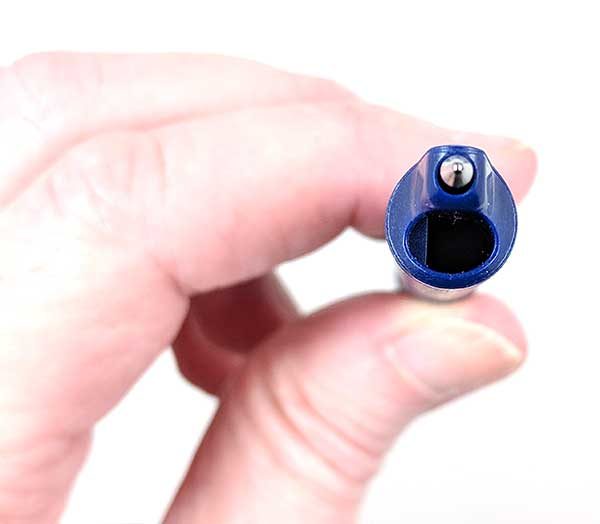
The Neo smartpen M1 has a built-in optical digitizer that is located above the ink tip. That means that you have to write so that this “camera” is pointing down toward the paper instead of turned upward.
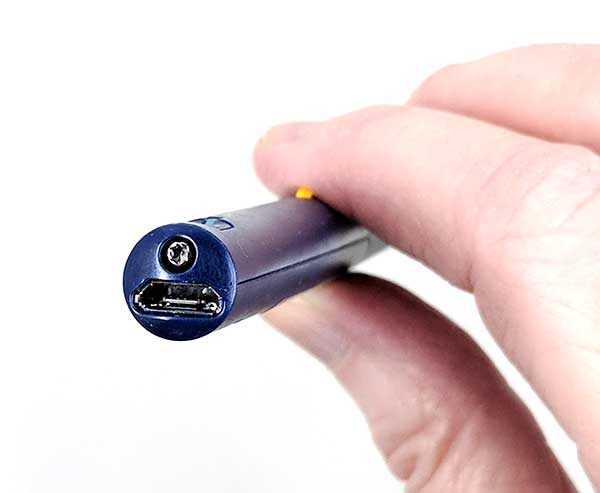
Before you can begin using the M1 smartpen, you have to charge it. There’s a standard micro USB connector on the end of the pen.
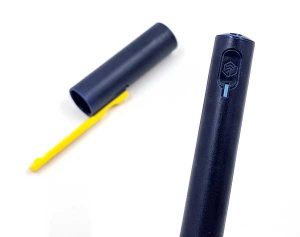
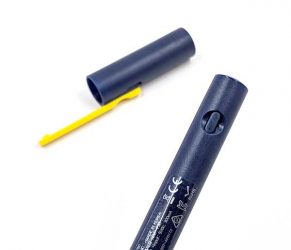
A status LED on the barrel glows red while the pen is charging, green when fully charged, and white while the pen is in use.

There’s a small power button on the barrel as well. Once you turn on the pen, you don’t need to press the power button again as the pen will turn off on its own after inactivity and will automatically power back on when you remove the cap or start writing again.
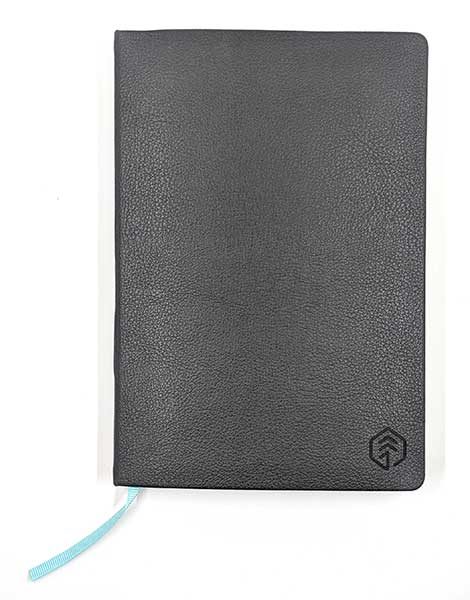
Neo smartpens have to be used with special notebooks if you want your writing digitized. At first glance, these notebooks may look no different than other paper journals. They come in different styles with hard or soft covers, spiral or hardbound, with a bookmark. Neo also offers PDFs that you can use to print your own pages for free. You can see all the pages here.
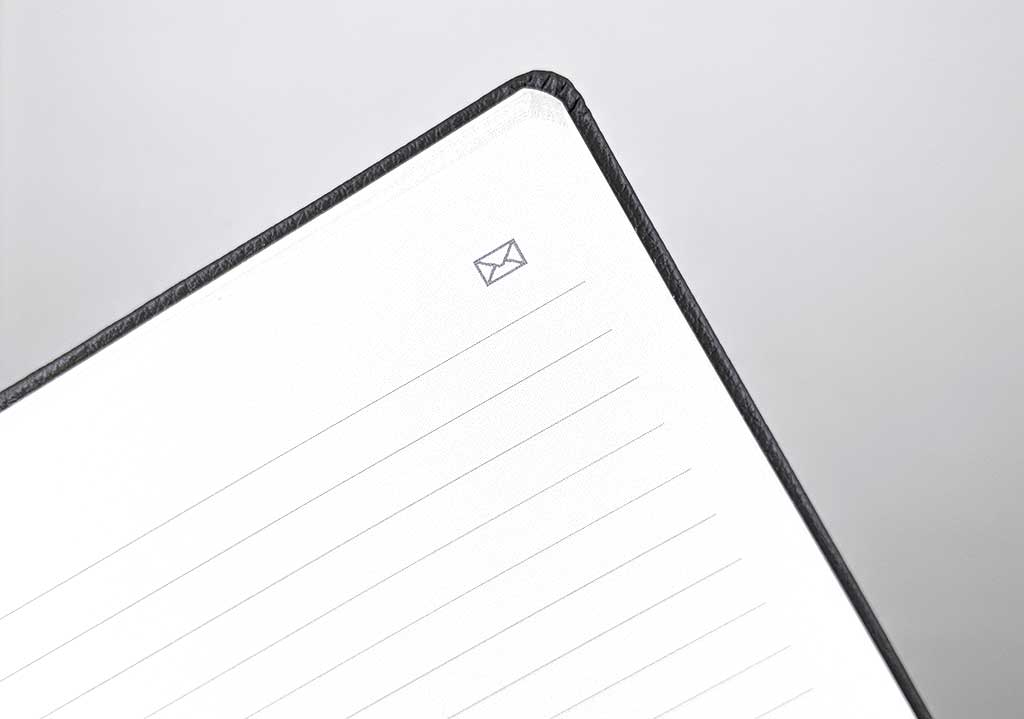
But if you look very closely at the page, you’ll see tiny grey dots which allow the pen’s digitizer to record your writing and drawings. Click the image above to see the dots.
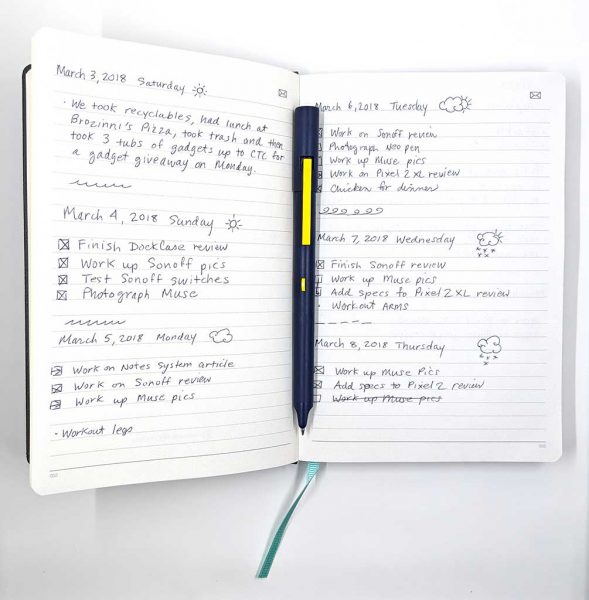
When I bought the M1 smartpen, I also bought one of the Neo N professional notebooks. These notebooks are pretty expensive ($24.95 from Amazon), but I like hardbound books so I splurged. The N Professional reminds me a lot of my favorite notebook the Leuchtturm1917.

The Neo N Professional notebooks have numbered pages and an envelope icon in the upper corner of each page that instructs the Neo app to email the page.

Neo Notes app

The smartpen can record your text without any extra hardware or software, but without using the Neo app you really can’t do anything with it. The pen syncs to the app so you can view, edit, and search your pages.
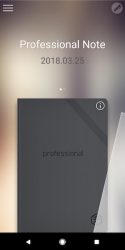
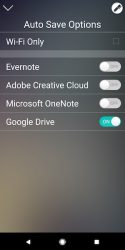


The app allows you to use multiple notebooks if you have them and gives you the option of automatically syncing pages to Evernote, Adobe, OneNote, or Google Drive.

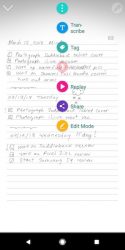

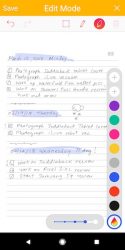
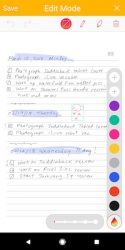
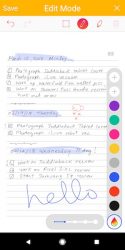
Once a page has been imported into the app, you can edit it with some basic tools that allow you to highlight text, change the color of text, and add more notes to the text with your finger or a stylus.

You can also watch a video replay of what you wrote and when you initiate a recording, it will attach that to the page as well. Just be aware that you have to start the recording from the app AND it’s the phone that records the audio, NOT the pen.
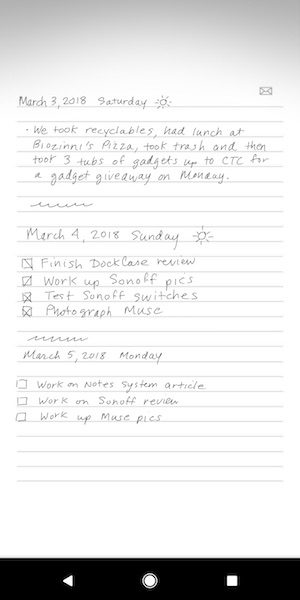
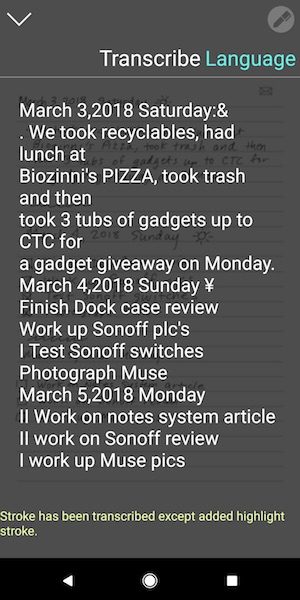
The app will also allow you to transcribe the pages into text but it doesn’t automatically share the transcribed text to Evernote, OneNote, etc.

As you can see, the transcription doesn’t do a perfect job. If you like to doodle or add check boxes, it will try to recognize them as letters and the results might not be what you would expect.
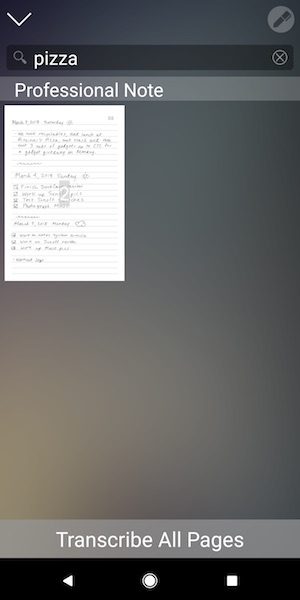

The Neo Notes app allows you to search the text for words is useful and you can also tag pages with keywords for organization/filing purposes. This works pretty well as long as your writing is clear and legible.

Writing with theNeo smartpen M1 is ok, but it’s not nearly as enjoyable as my favorite pens which have a Pilot G2 refill. I’m just spoiled 🙂 That said, the pen does an impressive job of recording your pen strokes. As long as you don’t start writing until you hear the beep after you take off the cap or press the pen to the page, you’ll be fine. If you immediately start writing, the pen might not catch 100% of that first stroke.

What I like

  • Not any larger than a regular pen
  • Easily replaceable ink refills
  • Easy to use app
  • Can automatically sync with Evernote, Google Drive, OneNote,

What needs to be improved

  • Voice recordings use the phone’s microphone and have to be initiated through the app
  • Need a setting to autosave transcribed page text to outside sites like Evernote

Final thoughts

I was excited to try the Neo smartpen M1 after it was suggested to me in the comments for a post I did about switching from analog to digital note-taking. That’s why I purchased the Neo pen. I thought it might be the perfect combo of analog and digital. So how has it worked out for me? The pen is nice. So don’t get me wrong. But, the excitement faded pretty quickly because I am not a fan of the way it feels to write with the pen. It writes fine, but it’s just not as smooth as my favorite pens. I tried a couple different ink refills without any noticeable improvement.

I also found that my weird hybrid print and cursive writing style with doodles and checkboxes doesn’t lend itself that well to transcription or text searches for words.

In the end, I found that although my notes were backing up to the cloud that I wasn’t looking at them after the fact.  I’ve finally come to the conclusion that the best note taking and task system for me is a paper notebook, my favorite pen, and my own version of the Bullet Journal system. At the end of the day or week, if I need to remember something I’ve written, I quickly type it into a note on Google Drive where it will be backed up and is searchable since it’s straight text.

While the Neo smartpen M1 didn’t quite work for me, it’s still a nice pen and I can see that it would be useful for meetings and school.

Price: $129.00
Where to buy: Neo or Amazon
Source: The sample for this review was purchased with my own funds.

The post Neo smartpen M1 review appeared first on The Gadgeteer.

Filed in categories: Reviews

Tagged: , ,

Neo smartpen M1 review originally appeared on The Gadgeteer on April 25, 2018 at 12:00 pm.

Note: If you are subscribed to this feed through FeedBurner, please switch to our native feed URL http://the-gadgeteer.com/feed/ in order to ensure continuous delivery.

Packages delivered directly into the trunk of your car: what will Amazon think of next?!

Last year Amazon introduced Key In-Home delivery which allowed Prime deliveries directly into your home. On Tuesday they launched Key In-Car, a new service that allows couriers to deliver packages directly into the trunk of your vehicle.

The new service is free for Prime members in 37 cities in the US driving a 2015 or newer Chevrolet, Buick, GMC, Cadillac, or Volvo with OnStar or Volvo On Call.

How it works 

To get started download the free Amazon Key app from the App Store or Google Play. Then select the in-car delivery option on your next Amazon order.

After that it’s pretty simple, just park your car in a publicly accessible parking space within two blocks of your delivery address. You’ll get a notification when the package has been dropped off and your car is relocked. Viola, package delivered!

Amazon stresses that it will authorize the delivery driver before your car is unlocked. And no special access or keys are given to the driver.

So you shouldn’t have to worry about a random driver just taking off with your car.

Key In-Car delivery is a great idea especially if you spend a lot of time away from home. It also means you don’t have to go home to get your package. And it’s certainly less invasive than the Key in-home delivery option.

To learn more about Amazon’s Key In-Car delivery service head over to their info page.

The post Packages delivered directly into the trunk of your car: what will Amazon think of next?! appeared first on The Gadgeteer.

Filed in categories: News

Tagged:

Packages delivered directly into the trunk of your car: what will Amazon think of next?! originally appeared on The Gadgeteer on April 25, 2018 at 11:00 am.

Note: If you are subscribed to this feed through FeedBurner, please switch to our native feed URL http://the-gadgeteer.com/feed/ in order to ensure continuous delivery.
Elgato Eve Energy Switch & Power Meter and Eve Button review

I’m particularly fond of home automation and have enjoyed making things light, whirr and spin with a poke at my phone or voice command. Adding the ability to monitor mower is icing on the cake so I was eager to give Elgato’s Eve Energy Switch & Power Meter and Eve Button a try.

What is it?

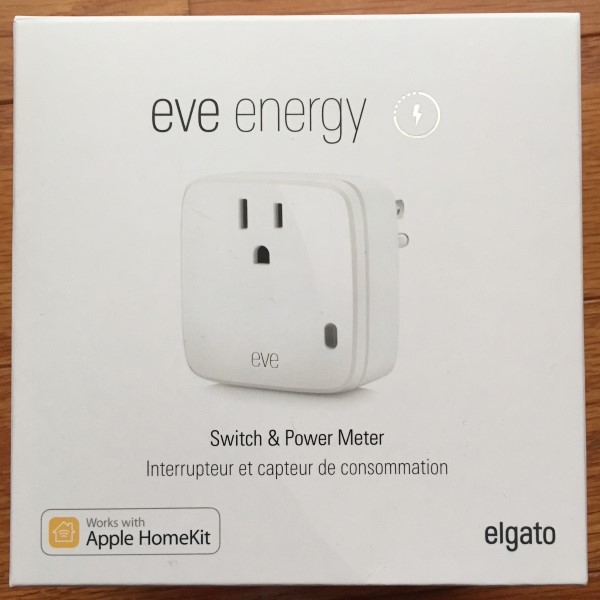
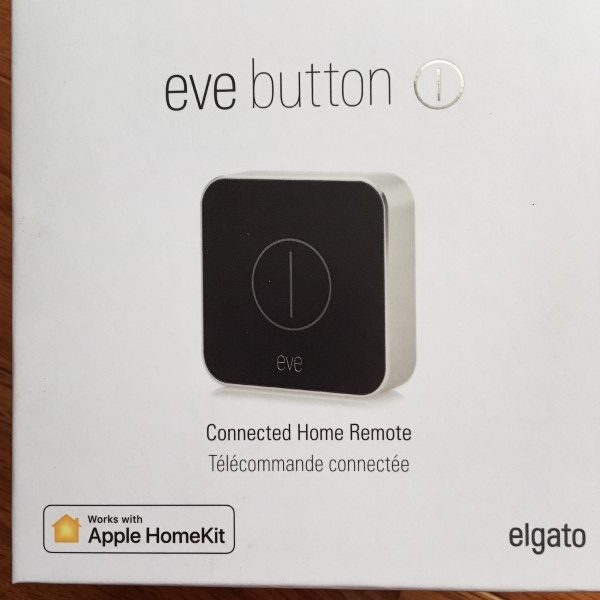
Eva Power Switch & Power Meter devices allow the control of a single socket via a smartphone app or Siri. Equipped with power monitoring functions, the app allows activation/ deactivation and power draw analysis for the connected appliance.

Adding the Eve Button allows remote control of Eve Power Switches without the need of a smartphone…

Hardware Specs

        Eve Wireless Switch & Power Meter

  • Plastic housing
  • Dimensions: 2.6 x 1.9 x 2.6 inches
  • Weight: 3.04oz
  • Power Rating: 120VAC, 15 Amps/1800 Watts maximum load
  • AC Frequency: 50/60Hz
  • Interior use only

Eve Button

  • Plastic and aluminum housing
  • Dimensions: 2.1 x 2.1 x 0.5 inches
  • Weight: 1.28 oz.
  • Power Rating: 3.0VDC, CR2032 lithium coin cell battery included

What’s in the box?

        Eve Wireless Switch & Power Meter

  • Eve Switch
  • Instruction manual
  • Quick-start manual

Eve Button

  • Eve Button
  • Instruction manual
  • Quick-start manual
  • Several sets of device icon stickers

Design and features

The Eve Switch and Eve Button cardboard packaging are full-color and attractive looking. There is ample support to keep the contents from being damaged in transit. The quick-start manuals have easily understood graphics. The instruction manual is very tiny.

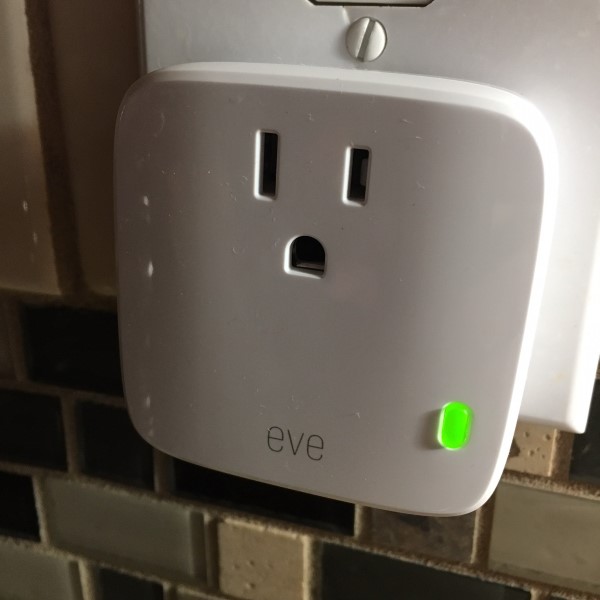
Because of the case design, it’s not possible to plug in two Eve Switches into a single two-outlet socket. However, it is possible for another 3-prong grounded plug to fit in the second socket with the Eve switch plugged into the first. This has been a shortcoming of other manufacturers that Elgato has addressed nicely, although a case design that allows two Eve Switches in a single duplex outlet would be advantageous.

Connecting the sockets to Apple Home was super simple – just plug in, open Apple Home on your iPhone, click the + to add a new piece of hardware, Select “Add Accessory,” Allow the camera to scan the device code, Click the new device “icon,” wait for the confirmation and done and works without installing the Eve app. After successfully adding the switch, Apple Home allows the user to specify the room and give the new switch a name that can be used to verbally turn the connected device on or off. It’s very cool to be able to issue a voice command like,”Hey Siri, turn on the coffee maker.”

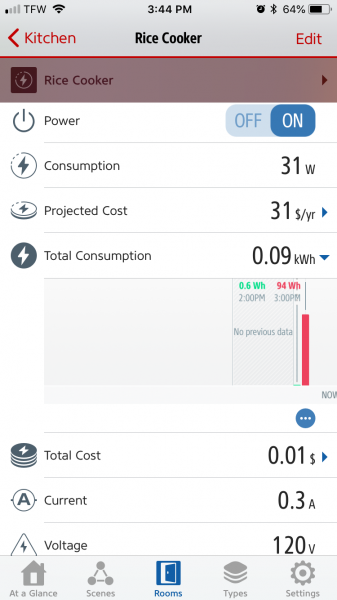
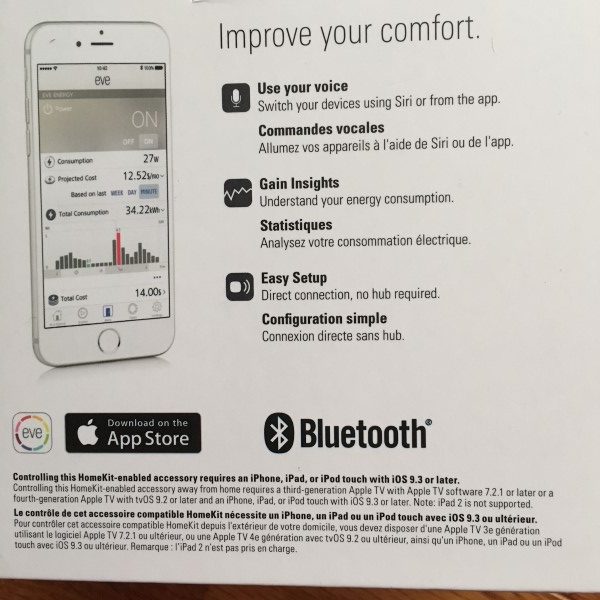
Here’s where the Elgato Eve is different: Once connected and functional, the Eve app shows the status,  power consumption, projected cost, total consumption, total cost (based in my energy rate taken from my electric bill), Current (Amps) and voltage. For someone looking to reduce energy costs, this is a valuable tool to find out what’s sucking the energy out of your home. I connected a small 3-cup rice cooker to the Eve Switch and turned it on. Over the next, I watched the power consumption while cooking and warming modes. The Eve app gave me an overview of my little rice cooker’s usage.

I can see this being a great tool for determining where my home appliances are wasting energy. It will be interesting to use the Eve Switches to monitor parasitic drain devices and reduce electrical costs.

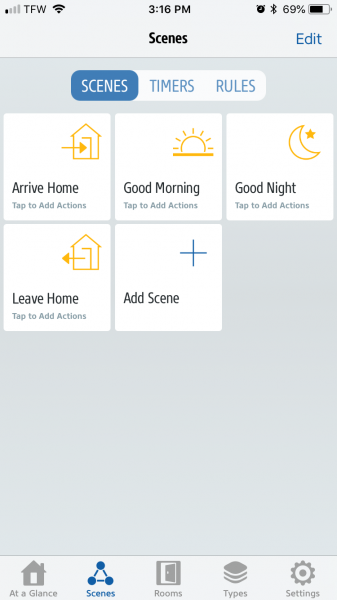
The app also provides a mechanism to create scenes, turning any Apple Home devices on and off dependent on environmental issues. It’s not as comprehensive a list of trigger conditions I’ve seen in other products, but in testing everything works well.

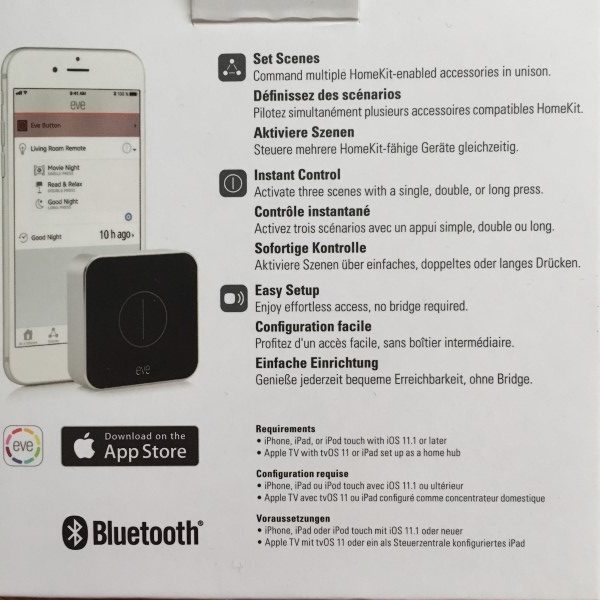
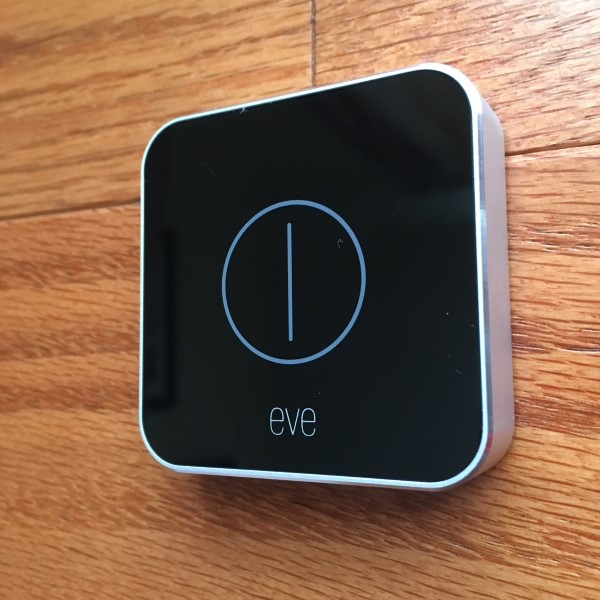
Next, I linked the Eve Button to my Apple Home account. The switch is small and sleek and has three button modes – single press, double-press, and long-press. Each mode can be configured to perform tasks on any Apple Home device but requires an Apple TV hub to configure and use. I don’t have one at the time of this writing, but it’s on my wish list. I envision using the Eve Button to turn an entire house of lights on or off at the end of a busy day without the need to go from room to room. Elgato includes stick-on rubber feet and several sheets of appliance icons that can be applied to the Eve switch as a reminder of what it’s configured to control. A nice touch.


What I like

  • Snazzy looking
  • Easy configuration
  • Only one can be used per duplex socket
  • Capable app with energy usage feedback

What needs to be improved?

  • It would be nice if an Apple TV hub were not needed.

Final thoughts

I found the Elgato Eve Switches and buttons cost-effective, well-constructed and reliable. The switches work similarly to other manufacturers, but the energy collection data is top-notch.  I am looking forward to fully implementing the system and getting the Eve Button working.

Price: Eve Energy Switches $49.95. Eve Button $49.93
Where to buy: Amazon
Source: The sample for this review was provided by Elgato.

The post Elgato Eve Energy Switch & Power Meter and Eve Button review appeared first on The Gadgeteer.

Filed in categories: Reviews

Tagged: ,

Elgato Eve Energy Switch & Power Meter and Eve Button review originally appeared on The Gadgeteer on April 25, 2018 at 10:00 am.

Note: If you are subscribed to this feed through FeedBurner, please switch to our native feed URL http://the-gadgeteer.com/feed/ in order to ensure continuous delivery.
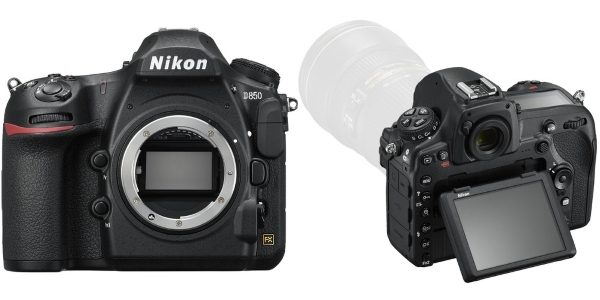
The new Nikon D850 DSLR Camera – Is it the best in its class?


By now, all of our Gadgeteer readers that have been following my news stories know that I am a Canon guy. However, in this news stories series, I will focus on DSLR cameras from various manufacturers.
The Nikon D850 DSLR Camera “brings to the table”, a combination of great photography capabilities along with nice movie recording abilities, utilizing its 45.7MP BSI CMOS sensor which can capture great detail. Its features include:

– 7 frames per second shooting for 51 Frames with AE/AF
– A maximum sensitivity of ISO 102400
– An EXPEED 5 Image Processor
– A 3.2″ 2.36m-Dot Tilting Touchscreen LCD
– A Multi-CAM 20K 153-Point AF System
– 8K Time-Lapse, Negative Digitizer Mode
– A 180k-Pixel RGB Sensor
– Focus Shift Mode
– Bluetooth
– Wi-Fi.

In addition, it can record 4K UHD video at 30 frames per second and full HD 1080p at up to 120 frames per second for slow motion playback. The camera has a weather sealed design so that it can be used in any weather conditions. Included in the box you will find a rechargeable Lithium-Ion battery, a battery charger, a USB 3.0 cable, a camera strap, a body cap and an eyepiece.

The camera comes with a limited one year warranty.

The Nikon D850 DSLR Camera “body only” is currently listed as “coming soon” at B&H Photo Video and Amazon and can be pre-ordered for $3,296.95.

The post The new Nikon D850 DSLR Camera – Is it the best in its class? appeared first on The Gadgeteer.

Filed in categories: News

Tagged: ,

The new Nikon D850 DSLR Camera – Is it the best in its class? originally appeared on The Gadgeteer on April 25, 2018 at 10:00 am.

Note: If you are subscribed to this feed through FeedBurner, please switch to our native feed URL http://the-gadgeteer.com/feed/ in order to ensure continuous delivery.
Xenxo S-Ring smart ring, Reolink 4G security camera, collapsible drinking straws, and more – Notable crowdfunding campaigns

This week we are bringing you four crowdfunding campaigns that are currently running on Kickstarter and Indiegogo. This week’s campaigns are for people who like to keep an eye on their home, people who suck, people who like pencils, and more. Check out our picks for this week’s notable crowdfunding campaigns.

Reolink Go: Wire-Free 4G Rechargeable Security Cam

What is it?
Reolink Go is a small wireless security camera that doesn’t need WiFi to operate because it uses 4G.

Why do I like it?
I like the Reolink Go camera because it doesn’t need wireless internet connectivity where you want to install it. It uses existing 4G-LTE mobile networks like AT&T and T-Mobile here in the US, and other networks (see the campaign page for more info). You have to have your own data plan and SIM card to install in the camera, but after that, there are no additional monthly charges. Also, the camera doesn’t need to be connected to power because it runs on batteries that can be charged with a solar panel. This camera would be a good solution for monitoring locations on your property that are not in the coverage area of your WiFi network.

Where can I find more info?
The Reolink Go campaign ends in a month and they are racing towards their funding goal of $30,000. You can pre-order a Reolink Go starting at $119. After the Reolink Go campaign ends, rewards are estimated to start shipping in July 2018. Visit their Indiegogo page for all the details.

Xenxo S-Ring – The World’s Smartest Smart Wearable

What is it?
Move over smartwatches, because now we have smart rings and the Xenxo S-Ring is poised to be a genius in this category because it has almost every feature you’d want on a ring. It’s a fitness tracker, a gesture controller, a wireless headset, and more.

Why do I like it?
I like the Xenxo S-Ring because it combines multiple features that require multiple devices into one small device that you can wear on your finger. If this ring actually gets manufactured (I sure hope so), it’s going to give new meaning to wearable tech. I like the idea of having all those features on my finger and am especially excited about using the ring to make payments and as a wireless headset just because I want to look like secret service agent when I talk into my hand.

Where can I find more info?
The Xenxo S-Ring campaign ends on 5/26/2018 and they are working towards their funding goal of $25,000. You can pre-order a Xenxo S-Ring starting at $179. After the Xenxo S-Ring campaign ends, rewards are estimated to start shipping in November 2018. Visit their Kickstarter page for all the details.

Grafton Mechanical Pencil. Lifetime Guarantee EDC Pencil.

What is it?
The Grafton is a mechanical pencil made of anodized aluminum that has been designed to last a lifetime with a lifetime guarantee to back it up.

Why do I like it?
I like the Grafton Mechanical Pencil because it has an understated style to it. It’s not flashy, it’s classy, minimal, and sleek. It works with .5 mm leads or .7 mm leads with a special reservoir that they can provide as an add-on order.

Where can I find more info?
The Grafton Mechanical Pencil campaign ends on 5/12/2018 and they have already reached their funding goal of $5,000. You can pre-order a Grafton Mechanical Pencil starting at $29. After the Grafton Mechanical Pencil campaign ends, rewards are estimated to start shipping in June 2018. Visit their Kickstarter page for all the details.

FinalStraw, the world’s first collapsible, reusable straw

What is it?
The FinalStraw is a stainless steel medical grade collapsible tube / straw that fits in a small case.

Why do I like it?
I like the FinalStraw because it solves the issue of too many plastic straws. We have a drawer overflowing with straws in my kitchen from to go cups that we bring home. We save them because we always use straws with our beverages. But straws are like rabbits and multiply rapidly. The FinalStraw looks like a really cool alternative and it even comes with a cleaning squeegee.

Where can I find more info?
The FinalStraw campaign ends on 5/19/2018 and they have already reached and raced past their funding goal of $12,500. You can pre-order a FinalStraw starting at $20. After the FinalStraw campaign ends, rewards are estimated to start shipping in November 2018. Visit their Kickstarter page for all the details.

The post Xenxo S-Ring smart ring, Reolink 4G security camera, collapsible drinking straws, and more – Notable crowdfunding campaigns appeared first on The Gadgeteer.

Filed in categories: News

Tagged:

Xenxo S-Ring smart ring, Reolink 4G security camera, collapsible drinking straws, and more – Notable crowdfunding campaigns originally appeared on The Gadgeteer on April 25, 2018 at 9:00 am.

Note: If you are subscribed to this feed through FeedBurner, please switch to our native feed URL http://the-gadgeteer.com/feed/ in order to ensure continuous delivery.