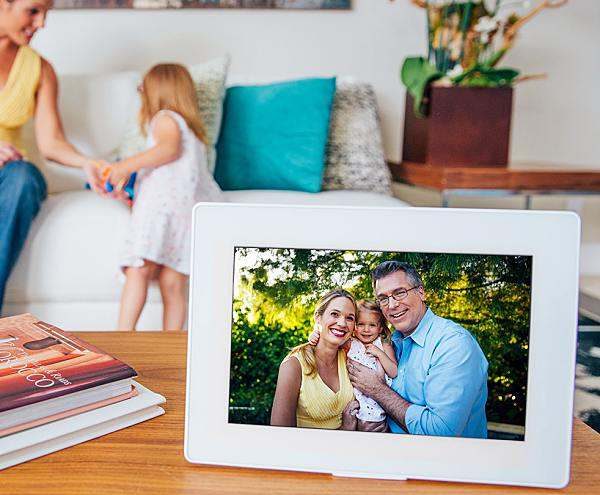
PhotoSpring is a new kind of digital frame that also doubles as a photo album.Unlike other digital frames, it doesn’t require a memory card. Instead, PhotoSpring uses companion apps (compatible with iPhone or Android phones and Mac and Windows computers) to load photos and videos from your smartphone and computer. With the apps, you can choose to have pictures automatically displayed as they are taken, or select which photos to upload whenever you like.
It also reformats your photos to fit the screen. And you’ll see a different set of photos every day.
It’s a frame. It’s an album.
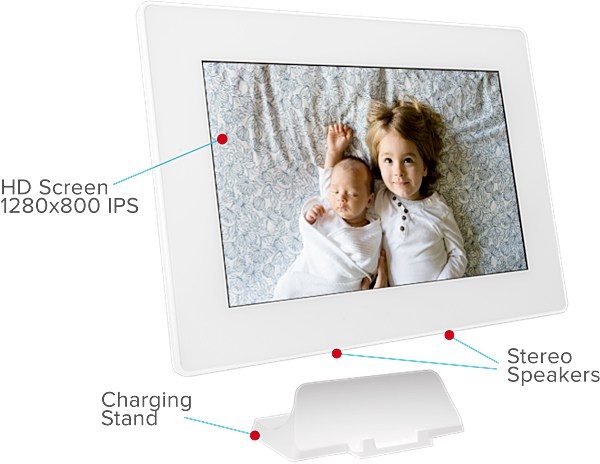
A rechargeable battery and charging stand make PhotoSpring conveniently portable.
In album mode, you can use PhotoSpring’s 10” HD touchscreen to browse or find your favorite photos.
You can even invite family and friends to share photos directly to your PhotoSpring.
The PhotoSpring is available in three memory configurations. 16, 32, and 80GBs.
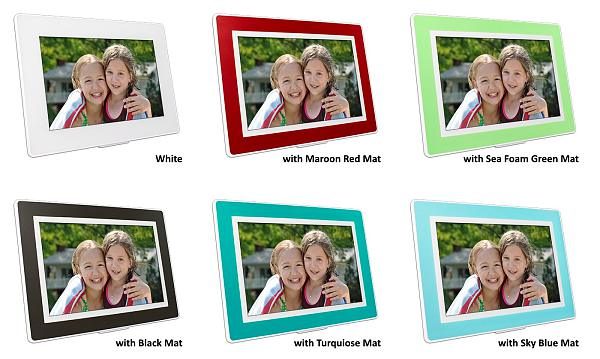
You can choose from six different colors. White, Black Mat, Maroon Red Mat, Sky Blue Mat, Turquoise Mat, and Sea Foam Green Mat.
The PhotoSpring is available for $149-$199 (16GB-80GB) from PhotoSpring or Amazon.
Note: If you are subscribed to this feed through FeedBurner, please switch to our native feed URL http://the-gadgeteer.com/feed/ in order to ensure continuous delivery.
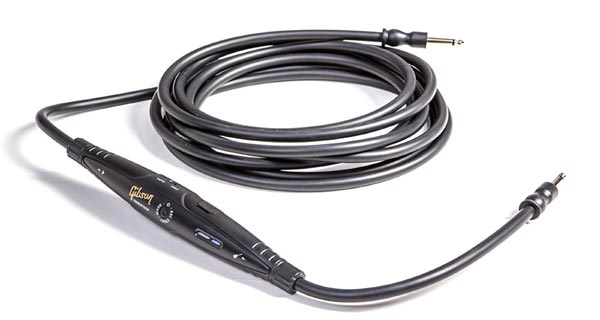
Whether you’re an amateur or a professional musician, you probably have been inspired by something you’re noodling around with, but you’ve lost it before you can get it down. You’ll never lose your ideas again if you replace your current audio cables with the GC-R05 memory cable designed by TASCAM for Gibson. In addition to being a high-quality 16′ audio cable, the GC-R05 cable has an in-line solid-state microSD recorder built right in.
With a push of a button, you’ll be able to save a file to the included 4GB microSD card for later reference. There are two recording modes: continual or recording triggered only when you play. You can record 13 hours of music with uncompressed WAV-format 16-bit, 44.1kHz CD-quality files on the microSD card. Transferring your files to a computer is easy with the included microSD-to-SD card adapter. Gibson says “thanks to the studio-quality A/D converters, if you record a ‘keeper’, you can bring the file into any recording software, then build the song from there.”
The in-line recorder is powered by one AAA battery. The audio cable is compatible with guitar, keyboards, bass, and electronic drums or even a mixer bus output. You can expand the storage capacity by replacing the microSD card.
The Gibson GC-R05 Memory Cable is $51.00 at Amazon.
Note: If you are subscribed to this feed through FeedBurner, please switch to our native feed URL http://the-gadgeteer.com/feed/ in order to ensure continuous delivery.
A modular photography system for iPhone focused on premium lenses and a CPL filter. Bitplay’s lenses are compatible with their iPhone cases (available for each model) as well as their Clip product if you want an alternative to cases or to use a lens on the front camera while using the SNAP! X case.
Hardware specs
Premium HD wide angle lens
Magnification: 0.604x
Minimum focus distance: 15 mm
Angle of view – Horizontal: 89.7º
Angle of view – Vertical: 102.9º
Lens construction: 6 elements in 6 groups
Dimensions: 44 (Ø) X 25.7 mm (H)
Weight: 36g
Premium HD telephoto lens Magnification: 2x
Minimum focus distance: 240 mm
Angle of view – Horizontal: 32.3º
Angle of view – Vertical: 39.8º
Lens construction: 5 elements in 4 groups
Dimensions: 44 (Ø) X 31.1 mm (H)
Weight: 53g
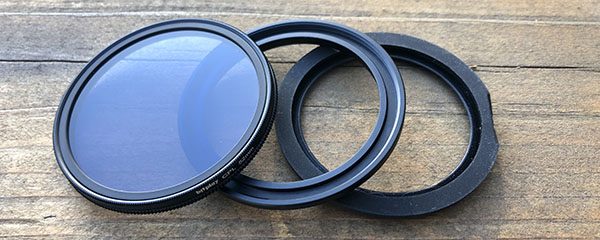
M52 CPL w/ adapter
Threads: M52 mm
Dimensions: 55 X 11.5 mm (CHECK DIMENSIONS)
Weight: 15.8g (lens only) (CHECK WEIGHT)
SNAP! X Dimensions: 14.4 x 7.4 x 1.65 mm
Weight: 53g
CLIP Dimensions: 35 x 37 x 18 mm
Weight: 10g
What’s in the boxes?
Premium HD Lens Series – Premium HD wide angle lens
– Premium HD telephoto lens
– M52 CPL filter, adapter and gasket
– User manuals
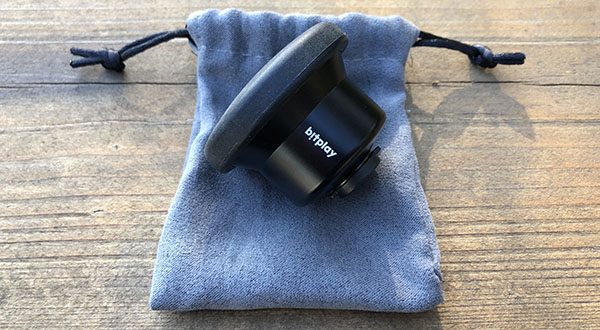
– Lens caps and storage bag included with each HD lens, zip storage case comes with the CPL filter
CLIP – Lens clip for iPhone, user manual
SNAP! X – Snap! camera case for iPhone X, wrist strap, extra adhesive handle, user manual
^ CLIP ^ ^ Premium HD Lens Series ^ SNAP! X camera case
CPL zip case ^ Phone leash ^ HD storage bag and lens caps
Design and features
Bitplay has approached their system from a photographer’s point of view and the result is a product that functionally and visually leans towards a point and shoot camera. For this review of their premium HD lens series, they provided the SNAP! X case as well as their clip, both of which provide the interface to your iPhone. Let’s look at the design of each of these components.
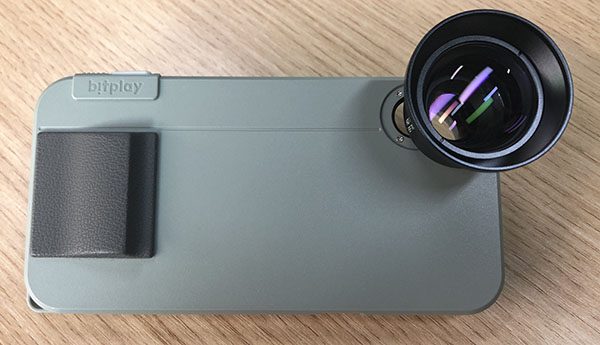
SNAP! X – The most visual aspects of the design is the retro “camera” look of the case, specifically the handle and the trigger button, both of which provide some balance to the camera mount area and lenses when attached.
The trigger button sits more proudly when the phone is installed
So how’d they get a new physical button to work where there’s no button on the iPhone? If you have an iPhone, you likely know that you can take a photo by pressing either volume button when in the camera app. Bitplay created a long lever arm that ties the new trigger button to one that presses the volume (-) button. Looking at the inside of the case you can see a small gap around the perimeter. This plate provides some internal clearance for that lever arm to freely pivot when the case is on a phone.
Most of the case is made up of PC and ABS for durability. The front edge of the case is TPU allowing for flexibility and a non-slip surface. The power and volume + buttons are part of that same injection process, and both have a good tactile response to presses. The handle is also TPU and provides a grippy surface for you to hold the whole setup with a single hand, much like a point and shoot camera.
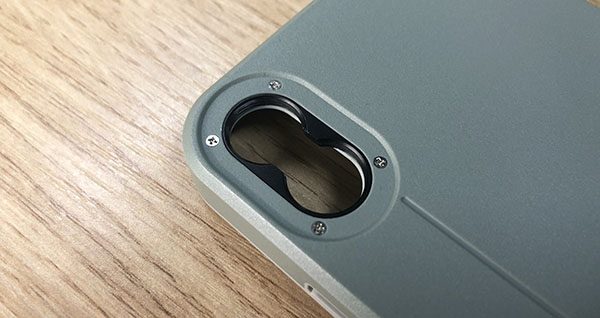
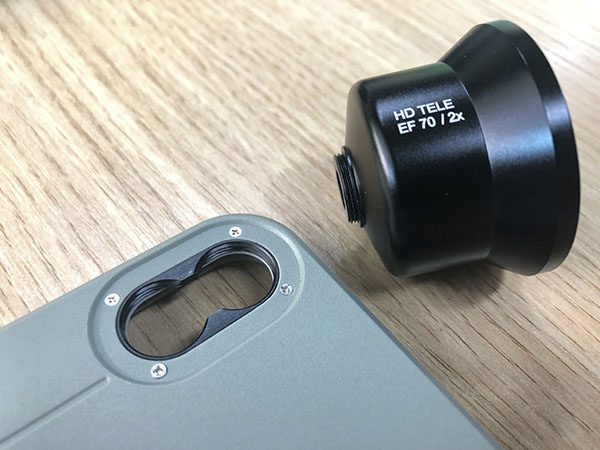
Unique to the iPhone X model, the lens mount area has two mounting positions; one for each lens. You will only need the lower position if you’re shooting with portrait mode. The mount area is an aluminum insert which creates a butter smooth rotation for screwing in the lenses.
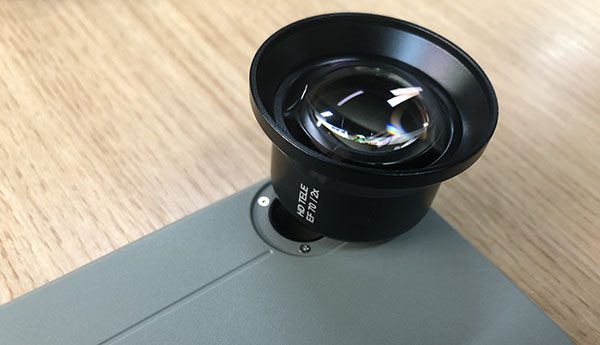
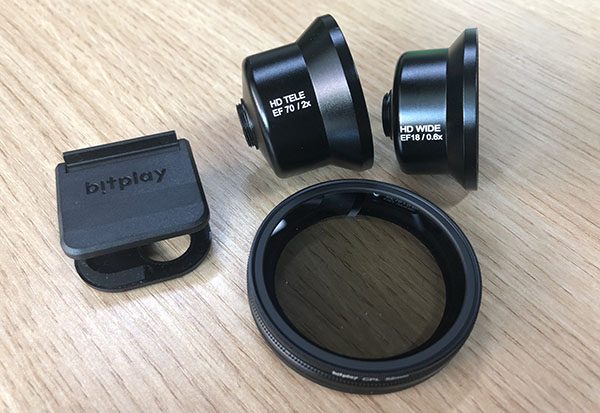
The lenses – The bell shape of the lenses is balanced by the curved glass lenses and it’s instantly apparent that these are not inexpensive lenses. The aluminum bodies have a silky black finish with the lens name for each cleanly printed on the side in white. That print and the telephoto being longer are the only visible differences between the two.
The flare of the bell shape extends past the peak of the glass lens allowing them to safely rest on a table if placed lens down. The mounting side has a small lens nested into the center of shallow threads for connecting to the case or CLIP with slightly more than a single 360º rotation.
Both lenses ship with front and back lens caps. The large front caps are soft, flexible and easy to use. The rear caps are stiffer, small and easy to lose.
M52 CPL Filter – The filter is designed specifically for use with these two premium HD lenses. Comes with the filter, an adapter and a TPU gasket
CLIP – The clip is designed to work on all iPhone models without a case, as well as on their SNAP series cases for the front camera.
Setup
I primarily used the SNAP! X case for this review, so let’s look at that setup first…
To put the case on, lead with the left side of the phone and start to push until both the top and bottom corners are in place, then push the right side of the phone down and into place. This is a pretty straightforward step, but I did have one install where the trigger button was fully depressed before install and the top edge of the volume (-) button got stuck between the case and the phone resulting in a couple hundred photos being taken in burst mode.
To install a lens, remove the back lens cap and screw the lens clockwise into place on the case.
To install the filter, unscrew the filter from the adapter and remove the TPU gasket. Sandwich the lens you want to use between the adapter and the gasket, then mount the lens to the case or clip. When you’re ready to use the filter, just screw it on to the front of the lens. Note that the lens cap does not fit with the filter in place. Bitplay does appear to sell that cap separately however.
To use the CLIP, unlock the clasp, slide the two faces apart and place onto your phone. Align the crosshairs for the center of your phone’s lens, squeeze the faces together and then re-lock the clasp. Now screw in the lens of your choice and you’re good to go.
Performance
The lenses are easier to use when running the case on your phone. I’ve had this case on my phone the majority of the last 4 weeks. I want to call out that fact because I usually switch cases every couple days rotating between a few favorites. I get annoyed with cases quickly and while there are a few things I’d change, the functionality is so good for what it does, that it has stayed on my phone consistently.
Using the system in the real-world brings out a couple of facts quickly. First is that this is a photography setup. The intent is for calculated shots that you’re taking the time to get right, or at least have put a lens on and you’re in ready-to-shoot mode. If something unexpected is happening, you’re unlikely to get your phone out and install a lens quickly. I’d file that under knowing what you’re getting into and not a deal breaker by any means. Second is adapting to a multiple lens scenario. We’ve gotten used to having a phone (camera) at our disposal that fits in your pocket. You can still pocket your phone with one lens, but adding a second lens and a filter and lens caps and it starts feeling pretty fidgety. Switching between lenses feels more than twice as difficult as I definitely did not want to drop a lens. If you’re transitioning from using a multiple lens camera, you’ve got a very different reference point and may not mind at all.
Let’s move past all that stuff though, because once a lens is in place on your phone (case or clip), you immediately forgot how it got there and start seeing what it can do to your photography.
Here’s comparison photos to look at. All should be clickable to zoom into the details.
Stock iPhone cameraHD Wide Angle LensStock iPhone cameraHD Wide Angle LensHD Telephoto LensStock iPhone camera HD Wide Angle Lens HD Wide Angle Lens w/ CPL Filter HD Telephoto Lens HD Telephoto Lens w/ CPKL FilterStock iPhone camera HD Wide Angle Lens HD Telephoto Lens
The lenses work pretty well for video as well. Here’s Muse playing “Uprising” at Bottlerock. This was shot with the HD Telephoto lens and otherwise would have been a lot further away.
Okay. So what’s it all mean? I was really happy with the quality of the images and the options provided by a telephoto and wide angle lens. As you can see above, the wide angle lens really opens up the field both horizontally and vertically providing an image much closer to what you actually see. The telephoto helps to solve that feeling of “I thought I was closer than that” and results in a great focused composition. Both lenses are really well made with a quality heft. They’re also easy to install and remove from the case and I guess that’s why I kept feeling a little anxious about the storage options as I’m not sure I want to find out how they’d fair if I dropped one. They’re heavy enough that I can imagine the bell of the body denting or worse… the glass lens shattering. Bitplay does offer a zipper storage case for both a single and a pair of HD lenses and I’d recommend picking up one of those if you don’t have a camera bag that would work for lenses of this size.
The CPL filter I have less to comment on. I can see some temperature differences in the images above, but I’m not sure it’s something I’d use. There is obviously a demand for filters in the traditional camera market, and similarly in the app world. Again, if you’re coming from a dedicated camera scenario then you’re likely to know if this is something you want.
I’m a huge fan of the case after using it for this review. It offers great protection to the entire phone including the front glass as the TPU edges sit proud of the screen. After using the trigger to take photos, I don’t want to go back to using the screen. It’s really easy to press without jostling the phone. The trigger does extend past the case a good bit and you will get some random photos as a result, or decreasing volume if it gets hit when you aren’t expecting it. The TPU handle is also pretty tall which works great as a handle and less great when you want your phone to lay flat on a table, or charging pad. It did not affect wireless charging, however.
What I like
The trigger button
The fit and durability of the case
Quality of the lenses and security of the mount
The TPU handle
What needs to be improved
Lens cap fidget factor when switching lenses – maybe add tethers?
Case does not lay flat when on a table (tilts phone away from you)
Volume button is really hard to get to
Lens/filter storage
Final thoughts
Bitplay has created a compelling photography system here. All the components are extremely well made, look and feel valuable. And they should, because at ~ $250 it’s a chunk of change to lay down, but the results are hard to argue with. You’ll want to be prepared to answer some questions as it’s hard not to notice either the lens or the case when you’re taking photos in public.
Prices: Multiple
$202.49 – Premium HD Lens Series (Wide Angle, Telephoto, CPL Filter)
$43.99 – SNAP! X camera case
$9.99 – CLIP Where to buy: Bitplay and Amazon Source: The sample for this review was provided by Bitplay.
Note: If you are subscribed to this feed through FeedBurner, please switch to our native feed URL http://the-gadgeteer.com/feed/ in order to ensure continuous delivery.
The audio industry has evolved along with everything else, and those of us who love music whether you are a casual listener or an audiophile, want as many capabilities as we can have in one small and “sexy’ looking device that complements our décor. While there are us audiophiles who still must have our relatively large left and right channel speakers along with our stereo rack, there are many others who want the big sound to still exist but vanish into a small package.
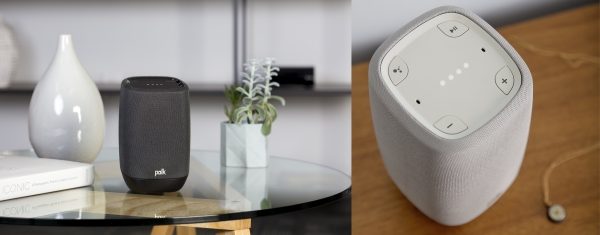
Polk Audio is a long-standing audio company that has been known for years for making speakers of every size to fit every type of room and lifestyle. Continuing with their desire to provide excellence to every level of the listener, they have introduced the Polk Audio Assist Smart Speaker. This voice-controlled smart speaker is built to provide the customary Polk premium sound, and it includes the Google Assistant for hands-free operation. Some of the additional features include music streaming via the built-in Google Chromecast, with access to services like Pandora, Spotify, iHeartRadio, Google Play Music, etc., and hi-res multi-room audio streaming utilizing Chromecast-enabled speakers and sound bars. All of the features that are offered can be controlled via the free Google Home app for iOS or Android devices.
The Polk Audio Assist Smart Speaker is available in midnight back or cool gray, and it will be available for purchase in the U.S. in June 2018 for $199.
Note: If you are subscribed to this feed through FeedBurner, please switch to our native feed URL http://the-gadgeteer.com/feed/ in order to ensure continuous delivery.
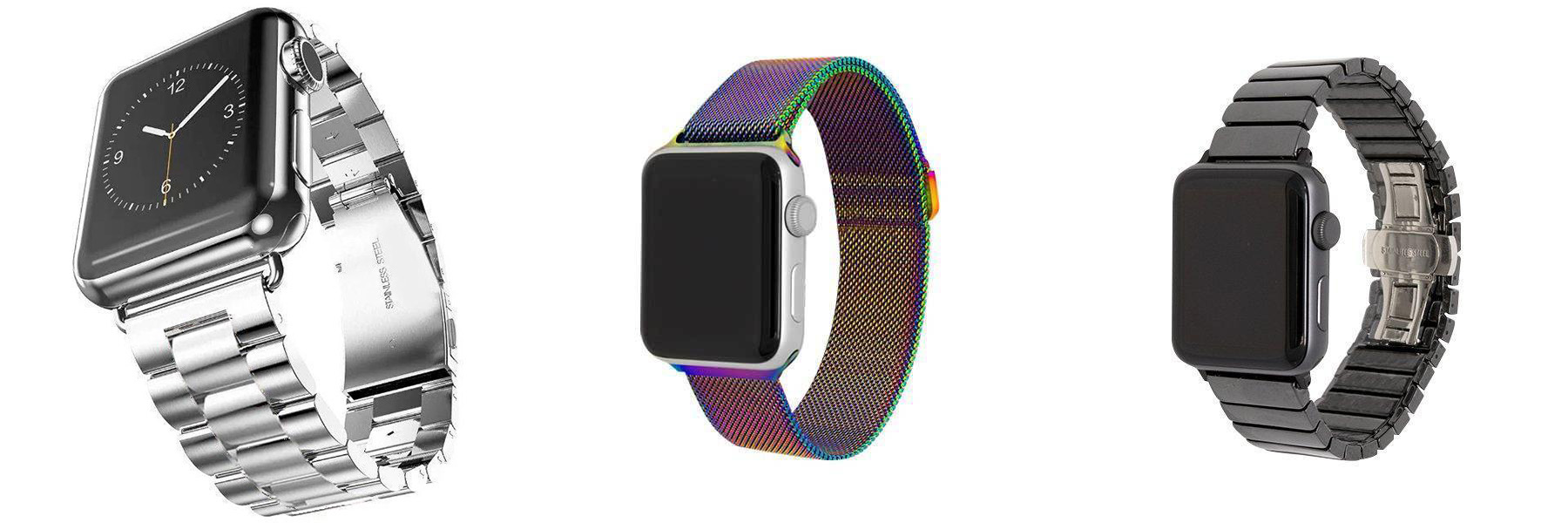
A month ago, my generous wife got me an Apple Watch for our anniversary. It’s a watch I wanted, but could not justify, so it was a nice surprise. However, I wasn’t happy with the supplied watch band, so I’ve been researching different styles and prices of available bands. As much as I like Apple products, their watch bands are shamelessly overpriced. So my options are either affordable bands offered by other companies or Apple’s uncomfortable stock band. As I was surfing around the web, I came across Epic Watch Bands. No, they don’t make bands, but curate premium bands from different manufacturers from around the world.
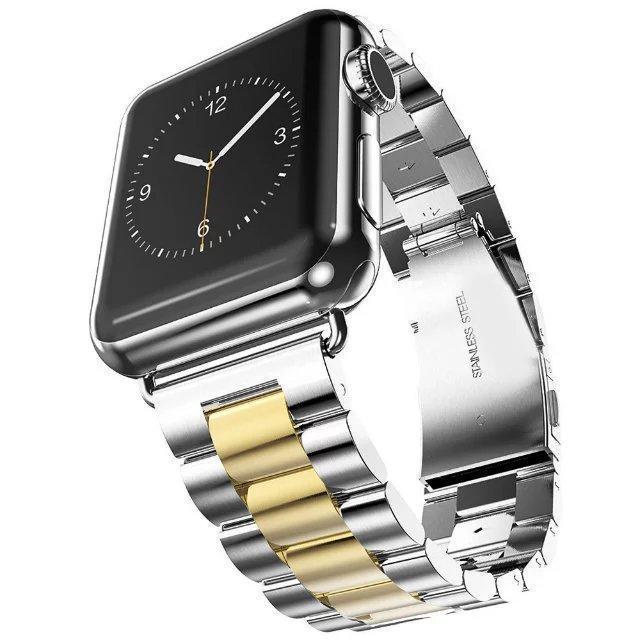
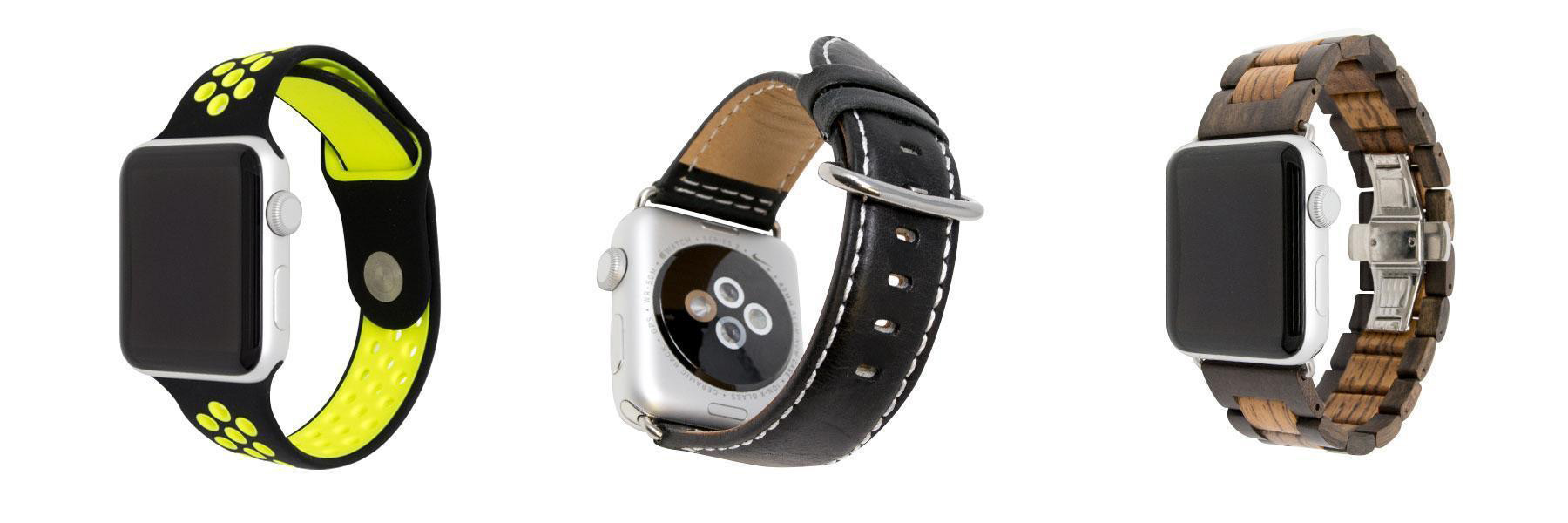
Epic offers various styles and colors of Apple Watch bands made of silicone, metal, stainless steel, nylon, leather, ceramic and even wood! Prices are competitive and a steal when compared to Apple’s own. All of Epic’s bands are compatible with every Apple Watch model including Series 1, 2, 3, Edition and Nike+.
All wrist sizes are available. For instance, silicone bands contain 3-pieces—SM (Small/Medium) and ML (Medium/Large) bands. If Link-type bands (such as our Stainless Steel, Ceramic and Natural Wood watch bands) need to have some links added or removed, Epic provides the proper DIY tools.
Prices range from $15 on up to $70. At these prices, you can have a band to fit every mood, outfit or activity. Epic offers a 30-day money-back guarantee. Visit Epic Watch Bands for more information.
Note: If you are subscribed to this feed through FeedBurner, please switch to our native feed URL http://the-gadgeteer.com/feed/ in order to ensure continuous delivery.


 SNAP! X camera case
 CPL zip case ^ Phone leash ^ HD storage bag and lens caps
 The trigger button sits more proudly when the phone is installed