KarTent is the king of cardboard camping!

What’s cardboard camping?  It’s camping in a tent made of cardboard, of course.  KarTent was created in response to the immense amount of waste of camping gear that occurs at festivals all around the world.  The folks at KarTent say 1 out of 4 people leave their tent behind on the various festival camp sites worldwide.  In the Netherlands alone, where KarTent is based, they say this counts up to 25.000 tent every year.  And these abandoned tents usually end up in a dump.

The KarTent is a festival-use tent made entirely of cardboard, which is easily recycled instead of adding to the landfill.  The tents are made of high-quality cardboard with long woodfibers, and they are water-resistant.  The tents are suitable to sleep two people, with room for their gear (7.9 feet x 5.25 feet).  The sides are opaque, so they keep out the morning sunlight – which is nice when you are suffering from too much fun from the night before.

The size and the shape of the tents don’t lend itself to mailing to your home, though you can have one shipped to you if you are willing to pay the postage and have a vehicle big enough to transport it to your event.  Usually, you place an order and KarTent will deliver them to the festival, if you happen to be attending one of the festivals KarTent will be at this year.  If your festival isn’t on the list, you can contact KarTent and the festival organizers to see if you can get KarTent coverage for next year.

A KarTent (Home) is  49.95 (about $58 US).  You can order a tent (and apparently be prepared for sticker shock if you choose to have it shipped to you), and you can check out the list of festivals for this year at the KarTent website.

Filed in categories: News

Tagged:

KarTent is the king of cardboard camping! originally appeared on The Gadgeteer on June 21, 2018 at 8:00 am.

Note: If you are subscribed to this feed through FeedBurner, please switch to our native feed URL http://the-gadgeteer.com/feed/ in order to ensure continuous delivery.

With the Bruw you can use mason jars to make delicious cold brew coffee at home

I recently discovered the joy that is cold brew coffee. I like it because it’s more flavorful then iced coffee and being someone with stomach issues I love that it’s less acidic than a regular cup of Joe. The problem is it’s also more expensive to buy at your local coffee shop. And buying a home cold brewer can be pricey as well. Then I came across the Bruw.

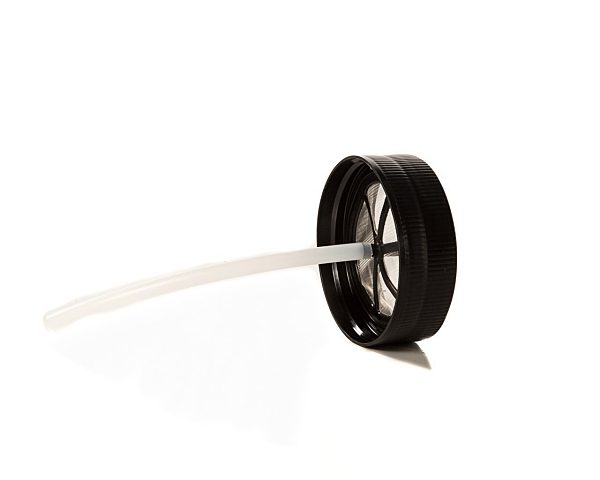
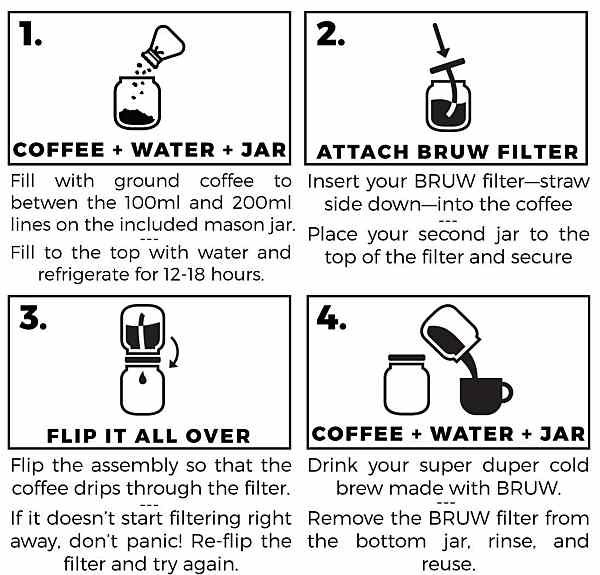
Bruw uses a simple and relatively less expensive way to make cold brew coffee at home. It’s a filter that screws onto two mason jars, and sieves out the coffee grounds. The result is a fresh, smooth-tasting, cold brewed coffee.

The filter is specifically designed to fit any standard wide-mouthed mason jar.


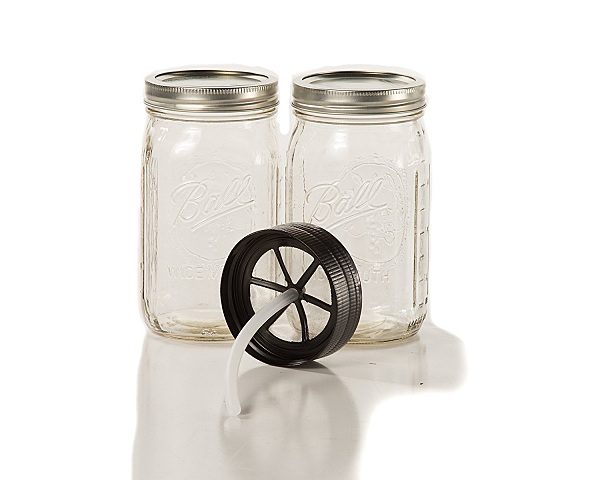
By itself, the Bruw filter will cost you $14.99. If you’re thinking to yourself “but I don’t have any mason jars just laying around my house.”  No worries you can purchase the Bruw mason jar starter pack for $29.99.

The starter pack includes the Bruw filter, two 32oz.,standard mason jars, two mason jar covers, and instructions.

To start making your own cold brewed goodness at home, you can purchase the Bruw on Amazon.

Filed in categories: News

Tagged:

With the Bruw you can use mason jars to make delicious cold brew coffee at home originally appeared on The Gadgeteer on June 20, 2018 at 3:30 pm.

Note: If you are subscribed to this feed through FeedBurner, please switch to our native feed URL http://the-gadgeteer.com/feed/ in order to ensure continuous delivery.

NazTech MagBuddy phone mount system review

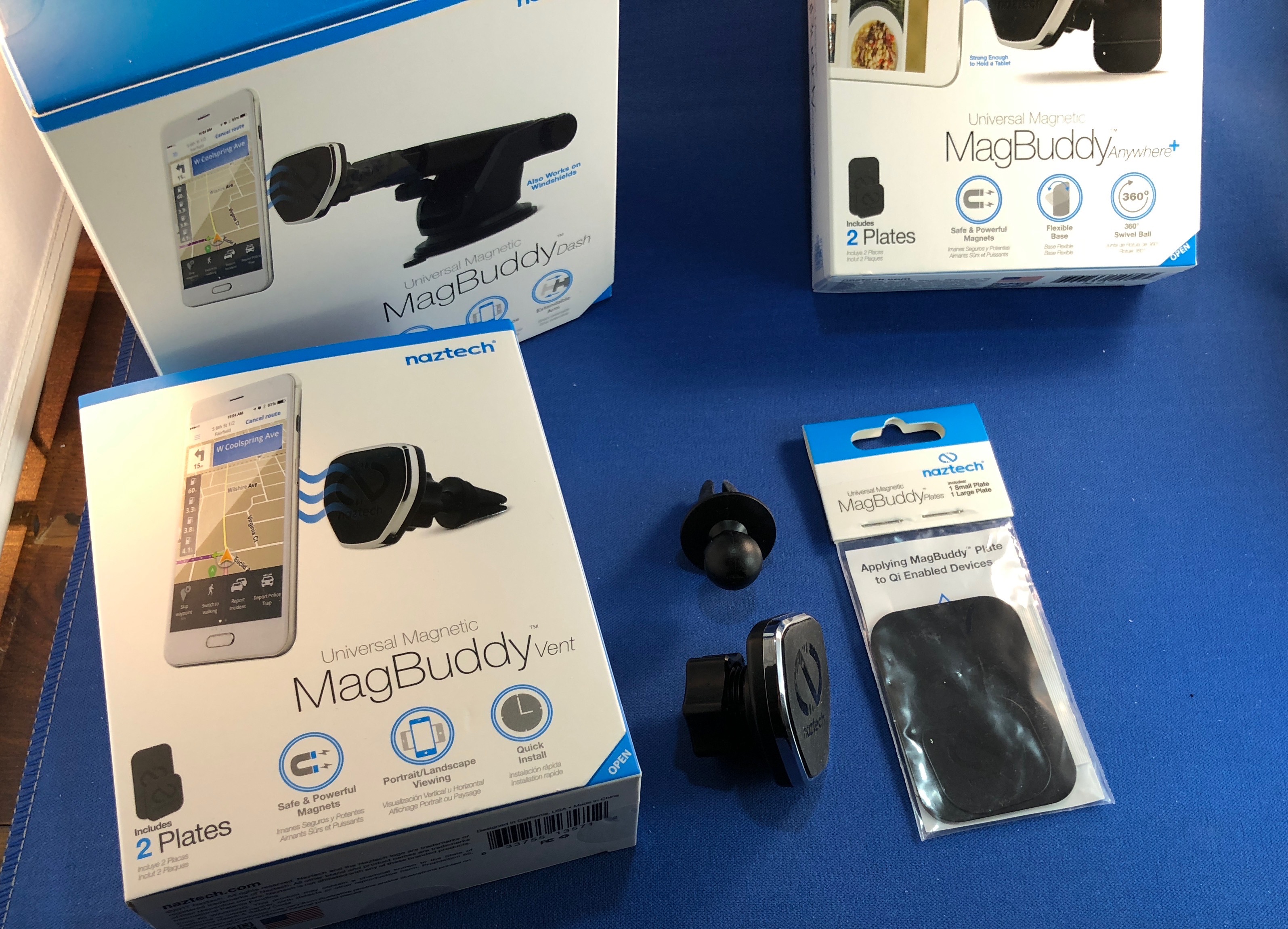
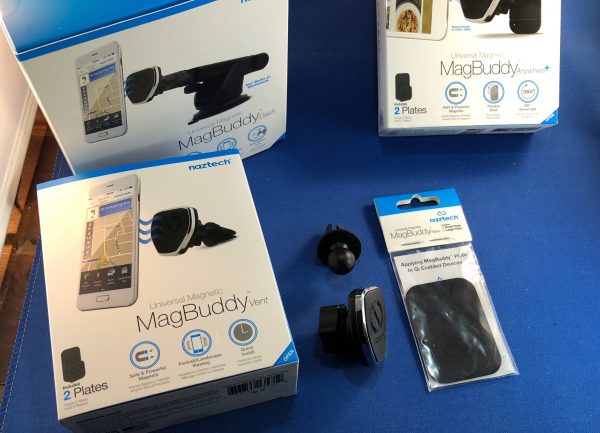
Car mounts for phones have been around as long as mobile phones have been around. With the rise of SmartPhones, their need has only grown, since the phone in your car often takes the place of that glove box full of maps (or the dedicated GPS device), your box of mix-tapes (or mix CDs), and the car club guide for your vacation spot. Naztech recently sent us three models (Vent, Dash, and Anywhere+) of their MagBuddy series to test. I’ve given them a run through and am ready to share the results with you.

Note: Photos may be tapped or clicked for a larger image.
What is it?

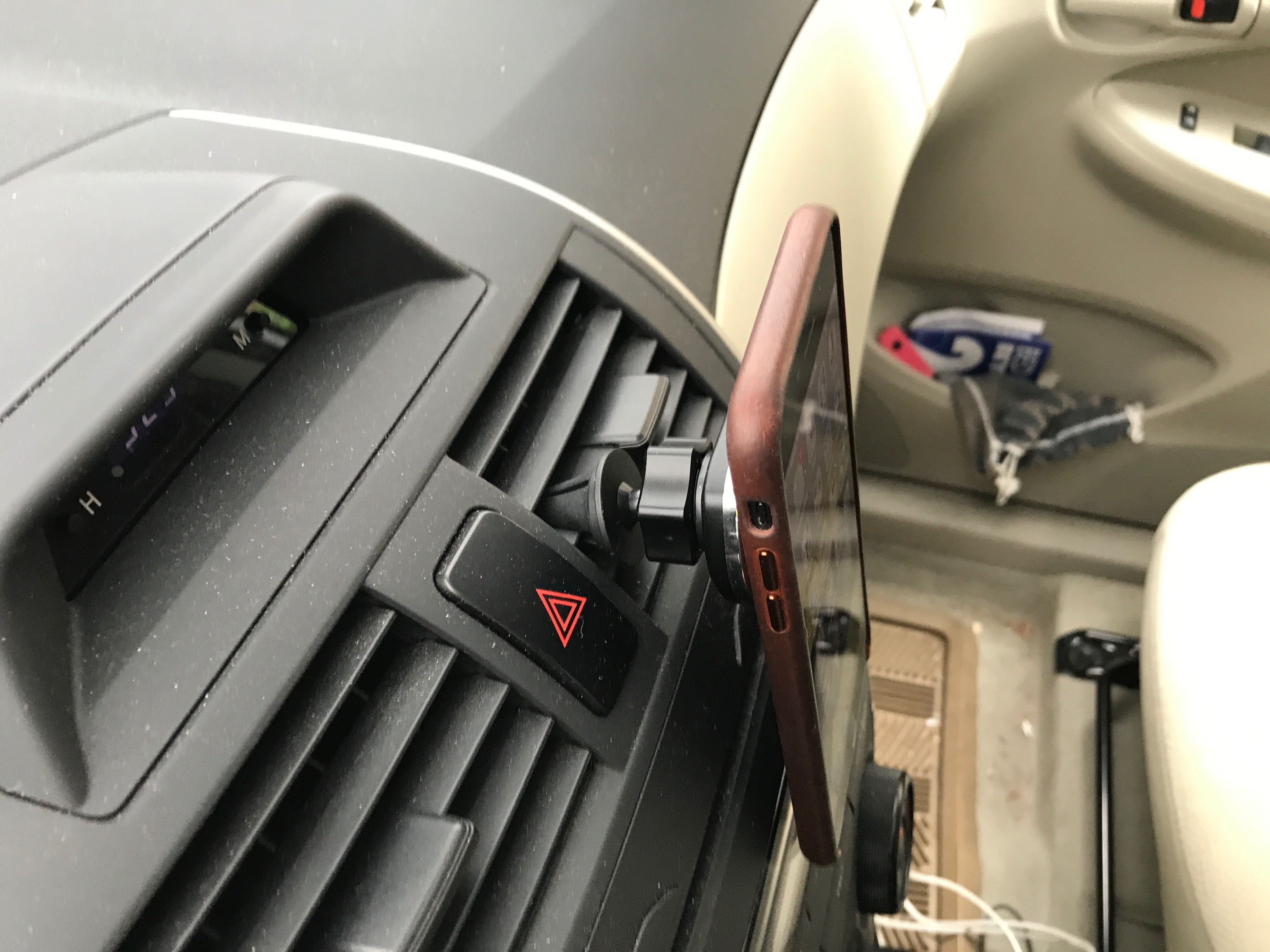
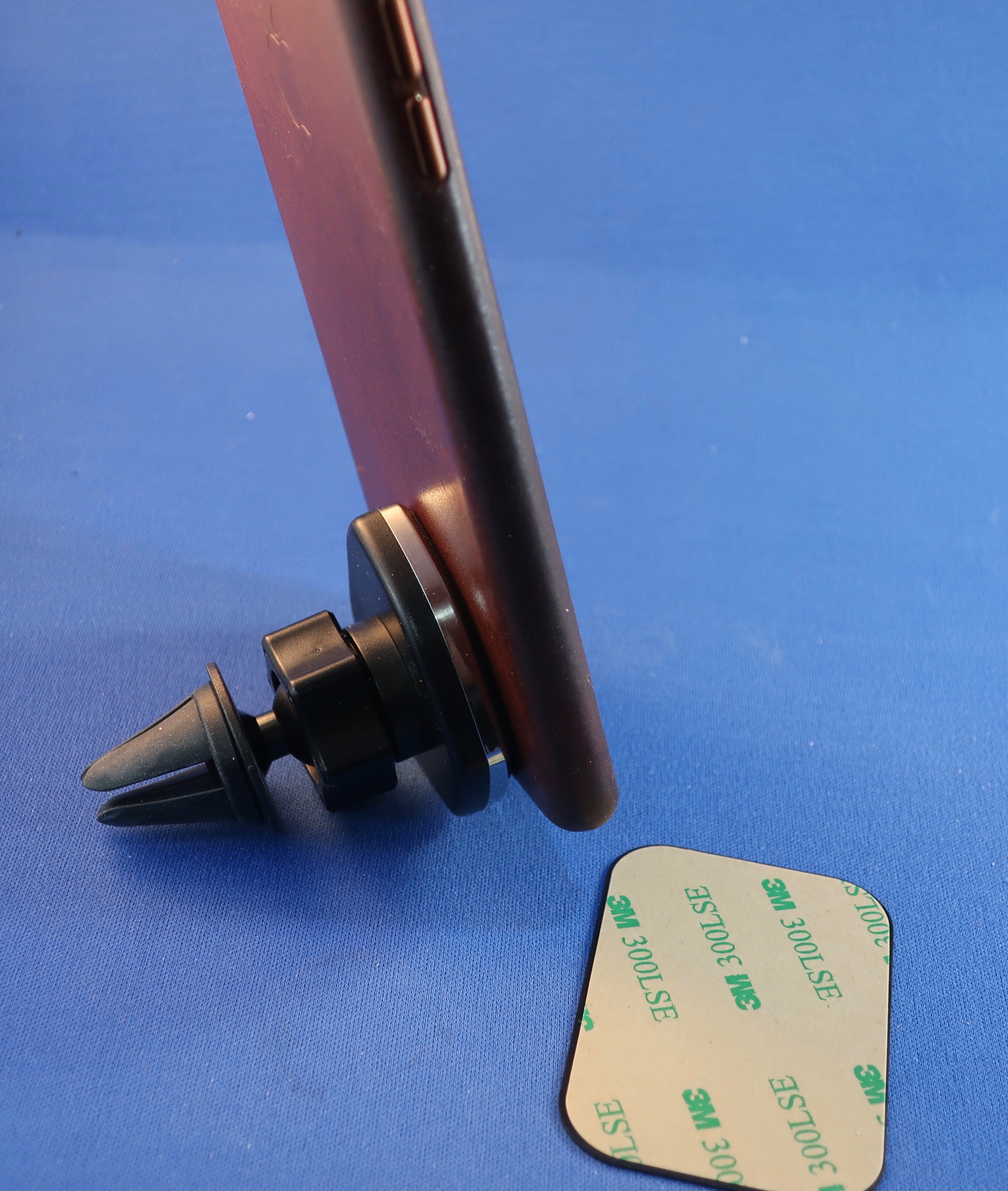
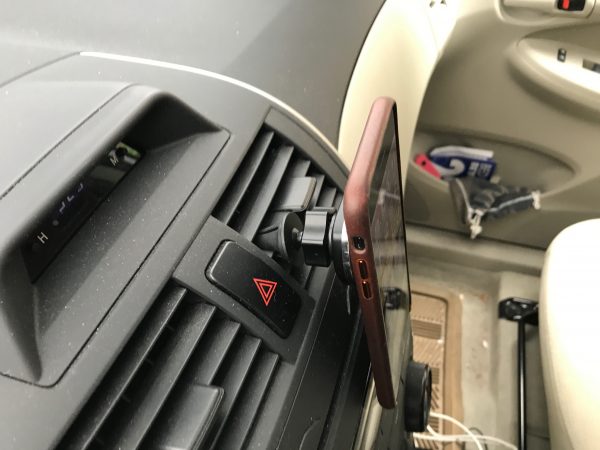
The MagBuddy system consists of three parts: a holder of some type, the adjustable magnetic headpiece that attaches to the holder (which I have dubbed the MagHead, for this article), and a flat steel piece that affixes to your device or case. The last two pieces are the same for each system, but the holder varies. There is a suction mount unit with an adjustable arm to control the height and angle of the magnetic head, one that clips onto your AC/Heat vent, and one that will stick to any flat or slightly curved surface permanently. I’ll discuss each one below.
What’s in the box?

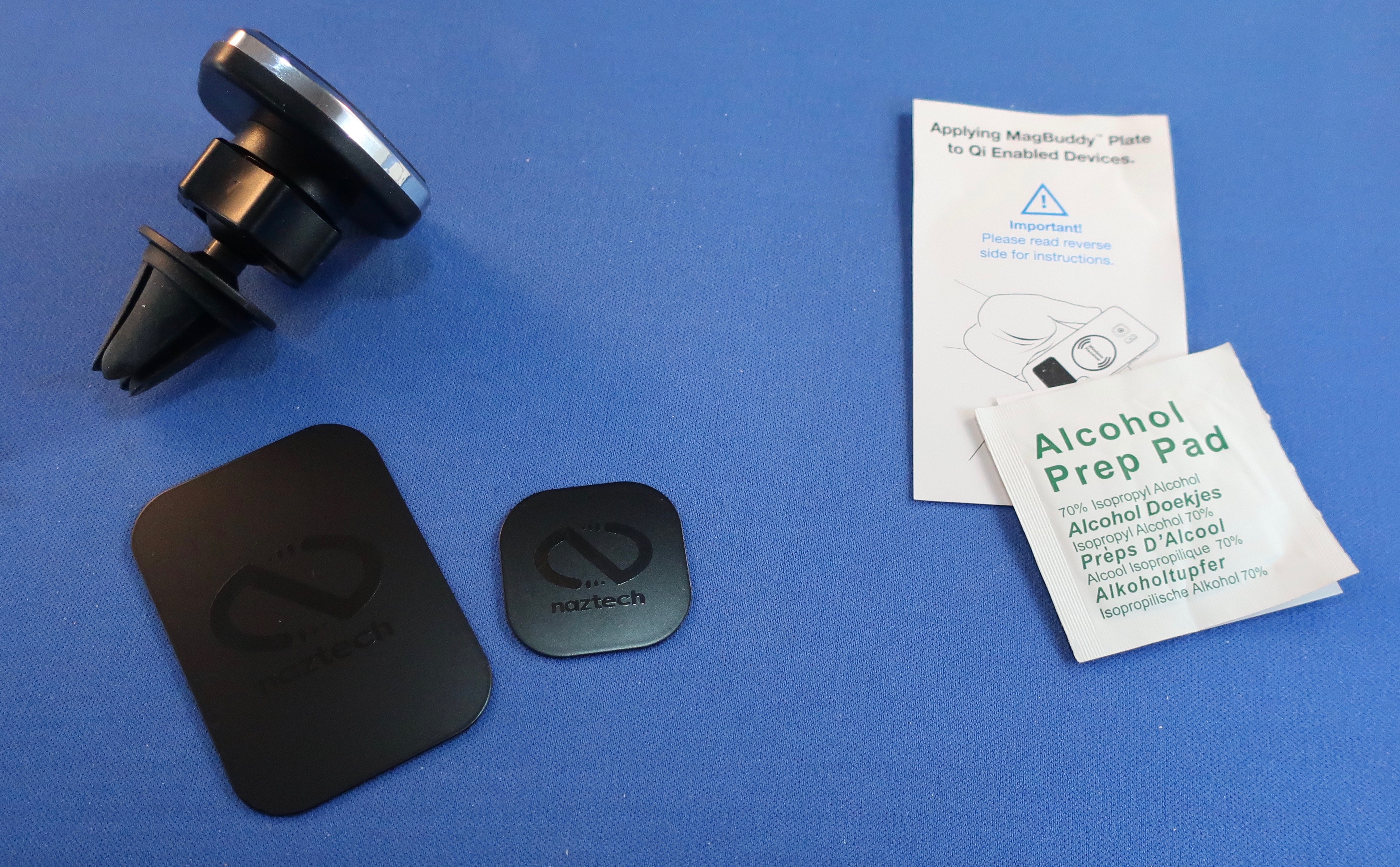
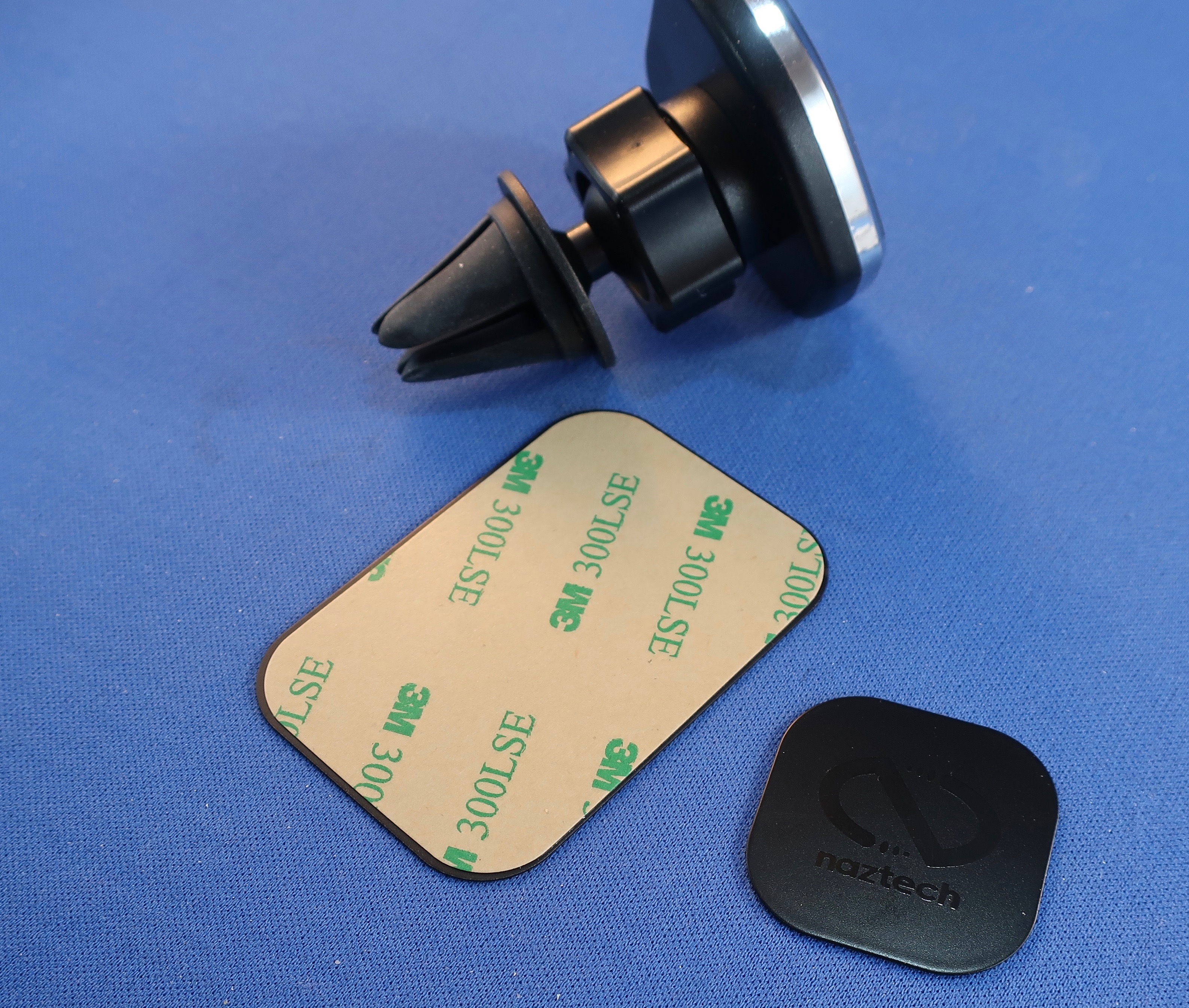
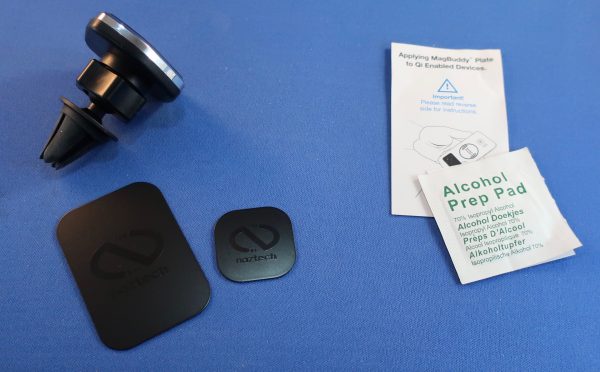
Each box contains a MagHead, two steel plates (small and large) and a holder, as well as an alcohol prep pad. You can buy plates and Mag heads separately.

Design and features
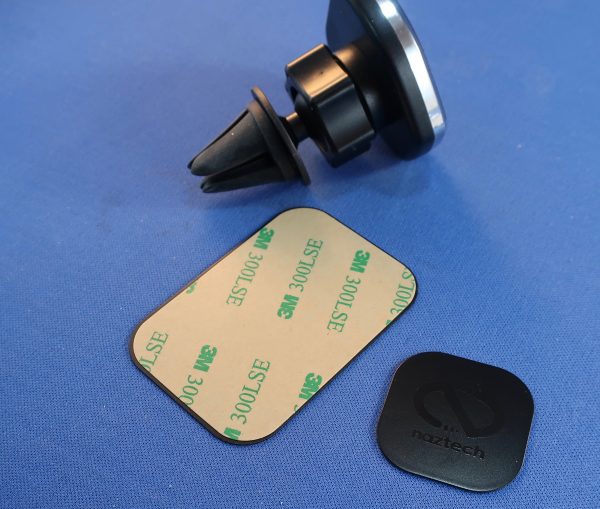
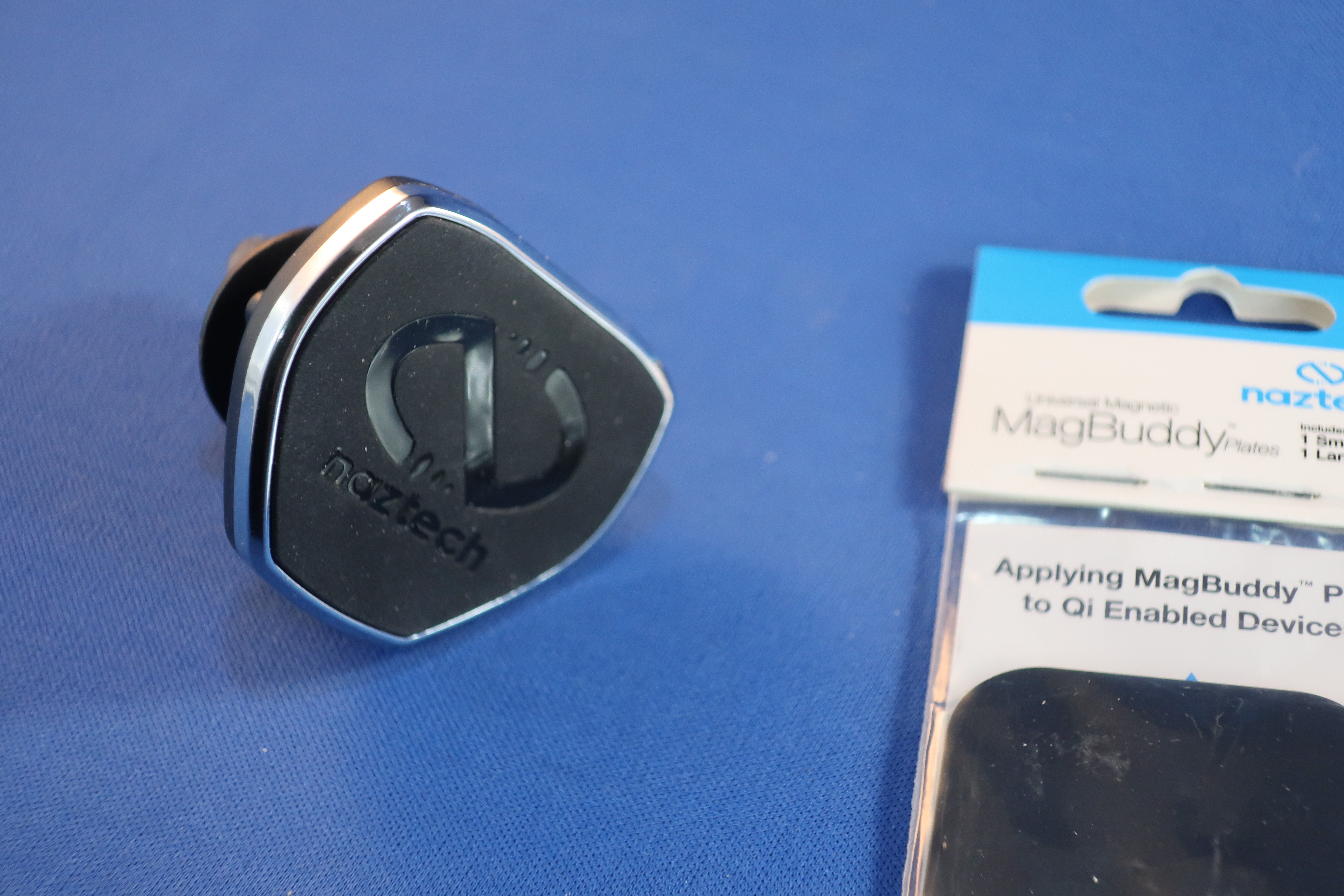
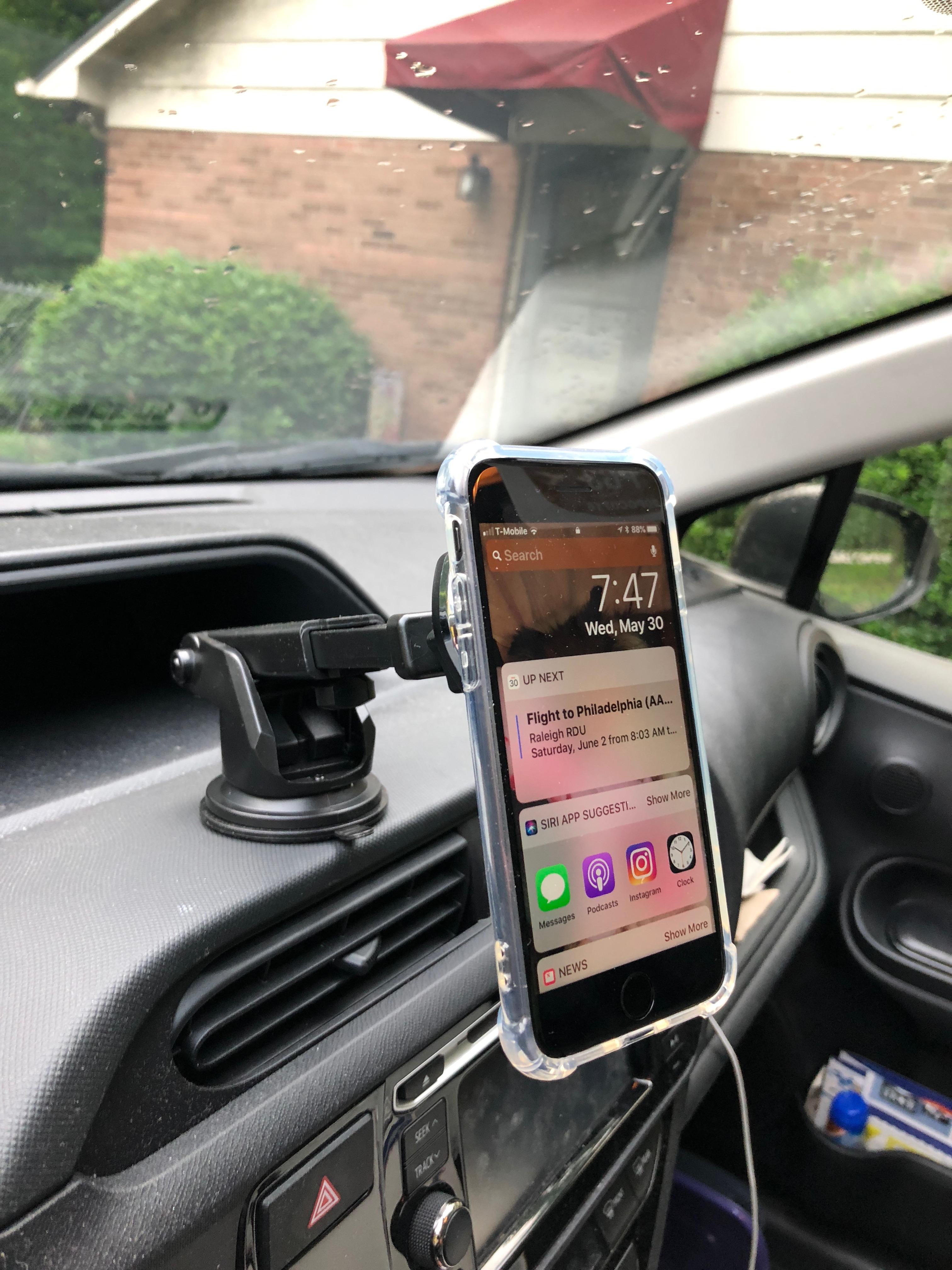
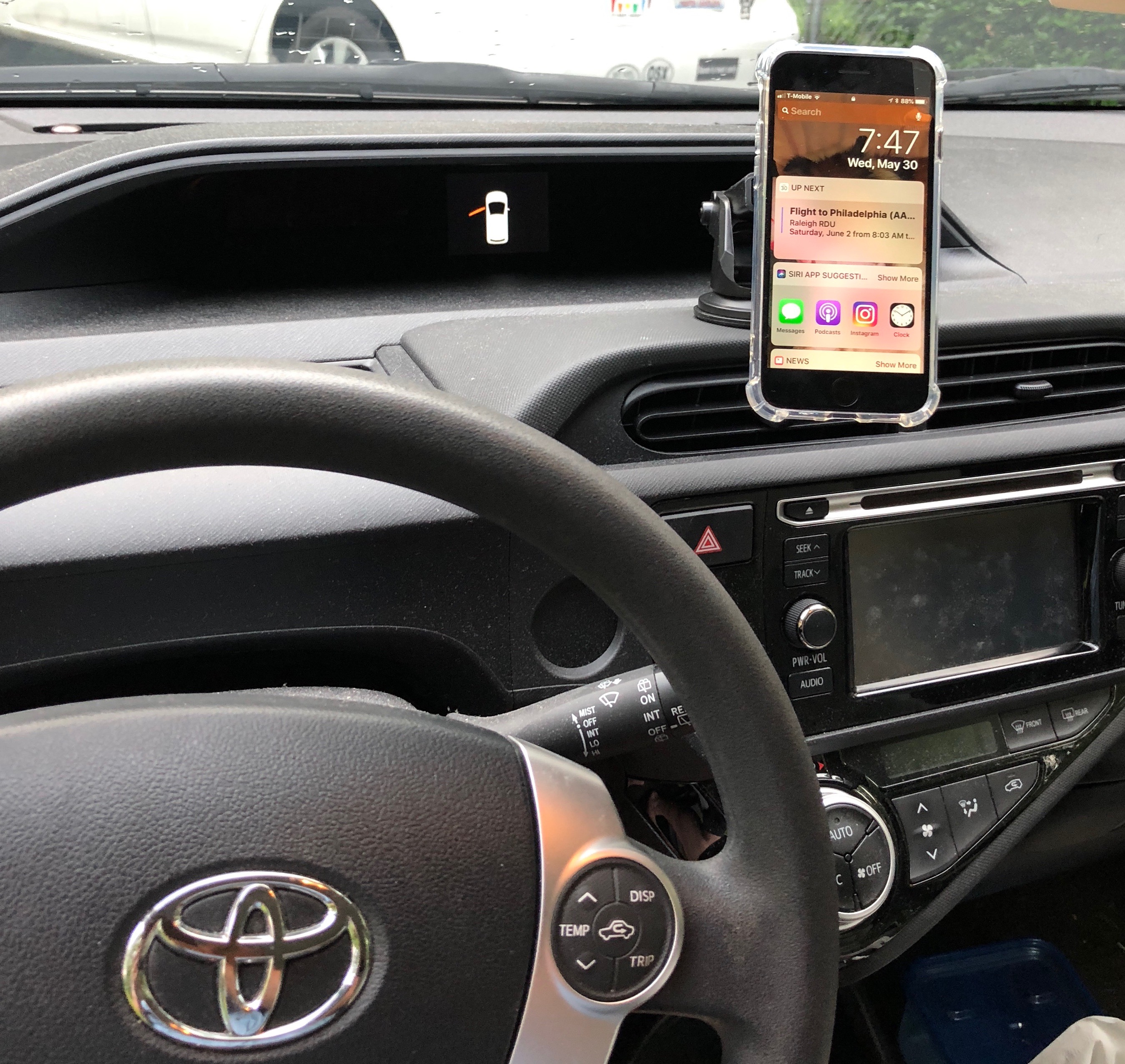
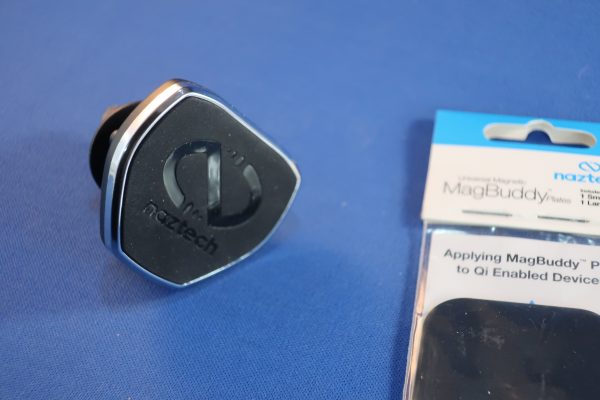
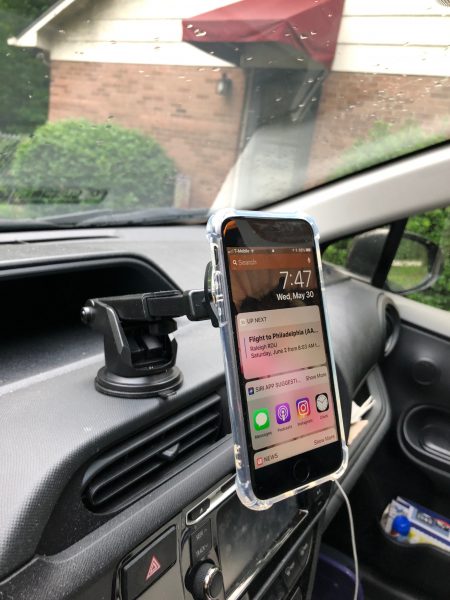
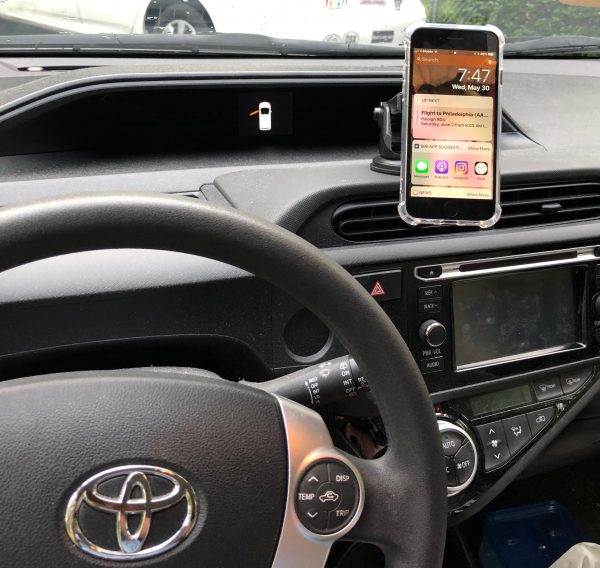
The MagHead is a roughly triangular piece of molded plastic 1.75″ across with a screw clutch socket on the back. The holder’s ball snaps into this and can be tightened so that the Mag head is steady. The face of the MagHead is covered with a soft rubbery material – not quite silicone or neoprene, but somewhere in between. The edges around the plastic under this pad are edged in a thin silver metal. Embedded within the head are strong magnets that will grab on to anything steel quite tightly. This is where the steel plates come in. The large plate is 1.75″ x 2.5″, and the smaller plate is 1.25″ square. Stick one to your phone, iPad, back-up camera monitor or whatever else you want to hold onto, and the MagHead will hold it – up to a point. If you put it on an iPad Pro and go off-roading, I don’t think it will hold for long. But I used it with an iPhone 8 and have had no problem with bumpy roads, railroad tracks and the like encountered on a normal city street. We are using it with the MacBuddy Dash stuck to the windshield, because the dash on the car it’s in is textured, and the suction cup doesn’t hold very well there. (Note the texture on the dash in the photo below.)
Setup

The first thing you’re going to want to consider is where will be the best place for your device. Note that the Anywhere or Anywhere+ model holder can be stuck to any smooth, quasi-flat surface. This doesn’t have to be in a vehicle. You could put one up in a back room for staff to use for pricing or break schedules on an iPad. Or mount your phone to your mirror in the bathroom to check the news or listen to a podcast while prepping for your day, without worrying about knocking your phone onto the tile floor – or worse. Also, the Dash model with the adjustable arm would be just as happy affixed to your monitor support or desk, so that your iPad or Phone is just under your monitor. It’s a hugely flexible system, and once you have the plate on your device, you can easily swap between holders.
Performance

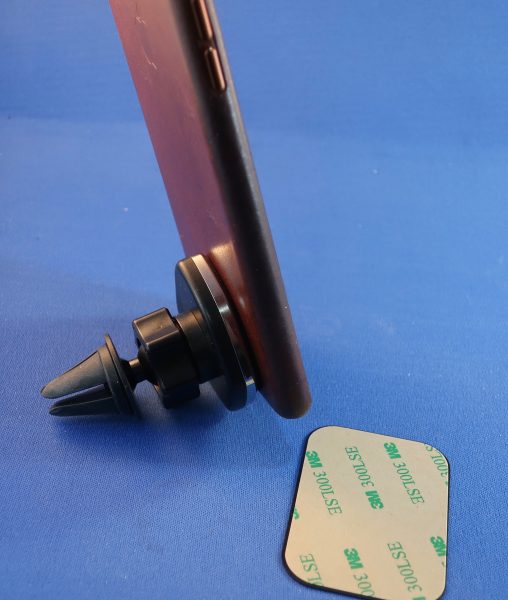
As mentioned earlier, you’ll need to use a steel plate that matches the size of the device you want to be held, and any case you put over the plate may loosen the MagHead’s grip. I had the large plate inside my iPhone 8 Plus leather case (above), and the first bump I hit sent the phone into the floorboard. Even that thin layer of leather was enough to loosen the MacHead’s grip.
My wife’s iPhone 8 has Qi charging, but when it’s inside the case with the steel plate on it, the phone doesn’t charge in a Qi charger. Pop it out of the case, and it charges as expected.

What I Like

  • There are two plates included with each mount, and more can be bought.
  • Can be used by multiple devices, and each device can attach to any holder.
  • Fully adjustable for different viewing angles.
  • Sturdy, yet easy to mount device onto.
What needs to be improved

  • Larger items may break loose.
  • You have to use the metal plates, which may affect wireless charging of device.
  • The plates can be mounted to the case or your device.
  • Some cases may weaken the grip if mounted directly to the device and covered by a case.
  • Metal plates on the back of phones that have Qi charging are going to have problems. Period.
  • The Silicone band of the bicycle handlebar model would be a nice individual sale, like the steel plates. It would enable the connection through my leather case to be secure on rougher roads.

Final thoughts

Phones do everything nowadays. There are so many different uses that we can’t be without them for very long. This is never more true than when we’re driving, it seems, especially when you’re in an area you don’t know well. All the questions about routes, service stations, food, and parking that come up in any normal car trip are easily solved by using your phone. Having it in a single place where it can be referenced without taking your eyes off the road and the instrument panel makes using it for navigation safer. Having it be adjustable so that a rider can adjust audio settings is also a plus. This series of holders offers something for everyone: an adjustable swivel-arm model to attach by suction to the windshield or dash, an air vent clip model, and a model that sticks to almost any surface to offer the swivel head, magnetic snap-on mount.
If you aren’t worried about losing the Qi charging feature, it’s fantastic. Otherwise, there are compromises. You may find an area of your phone where the plate doesn’t block the charging connection, but will it hold your device securely enough over construction and off-road driving?

Pricing is reasonable, and there is a wide variety of holder styles to choose from. $29.99 for cupholder model; $24.99 for Bike mount, CD slot mount, dash mount, windshield mount, or Anywhere+; $19.99 for headrest mount, air vent mount, Anywhere, or desktop. Extra plates, $9.99 for a set of two (one of each size).

Price: Varies depending on the item
Where to buy: The Naztech website or Amazon
Source: The sample of this product was provided by Naztech.

Filed in categories: Reviews

Tagged: ,

NazTech MagBuddy phone mount system review originally appeared on The Gadgeteer on June 20, 2018 at 11:00 am.

Note: If you are subscribed to this feed through FeedBurner, please switch to our native feed URL http://the-gadgeteer.com/feed/ in order to ensure continuous delivery.


Baron Fig Card Sleeve fits with simple, minimal style

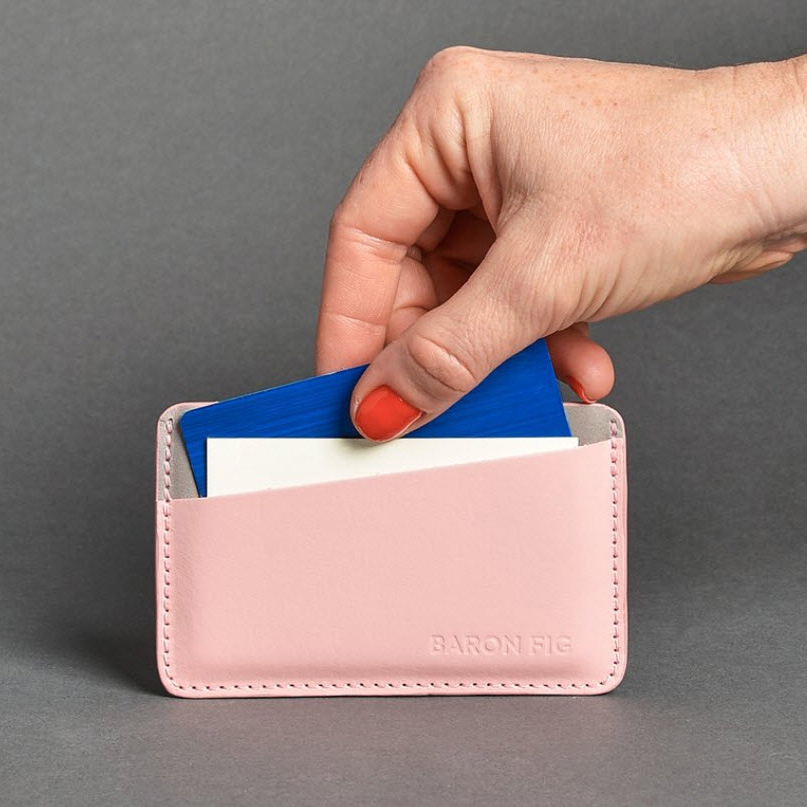
I’ve been a fan of Baron Fig’s products since reviewing their Confidant Hardcover Notebook a while back.  Their products have a simple, minimalist style while beginning functional a durable.  Their successful leather notebook covers provided a natural segway into the wallet world, and their first product in this space is the Card Sleeve, a slim, handcrafted leather, three-pocket wallet that is perfect to carry a few cards and some cash in style.  Available in Charcoal, Fig Wine, Yellowgold and Rose Quartz colorways, each for $45.99.  Visit baronfig.com for more info or to order.

Filed in categories: News

Tagged:

Baron Fig Card Sleeve fits with simple, minimal style originally appeared on The Gadgeteer on June 20, 2018 at 10:00 am.

Note: If you are subscribed to this feed through FeedBurner, please switch to our native feed URL http://the-gadgeteer.com/feed/ in order to ensure continuous delivery.

Zyxel Multy Pro Tri-Band modular WiFi review

With more and more connected gadgets arriving in our homes, WiFi bandwidth can become a huge bottleneck. Zyxel’s expandable Multi Pro tri-band modular WiFi helps to keep your signal strong, even in the furthest reaches of your home.

What is it?

Zyxel’s Multy WiFi system is comprised of one or more AC3000 wireless routers. The first unit connects to an internet connection and broadcasts a strong, stable signal. Adding one or more Multy units allows continuous daisy-chaining to enable home WiFi to reach the furthest areas of your home.

Hardware Specs

  • Fast, comprehensive WiFi coverage
  • Room-to-room roaming
  • Easy set-up within minutes
  • Guest network
  • Compatible with Alexa
  • Speed Rating (per unit)
  • Number of Bands: Tri-band
  • Coverage: Up to 7500 sq. ft./696 m2
  • Wireless Standard: IEEE 802.11 b/g/n 2.4 GHz – 256QAM support, IEEE 802.11 a/n/ac 5 GHz (Wave 2) – 256QAM support
  • Wireless Transfer Rate: (Transmit & Receive): 1733Mbps* for 5 GHz (dedicated backhaul),866Mbps* for 5 GHz,400Mbps* for 2.4 GHz
  • WiFi Features: Daisy Chain, Bridge Mode, MU-MIMO, Beamforming, Auto path selection, Single WiFi NameAP Steering, Band Steering, Optional to separate 2.4G and 5G WiFi network
  • Plastic housings
  • Dimensions: 7 x 2 x 9.3 inches
  • Weight: 1.96 pounds.

What’s In The Box?

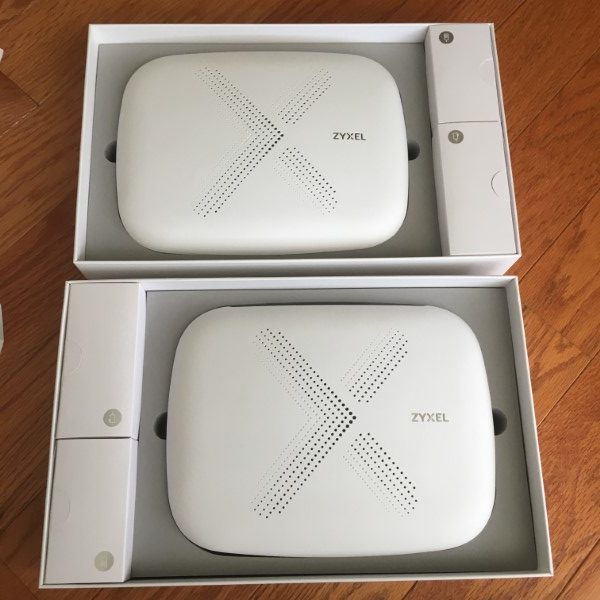
  • Two Multy WiFi routers
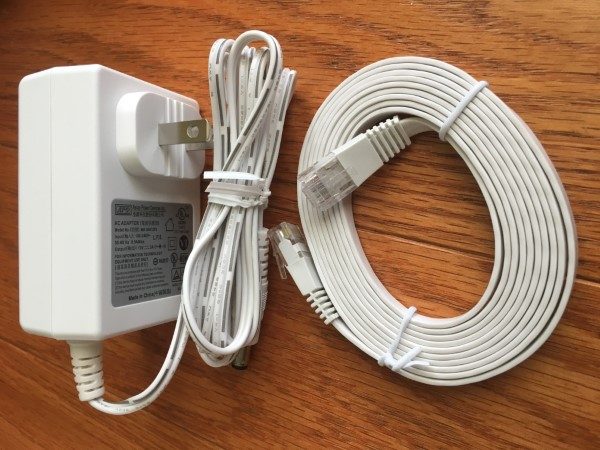
  • Two power supplies
  • Two Ethernet cables
  • Two Instruction manuals

Design and features

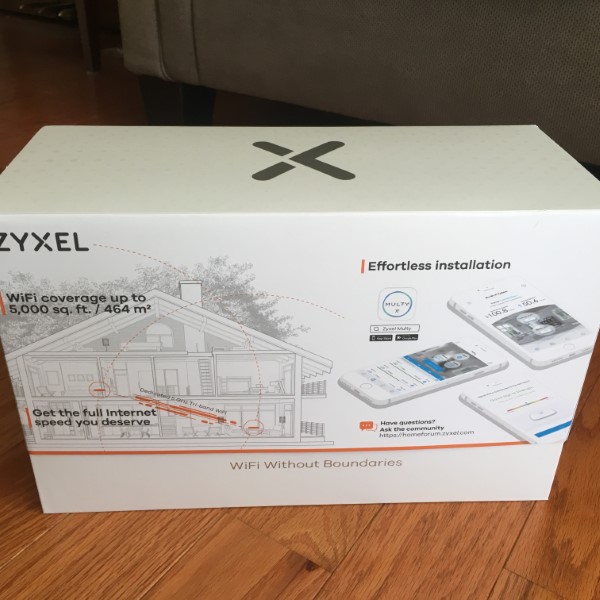
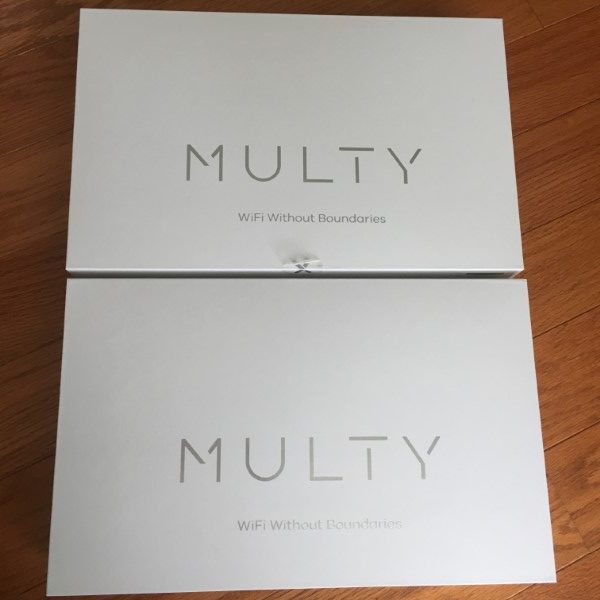
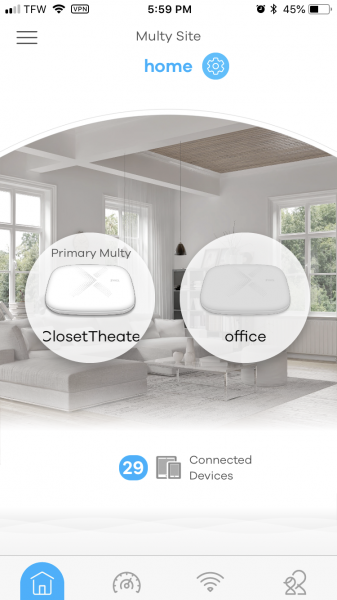
Zyxel’s Multy Pro system arrives in handsome packaging. The two Multy routers are identical. I elected to locate the primary router in a centrally-located location on the first floor of my home. Connections were simple – Internet connection from my ISP modem and power. I downloaded the iOS app and followed the simple instructions and was up and running in minutes.

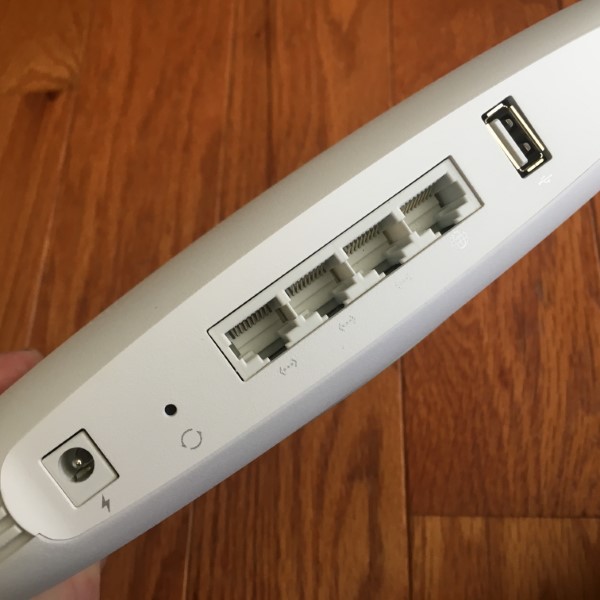
Next, I located the second Multy WiFi in a room with sporadic WiFi and continued with the set-up in the app. The second unit needs power only. The second unit daisy-chains WiFi, using the same SSID and password. Additional Multy units can be added to bring that elusive WiFi signal to all the deep, dark corners of your castle. Communications between the two Multy units is deliciously fast at 1733Mbps. Since the bases have 3 Gigabit Ethernet ports, using the full bandwidth is as easy as plugging in the cables.

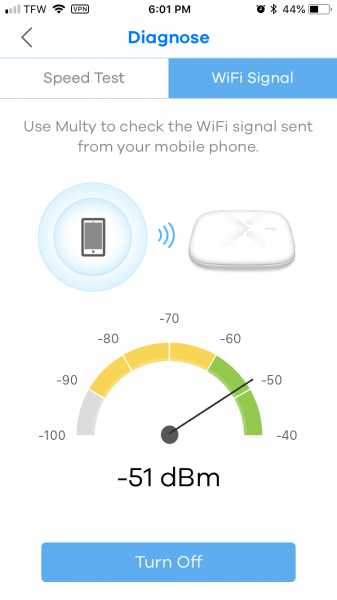
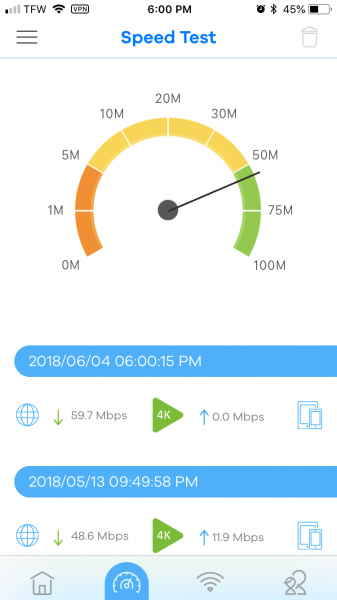
After getting the system up and running, I ran several speed tests in different locations in my home with impressive results. Signal strengths even at the furthest reaches of my home were at worst, a very respectable -51dB. My daughter was the first to comment that she had experienced many fewer dropouts and faster speeds on her bedroom computer and iPhone.

Looking to tweak the settings I tried to find a way to change the default IP address of 192.168.212.1 to find there isn’t an easy way to do this. I contacted Zyxel Technical Support and was provided with a way to make the changes using Putty, but elected to just leave it at the default. Next, I looked for a way to plug in an 8TB USB hard drive into the “Master” Multy to use as a backup for all of the computers on my network but was unable to locate anything in the app to enable this capability. Zyxel’s technical support informed me that this is not currently a feature, but may be implemented in the future.

I’ve used Zyxel’s Multy Pro system over the past three weeks. I’ve experienced excellent performance, few dropouts and a very strong and stable signal everywhere. The system is even powerful enough to blast WiFi all through my property so I can listen to internet radio while mowing my entire lawn.

What I like

  • Attractive design
  • Easy configuration
  • Strong, stable WiFi
  • Crazy fast backhaul
  • 3 Gigabit Ethernet ports per hub
  • Capable app

What needs to be improved?

  • Configuration options are very limited. An advanced user configuration option would be welcomed.
  • The inclusion of  USB port functionality for storage

Final thoughts

Zyxel’s Multi WiFi system is ideally suited for large homes where configuration tweaking isn’t necessary. Its sleek design, intuitive setup, and solid performance have earned it a position as the ranking WiFi router in my home.

Price: $299.99 two-pack
Where to buy: Amazon
Source: The sample for this review was provided by Zyxel.

Filed in categories: Reviews

Tagged: ,

Zyxel Multy Pro Tri-Band modular WiFi review originally appeared on The Gadgeteer on June 20, 2018 at 9:00 am.

Note: If you are subscribed to this feed through FeedBurner, please switch to our native feed URL http://the-gadgeteer.com/feed/ in order to ensure continuous delivery.