REVIEW – Pitaka has made the leap from single layer cases to a multi-material protective case in the new MagCase Pro for the iPhone X. Does the military spec testing grade matter? How bulky is it? Does it come in black? All these questions and more are answered below.
What is it?
MagCase Pro is a protective case for iPhone X built to take drops and still be relatively thin without affecting the daily use of your phone.
Hardware specs
- 5 layers of defense to provide the ultimate protection.
- Protective yet not bulky. Only 0.1 inch profile.
- Specially-designed bumper corners provide excellent shock-absorption.
- Shock-resistant back protects the phone against shock.
- Anti-slip grip ensures a firmer hold when carrying the phone.
- No interference to WIFI, GPS, Apple Pay, Wireless charging or your signals.
What’s in the box?
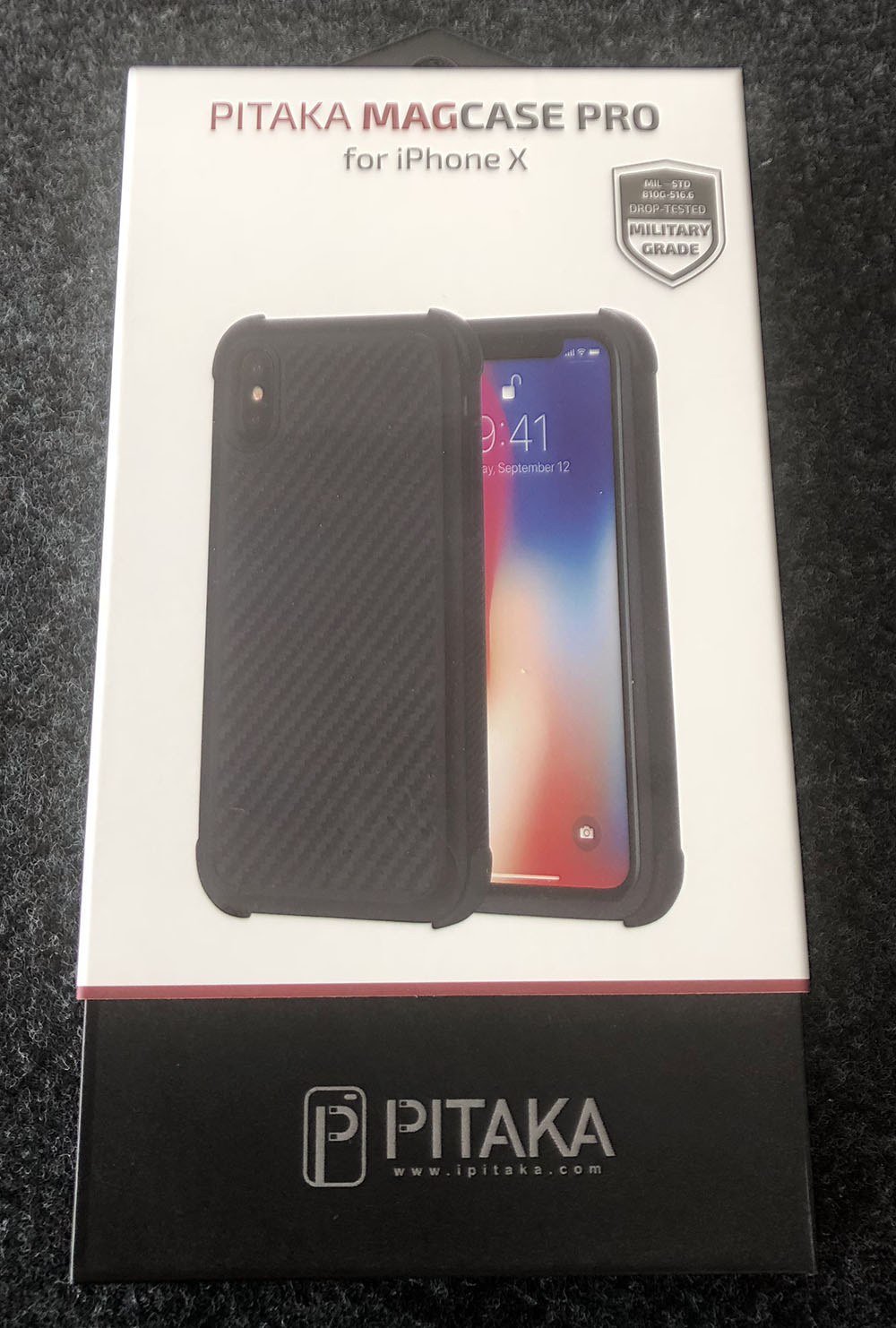
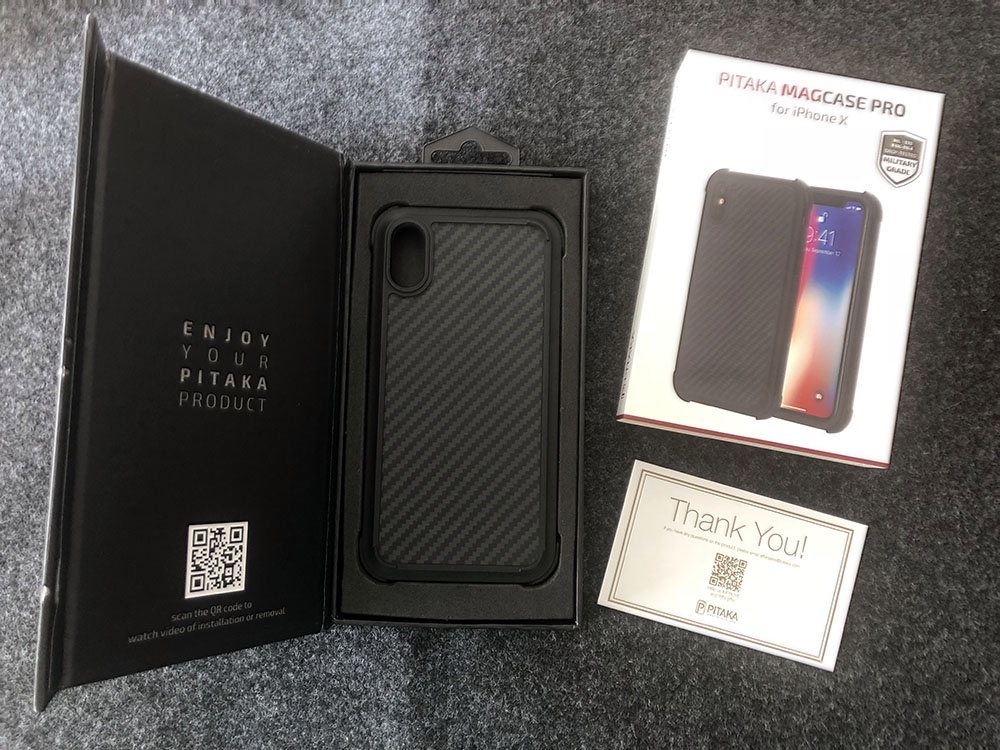
- MagCase Pro for iPhone X
- Thank You & social media contest card
Design and features
The design of this case has really come to intrigue me. It’s not that I was particularly drawn to the way it looked. I purchased Pitaka’s MagCase for my previous iPhone 6 Plus and it was the first case I ordered for my iPhone X. Interestingly enough I’m not terribly fond of carbon fiber either and the Aramid fiber they use definitely has that look to it. What originally struck me about their MagCase was how thin it was, how sturdy it was, that it always had a slightly warm feel and that it wasn’t slippery, nor too grippy. The opportunity to review their MagCase Pro came up recently and I wanted to see how they designed a case for increased protection.
From a design perspective, let’s look at what you can see and feel. The website images show a protective case that adds some bulk and isn’t too dissimilar from the many protective cases out there, other than their distinctive Aramid material on the back. The box that showed up had me concerned as it felt pretty heavy. 180g on the scale. Opening the box however immediately assuaged my fears as the box is very overbuilt for a case and weighs 143g. If you’re doing the math that means the case is 37g.
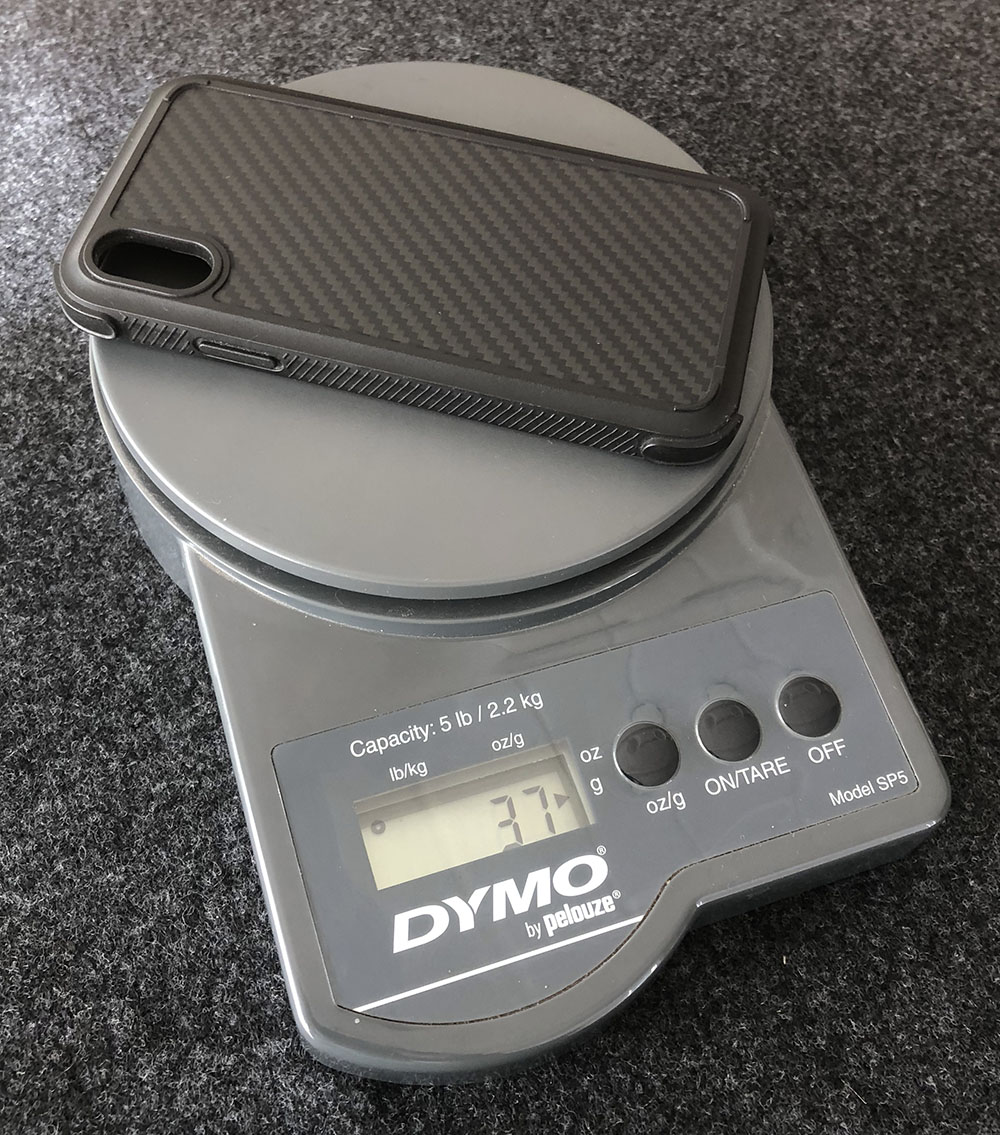
I threw a few other protective cases on the scale and they’re all between 40 and 50g. That may not seem like a big difference, but it’s noticeable when the iPhone X is already 174g (an iPhone 6 plus is 172g btw).
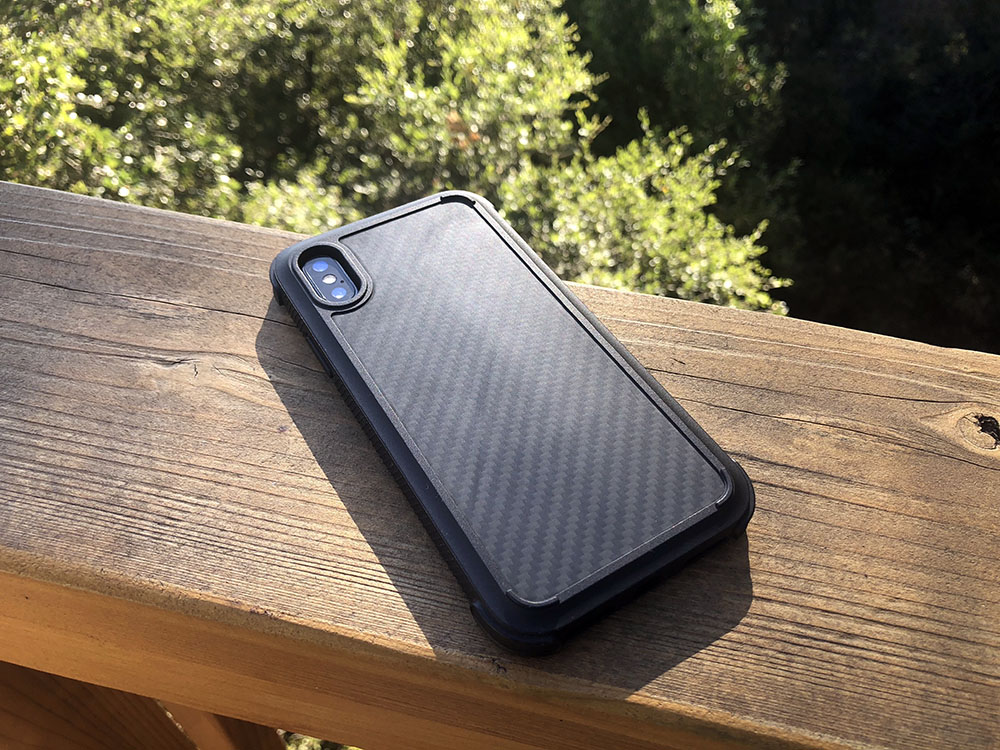
From the back, there are some interesting details. The back plate is their Aramid material which I’ll detail out in a bit.
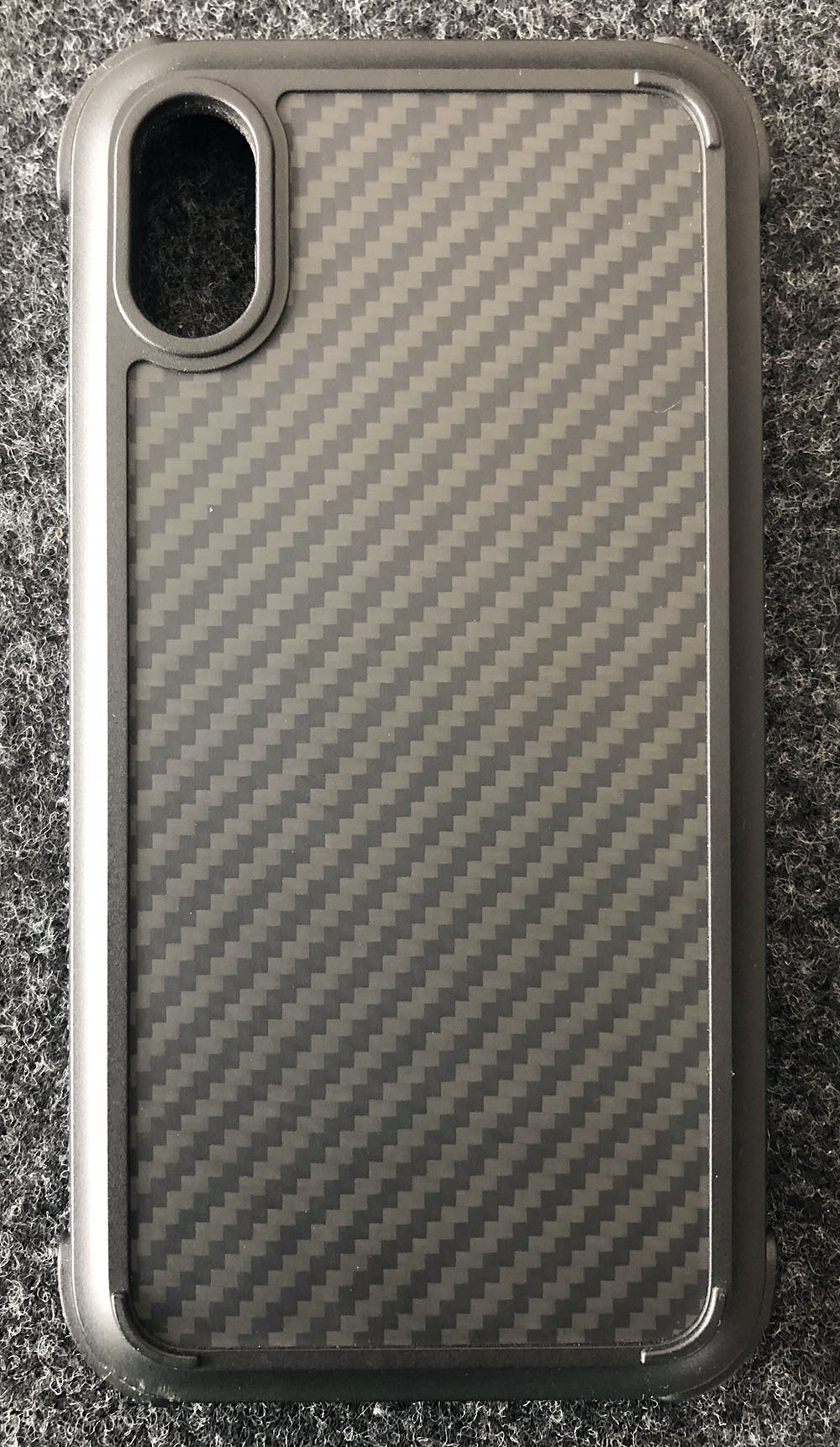
The camera hole has a raised edge offering increased protection of the lens. The other three corners have small arcs raised to the same height so the phone sits totally flat on a table.
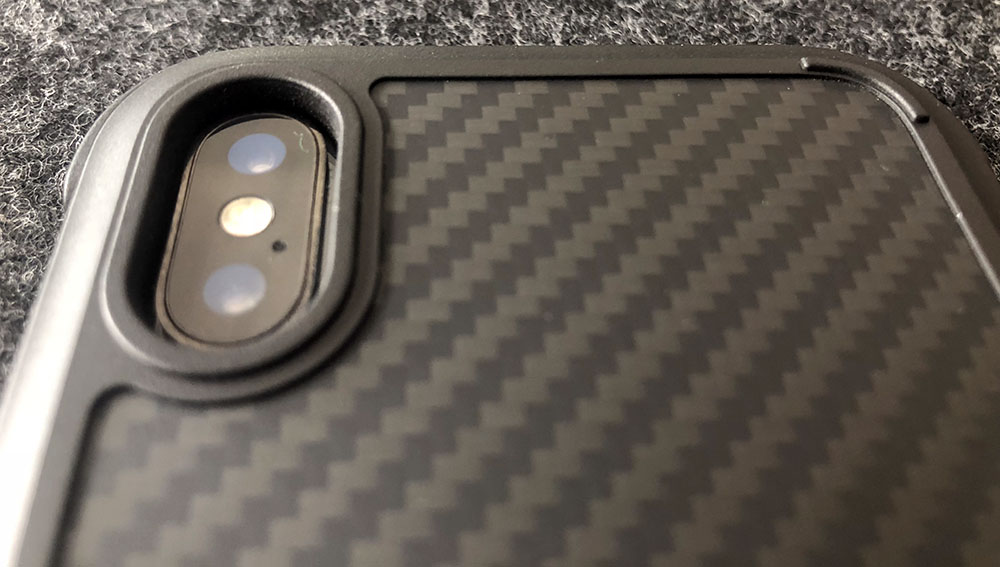
Just beyond that rounded rectangle is a scalloped relief that absolutely aids in making the case feel thinner than it is. The last thing visible from this back view is the four corners which clearly protrude (~ 1mm) and add protection for those unexpected drops which happen to all of us.
Looking at the sides, you’ll notice the slanted ridges on the long sides look very pronounced at first. The spacing of them however provides comfortable traction and even something to play with. I find myself frequently dragging my thumbnail along it washer board style.
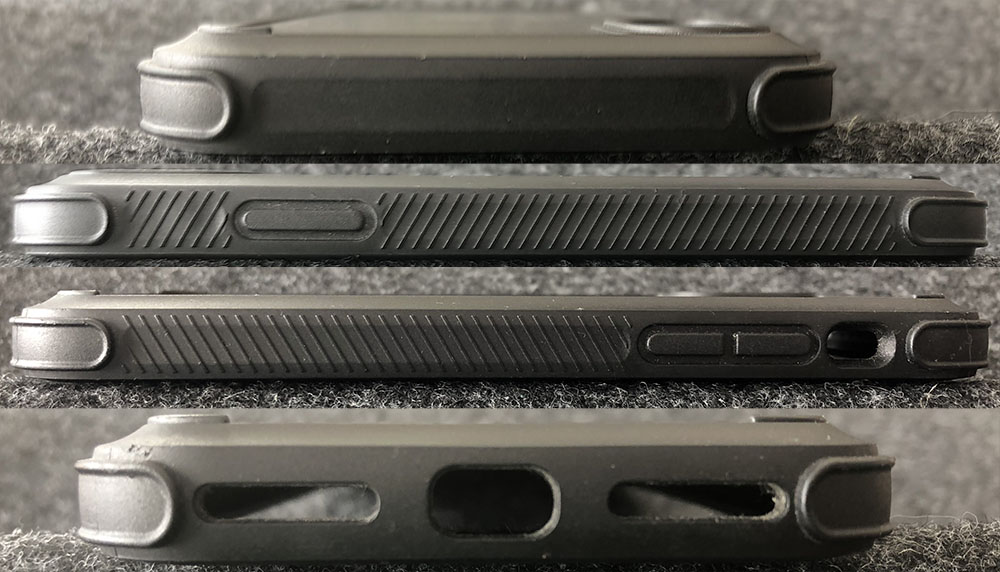
The power and volume buttons all have great button actuation where you don’t have to press very hard, and you can feel that it pressed and registered. The cut-out for the ringer switch is a good size without being too deep. The bottom has cutouts for the speakers/mic and a charging port large enough for most cables while the top is nice and smooth. Those same four protruding corners come in handy while handling the phone.
Inside the case is a soft microfiber to protect the glass back of your phone while the inner sides have a dimpled texture in the TPU. Those dimples make contact with your phone and compress on impact offering a bit of an air cushion.
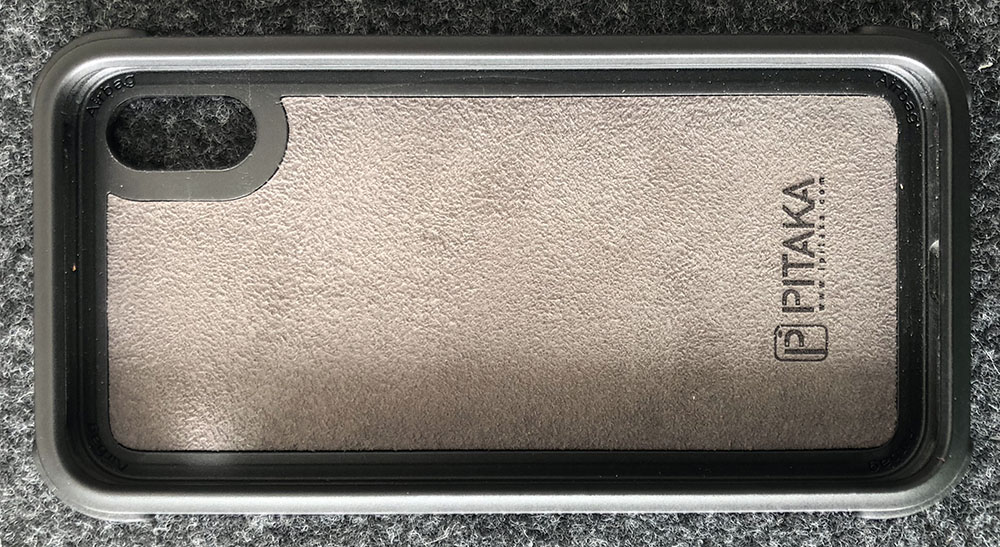
The amount of ‘travel’ is pretty minimal compared to the four corners. What was protrusions on the outside is a void on the inside and this provides a good bit more travel should your phone take a direct corner hit in a drop.
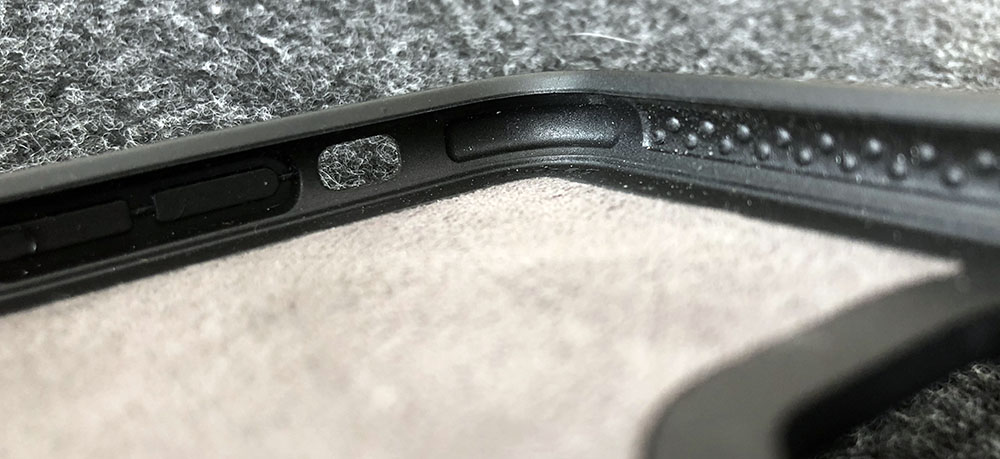
That leaves us with the front of the case. There’s a slight ramp up from the sides towards the screen and then a noticeable lip to the screen edge.
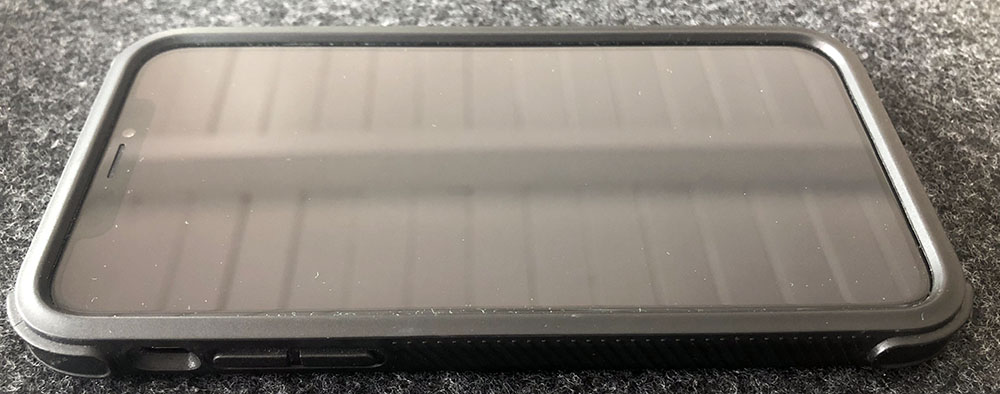
This raised lip means you can set your phone face down without any worries, even if you want to add screen protection as well. This is an underrated and definitely something that was missing from their MagCase product.
Setup
This step is really easy. The TPU material that Pitaka uses is rigid while still being very pliable. You can literally put the phone in any side first, or even flat and just push down. The phone pops right in and all the sides bounce back.
Performance
I’ll get this right out of the way. The MagCase Pro is my new favorite case. I’m a switcher. I swap my case a lot, or I should say I did. This has been on my phone solidly since I got it, the exception being a cycling specific case that mounts to my bike. I can honestly say that I’ve dropped my phone less, and when it has dropped it’s never made one of those sounds where you think ‘Uh oh’. The corner hits absorb well enough that had you not seen it you’d think there was rug down there.
Pitaka claims that this case passes 3x the military specification standard. I don’t doubt the veracity of that claim at all. Does it matter? Or is mil-spec a relevant standard? That’s a little harder to quantify as it’s really hard to repeatably drop a device the exact same way. I’ve had cases before that have protected a device flipping off the roof of a car, yet shattering the screen when falling 3 feet from a table at a car dealer. What you can take away is that they’ve done a lot of drop testing and it’s done well.
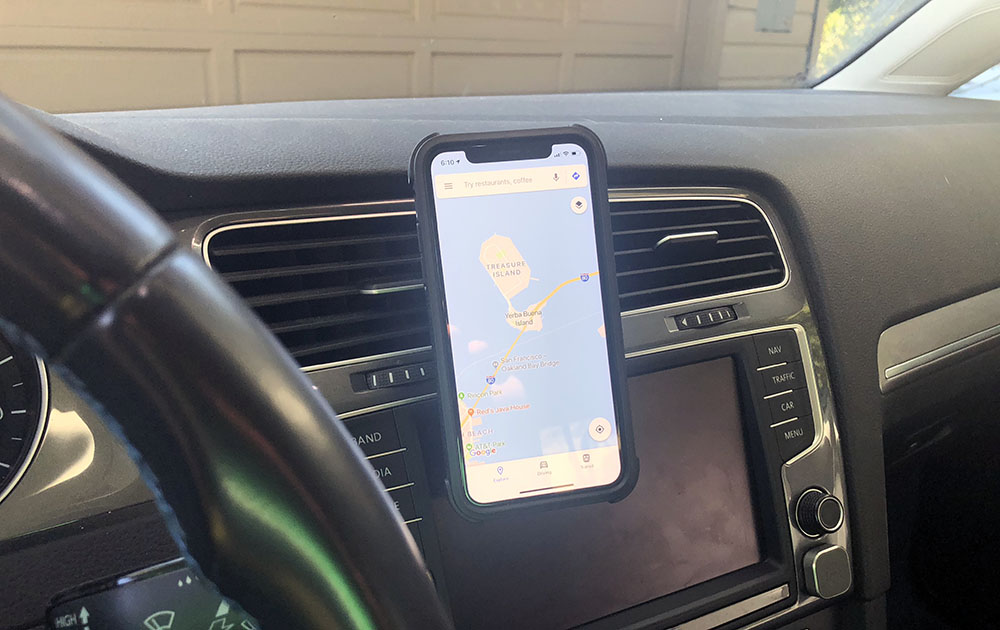
One of the other reasons this is now my case of choice is their daily use compatibility. If you’re like me, you’ve got some kind of mount in your car and probably a wireless charger at home, at work or both. Pitaka made sure that wireless charging was not affected by their design. That’s one thing when creating a protective case. When you also include magnets to work with your car mounts, that’s pretty cool.
Pitaka has two car mounts; MagMount ($14) and MagMount Qi ($25). Both are available in your choice of vent, suction or CD mount solutions. I’m partial to magnetic mounts and the annoying thing has been the requirement to put a metal plate on the back of your case, or inside if you like to live dangerously. They sent the standard MagMount with vent clip along with this case for review.
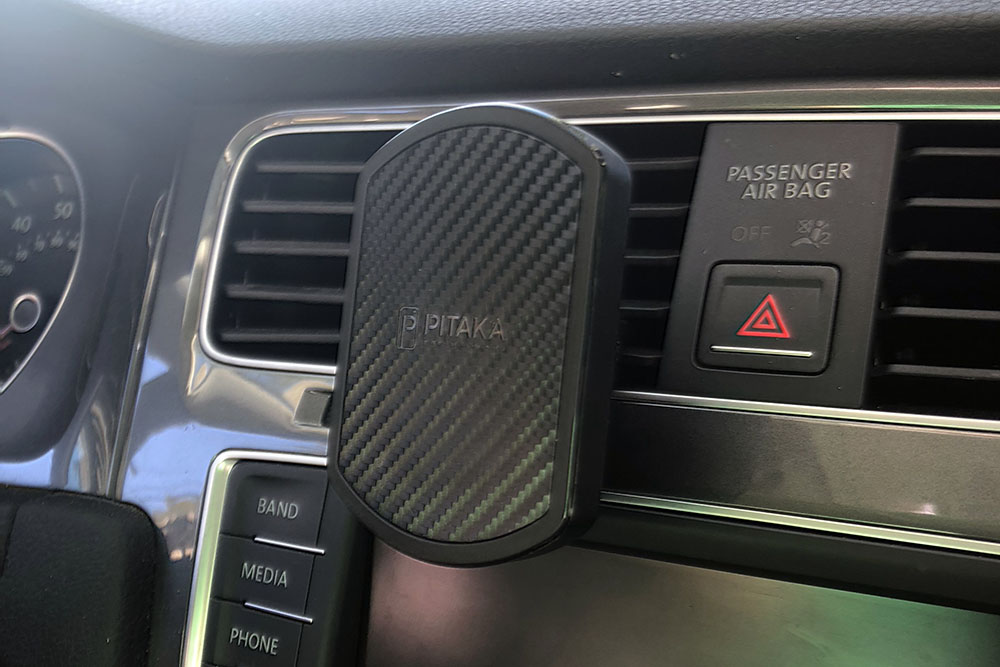
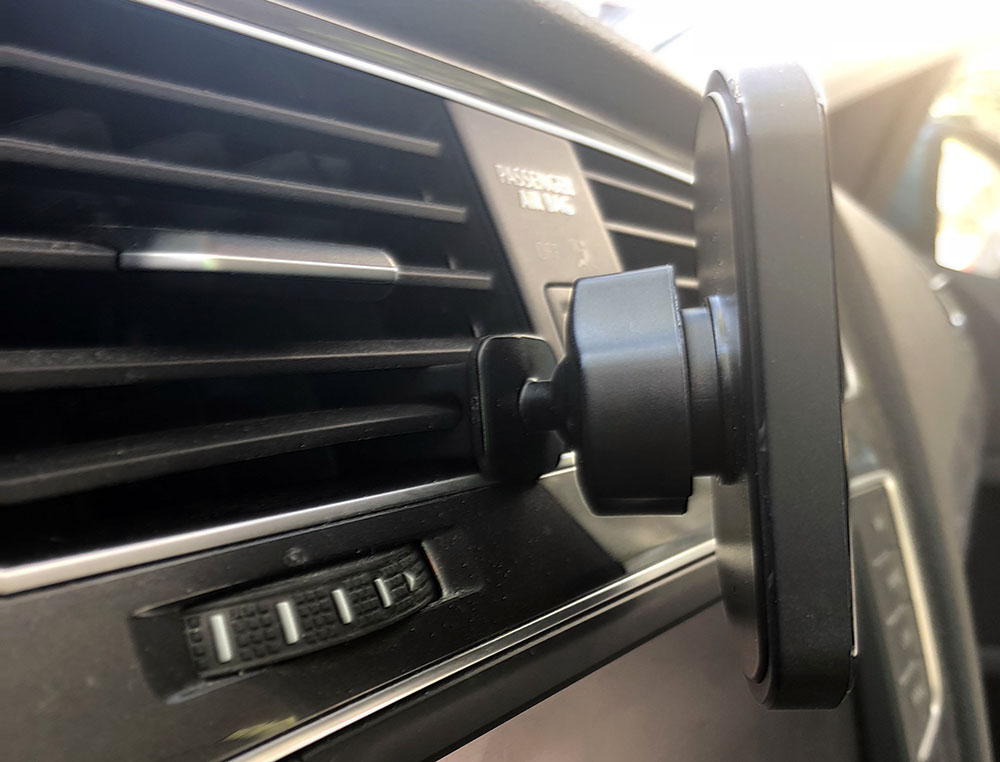
It’s a pretty simple ball joint connected to a larger vent clip that grabs the vent fins well. If you mount it closer to the bottom of your vent, the weight of your phone keeps things from bouncing around.
Having metal plates embedded and manufacturing both the case and the mount has allowed Pitaka to create a very sturdy and reliable solution. I’ve yet to have it slide off in the car on this mount, or their MagMount Qi which I had purchased to use with the MagCase I own.
I’m going to steal a graphic from their site now because I really don’t want to cut this case up to show you the layers. There’s 5!
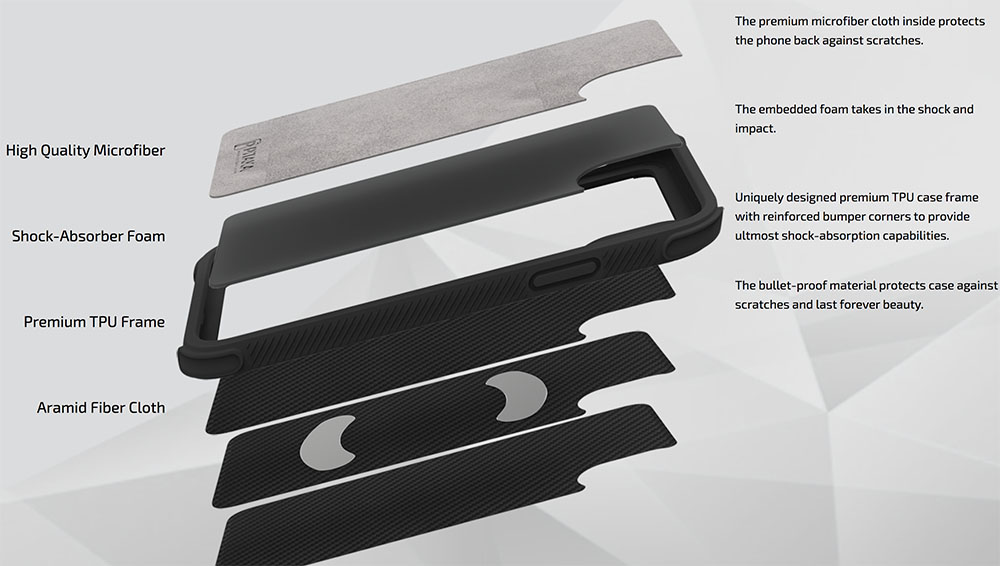
From inside out it’s; microfiber, shock-absorber foam, Aramid layer, Aramid with magnets, and Aramid again. That’s all surrounded by the TPU perimeter.
So what’s Aramid? And how did we get this far down without talking about it? Let’s just answer the first of those two. Aramid is short for aromatic polyamide. They’re man-made synthetic fibers originally made for aerospace. There’s a lot more detail on their website, including a detailed article but what you should take away is how durable it is. It will show some scratches, but it also seems to have some self-healing properties as you can ‘rub-them-away’ in most cases. Funnily enough, I have an extreme example I can show you. This is Doolittle, our beagle.

He’s a chewer and got ahold of my previously mentioned MagCase a while back. Here are some photos of it now after trimming off the seriously damaged corner and using a sanding wheel to smooth out and flatten a couple spots.
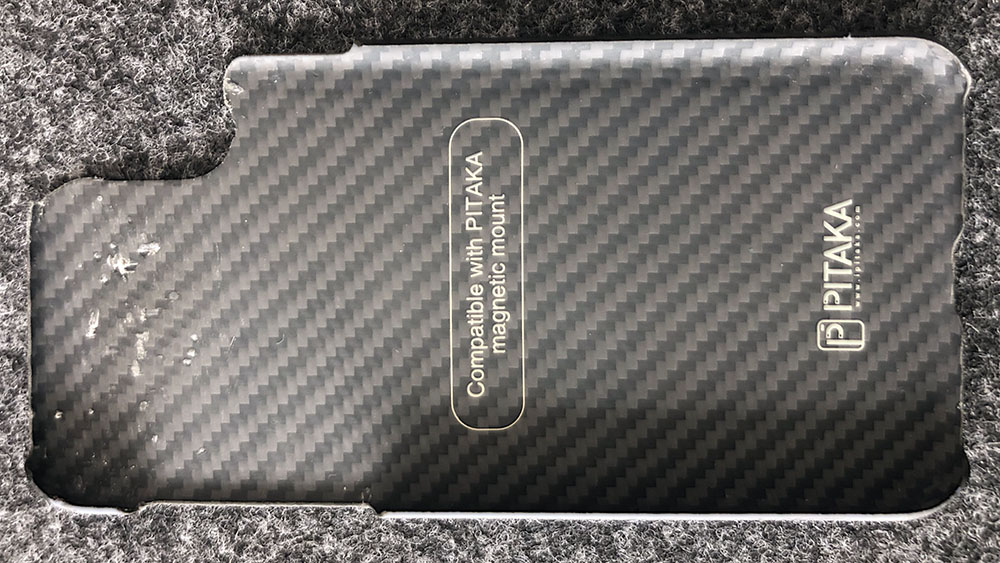
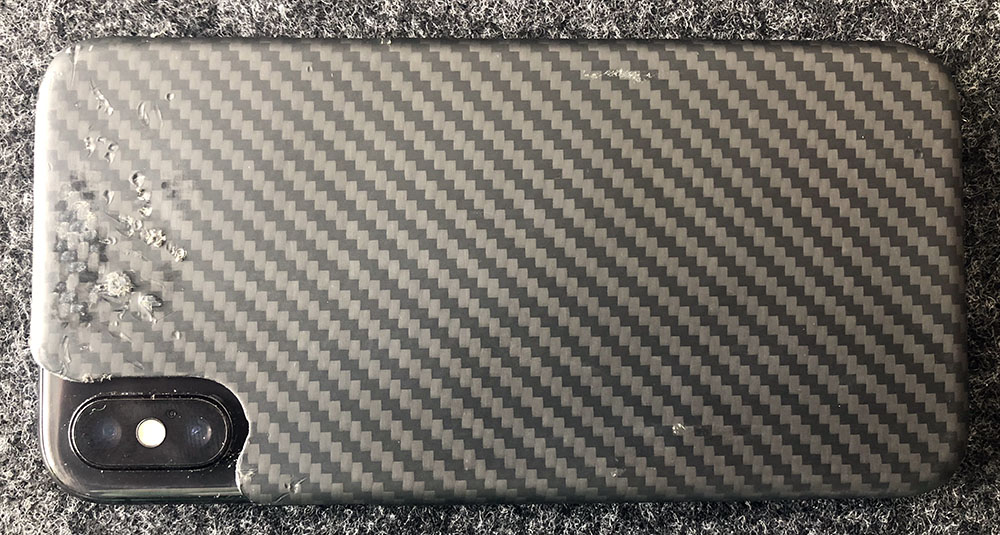
Still fits and works other than not protecting the camera corner anymore.
So, can it be possible that there’s nothing I’d change? Almost, but it’s not on the case itself. I want to see is more colors and more devices supported. Right now you can get a MagCase Pro for any device, in any color as long as it’s black for iPhone X. If there were versions for iPhone 7, I’d require my kids to use this case. It’s that good. Luckily for me, I do have the right phone and Black/Grey is fine by me.
What I like
- Fit, feel and finish
- Non-slippery in hand, non-grabby in pocket
- Protection from drops
- Magnetic mount and Qi compatibility
What needs to be improved
- Options. 1 device, 1 color
Final thoughts
So let’s recap. This is my new favorite case and I think my phone is safer for it. If you have the right phone, you like black and want to protect your phone investment, please consider this case. If you have a different device and/or want some color in your life, let’s hope Pitaka expands their collection as this case is great.
Price: $49.99
Where to buy: Pitaka and Amazon.
Source: The sample of this product was provided by Pitaka
Filed in categories: Reviews
Tagged: iPhone Case, iPhone X
Pitaka Magcase Pro iPhone X case review originally appeared on The Gadgeteer on July 20, 2018 at 10:00 am.
Note: If you are subscribed to this feed through FeedBurner, please switch to our native feed URL http://the-gadgeteer.com/feed/ in order to ensure continuous delivery.