ILive – Voice Activated Clock with Amazon Alexa Review

REVIEW – I am normally an early riser by nature and will often wake up before my alarm clock even goes off.  However, there are those occasions where I apparently needed the extra sleep and was glad I did have an alarm clock set to make sure I got up on time.  I had recently replaced an alarm clock I had been using for literally over a decade with a new alarm clock.  Much to my disappointment I found that the alarm was so high pitched I did not hear it in the morning (I wear earplugs at night, but that is a whole other story!).  So when the opportunity came to review the new ILive Voice Activated Clock with Amazon Alexa I jumped on it.  Let’s see if it worked for me and made sure I was out of bed on time.

What is it?

The ILive Voice Activated clock is exactly what it is named.  It is a voice-activated clock that works with Amazon Alexa.  You can give it voice commands like any other Amazon Alexa enabled device as long as you have signed into your Amazon Alexa account through their app.  You can tell it to set alarms, cancel alarms, ask it a plethora of questions, play music and play Audible books.  It has a really nice speaker that has both left and right channels on it and it gives a much better sound than any other Amazon Alexa device that we have in the house.  We have the original Echo, Echo Dot, and the newer Echo Show.

Hardware Specs

  • Amazon cloud-based Alexa service
  • Voice activated
  • Wi-Fi and Wi-Fi direct
  • Bluetooth connectivity
  • Support for multiple streaming services like Pandora, Spotify and IHeartRadio
  • Nightlight at the bottom of the clock
  • USB port for phone charging
  • Multi-room and multi-user capable
  • High-performance speaker
  • ILive Wifi App

What’s in the box?

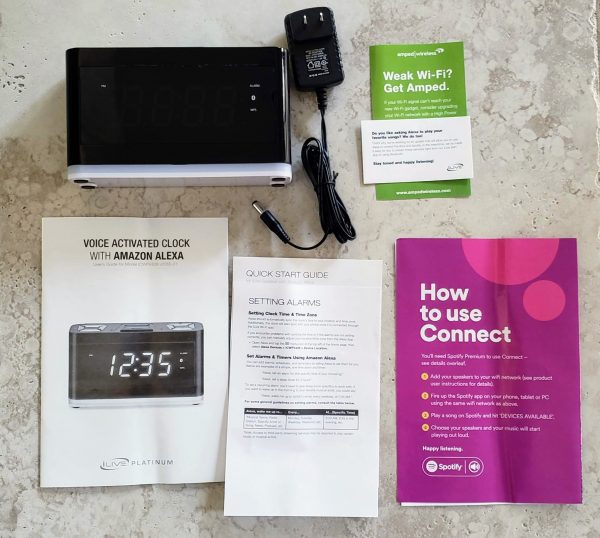
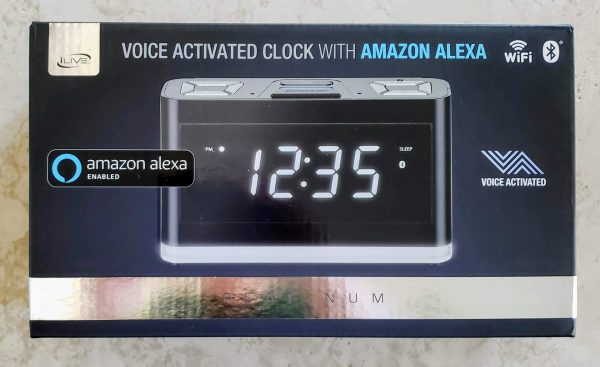
In the picture above you can see what comes in the box.  You get the clock radio (the light colored band at the bottom is the night light).  You also get an ac adapter,  an advertisement for a WiFi booster service, instruction booklet, quick start guide and an advertisement for Spotify Premium.
Design and Features

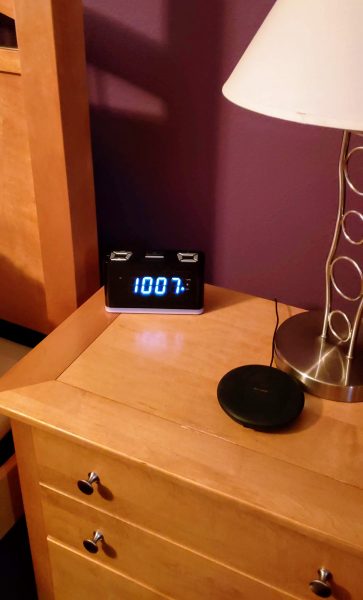
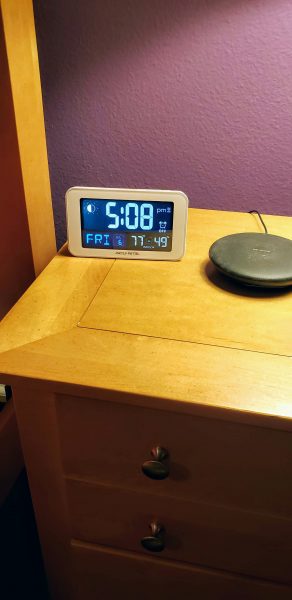
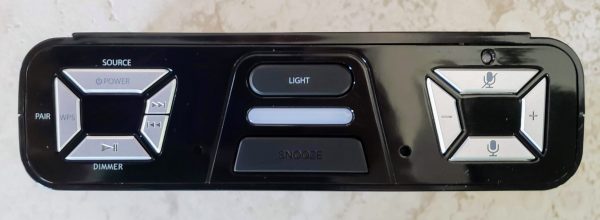
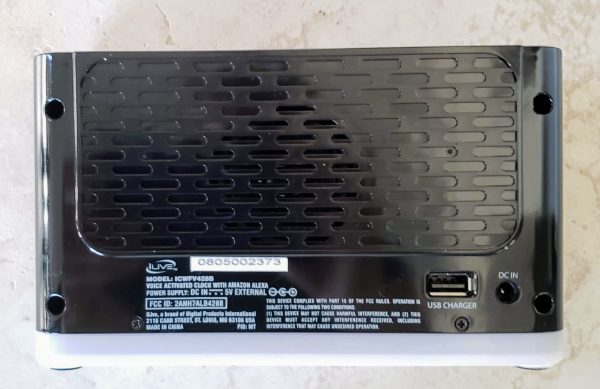
In the pictures above you can see my original alarm clock on the right and the new ILive alarm clock on the left.  The ILive is definitely larger but still does not take up a lot of space on my bedside table.  The next two pictures below show images of the top and back of the device.  There are a lot of buttons on this alarm clock.    Many of the buttons have dual features as you can see.   Starting from left to right on the left picture the top button is the power button.  I found this particular button rather deceiving.  When I plugged the clock in, it immediately lit up and displayed 12 am which made me think the clock was on.   I was unable to begin the configuration process until I pressed the power button and the light bar between the light and snooze button started blinking.   Also worth noting is once the clock is all set up and connect to your WiFi, if you were to lose power and have it come back on, the device will self-power back on after 2 minutes.  It sits with the 12 am display and will eventually start to self-search for its WiFi connection.  If it finds it, it will display the proper time again and pull back any alarms you set from Alexa.  So no battery backup is necessary.

Going clockwise the next two buttons let you control music playback manually on the clock itself.  The bottom button will control the LED clock display brightness (only 2 settings – light up the whole room and only slightly less light).  The last button on the left will let you pair with Bluetooth or a WiFi protected set up device.

In the middle, you have the light button that will let you turn on the night light at the bottom of the clock.  There are three levels of brightness for that.  The big button at the bottom is the snooze button.

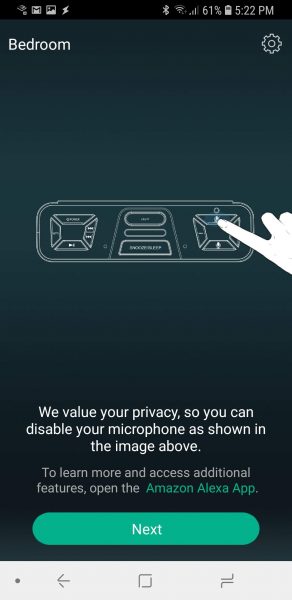
To the right, you have a microphone mute button if you don’t wish to have Alexa listening to you. The plus and minus buttons control how loud the alarm and how loudly Alexa responds.  The bottom button with the microphone picture is just a manual button you can press to activate Alexa if you don’t want to call out her name first.

In the back of the unit is a USB port in which you can charge your phone and a DC in port for the power adapter.  I did note that when I plugged the USB from my wireless charger for my Galaxy S9 that it did not have enough juice to support fast charging.
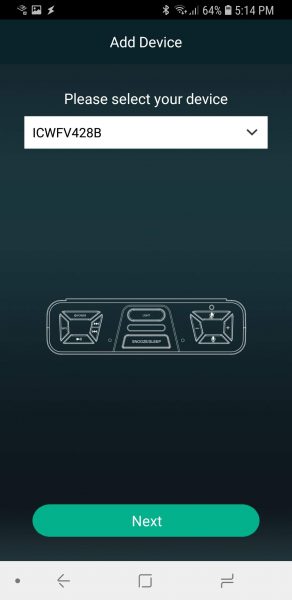
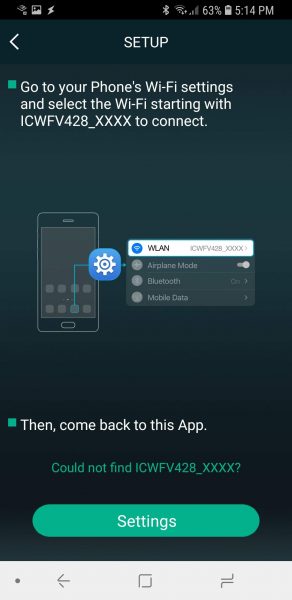
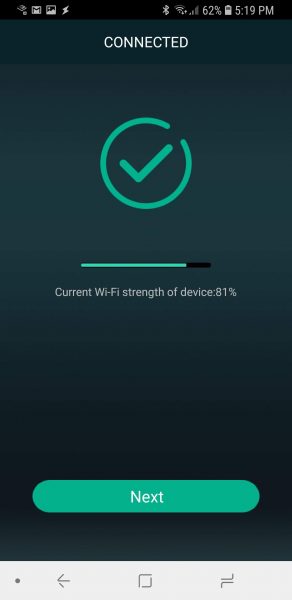
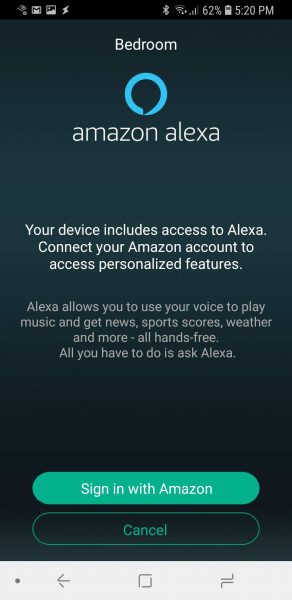
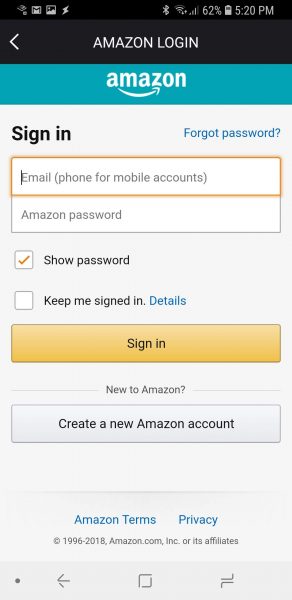
The next series of pictures show you the process to get the clock connected to your WiFi.  It is a pretty standard setup where you actually connect your phone directly to the WiFi coming out of the clock itself then provide the clock with the home WiFi password.
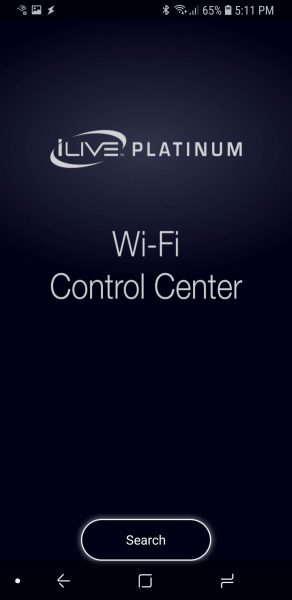
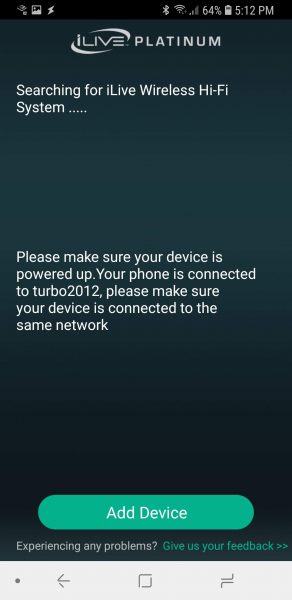
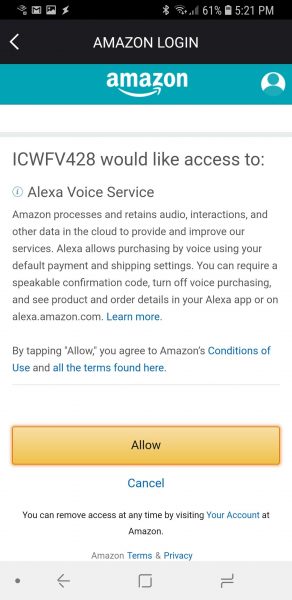
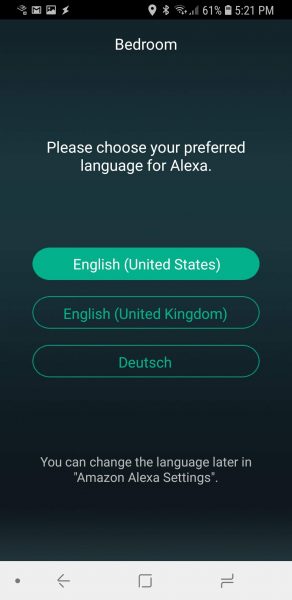
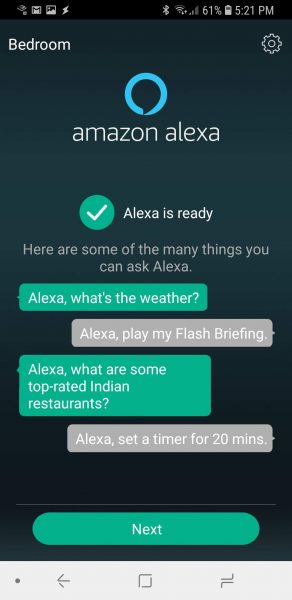
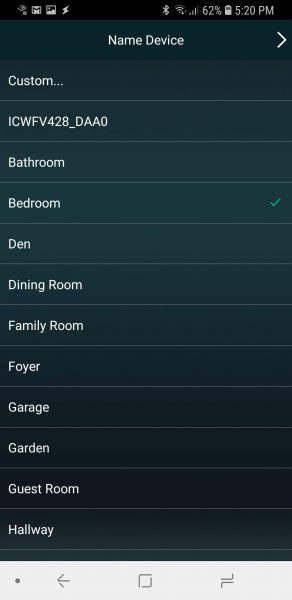
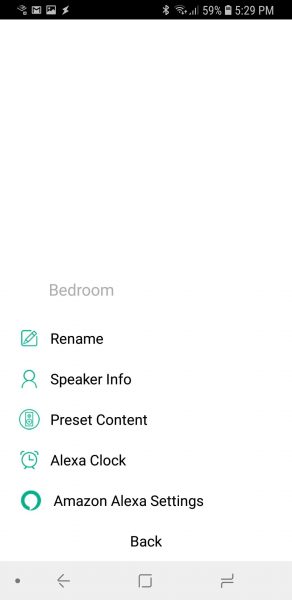
Once connected you get the opportunity to name the device.  Then you proceed to connect to your Amazon Alexa account.  You give the app permission to access the Alexa voice service.   You even get the choice of specifying which language in which you want Alexa to speak to you.
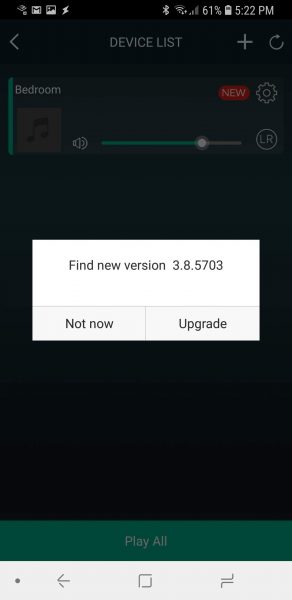
Once I was through all of that I was then prompted for a firmware upgrade for the device which I did apply.
A nice feature which I mentioned earlier is the microphone mute button.  If you really don’t want Alexa listening in to the fun you are having in your bedroom you can mute her.
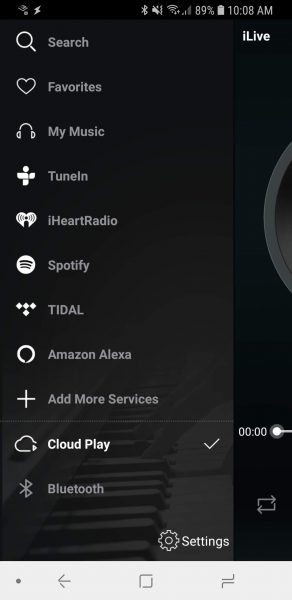
The next few screens show the plethora of playing options provided by the app to the clock.  I personally did not have any of those streaming accounts available, but I did have the clock read my Audible book to me.  I have to say I was really impressed with the sound that came out of the device.  It had a great base quality and was very clear compared to our existing Echo devices.
What I like

I love that it connects to Amazon Alexa.  We are a big Echo use home.  We own five existing echo devices, so using this clock came very naturally for me.   Just before going to bed telling Alexa to set an alarm for the next day is so easy.  You can even tell her to set the alarm for all weekdays if you like.  Alexa also now gives you the ability to set multiple alarms if you have two people using the same clock.  When it goes off you can talk and tell Alexa to stop the alarm or press a button on the clock to stop it that way.  I love that I do not have to remember to replace batteries in the clock to handle the battery backup issue.  That is also a con which you will see below.  The speaker on this clock is amazing for its size.  I often use it when I bring a load of clothes into the bedroom to fold.  Listening to music or a book certainly makes that job go much faster.

What needs to be improved

I really think that the clock could benefit from an actual battery backup.   A possible weak spot is that this clock is very dependent on WiFi in your home.  If you WiFi goes out, your alarm will not go off.   Another weak spot is if you wake up before the alarm goes off you only have two choices to cancel the alarm.  One is to talk to Alexa to cancel the alarm which can be loud for the other person still sleeping in the room.  The other is to open the Alexa app and cancel that way.  It would be awesome if there could be some way to configure a manual button press to cancel the alarm before it goes off.  Another issue is also dealing with the power issue.  If the power goes off in the middle of the night and comes back on, the clock will reconnect with your WiFi if your WiFi is available.  However, it is a noisy process with the clock talking and giving you a status along the way.  I would rather it do that soundlessly so it would not wake me up in the middle of the night.   My last issue is a pet peeve with pretty much all newer alarm clocks.  Dang those LED displays are bright.  I see people complaining that even the lowest display setting is still too bright for a dark room.  This clock is still pretty darn bright.  I will most likely be buying a film to place over the display to hopefully dim that sucker down.

Final thoughts

All in all, I really do like this alarm clock.  It will stay on my nightstand and become my personal alarm clock.  Fortunately for us we rarely lose power so the backup issue is not that big of a deal.  I just really love the sound that it produces and I can actually hear the alarm in the morning.

Price: $71.07
Where to buy: Amazon
Source: The sample for this review was provided by iLive.

Filed in categories: Reviews

Tagged: ,

ILive – Voice Activated Clock with Amazon Alexa Review originally appeared on The Gadgeteer on August 5, 2018 at 9:30 am.

Note: If you are subscribed to this feed through FeedBurner, please switch to our native feed URL http://the-gadgeteer.com/feed/ in order to ensure continuous delivery.

A cat tree that doesn’t look like a cat tree

NEWS – Instead of a big carpet-covered column with carpet-covered shelves and boxes like most cat trees, this Natural Sphere Cat Tower from Sauder looks almost like a floor lamp.  The tower stands 43.75″ tall and is 19.8″ wide at the front and 21.6″ deep.  It’s topped with a wicker sphere with two access holes and is fitted with a comfortable, machine-washable bed cushion inside.  The base has a carpeted shelf and a toy on an elastic string.  One leg is wrapped with sisal rope to serve as a scratching post (instead of your sofa arms).  The wood has an espresso finish.

The Natural Sphere Cat Tower is $234.99 direct from Sauder.  You can also check the website for the location of a retailer near you.

Filed in categories: News

Tagged:

A cat tree that doesn’t look like a cat tree originally appeared on The Gadgeteer on August 5, 2018 at 8:12 am.

Note: If you are subscribed to this feed through FeedBurner, please switch to our native feed URL http://the-gadgeteer.com/feed/ in order to ensure continuous delivery.
Knives, wallets, toolrolls, dash cams, and more – Weekly round up

Another seven days have passed which means it’s time for the Gadgeteer’s weekly roundup. This post gives you a quick reference that lists all the reviews, news, and articles that we’ve shared with you in the past week. Enjoy!

Articles

Back to school supplies – dorm room gear edition

Back to school supplies – dorm room food edition

Reviews

VAVA 2K Dash Cam review

Galen Leather EDC Wallet review

BESTEK 8 Outlets Surge Protector Power Strip review

AIKO 10W Fast Wireless Charger Stand review

Sengled Element Color Plus Smart LED Bulb review

Molecule cooling bed sheets review

Nixplay WiFi Cloud Frame review

YI Cloud Home Camera review

PadMate PaMu wireless earphones review

Plex Pass review

Tekto Gear Amber Automatic Knife review

BOND Travel Gear Tool Roll Review

News

Mountain Dog Products leashes works for tiny puppers to giant doggos

Now your dog can travel with his own water bottle with drinking bowl

Carry your meeting materials in Levenger style

The PB-JIFE peanut butter knife means no more peanut butter knuckles

Damascus chef knives, wireless chargers, and more – Notable crowdfunding campaigns

Travel light and clean; pack a LifeStraw

Stop opportunistic thieves with the Master Lock Personal Safe

The Cable Wrangler keeps your cables where they belong

A beautiful multifunctional fire hydrant for the future

Crochet Yoda, you will.

The Aeiusny Portable Power Station might be your best companion during a storm

The Claw is on sale!

E. P. DesignLab offers the Lucky Bird LED lamp

RawWood sunglasses protect your eyes and the planet

YEVO Air Bluetooth earbuds let you cut the cable

Filed in categories: News

Tagged:

Knives, wallets, toolrolls, dash cams, and more – Weekly round up originally appeared on The Gadgeteer on August 4, 2018 at 5:34 pm.

Note: If you are subscribed to this feed through FeedBurner, please switch to our native feed URL http://the-gadgeteer.com/feed/ in order to ensure continuous delivery.

Mountain Dog Products leashes works for tiny puppers to giant doggos

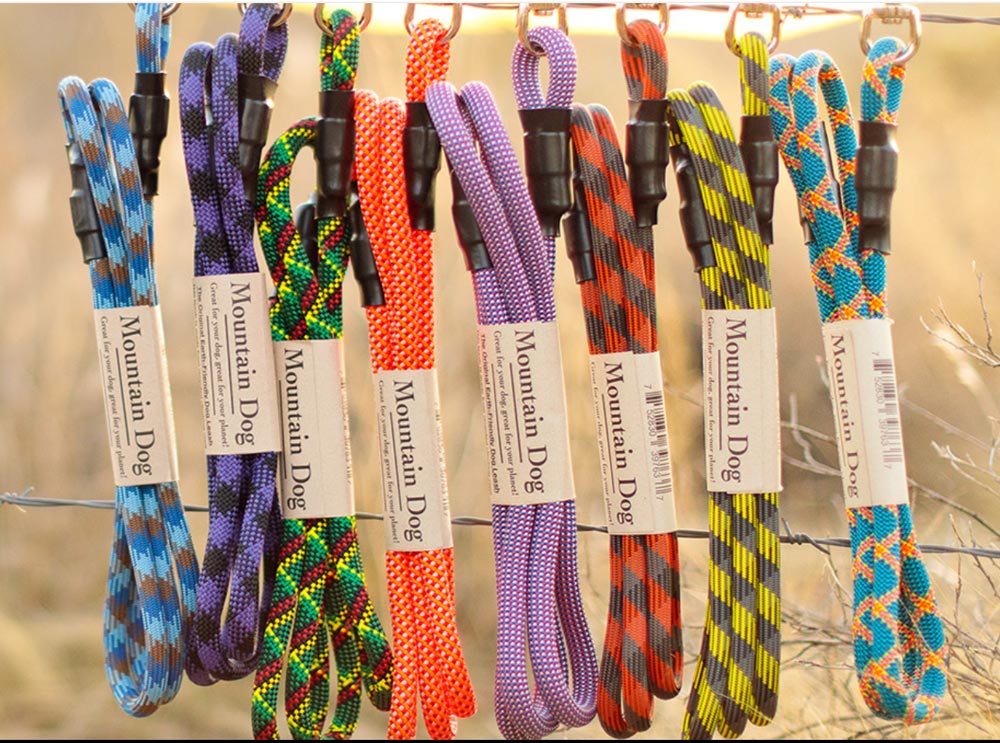
NEWS – Mountain Dog Product leashes are made from recycled UIAA-certified dynamic rock climbing ropes – designed to stop a climber’s fall from great heights – so they can handle whatever your dog can dish out.  The folks at Mountain Dogs are avid climbers, so they are invested in protecting the Earth’s natural beauty.  That’s why they use recycled rope and why they manufacture their leashes by hand, producing almost no carbon footprint in the process.  And it’s also why all their packaging and paper contains recycled materials.

They are also dog lovers, so they make quality products to protect their animals.  The leashes have a loop at one end and a clip at the other end, and either end can hold almost 1500 pounds.

Some leashes are available with a clip or a carabiner, and some are available in a slip-leash style for use without a collar.  Lengths vary by type of leash.  They even offer the Mighty Mini Leash, designed for dogs up to 25 pounds; it’s made using 8mm anchor cord so it’s thinner and lighter than the other leashes, but it still can hold up to 1500 pounds.  All leashes carry a lifetime warranty, even against chewing.  Prices vary between $22.50 to $47.50.  Learn more at Mountain Dog Products.

Filed in categories: News

Tagged:

Mountain Dog Products leashes works for tiny puppers to giant doggos originally appeared on The Gadgeteer on August 4, 2018 at 10:30 am.

Note: If you are subscribed to this feed through FeedBurner, please switch to our native feed URL http://the-gadgeteer.com/feed/ in order to ensure continuous delivery.

VAVA 2K Dash Cam review


REVIEW – With the advancement of technology in today’s world, we have the ability to automate numerous tasks and to better manage our security. A Dash Cam is becoming more common and necessary for recording accidents or interactions with other individuals. It also allows you to take scenic pictures and videos as you drive. While there are many models available, I am looking for one that takes great quality video and is easily removable for storage when I am not in my vehicle. The VAVA Dash Cam 2K seems like it could work, so let’s see.

What is it?

The VAVA Dash Cam 2K is a windshield mounted dashcam that records video as you drive and is capable of snapshots either via the app or by using an optional remote.

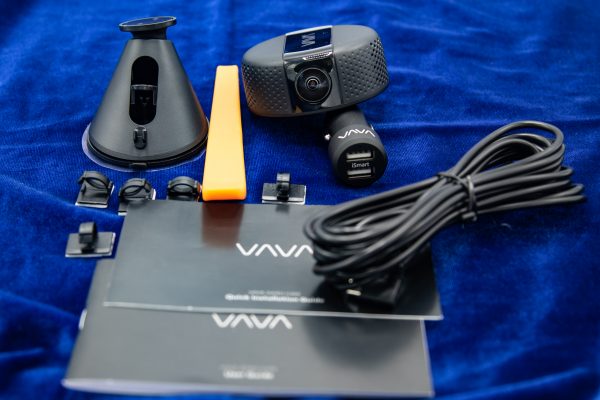
What’s in the box


1 x VAVA Dash Cam
1 x Car Charger
1 x Windshield Mount
1 x Micro USB Cable
1 x Pry Bar
5 x Cable Clips
1 x Instruction Manual
1 x Quick Installation Guide

Design and features

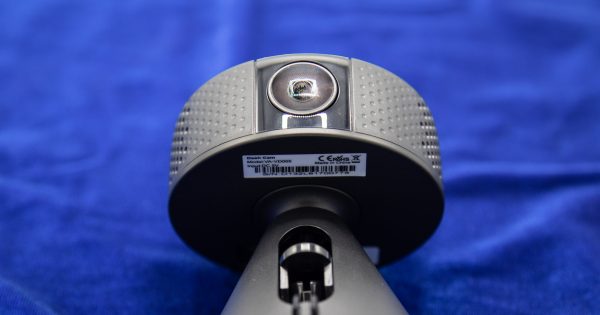
The VAVA Dash Cam 2K is a small, compact and lightweight dash cam that connects magnetically to its mounting base. This type of mount allows you to swivel the camera 360 degrees to record your entire surroundings. It  records in either 2560 x 1440p 30fps QHD or 1920 x 1080p 60fp.


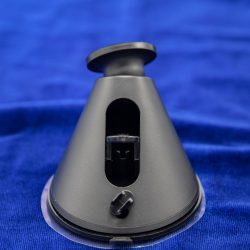
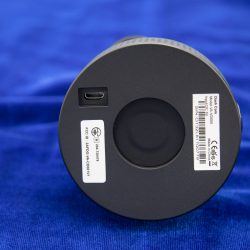
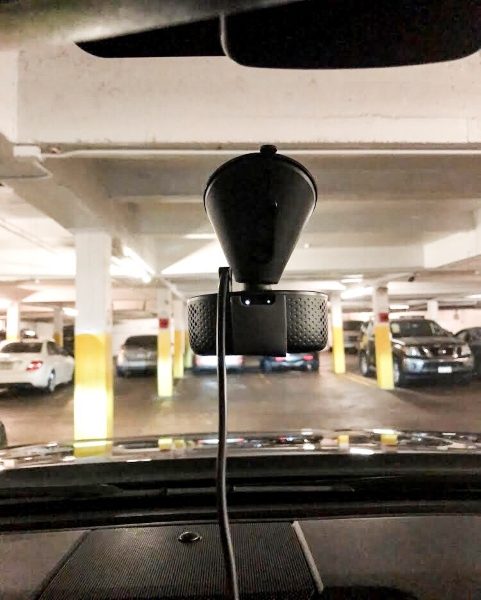
The base attaches to the windshield via the usual suction cup action, and on the other side where the Dash Cam connects, there is the magnetic circle for that attachment, and the micro USB port for the power connection via a micro USB cable and a DC car lighter adapter. The micro USB cable is very long, with enough length for you to use the provided pry bar to run it around the perimeter of the roof and pillars of the car, hiding it in the process. I did not install mine in this manner since I am testing it and did not want a permanent installation. The cable clips that are included are for this purpose.


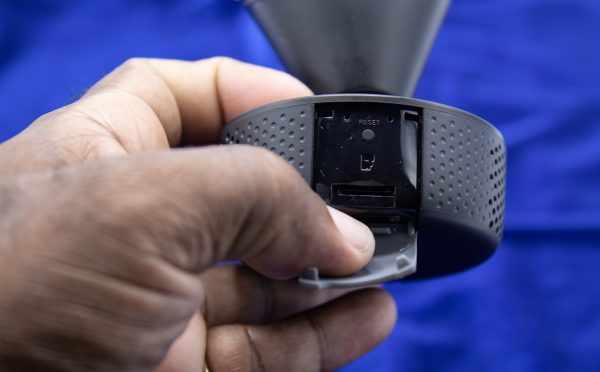
On the opposite side of the camera lens, there is an SD card port (Supports Class 10 or Above SD Cards up to 128GB), a reset button and two LEDs, one for wifi connection indication and one for power indication.

Performance

The Vava Dash Cam has a 320mah Built-In Battery that allows the 3-axis G-sensor to activate and start recording footage even in parking mode. Both the video recordings and the snapshots are very clear, and the video stabilization is very good.

Snapshots:


Videos: (The following 2 videos were exported directly from my smartphone and then uploaded to YouTube)

On the daylight videos, it is quite easy to see the license plate of any vehicle in front of you. While the nighttime videos are clear as well, the reflection of opposing car lights make that task somewhat harder.

Each time you hit the brakes suddenly or hit a pothole, the Dash Cam detects it as a possible collision and starts an emergency recording. You do have the option in the settings to set the sensitivity for this action. When viewing the camera live on my phone, I noticed that every minute or so the screen would get completely grey and refresh. I did not see this in actual recordings on the SD card. I am not sure if the connection would be different and require less frequent refreshing if it was Bluetooth instead of WiFi.

App

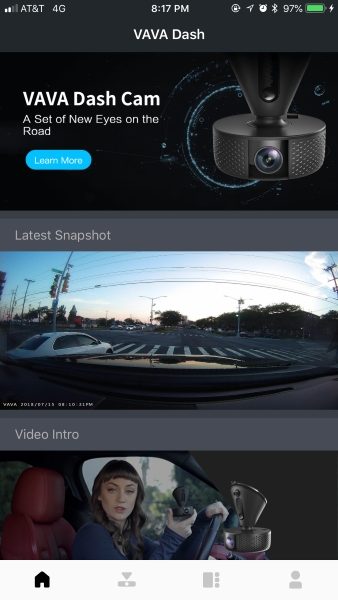
Both iOS & Android Mobile Apps are available for this Dash Cam. Use of the app allows you to Preview, share, download, and edit photos and videos directly from your smartphone. You can also purchase a GPS module separately for GPS tracking. Once you download the VAVA Dash App and select it, you are on the Home Screen as shown first below. There are 4 icons at the bottom of the screen.


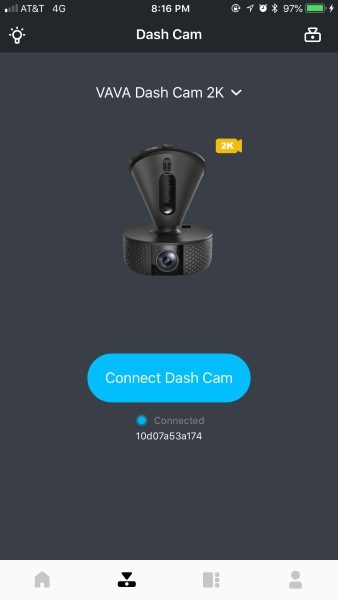
The second icon from the left takes you to the Dash Cam connect screen. The app sees the Dash Cam once it is powered on, and the manual provides the default password to connect to it. It connects via WiFi and not Bluetooth. You can also choose the video resolution from the “connect” screen.


Once you connect to the Dash Cam, you have the option to play the live real-time video, and below the video display screen, there are 4 icons. the top 2 icons allow you to take a snapshot of record a quick scene video just by touching them. You can also purchase a snapshot button that would allow you to instantly capture a photo. The bottom 2 icon allows you to view the videos or pictures recorded.

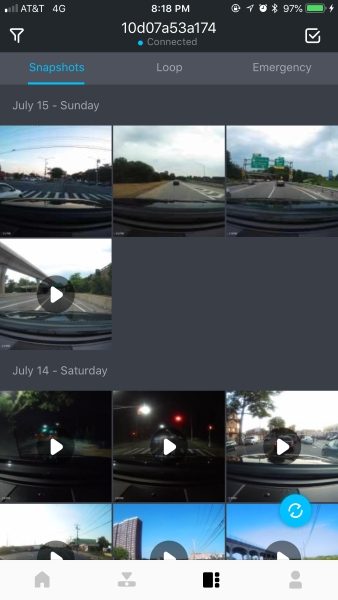
The 3rd icon at the bottom of the app takes you to a screen that allows you to view the recorded Snapshots, loop video, and Emergency videos.

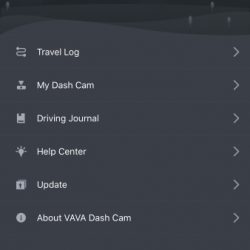
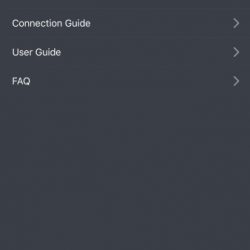
The 4th icon to the bottom right takes you to the Register/ login screen. This screen also includes access to several other data and configuration screens.


With the use of the app and your smartphone, you can manage the recorded media directly without removing the SD card. These functions include previewing, sharing (you can share to social media platforms), downloading and editing photos and videos directly from your smartphone.

What I like

  • The size of the Dash Cam.
  • The great versatility created by the magnetic mount which is really just a great design.
  • The video resolution choices and the quality of the recorded video.
  • The built-in battery and the Parking mode.

What can be improved

  • Provide video resolution up to 4K

Final thoughts

The VAVA Dash Cam 2K is arguably one of the best dashcams that I have tested. And while I will admit that I have not tested more than 5 or 6 dashcams, I really like this one and the features that it offers. The ability to attach and detach the actual camera from the base magnetically is one of the best designs I have seen for this type of device. I no longer have to unscrew anything to remove the dash cam, and I cannot stress enough the convenience and efficiency of this quick release capability.

Another great feature is the availability of optional add-ons. I am about to purchase the optional GPS module so that I can always journal my trips and in the unlikely event that my whereabouts are ever challenged, I will have some level of proof. While it would be great to be able to record up to 4K, 2K is more than enough, especially since the recordings will eventually record over previous recordings. In my opinion, this dashcam is a great bang for the buck.

Price: $99.99
Where to buy: Amazon
Source: The sample for this review was provided by VAVA.

Filed in categories: Reviews

Tagged: ,

VAVA 2K Dash Cam review originally appeared on The Gadgeteer on August 4, 2018 at 9:30 am.

Note: If you are subscribed to this feed through FeedBurner, please switch to our native feed URL http://the-gadgeteer.com/feed/ in order to ensure continuous delivery.