iQunix Noma Laptop Stand review

REVIEW – With laptops adding more cores and getting thinner and faster, the heat build-up is real in todays portables. The convection built into turbo-charged laptops works much better when there is a clear higher-level place for the air to flow. iQunix has developed a very simple yet eye-pleasing stand called the Noma. I was sent one to test and am here to report my findings.

Note: Photos may be tapped or clicked for a larger image.
What is it?

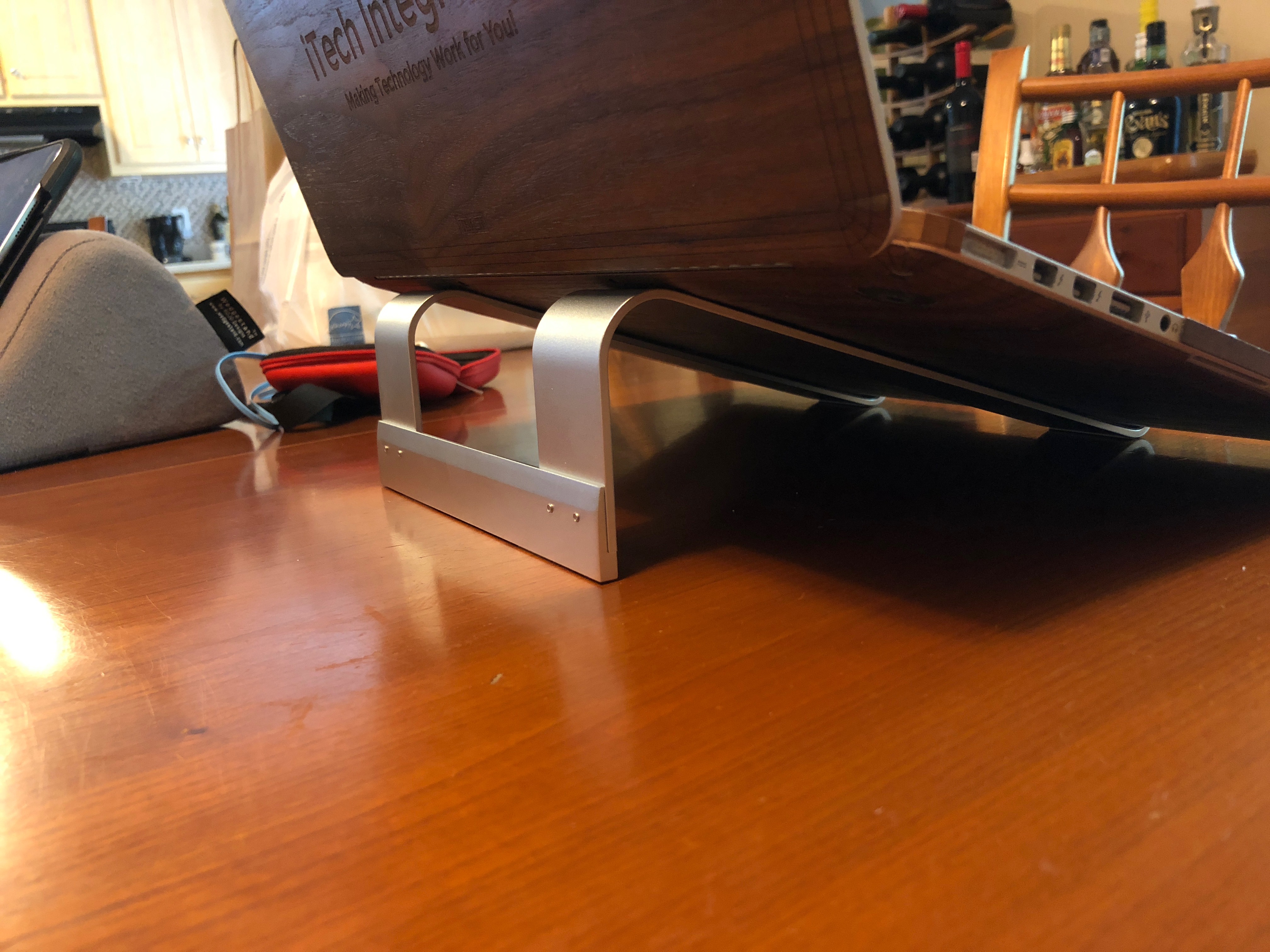
The iQunix Noma is an aluminum “L” stand that allows the stack effect to cool your laptop – increasing it’s life, and giving you better performance and better battery life. (Heat is the enemy of all electronics. Lowering the operating temperature by only a few degrees can help.)
Setup

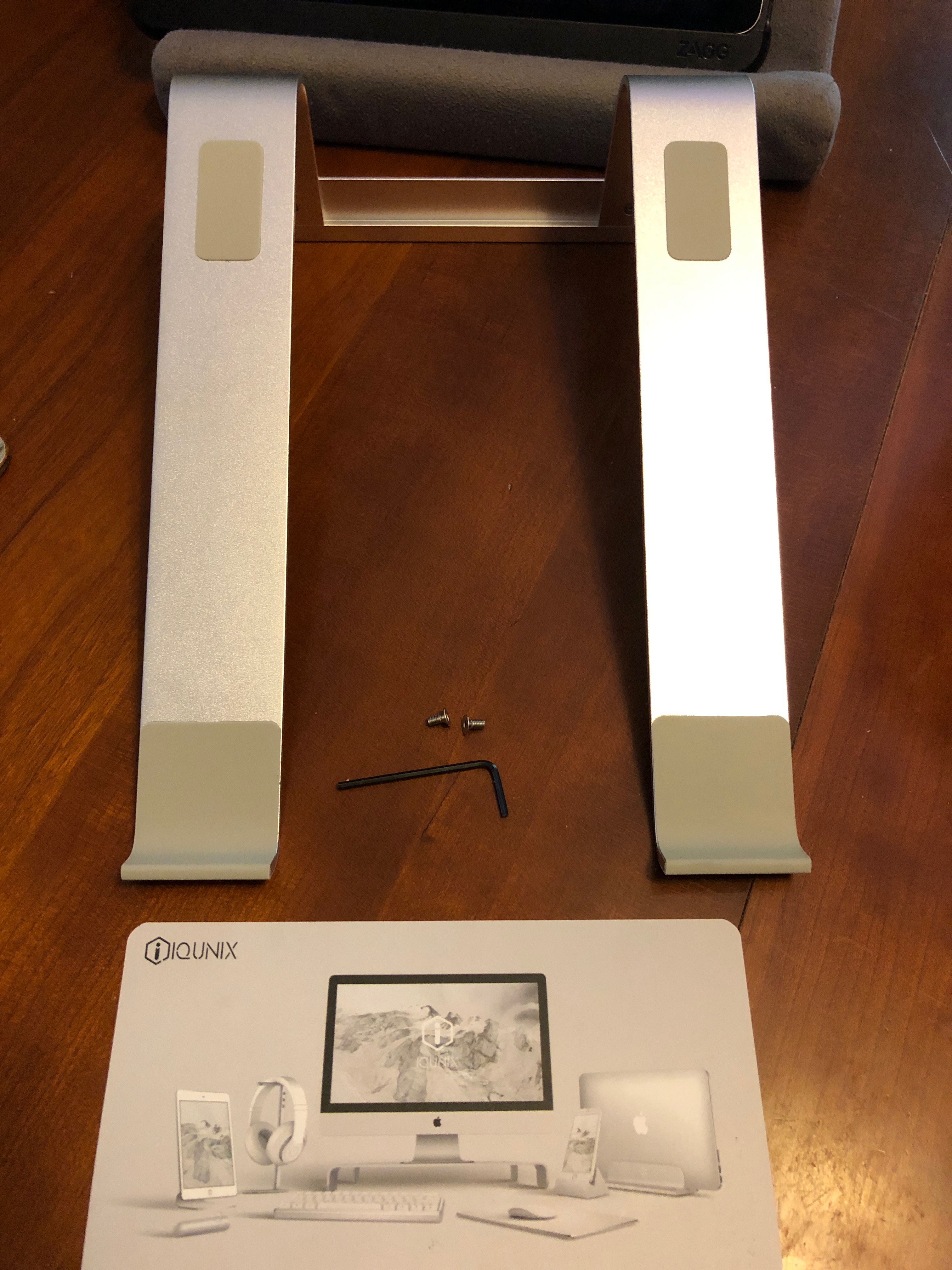
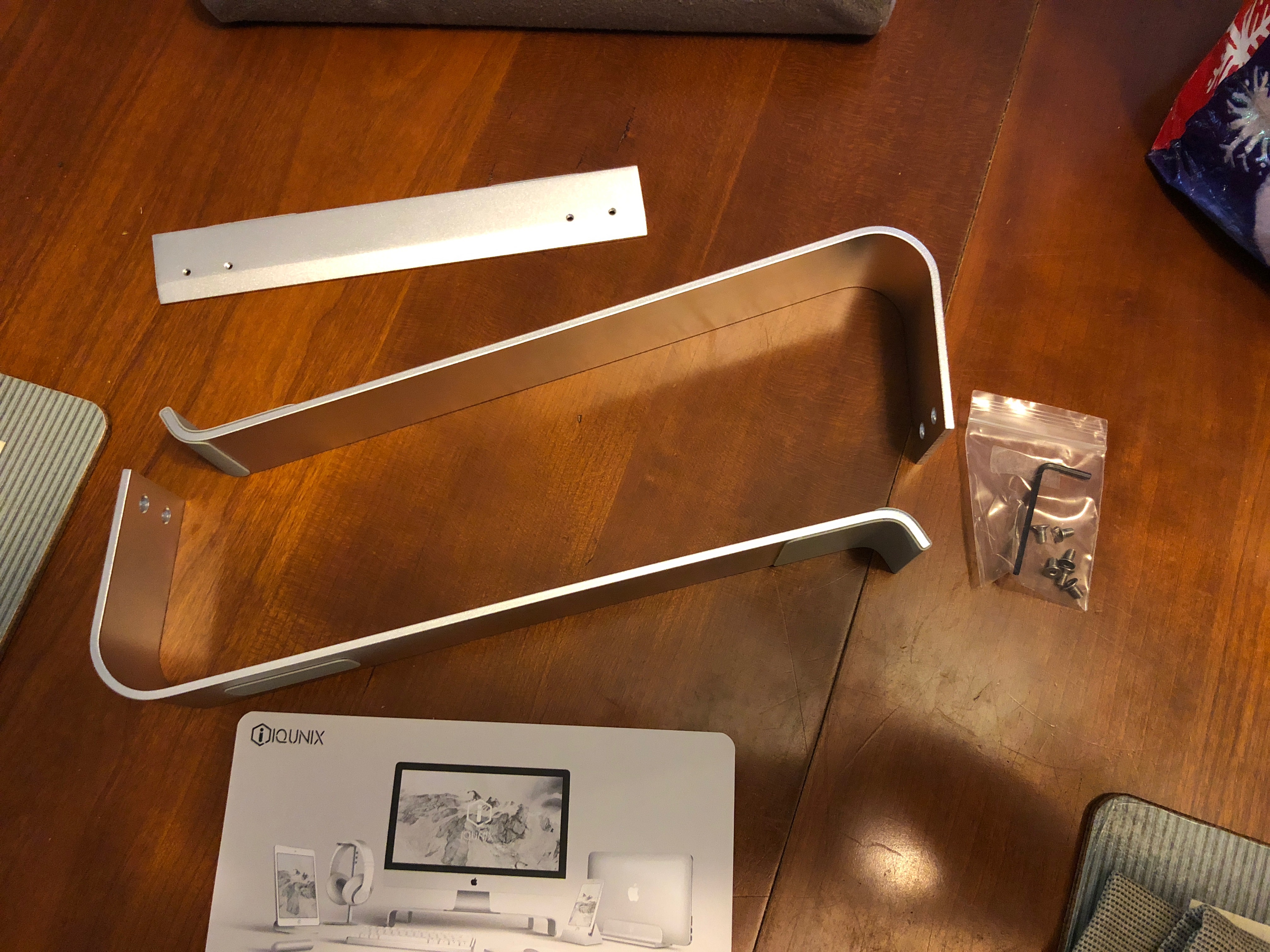
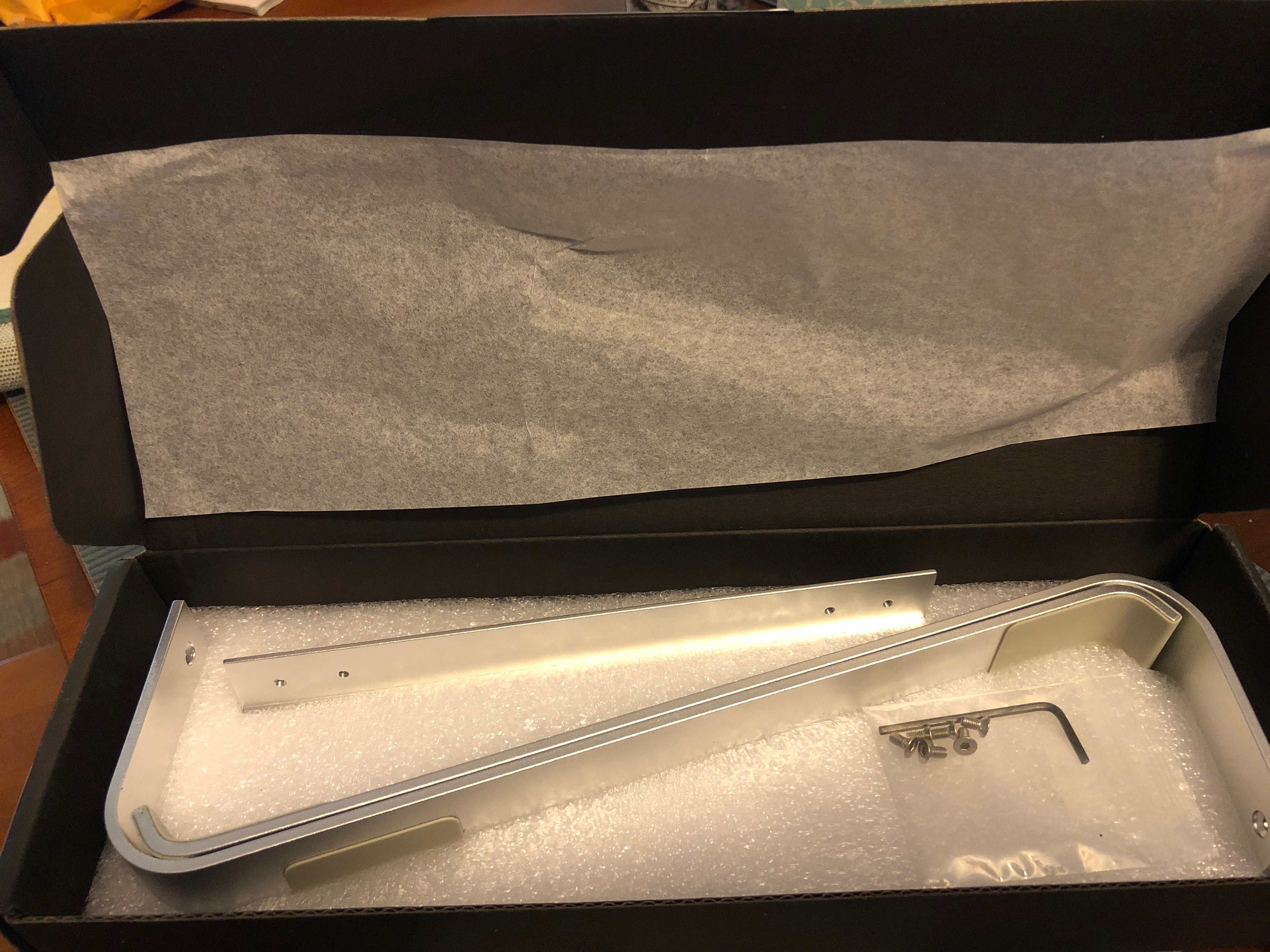
The Noma stand arrives as three pieces of high-quality aluminum that fit together with the (included) screws to form a 10” long ramp that raises the far end of your laptop 3” off a flat surface. This slants the keyboard 18º from the surface, and holds the outside edges 7.25” apart. Every place that would touch your computer or desk is covered by a grippy silicone pad in a neutral beige. I put it together in maybe 4 minutes after opening the box and photographing the pieces. There are no instructions included.

What’s in the box?

  • 2 ramps with silicone pads
  • 1 connector that attaches securely to hold legs, also with pads
  • 6 countersinking hex-driven machine bolts
  • 1 Allen wrench to fit the screws
  • 1 marketing card

Design and features

I was a bit surprised to see the stand come disassembled, but really appreciate the nod to less air in a package. It would have taken twice the cardboard to surround the 10”x7.25”x3” stand fully assembled, rather than the 11.75”x1.75”x3.75” unbleached cardboard box that arrived. It would be nice to know if the tiny piece of styrofoam that held things for shipping was as highly recyclable as the rest of the packaging.
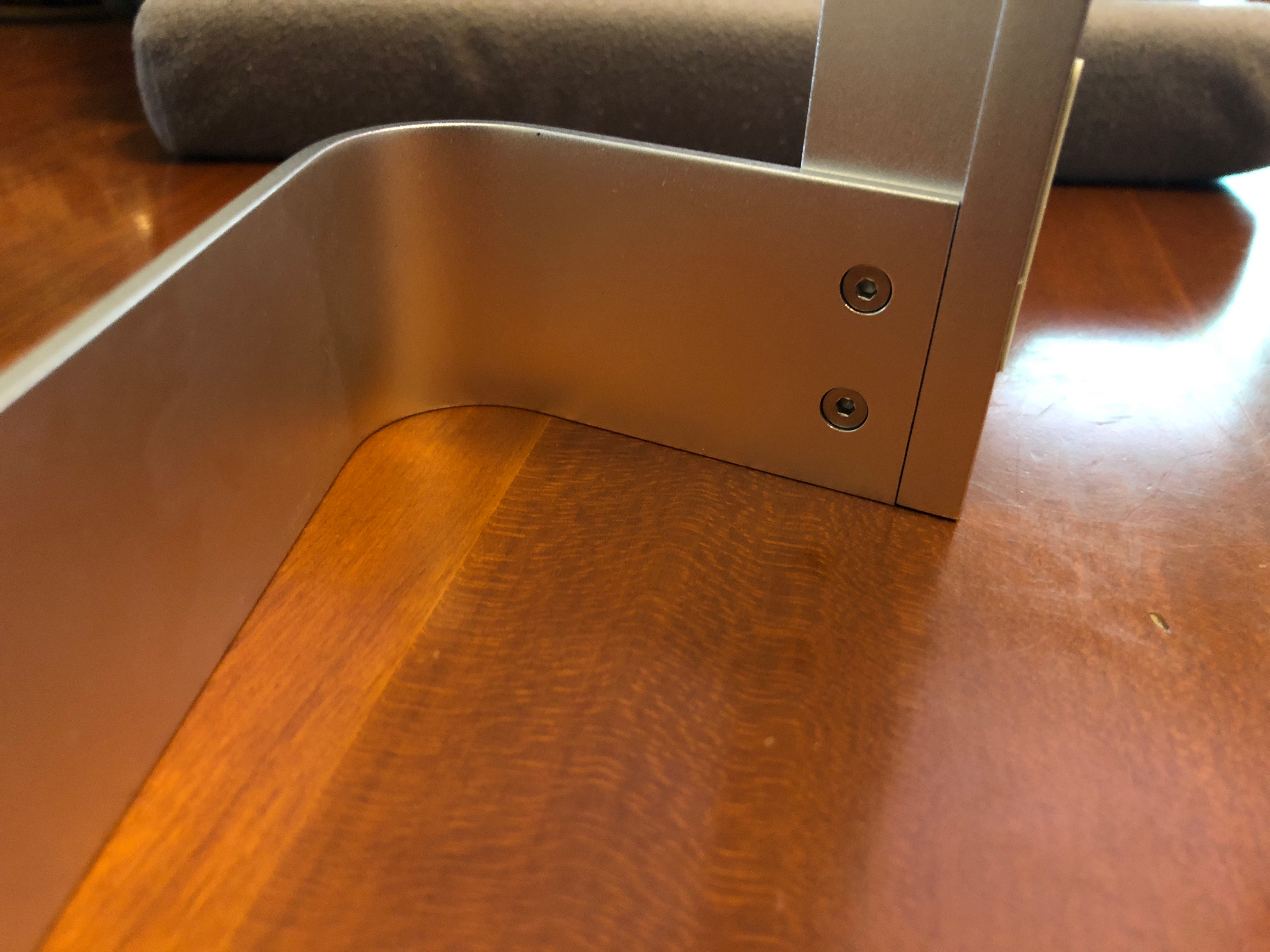

The pieces fit together precisely. There is a lip across the base of the crosspiece that the legs sit against, and the holes line up to where the weight of your laptop rests on that solid lip, rather than the screw posts. With no give or play in these joints, I can’t imagine ever having a screw get lost or need tightening, but it’s nice to have a few extras.


The simplicity of the stand belies its effectiveness. When using my mid-2014 MacBook Pro with 2.2 GHz i& and 16GB RAM to play a graphic-intensive online game (World of Tanks Blitz), I noticed it was much less warm than when I played it on the same desk flat. I’m not a fan of using it at the 18º angle for long periods of typing, but for bouts of tanking, it’s not too bad.

If there are additional sub-headings that you want to add in the main part of your review, use H3 titles. Examples that you might want to use but can remove if you don’t…

What I Like

  • Highly ecological design and packaging
  • Tight, well-designed parts
  • Simple and Effective
  • Works with laptops or tablets, from 9” to 17”

What needs to be improved

  • Nothing, really.

Final thoughts

I’m not normally one to put my laptop on a stand. Save for the aforementioned game, most of the stuff I run on my Mac is limited to web browsers, RSS feed apps, and text processors. Occasionally, I’ll edit some video in iMovie. But not of it even taxes this 4-year-old workhorse. If I regularly connected to external projectors for presenting (which tends to take more video power), I’d probably use a stand at the presentation area to keep the fans from powering on. This is the simplest, least expensive, and tightest fit/finish I have seen of any stand, however. If you’re in need of a one-trick pony like this, you will probably not find one better for this price.

Price: $19.99
Where to buy Amazon
Source: The sample of this product was provided by company iQunix.

Filed in categories: Reviews

Tagged:

iQunix Noma Laptop Stand review originally appeared on The Gadgeteer on September 6, 2018 at 9:00 am.

Note: If you are subscribed to this feed through FeedBurner, please switch to our native feed URL http://the-gadgeteer.com/feed/ in order to ensure continuous delivery.

Skullcandy ups its game with their new Venue noise canceling headphones

NEWS – Skullcandy has always been known for making budget, hip-looking earbuds and headphones that were more about style than sound quality. That is up until now. With their new cans, Venue, Skullcandy has stepped up their game to challenge the big boys.

The Venue noise-canceling headphones have plenty of cool features. Aside from Active Noise Cancellation they also offer 24 hours of battery life with Rapid Charge. Using Rapid Charge allows you to get 5 – hours of listening time from just a 10-minute charge.

Monitor mode allows you to easily turn off the noise cancellation feature so you can clearly hear the outside world.

Venue also has an impressive Bluetooth range that allows you to listen to your content from up to 100 feet away.

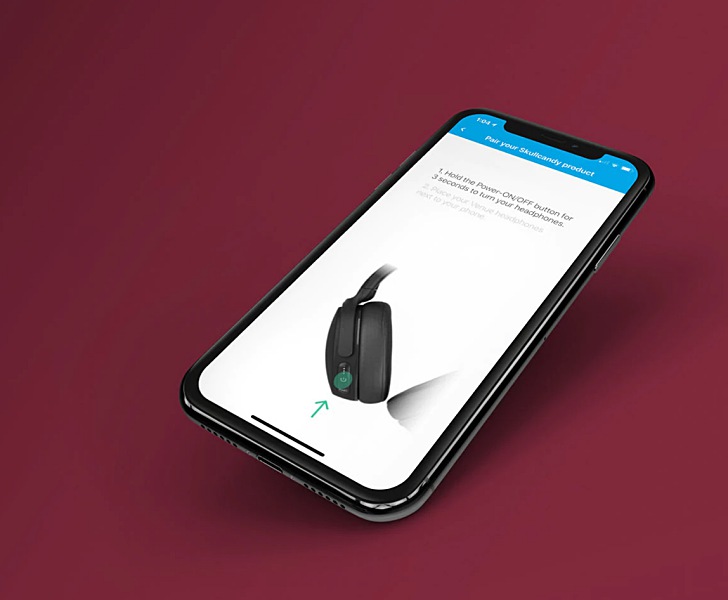
But, perhaps the most impressive feature is Find Your Headphones. For this feature, Skullcandy partnered up with Tile to embed tracking exclusively into the Venue headphones. So if you ever lose them, you can just use the Tile app to locate where you last left them.

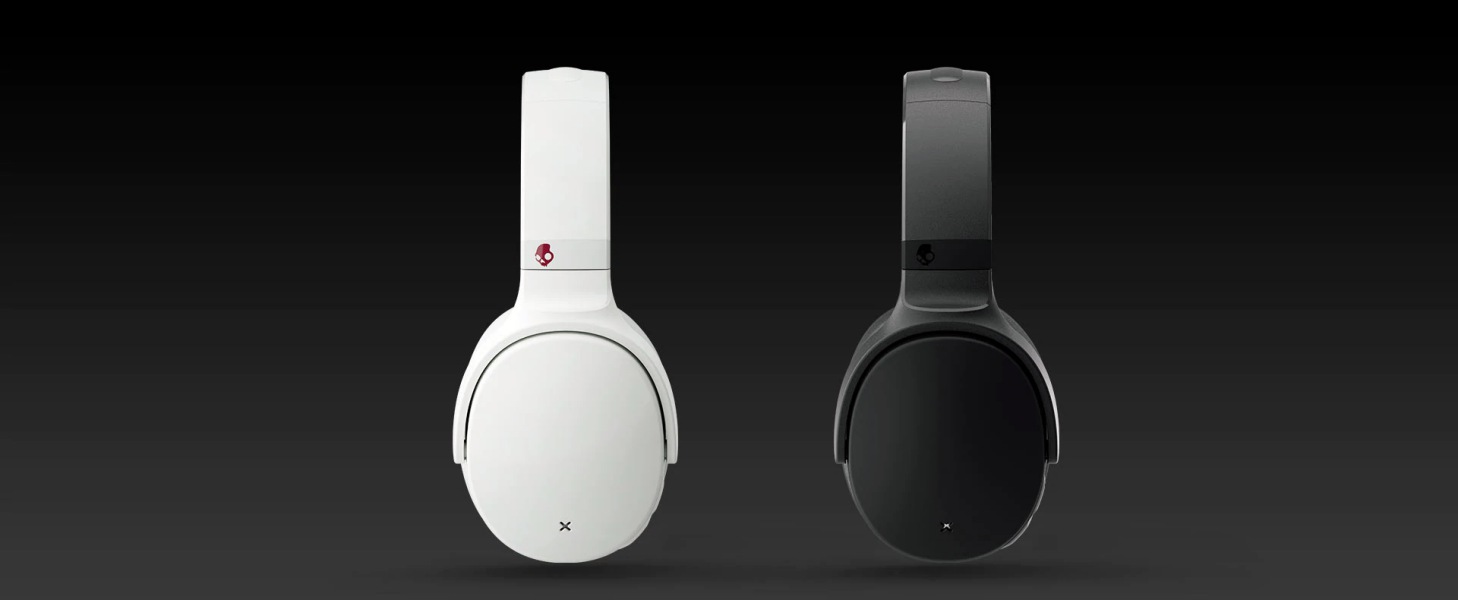
Aesthetically the headphones have pivoting ear cups, plush memory foam ear cushions, and two color choices, Black or White/Crimson.

All these great features come at a price that’s considerably lower, $179.99, than similar headphones from companies like Bose and Sony. And the Venue headphones still have a little of that Skullcandy style.

For more info or to purchase the Venue headphones visit Skullcandy’s website.

Filed in categories: News

Tagged:

Skullcandy ups its game with their new Venue noise canceling headphones originally appeared on The Gadgeteer on September 6, 2018 at 8:00 am.

Note: If you are subscribed to this feed through FeedBurner, please switch to our native feed URL http://the-gadgeteer.com/feed/ in order to ensure continuous delivery.
The bracelet that lets you keep count over your life

NEWS – Do you need to count things during your day?  How many times (or minutes) you take for a breathing break, your golf strokes?  How many ounces of water you drink, or even how many rows you’ve knitted?  If you need to count anything during your day, you can use the Life Tree Abacus Counting Bracelet to keep track.  The bracelets have a double row with nine beads each.  The beads are 8 and 10 mm and are in two colors.

Each time you need to increment your count, simply slide the rubber bands past the appropriate bead.  The bracelet shown here is showing 21.  You can count up to 99 with the Life Tree bracelet.

The bracelets are available in three sizes to best fit your wrist.  Each one is handmade, so you need to allow 3-5 days for the artist to craft your bracelet before shipping.  An artisan shop named Jill’s Beaded Knit Bits makes the Life Tree Abacus Counting Bracelet in several color combinations.  Each bracelet is $26.95.  See them all at Jill’s Beaded Knit Bits shop at Amazon.

Filed in categories: News

Tagged:

The bracelet that lets you keep count over your life originally appeared on The Gadgeteer on September 5, 2018 at 4:02 pm.

Note: If you are subscribed to this feed through FeedBurner, please switch to our native feed URL http://the-gadgeteer.com/feed/ in order to ensure continuous delivery.

The CapsuleCam home security camera delivers clear color footage even in the dark


NEWS – Over the past several months, I have been able to test and review a couple of security/alarm systems and surveillance systems. The ones I reviewed are pretty nice and offer pretty darn good video and images even in low light. However, one of the issues I have had with them is that the low light/night images are in black and white. Once you look at the footage, you realize what a difference color makes and how much impact it has on the ability to recognize faces, features and other details.

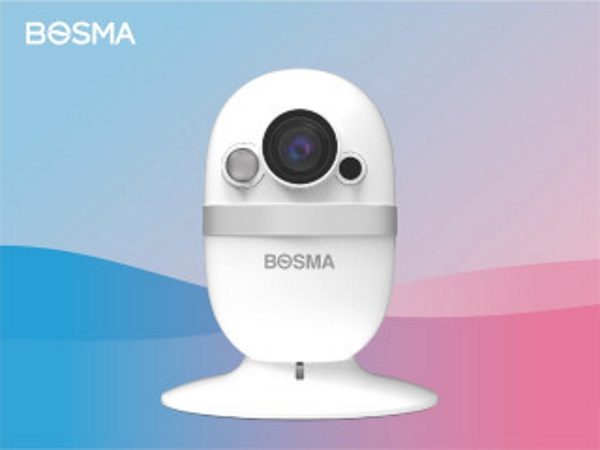
I just came across the CapsuleCam by Bosma USA that just finished a successful crowdfunding campaign on August 9th. This indoor smart home security camera uses Starlight Vision that allows you to see color and therefore important details like facial features even in low-light conditions. “Compared with traditional security cameras, Starlight sensor-powered cameras deliver full-color images without using artificial lighting (infrared lighting) under low-light environments.” It has a wide dynamic range, a 162-degree wide field of view, and local storage for recordings via a built-in SD card slot.

According to the manufacturer, “With its wide aperture (F1.8), larger size sensor (2.0M pixel image sensor), and 0.01 minimum LUX, CapsuleCam’s Starlight Vision delivers clarity up to 16.4 feet away. Starlight also reduces the camera’s shutter speed to collect enough light for you to see clear human faces in low light.” The camera’s features also include the ability to stream live HD video and to speak and listen using two-way audio.

If you are interested in learning more about the CapsuleCam, you can head over to the Bosma USA website. It is scheduled to be available in September 2018 and should retail for $79. You can also take a look at their completed Indiegogo campaign for more details.

Filed in categories: News

Tagged: ,

The CapsuleCam home security camera delivers clear color footage even in the dark originally appeared on The Gadgeteer on September 5, 2018 at 1:11 pm.

Note: If you are subscribed to this feed through FeedBurner, please switch to our native feed URL http://the-gadgeteer.com/feed/ in order to ensure continuous delivery.

ICON A5 aircraft UPDATE – “Awesome comes standard”

Hey, guys, do you remember the ICON A5 aircraft that I wrote about in 2015? It’s a wonderfully innovative Light Sport Aircraft (LSA) that “reinvents recreational aviation”. This aircraft is designed for people who like to fly for fun (it is classified as an S-LSA or Special-Light Sport Aircraft).

The A5 has all kinds of wonderful features: it can land on land, water, runway, beach, dirt strip, etc.; and it has retractable landing gear, has folding wings for easy transport, and uses 91-octane (premium unleaded) automobile gasoline. It has some cool safety features too, like a spin-resistant airframe so if the plane stalls you won’t go into an uncontrollable spin, an angle of attack indicator to alert you to a potential stall, and a whole aircraft parachute in case of engine failure. (Please see my previous post about the ICON A5 or visit the ICON website for more details about this aircraft and how to obtain your Sport Pilot License).

NEWS – The ICON A5 production facility is currently up and running and you can order yours today on the ICON website by placing a fully refundable $5,000 deposit to get it delivered by the first quarter of 2019. The full cost of the A5 is $389,000 pre-configured with all available options.

ICON will contact you at least 180 days prior to your expected A5 delivery date to confirm your order and have you select your desired options. At that time, you will sign your Aircraft Purchase Agreement and an additional deposit will be required to confirm your order. Third party financing may be available.

If you don’t happen to have $389,000 just laying around, ICON has announced a beta-test program, called ICON Fleet Access, to make the A5 more accessible and more cost effective for those interested.

ICON Fleet Access is a full-service sales and aircraft management solution that offers 50% and 25% ownership shares of the ICON A5 and, unlike many other programs in the industry, will also allow owners to use other shared A5 aircraft in various locations across the U.S. as if they were their own. The program provides all scheduled maintenance, storage, insurance, scheduling, dispatch, staging, and even pre-positioning as well as A5 trailer access.

It’s like a time-share for the A5.

The program launches in the fall of 2018 in Tampa, Miami, Los Angeles, and the San Francisco Bay area and may expand into Texas, the Midwest, Southeast, Northeast, Pacific Northwest, and the Great Lakes in 2019 if it is successful.

There are limited slots in the beta program and ICON is offering 25% shares for $95,000 initially for those who sign up early. Post-beta prices are expected to start at $125,000 for a 25% share of an A5 with monthly management fees of $900 to cover maintenance, storage, scheduling, and insurance, plus a $75 hourly rate when the aircraft is flown…

To learn more, visit ICON Fleet Access or contact a Product Specialist at fly@iconaircraft.com or 707.564.4100.

Ah, to have an inexhaustible supply of money…

Filed in categories: News

Tagged:

ICON A5 aircraft UPDATE – “Awesome comes standard” originally appeared on The Gadgeteer on September 5, 2018 at 10:00 am.

Note: If you are subscribed to this feed through FeedBurner, please switch to our native feed URL http://the-gadgeteer.com/feed/ in order to ensure continuous delivery.