The Nima Peanut Sensor allows you to test food for allergens right at the table

NEWS – My daughter has allergies and asthma, and she has a lot of food allergies, including peanut allergy.  Over the years, we’ve had to be very careful with what she ate.  Peanuts can cause anaphylaxis, meaning an exposure can be fatal.  Even when she was tiny, she knew to ask first if food had peanuts in it before she could accept food from even her grandparents.  To make things a little easier for those with peanut allergies now, Nima has developed the world’s first portable peanut sensor, so you can test a new food or a restaurant’s offerings before you take a bite.  I would have lived my life with one of these Nima Peanut Sensors in my hand when my daughter was growing up, if only they had been available then.

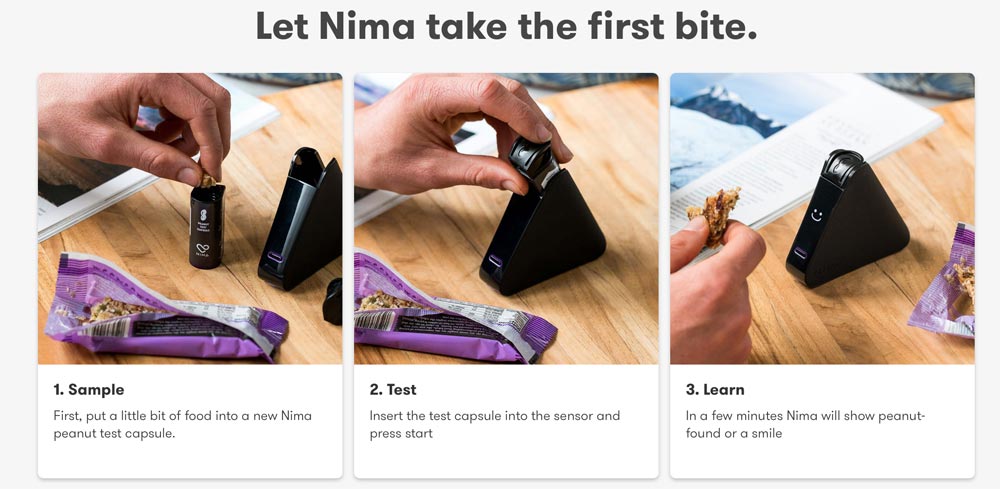
To use, you place a small amount of the food in the peanut test capsule, put the capsule in the sensor, and wait a few minutes for the result.

Nima’s antibody-based chemistry was developed by MIT scientists to be faster, cheaper, and usable right at the dinner table. Nima is optimized to detect 10 parts per million of peanut protein and above. 10 ppm is the lowest adverse reaction level observed in patients during clinical research studies.

Nima is recognized as a leader in allergen research and has been awarded a grant from the National Institute of Health to develop the peanut sensor. Nima is advised by some of the top allergen researchers in the world.

Using the Nima app, you can also search their database of over 20,000 results to discover peanut-free restaurants and packaged foods tested by Nima sensor owners.  You can help build the database by uploading information about your testing results.

Nima’s Peanut Sensor has a rechargeable battery that usually needs to be charged about once a month.  It comes with a carrying case and twelve test capsules for $289.00.  You can purchase more test capsules for $72.00 for 12 tests; with automatic refills, the price drops to $59.00 per 12-pack.  To help with the cost, financing for 3, 6, 0r 12 months is available, if you qualify.  And the Peanut Sensor and test capsules are FSA/HSA reimbursable.

Learn more and purchase the Nima Peanut Sensor at the Nima website.

Filed in categories: News

Tagged: ,

The Nima Peanut Sensor allows you to test food for allergens right at the table originally appeared on The Gadgeteer on October 6, 2018 at 8:16 am.

Note: If you are subscribed to this feed through FeedBurner, please switch to our native feed URL http://the-gadgeteer.com/feed/ in order to ensure continuous delivery.

The Gadgeteer is moving to a new server

web

NEWS – This is a quick announcement to let everyone know that we’ll be moving to a new web server early Saturday morning. There may be a service disruption for a day or so while all the name servers are being updated. If you are not seeing content updates for more than a couple of days, you’re still accessing the old site; please be careful when leaving comments because anything posted on the old site after 1 AM Central time tomorrow (Saturday) will be lost. You will know that you’ve arrived on the new site when you see posts newer than this one. 🙂

Filed in categories: News

Tagged:

The Gadgeteer is moving to a new server originally appeared on The Gadgeteer on October 5, 2018 at 10:00 pm.

Note: If you are subscribed to this feed through FeedBurner, please switch to our native feed URL http://the-gadgeteer.com/feed/ in order to ensure continuous delivery.

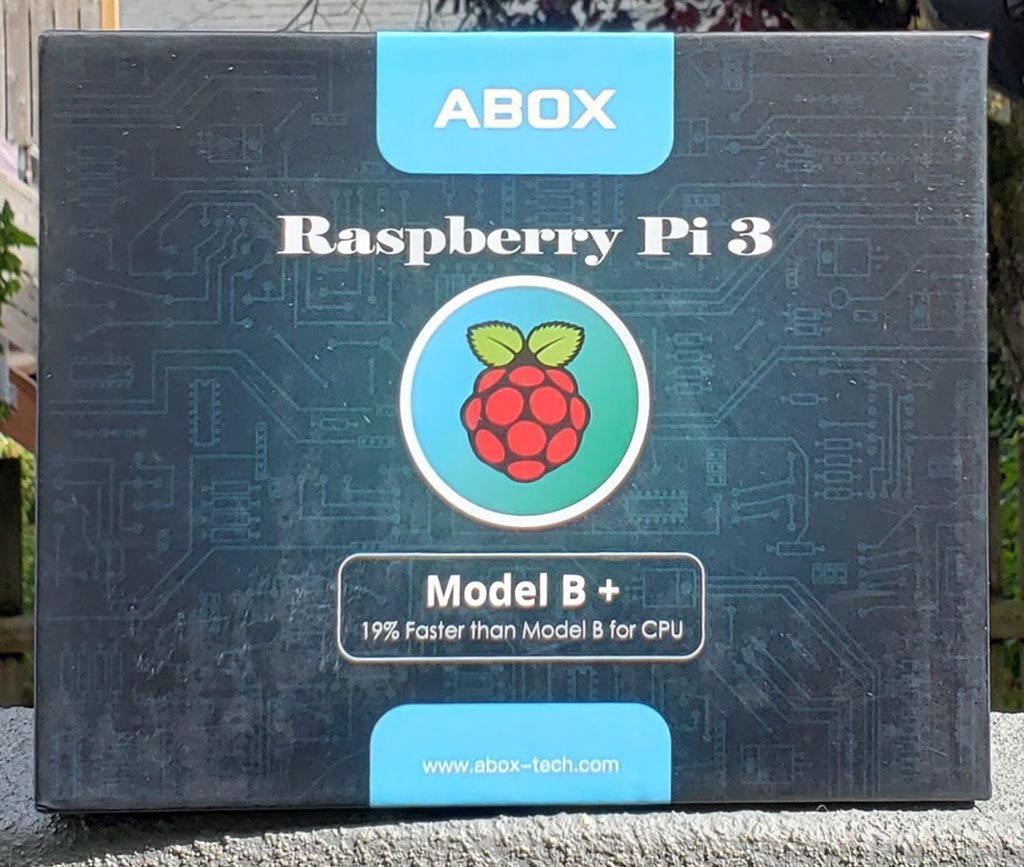
ABOX Raspberry Pi 3B+ Starter kit review

REVIEW – I love to tinker.  I love gadgets.  And I love when those two worlds collide, resulting in something I made and is useful.  The Raspberry Pi is one of those computing devices that – if you can define a use for it – is practical, easy to use, and brings satisfaction to even the most curmudgeonly tinkerer (aka me).  ABOX produces a few different Raspberry Pi kits and today we are going to look at the Starter version.  Does it have what you need to get started?  Read on to find out…

What is it?

The ABOX Raspberry Pi 3B+ Starter kit is a bundle of everything you will need to get started with the world of Raspberry Pi – except a keyboard, mouse, and monitor.

What’s in the box?
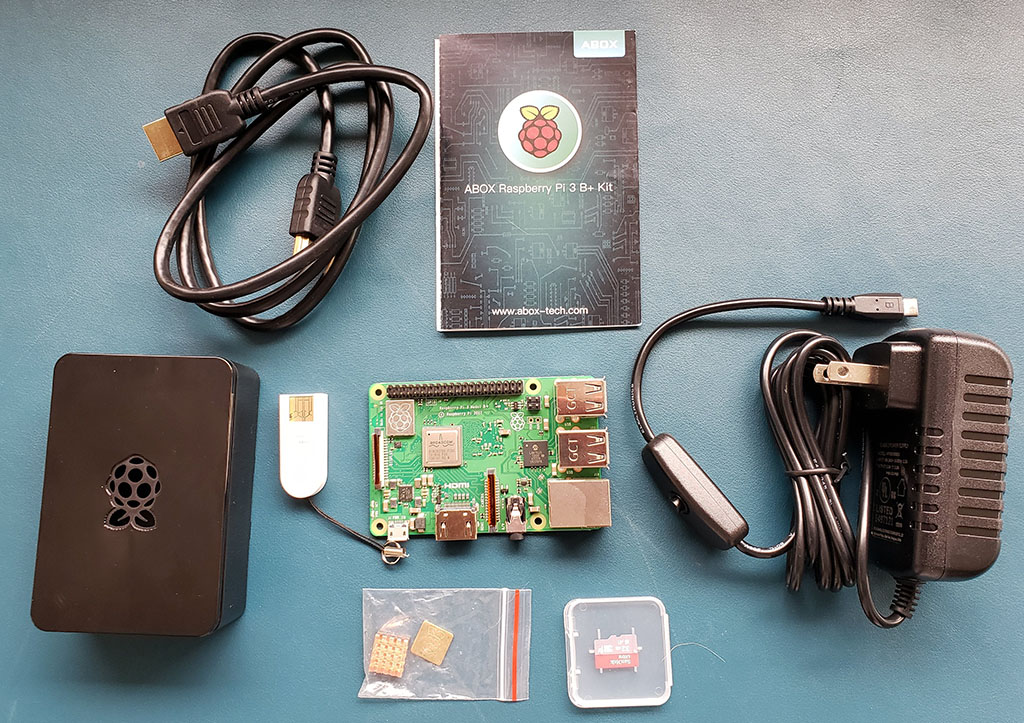
  • A Raspberry Pi 3B+ motherboard with 4 USB 2.0 ports, a gigabit Ethernet port, an HDMI port, audio out, power and micro-SD card reader.  This is the latest model of Raspberry Pi, with a processor that is 19% faster than the previous version, dual band 802.11ac wireless networking and Bluetooth 4.2.
  • A 32 gig micro-SD card pre-loaded with NOOBS, a great utility that will help first-time RPi’ers to load an operating system like the Linux distro Raspbian.
  • A USB 2.0 micro-SD card reader for your other computer that will allow you to load a different operating system like Retro-Pi for gaming.
  • Heatsinks for the motherboard – most Raspberry Pi cases do not have fans, so this helps dissipate heat.
  • A 5v power supply to provide electrons to your Raspberry Pi.
  • An HDMI cable to connect to a monitor.
  • A “Getting Started” booklet that will walk you through installing the Raspbian operating system.
  • A standard case to house the whole affair (minus the “Getting Started” booklet).

Setup

Setup doesn’t get much simpler.  Peel the tape off the back of the heat sinks and attach them to the two chips (in the picture, the upper left chip and the one immediately to the right and lower – it is pretty easy to figure out which goes where).  Open the case and put the board in place.  Close the case, and you are ready to get started.
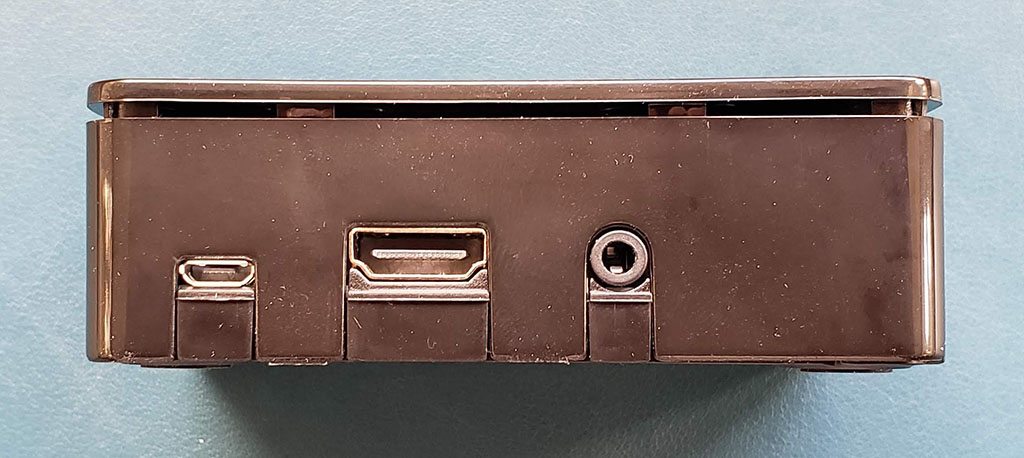
This is the power, HDMI and audio out ports in the case.
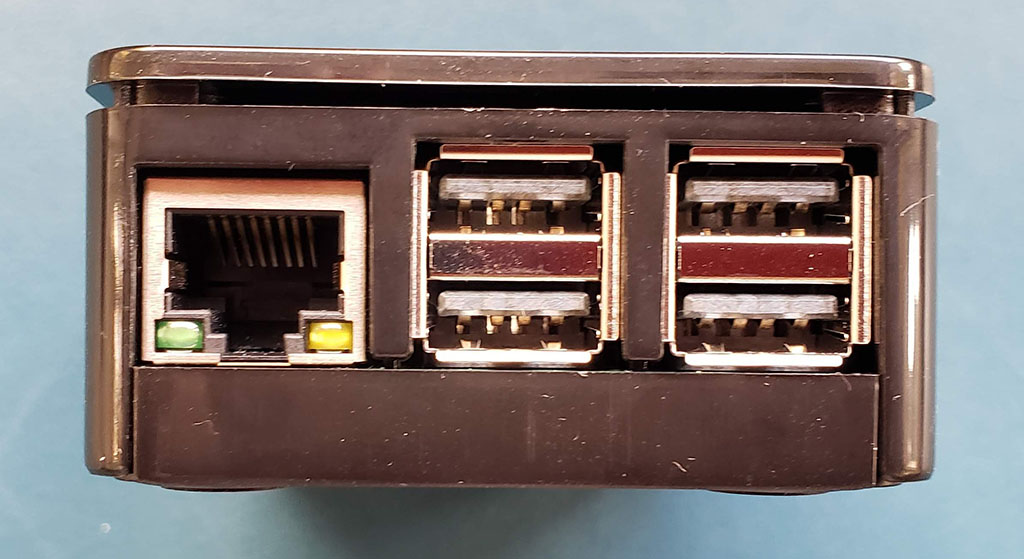
The Ethernet and USB 2.0 ports on one side…
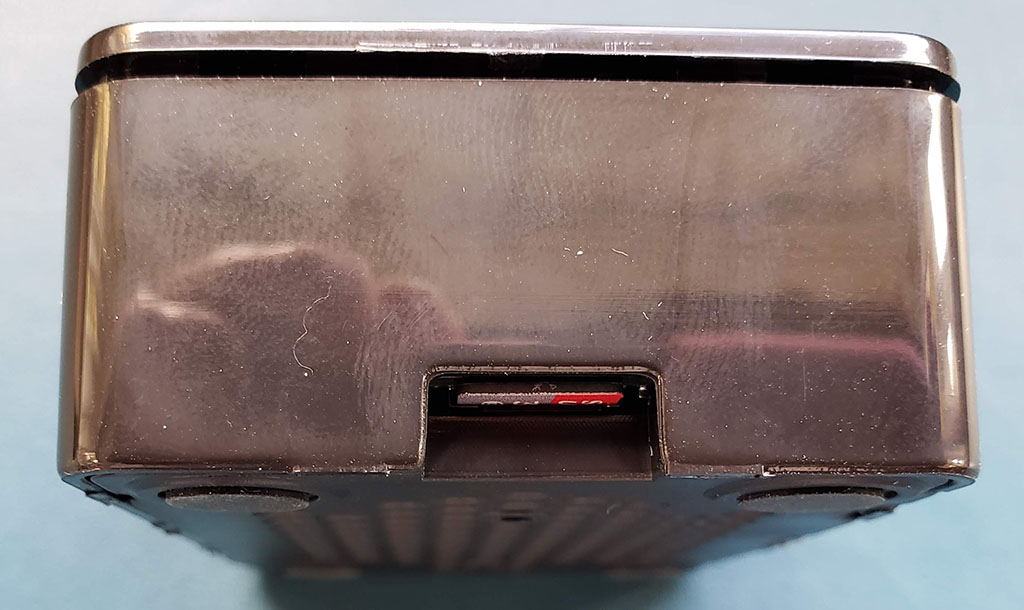
…and the micro-SD slot with the card installed on the other side.  Plug in your keyboard and mouse, connect a monitor and then plug in the power cable.
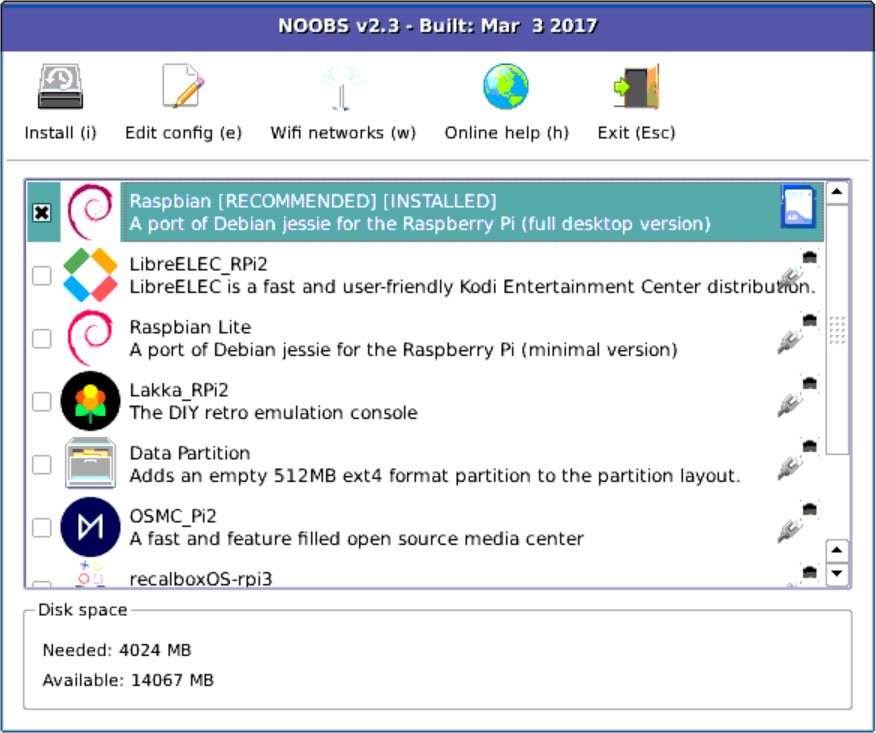
Load your operating system and you are ready to explore the world of Raspberry Pi.  It is that simple.

Is it worth it?

Depends.

These kits are a great, hands-on way to teach kids about STEM.  They are also great for home automation projects like creating your own Amazon Alexa device.  Into retro-gaming?  Again, another great use.  And this is the point – if you can find a use for this, a kit like the ABOX is the right way to get started.  If you are uncertain about what a Raspberry Pi is or what it can do, you might want to read more before spending the money.  So it really comes down to whether this particular kit is the right one.

And the short answer is yes, it is.  The motherboard and case are standard issue, so no difference between these and the components you will find in other kits.  The differentiation comes in the other components included in the Starter set.  The power cord is a solid, UL-listed version with a convenient on-off switch installed.  The HDMI cable is molded and shielded.  A name-brand micro-SD card that is fast enough to support the Pi.  And the instruction booklet will get you started – as far as getting an operating system loaded and functioning.  After that, you are free to explore as you like. ABOX has packaged great components that will help launch you into the Raspberry Pi world.

What I like

  • (Almost) everything you will need to get started (bring your own mouse, keyboard and monitor)
  • Good quality components that make it easier for the beginner to get started
  • An instruction book that gets you to the launch of the operating system

What should be improved

  • A fairly minor point, but a couple of pictures on how to assemble the case and motherboard would probably help the extreme beginner or kids getting started on their own

Final thoughts

Getting everything you need in one box is the difference between success and frustration when you are beginning.  There are plenty of tutorials on the Internet that will help you take an assembled unit and make it into something, but few will tell you what you actually need to get started.  ABOX is bridging that gap with kits like this.  From unboxing to install, the process took me a little over an hour – and a fair portion of that was spent finding a wired mouse that I could start with (once up and running I switched to a Bluetooth mouse – it’s just that brief getting started time where that – or a Logitech unifying device – is needed).

So what am I going to do with this?  I think I am going to make a retro gaming setup.  A couple of USB game controllers and installation of the Retro-Pie operating system, digging up some games on the Internet, and soon the sweet sounds of Donkey Kong will once again reverberate through my living room.  Or maybe I will buy a LCD screen component and some sensors to use as a weather station.  Or add the camera module and build a facial recognition device that will show either my wife or I a custom-built news and information feed.

Or maybe I will do all 3…where is my credit card again?

Price: $78.99 with the 32 gig memory card, $68.99 with the 16 gig version
Where to buy: Amazon
Source: The sample for this review was provided by ABOX.

Filed in categories: Reviews

Tagged:

ABOX Raspberry Pi 3B+ Starter kit review originally appeared on The Gadgeteer on October 5, 2018 at 12:00 pm.

Note: If you are subscribed to this feed through FeedBurner, please switch to our native feed URL http://the-gadgeteer.com/feed/ in order to ensure continuous delivery.

Focal delivers a new closed-back headphone designed for blissful privacy

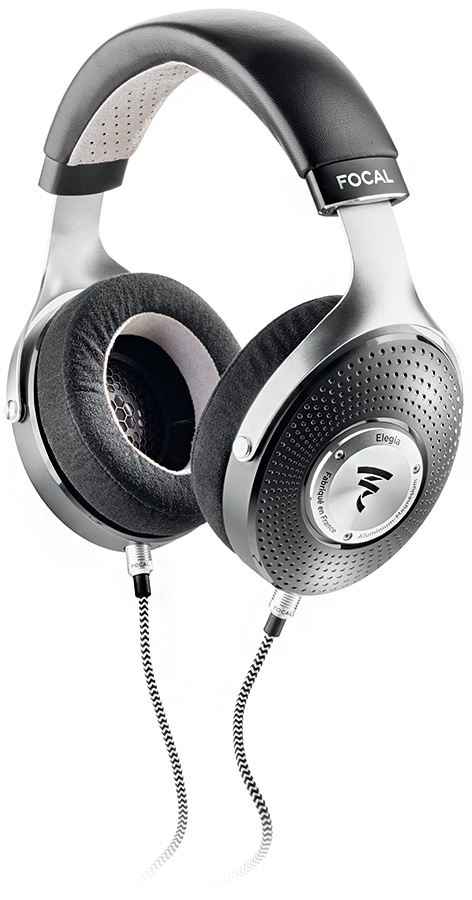
NEWS – Focal is a French acoustics company that has taken the audio community by storm with their exceptional line of high-end headphones. Clear, Elear and especially Utopia headphones have redefined how good headphones can be. However, these three headphones are open-backed, which is a deal breaker for some. Now, Focal has remedied that with Elegia, Focal’s first high-end, closed-back headphone.

Elegia is for audiophiles who desire quality whenever and wherever they want, without worrying about a noisy environment interfering with their music.

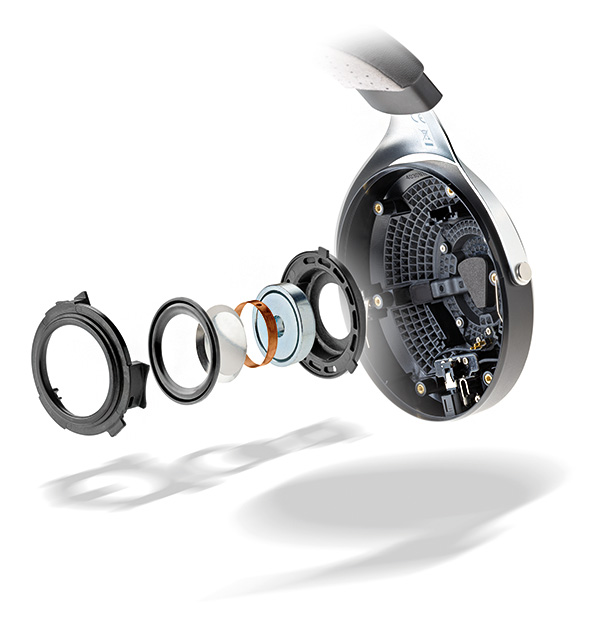
Focal has brought together the best of its technologies. Elegia incorporates a new generation of full-range speaker drivers capable of operating in a small environment while ensuring exceptional dynamics thanks to its motor, frameless copper voice coil, dedicated surround and “M”-shape dome. 

Elegia is designed for use with portable audio players. Focal built-in vents to ensure zero resonance. In crowded situations, Elegia’s soundproofing is excellent, helped by its plush ear pads. Focal excels at comfort as much as high-performance audio. The headband molds perfectly to the head, providing optimal grip for on-the-go use. The memory foam/microfiber ear pads add to the headphones’ comfort. Materials such as leather, microfiber fabric, and solid aluminum give Elegia its elegant style.

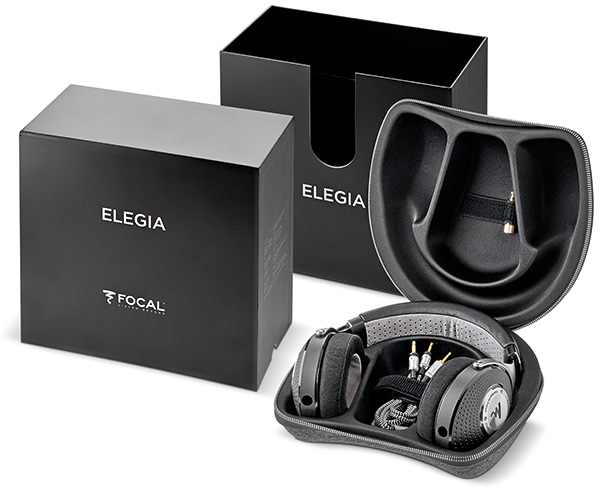
Focal also provides a finished case made of thermoformed construction protect Elegia wherever you go.

Elegia sells for $899 US and will be available in October 2018 from select retailers. Visit focal.com/us for more information.

Filed in categories: News

Tagged:

Focal delivers a new closed-back headphone designed for blissful privacy originally appeared on The Gadgeteer on October 5, 2018 at 11:00 am.

Note: If you are subscribed to this feed through FeedBurner, please switch to our native feed URL http://the-gadgeteer.com/feed/ in order to ensure continuous delivery.

Joe Porletto attends the 2018 New York Comic-Con


ARTICLE – Joe and his videographer/photographer buddy John Battistini are attending the New York Comic Con this week. It’s a mecca for all things nerdy and geeky from comics, to figures, to toys, books, movies, and more. Joe has made a collection of clips for the first day, so enjoy and keep coming back to this post as it will be updated as the show goes on.

Intro to New York Comic Con 2018

XM Studios

Playmobil

Level Up Dice

One61 Studio

HAL 9000

Silly Han Solo bit

New York Comic Con Day 1 END

We’ll update this post with new videos as the show continues. If you have any questions about the show, please leave a comment below.

Filed in categories: Articles

Tagged: ,

Joe Porletto attends the 2018 New York Comic-Con originally appeared on The Gadgeteer on October 5, 2018 at 10:00 am.

Note: If you are subscribed to this feed through FeedBurner, please switch to our native feed URL http://the-gadgeteer.com/feed/ in order to ensure continuous delivery.