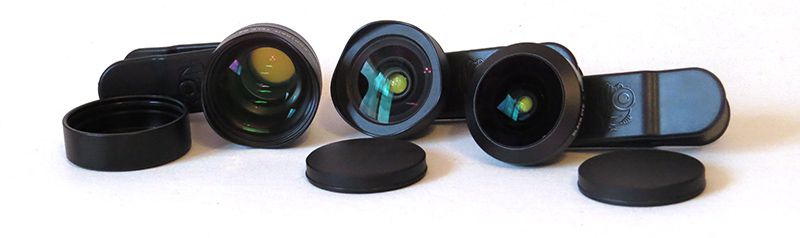
Black Eye Pro Kit G4 smartphone lens kit review

REVIEW – Cell phone cameras have come a long way since the days of the first smartphone. We went from needing a brightly lit area years ago to optical zoom in today’s phones. The technology of having interchangeable lenses built into the phone hasn’t quite arrived yet, but in the meantime, there are portable options out there. One of them is the Black Eye Pro Kit G4 which has a fish-eye, wide-angle, and 2.5x telephoto zoom lenses.

What is it?

The Black Eye Pro Kit G4 is a set of lenses that allows a smartphone to have more photographic versatility than the standard on-board camera.
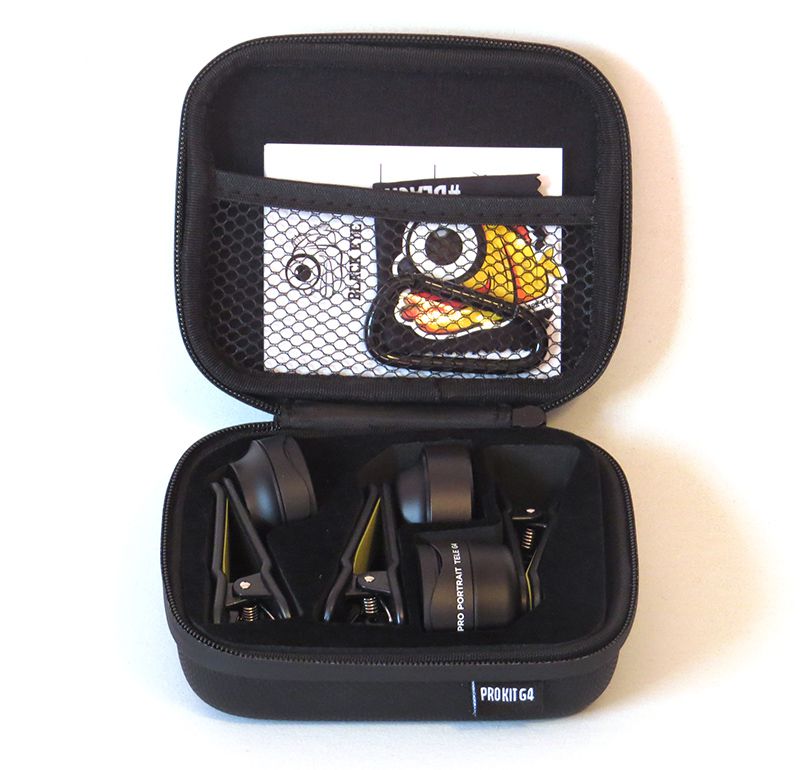
What’s in the box?

In the box you’ll find the three lenses with lens caps, a D ring, sticker, lens cleaning cloth, and a nice, sturdy case.

Design and features

I own a Canon Powershot SX50 HS camera, and the last time I used it for photography outside of review items was to take pictures of the moon. Before that, it was at Yellowstone, two years ago. Nowadays, I simply use my phone for my photographs since the quality is so good.
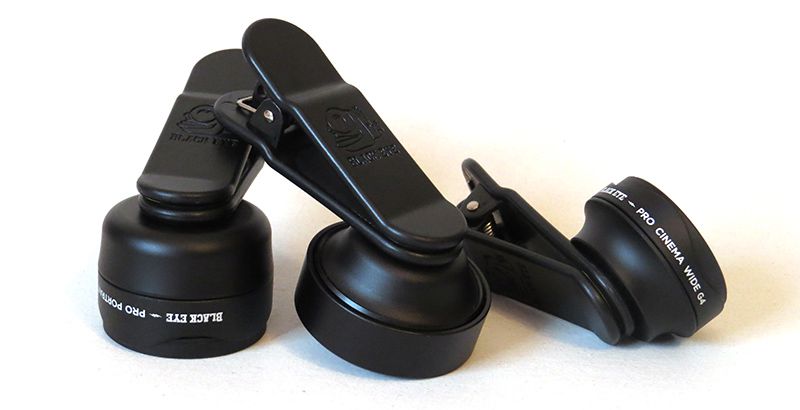
The Pro Kit G4 design allows for easy access and quick transitions between lenses. What impressed me was that it worked with both the regular and 2x zoom on the iPhone X.
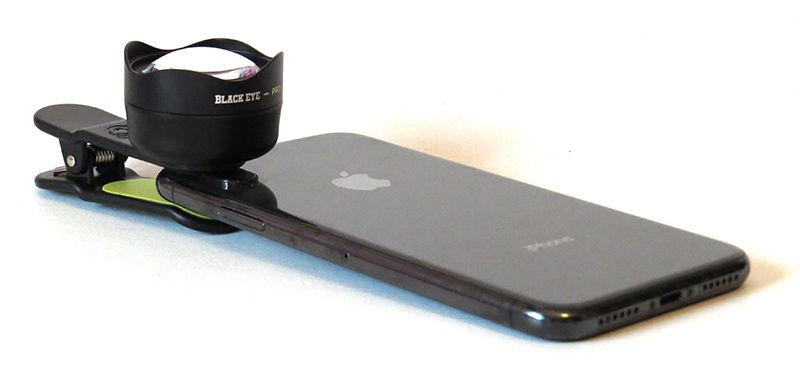
I do admit, getting the lenses positioned perfectly on my phone was a challenge, and it took many trials to get them on perfectly. They worked with the case on my phone, but it was much easier to position the lenses correctly if I removed the case. That can be a bother if you are trying to be quick about it and choose to use a case on your phone.

First up on the list of three lenses, we have the Pro Fish-eye G4. I usually don’t bother with fish-eye lenses unless I want to take an amusing picture, but I had to admit the picture of the cherry tree blossoms in my front yard turned out very well. This one was probably the easiest to fit on the phone, simply because the outer section of the picture is slightly distorted due to the fish-eye effect anyway.

As you can see, the fish-eye effect isn’t too jarring. I actually prefer it this way. It made it so those blossoms and the daffodil growing alone in my yard look stylish in picture form. Of course, it also works well for the silly cat pictures that I associate fish-eye lenses with. The fish-eye was overall, my second favorite lens.

Secondly, we have the Pro Portrait Tele G4, which provides 2.5x zoom. I was worried that this would not work with the iPhone X’s dual cameras, but it worked just fine for my zoom, effectively doubling the zoom on it.

I tested it out in my backyard, with all three pictures taken on the same spot. The top picture is 1x zoom (standard) on my phone, bottom left picture is standard zoom on the phone with the tele lens, and the bottom right is the phone’s 2x zoom with the tele lens. This was an accurate representation of the differences you get with each zoom level.

Of course, I also tested it on my cat to see the up close zoom, and it was about on par with my regular iPhone camera when up close. I definitely see it used more for outdoorsy type pictures, or if you want to get fancy, outdoor portraits.

Lastly, we have the Pro Cinema Wide G4. Out of the three lenses, this one was by far my favorite. When I first tested it out in my backyard, it was a little underwhelming. I just couldn’t get a good picture for some reason.

However, when I went to go to the pedestrian bridge nearby, I was able to really see the difference between the wide angle and regular camera lens. The ivy covered tree on the right side was my guiding point when looking at the difference between the two pictures. Both pictures were taken from the exact same spot on the bridge.

I also took a picture of a little display in the front yard of a neighbors house. This is very close to the sidewalk, and I used the wide angle lens to get it all within view.

What I like

  • Easy to use once you get the hang of it
  • Wide angle lens allows for a good picture without sacrificing quality
  • Carrying case is protective

What needs to be improved

  • Expensive

Final thoughts

Overall, I thought the Black Eye Pro Kit G4 was an interesting combination, but I feel the only lens I would use on a regular basis is the wide angle lens. That being said, if someone is wanting all three types of lenses, it is a solid set to choose from.

Price: $249.90
Where to buy: Black Eye website
Source: The sample of this product was provided by Black Eye.

Filed in categories: Reviews

Tagged:

Black Eye Pro Kit G4 smartphone lens kit review originally appeared on The Gadgeteer on April 19, 2019 at 10:00 am.

Note: If you are subscribed to this feed through FeedBurner, please switch to our native feed URL http://the-gadgeteer.com/feed/ in order to ensure continuous delivery.
Bionik TV LYNX Nintendo Switch portable connect and charge kit review

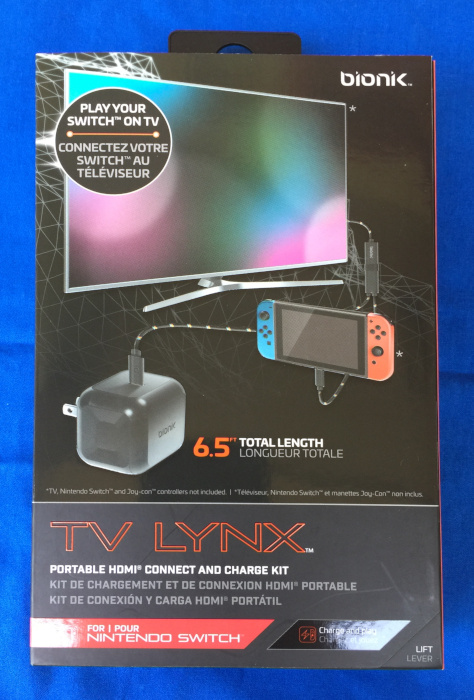
REVIEW – One of the most frustrating things about the Nintendo Switch is the need to carry a dock around if you want to both charge the switch and use an external display. The Bionik Lynx for the Nintendo Switch is a compact solution to this problem.

What is it?

The Bionik Lynx for the Nintendo Switch (hereafter referred to as simply Lynx), is a compact solution for providing power to a Nintendo Switch and simultaneously allowing the Switch to be connected to an external display using an HDMI port.

What’s in the box?

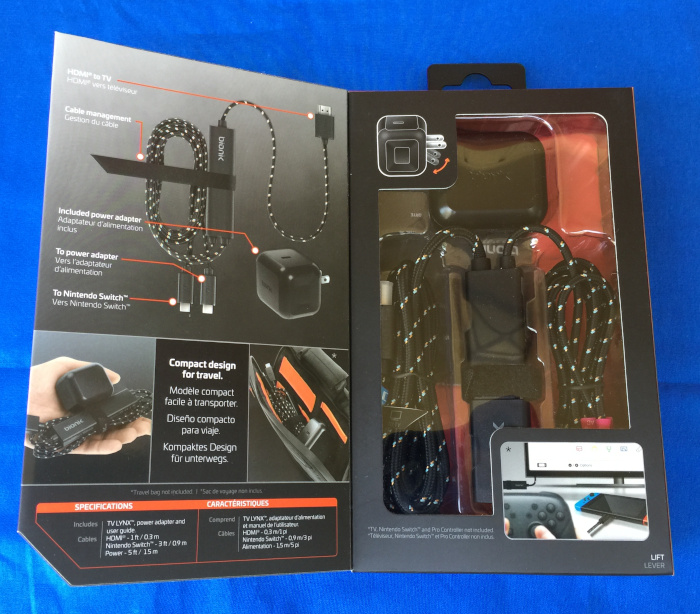
The Lynx is packaged in a nice full-color box with a front flap which allows you to see the kit in all its glory before you purchase or open the package.

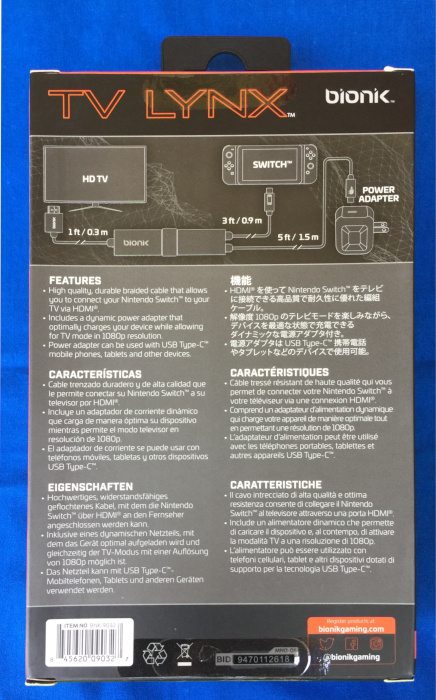
The package describes the basic features of the Lynx in 6 languages with English and French being the featured languages.

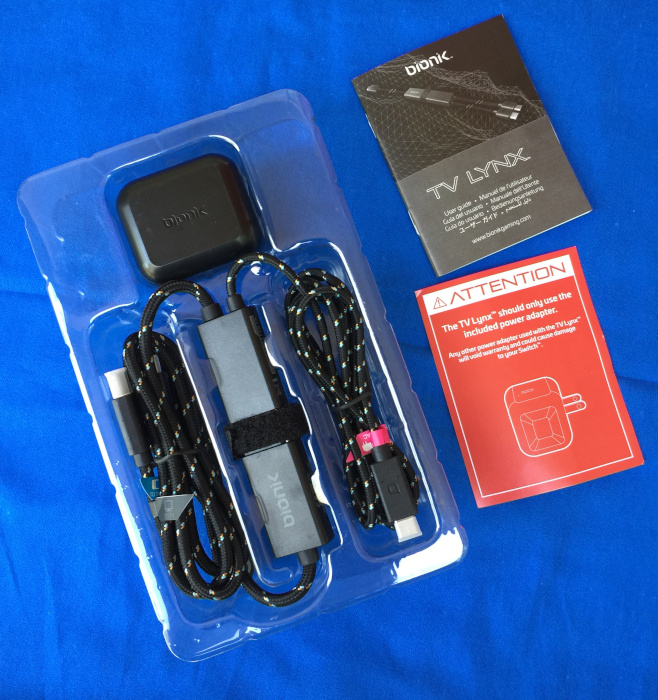
Inside the package are

  • Lynx unit with an attached branded hook-and-loop wire wrap
  • Power brick with USB-C port
  • Quick-start instruction manual (multi-language)
  • Flyer with adamant warning to only use the enclosed power adapter with the unit

Hardware specs

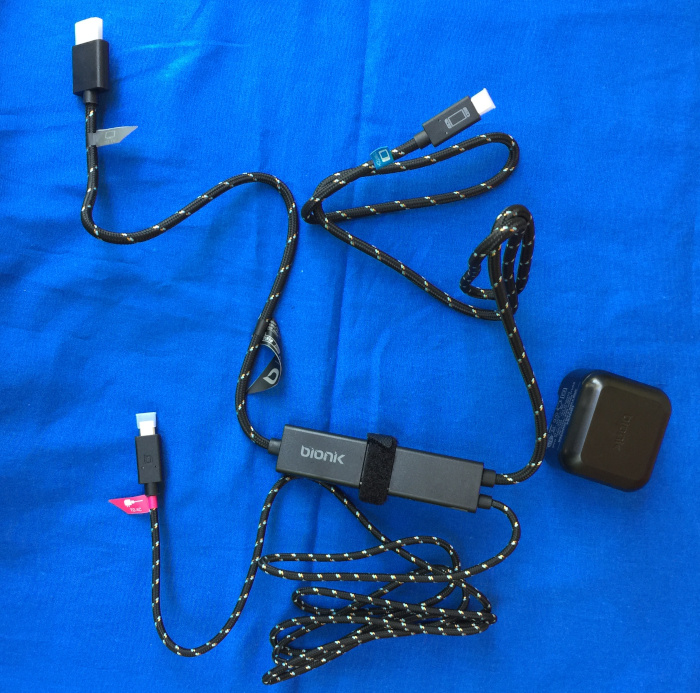
The Lynx unit itself is 9.9 cm long, 2.4 cm wide, and 1.2 cm thick. The Lynx has three attached cables that run to the power adapter (150 cm with a USB-C plug), a Switch (90 cm with a USB-C plug), and an HDMI display (30 cm with a full-sized HDMI plug). When bundled up the Lynx unit and cables is approximately 13 cm long and 5 cm in diameter and weighs 110.5 grams. The power brick measures 5.2 cm by 4.3 cm by 4.5 cm and weighs in at 70 grams.

Design and features

The Lynx is an elegant and functional device which only performs one set of functions, and it performs them very well.

Setup

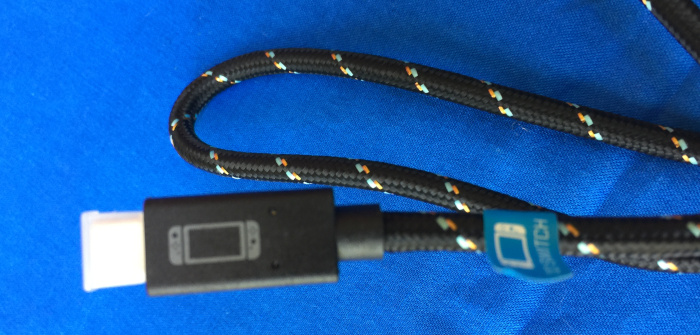
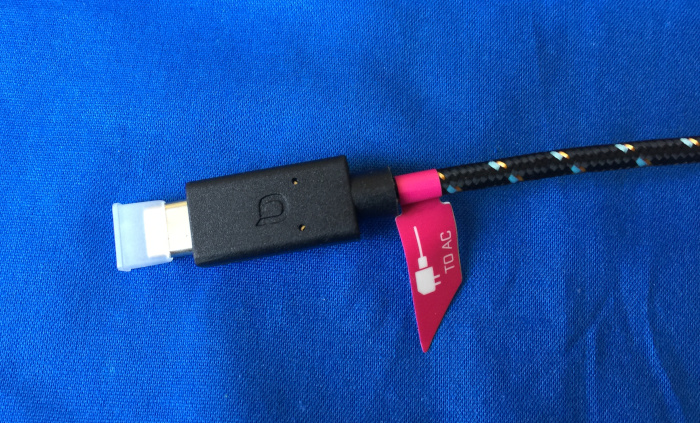
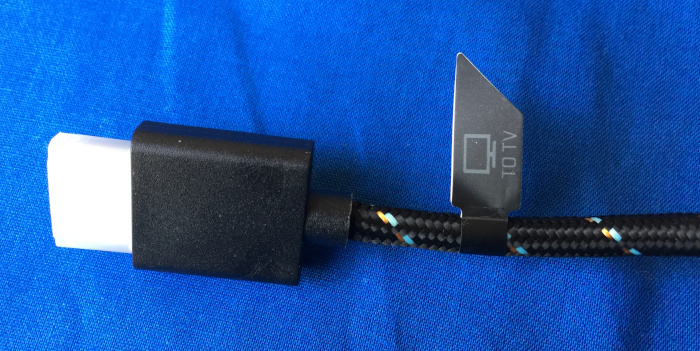
Setting up the Lynx involved simply removing the protective shipping caps from the various connectors, plugging the correct connectors into the correct places following the labeled flags / legends printed on the plugs, plugging the power adapter into an outlet, and turning on the attached display and Switch. I would have liked to see the plugs either embossed with the function or have the plug moldings color coded as I worry about the wire labels coming loose and the printed legends being worn away. I will be addressing this issue on my unit with two different colors of paint to fill in the embossed Bionik logo on the plugs and matching colored wire ties on the cables.

Performance

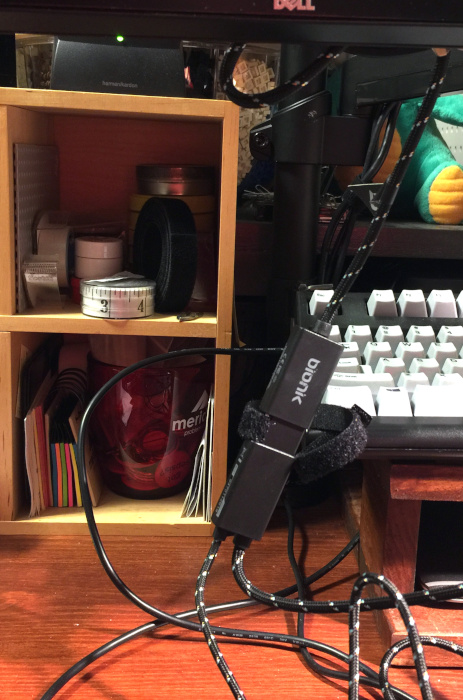
I initially tested my Lynx by hooking it up to the HDMI port on my monitor and hoping that the scaling algorithms in my monitor would render a decent picture. The Lynx outputs a 1080p signal over the HDMI port, but my monitor’s native resolution is WQHD/QHD/2K (2560 x 1440). When I booted everything up, the output looked as good as any other 1080p signal displayed on my monitor. A minor gripe is that the Lynx was hanging down from the bottom of my monitor rather than resting on my desk (yes, I do have my monitor set a bit higher than many others). This is due to the short video cable on the Lynx.

I panicked a bit when I couldn’t get the controls to respond. My younger son helpfully told me that I needed to undock the controllers from the Switch, because they won’t work with an external display when they are still attached. You can see how often I play video games on a Switch. I was able to load and run Super Smash Brothers Ultimate and play with no more trouble than the last time I tried. My younger son “helpfully” offered suggestions on my game play, but I was mostly able to ignore him. The only performance issue that we noted was that the HDMI signal coming out the Lynx runs audio at full volume and there is no way to adjust the volume. I have an inexpensive set of speakers that do not have an onboard volume control attached to my monitor, so game play was very loud.

We next moved to my younger son’s room and performed a second test. Since we were hooking the Lynx up to a regular TV, we could adjust the volume, but we had to rig a mounting solution because his television is mounted five feet up from the floor and the location of the nearest power outlet was just outside the maximum length of the cables. A piece of 3M Command Adhesive solved that problem. He played for over an hour, and would have played longer, but his older brother came in and demanded that his Switch be returned.

My older son has used the Lynx on several outings to friends’ houses for the Switch equivalent of LAN parties, and the Lynx has been a big hit. Again the short HDMI cable proved to be problematic, but the addition of a spare male-to-female HDMI extension cable that his friend’s father happened to have come to the rescue. I will be adding an extension cable to our kit as well.

With the addition of an HDMI extension cable, the parts count reaches three, which is where things start to get lost. I think Bionik has made an error in not including a small bag for carrying the Lynx and power adapter. Yes, they could be put into the case with the switch, but the thin cases are already tight on space and the larger carrying cases that are designed to also carry the dock have room for the dock and spare cables and power adapters, so the Lynx is a bit redundant and rattles around in that big space if you choose to use the larger case anyway.

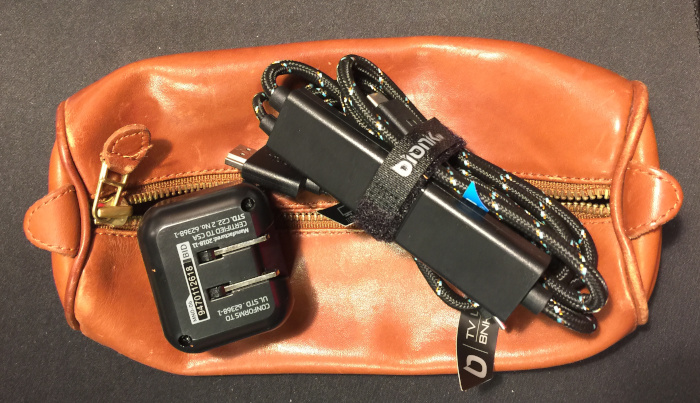
My solution was to pull an old Levenger leather pencil/pen/cable case out of mothballs and put everything in there. Without the HDMI extension cable, it is a bit large for the Lynx and power adapter, but I imagine that the extension cable will take up much of the left over space.

What I like

  • Neat and simple tool
  • Easy to setup and use
  • It just works

What needs to be improved

  • HDMI cable could be lengthened to 50-75 cm
  • Plugs could be better labeled to ensure that the wrong USB-C plug doesn’t end up in the wrong port
  • Needs a carry bag

Final thoughts

The Bionik TV Lynx for the Nintendo Switch is an excellent addition to any Nintendo Switch kit. It solves the problem of powering and simultaneous external display while playing on a Nintendo Switch without having to bring along a dock and its power supply. With a few tweaks, the TV Lynx would be perfect, but don’t let the cable and storage bag issues scare you away. The TV Lynx has become a permanent part of our Nintendo Switch kit.

Price: $59.99
Where to buy: Bionik’s e-commerce site or Amazon
Source: The sample of this product was provided by Bionik.

Filed in categories: Reviews

Tagged:

Bionik TV LYNX Nintendo Switch portable connect and charge kit review originally appeared on The Gadgeteer on April 19, 2019 at 9:04 am.

Note: If you are subscribed to this feed through FeedBurner, please switch to our native feed URL http://the-gadgeteer.com/feed/ in order to ensure continuous delivery.
“USB Killer” Used by Student to Destroy More than $58K of Computers at College

The reasons for nefarious tech behavior is never clear, but to steal information for gain is one thing, but destroy computers and devices for no reason often catches people off guard. A former student used a “USB Killer” to destroy nearly seventy computers in various computer labs at a New York college. Even more inexplicably, he filmed his entire process of destruction. USB Killer Used to Destroy College Computers The name “USB Killer” itself sounds nefarious. It’s obvious what it does, and what its sole purpose is. It’s a cheap USB drive that when plugged into a computer will fry it by rapidly drawing power… Read more

Posted by / April 19, 2019 / Posted in News

Top Seven Best Related Post Plugins for WordPress (2019)

The more of your content your audience consumes, the more likely they are to become loyal fans of your work — these people will be more likely to share your articles on social media, return to your website regularly, and, ultimately, convert into paying customers. However, this raises a bigger question: ‘how do I get… View Article

The post Top Seven Best Related Post Plugins for WordPress (2019) appeared first on WinningWP.

How to Connect a Keyboard and Mouse to Xbox One

Microsoft has worked hard to make the Xbox One more than just a video game console. By emphasizing the Xbox One as a true multimedia machine integrating gaming, video streaming, web browsing and more, its only natural that the Xbox One would support a traditional input method like a keyboard and mouse. The idea of using a keyboard and mouse with a home console may seem bizarre to some, but it actually makes a lot of sense. Inputting text would be a lot easier, as would navigating the UI and menus. Additionally, Microsoft is actively exploring crossplay which would allow Xbox One users to… Read more